What is an AI connector?
Quick answer
An AI connector is a permissioned link between an assistant, such as Claude, and an app you use, such as Gmail, Google Drive or Google Calendar. Once connected, the assistant can search and read what your account can open, so you can ask about your own files, email and schedule in plain words.
Last updated
Updated · By Robert Breen
Why it matters for a small business
Without a connector, you copy and paste. You open the price sheet, copy the numbers, paste them into the chat and ask your question. With one, you ask where the price sheet is and the assistant goes and looks, then shows which files it used so you can check.
The tradeoff is access. A connected assistant can only reach what your account can open, but that may include client email and contracts, so decide which accounts to connect and which chats get the switch. Connectors are often built on the Model Context Protocol, and they rely on OAuth sign-in so you never hand over your password.
Permission settings you will see
| Setting | What it means | Good for |
|---|---|---|
| Needs approval | Claude asks before each use of that tool | Anything that sends, shares or changes something |
| Always allow | Claude uses the tool without asking | Low-risk reads you use daily, like listing your calendar |
| Blocked | Claude cannot use that tool | Anything you never want it to do |
These are the settings shown in the lesson. Names and defaults can change, so check your own account.
In a real lesson: Connect Claude to Google Drive, Gmail and Google Calendar
In the Connect Claude to Google Drive, Gmail and Calendar lesson, the office manager at Bright Path Landscaping, a made-up company, connects all three from Customize, then Connectors. Claude finds a price sheet in Drive, summarizes a customer's email thread and flags the day on the calendar that looks too full.
Above each answer, a short line lists what Claude did. Opening it shows each search and file read, which is the fastest way to check where an answer came from.
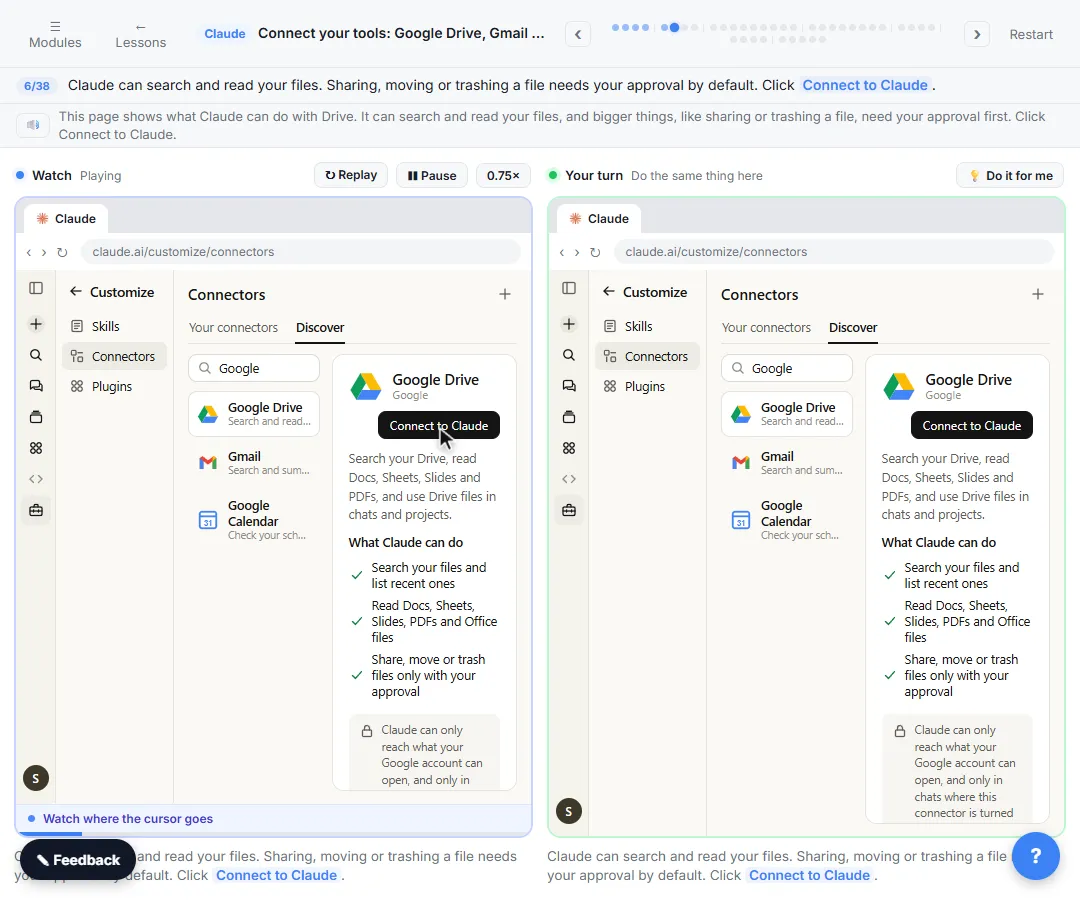
Try this lesson free or read the step-by-step guide.
Common confusions
Connector vs integration
Integration is the general word for any link between two apps. A connector is the specific link that gives an AI assistant access to one of them.
Connector vs file upload
An upload gives the assistant one file once. A connector lets it search your account, within the limits you set.
Tips
- Connect your work account, not a personal one, and turn the connector off in chats that do not need it.
- Keep approvals on for sending, sharing and editing.
- Read the sign-in screen to see what the connector is asking for before you click continue.
Related terms
More AI assistants terms
Where you use it: free lessons
- Connect Claude to Google Drive, Gmail and Google Calendar (Claude, 8 min)
- Pancake: Get Qualified Sales Conversations from Claude Without Hiring a BDR (Pancake, 16 min)
- Add an AI Chatbot to Your Website with Lovable AI (Lovable, 8 min)
Visual guide
AI connector in a few slides, with the same guide written out as text.
Frequently asked questions
- Can Claude send email once Gmail is connected?
- Only if you allow it. In the lesson, actions with consequences, such as sending, sharing or changing events, need your approval by default.
- Can a connector see everything in my Google account?
- It can reach what your connected account can open, in chats where its switch is on. Review the permissions on the Google sign-in screen and the connector's settings.
- Do I need an admin to connect one?
- On Team and Enterprise plans an owner adds the connector for the organization first, then each person signs in. Google Workspace admins may also need to allow it.