What is an AI email assistant?
Quick answer
An AI email assistant is a tool built into or connected to your inbox that uses a large language model to summarize long threads, answer questions about what a message is asking for, and draft replies you edit before sending. Gemini in Gmail and Copilot in Outlook are common examples.
Last updated
Updated · By Robert Breen
Why it matters for a small business
Office work runs through email, and much of the time goes to reading, not writing. A six-message email thread with dates, prices and a change of plan can take ten minutes to untangle. An assistant that summarizes it, tells you what the other person is still waiting on and gives you a first draft cuts that to a couple of minutes, without changing who decides what gets sent.
That last part is the line to hold. A good assistant leaves the reply as a draft, the way a Gmail draft waits for you, rather than sending on its own. It can misread a thread, miss a detail buried in an older message or confidently state a price nobody agreed to. Unlike an autoresponder, which sends the same message to everyone, an AI assistant writes something new each time, so every draft needs a careful read.
In a real lesson: Gemini in Gmail: Summarize a Thread and Draft the Reply
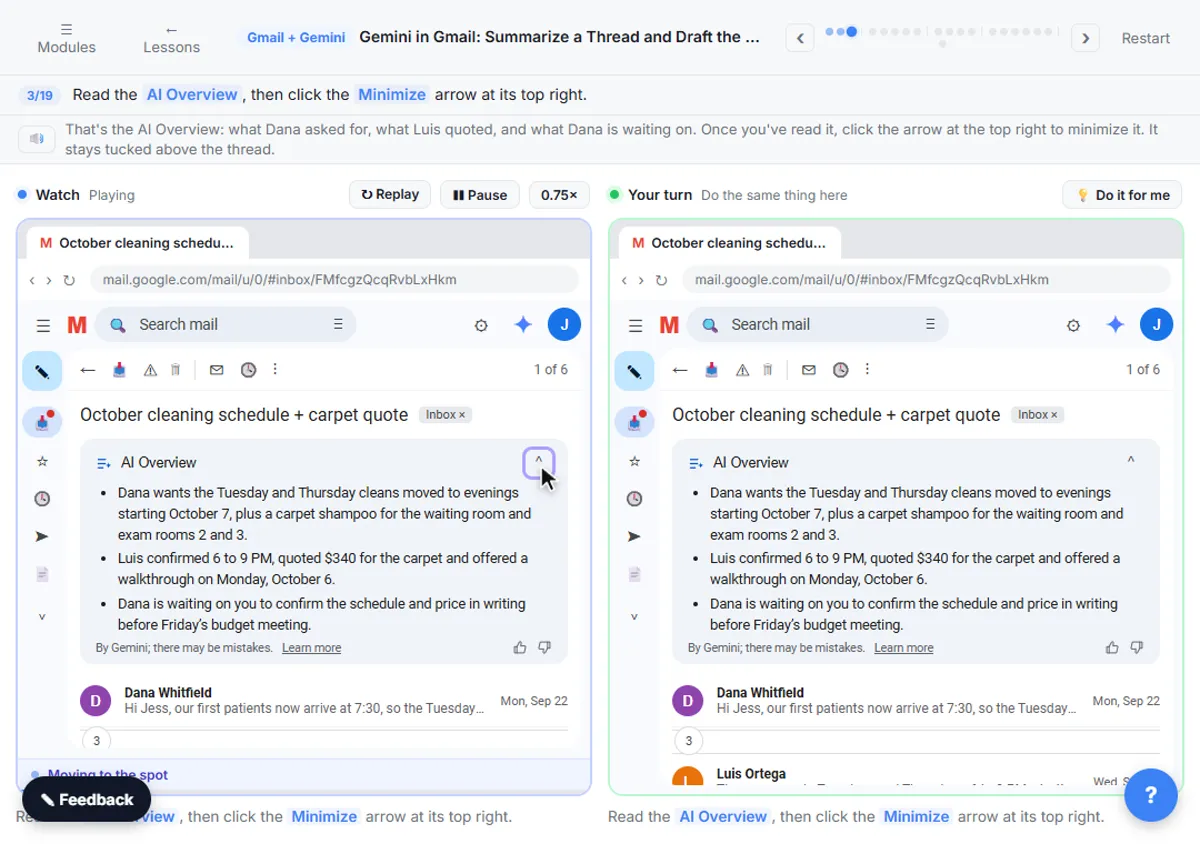
In Gemini in Gmail: Summarize a Thread and Draft the Reply, you work in Jess's inbox at Harbor Light Cleaning, a made-up commercial cleaning company. The thread October cleaning schedule + carpet quote has six messages. One click on Summarize this email produces an AI Overview of what the client asked for and what was quoted.
Then you ask the side panel a direct question: "What does Dana still need from me, and by when?" For the reply, the Help me write prompt spells out the facts, including "Tuesdays and Thursdays, 6 to 9 PM, starting October 7" and a carpet shampoo price of $340. You add a missing detail through Describe your change, try Polish and step back with Undo.
The last step is the habit that matters: check the names, dates and price against the thread before you click Send. The AI Email Responder lesson builds a similar assistant in n8n that saves every reply as a draft and never sends it.
Try this lesson free or read the step-by-step guide.
Common confusions
AI email assistant vs canned responses
Canned responses are saved replies you insert yourself, and they never change unless you edit them. An AI assistant drafts fresh text from the thread, so it can fit the situation but can also get facts wrong.
AI email assistant vs inbox triage
Triage sorts and labels incoming mail before you open it. An email assistant helps you read and answer one message at a time. Some tools do both.
Tips
- Put the exact facts, like dates and prices, in your request instead of hoping the AI finds them.
- Ask what the sender is waiting on before you start the reply.
- Read every draft against the thread before you click Send.
- Check your company's AI policy before using it on client email.
Related terms
More AI assistants terms
Where you use it: free lessons
- Gemini in Gmail: Summarize a Thread and Draft the Reply (Gmail and Gemini, 7 min)
- AI Email Responder: Draft Gmail Replies Automatically with n8n (n8n, 12 min)
Frequently asked questions
- What can an AI email assistant do?
- It can summarize long threads, answer questions such as what someone is still waiting on, draft replies from a short description, and rewrite a draft to be shorter, friendlier or more formal. Some can also sort incoming mail.
- Is an AI email assistant safe for work email?
- It depends on the tool and your company's settings. Business plans often have different data rules from personal accounts. Check your employer's AI policy and the tool's privacy terms before using it on client or confidential messages.
- Will an AI email assistant send emails for me?
- Most built-in assistants, like Help me write in Gmail, only create a draft, and you click Send. Custom automations can send on their own, but keeping a person in the loop for every reply is the safer setup.