What is tool calling?
Updated · By Robert Breen
Tool calling is how an AI model uses outside functions. Instead of only writing text, it returns a structured request to run a specific tool with specific inputs, such as "append this row", and the surrounding software runs it and passes back the result. It's also called function calling.
Why it matters for a small business
Tool calling is what moves AI from advice to action. The model decides a tool is needed and fills in the inputs; the platform, like n8n, does the work with your saved credentials. That split matters: the model never holds your Google login, and you decide which tools exist and what each may do.
It also explains most agent failures. If a tool is set to the wrong operation, its inputs are vague, or the instructions never say when to use it, the model calls it wrongly or not at all. Configuring tools carefully matters as much as writing the prompt.
In a real lesson: AI Receipt Extractor: Receipts to Google Sheets with n8n
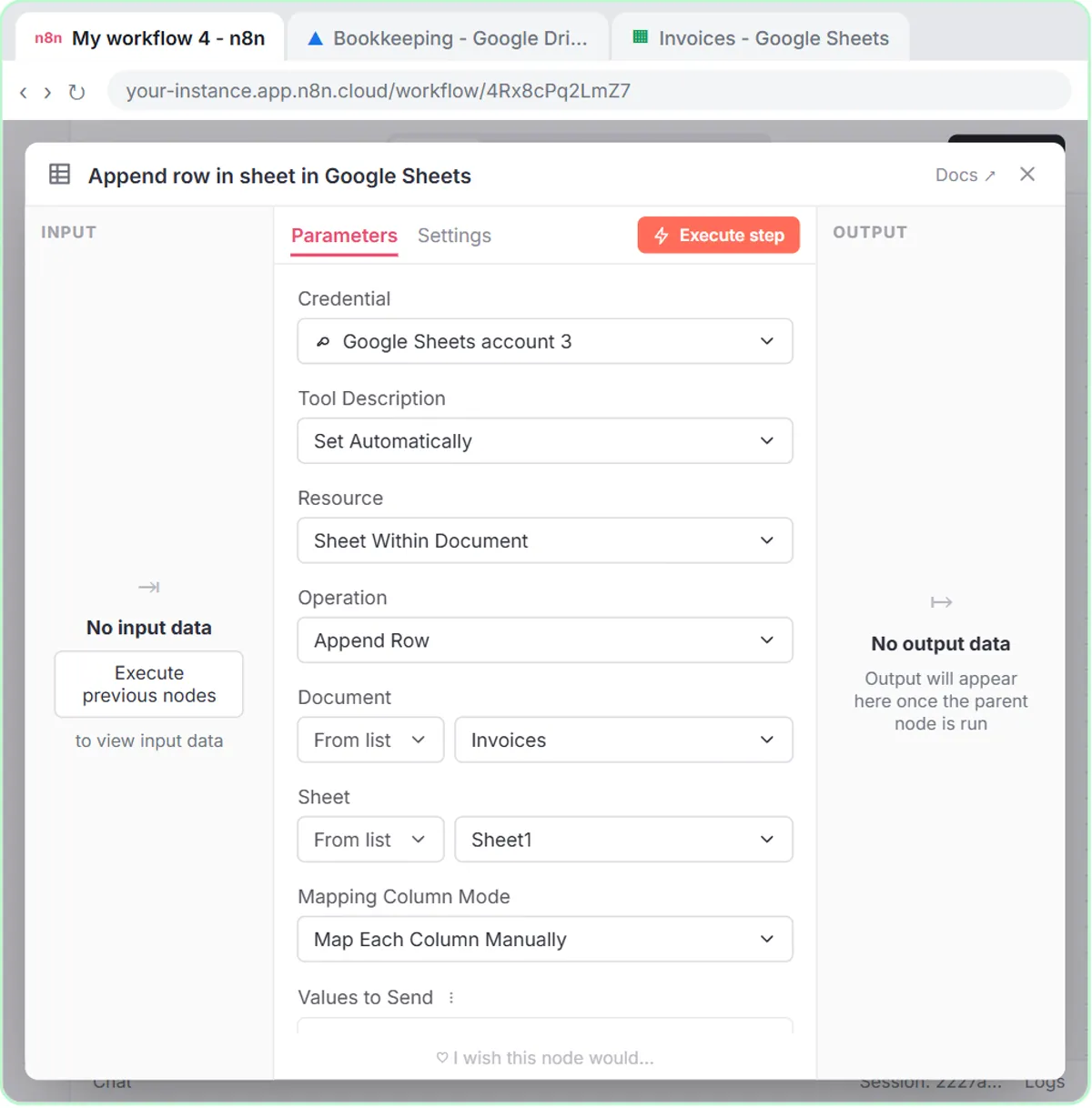
The AI receipt extractor lesson shows tool calling at its simplest. The agent gets one tool, the Google Sheets Tool, which opens set to Get row(s). You change Operation to Append Row, pick the Invoices document and Sheet1, and n8n reads the four headers: Date, Category, Vendor and Amount.
Then you click the ✦ button next to each column, so each one is defined automatically by the model. Those are the tool call's inputs, left for the AI to fill. The system message is three short lines: you will receive a receipt, extract the date, vendor and amount, come up with a category, and use the Google Sheets tool to add it. It never says which value goes in which column; the headers do that job.
In the test you attach receipt.png with the message Heres a receipt. The agent, running gpt-4o so it can read the photo, calls the tool, and a new row appears with the date, Groceries, Corner Mart and 31.57, which matches the receipt when you check it.
Try this lesson free or read the step-by-step guide.
Common confusions
Tool calling vs an API call
An API call is software calling a service directly. In tool calling, the model chooses the tool and its inputs, and the platform then makes the actual call.
Model-defined fields vs fixed fields
Clicking ✦ lets the model fill a field. Setting a field with an expression, like the email responder's {{ $json.threadId }}, fixes the value so the model can't change it. Use fixed values for anything that must be exact.
Tips
- Give each tool the narrowest operation it needs, like Append Row or a Gmail draft, rather than broad access.
- Name sheet columns clearly; with model-defined fields, the headers are effectively instructions.
- After each test, check the result in the real sheet or inbox, not just the green nodes.
Related terms
Where you use it: free lessons
- AI Receipt Extractor: Receipts to Google Sheets with n8n (n8n, 12 min)
- AI Email Responder: Draft Gmail Replies Automatically with n8n (n8n, 12 min)
- Lovable + n8n: Build a Web App with an AI Backend (Lovable and n8n, 15 min)
Frequently asked questions
- Does the AI model run the tool itself?
- No. The model asks for a tool to be used and supplies the inputs. n8n runs the tool with your saved credential and hands the result back to the model.
- Can an agent have more than one tool?
- Yes. In the Lovable + n8n lesson, the agent has a Google Sheets tool to save the lead and a Gmail tool to reply, and its system message says when to use each.