What are secrets and environment variables?
Updated · By Robert Breen
Secrets and environment variables are named settings, like N8N_WEBHOOK_URL or an API key, that are stored outside an app's code and read when it runs. Keeping them out of the code keeps private values private and lets you change them without rebuilding the app.
Why it matters for a small business
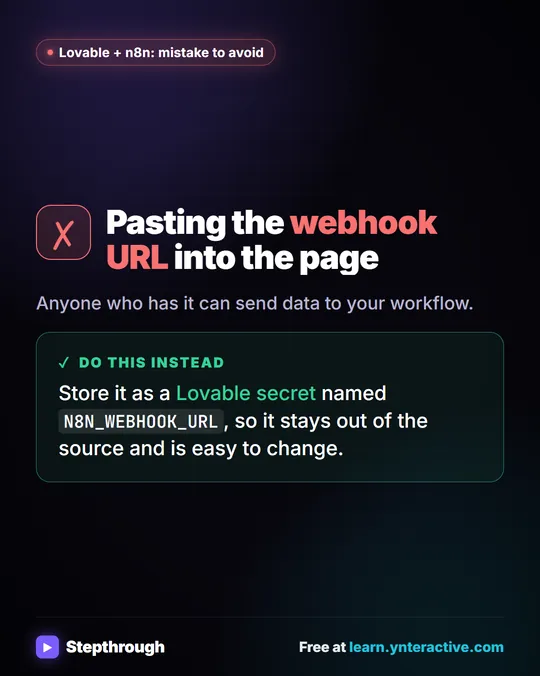
Small apps leak secrets in ordinary ways: an API key pasted into a page, a webhook URL in code shared with a contractor, a value caught in a screenshot. Anyone who has a webhook URL can send data into your workflow, and anyone with an API key can spend your money. Storing them as secrets limits who and what can see them.
Secrets also make change painless. If you rebuild the n8n workflow and its URL changes, you update one secret instead of hunting through code. The same idea lets one app use test settings while you build and live settings once you launch.
In a real lesson: Build an AI Maintenance and IT Request Form
In the maintenance and IT request form lesson, the Lovable prompt for Ridgeline Supply Co. (a made-up warehouse business) ends with an IMPORTANT section: do not hard-code any webhook URL, reference the N8N_WEBHOOK_URL secret, and the actual value will be added later. Lovable builds the form to use that name without ever knowing the value.
After you publish the n8n workflow, you open the Webhook node, click Production URL and copy it. Back in Lovable you click More to reach the project settings, paste the secret name N8N_WEBHOOK_URL, paste the URL as its value and click Save. Then Preview, Fill with test data and Submit Request prove the form can reach n8n.
n8n has its own version of the idea: credentials. The OpenAI key and the Google sign-ins live in saved credentials, not inside each node's settings.

Try this lesson free or read the step-by-step guide.
Common confusions
Secret vs environment variable
An environment variable is any setting handed to a program from outside its code. A secret is one that must stay private. Many platforms store secrets as encrypted environment variables.
Secret vs hiding it in the page
Anything in code that runs in the visitor's browser can be read by that visitor. A secret only stays secret when server-side code reads it, which is why Lovable makes secrets available to its backend functions rather than the page.
Lovable secret vs n8n credential
Both keep private values out of what you build. Lovable secrets hold values your app's code reads; n8n credentials hold the logins and keys its nodes use.
Tips
- Use plain, capitalized names like
N8N_WEBHOOK_URL, and match them exactly in the prompt and settings. - If a secret ever shows up in a screenshot, chat or shared file, replace it.
- When a URL or key changes, update the secret, not the code.
Related terms
Where you use it: free lessons
- Build an AI Maintenance and IT Request Form (Lovable and n8n, 15 min)
- Lovable + n8n: Build a Web App with an AI Backend (Lovable and n8n, 15 min)
- Build an Expense Reimbursement Form With AI Policy Checks (Lovable and n8n, 15 min)
Prompt templates that use it
Visual guide
Secrets and environment variables in a few slides, with the same guide written out as text.
Frequently asked questions
- Why store a webhook URL as a secret?
- Anyone with the URL can send data into your workflow. As a secret, it stays out of the code, and you can change it in one place.
- Where do I add a secret in Lovable?
- In the lessons, you click More in the Lovable toolbar to open the project settings, add a secret with the exact name the app expects, and save it.
- Is an n8n credential the same as an environment variable?
- They do a similar job. n8n credentials store keys and logins for nodes, while self-hosted n8n also uses environment variables for instance-wide settings.