What is a credential in n8n?
Updated · By Robert Breen
A credential in n8n is a saved, encrypted login for another service, such as an OpenAI API key or a Google sign-in. You create it once, give it a name, and then pick it from a dropdown in any node that needs that service, instead of pasting secrets into each step.
Why it matters for a small business
Credentials keep secrets out of your workflows. The workflow only says "use the OpenAI account credential"; the key itself lives somewhere safer. So you can share or export a workflow without handing over your logins, and when a key changes you update one credential instead of hunting through every node.
They also make your second automation much faster than your first. The Google account you connected for one workflow is waiting in the list next time, and so is your OpenAI key. It's worth deciding early which account each credential uses (a shared office mailbox, not someone's personal Gmail), because every workflow built on it inherits that choice.
In a real lesson: AI Receipt Extractor: Receipts to Google Sheets with n8n
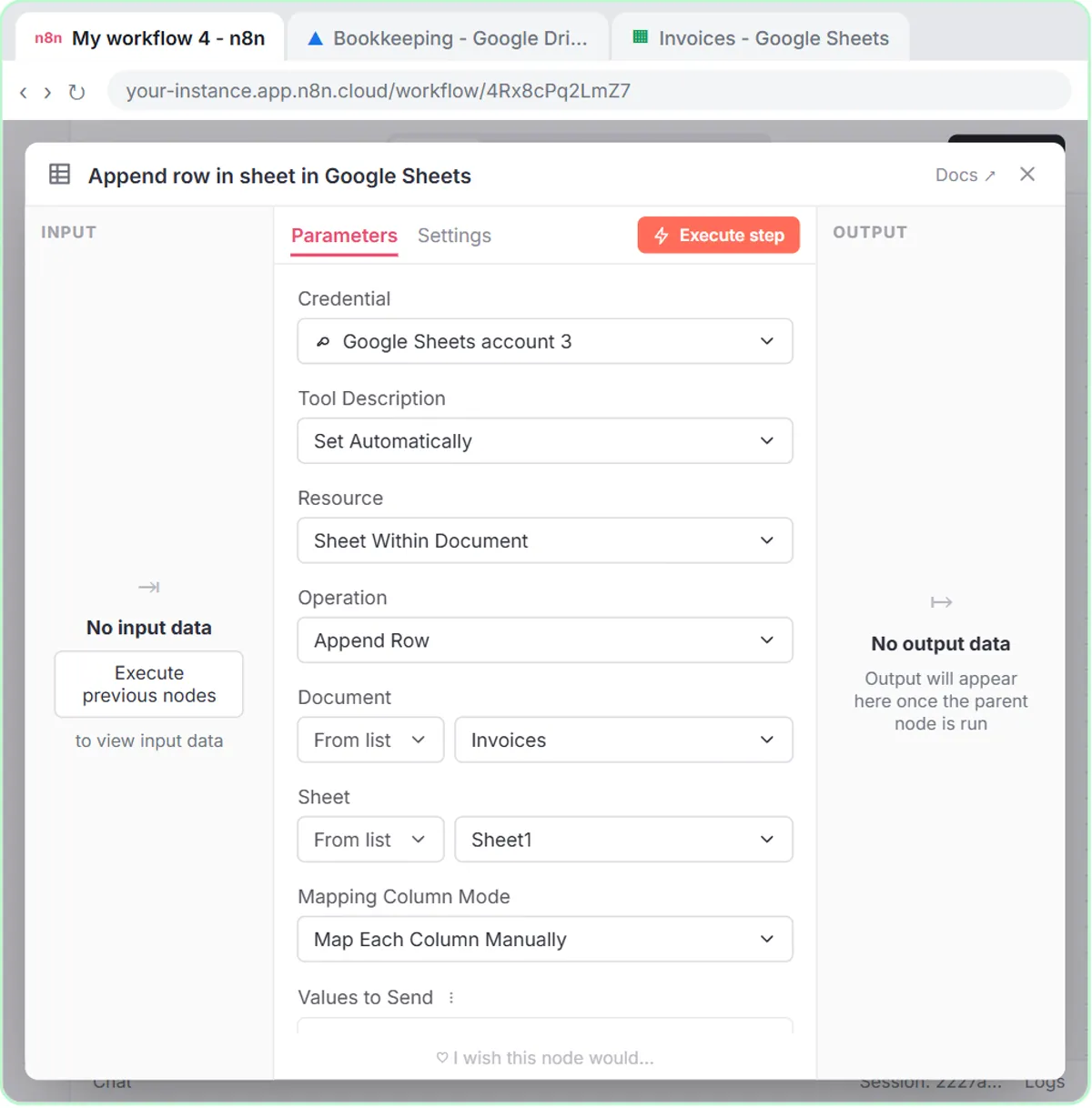
The AI Receipt Extractor lesson shows the payoff. You build an agent that reads a receipt photo and adds a row to an Invoices sheet. When you add the OpenAI Chat Model, you open Credential and simply choose OpenAI account, the key you saved in an earlier module. No new key, no copying anything.
Google works differently, because it's a sign-in rather than a key. On the Google Sheets Tool, you click Create new credential, leave it on Managed OAuth2, and click Sign in with Google. You pick the account whose Drive should hold the sheet, Google asks whether you trust n8n.cloud, you click Continue, and the window reports success and closes on its own.
That credential is why the Document dropdown can list Invoices a few steps later: n8n can see the sheet because of the Google account you connected. In the test, the agent reads the Corner Mart receipt, files it as Groceries and writes the row, using two credentials you only had to set up once.
Try this lesson free or read the step-by-step guide.
Common confusions
Credential vs API key
An API key is one kind of secret. A credential is n8n's saved container for any kind: a key, a username and password, or an OAuth sign-in.
Credential vs what the workflow does
Connecting a credential doesn't mean n8n uses everything it allows. What actually happens is decided by the nodes you add. The AI Email Responder makes this point about its Gmail connection, which only reads mail and writes drafts.
Tips
- Give credentials names that include the account, like "Gmail, office account".
- Reuse a credential across workflows rather than creating duplicates of the same login.
- Templates and shared workflow files don't carry credentials, so plan to connect your own after an import.
Related terms
Where you use it: free lessons
- AI Receipt Extractor: Receipts to Google Sheets with n8n (n8n, 12 min)
- n8n AI Agent Tutorial: Save Social Media Ideas to Google Sheets (n8n, 12 min)
- AI Email Responder: Draft Gmail Replies Automatically with n8n (n8n, 12 min)
Prompt templates that use it
Visual guide
Credential in a few slides, with the same guide written out as text.
Frequently asked questions
- Is it safe to store my API key in n8n?
- n8n stores credentials encrypted and keeps them out of workflow files you share. Still treat the n8n account itself as sensitive, with a strong password and limited access.
- Do I need a new credential for every workflow?
- No. Once saved, a credential appears in the dropdown of every node that uses that service, in any workflow in your account.