What is Lovable?
Updated · By Robert Breen
Lovable is an AI app builder: you describe the web app you want in plain English, and it writes the code, shows a live preview and lets you keep changing it by chatting. Small businesses use it for forms, landing pages and simple internal tools.
Why it matters for a small business
Lovable lowers the cost of trying an idea. A business that needs a quote request page, a signup form for a free guide or an internal request form can have a working version the same afternoon, without hiring a developer for the first draft.
It doesn't remove the need for judgment. Lovable builds what you describe, so a vague prompt gets a vague app. The lessons pair it with n8n for that reason: Lovable makes the page people see, and n8n handles what happens to the data afterward.
In a real lesson: Build a Lead Magnet Signup Form with an AI Welcome Email
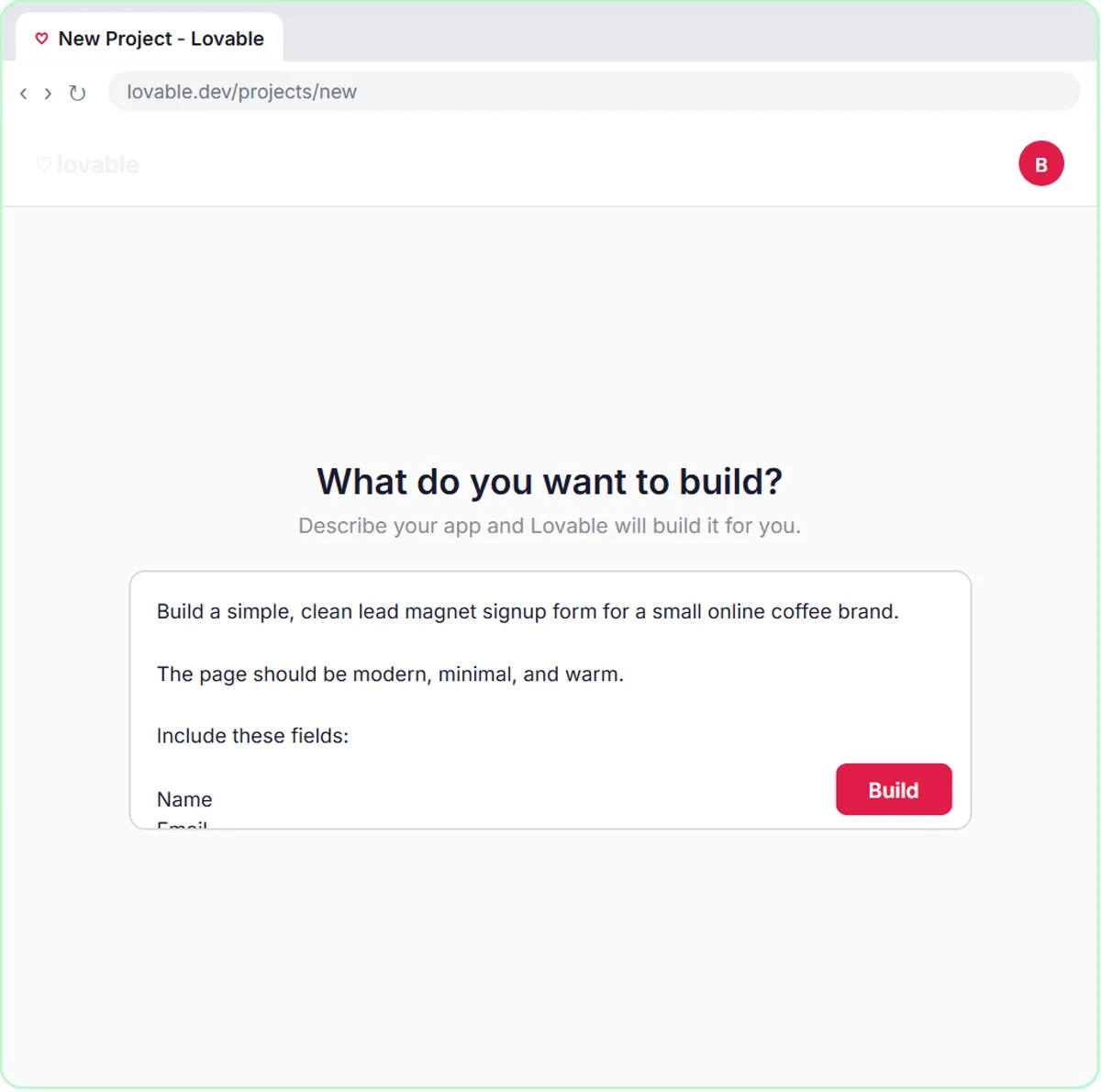
In the lead magnet signup lesson, you build a "Get the Free Guide" form for Harbor & Pine Coffee Roasters, a made-up online coffee brand. From the Lovable dashboard you click Start with a prompt, then Paste prompt and Build. The prompt names four fields (Name, Email, "What do you want to improve?" and "How do you brew now?"), the success message "Check your inbox! Your free guide is on its way." and which fields are required.
It also covers the connection: send the data as JSON with the keys name, email, interest and brewMethod, never hard-code the webhook URL, and read it from a secret called N8N_WEBHOOK_URL. Once the n8n workflow is published, you return to Lovable, click More, add that secret, then use Preview and Fill with test data and submit with Send Me the Guide.
Try this lesson free or read the step-by-step guide.
Common confusions
Lovable vs n8n
Lovable builds the app people see and use. n8n runs the workflow behind it. In the lessons, the only link between them is one webhook URL.
Preview vs published app
Preview lets you try the app while you build. Visitors can only use it after you publish the Lovable project.
Lovable vs a website builder
Template site builders arrange pre-made blocks. Lovable writes real application code from your description, so it can build forms with custom behavior, but checking that the behavior is right is on you.
Tips
- Write the prompt in sections (fields, what happens on submit, messages, validation) the way the lesson does.
- Say what to leave out. "Do not add navigation, pricing or testimonials" keeps the app focused.
- Test the failure message too, not only a successful submission.
Related terms
Where you use it: free lessons
- Build a Lead Magnet Signup Form with an AI Welcome Email (Lovable and n8n, 15 min)
- Lovable + n8n: Build a Web App with an AI Backend (Lovable and n8n, 15 min)
- Build an AI Demo Request Form That Qualifies Leads (Lovable and n8n, 15 min)
More free tutorials
Prompt templates that use it
Frequently asked questions
- Do I need to know how to code to use Lovable?
- No. You describe what you want in plain English. Knowing ideas like fields, validation and secrets helps you write better prompts and spot problems.
- Is a Lovable app live as soon as it's built?
- No. You see a preview first. It's public only after you publish the project.
- Can a Lovable app send data to other tools?
- Yes. In the lessons, the form sends each submission as JSON to an n8n webhook, and n8n saves it to Google Sheets and emails the person.