What are Claude Projects?
Updated · By Robert Breen
Claude Projects are workspaces in Anthropic's Claude app where you keep documents and custom instructions for one piece of work, and every chat inside the project can use them. They suit ongoing jobs like one client, one product line or one sales process.
Why it matters for a small business
Projects solve the "explain everything again" problem in Claude much as a Custom GPT does in ChatGPT. You add the playbook, price list or style guide once and write standing instructions, and each new chat in the project starts with that background. Depending on your account, a project can also be shared so colleagues work from the same documents.
The trap is treating a project as a dumping ground. The more unrelated material you add, the harder it is for an answer to use the right piece. Small, focused projects with current documents beat one project holding everything.
In a real lesson: Build a Custom GPT That Writes Sales Follow-Up Emails
There is no Claude lesson on Stepthrough. The closest hands-on version of the idea is the sales follow-up GPT lesson, which builds the same pairing a Claude project uses: instructions plus a reference document. The business is Northwind Scheduling Software, a made-up company selling online scheduling to cleaning companies, salons, lawn care crews and repair shops.
The instructions set the rules for each follow-up: a subject under 8 words, one line of thanks, a 2 to 3 bullet recap of the features that match what the prospect needs, a price only if they asked, one next step, under 150 words, and a [bracket] wherever a detail is missing. The reference document, Northwind-Sales-Playbook.pdf, covers who you sell to, the features, the three plans and a sample email.
For the Claude equivalent, you'd create a "Northwind follow-ups" project, paste those rules into its instructions, add the playbook to its knowledge, and test with the lesson's request: Write a follow-up email to a prospect after our sales demo.
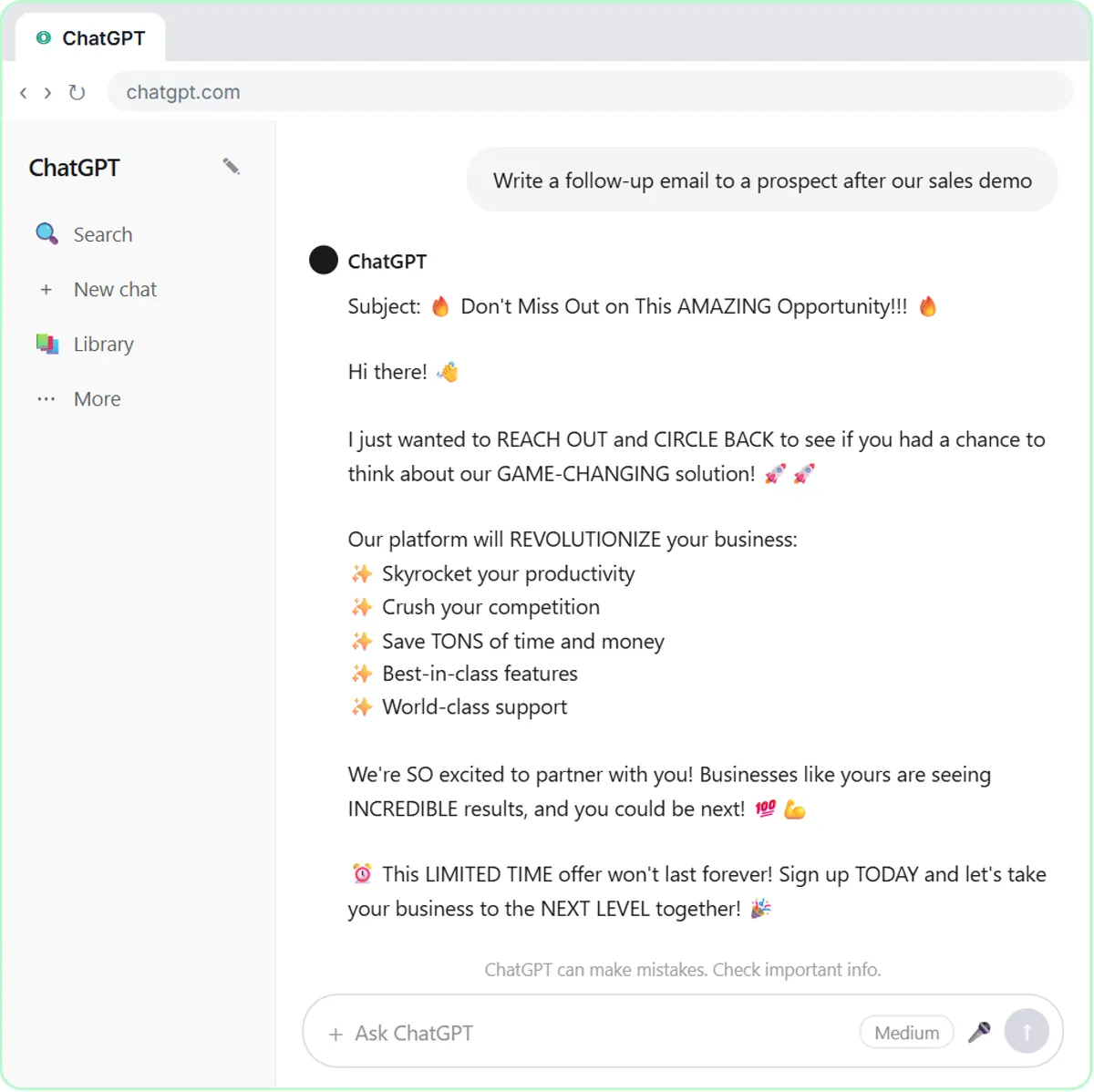
Try this lesson free or read the step-by-step guide.
Common confusions
Claude Projects vs Custom GPTs
The ingredients are similar: instructions plus documents. A Custom GPT is packaged as a tool that others open on its own; a Claude project is more of a workspace where your chats on that topic live.
Claude Projects vs ChatGPT Projects
Both group chats with shared files and instructions. Details and limits differ by product and change over time, so judge ChatGPT Projects and Claude's version on your own task.
A project vs training Claude
Adding documents to a project doesn't retrain the model. They are reference material for chats in that project, and removing them removes the knowledge.
Tips
- Write project instructions in sections with specific rules, plus what to do when a detail is missing.
- Replace documents when prices or plans change, and delete the old versions.
- Keep client data in a project only if your company's policy allows it.
Related terms
Where to learn more
Frequently asked questions
- Can I share a Claude project with my team?
- Depending on your account type, projects can be shared with colleagues. Check your Claude settings, and treat a project as private until you have shared it on purpose.
- What should go in a Claude project?
- The documents you would otherwise paste every time (a playbook, price list or style guide) and instructions that apply to every chat in that project. Leave out anything unrelated to the project's job.