5 Steps to a Claude Skill for Your Weekly Report
A visual guide: Claude's skill creator interviews you, drafts a weekly report skill, tests it on real notes, saves it and uses it.

Slide 1 of 7 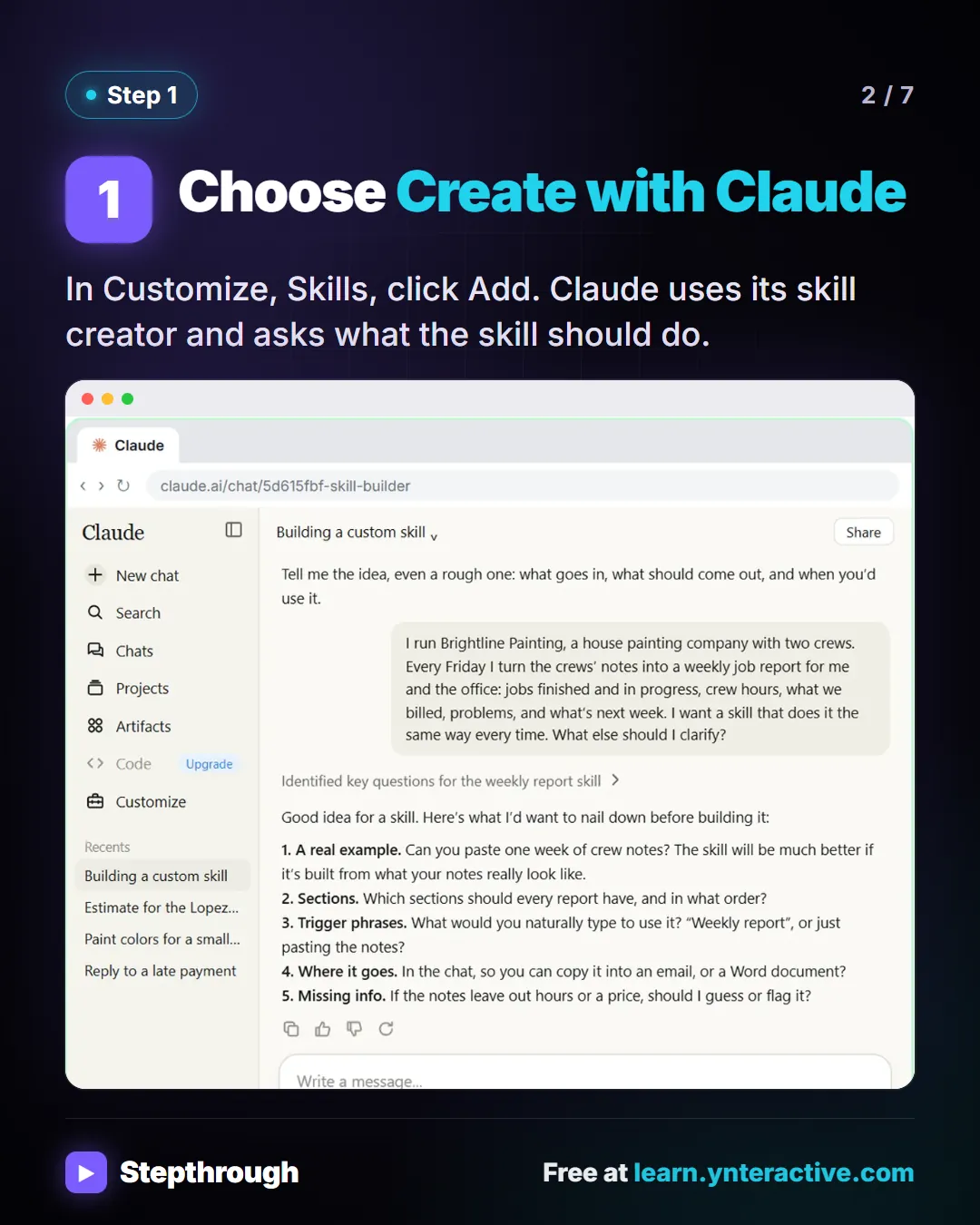
Slide 2 of 7 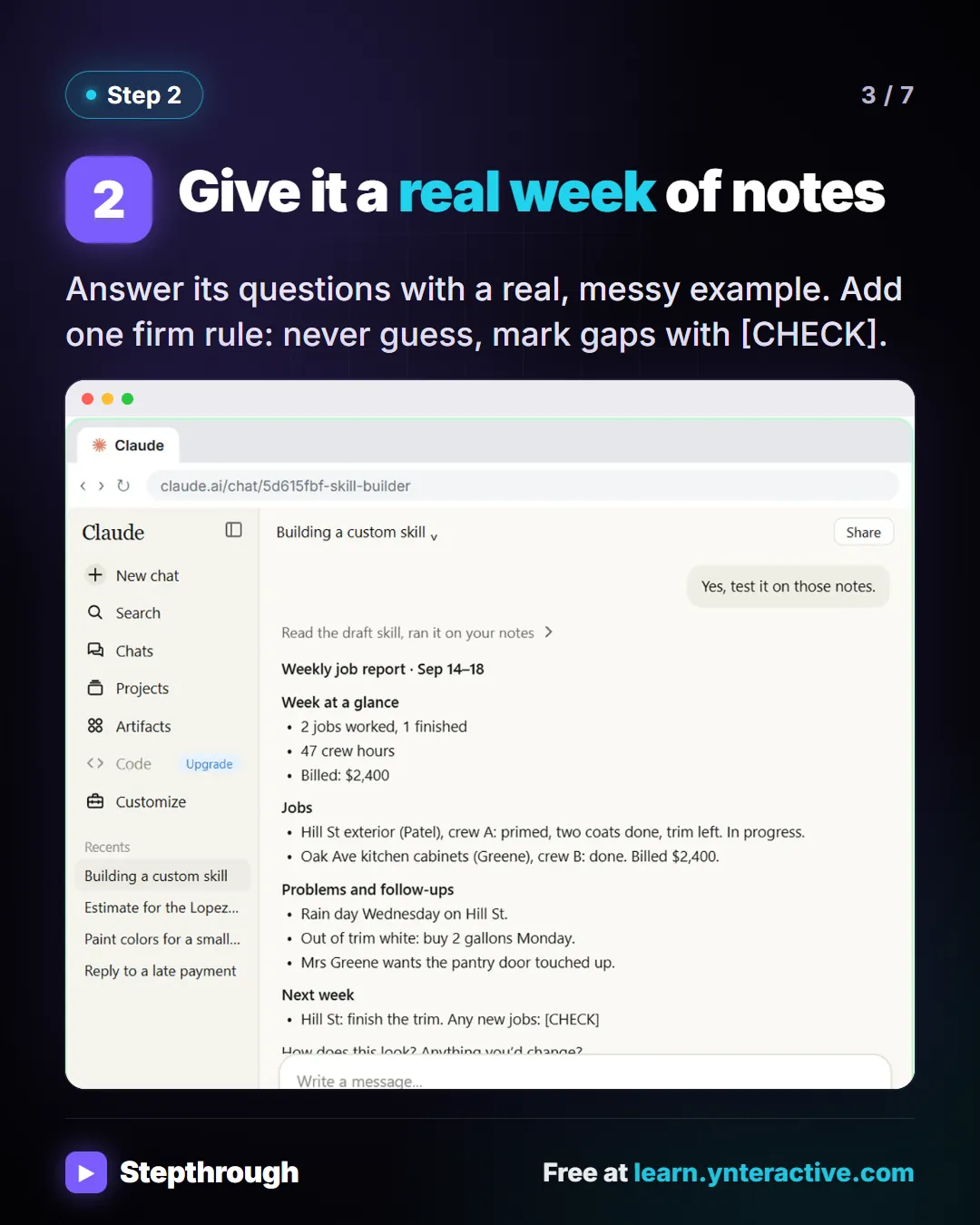
Slide 3 of 7 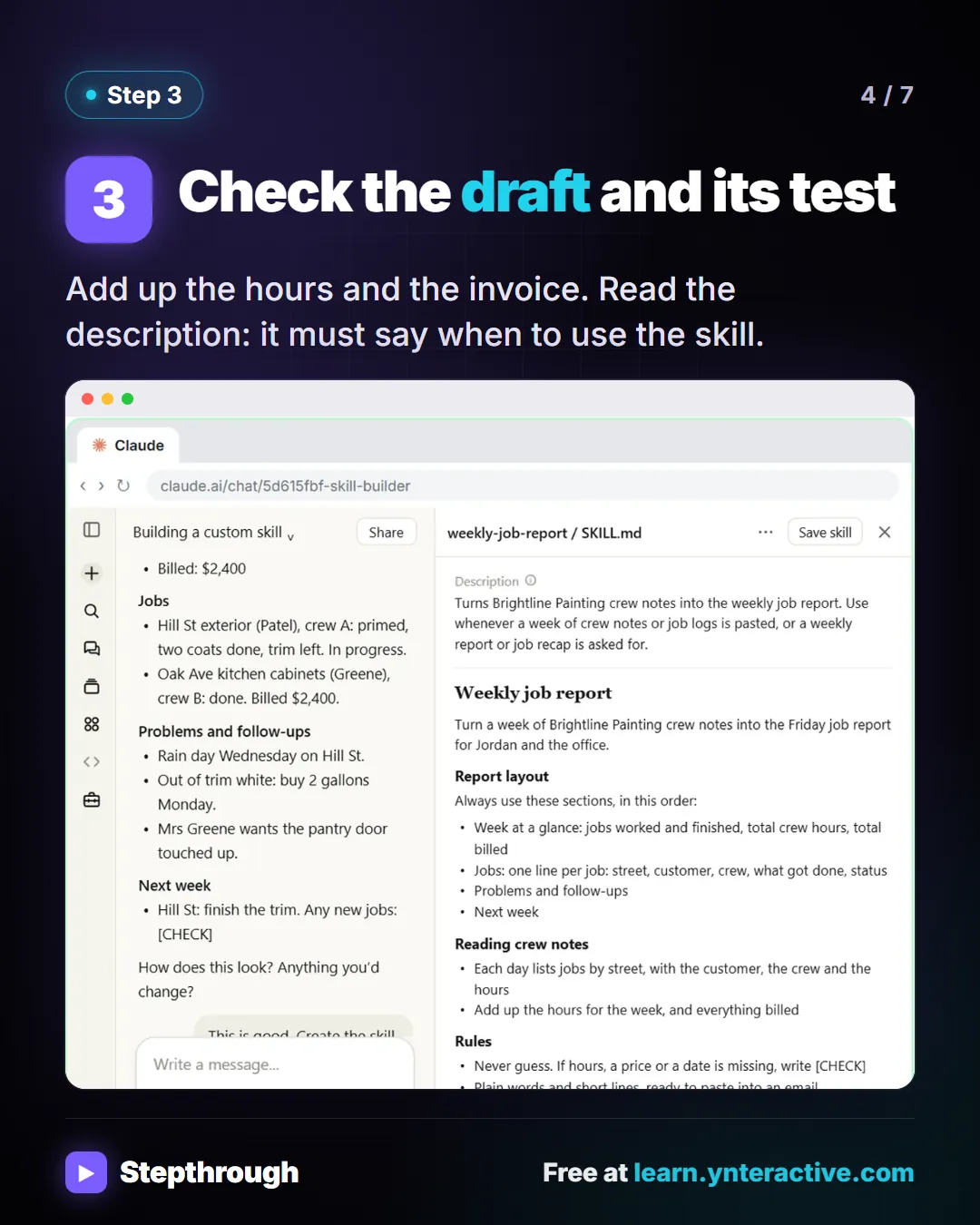
Slide 4 of 7 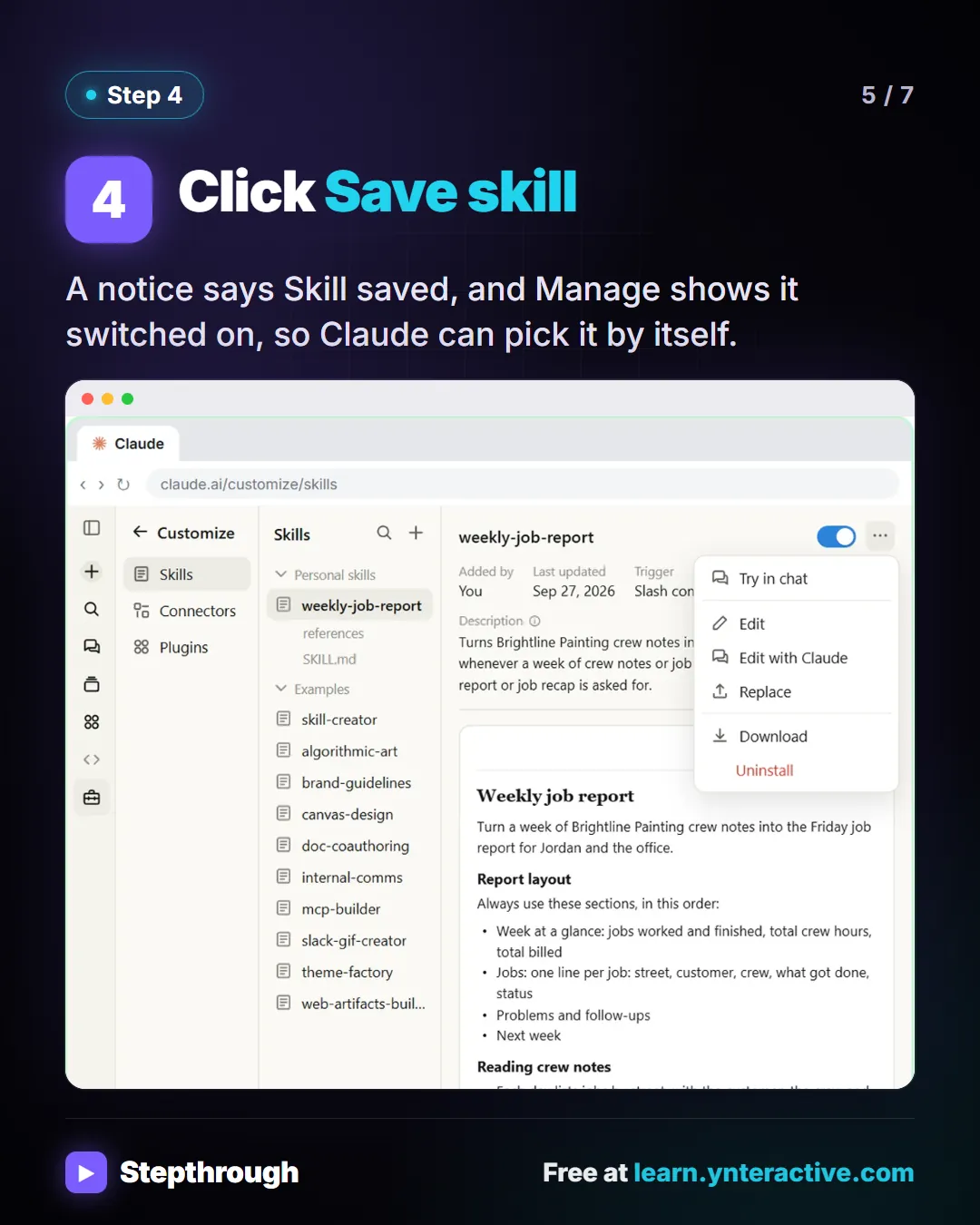
Slide 5 of 7 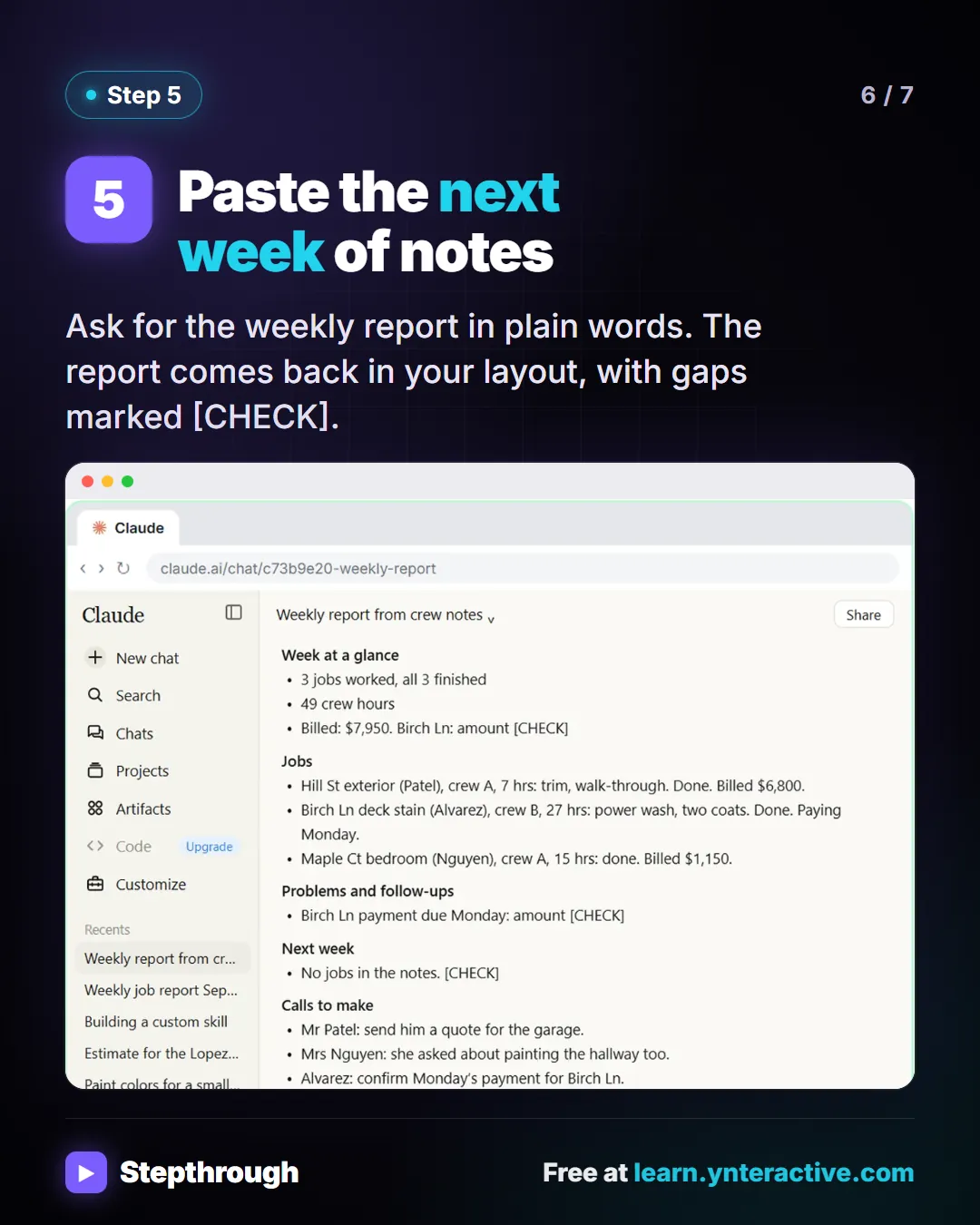
Slide 6 of 7 
Slide 7 of 7
The guide in text
Brightline Painting (made up) writes the same Friday report every week. 5 steps to make Claude do it.
Step by step
Choose Create with Claude
In Customize, Skills, click Add. Claude uses its skill creator and asks what the skill should do.
Give it a real week of notes
Answer its questions with a real, messy example. Add one firm rule: never guess, mark gaps with [CHECK].
Check the draft and its test
Add up the hours and the invoice. Read the description: it must say when to use the skill.
Click Save skill
A notice says Skill saved, and Manage shows it switched on, so Claude can pick it by itself.
Paste the next week of notes
Ask for the weekly report in plain words. The report comes back in your layout, with gaps marked [CHECK].
Businesses and people in the examples are made up (Brightline Painting is a made-up business). The steps, screens and wording come from the free lesson and the Stepthrough glossary and prompt library.
Do it yourself, free
Build Your Own Claude Skill with the Skill Creator: A Weekly Report Template. Turn a report you make every week into a skill. Claude’s skill creator interviews you, drafts the skill, tests it and packages it. Then you use it on a real week, improve it once, and see the better… You do every step yourself in a practice copy of Claude, it checks your work as you go, and “Do it for me” finishes any step you get stuck on. Free, and nothing touches your real accounts.
Start the free lessonRelated terms
Plain-English definitions, each with an example from a free lesson.
Related prompts
- Repeat report skill interview prompt: A copy-ready prompt that asks Claude to interview you about a report you make every week, then draft it as a reusable skill with…
More visual guides
 5 Steps to Connect Claude to Drive, Gmail and Calendar
A visual guide: connect Google Drive, Gmail and Calendar to Claude, switch them on in a chat and ask about your own files, email and week.
Step-by-step guide 7 slides
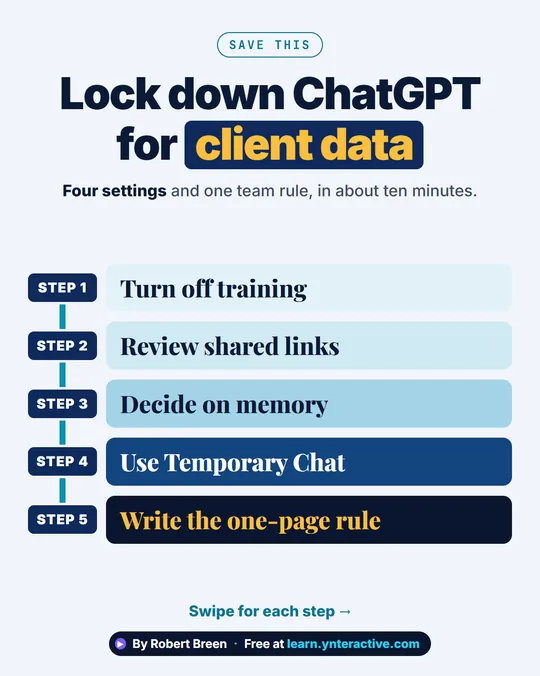 ChatGPT Data Controls for Client Data in 5 Steps
A step-ladder guide: turn off training, review shared links, decide on memory, use Temporary Chat and write the one-page rule, in 5 steps.
Step-by-step guide 7 slides
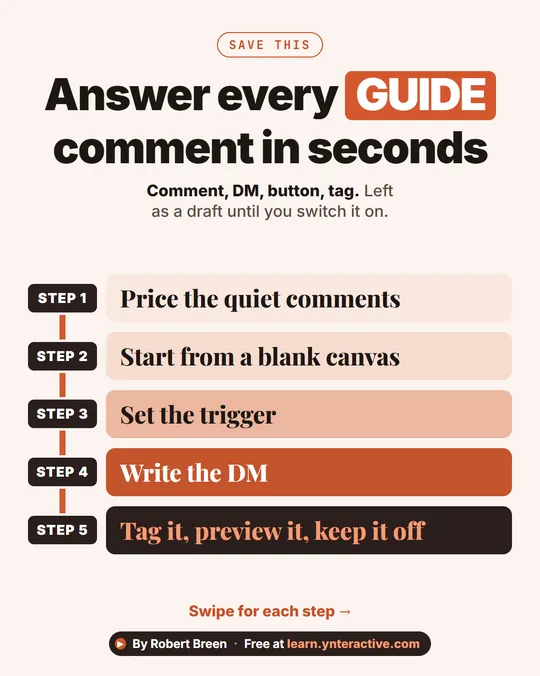 Instagram Comment to DM with Manychat in 5 Steps
A step-ladder guide: turn Instagram GUIDE comments into a DM with a booking button and a tag using Manychat, left as a draft, in 5 steps.
Step-by-step guide 7 slides