What is a system prompt?
Updated · By Robert Breen
A system prompt, also called a system message, is a standing set of instructions an AI model reads before every user message. It sets who the assistant works for, what its job is, the rules it must follow and how to format answers, so you don't repeat them each time.
Why it matters for a small business
When AI runs inside a business process, there is often no person typing a careful prompt. A form submission, an email or a short chat message arrives, and the model has to know the rest on its own. The system prompt is where that knowledge lives: the business description, the audience, the tone, the limits on what it may promise and when to use each tool.
Because it applies to every request, a system prompt is also the highest-leverage text you will write. One missing rule ("do not invent prices") can show up in hundreds of replies. One clear format rule can make every output fit your spreadsheet.
In a real lesson: Build an n8n AI Agent That Writes Deal Follow-Ups
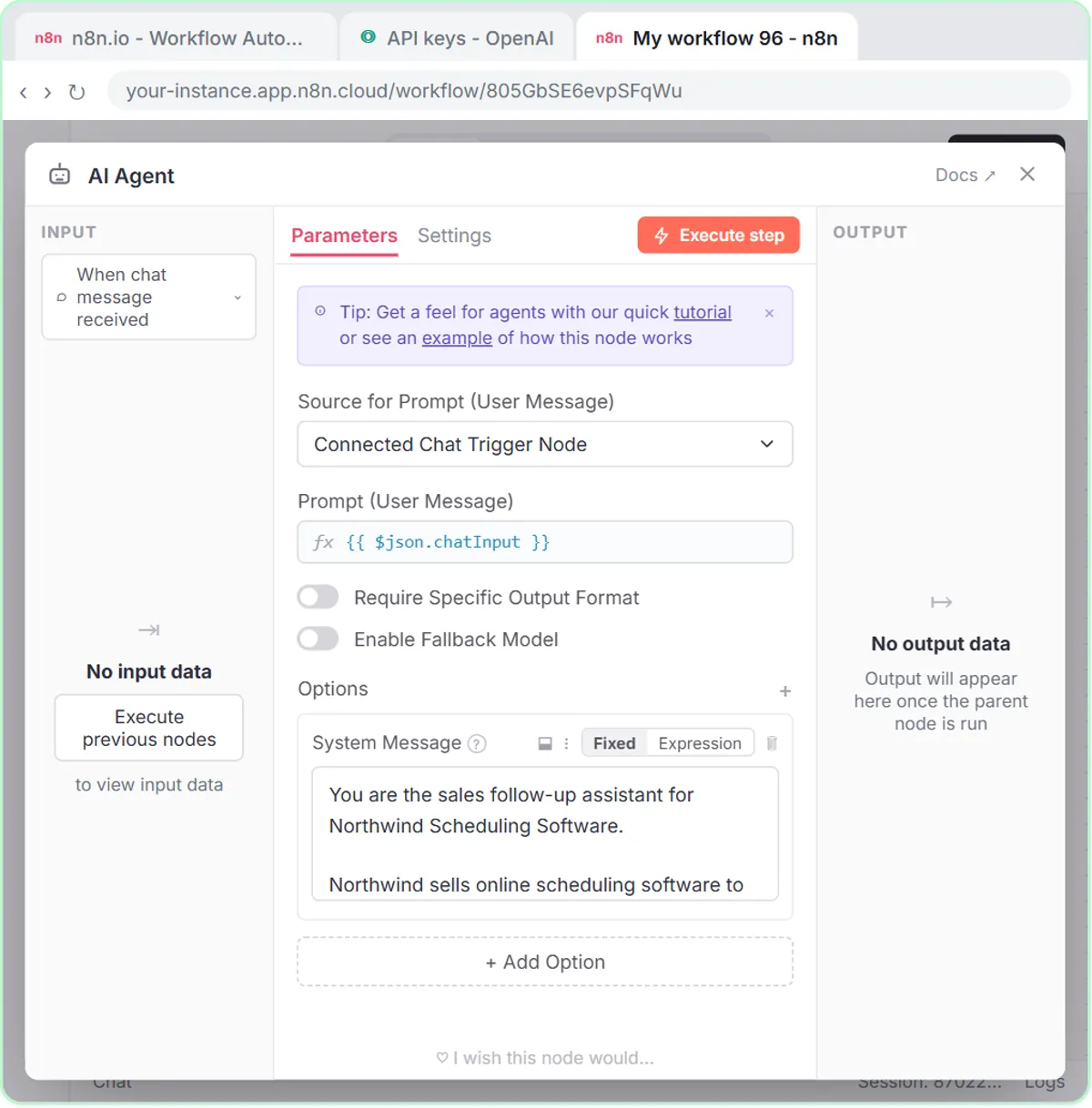
In Build an n8n AI Agent That Writes Deal Follow-Ups, you add an AI Agent after the chat trigger, choose System Message, and click Paste system prompt. The voice-over describes it as the standing instruction the agent reads before every request.
The text is written for Northwind Scheduling Software, the made-up company in the lesson. It says what Northwind sells and to whom, sets the tone ("Sound like a helpful rep, not a pushy salesperson"), and defines the job: one follow-up message for each open deal. It lists the fields to return (Prospect, Company, Stage, Follow-up Message, Next Step), adds rules (under 80 words, end with one clear ask, match the message to the stage), says when to use the Google Sheets tool, and ends with "Do not invent prices, discounts or results."
With that in place, the chat message can be short: three deals in one line, then "Yes, save those follow-ups to the sheet". The system prompt supplies everything else.
Try this lesson free or read the step-by-step guide.
Common confusions
System prompt vs user prompt
The user prompt changes every time (this deal, this email). The system prompt stays the same and frames every request. In n8n agents fed by a webhook or Gmail, the user prompt is often built automatically from incoming data.
System prompt vs GPT instructions vs custom instructions
They are the same idea in different places. In a Custom GPT it is the Instructions field (GPT instructions); in ChatGPT's personal settings it is custom instructions; in n8n it is the AI Agent's System Message option.
Tips
- Write it like a briefing for a new hire: who we are, who you're talking to, your job, the rules, the format.
- If the agent saves to a sheet, list the output fields in the same order and wording as the column headers.
- Put the most important "never" rules in plain words near the end, where they are easy to check.
Related terms
Where you use it: free lessons
- Build an n8n AI Agent That Writes Deal Follow-Ups (n8n, 12 min)
- n8n AI Agent Tutorial: Save Social Media Ideas to Google Sheets (n8n, 12 min)
- AI Email Responder: Draft Gmail Replies Automatically with n8n (n8n, 12 min)
Prompt templates that use it
Frequently asked questions
- Can users see the system prompt?
- Usually not directly, but don't put secrets in it. A determined user can sometimes get a model to repeat its instructions, so treat them as private, not secret.
- How long should a system prompt be?
- Long enough to cover the business facts, rules and format. The receipt agent in the Stepthrough receipt lesson works with three short lines; the deal follow-up agent needs a page because it writes customer-facing messages.