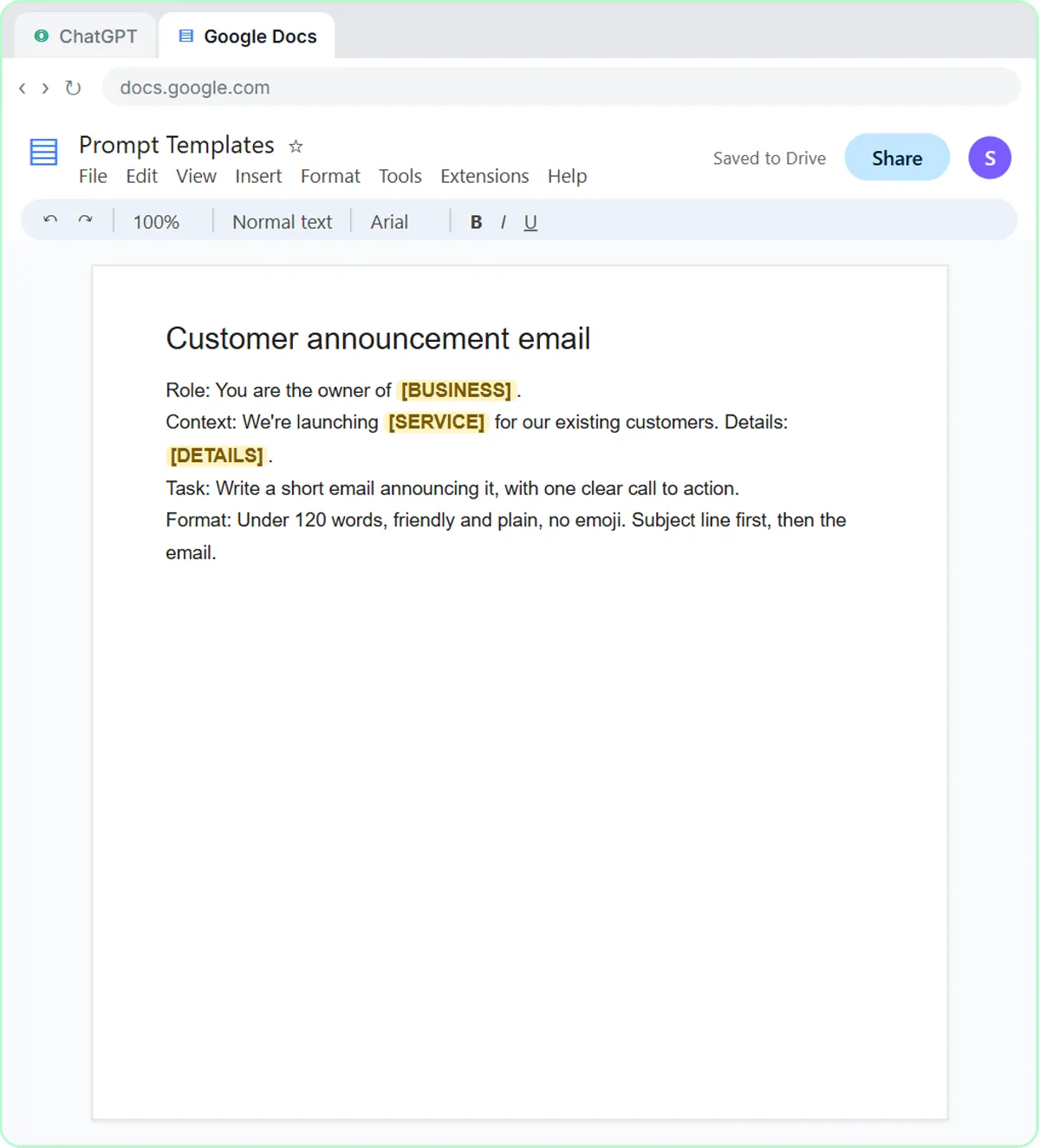
You can't switch off ChatGPT's habit of filling gaps, but you can make it much rarer with five guardrails: give it a numbered list of facts, tell it what to write when something is missing, add "never make up" rules, limit its choices to a fixed list, and check the result before it goes out. This guide is for anyone who uses ChatGPT or an AI agent for work emails and records, and each guardrail comes from a free lesson, starting with Reply Faster: Customer Emails.
Why does ChatGPT make things up?
ChatGPT writes the most likely next words, so when your prompt leaves a gap, it fills the gap with something that sounds right. The common name for this is "hallucination": a confident answer that isn't based on anything you gave it.
The lessons show it in small, realistic ways. A vague prompt gets an email with "[Your Company Name]" and other blanks. A careful-sounding customer reply calls a cake "completely nut-free" when the bakery never said so. A meeting summary would happily give every task a due date, whether or not anyone said one. Each guardrail below closes one of those gaps.
Guardrail 1: How does a numbered facts list help?
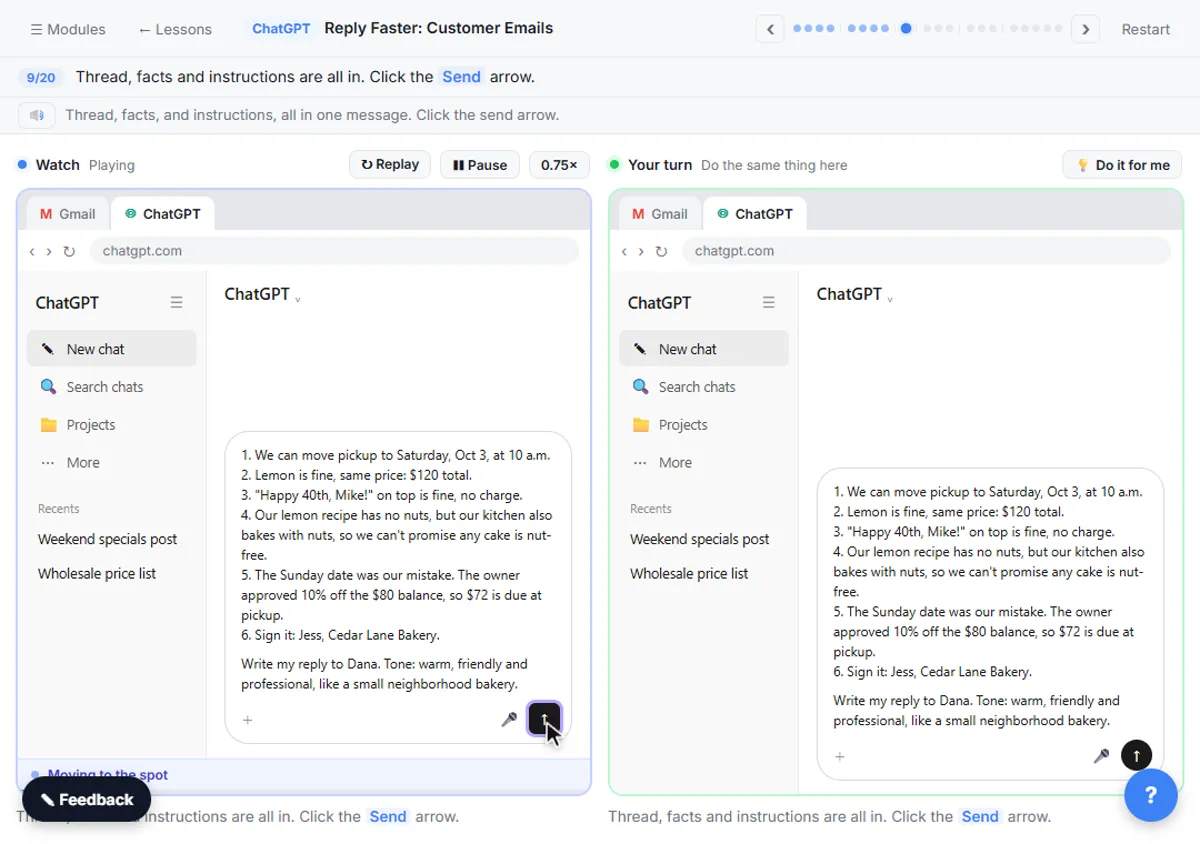
A numbered facts list tells ChatGPT exactly what it's allowed to say, and the line above it, "only promise what is here", sets the limit. In the Reply Faster lesson, the facts for a made-up bakery's cake order start like this:
Facts (only promise what is here):
1. We can move pickup to Saturday, Oct 3, at 10 a.m.
2. Lemon is fine, same price: $120 total.
3. "Happy 40th, Mike!" on top is fine, no charge.
4. Our lemon recipe has no nuts, but our kitchen also bakes with nuts, so we can't promise any cake is nut-free.
The instructions add one more line: "Don't invent details or promise anything that isn't in the facts." Numbering matters too, because it lets you, or ChatGPT, point to "fact 4" later when checking the draft.
Guardrail 2: What should ChatGPT write when information is missing?
Give ChatGPT a fixed phrase for anything it can't find, such as "Not stated", and tell it to use only what you pasted. In the Summarize a Meeting Transcript lesson, the request ends:
Only use what's in the transcript. If an owner or date isn't said, write "Not stated".
In the lesson, two due dates come back as Not stated, which is correct: nobody in the meeting said them. You fill them in yourself, because you were there. A blank you can see is far safer than a date that looks real. The same idea works anywhere: "If the email doesn't say, write Unknown" or "If a must-have never came up, write Not discussed."
Guardrail 3: Where do "never make up" rules go in an AI agent?
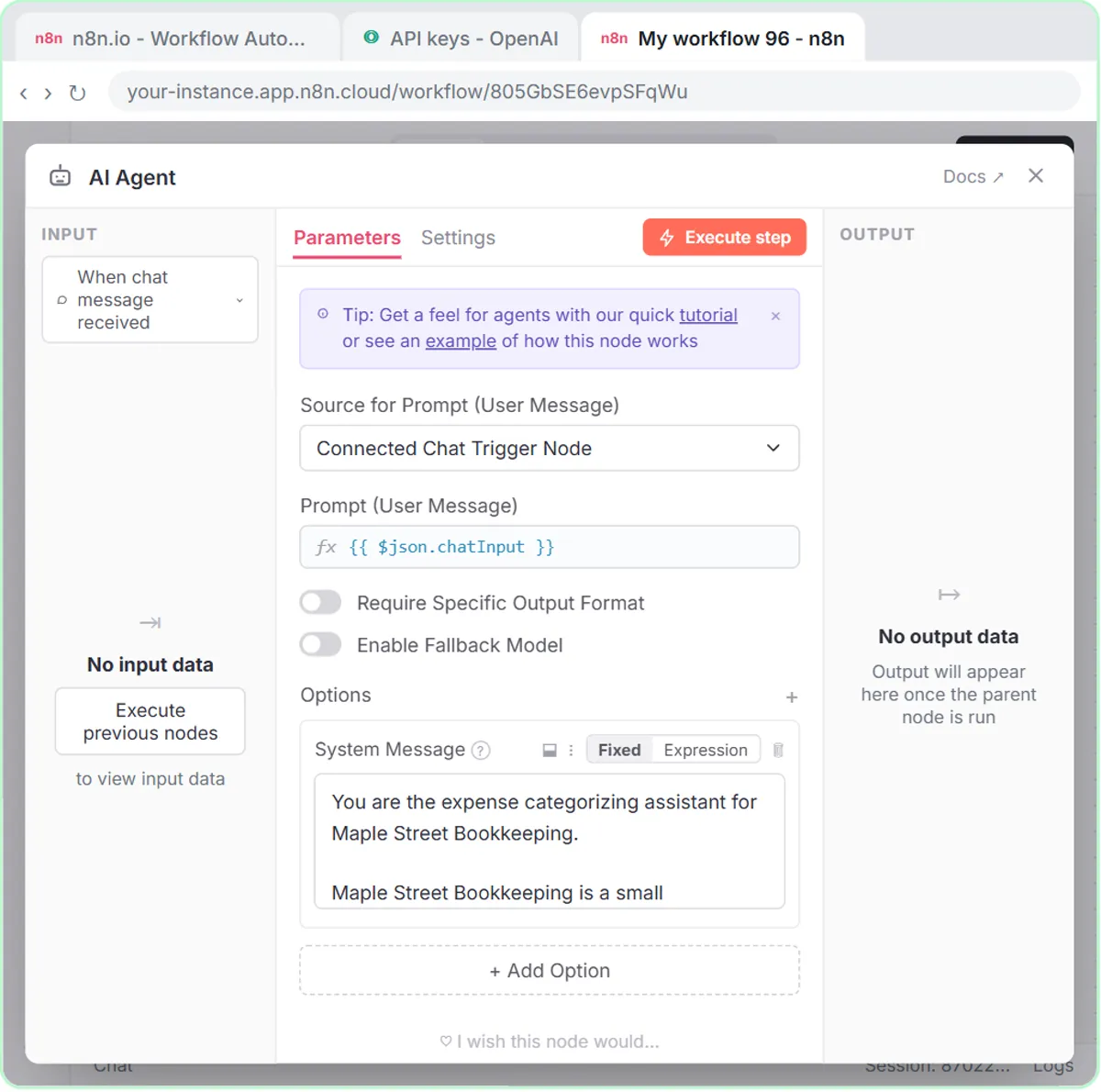
In an n8n AI agent, put the "never make up" rules in the System Message, the standing instruction the agent reads before every request. The AI Email Responder lesson, built for a made-up pest control company, has a rules section:
Rules:
You cannot send email. You can only create drafts.
If you don't know something, say someone from the team will follow up. Never make up prices, dates or services.
The second rule does two jobs: it bans inventing, and it gives the agent something honest to say instead. Without a fallback, a model that's told "don't guess" can still produce an answer that sounds certain.
The trade follow-up agents use the same pattern with their own wording. The HVAC agent's prompt says "Do not invent prices, discounts or warranty terms." The electrical agent's says "Do not invent prices, dates, or inspection results. Only use details the user gives you." Name the specific things that would cause trouble in your business if they were made up.
Try it free, step by step
Reply Faster: Turn a Messy Customer Email Thread into a Clear, Friendly Reply. Turn a messy customer email thread into a clear, friendly reply: give ChatGPT the thread and your facts, check every promise, fix the tone, and send it from Gmail. You do every step yourself in a practice copy of ChatGPT, it checks your work as you go, and “Do it for me” finishes any step you get stuck on. Free, and nothing touches your real accounts.
Start the free lessonGuardrail 4: Why give AI a closed list of choices?
A closed list stops the AI from inventing its own categories, and a "Needs Review" option gives it somewhere to put anything that doesn't fit. In the AI Expense Categorizer Agent lesson, for a made-up bookkeeping firm, the system prompt says:
Use only these categories:
- Office Supplies
- Software & Subscriptions
- Meals
- Travel
- Utilities
- Needs Review
Then: "If an expense could fit more than one category, or the details are unclear, use Needs Review and say why." And finally: "Do not change amounts or invent details."
The escape bucket is what makes the list work. Without it, an unclear expense still has to land somewhere, so the model picks the closest-sounding category and moves on. With it, the unclear ones come to a person. The same pattern fits priorities (Emergency, Same-day, Scheduled), lead ratings and any other sorting job.
Guardrail 5: How do you catch what slips through?
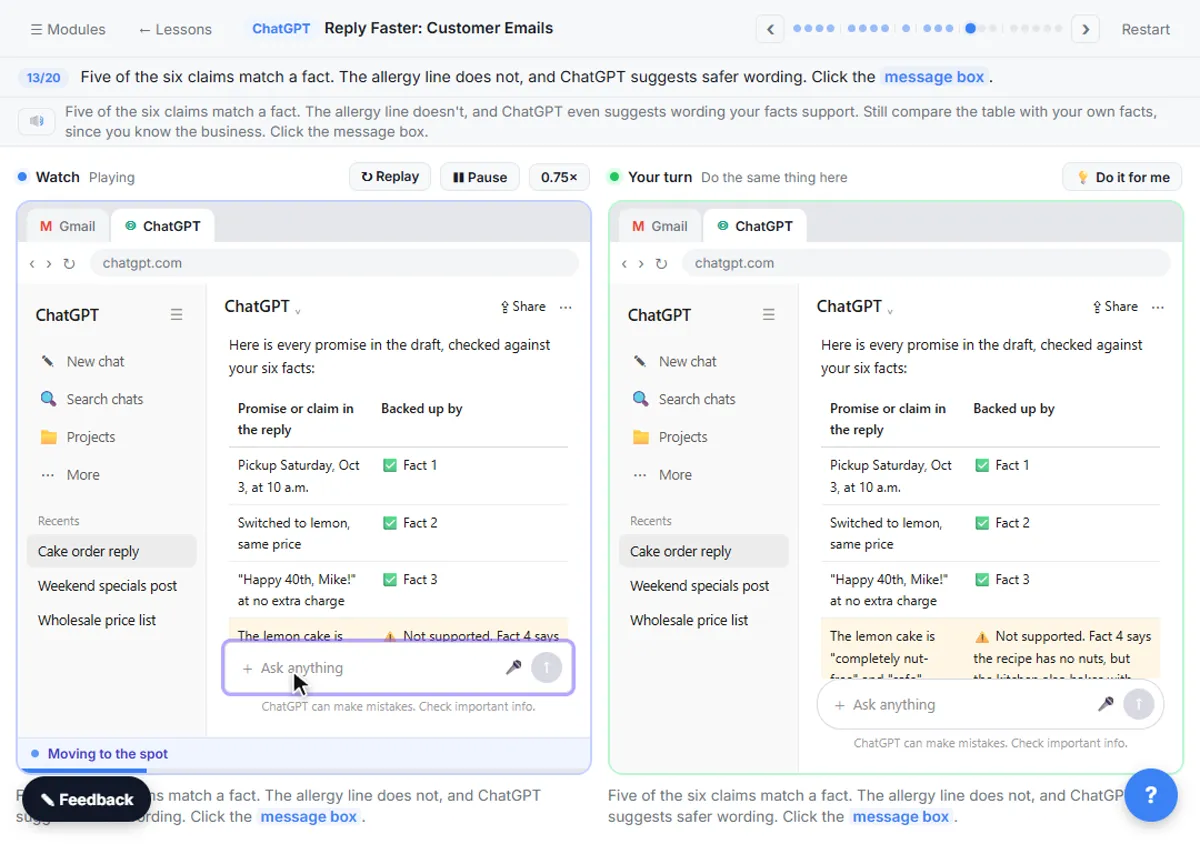
Have a person check the draft against the facts before it goes out, and make ChatGPT help with that check. The Reply Faster lesson uses this prompt after the first draft:
Check that reply against my facts. Make a table of every promise or claim in it and the fact that backs it up. Flag anything the facts don't support.
In the lesson, the table matches five of six claims to a fact and flags the nut-free line. You ask for a specific fix, then read the final email yourself before clicking Send. Check AI Email Drafts for Promises covers this check in depth, with examples from an insurance agency and a law firm.
In n8n, the matching check is to keep the agent's output where a person sees it first. The email responder saves Gmail drafts instead of sending, and the expense agent writes to a sheet that the bookkeeper reviews before anything is posted.
Do these guardrails make ChatGPT always accurate?
No. Guardrails make made-up details much less likely and much easier to catch, but they don't make them impossible. The first draft in the Reply Faster lesson invents the nut-free line even with a facts list and a "don't invent" rule in place.
That's why the guardrails work as a set. The facts list and rules prevent most problems, the "Not stated" phrase and the "Needs Review" bucket make gaps visible, and the final check catches the rest. If you're new to writing prompts, How to Write Better ChatGPT Prompts covers the basics these guardrails build on.
Key takeaways
- ChatGPT fills gaps with likely-sounding text, often called hallucination, so the fix is to leave fewer gaps and make the rest visible.
- A numbered facts list with "only promise what is here" limits what an AI reply can say and makes it easy to check.
- "If an owner or date isn't said, write 'Not stated'" stops ChatGPT from guessing missing details in summaries and tables.
- AI agent system messages should name what must never be made up (prices, dates, services, warranty terms) and give a fallback, like "someone from the team will follow up".
- A closed list with a "Needs Review" option, plus a human check before sending, catches what the other guardrails miss.
Frequently asked questions
- Can I stop ChatGPT from hallucinating completely?
No. You can make made-up details rare and easy to spot with a facts list, a "Not stated" rule and clear "never invent" rules, but a person should still check anything that goes to a customer or into your records.
- Does telling ChatGPT "don't make things up" work on its own?
It helps, but it works much better with real facts to use and a fallback for missing ones, like "say someone from the team will follow up" or "write Not stated".
- Do AI agents in n8n need the same guardrails?
Yes. Put the facts and "never make up" rules in the agent's System Message, use closed lists for sorting, and have the agent save drafts or sheet rows for review instead of sending.
- What's the quickest guardrail to start with?
Add "If something isn't in what I pasted, write 'Not stated'" to your next summary request. It takes one line and makes gaps visible right away.