What is n8n?
Updated · By Robert Breen
n8n is a workflow automation tool that connects apps like Gmail, Google Sheets and OpenAI on a visual canvas. You build workflows out of nodes, add AI agents where a step needs judgment, and run them in n8n's cloud service or on your own server.
Why it matters for a small business
n8n sits in the same family as Zapier and Make, with two traits that matter to small businesses. It treats AI agents as a normal building block, with the chat model, memory and tools as plug-in parts. And because it can be self-hosted, a business with technical help can run it on its own server and keep data in-house.
It also rewards learning a little. The canvas shows every step and the data passing between them, so when something breaks you can see where. The tradeoff is a steeper first hour than the simplest tools, which is why it pays to start with small, concrete builds rather than a blank canvas and a big idea.
In a real lesson: n8n AI Agent Tutorial: Save Social Media Ideas to Google Sheets
The AI Social Media Idea Agent lesson is where most people meet n8n. You start at n8n.io, click Get started free, and land on the overview page that lists every workflow you own. Create workflow opens an empty canvas, and Add first step… slides in a panel showing every way a workflow can start: manually, on a schedule, on a webhook, on a chat message.
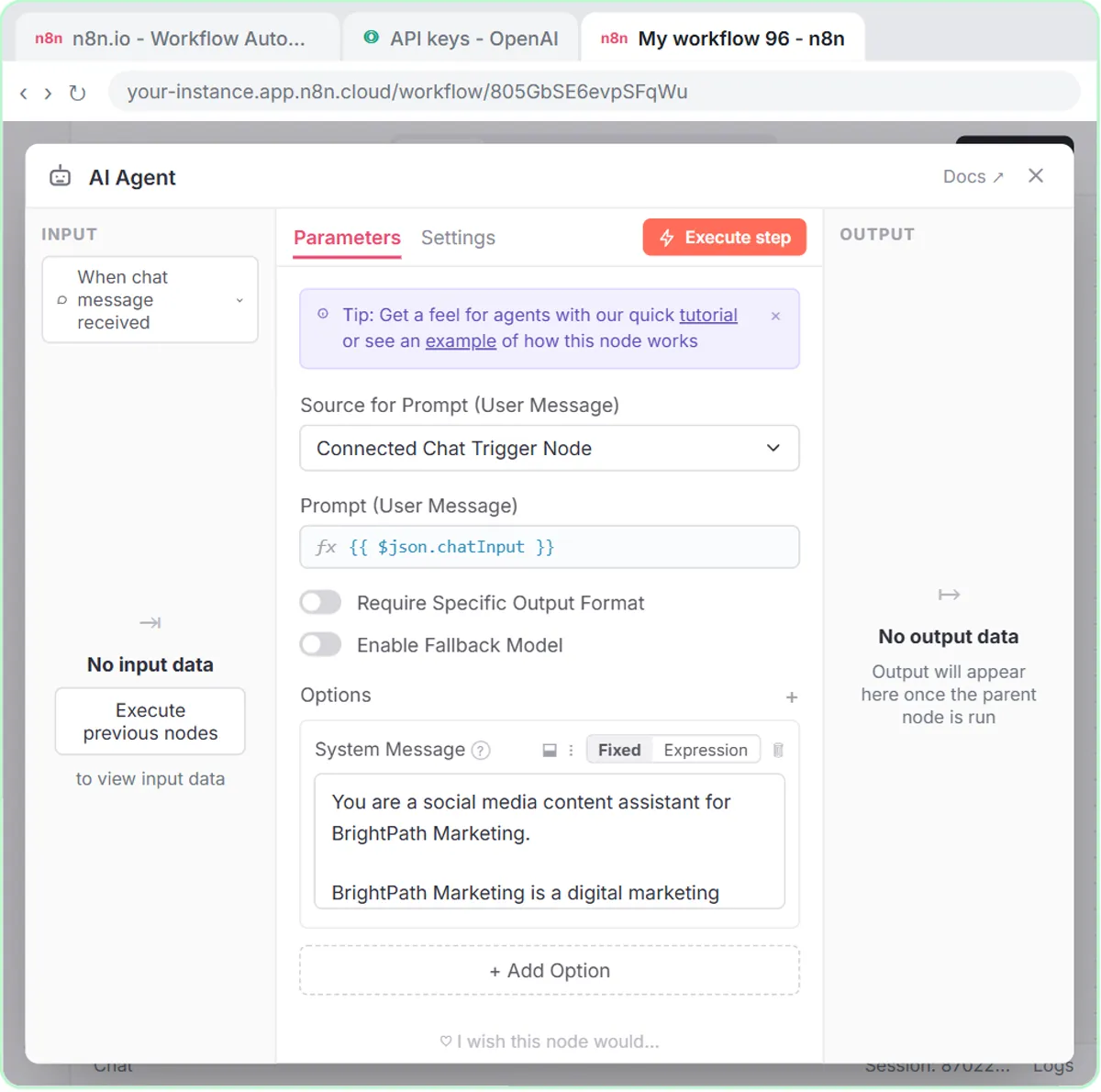
From there you assemble an agent for BrightPath Marketing, a made-up agency: On chat message, then AI Agent with a System Message about the brand, an OpenAI Chat Model set to gpt-5-mini, Simple Memory, and a Google Sheets Tool that appends rows to a sheet called Social Media Ideas. Each part is a separate node you can open and inspect.
Then you test it with Open chat. You ask for three post ideas, then type "Yes, save those ideas to the sheet", and the agent writes the rows. That second message only works because you added the memory node, which sums up how n8n works: every capability is a piece you add on purpose and can see on the canvas.
Try this lesson free or read the step-by-step guide.
Common confusions
n8n vs ChatGPT
ChatGPT is a chat app you type into. n8n is where you build workflows that run without you, and it can use OpenAI's models through the API as one step. They're billed separately: an OpenAI API key isn't part of a ChatGPT subscription.
n8n Cloud vs self-hosted n8n
n8n Cloud is the hosted version: sign up and build. Self-hosting means installing n8n on a server you manage, which gives you control but makes updates, backups and security your job.
Tips
- Build one small workflow without AI first. The moves (trigger, node, credential, test, publish) carry straight over to agents.
- Before writing anything that depends on earlier data, look at the input panel on the left of the node you're editing.
- A workflow only runs on its own after you click Publish. Testing in the editor isn't the same thing.
Related terms
Where you use it: free lessons
- n8n AI Agent Tutorial: Save Social Media Ideas to Google Sheets (n8n, 12 min)
- Daily Job Alerts: Email Each Tech Their Jobs from Google Sheets with n8n (n8n, 10 min)
- Find and Use n8n Templates (n8n, 9 min)
More free tutorials
Frequently asked questions
- How do you pronounce n8n?
- It's said "n-eight-n," and it's written in lowercase, even at the start of a sentence.
- Is n8n free?
- n8n Cloud is a paid service after a free trial, and n8n can also be self-hosted. The Stepthrough lessons are free and run on a practice copy, so you don't need an account to learn.
- Do I need to code to use n8n?
- No. The lessons are built by clicking and pasting. Expressions in double curly brackets are the closest thing to code, and the lessons give you the exact text.