Why should a manager use the interview prompt?
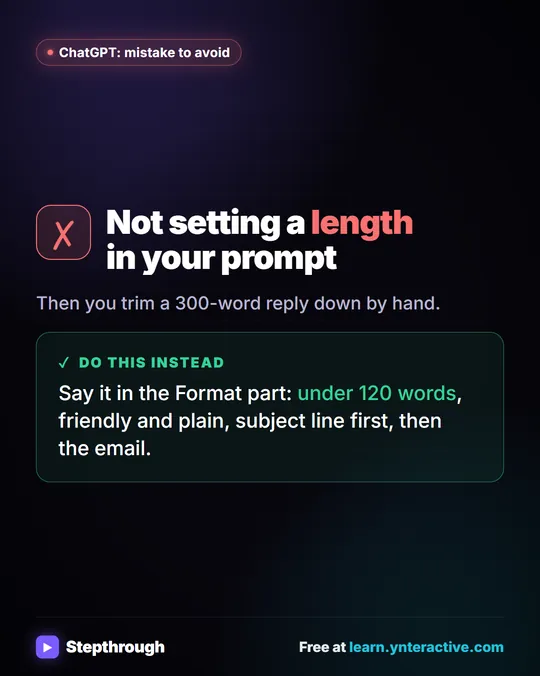
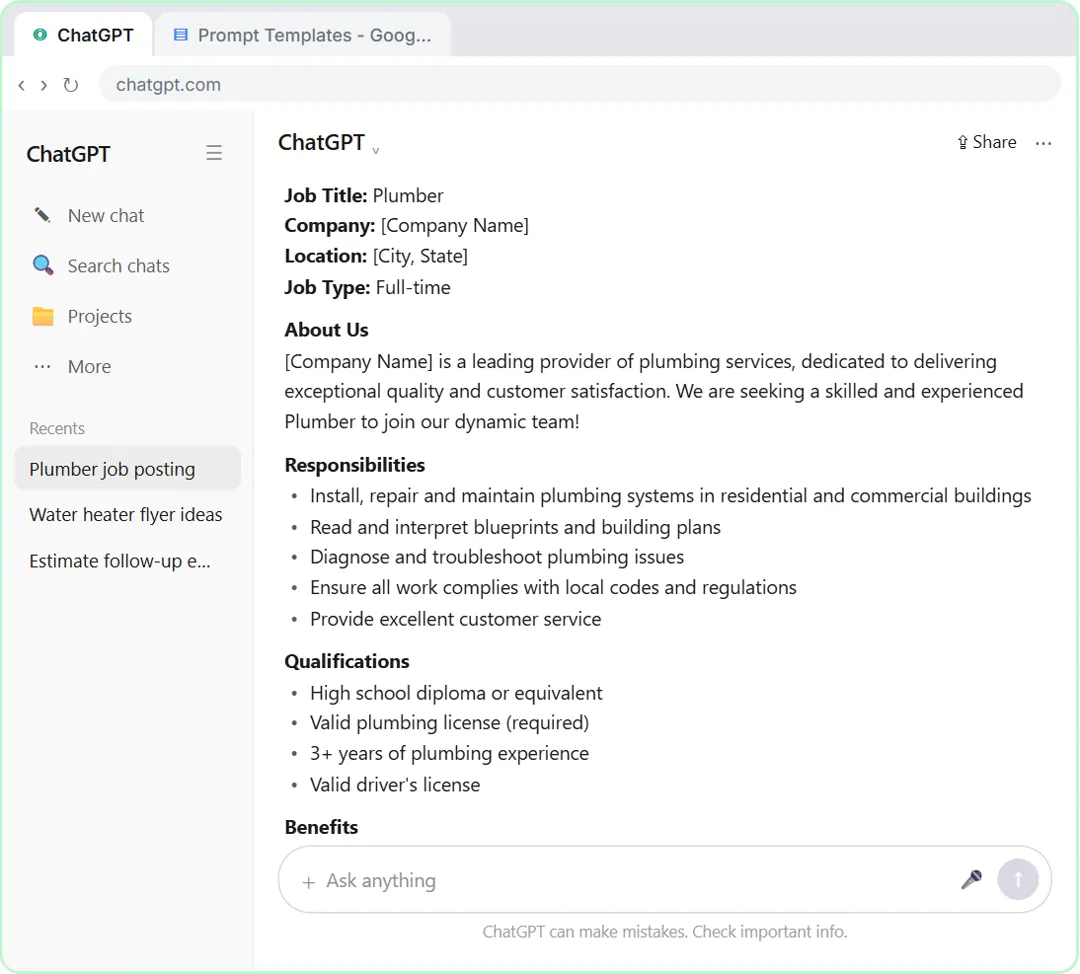
Because the facts that make your writing useful are in your head, not in ChatGPT. A one-line request like "write a job posting" gets the most common version of everything: placeholder names, generic requirements and no real numbers. In the lesson, that exact request comes back with blanks like [Company Name] and "Competitive salary." The interview prompt flips it. ChatGPT finds what's missing by asking, and you only have to answer.
That suits a manager's day. You rarely have every detail written down before you start, and you don't have time to write a long, perfect prompt. Answering four short questions between meetings is easier.
Here's the template from the lesson. Every use case below is a version of it:
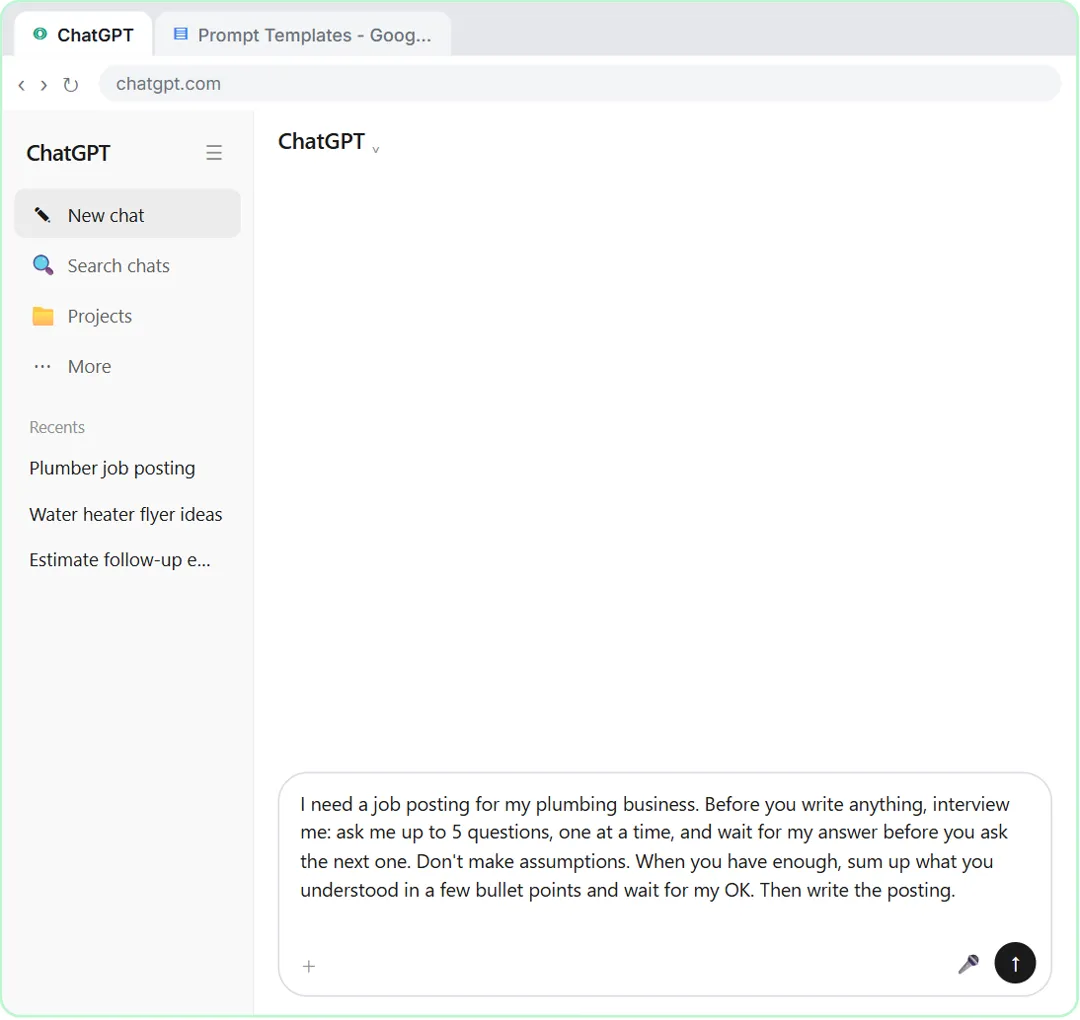
I need [WHAT YOU NEED] for [MY BUSINESS]. Before you write anything, interview me: ask me up to 5 questions, one at a time, and wait for my answer before you ask the next one. Don't make assumptions. When you have enough, sum up what you understood in a few bullet points and wait for my OK. Then write it.
1. How do I write a job posting for my team with ChatGPT?
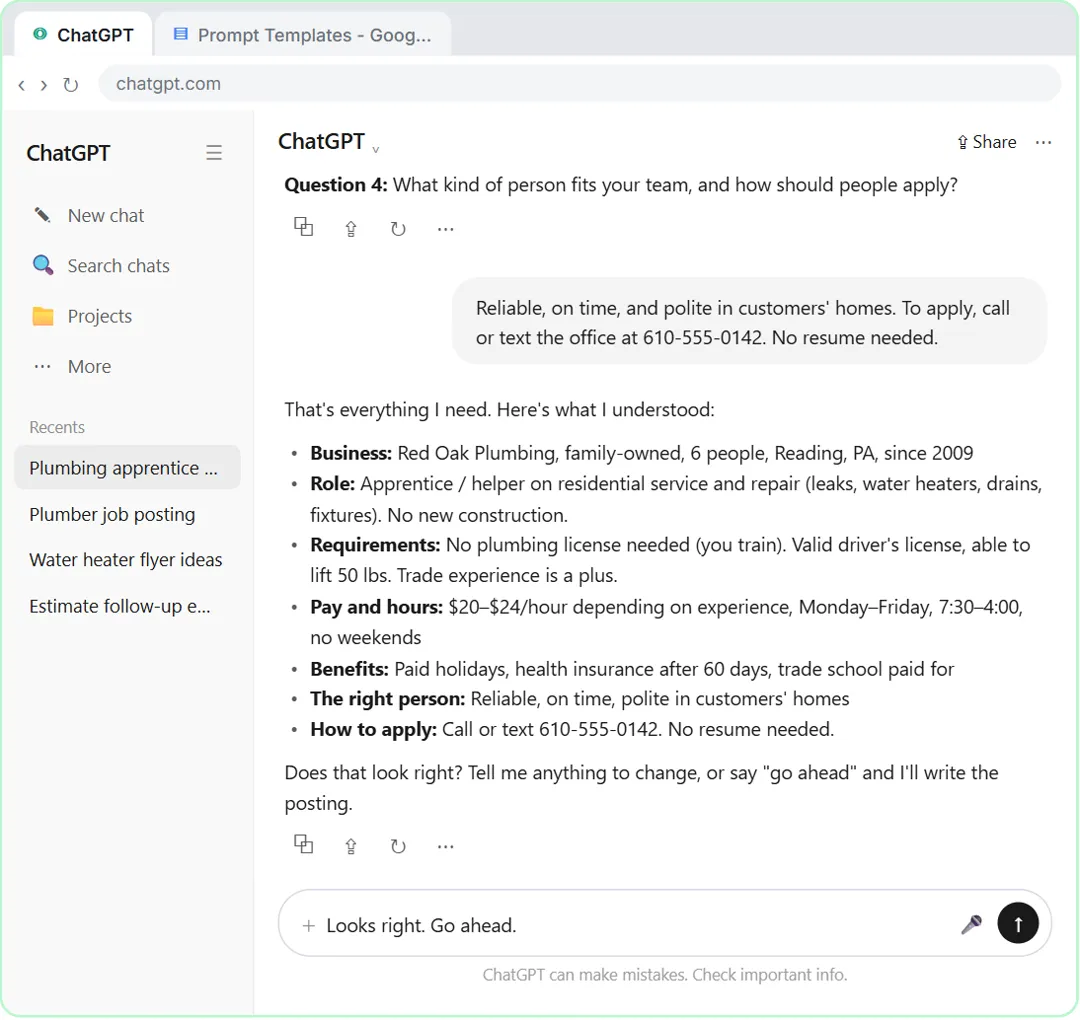
Use the template with "a job posting for [ROLE]" as what you need. This is the lesson's own example: the made-up Red Oak Plumbing hires an apprentice, and the interview asks about the business and the work, experience and licensing, pay, hours and benefits, and who fits the team and how to apply.
I need a job posting for a [ROLE] on my team at [COMPANY]. Before you write anything, interview me: up to 5 questions, one at a time, about the work, the experience we need, pay and hours, and how to apply. Don't make assumptions. Sum up and wait for my OK. Then write the posting.
What to check: the experience level. The quick prompt in the lesson wrote for an experienced professional when the job was an apprentice role. Also check that the pay is your real pay range, and that how to apply is right. Have HR look at the posting before it goes up.
2. How do I turn an idea into a project brief?
Ask for a one-page brief and let the questions do the structuring.
I need a one-page project brief for [PROJECT]. Interview me first: up to 5 questions, one at a time, about the goal, the deadline, who's involved, what's out of scope and how we'll know it worked. Don't make assumptions. Sum up and wait for my OK. Then write it with short headed sections.
What to check: the out-of-scope line and the deadline. Those are the two things people argue about later, and they're easy to leave vague. The summary is the place to make them exact.
3. Can ChatGPT help me prepare performance review notes?
Yes, as a drafting aid for your own notes, not as the judge. Let it interview you about what you saw during the period, then write a first draft you will edit.
I'm preparing notes for a performance review of a [ROLE] on my team for [REVIEW PERIOD]. Interview me first: up to 5 questions, one at a time, about specific results, strengths with examples, one area to grow, and goals for next period. Only use what I tell you. Don't invent examples, numbers or praise, and don't ask about anything that isn't about the job. Sum up and wait for my OK. Then write short notes under four headings.
What to check: every example is something you actually saw, and nothing is about age, health, family or anything else unrelated to the work. Leave out names and personal details you don't need, and follow your company's policy on what you can paste into ChatGPT. This helps you draft, not decide. Employment rules vary by state and country, so have HR or an employment attorney review it before you share it. The Stepthrough prompt library also has a version for writing your own self-evaluation; see the performance review glossary entry for the basics.
Try it free, step by step
Make ChatGPT Ask You Questions First: The Interview Prompt. Ask for a job posting the quick way, then with the interview prompt: ChatGPT asks what it needs, one question at a time, and writes a posting you can actually use. You do every step yourself in a practice copy of ChatGPT, it checks your work as you go, and “Do it for me” finishes any step you get stuck on. Free, and nothing touches your real accounts.
Start the free lesson4. How do I announce a change to my team?
Keep it short, and let ChatGPT ask what people will want to know.
I need a short announcement to my team about [CHANGE]. Ask me up to 4 questions, one at a time, about what's changing, when, why, and what each person needs to do. Don't make assumptions. Sum up and wait for my OK. Then write it under 150 words, plain and friendly.
What to check: that it says what people have to do and by when. If the summary is missing either one, add it before you say go ahead.
5. How do I prepare a one-on-one agenda?
Ask for a short agenda and let the questions pull out what's actually on your mind.
I need an agenda for a 30-minute one-on-one with [ROLE] this week. Ask me up to 4 questions, one at a time, about what's going well, what's stuck, any feedback I want to give, and what I need from them. Sum up and wait for my OK. Then write five agenda items with a question for each.
What to check: that it leaves room for the other person's topics. A one-on-one meeting isn't a status report. Add an item like "What do you want to talk about?" if it's missing.
6. How do I write down a process my team keeps asking about?
When the same question comes up every week, write the steps down once.
I need a short how-to for my team on [TASK]. Interview me first: up to 5 questions, one at a time, about when we do it, the steps in order, the tools we use, and the mistakes people make. Don't make assumptions. Sum up the steps and wait for my OK. Then write numbered steps in plain words.
What to check: the order of the steps in the summary. A missing or swapped step is easy to spot there. Have the person who does the task most often read the final version. For longer procedures, the SOP glossary entry explains what a full standard operating procedure covers.
Where should a manager start?
Start with the lesson. Make ChatGPT Ask You Questions First takes about six minutes in a practice copy, with nothing sent to OpenAI or saved to Google. You ask for a job posting the quick way, see the blanks and guesses, start a new chat, use the interview prompt, answer four questions, check the summary, and copy a posting with the real details. Then you save the template in a Prompt Templates doc with its two blanks.
After that, pick one writing job you keep putting off, maybe the brief for next month's project, and run it through the template for real. A free ChatGPT account works, and the lesson says the same prompt also works in Claude or Gemini. The lesson is module 4 of the Better Prompts course, which starts with Prompt Writing 101. For more versions of the template, see the ChatGPT interview prompts pack, and for what goes wrong, interview prompt mistakes.
Key takeaways
- The interview prompt suits managers: you answer a few short questions instead of writing a long prompt.
- One template, with two blanks, covers job posts, briefs, review notes, announcements, agendas and how-tos.
- The summary step is where you catch a wrong detail, such as the experience level in a job posting.
- For anything about a person on your team, only use what you saw, keep it about the job, and have HR review it.
- Still read the finished draft for names, numbers and promises before you share it.
Frequently asked questions
- What can managers use ChatGPT for?
Drafting the writing around a team: job postings, project briefs, performance review notes, change announcements, one-on-one agendas and how-to steps. You stay responsible for the facts and the decisions.
- Should a manager let ChatGPT write performance reviews?
Only as a first draft of your own notes. Give it specific examples you saw, tell it not to invent anything, keep it about the job, and have HR review it before it's shared.
- Is it safe to paste team information into ChatGPT?
Follow your company's policy. Leave out personal details the writing doesn't need, and use a business plan if your company has one. What staff can paste into ChatGPT covers setting the rules.
- Is Red Oak Plumbing a real company?
No. Red Oak Plumbing, the example in the lesson, is made up. The same prompt works for any team and any kind of writing.

![Prompt of the day. The text to send after a missed call. Role: You write the automatic text [BUSINESS] sends when we miss a call. It should sound like a person at our office, not a robot. Context: Our hours: [HOURS]. Our callback promise: [CALLBACK TIME]. For urgent problems: [URGENT OPTION]. Ask the caller to text us: [WHAT TO ASK]. Don't quote prices, diagnose problems, promise a visit time or ask for payment details. Part 1 of 2. Replace every [BLANK] with your own details.](/content/visual/prompt-missed-call-text-back/01-540.webp)