Why does a small firm need a team AI policy?
Because the question will arrive in writing. A client or an insurer asks whether their files ever go into ChatGPT, and "we think not" is a weak answer. In the Keep Client Data Safe lesson, a six-person bookkeeping firm gets exactly that question from a dental client, and the office manager knows a new hire pasted a payroll export on a personal login the week before.
A written policy turns that into a one-sentence answer and a page you can send the same day. It also protects staff: they know where the line is, so they don't have to guess.
What should staff never paste into ChatGPT?
Leave out anything the task doesn't need, and never paste these at all:
- Passwords, API keys and one-time codes.
- Full bank, card and routing numbers.
- Social Security numbers and other government IDs.
- Health details about a person.
- Confidential client files, such as a whole payroll export or a signed contract.
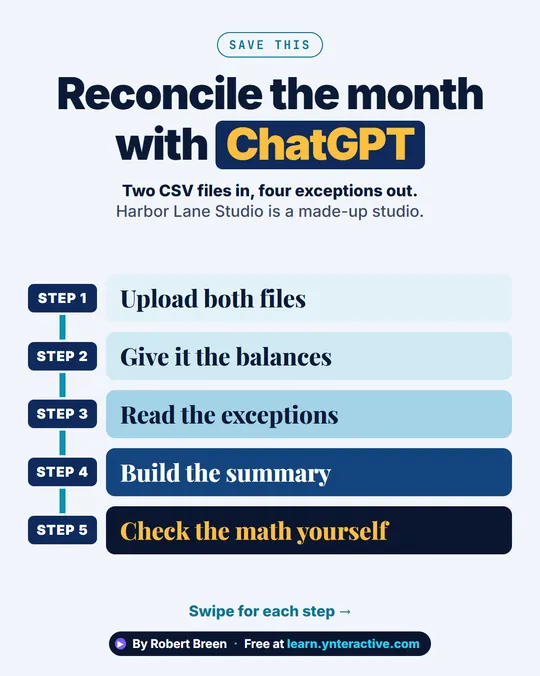
The rule behind the list is simple: paste the facts the answer needs, not the document they came from. To reconcile a bank account, for example, you still need the transactions, but account numbers can be removed from the export first. The bank reconciliation lesson uses made-up sample files so you can practice the routine without any real data. For the habits behind this, see Safe AI at Work and Is it safe to paste client data into ChatGPT?.
Which ChatGPT settings should the policy require?
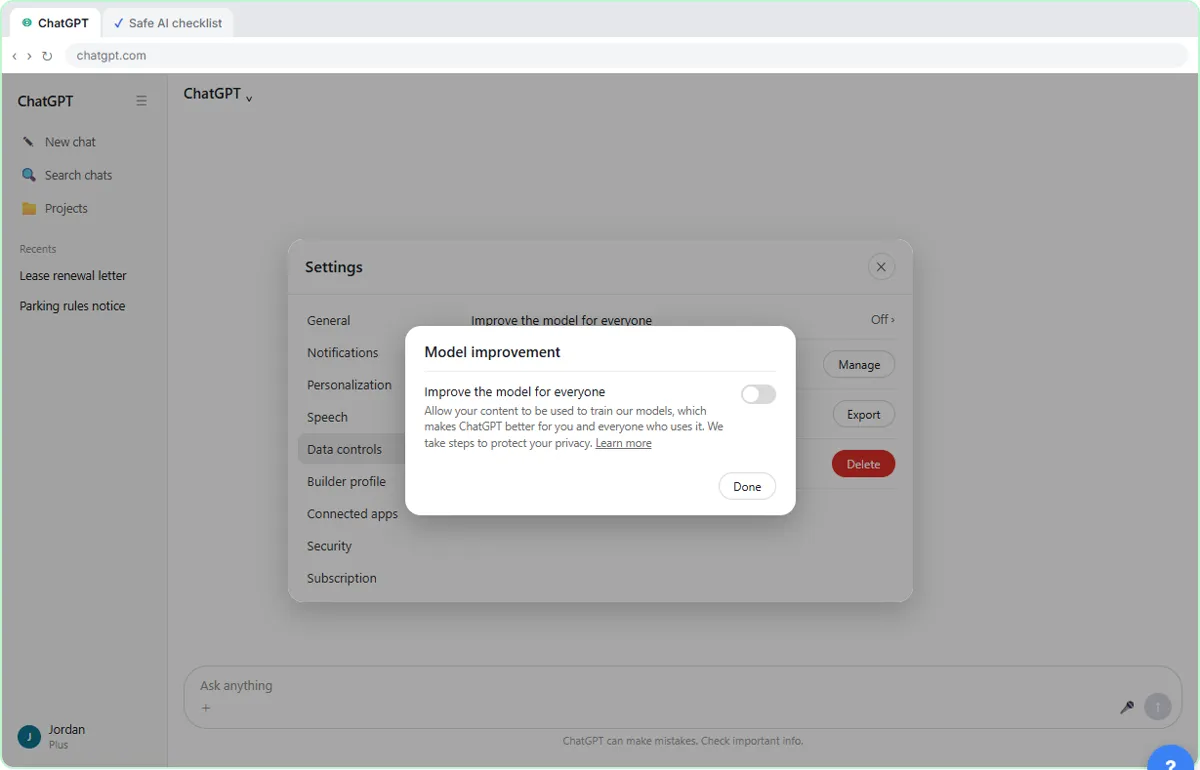
Four settings cover most of the risk. The data-controls lesson walks through each on a practice copy of ChatGPT.
- Improve the model for everyone: off. It is under Settings, then Data controls. On personal plans it decides whether new chats can be used to train OpenAI's models. OpenAI says business plans such as ChatGPT Business and Enterprise do not train on business data by default, so confirm the terms of your plan. See ChatGPT data controls.
- Memory: off on shared logins. Under Settings, then Personalization. Memory can carry one client's details into another client's chat.
- Temporary Chat for sensitive work. It stays out of your history and ignores memory, but ChatGPT's own notice says a copy may be kept for up to 30 days. Safer, not secret. See Temporary Chat vs memory.
- Shared links: review monthly. Anyone with a shared link can view the chat, and deleting a link doesn't delete your original chat.
Settings change over time, so check your own screen rather than trusting a screenshot.
What does a one-page team AI policy look like?
Adapt the names and bracketed parts to your firm.
[Firm name] AI use policy 1. Use only the approved account: [ChatGPT Business / the firm login]. Do not use personal accounts for client work. 2. "Improve the model for everyone" stays off on every account used for work. 3. Memory is off on shared logins. 4. Use Temporary Chat for sensitive work, and still remove names and numbers first. 5. Never paste passwords, full bank or card numbers, Social Security numbers, health details or confidential client files. 6. Check every AI answer before it goes to a client. You are responsible for what you send. 7. Review shared links monthly. Export before you delete; only the account owner deletes. 8. Not sure? Ask [policy owner] before you paste.
Name one policy owner and put a date on the page. Review it every few months, because plans and settings change.
How do you roll the policy out?
Keep it light. Send the page, then have each person open Settings and confirm the switches on their own account; it takes a few minutes. Practice the safe habits together with the free Safe AI at Work lesson, which is set in a small property management company. Then pick one real task, such as month-end reconciliation, and run it under the policy. If you are choosing between assistants, ChatGPT vs Claude for bank reconciliation shows the checks that apply to both.
Key takeaways
- Use one approved account, ideally a business plan, never personal logins for client work.
- Switch off model training, switch off memory on shared logins, and use Temporary Chat for sensitive work.
- Never paste passwords, full account numbers, Social Security numbers, health details or confidential client files.
- Name one policy owner and review the page every few months.
Try it free, step by step
ChatGPT: Keep Client Data Safe, Set Up Your Team's Data Controls in 10 Minutes. A client asks if their files go into ChatGPT. Answer with confidence: set the data controls, memory, Temporary Chat and shared links, then hand your team a one-page AI policy. You do every step yourself in a practice copy of ChatGPT, it checks your work as you go, and “Do it for me” finishes any step you get stuck on. Free, and nothing touches your real accounts.
Start the free lessonFrequently asked questions
- What can employees paste into ChatGPT at work?
Only what the task needs, on the approved account. Facts, drafts and de-identified data are fine. Passwords, full account numbers, Social Security numbers, health details and confidential client files are not.
- Does ChatGPT train on what my staff paste?
On personal plans it can, unless "Improve the model for everyone" is switched off in Data controls. OpenAI says business plans such as ChatGPT Business and Enterprise do not train on business data by default; confirm the terms for your plan.
- Is Temporary Chat safe for client information?
It is safer, not secret. It stays out of your history and ignores memory, but a copy may be kept for up to 30 days. Remove names and numbers anyway.
- Who should own the AI policy?
One named person, usually the office manager or a partner, who answers "can I paste this?" and reviews the page every few months.
- Is a one-page policy enough?
For a small firm it is a strong start. Check it against your client contracts, insurer questionnaires and professional rules, and get legal advice if you handle regulated data.