How to use these prompts
- Fill in the [BLANKS]. Usually just what you need and who it's for. The point is that you don't have to know every detail up front.
- Answer in a sentence or two. Short is fine. Answer what it asks, like you're telling a colleague.
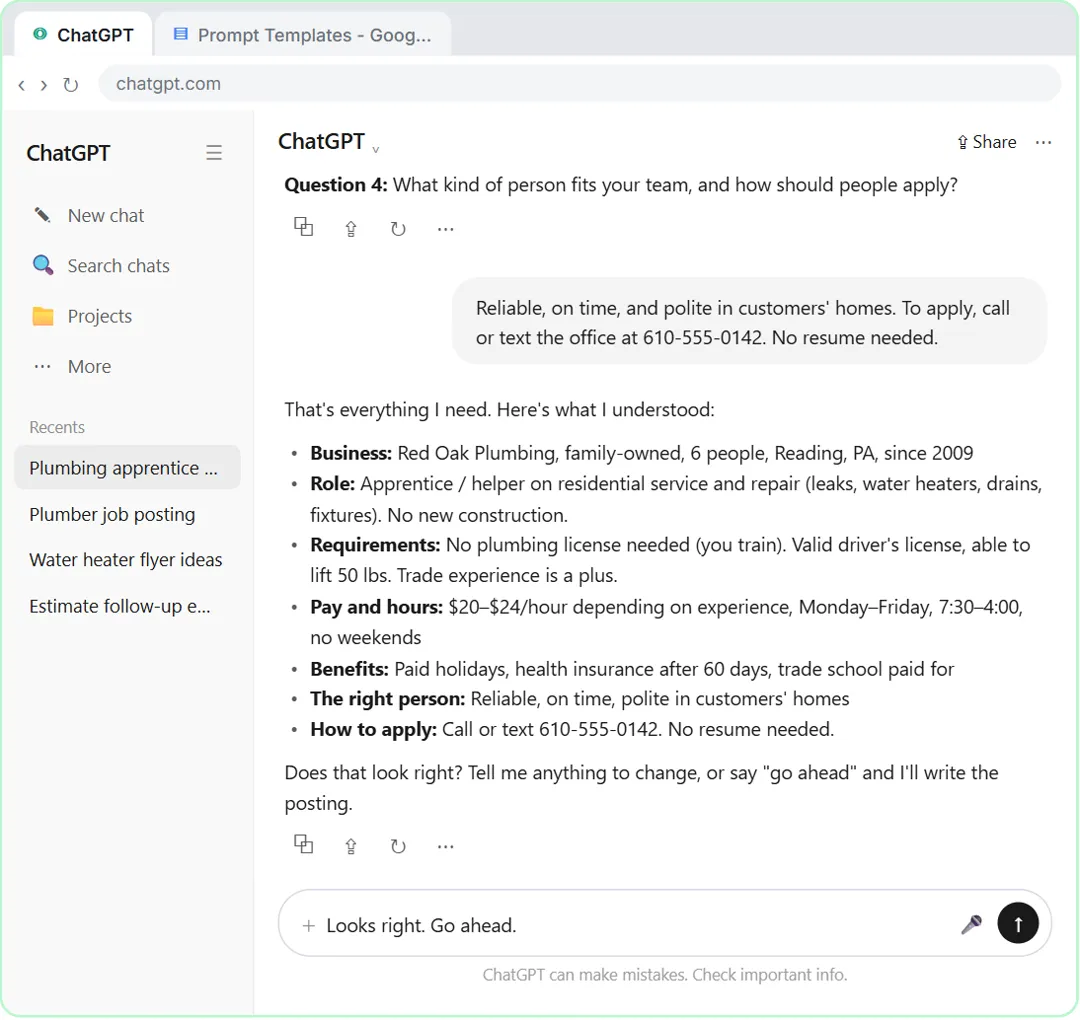
- Read the summary line by line. Every prompt here ends with ChatGPT summing up what it understood and waiting. Fix anything wrong, then reply "Looks right. Go ahead."
- Check the finished answer for names, numbers and promises before you post or send it.
The base prompt and its settings
1. The template from the lesson
I need [WHAT YOU NEED] for [MY BUSINESS]. Before you write anything, interview me: ask me up to 5 questions, one at a time, and wait for my answer before you ask the next one. Don't make assumptions. When you have enough, sum up what you understood in a few bullet points and wait for my OK. Then write it.
This is the lesson's saved template, with two blanks. In the lesson ChatGPT asks four questions, not five, because you said "up to" and four was enough. Save this one in your Prompt Templates doc and most of the others are small changes to it.
2. The quick version, three questions
I need [WHAT YOU NEED]. Ask me up to 3 questions, one at a time, about the things you'd otherwise have to guess. Then sum up in three bullets, wait for my OK, and write it.
For short jobs, like a two-paragraph email, five questions is too many. Naming "the things you'd otherwise have to guess" points it at the gaps.
3. The version that gives choices
I need [WHAT YOU NEED] for [MY BUSINESS]. Interview me first: up to 5 questions, one at a time. For each question, offer two or three example answers I can pick from, or I'll type my own. Don't make assumptions. Sum up and wait for my OK before you write.
Useful when you're not sure what a good answer looks like. Some ChatGPT plans and modes already show a question as a card with choices; this asks for that in plain text.
Writing for customers and clients
4. A job posting
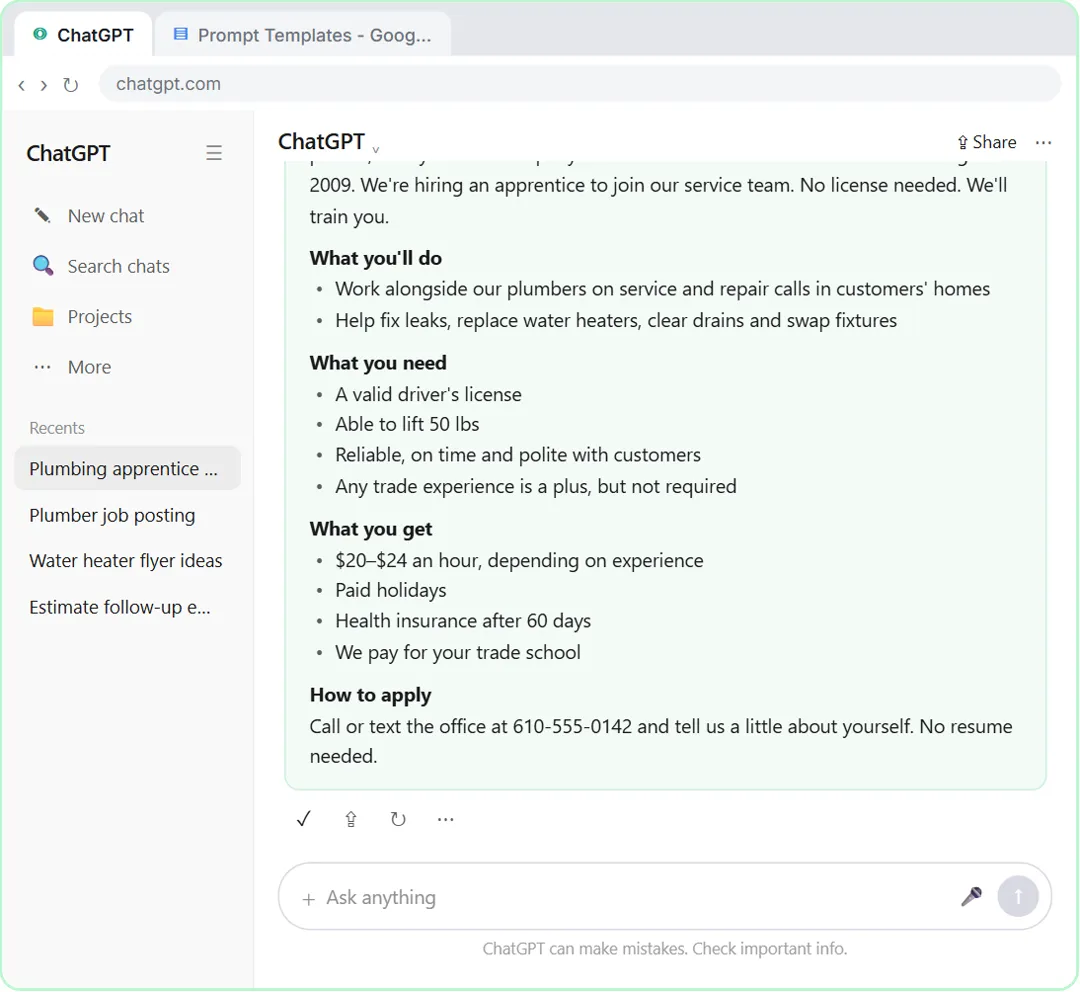
I need a job posting for [ROLE] at [MY BUSINESS]. Before you write anything, interview me: up to 5 questions, one at a time, covering the work, who it's for, pay and hours, and how to apply. Don't make assumptions. Sum up what you understood and wait for my OK. Then write the posting.
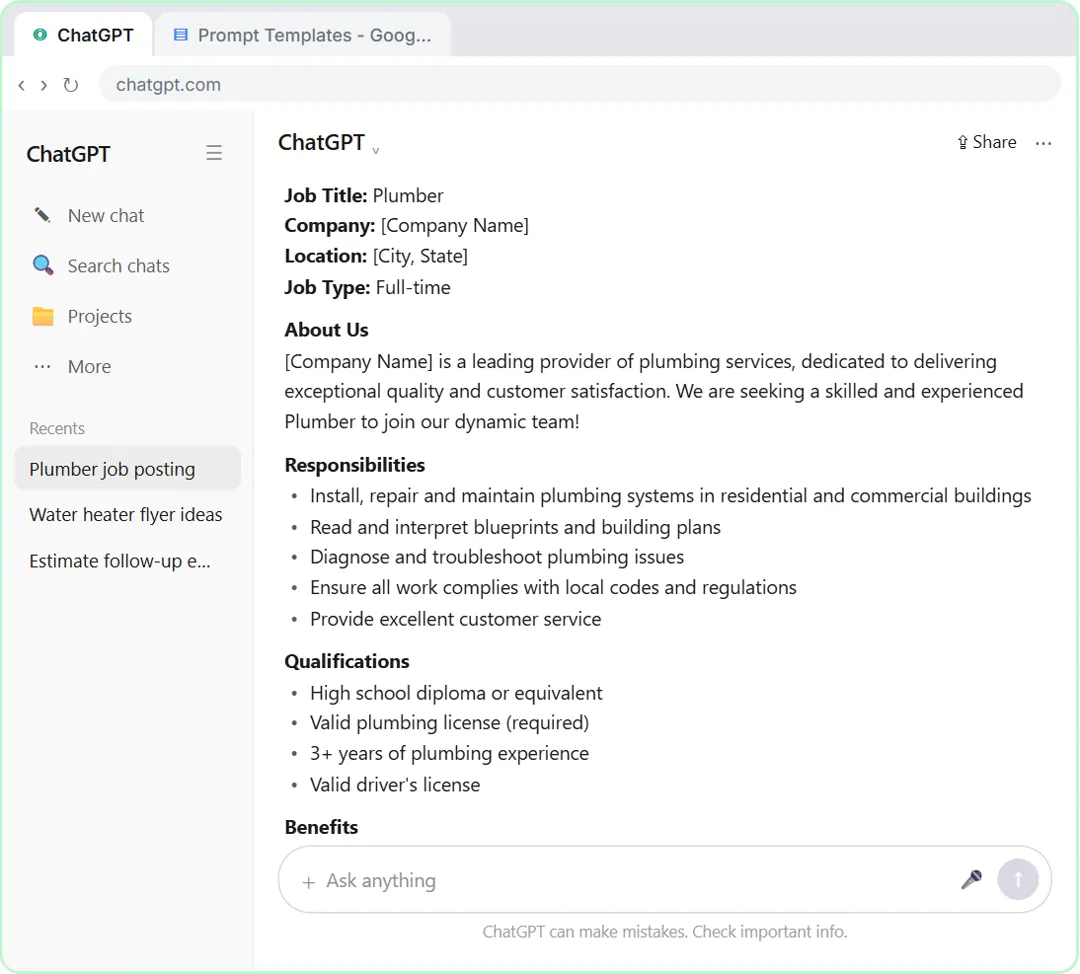
The lesson's own job. A one-line request got a posting written for the wrong level of experience, with no real pay. The interview version came back with the real role, the real pay range and hours, and a way to apply.
5. A client FAQ
I need an FAQ for [MY BUSINESS]'s clients about [TOPIC]. Interview me first: up to 5 questions, one at a time, about what clients ask, what we actually do, and what we don't do. Don't make assumptions. If I don't know an answer, mark it [CHECK]. Sum up and wait for my OK. Then write the FAQ.
The lesson names a customer FAQ as a good use of the template. The [CHECK] rule keeps an answer you didn't give from turning into a made-up policy.
6. A proposal introduction
I need the opening section of a proposal from [MY BUSINESS] to [CLIENT TYPE]. Interview me first: up to 5 questions, one at a time, about their problem, what we'll do, what it costs and what makes us a fit. Don't make assumptions or add claims I don't give you. Sum up and wait for my OK. Then write it in under 200 words.
"Don't add claims I don't give you" matters in a proposal: no "award-winning" or "industry-leading" unless you said so.
7. A follow-up email after a meeting
I need a follow-up email to [WHO] after our meeting about [TOPIC]. Ask me up to 4 questions, one at a time: what was agreed, what happens next, who does what, and the tone. Sum up and wait for my OK. Then write it under 150 words.
If you have a transcript, a summary prompt is faster. When all you have is your memory, the questions pull out the parts that matter.
8. A flyer or one-page announcement
I need the text for a one-page flyer from [MY BUSINESS] about [OFFER OR EVENT]. Interview me first: up to 5 questions, one at a time, about who it's for, the date or deadline, the price, and the one thing people should do. Don't make assumptions. Sum up and wait for my OK. Then write a headline, three short lines and a call to action.
The lesson suggests a flyer too. Ask for the one action you want, so the flyer doesn't end with three different ways to get in touch.
Try it free, step by step
Make ChatGPT Ask You Questions First: The Interview Prompt. Ask for a job posting the quick way, then with the interview prompt: ChatGPT asks what it needs, one question at a time, and writes a posting you can actually use. You do every step yourself in a practice copy of ChatGPT, it checks your work as you go, and “Do it for me” finishes any step you get stuck on. Free, and nothing touches your real accounts.
Start the free lessonWriting for your own team
9. A project brief
I need a one-page brief for a new project: [PROJECT IN A FEW WORDS]. Interview me first: up to 5 questions, one at a time, about the goal, the deadline, who's involved, what's out of scope and how we'll know it worked. Don't make assumptions. Sum up and wait for my OK. Then write the brief with short headed sections.
Asking about what's out of scope early is one way to head off scope creep before the project starts.
10. Your own performance self-evaluation
You are helping me, a [YOUR ROLE] at [COMPANY], write my performance self-evaluation for [REVIEW PERIOD]. Interview me first: up to 5 questions, one at a time, about my main accomplishments, the results, a challenge and what I learned, and my goals. Don't invent numbers, projects or praise. Sum up and wait for my OK. Then write it in four short sections, first person, under 300 words.
This one is also in the Stepthrough prompt library. Only include results you can back up: your manager will compare it with the year they saw.
11. A step-by-step process write-up
I need a short how-to for my team on [TASK]. Interview me first: up to 5 questions, one at a time, about when we do it, the steps in order, the tools we use, and the mistakes people make. Don't make assumptions. Sum up the steps and wait for my OK. Then write numbered steps in plain words.
The summary step is especially useful here: you see the steps in order before they're written up, and a missing step is easy to spot.
12. A team announcement
I need a short announcement to my team about [CHANGE]. Ask me up to 4 questions, one at a time, about what's changing, when, why, and what people need to do. Don't make assumptions. Sum up and wait for my OK. Then write it under 150 words, plain and friendly.
People want to know what they have to do and by when. The questions make sure both are in it.
Getting more out of the interview
13. Ask what's still missing
Before you write, tell me which of my answers were too vague to use and what you'd still be guessing. Ask me about those, one at a time.
Send this after the summary if it feels thin. It's a cheap way to get one more round of questions.
14. Fix the summary before it writes
One change to your summary: [WHAT'S WRONG AND THE RIGHT VERSION]. Keep everything else the same, show me the corrected summary, and wait for my OK again.
The summary is the cheapest place to catch a misunderstanding. Correct it there, not in the finished draft.
Key takeaways
- An interview prompt makes ChatGPT ask what it needs instead of filling gaps with the most common answer.
- "Up to 5 questions, one at a time" keeps it a short conversation you'll actually finish.
- The summary step is where you catch mistakes. Fix it before you say go ahead.
- Two blanks, what you need and your business, turn one template into dozens of jobs.
- Still check the finished answer for names, numbers and promises.
Frequently asked questions
- How do I make ChatGPT ask me questions before it writes?
Tell it to: "Before you write anything, interview me: ask me up to 5 questions, one at a time, and wait for my answer before you ask the next one." Then ask it to sum up and wait for your OK.
- Why one question at a time?
Ten questions at once feels like a form, and most people skip half. One at a time keeps it a conversation, and each answer can shape the next question.
- Does the interview prompt work in Claude or Gemini?
The lesson says the prompt also works in Claude or Gemini. Real tools may word their questions differently or ask a different number; answer what they ask and check the summary.
- Is Red Oak Plumbing a real company?
No. Red Oak Plumbing, the business in the lesson, is made up. The lesson is module 4 of the Better Prompts course, and How to Write Better ChatGPT Prompts covers the four-part prompt it builds on.

![Prompt of the day. The text to send after a missed call. Role: You write the automatic text [BUSINESS] sends when we miss a call. It should sound like a person at our office, not a robot. Context: Our hours: [HOURS]. Our callback promise: [CALLBACK TIME]. For urgent problems: [URGENT OPTION]. Ask the caller to text us: [WHAT TO ASK]. Don't quote prices, diagnose problems, promise a visit time or ask for payment details. Part 1 of 2. Replace every [BLANK] with your own details.](/content/visual/prompt-missed-call-text-back/01-540.webp)