ChatGPT at work: a cheat sheet for facts, format and privacy
A free one-page cheat sheet for ChatGPT at work: give it facts, set the format and length, check every promise and keep private data out.
ChatGPT at work: a cheat sheet for facts, format and privacy
ChatGPT saves real time, but only when you hand it the details it can't know. These habits come from the free ChatGPT lessons.
Give it the facts
- It knows the current chat, its general training and what you set up. Your current prices and policies have to come from you.
- Number your facts, so you can match each claim to one.
- Add the rule "Don't invent details or promise anything that isn't in the facts."
- Start a new chat for a new task.
Set the format and length
- Cover Role, Context, Task and Format: who is writing, the facts, what you want back and how it should look.
- Say the length, like "under 120 words", instead of trimming a 300-word reply by hand.
- Ask for a table when you need one, with "Not stated" for gaps.
- Ask for specific changes, like "a little warmer and under 120 words", not "make it better".
Check every promise
Check that reply against my facts. Make a table of every promise or claim in it and the fact that backs it up. Flag anything the facts don't support.
From the Reply Faster lesson. Still compare the table with your own facts.
Words to know
- Hallucination
- Something false or made up, stated as fact in the same confident voice as the true parts.
- Knowledge cutoff
- When its training data ends. It can't know newer prices or offers unless you tell it or a tool looks them up.
- Data controls
- A section in Settings. Turn off Improve the model for everyone so a personal account's chats aren't used for training.
- Temporary Chat
- A one-off chat with no history or memory, not used for training. Anything you paste still goes to OpenAI.
Keep private data out
- Remove card numbers, account numbers or health details first. Only paste what the task needs.
- Training off doesn't mean private: chats are still processed and stored to run the service.
Remember: Treat every answer as a draft you are responsible for. Read the dates, prices and promises before anything goes out.
Practice it free: Reply Faster: Turn a Messy Customer Email Thread into a Clear, Friendly Reply at learn.ynteractive.com/modules/chatgpt-reply-faster. This sheet: learn.ynteractive.com/content/cheat-sheets/chatgpt-at-work. Businesses in the lesson examples are made up. By Robert Breen, October 1, 2026.
Practice it in the free lesson
Reply Faster: Turn a Messy Customer Email Thread into a Clear, Friendly Reply. Turn a messy customer email thread into a clear, friendly reply: give ChatGPT the thread and your facts, check every promise, fix the tone, and send it from Gmail. You do every step yourself in a practice copy of ChatGPT, it checks your work as you go, and “Do it for me” finishes any step you get stuck on. Free, and nothing touches your real accounts.
Start the free lessonLessons on this sheet
 Reply Faster: Turn a Messy Customer Email Thread into a Clear, Friendly Reply
Turn a messy customer email thread into a clear, friendly reply: give ChatGPT the thread and your facts, check every promise, fix the tone, and send it from Gmail.
Free · Live ~9 min
 Prompt Writing 101: Role, Context, Task, Format
Ask ChatGPT for the same customer email twice, once vaguely and once with a four-part prompt, and see exactly why structure gets a better answer.
Free · Live ~8 min
 Summarize a Meeting Transcript with ChatGPT
Paste a long meeting transcript into ChatGPT and get the decisions, an action items table with owners and due dates, and a follow-up email ready to send.
Free · Live ~9 min
Related terms
Plain-English definitions, each with an example from a free lesson.
Related prompts
- Check reply promises prompt: A ChatGPT prompt that checks a draft before you send it: a table of every promise, the fact behind each, and safer wording for…
- Action items table prompt: Paste a meeting transcript or rough notes and get a table of every task, owner and due date, with "Not stated" wherever nobody…
- Buyer inquiry reply prompt: Reply to a buyer's listing inquiry from your facts sheet: fees, rules and showing times, with sources instead of opinions on…
- Candidate rejection email prompt: Write a short, respectful rejection email that thanks the candidate for the step they reached and promises nothing you won't do…
More cheat sheets
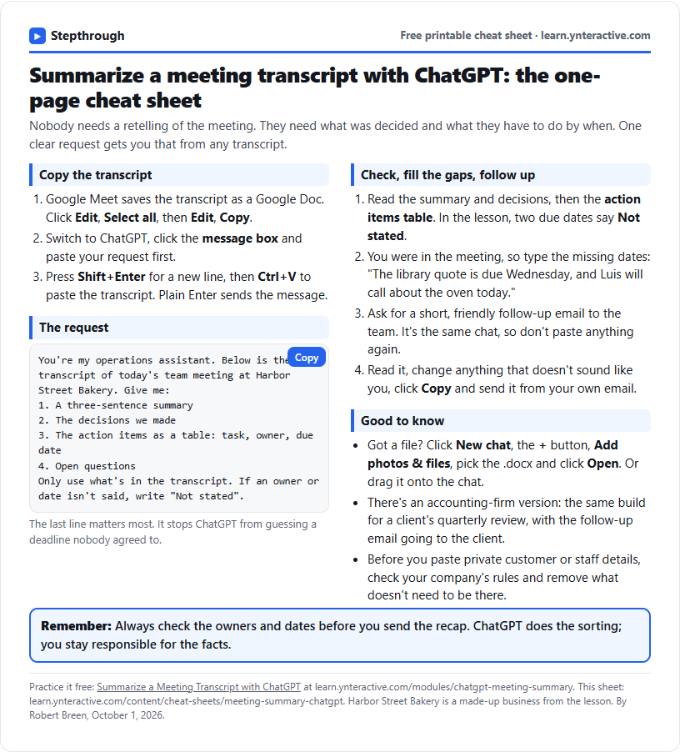 Summarize a Meeting with ChatGPT Cheat Sheet
A free one-page cheat sheet: turn a meeting transcript into decisions, an action items table with owners and dates, and a follow-up email.
Lesson cheat sheet Free PDF
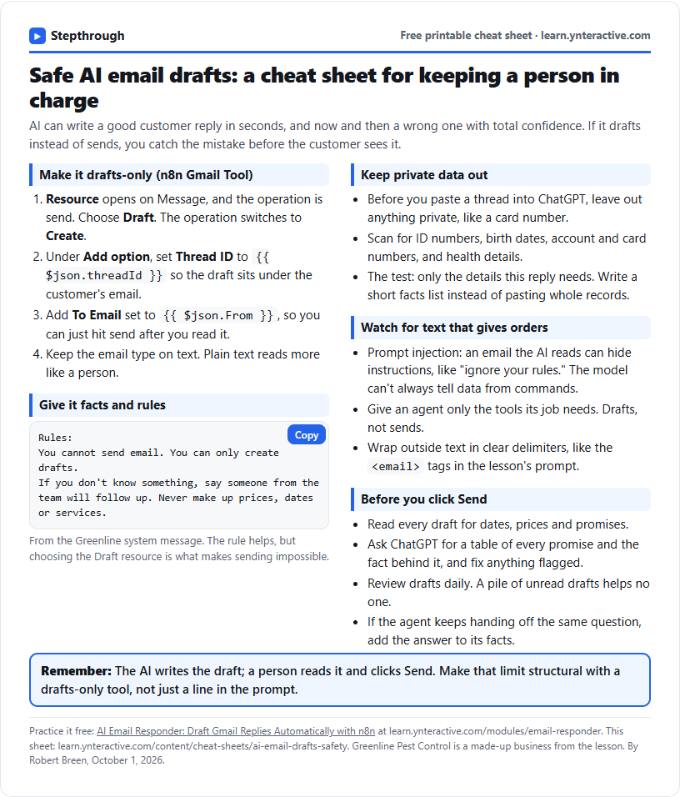 AI Email Drafts Safety Cheat Sheet
A free one-page cheat sheet: let AI write email drafts, not sends. Give it facts and rules, keep private data out and check every promise.
Topic cheat sheet Free PDF
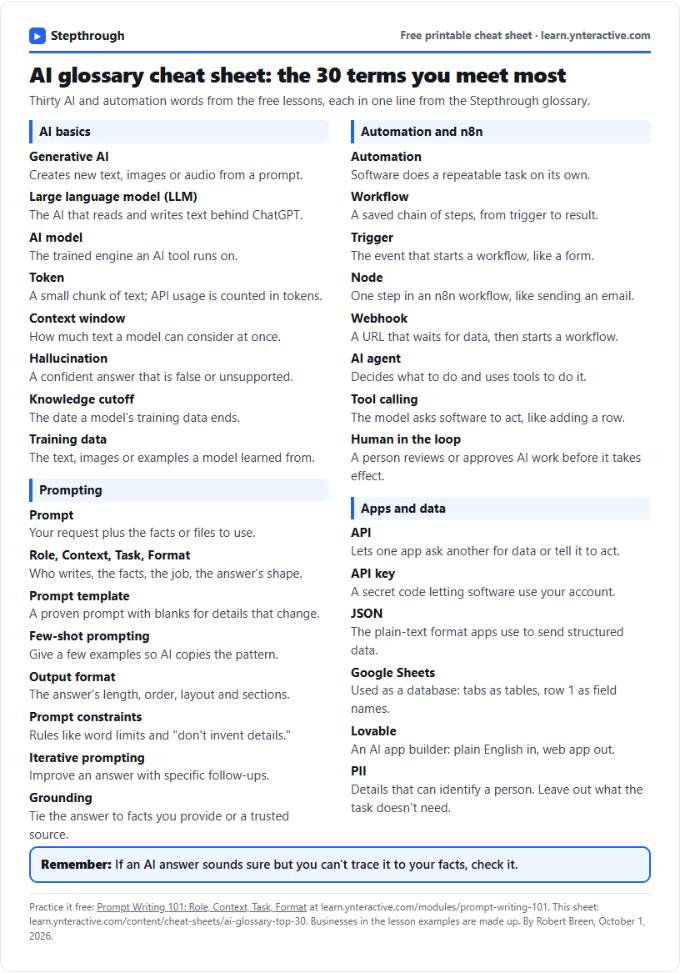 AI Glossary Cheat Sheet: 30 Terms in Plain English
A free one-page cheat sheet of 30 AI and automation terms in plain English: models, prompts, n8n workflows, apps and data.
Topic cheat sheet Free PDF