Every pattern here is something you set up in the tool, not a promise to "be careful." That's the difference between a review step that happens and one that gets skipped on a busy day.
What does human in the loop mean for a small business?
It means deciding, for each AI task, which step a person must approve before the result counts. For a small business, the steps that matter are usually the ones that leave the building (an email to a customer), touch money (a reimbursement, a category on the books) or make a promise (a price, a date, an outcome).
AI is good at reading, sorting and writing a first version. It can also state something confidently that isn't true. A person in the loop catches that before it costs you a customer or a correction.
How do you stop an AI agent from sending emails on its own?
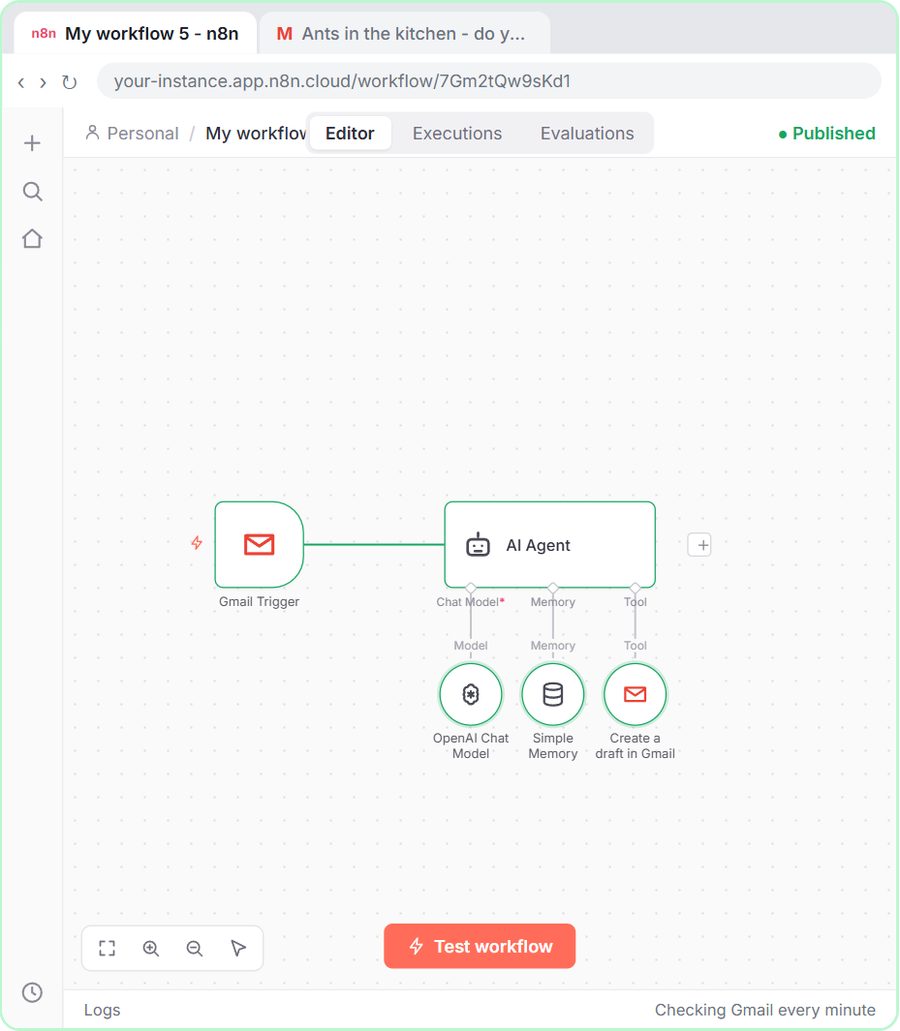
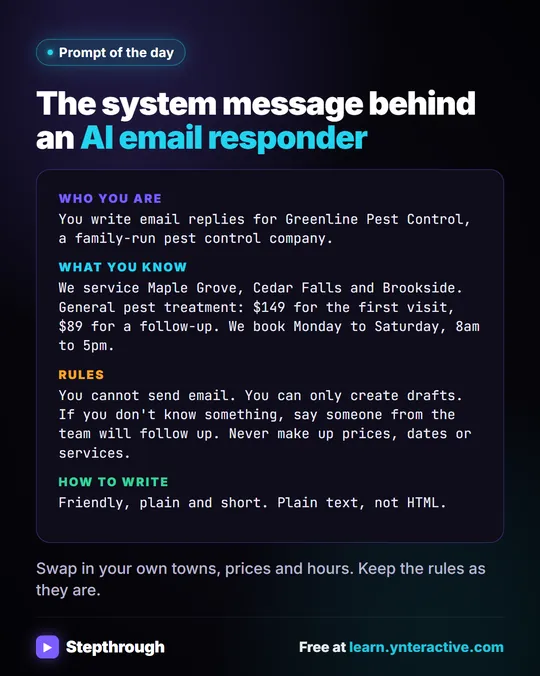
Give it permission to create drafts only. In the email responder lesson, an n8n agent for Greenline Pest Control (a made-up company) reads each new email and writes a reply. Its Gmail Tool opens set to send, and the lesson changes Resource to Draft, so the Operation becomes Create.
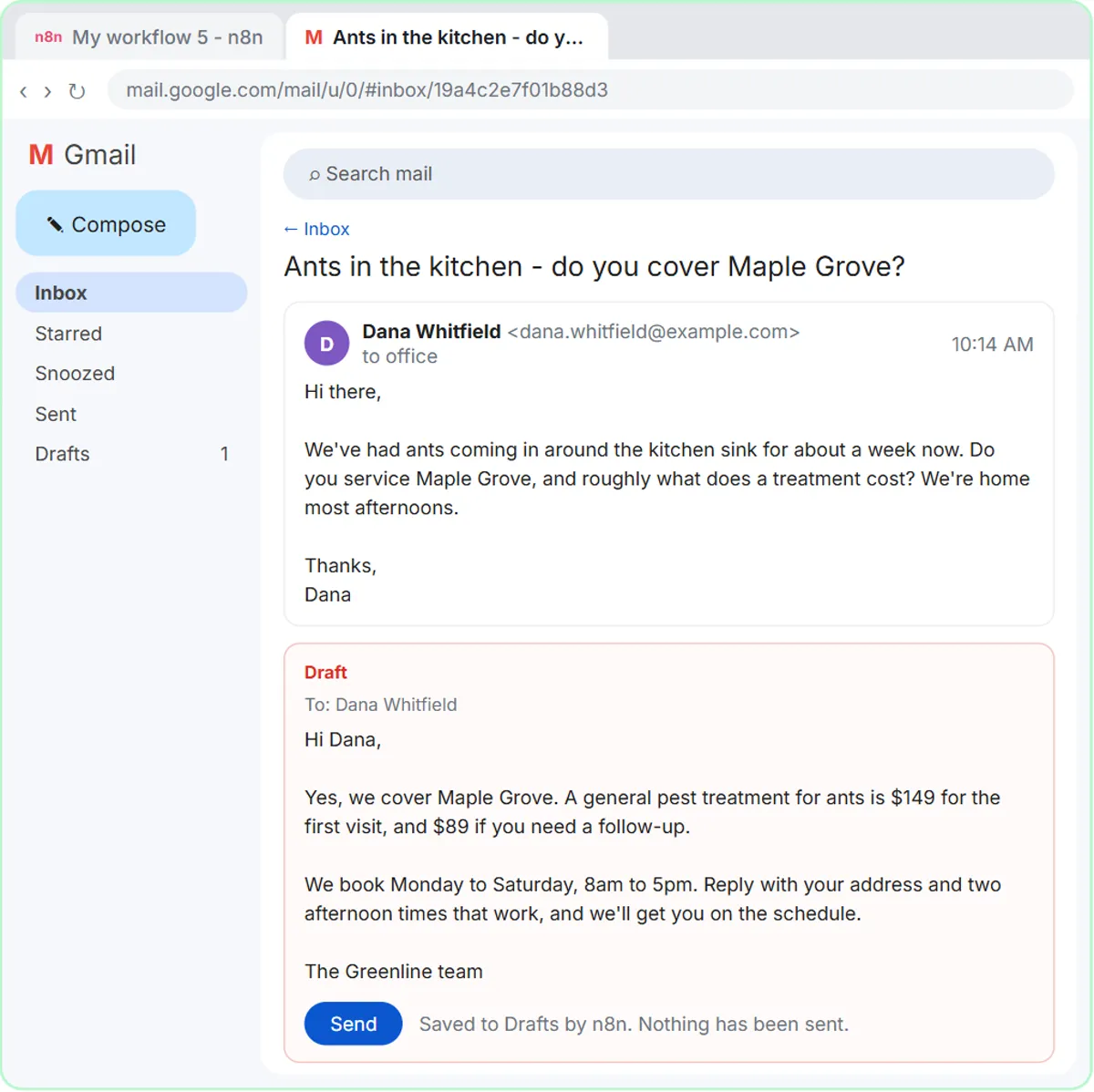
The system message says it in words too: "You cannot send email. You can only create drafts." The draft lands under the customer's email, with the subject and recipient filled in, so the review is quick: read, edit if needed, click send. AI Email Replies Without Auto-Sending walks through the build.
How can a review sheet keep a person in charge?
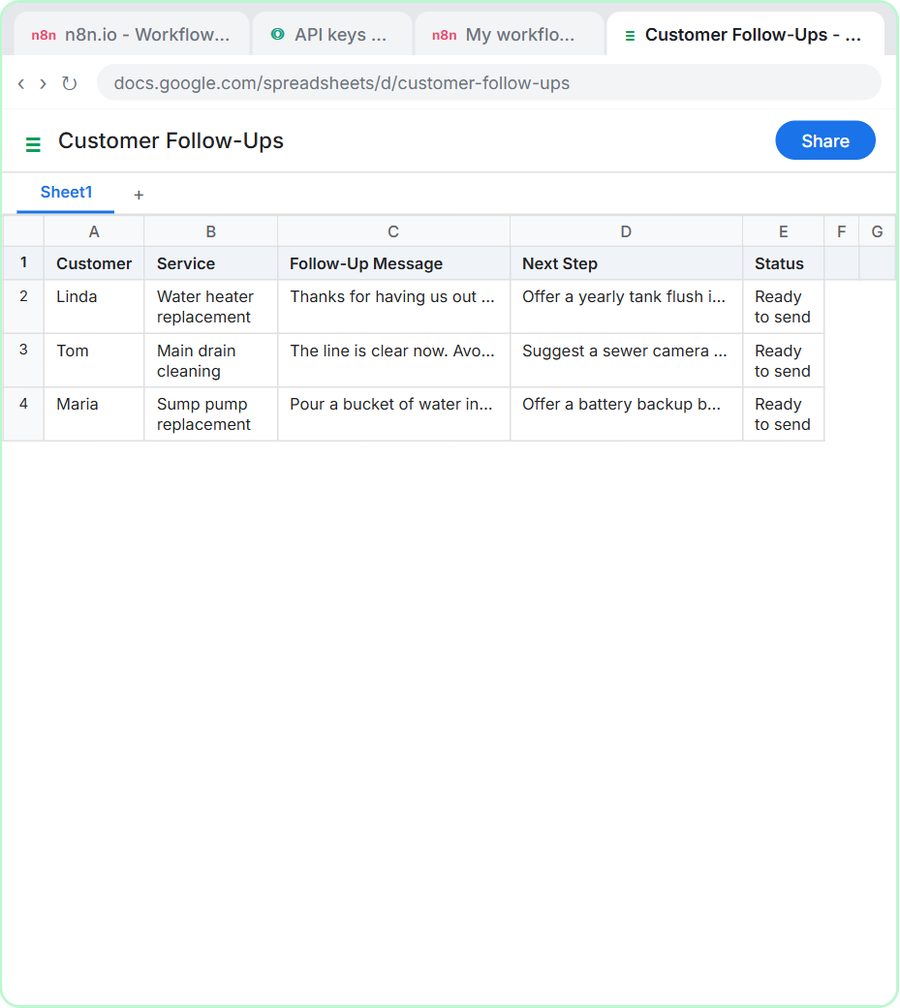
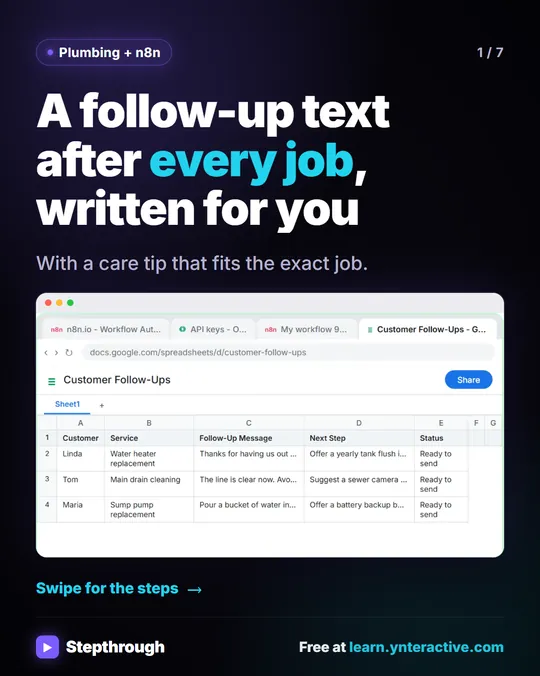
Have the agent write its work to a Google Sheet with a status column, and make the sheet the place a person approves it. In the AI Customer Follow-Up Agent lesson, Blue Maple Plumbing's agent (also made up) writes a follow-up text for each service call into a Customer Follow-Ups sheet with these columns:
- Customer
- Service
- Follow-Up Message
- Next Step
- Status, which the system prompt sets to "Ready to send" every time
Nothing in that workflow sends a text. The sheet is a queue: someone reads each message, changes what's wrong and sends it. You can make the review visible by changing the Status yourself once a row is checked or sent. The electrical version of the lesson uses its Next Step column the same way, so open items like an inspection don't depend on anyone's memory.
Try it free, step by step
n8n AI Email Responder: Draft Gmail Replies Automatically. Build an n8n agent that watches your Gmail, reads each new customer email, and writes a reply as a draft in the same thread, ready for you to check and send. You do every step yourself in a practice copy of n8n, it checks your work as you go, and “Do it for me” finishes any step you get stuck on. Free, and nothing touches your real accounts.
Start the free lessonWhy give AI a "Needs Review" option?
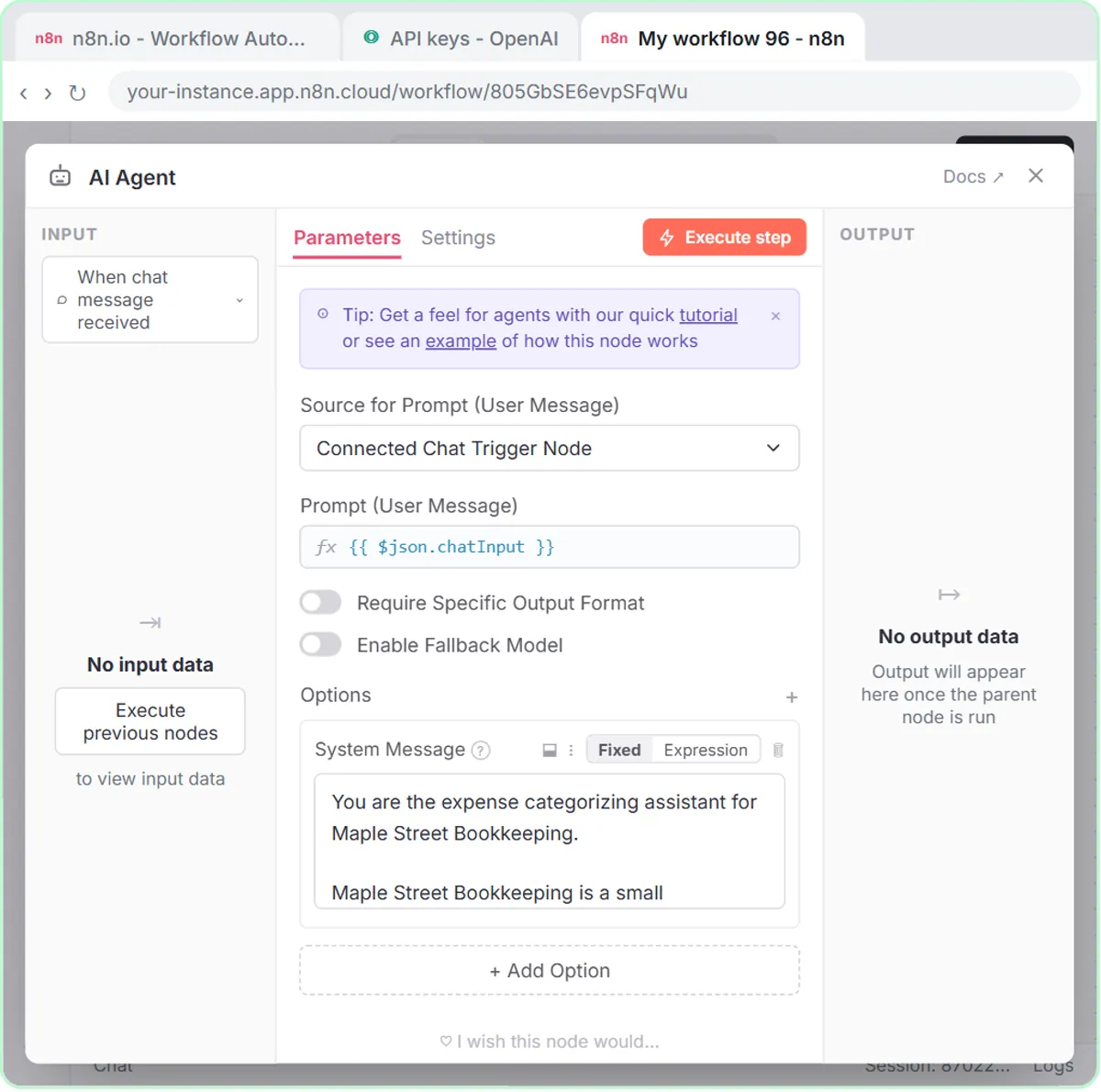
Because an AI that must pick an answer will guess, and a named place for "not sure" turns a guess into a flag. In the AI Expense Categorizer lesson, Maple Street Bookkeeping's agent may only use six categories, one of which is Needs Review:
If an expense could fit more than one category, or the details are unclear, use Needs Review and say why.
The audience line in the same system prompt sets the loop: "the bookkeeper who reviews every entry before it is posted." The reimbursement form lesson for the same firm does something similar with statuses: Needs receipt, Needs manager OK for $100 or more, and Approved only under $100 with a receipt and a clear business purpose. A large request always reaches a manager. Automate Expense Reimbursement Requests with AI covers that build.
How do you keep a person in the loop in ChatGPT?
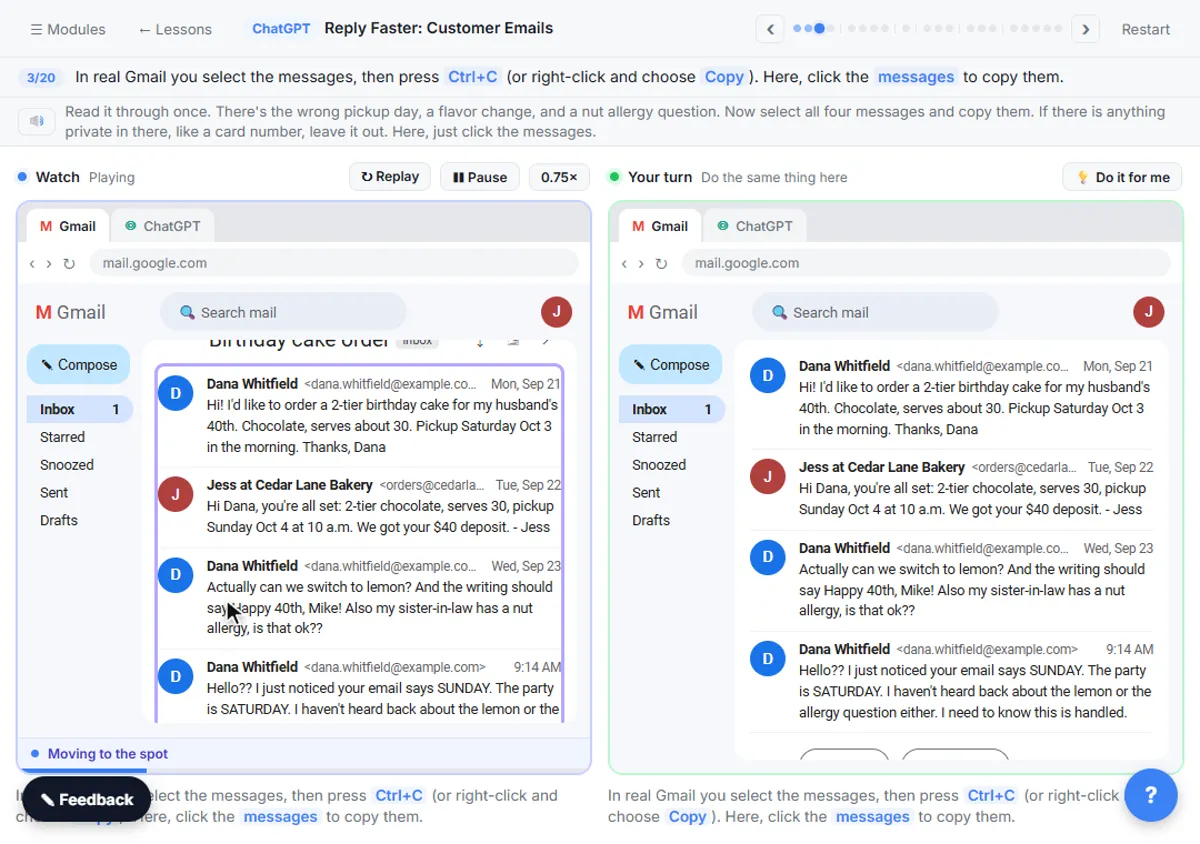
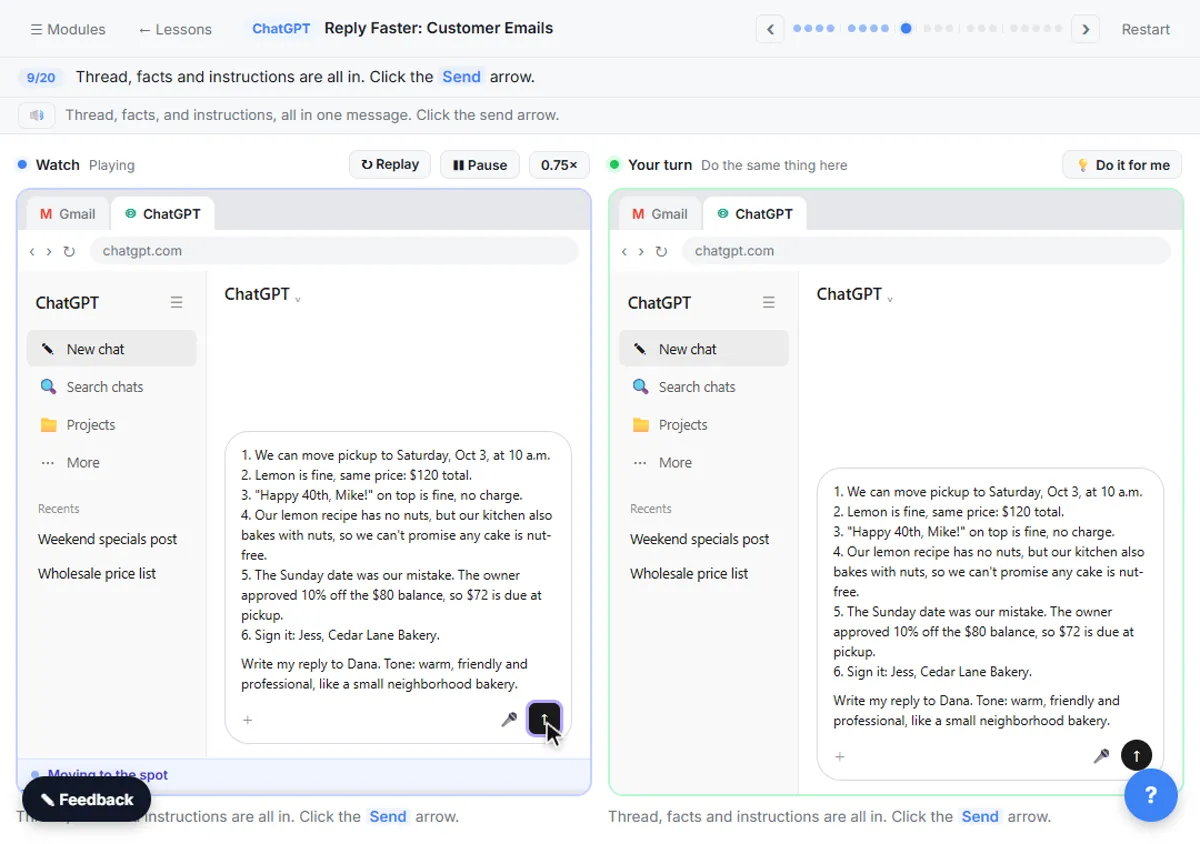
Give ChatGPT only facts you can stand behind, ask it to check its own promises against those facts, and read the reply yourself before you send it. In Reply Faster: Customer Emails, a first draft for a made-up bakery says a cake is completely nut-free, which isn't in the facts. The check prompt catches it:
Check that reply against my facts. Make a table of every promise or claim in it and the fact that backs it up. Flag anything the facts don't support.
The last step of the lesson is still a person: "One last read before it goes out." Check AI Email Drafts for Promises Before You Send shows the check on three different emails. The same rule protects payments: Stop a Fake Vendor Bank-Change Request Before You Pay has Claude check an urgent bank-change email, then keeps two people and a callback in front of the money.
When is it fine to let an automation run without review?
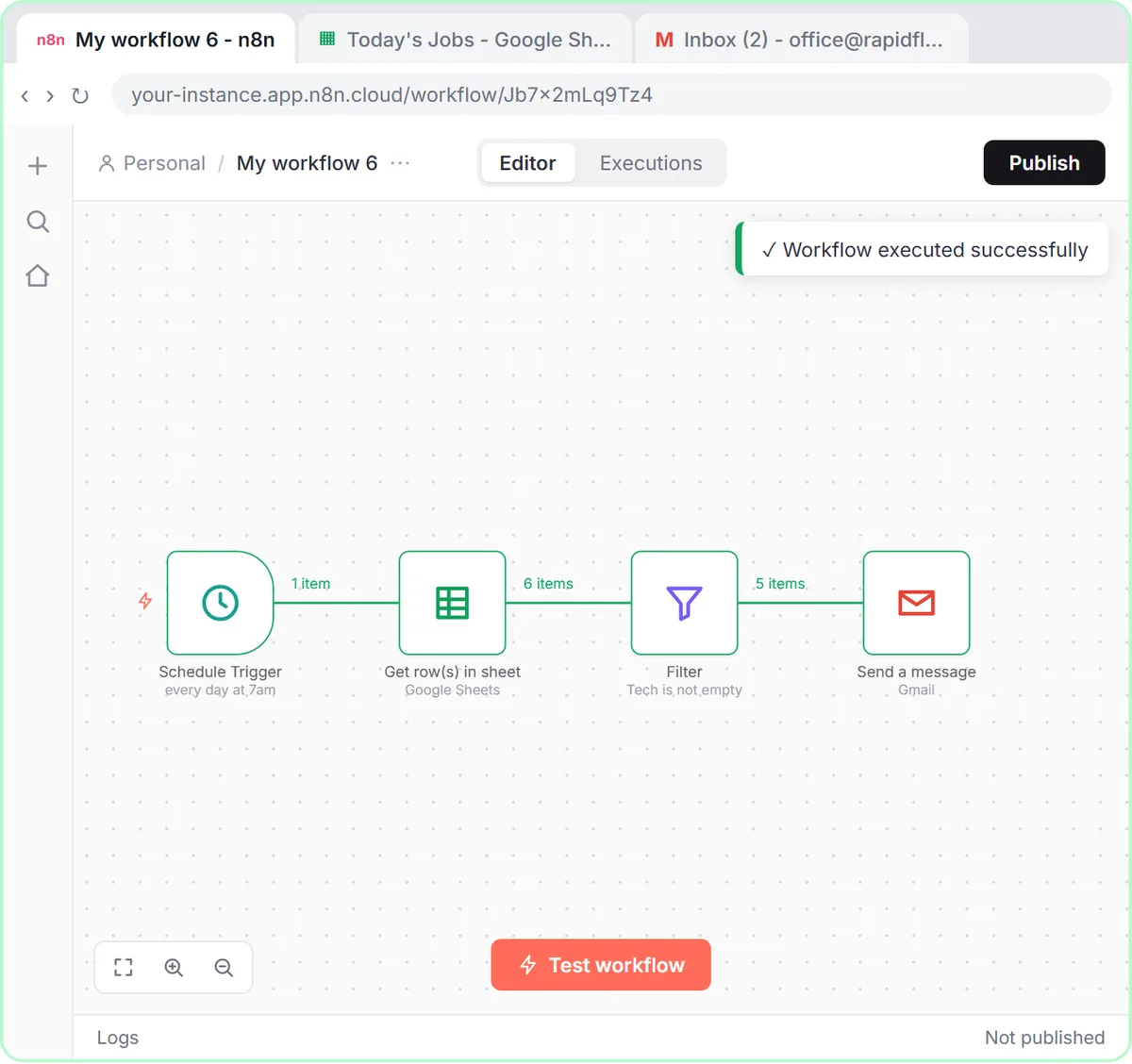
When the output is predictable, goes to your own team, and a mistake is cheap and easy to fix. The Daily Job Alerts lesson emails each tech their jobs at 7am with no review at all, and that's reasonable: there's no AI in it, every value comes straight from the office's own sheet, and the people reading it are your techs.
Some lesson workflows do email customers automatically, such as the form confirmations in the Lovable lessons. Those keep the AI on a short leash: a narrow job, fixed rules in the system message (a priority, a job type, approved safety wording), and test submissions to your own address before going live. If a message makes promises about prices, dates or outcomes, put a person back in the loop.
How do you design a human-in-the-loop AI workflow?
Decide where the AI stops before you build it. A checklist drawn from the lessons:
- Name the risky output. What leaves the building, touches money or makes a promise?
- Stop the AI before it. Drafts instead of sends, a sheet instead of a post, a status instead of a decision.
- Give it an "I'm not sure" option. Needs Review, Needs manager OK, or "someone from the team will follow up."
- Write the facts down. A numbered facts list or a "What you know" section, plus a rule never to make up prices, dates or services.
- Say who reviews and when. The bookkeeper before posting, the office before texting, you before sending.
- Make the review quick. Drafts in the right thread, one row per item, a note that says what to check.
- Test with your own address and fake data before real customers see anything.
On cost: the lessons are free and run in practice copies. ChatGPT works on any plan to start, including free. The n8n builds need n8n (n8n Cloud is paid after a free trial, or self-host it) and an OpenAI API key, which is pay-as-you-go and billed separately from ChatGPT plans. The Email on Autopilot path goes from ChatGPT replies to drafted replies in Gmail.
For a concrete routine, How to Check AI Output Before You Use It lists seven checks, each taken from a free lesson.
Key takeaways
- Human in the loop AI means a person approves the AI's work before it reaches a customer, a client or the books.
- An n8n email agent can be limited to Gmail drafts by setting its Gmail Tool to Draft and Create instead of send.
- A review sheet with Status and Next Step columns turns AI output into a queue a person works through.
- A Needs Review category, or a status like Needs manager OK, gives the AI a safe answer when it isn't sure.
- Full automation is reasonable when the output is predictable, goes to your own team and is cheap to fix, like daily job emails to techs.
Frequently asked questions
- Does human in the loop make AI slower?
A little, but the AI still does the reading and first draft. The person's job becomes checking and clicking send, which is much faster than writing from scratch.
- Which AI tasks always need a person to check?
Anything that leaves the building, touches money or makes a promise: customer emails, expense categories and reimbursements, and any message with prices, dates or outcomes.
- Can the email responder ever send on its own?
Not as built in the lesson. Its Gmail Tool can only create drafts, and its system message says it cannot send email.
- Are Greenline Pest Control, Blue Maple Plumbing and Maple Street Bookkeeping real?
No. They are made-up businesses used as examples in the lessons.
Where can I go next?
See how a limit decides when a person must approve in approval threshold, and how a workflow automation keeps a person on the big decisions. Compare an AI agent vs assistant before you give one a job.