New chat handoff summary prompt: free ChatGPT template
Updated · By Robert Breen
Use this when a chat has run long, got confused or taken a wrong turn, and you want a clean start without losing the facts you already settled. You ask the AI to write the settled facts down, then paste that short sheet into a new chat.
Read the sheet before you reuse it. It is a summary, so it can drop or change a detail. Compare it with your own notes, and leave out names and numbers the next task does not need.
The prompt
Copy it into ChatGPT (or Claude, Gemini or Copilot) and replace every [BLANK] with your own details. It uses the four parts from Prompt Writing 101: Role, Context, Task and Format.
Role: You are an assistant helping an office manager hand over a working chat about [TOPIC] to a fresh chat.
Context: This chat has [WHAT HAPPENED]. I want to start a new chat for the same job and paste in only what is settled.
Task: List only the facts we have agreed on in this chat, each with its source if I gave one. Put anything uncertain or contradicted under a separate heading called Needs checking. Do not add facts I did not give you, and do not include wrong turns or rejected drafts.
Format: A short sheet with two headings: Settled facts (a numbered list) and Needs checking (a list). Plain words, under 200 words in total.
Fill in the blanks
[TOPIC]- The job the chat was about, for example a customer quote.
[WHAT HAPPENED]- A few words on why you are restarting, such as changes in the headcount and one draft that went the wrong way.
Example, filled in
A made-up example from the free lesson Stop Losing Context: When to Start a New Chat vs Keep Going using ChatGPT. Oakwood Library is the made-up customer in the Stop Losing Context lesson. The details below are an illustration of how an office manager might fill the prompt in, not the lesson's exact data.
Role: You are an assistant helping an office manager hand over a working chat about the staff breakfast quote for Oakwood Library to a fresh chat.
Context: This chat has a quote, a headcount that changed from 80 to 100 guests and a text message to Sam. I want to start a new chat for the same job and paste in only what is settled.
Task: List only the facts we have agreed on in this chat, each with its source if I gave one. Put anything uncertain or contradicted under a separate heading called Needs checking. Do not add facts I did not give you, and do not include wrong turns or rejected drafts.
Format: A short sheet with two headings: Settled facts (a numbered list) and Needs checking (a list). Plain words, under 200 words in total.
What a good answer looks like
- Only facts you gave appear, each tied to where it came from.
- Anything unsure is parked under Needs checking instead of being stated as true.
- The sheet is short enough to paste into a new chat in one go.
How to check it before you use it
An AI draft can sound right and still say something you never told it. Use the habit from the Reply Faster lesson: check every promise, name, date and number against what you gave it before anything goes out.
- Compare every number and date with your fact sheet before you paste the summary anywhere.
- Delete names, account numbers and anything else the next task does not need.
- Read the Needs checking list first. That is where the old chat's mistakes hide.
- If the sheet is long, the old chat was probably several jobs. Split them.
Why this prompt works
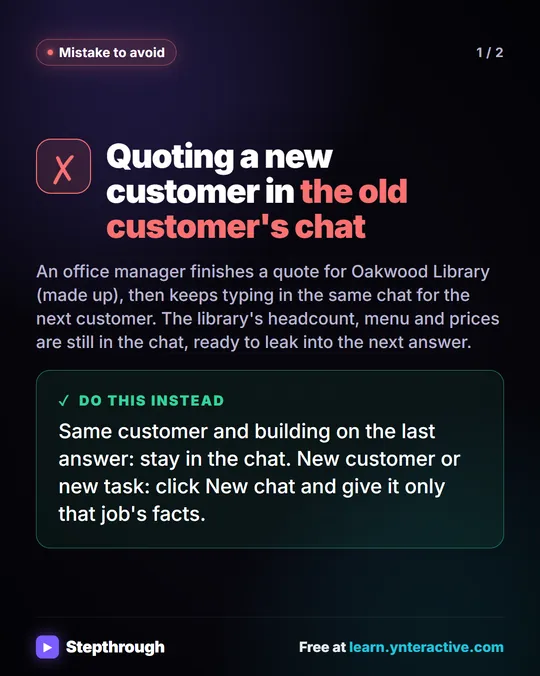
A long chat carries everything in it into the next answer, including a wrong turn from twenty messages ago. A short, checked sheet gives the new chat only what is true. Asking for a separate Needs checking heading means the AI has somewhere honest to put its doubts.
Practice it in the free lesson
Stop Losing Context: When to Start a New Chat vs Keep Going using ChatGPT: Quote a customer in one ChatGPT chat, change the numbers without re-pasting anything, then start a clean chat for the next customer so their details never mix. You do every step yourself in a practice copy of ChatGPT, and nothing touches your real accounts.
Also useful: Prompt Writing 101: Role, Context, Task, Format
Terms used here
Related prompts
- Meeting transcript cleanup prompt: A copy-ready prompt that cleans a raw meeting transcript before you summarize it: fixes speaker labels, removes filler, flags…
- Email thread summary prompt: A ChatGPT prompt that turns a long email thread into a short handoff: the situation, what was promised, each question marked…
- Decision log prompt: Pull every settled decision out of meeting notes and messages into a dated log: who decided, why, and when to revisit, plus what…
More sops and operations prompts
- New matter client document checklist prompt: Build a plain-language list of documents a new client should gather for their matter, with a short reason for each and a way to…
- Policy summary for staff prompt: Turn a long internal policy into a plain staff summary: who it applies to, what to do, limits and deadlines, with unclear lines…
- Post-job care instructions prompt: Turn your own care notes for one job type into a leave-behind sheet: what's normal, simple upkeep, what not to touch, and when…
Visual guide
This prompt as a quick visual guide you can save or share, with the same text written out.
Frequently asked questions
- Why not just keep going in the long chat?
- Long chats carry old details and wrong turns into new answers. A fresh chat with a checked fact sheet is cleaner, as the free lesson shows when it starts a new customer in a new chat.
- Does the new chat remember the old one?
- Not by itself. It only knows what you paste, plus anything saved in memory if that is turned on in your settings.