Here's why this matters for a business. If two people on your team ask ChatGPT the same question about your late pickup policy and get two different answers, one of them is about to tell a customer something wrong. The fix isn't to find the "right" phrasing. It's to stop leaving gaps for ChatGPT to fill.
Why does ChatGPT give a different answer every time?
Because it doesn't look answers up. A large language model builds each reply word by word, picking from likely next words, and a small amount of randomness is part of how it writes. Ask twice and you get two drafts, the same way two people asked to write the same email would never write it word for word.
That is useful for writing. You can ask for three subject lines and get three, not one repeated. It is a problem only when the answer should be a fixed fact.
The lessons warn you about this directly. In Prompt Writing 101, the vague request "Write an email to my customers about our new service" gets a generic email with blanks, and the lesson notes that real ChatGPT today may instead ask you questions. Same prompt, different behavior, because the prompt gave it nothing firm to work from.
Why does ChatGPT give different answers in a new chat?
Because the new chat holds different context. Everything in a chat shapes the next answer: your earlier messages, corrections and any drafts you rejected. A new chat has none of that. Several other things can also change between two chats:
- Memory and chat history. If memory is on, ChatGPT may bring in saved details or past conversations, and what it picks can differ. See whether ChatGPT remembers other chats.
- Instructions. A chat inside a Project follows that Project's instructions. A regular chat follows your custom instructions. A Temporary Chat doesn't use memory at all.
- The model. Which model answers depends on your plan and what you or ChatGPT picked, and OpenAI updates its models over time.
- Web search. If ChatGPT searched the web, it may find different pages on a different day.
So "I asked the same thing" usually means "I typed the same words into a different situation." For when to keep going and when to start clean, see when to start a new chat in ChatGPT.
What happens when I regenerate an answer?
You get a new attempt at the same message. Under a reply there is a button to try again (the label and icon change between versions), and ChatGPT writes another version from the same chat. You can usually flip between versions with the small arrows.
Regenerating is a handy test. If you regenerate a reply about your own business and a fact changes, such as a price, a date or how long something lasts, ChatGPT didn't know it. It filled the gap. That fact needs to come from you.
Is it a problem that the answers aren't the same?
Only when facts move. Different wording, a different opening line or a different order of points is fine. A different policy, number or promise is not.
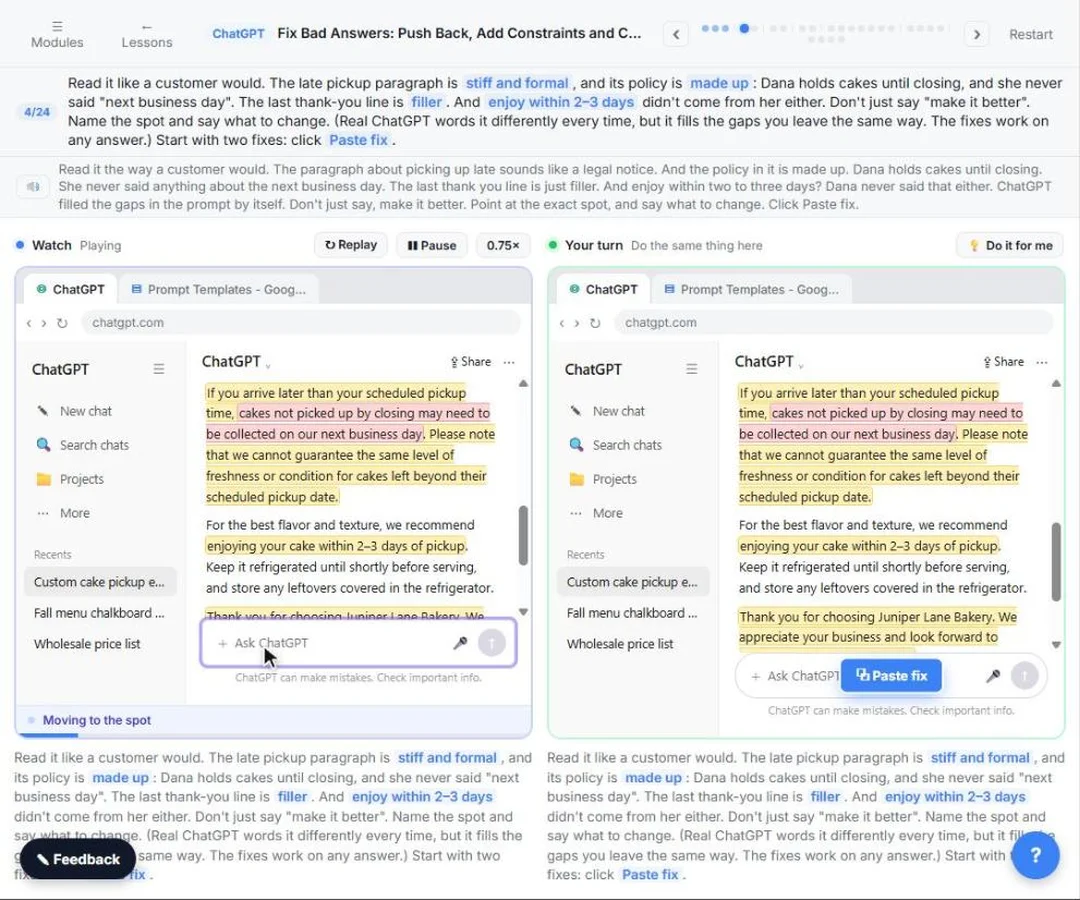
The Catch Made-up Facts lesson is built around exactly this. The prompt asks for an email about Juniper Lane Bakery's late pickup policy and how long a cake stays fresh, but gives only the pickup days and hours. ChatGPT fills the gaps: a made-up late pickup policy and an "enjoy within 2 to 3 days" line the owner never said. The lesson adds that real ChatGPT words it differently every time. Some days it plays it safe with vague lines like "contact the bakery" and asks for your real rules. Either way, the fix is the same.
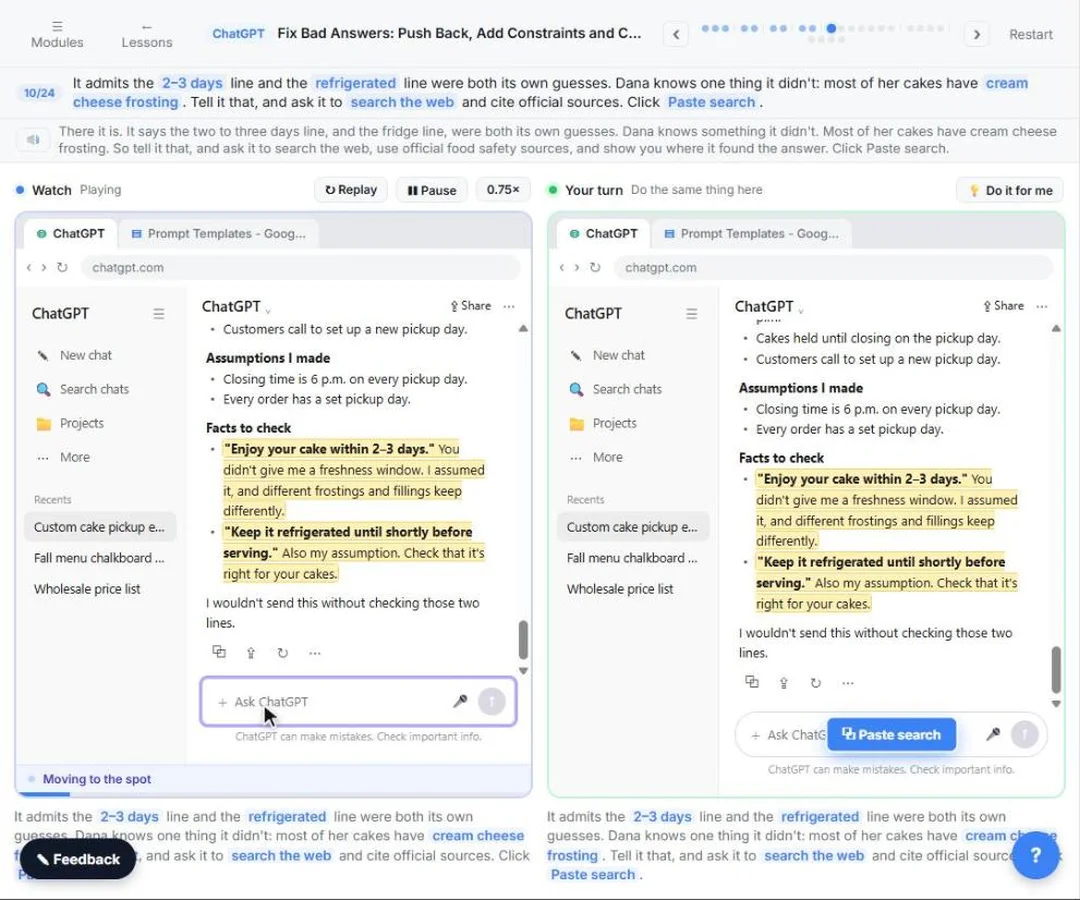
One question from that lesson works on any answer: "Before I send this, list every assumption you made, and every fact in this email I should check." The guesses come out in a list.
Try it free, step by step
Catch Made-up Facts Before They Reach Customers using ChatGPT. Leave gaps in a prompt and ChatGPT fills them: a stiff paragraph, a made-up policy and a made-up fact. Point at the exact problem, add constraints, ask what it assumed, check the facts with cited… You do every step yourself in a practice copy of ChatGPT, it checks your work as you go, and “Do it for me” finishes any step you get stuck on. Free, and nothing touches your real accounts.
Start the free lessonHow do I get consistent answers from ChatGPT?
Leave fewer gaps. The more of the answer you supply, the less there is to vary. Four habits do most of the work:
- Give the facts. Paste the prices, dates and policy in the message. The lesson's final prompt ends with "Use only these facts," then asks it to check with you instead of guessing.
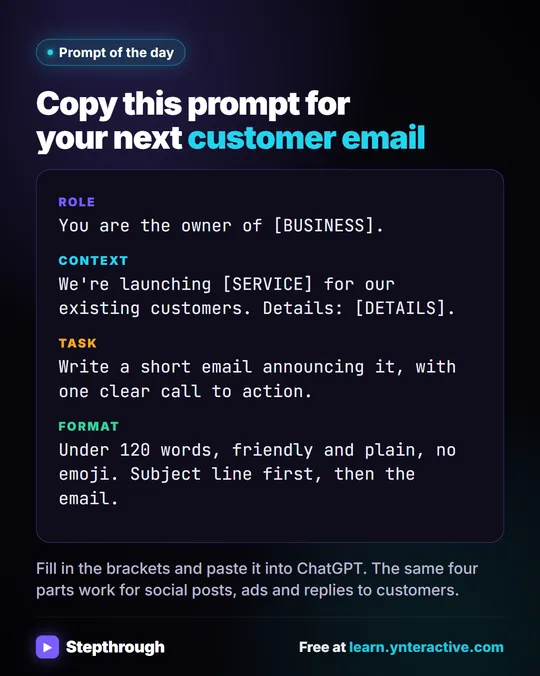
- Set the shape. Say the length, tone and format: "Under 40 words, friendly, everyday words." Prompt Writing 101 calls these Role, Context, Task and Format.
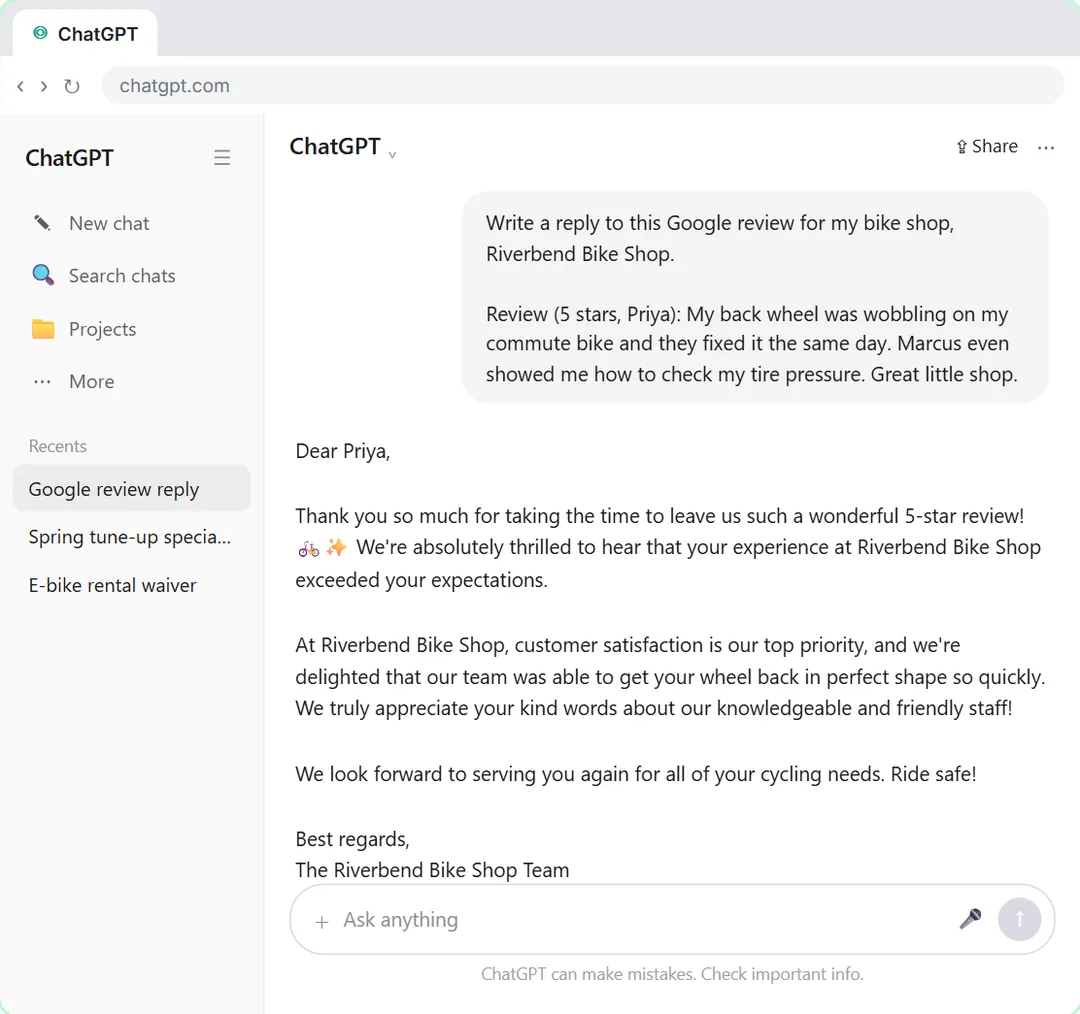
- Show an example. In the Few-Shot Prompts lesson, three of Marcus's real review replies for Riverbend Bike Shop, a made-up shop, go into the prompt. The replies after that sound like him, not like a template. A guard line, "Copy my style, not the facts," stops it borrowing details from the examples.
- Reuse the same prompt. Save it in a doc like the lessons' Prompt Templates, or put the standing rules in a ChatGPT Project, so everyone on the team starts from the same words.
You still won't get identical wording. You will get the same facts in a similar shape, which is what a business needs.
Why do two people get different answers to the same question?
Usually because their accounts aren't set up the same. One has memory on and custom instructions that say "be brief." The other uses a Project with a price list. They may also be on different plans or using different models.
For shared work, don't depend on each person's settings. Put the rules and files in one shared place, or give everyone the same saved prompt with the facts filled in. Then check the result against the source before it goes to a customer: the seven checks for AI output are a good routine.
Do other AI assistants do the same thing?
Yes. Claude, Gemini and Copilot also write each reply fresh, so the same prompt gives different drafts, and the same prompt in two different assistants gives even more variety. The four assistants lesson runs one task through all four so you can compare. Here's how to compare AI assistants with the same prompt.
Key takeaways
- ChatGPT writes each reply fresh, word by word, so the same question rarely gets the same wording twice.
- A new chat, memory, instructions, the model and web search can all change the answer.
- Different wording is fine; a fact that changes between answers means ChatGPT is guessing.
- Regenerating a reply is a quick test of whether ChatGPT actually knows a fact.
- Consistent work comes from giving the facts, the format and an example, and reusing the same prompt.
Frequently asked questions
- Why does ChatGPT give different answers to the same question?
Each reply is written fresh with some built-in variety, and the context, settings and model often differ between tries. Wording will vary. If facts vary, give ChatGPT the facts yourself.
- Why does ChatGPT give a different answer when I regenerate?
Regenerating asks for a new attempt at the same message, so you get a new draft. If a fact changes between versions, ChatGPT was filling a gap rather than using something it knew.
- Can I make ChatGPT give the same answer every time?
Not word for word in the ChatGPT app. You can get the same facts and a similar shape by pasting the facts, setting length and format, adding an example and reusing a saved prompt.
- Which ChatGPT answer is the right one?
Neither, until you check it. Compare the facts against your own source, such as a price list or policy, and for general facts ask it to search and cite official sources, then open the citation.
- Does a new chat give better answers?
Sometimes. A new chat drops a bad start or a rejected draft, so a clear prompt can do better there. It also drops facts you gave earlier, so paste them again.
- Is Juniper Lane Bakery a real business?
No. Juniper Lane Bakery and Riverbend Bike Shop are made-up businesses used in the lessons.
Where can I go next?
- Start with the habit this builds on: when to start a new chat vs keep going, with the free Stop Losing Context lesson.
- When ChatGPT drops a rule you gave it: why ChatGPT ignores your instructions.
- When answers depend on past chats: ChatGPT chat history vs saved memories and how ChatGPT memory works.
- When the answers are confidently wrong: how to stop ChatGPT making things up and ChatGPT mistakes at work.
- Better prompts: How to Write Better ChatGPT Prompts and few-shot prompting.

![Prompt of the day. The text to send after a missed call. Role: You write the automatic text [BUSINESS] sends when we miss a call. It should sound like a person at our office, not a robot. Context: Our hours: [HOURS]. Our callback promise: [CALLBACK TIME]. For urgent problems: [URGENT OPTION]. Ask the caller to text us: [WHAT TO ASK]. Don't quote prices, diagnose problems, promise a visit time or ask for payment details. Part 1 of 2. Replace every [BLANK] with your own details.](/content/visual/prompt-missed-call-text-back/01-540.webp)