This guide is for office staff and owners who use ChatGPT every day. Menu labels change with versions and plans, so look for the Memory options in your own Settings.
Does ChatGPT remember what I told it in another chat?
Only if memory is on, and only loosely. A new chat starts with a blank page. If memory is on, ChatGPT may bring in details it saved from earlier chats. Inside one chat it can always see everything already written, which is a different thing: see when to start a new chat in ChatGPT.
The ChatGPT memory glossary entry explains the difference from the context window, which is what the model can see in the current conversation.
What does ChatGPT memory save?
It saves short notes about you and your preferences, such as your role, your business, or how you like answers formatted. You can also ask on purpose: "Remember that our customers are Harrisburg homeowners," or "Forget that." On work accounts, an administrator may control the feature.
How do I see, edit or turn off ChatGPT memory?
Open Settings and look for the Personalization or Memory section. There you can see what ChatGPT has saved, delete items, and switch memory off. The exact wording depends on your version and plan, so check your own screen. Review it now and then and delete anything outdated or private.
When is memory a bad idea?
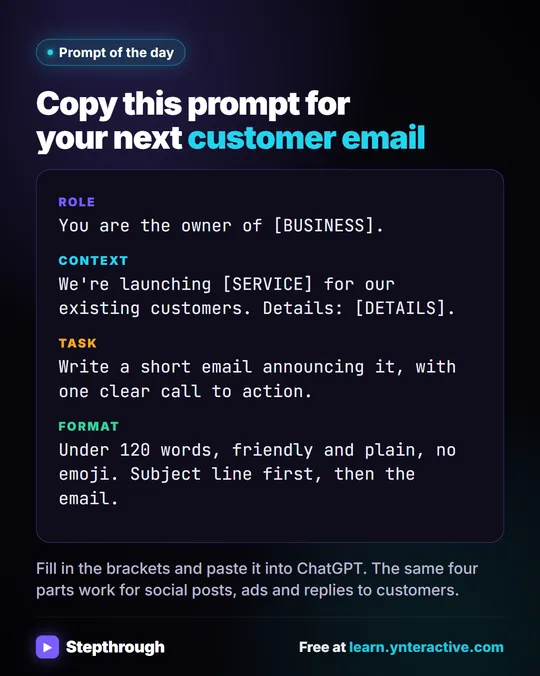
When the answer depends on an exact, changing fact. In Prompt Writing 101, the made-up Summit Lawn Care announcement needs a price of $149 and dates of September 29 to October 17. Those change every season. A remembered price from last fall appearing in this fall's email is a real mistake with a real cost. The lesson's fix is a saved template in a Google Doc called Prompt Templates, with blanks you fill in each time.
Also avoid relying on memory for client work. If one client's details are saved, they may show up in the next client's reply. Use a separate chat per client, or a Project with its own memory (next section).
Is there a better place than memory for business context?
Yes: a Project. In the ChatGPT Projects lesson, you set up a Project with Project-only memory, brand voice instructions and a price list as a source. Chats inside it start from the same rules and facts, and they don't mix with your other chats. ChatGPT Projects vs chats explains when to use each.
Try it free, step by step
ChatGPT Projects: Keep Your Brand Voice, Files and Instructions in One Place. Set up a ChatGPT Project with your brand voice instructions, your price list and your style guide, so every new chat already knows your business. You do every step yourself in a practice copy of ChatGPT, it checks your work as you go, and “Do it for me” finishes any step you get stuck on. Free, and nothing touches your real accounts.
Start the free lessonWhat about privacy?
Memory is about what ChatGPT keeps for you, not about what you should paste. Leave out card numbers, account numbers, health details and anything your company doesn't allow in AI tools. Check your ChatGPT data controls, and use a Temporary Chat for one-off sensitive tasks.
Key takeaways
- Memory carries saved details between chats; a chat itself always remembers its own earlier messages.
- Use memory for stable background like role and preferences, not for prices, dates or one client's facts.
- You can view, delete and turn off memory in Settings.
- A Project with project-only memory keeps business context separate and reusable.
- Memory doesn't make it safe to paste private details.
Frequently asked questions
- How does ChatGPT memory work?
ChatGPT saves short notes about you from your chats, or when you ask it to remember something, and may use them in new chats. You can see, delete and turn off those notes in Settings.
- Does ChatGPT remember previous conversations?
Within one chat, yes, everything in that chat is visible to it. Across chats, only through memory when it is turned on, and not reliably. Put the facts you need in the chat you're using.
- How do I make ChatGPT forget something?
Tell it "Forget that..." or open the memory settings and delete the item. To stop it saving anything, turn memory off, or use a Temporary Chat for that conversation.
- Should I use memory for client information?
No. Keep each client in its own chat or Project, and leave out private details the task doesn't need.