What is redaction, and how do I redact before using AI?
Updated · By Robert Breen
Redaction is removing or masking sensitive details in a document before you share it, such as swapping an account number for [ACCOUNT] or a client's name for a first name only. Before pasting work into an AI tool, it means leaving out anything private the task doesn't need.
Why it matters for a small business
Most AI tasks don't need the sensitive parts. Drafting a reply about a missing tax form doesn't need the client's Social Security number; summarizing a claim email doesn't need a date of birth. Leaving those out costs nothing in quality and removes the risk of sending them somewhere they shouldn't go.
Redaction is a habit, not a tool setting. Data controls and business plans decide what the AI provider does with what you send; redaction decides what you send in the first place. Do both. And because a missed number is easy to overlook in a long thread, read once more before you paste. This isn't legal advice: check your company's policy and any rules your industry follows.
In a real lesson: Reply Faster to Clients Chasing Their Refund: ChatGPT for Tax and Bookkeeping Firms
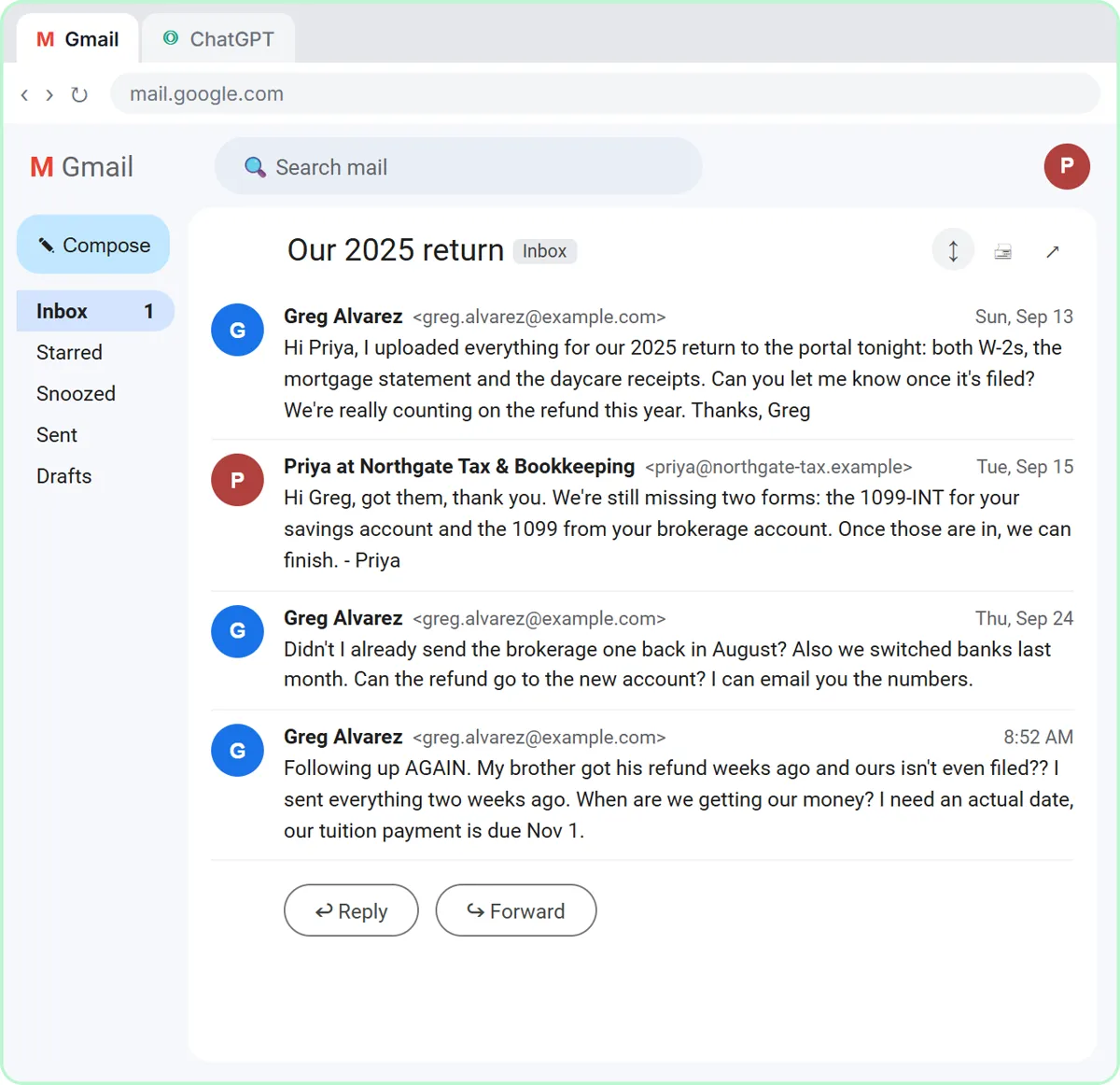
In the Reply Faster: Client Refund Emails lesson, you answer Greg Alvarez for Northgate Tax & Bookkeeping, a made-up accounting firm. Greg wants a refund date, and he wants to email his new bank account numbers. When you copy the thread, the voice-over says that if there's anything private in there, like a Social Security or account number, leave it out.
The firm's facts back that up from the other side. Fact 6 reads: "New bank account: never send account numbers by email. Add the routing and account numbers in the portal under Refund details." The reply ChatGPT drafts tells Greg the same, so sensitive numbers stay out of both the AI chat and the email.
The other reply lessons repeat the habit: the bakery thread leaves out a card number, the insurance thread a driver's license number or a date of birth, and the Summarize a Client Meeting lesson says to leave out account numbers and tax IDs.
Try this lesson free or read the step-by-step guide.
Common confusions
Redaction vs PII
PII is the kind of information that identifies a person. Redaction is the act of removing it, or any other sensitive detail, before sharing.
Redaction vs data controls
ChatGPT data controls set what happens to what you send. Redaction limits what you send at all. They work together.
Tips
- Use clear placeholders like [CLIENT] or [ACCOUNT] so the AI knows something was removed.
- Search the text for long numbers and @ signs before you paste.
- Put real details back in yourself, in your email app, after the AI step.
- For regulated work (legal, tax, insurance, health), follow your firm's written policy.
Related terms
Where you use it: free lessons
- Reply Faster to Clients Chasing Their Refund: ChatGPT for Tax and Bookkeeping Firms (ChatGPT, 10 min)
- Reply Faster: Turn a Messy Customer Email Thread into a Clear, Friendly Reply (ChatGPT, 9 min)
- Reply Faster to Claim-Status Emails: ChatGPT for Independent Insurance Agencies (ChatGPT, 10 min)
Frequently asked questions
- What should I remove before pasting an email into ChatGPT?
- Account and card numbers, Social Security and tax IDs, dates of birth, license numbers, health details, and full names or addresses the reply doesn't need.
- Does redacting make the AI's answer worse?
- Rarely. Most writing and summarizing tasks don't depend on those details. Use placeholders so the draft keeps its shape, then fill in the real values yourself.