What is OCR (optical character recognition)?
Updated · By Robert Breen
OCR, short for optical character recognition, is technology that turns printed or handwritten text in an image, such as a scanned page or a photo of a receipt, into text a computer can search, copy and edit. It reads the characters but does not decide what they mean.
Why it matters for a small business
OCR is the reason you can search a scanned contract or copy text from a screenshot. For bookkeeping, it is the classic first step in turning paper receipts and invoices into data, and many scanning apps and accounting tools have it built in.
On its own, though, OCR gives you a block of text. Someone or something still has to work out which number is the total, which line is the vendor and which date matters. Modern AI models that understand images can now do the reading and the interpreting in one step, which is why many small-business workflows no longer need a separate OCR tool.
In a real lesson: AI Receipt Extractor: Receipts to Google Sheets with n8n
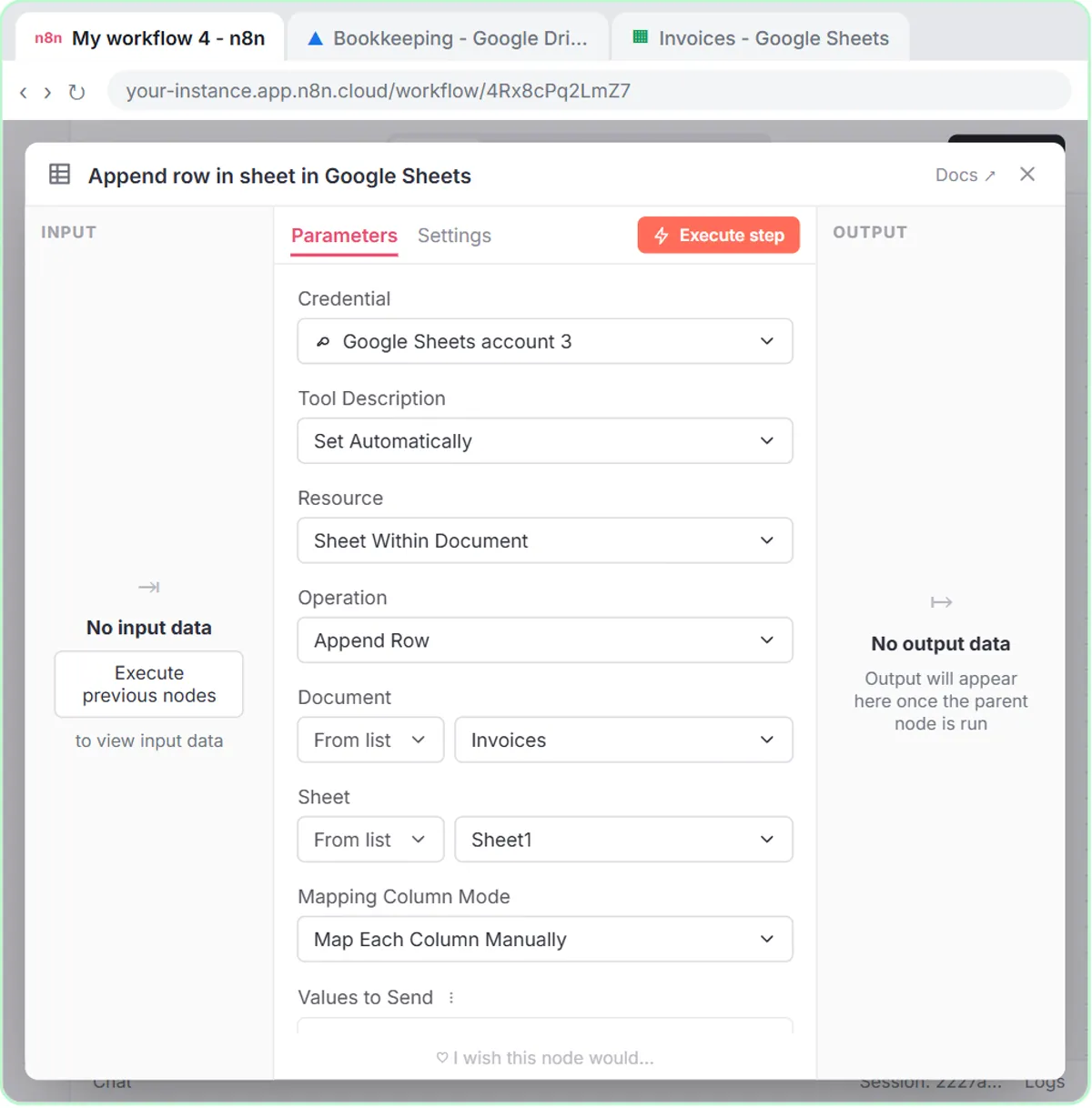
The AI Receipt Extractor lesson has no OCR step, and that absence is the point. The workflow is just a chat trigger, an AI Agent with gpt-4o, Simple Memory and a Google Sheets Tool set to Append Row. The image goes straight to the model.
The system message is three short lines: "You are a helpful assistant. You will receive a receipt. Extract the date, vendor, and amount. Come up with a category. Use the google sheets tool to add the receipt to the sheet." A classic OCR pass would have handed you every printed character on the Corner Mart receipt; the model instead returns just the four values that match the sheet's headers, Date, Category, Vendor and Amount, each set with the ✦ button so the model fills it in.
What OCR habits still apply is checking. The lesson has you click receipt.png in the chat to look at the original before trusting the row, because a smudged digit or a misread total is the same risk whether a classic OCR engine or an AI model did the reading.
Try this lesson free or read the step-by-step guide.
Common confusions
OCR vs data extraction
OCR converts an image into text. Data extraction picks specific fields out of text or images, like vendor and amount. Older pipelines did OCR first, then extraction; image-capable AI models often do both together.
OCR vs multimodal AI
OCR is a narrow tool for characters. Multimodal AI understands images more broadly, including layout and context, which helps it tell a subtotal from a total.
Tips
- Photograph receipts flat, in good light, with the whole receipt in frame.
- Spot-check totals and dates for the first few dozen receipts before trusting a workflow.
- Keep the original images; the extracted row is a convenience, not a replacement.
Related terms
Where you use it: free lessons
- AI Receipt Extractor: Receipts to Google Sheets with n8n (n8n, 12 min)
Prompt templates that use it
Frequently asked questions
- Do I need an OCR tool to read receipts with AI?
- Not with an image-capable model like the one in the receipt lesson. You send the photo directly, and the model reads the text and pulls out the fields you ask for.
- Can OCR read handwriting?
- Some OCR tools and AI models can read neat handwriting, but accuracy drops with messy writing. Check handwritten values carefully.