What is multimodal AI?
Updated · By Robert Breen
Multimodal AI is AI that can take in, and sometimes produce, more than one kind of input, such as text, images, audio or video. A multimodal model can look at a photo of a receipt or a screenshot and answer questions about it, not just read typed words.
Why it matters for a small business
Plenty of business information never arrives as clean text: receipt photos, pictures of a damaged part, a screenshot of an error, a scanned form, a voicemail. Multimodal models let you hand those straight to AI instead of retyping them first. That removes the most tedious step in many office jobs.
It also changes which model you pick. Not every model accepts images, and those that do vary in how reliably they read them. When a workflow needs to see something, model choice stops being only about cost and becomes about capability, and checking the AI's reading against the original becomes part of the routine.
In a real lesson: AI Receipt Extractor: Receipts to Google Sheets with n8n
The AI Receipt Extractor lesson is built around a multimodal model. You start the n8n workflow with On chat message, because n8n's chat lets you attach files, then add an AI Agent. When you set up the OpenAI Chat Model, you open the Model dropdown and change it to gpt-4o. The voice-over explains the switch: the default is fine for text, but this agent has to read a picture, and gpt-4o reads images reliably and quickly.
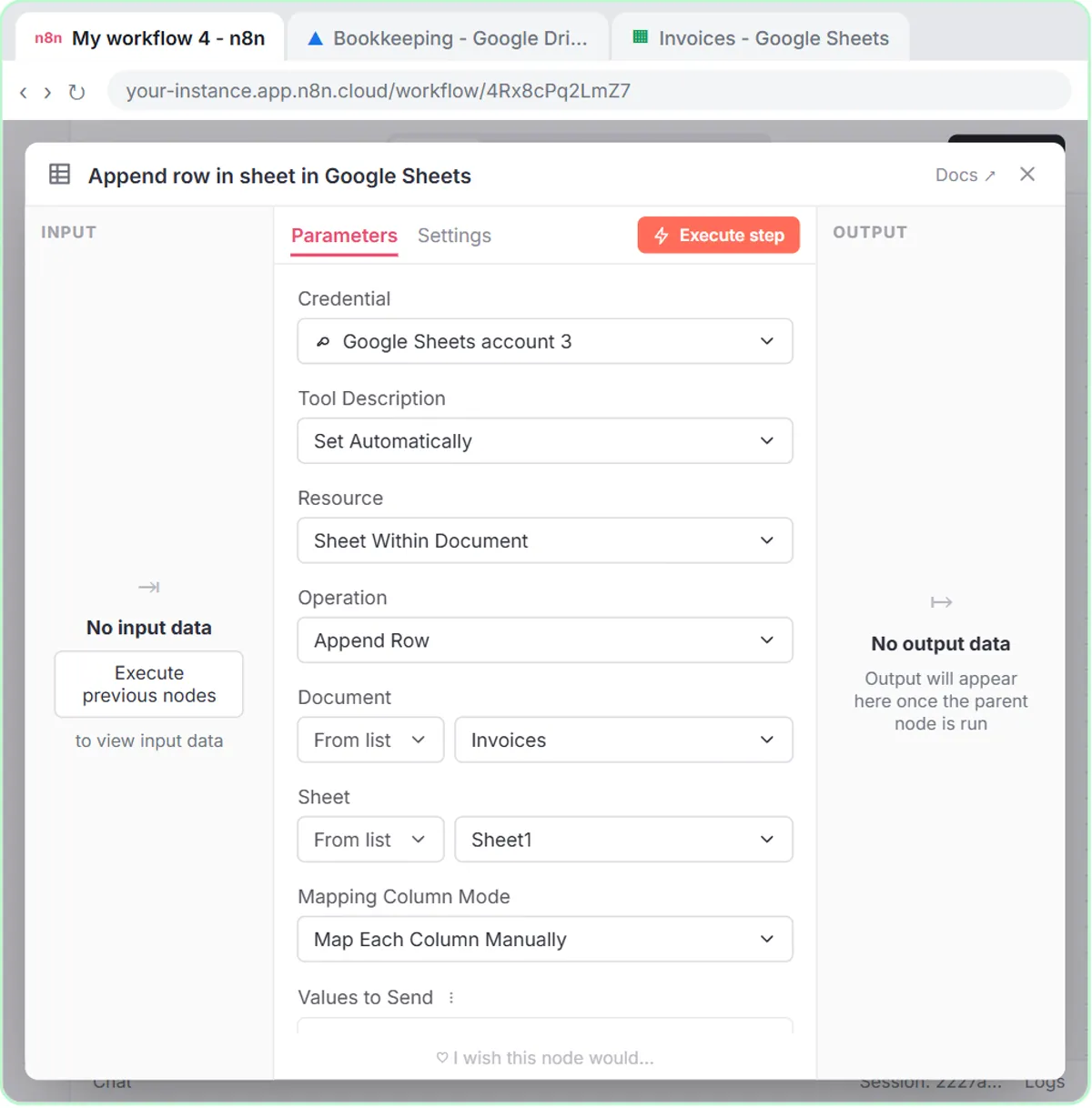
To test it, you click Open chat, type "Heres a receipt.", click the paperclip, choose receipt.png (the photo, not the PDF) and send. The model looks at the image, finds the date, vendor and total, decides it is groceries, and calls the Google Sheets Tool to add a row to the Invoices sheet.
The lesson ends with a check you should always keep: click the receipt in your message to view it, confirm Corner Mart, April 24 and $31.57, then compare with the new row.
Try this lesson free or read the step-by-step guide.
Common confusions
Multimodal AI vs OCR
OCR turns text in an image into characters and stops there. A multimodal model can read that text and also understand the picture: which number is the total, what kind of store it is, what category fits.
Multimodal vs generating images
Multimodal usually describes what a model can understand. AI image generation is about creating pictures. Some products do both, but reading a photo and drawing one are separate abilities.
Tips
- Check that the model you select accepts images before you build a workflow around photos.
- Clear, well-lit, straight-on photos give noticeably better readings.
- Always compare extracted numbers with the original image for the first batch of runs.
Related terms
Where you use it: free lessons
- AI Receipt Extractor: Receipts to Google Sheets with n8n (n8n, 12 min)
- Summarize a Meeting Transcript with ChatGPT (ChatGPT, 9 min)
Visual guide
Multimodal AI in a few slides, with the same guide written out as text.
Frequently asked questions
- Can ChatGPT read photos and PDFs?
- Yes. In ChatGPT you can attach images and files with the plus button, and the models behind it can read them. In the meeting lessons, a transcript is attached as a Word file the same way.
- Which OpenAI model should I use for images in n8n?
- The receipt lesson uses gpt-4o because it reads images reliably. Check OpenAI's documentation for which current models accept image input before choosing another.