What is the IF node in n8n?
Updated · By Robert Breen
The IF node in n8n splits a workflow in two. It checks each item against a condition and sends it out of the true output if the condition holds and the false output if it doesn't, so each case can get its own next steps.
Why it matters for a small business
Most business rules have an "otherwise." If the job has a tech, email the tech; otherwise, tell the office. If the invoice is over $500, ask for approval; otherwise, file it. The IF node is how you build that otherwise into an automation instead of quietly losing the records that don't fit.
It's also how you keep exceptions visible. A workflow that throws away odd records looks fine until someone asks why their request vanished. Sending the false branch somewhere, even a short message to the office or a row in an exceptions sheet, makes the automation honest about what it didn't do.
In a real lesson: Daily Job Alerts: Email Each Tech Their Jobs from Google Sheets with n8n
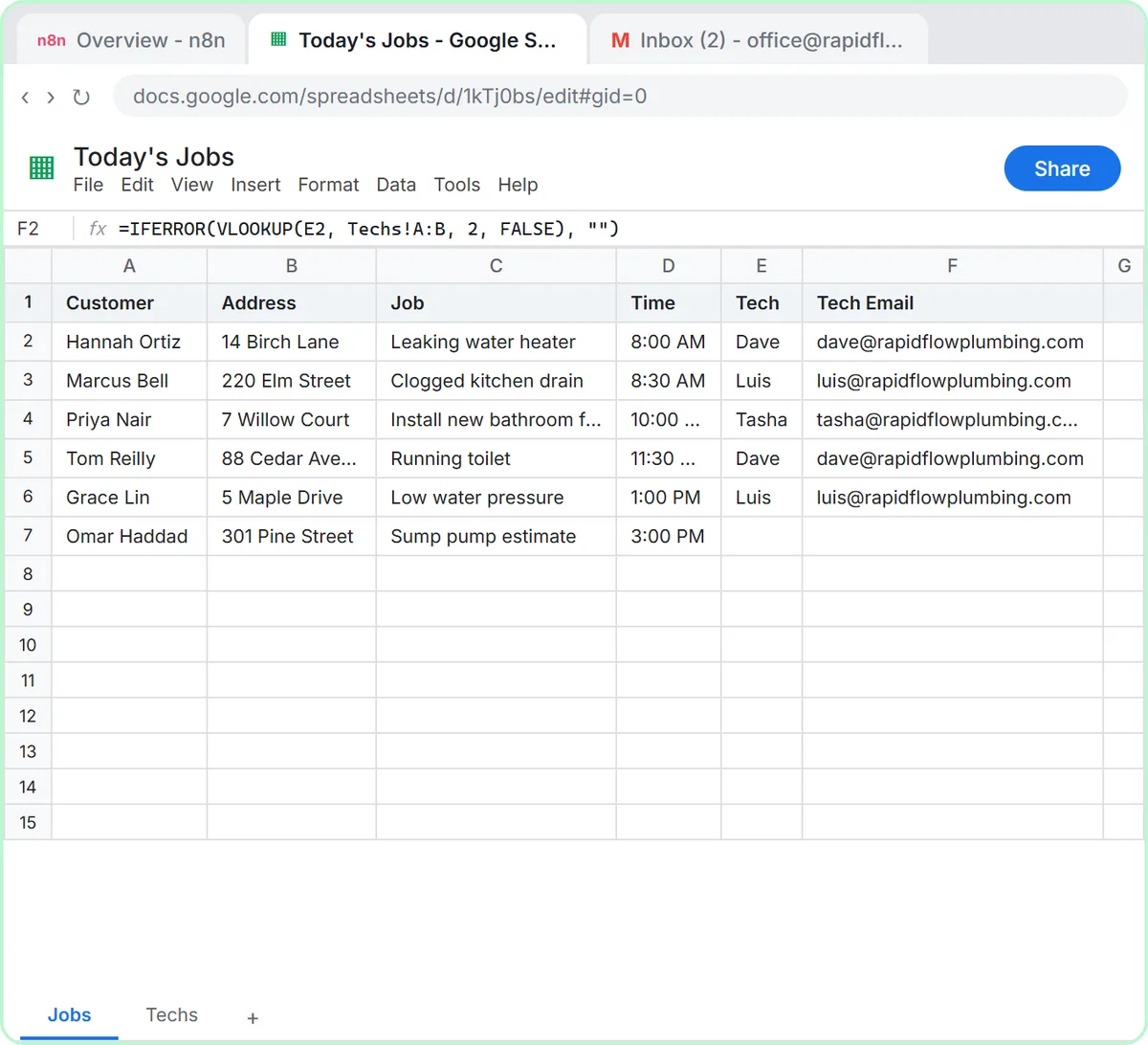
No live Stepthrough lesson uses an IF node yet. The closest is the Daily Job Alerts lesson, which uses a Filter for a decision an IF node could also make. Rapid Flow Plumbing, the made-up plumbing company in the lesson, has a sump pump estimate with no tech, and the Filter keeps only jobs where {{ $json.Tech }} is not empty.
The Filter just drops the unassigned job, and the lesson accepts that because the office will assign it later. An IF node with the same condition would give you two outputs instead. The five assigned jobs would leave from true and go on to Gmail: Send a message, exactly as now. The sump pump job would leave from false, where a second Gmail step could tell the office that one job still needs a tech.
The condition builder is the same in both nodes: a value (usually an expression), a test such as is not empty or is equal to, and a comparison value when the test needs one. Once you've built the lesson's Filter, you already know how to fill in an IF.
Try this lesson free or read the step-by-step guide.
Common confusions
IF vs Filter
Use a Filter when failing items should simply disappear. Use IF when they need their own next step. If you're about to build two Filters with opposite conditions, you want one IF.
IF vs Switch
IF gives two paths, true or false. A Switch node gives one path per rule, which is cleaner than chaining several IF nodes for categories like repair, maintenance, install and emergency.
Tips
- Connect something to the false output, even a simple notification, so exceptions don't vanish.
- Test with at least one item that should go each way.
- Combine conditions with AND or OR inside one IF instead of stacking several IF nodes.
Related terms
Where to learn more
Frequently asked questions
- What happens if nothing is connected to the false output?
- Items that fail the condition stop there, just as they would in a Filter. The run still succeeds; those items simply go no further.
- Can an AI agent replace an IF node?
- An agent can make fuzzy calls an IF can't, like judging whether a message sounds urgent. For clear rules, such as a blank field or an amount over a limit, an IF node is cheaper, faster and always gives the same answer.