What are GPT instructions?
Updated · By Robert Breen
GPT instructions are the standing rules you write into a Custom GPT: who it writes for, the tone, the structure of every answer, and what it must never do. The GPT reads them before every request, so nobody has to repeat them in each chat.
Why it matters for a small business
Instructions are where most of a Custom GPT's quality comes from. A good set reads like the brief you'd hand a new hire: the business, the reader, the format, and the hard lines. A weak set ("be professional and helpful") produces the same bland output as no set at all.
They are also where you protect the business. Rules like "never invent a fee" or "never mention collection agencies" block the most expensive mistakes up front, and they apply to everyone who uses the GPT, not just whoever remembers to say it.
In a real lesson: Build a Custom GPT That Writes Overdue Invoice Reminders
The payment reminder lesson builds Payment Reminder Writer for Maple Street Bookkeeping, a made-up four-person bookkeeping firm. Its instructions are split into labeled sections: VOICE & TONE, TONE BY DAYS OVERDUE, STRUCTURE, CONTENT RULES and FIRM CONTEXT.
The days-overdue section is a model for writing business rules. From 1 to 15 days the email is a friendly note; 16 to 30, a clear reminder; 31 to 60, polite and firm, asking for payment within 7 days and offering a short call or a payment plan. At 61 days or more the GPT must not write the email at all and should say the owner handles it personally. Other lines ban "final warning" and "legal action" and forbid inventing fees or interest.
The test request, Write a payment reminder to a client whose $850 invoice is 45 days overdue, falls in the 31 to 60 band, so you judge the result against a rule you wrote instead of a gut feeling.
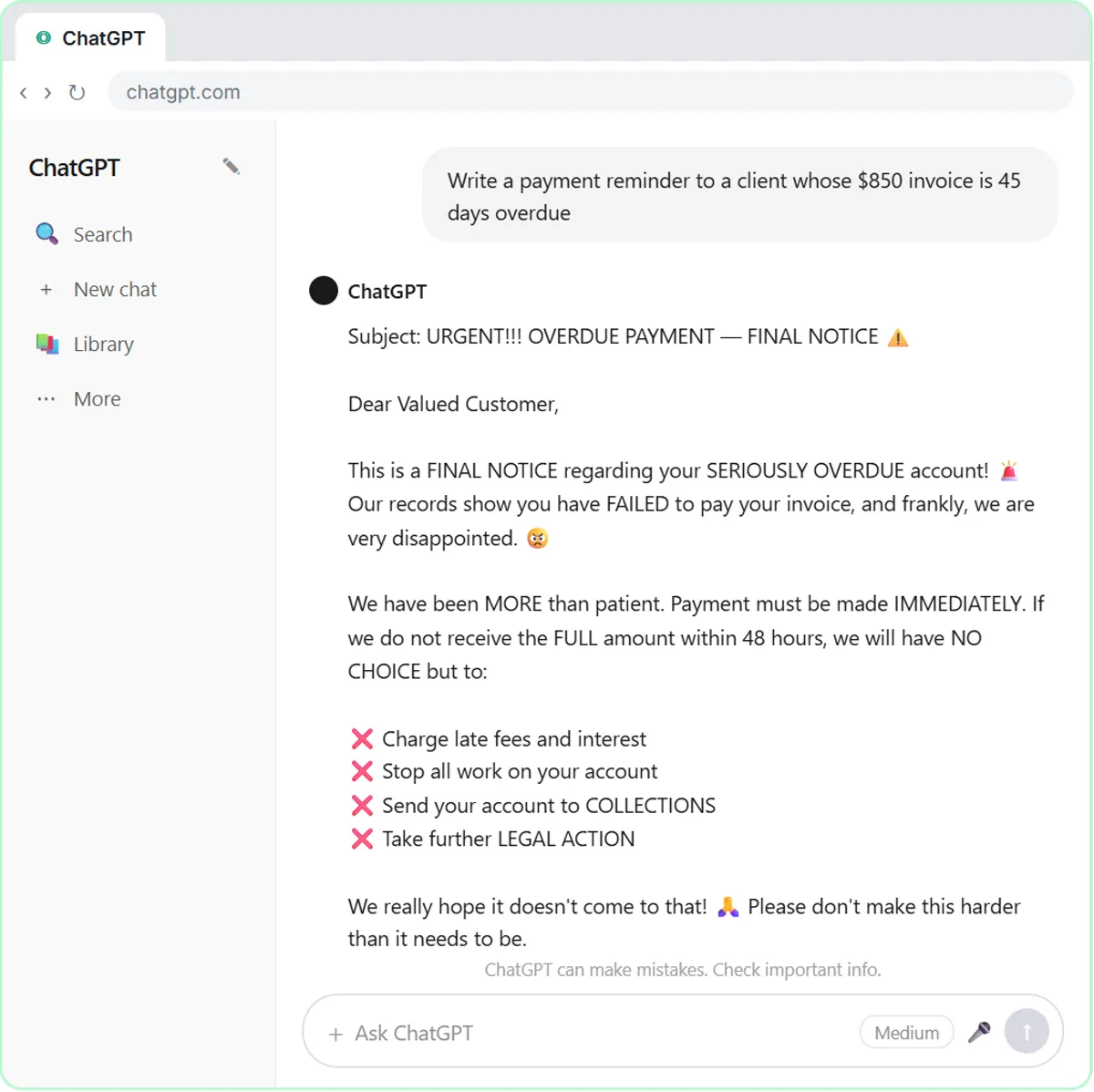
Try this lesson free or read the step-by-step guide.
Common confusions
GPT instructions vs a prompt
A prompt is the one request you type now. Instructions are the background rules for every request. Put what never changes (tone, format, limits) in the instructions and what changes (this client, this invoice) in the prompt.
Instructions vs knowledge files
Instructions say how to behave. Knowledge files hold reference material, like the collections policy, that the GPT looks things up in. A rule buried in a long PDF is easier to miss than one in the instructions.
GPT instructions vs a system prompt
They do the same job. System prompt is the general term; in n8n's AI Agent node the same thing is the System Message option.
Tips
- Use capitalized section headings and short bullet rules; they are easier for you to maintain and for the model to follow.
- Write rules as specific behaviors ("under 150 words", "no exclamation points") rather than adjectives.
- Say what to do when information is missing, such as a placeholder or "the owner will follow up".
- When the GPT breaks a rule, rewrite that rule more plainly before adding new ones.
Related terms
Where you use it: free lessons
- Build a Custom GPT That Writes Overdue Invoice Reminders (ChatGPT, 8 min)
- Build an AI SOP Writer with a Custom GPT (ChatGPT, 8 min)
- Build a Custom GPT Social Media Assistant (ChatGPT, 8 min)
More free tutorials
Prompt templates that use it
Frequently asked questions
- How long should GPT instructions be?
- Long enough to cover tone, structure, content rules and business context, which in the lessons is roughly a page. The field has a length limit, so long reference material belongs in files.
- Can I tell a GPT to refuse certain requests?
- Yes. The Maple Street instructions tell it not to write anything for invoices 61 days or more overdue. Clear "don't do X, say Y instead" rules work better than a general warning.