What is the GPT builder?
Updated · By Robert Breen
The GPT builder is the screen inside ChatGPT where you make and edit a Custom GPT. You set it up on one side (name, instructions, files, starter prompts, capabilities) and try it in a live preview on the other before saving or sharing it.
Why it matters for a small business
The builder is where a vague idea ("an AI that writes our estimates") becomes a tool with fixed rules. It has two modes. The Create tab lets you describe what you want in conversation while the builder drafts the setup for you. The Configure tab shows every field directly, so you can paste exact text. For business rules, Configure is usually the better choice, because you control every word.
The preview panel is the part people skip. Because setup and preview sit side by side, you can change one rule and immediately see whether the output changes, before anyone else on the team relies on the GPT.
In a real lesson: Build an AI Estimate Writer for Your HVAC Company
In the HVAC estimate writer lesson you reach the builder through More, GPTs and + Create. As the voice-over puts it, you configure on the left and preview on the right. You name the GPT HVAC Estimate Writer, for Cedar Ridge Heating & Air, a made-up family-owned heating and cooling company.
Into Instructions go the estimate rules: open with a one-line summary of the job and equipment, then a "What's included" list, then price, warranty and how long the job takes; explain terms like SEER2 or AFUE in a few words; never promise energy savings in dollars; and when the technician's notes are missing something, write "starting at" and say the final price is confirmed at the free in-home visit. Then you click Upload files and attach Cedar-Ridge-Services-Pricing.pdf.
Last, you click the message box in the preview panel and send the request that flopped at the start: Write an estimate description for a new AC install for my HVAC company. Before and after, compared without leaving the page.
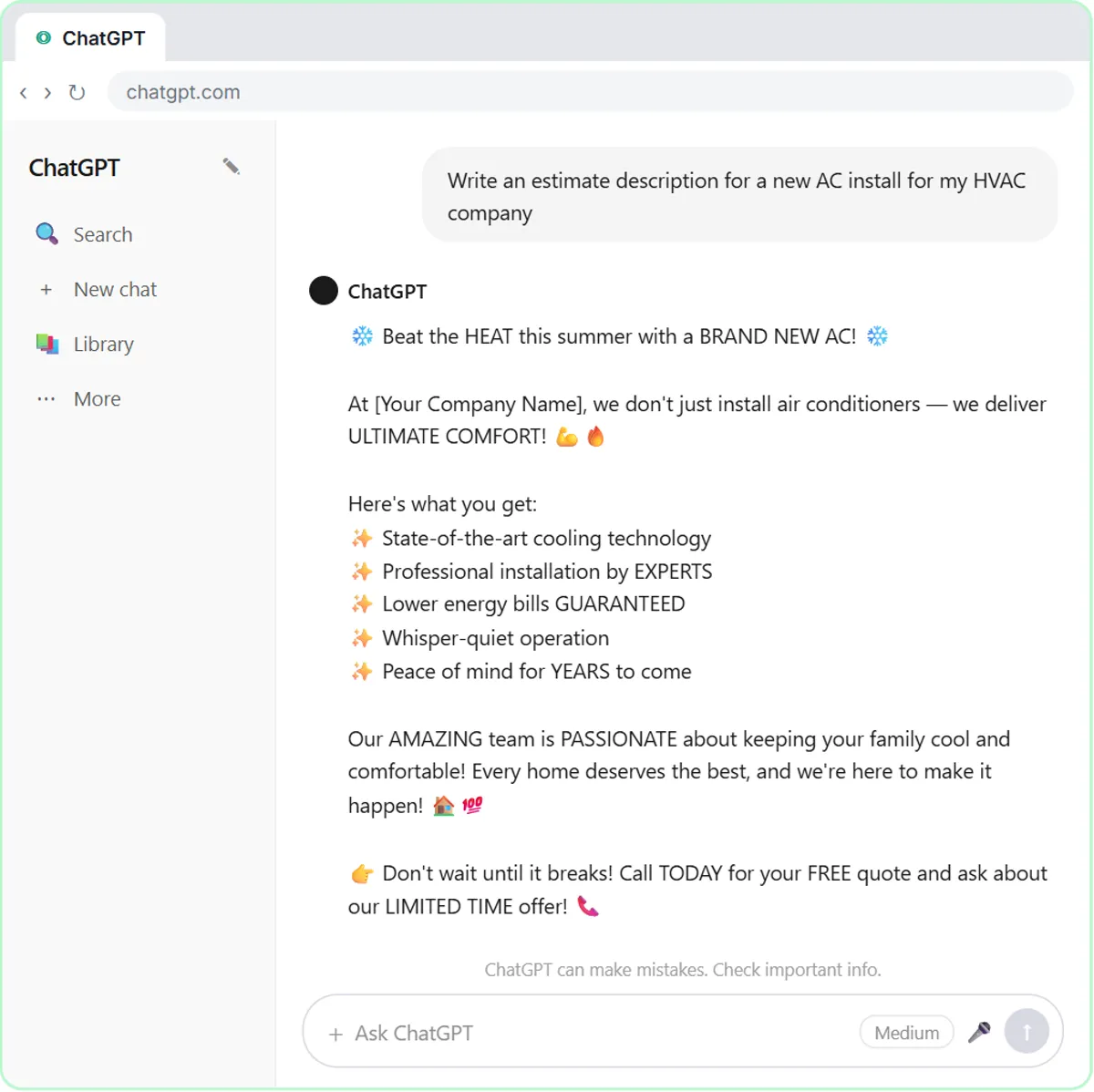
Try this lesson free or read the step-by-step guide.
Common confusions
Create tab vs Configure tab
Both edit the same GPT. Create is a chat where you describe what you want and the builder fills in fields for you; Configure is the form itself. After using Create, read the Configure fields, because drafted instructions are often vaguer than ones you write.
Preview vs the published GPT
Chatting in the preview publishes nothing. Changes reach other people only after you save or update the GPT and share it.
GPT builder vs an n8n workflow
The builder makes a chat assistant that someone has to open. n8n builds workflows that start on triggers, as in the n8n AI agent lesson. See Custom GPT for when each fits.
Tips
- Write instructions in a separate doc and paste them in, so you keep a copy for rebuilding or comparing versions.
- Test in the preview with three or four real requests, including one where details are missing.
- Re-test after every change to instructions or files.
Related terms
Where you use it: free lessons
- Build an AI Estimate Writer for Your HVAC Company (ChatGPT, 8 min)
- Build a Custom GPT Social Media Assistant (ChatGPT, 8 min)
- Build a Custom GPT Plumbing Quote Writer (ChatGPT, 8 min)
More free tutorials
Frequently asked questions
- Where do I find the GPT builder?
- Open the GPTs page in ChatGPT and click + Create. The lessons reach it through More and then GPTs in the sidebar; menu placement can shift as ChatGPT updates.
- Can I edit a GPT after I save it?
- Yes. Open the GPT's edit view, change the instructions or files, test in the preview, and update it. People using it then get the new version.