What are Gems in Gemini?
Updated · By Robert Breen
Gems are custom versions of Google's Gemini assistant that you set up for one job, with a name, standing instructions and, optionally, files to use as reference. You open the Gem whenever you need that job done instead of re-explaining it.
Why it matters for a small business
The instinct that makes a Custom GPT useful applies to Gems: repeated tasks deserve fixed rules. A Gem for ad copy, another for customer replies and another for job posts means each follows its own format and limits without anyone pasting a page of setup first.
For Google Workspace businesses, Gems also keep the work near the materials, since reference documents often already live in Drive. As with any assistant, a Gem's output is a draft. Rules reduce mistakes; they don't remove the need to read before you publish.
In a real lesson: Build a Custom GPT Ad Copy Writer for Search and Social Ads
Stepthrough's lessons build Custom GPTs in ChatGPT, not Gems, but the setup is the same idea. In the ad copy GPT lesson you build Ad Copy Writer for Harbor & Pine Coffee Roasters, a made-up small online coffee brand.
Its instructions would suit any Gem because they are so specific: Google search headlines of 30 characters max (write 3), descriptions of 90 characters max (write 2), Facebook and Instagram primary text of 125 characters and headlines of 40, a character count after every line, no health claims, no fake urgency, and only offers from the brand guide. The reference file is Harbor-Pine-Brand-Voice.pdf, with tone rules, current products and offers, and sample ads.
To rebuild it as a Gem, you'd paste the same instructions into the Gem, add the brand guide as a reference file, and test with the lesson's request: Write ad copy for my coffee company's new holiday blend. Then count characters yourself on a few lines, because AI counts aren't always exact.
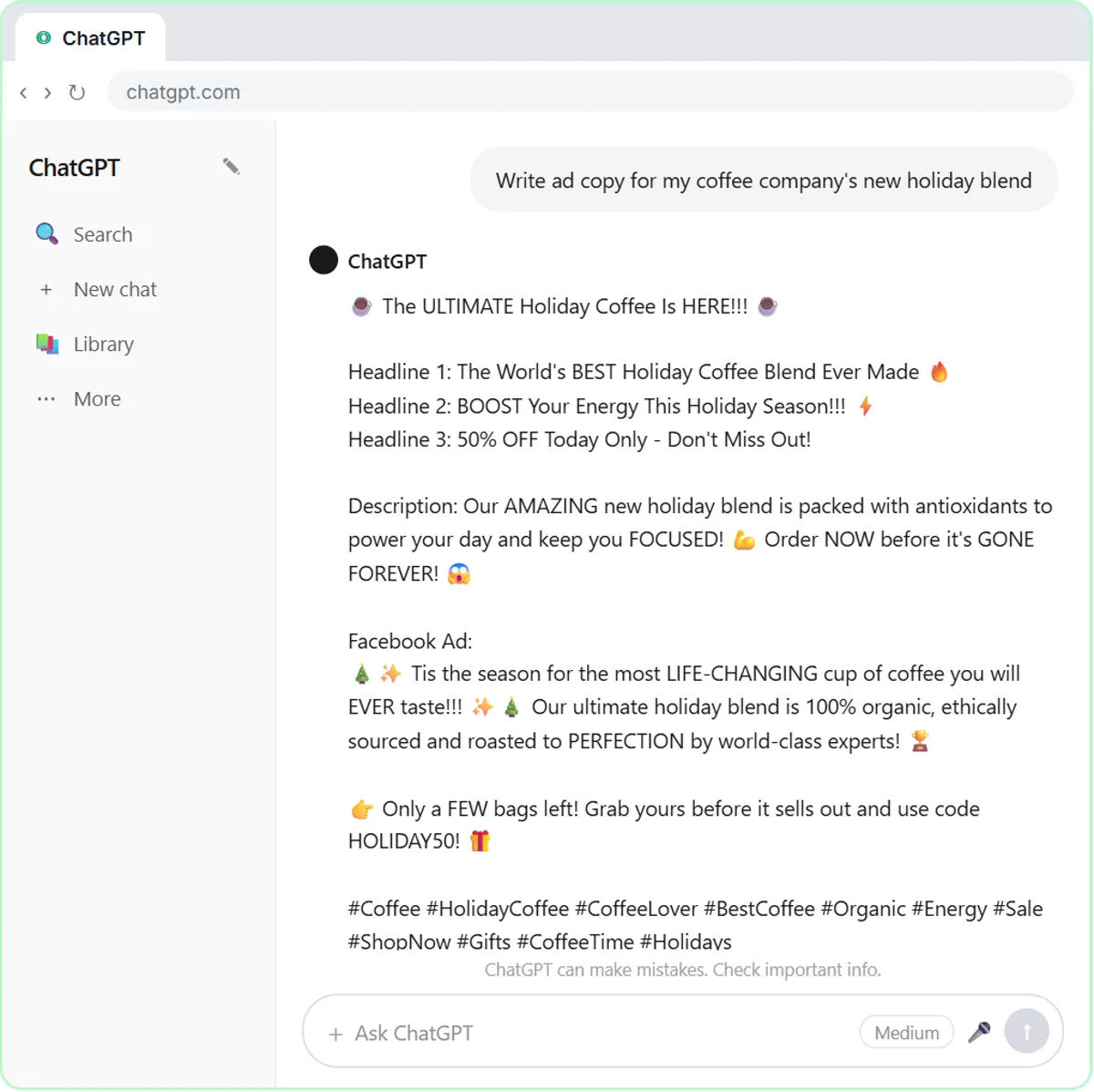
Try this lesson free or read the step-by-step guide.
Common confusions
Gems vs Custom GPTs
Same concept on different platforms: Google's Gemini versus OpenAI's ChatGPT. Both combine instructions with optional reference files. Use whichever your business already uses and has approved; see Custom GPT.
Gems vs NotebookLM
A Gem is an assistant with a job and a style. NotebookLM is for asking questions of a set of source documents, with answers that point back to those sources.
Tips
- Start from instructions that already work in another assistant; they usually transfer with little change.
- Name each Gem after its job so the team picks the right one.
- Re-test whenever you change the reference file or the instructions.
Related terms
Where to learn more
Frequently asked questions
- Can I share a Gem with my team?
- Sharing options depend on your Google account and current features. If sharing isn't available to you, keep the Gem's instructions in a shared doc so others can create the same Gem.
- Does a Gem get better on its own over time?
- No. It follows the instructions and files you set. To improve it, edit the instructions when you see a rule being missed, then test again.