What is the n8n Chat Trigger?
Updated · By Robert Breen
n8n's Chat Trigger starts a workflow when someone types a message into a chat window. It hands that message to the next step, usually an AI Agent, along with a session ID that lets the agent's memory keep each conversation separate.
Why it matters for a small business
A chat window is the quickest way to try out an AI agent before you wire it to anything customer-facing. You type a request, watch which steps light up, and read the answer, all inside the n8n editor. That means you can check whether the agent follows your rules, calls the right tool and sounds like your business before it ever touches a real inbox or web form.
It is also the right trigger for agents that are meant to be talked to: an internal helper your office manager asks for follow-up messages, or a bookkeeping assistant you hand receipts to. Any job that needs a back-and-forth ("now save those", "change the second one") fits a chat better than a one-shot trigger.
In a real lesson: n8n AI Agent Tutorial: Save Social Media Ideas to Google Sheets
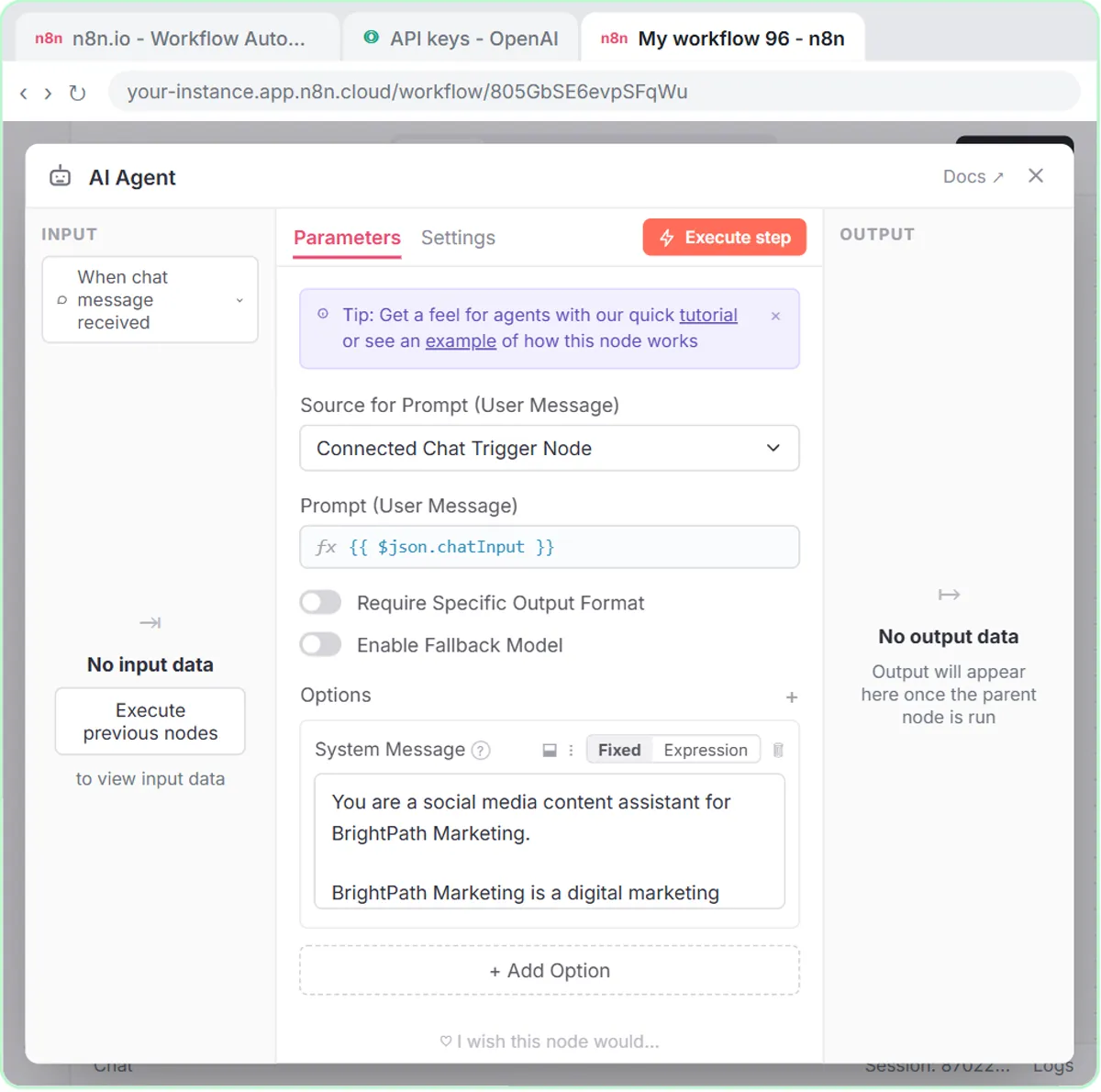
In the AI Social Media Idea Agent lesson, the very first step for BrightPath Marketing, the made-up agency, is Add first step… and then On chat message, near the bottom of the trigger list. n8n opens the node, there is nothing to change, and you close it with the ×. Every other piece (the AI Agent, the OpenAI Chat Model, Simple Memory and the Google Sheets Tool) hangs off that trigger.
The payoff comes at the end. You click Open chat at the bottom of the canvas, ask for three post ideas about using ChatGPT for advertising, then send a second message: "Yes, save those ideas to the sheet". The agent knows which ideas you mean because both messages arrived in the same chat session, and Simple Memory used it.
The AI Receipt Extractor picks the same trigger for another reason: n8n's chat lets you attach files. You click the paperclip, choose receipt.png and send it, and the agent reads the photo.
Try this lesson free or read the step-by-step guide.
Common confusions
Chat Trigger vs a chatbot on your website
The Chat Trigger is a starting point inside n8n. While you build, the chat stays private to you in the editor. n8n can make the chat publicly available as a hosted page or an embedded widget, but that is a separate, deliberate choice. An agent that can write to your sheets should be tested hard before strangers can talk to it.
Chat Trigger vs Webhook trigger
Both pass data into a workflow. The chat trigger expects a person typing and supplies a session for memory. A webhook receives structured data from another app, like a form's name and email fields, with no chat session attached, so an agent behind a webhook gets its prompt from Define below instead.
Tips
- Leave the AI Agent's prompt source on its default with this trigger; it already reads the chat message.
- Test the second message, not just the first. Follow-ups like "save those" are where missing memory shows up.
- If you later swap the chat for Gmail or a form, plan a new memory key; see session ID.
Related terms
Where you use it: free lessons
- n8n AI Agent Tutorial: Save Social Media Ideas to Google Sheets (n8n, 12 min)
- AI Receipt Extractor: Receipts to Google Sheets with n8n (n8n, 12 min)
- Build an AI Follow-Up Agent for HVAC Service Calls (n8n, 12 min)
Frequently asked questions
- Can my customers see the n8n chat?
- Not by default. While you build, the chat opens inside the n8n editor for you only. Making it public is a separate setting you choose on purpose.
- Can I send files through the Chat Trigger?
- Yes. In the AI Receipt Extractor lesson you attach a receipt photo with the paperclip, and a model that can read images (gpt-4o in the lesson) pulls out the details.
- Do I need memory with a Chat Trigger?
- Only if the agent should remember earlier messages. Without memory, each message starts fresh, so "save those ideas" would not know which ideas you meant.