A small sales team should automate the first reply to a demo request before anything else: an AI agent reads each request, rates it Hot, Warm or Nurture, logs it in a sheet and emails one next step within moments. The free AI Demo Request Form lesson builds exactly that in about 15 minutes, in a practice copy of Lovable and n8n. After that, let AI draft the follow-ups for your open deals, and keep the actual selling with people.
This playbook is for founders, reps and sales managers at small companies who answer their own leads.
Which sales jobs should you give to AI first?
Give AI the jobs that are fast, repetitive and rule-based: sorting new leads, writing the first reply and drafting follow-ups. Keep pricing, negotiation and promises with a person.
| Sales job | What AI does | Free lesson |
|---|---|---|
| New demo requests | Rates each lead, logs it, emails one next step | AI Demo Request Form |
| Open deals going quiet | Drafts a stage-matched follow-up for each deal | AI Deal Follow-Up Agent |
| After a discovery call | Pulls decisions and next steps from the transcript | Summarize a Meeting Transcript |
| A tricky prospect email | Drafts a reply from your facts and checks every promise | Reply Faster: Customer Emails |
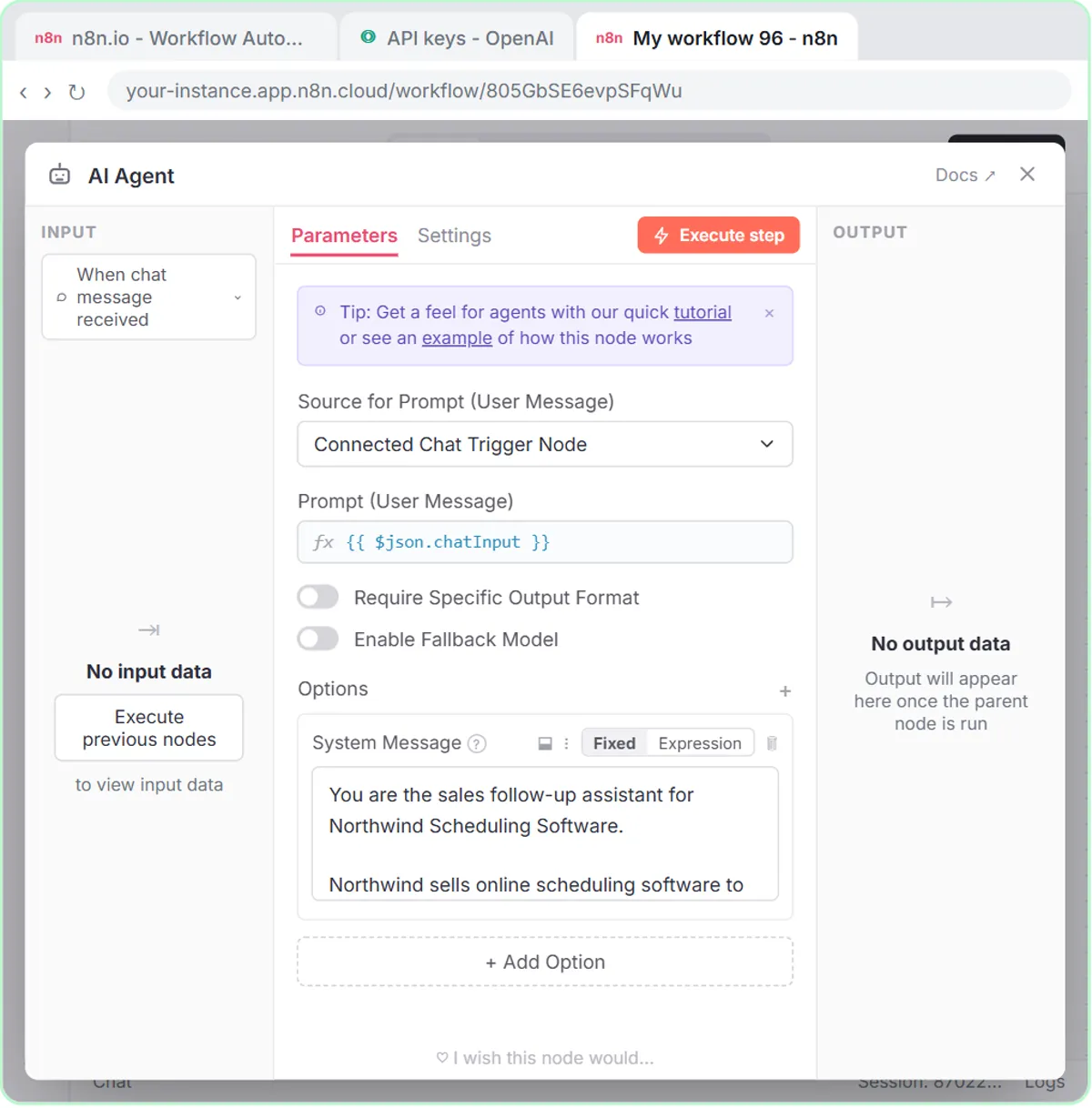
Both build lessons use a made-up example business, Northwind Scheduling Software, which sells scheduling software to small service businesses like cleaning companies, salons and lawn care crews.
How does AI rate and answer a demo request?
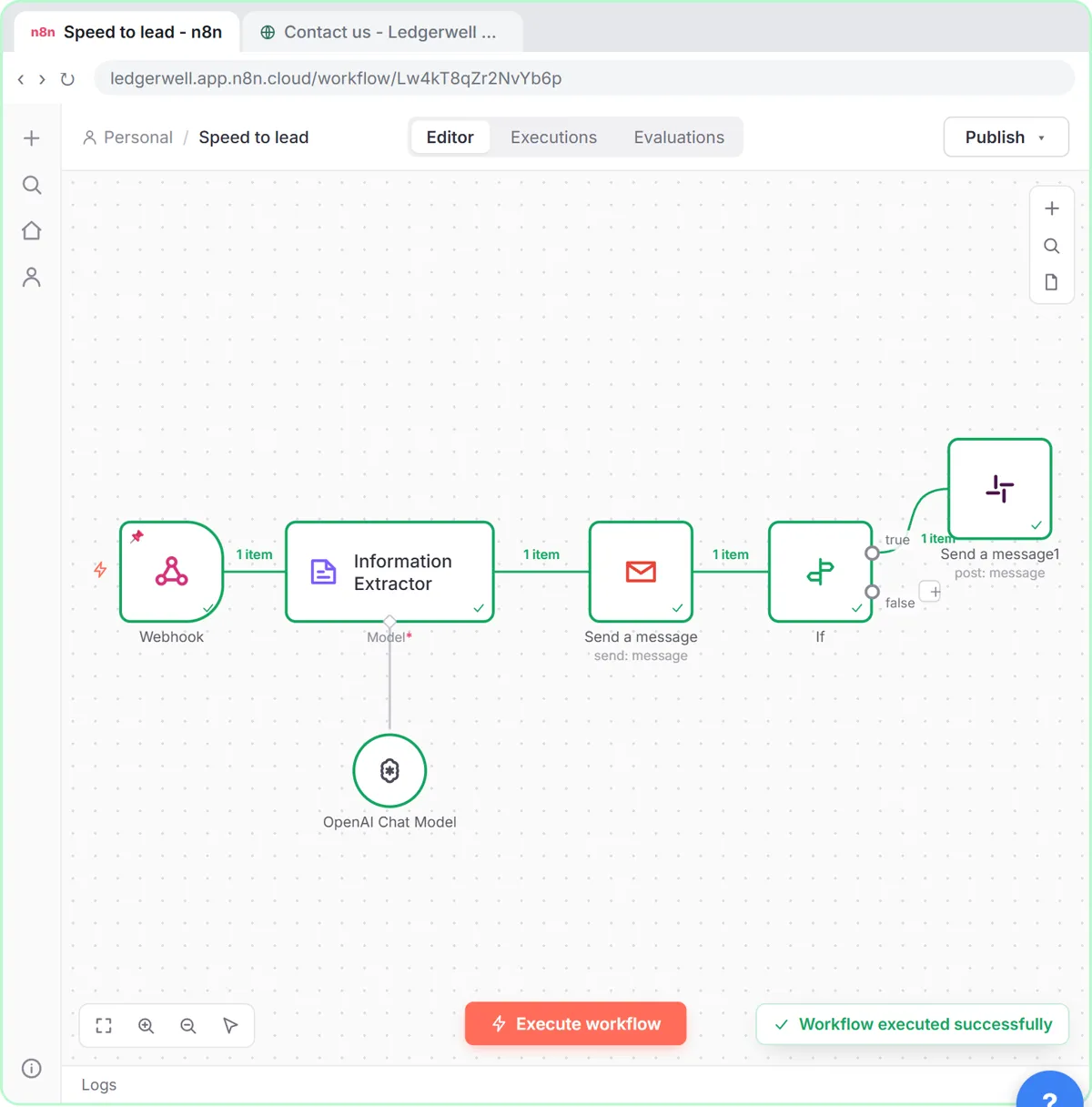
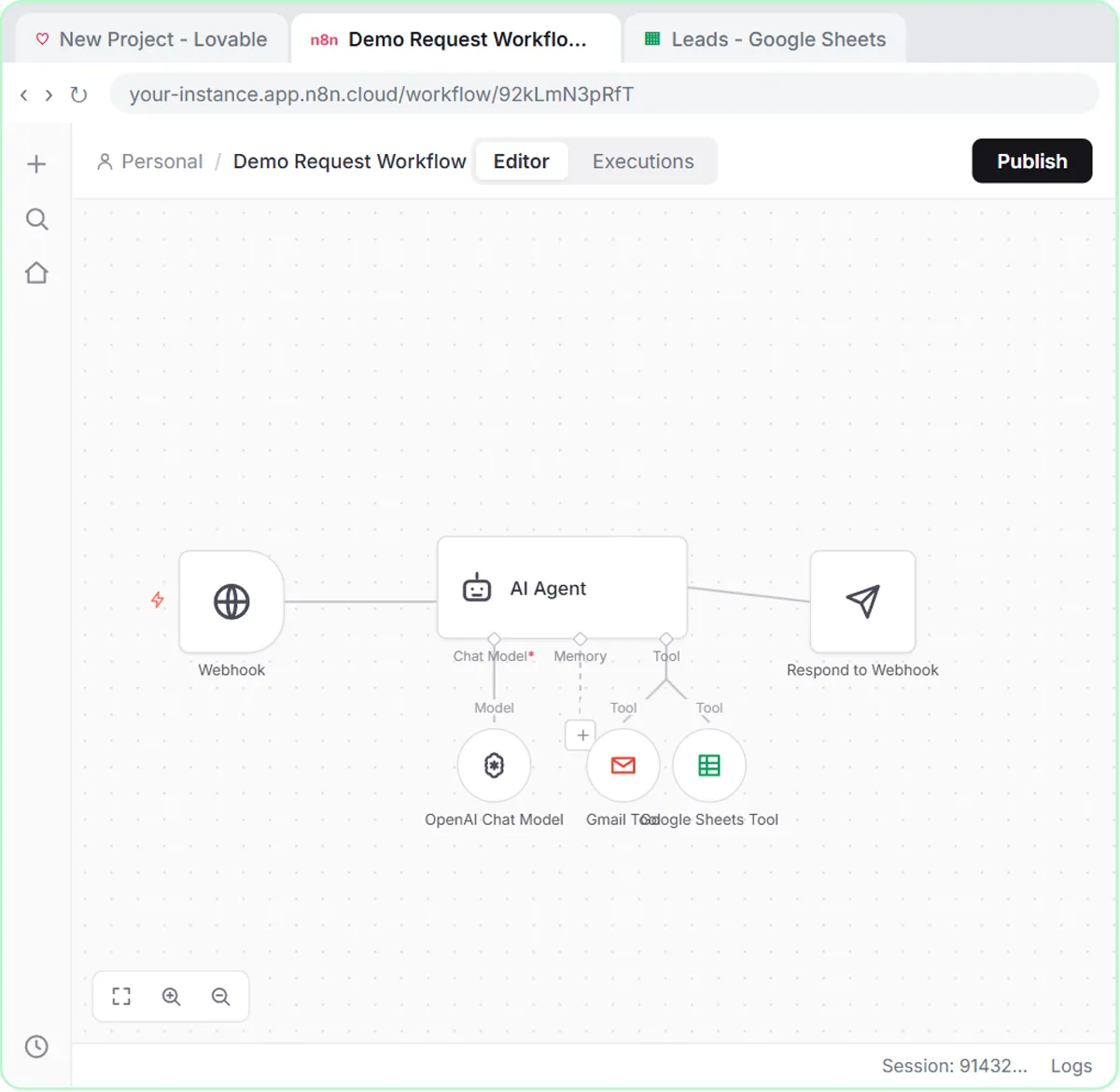
A "Book a demo" form sends each request to an n8n AI agent, which applies your rating rules in plain sentences and replies by email.
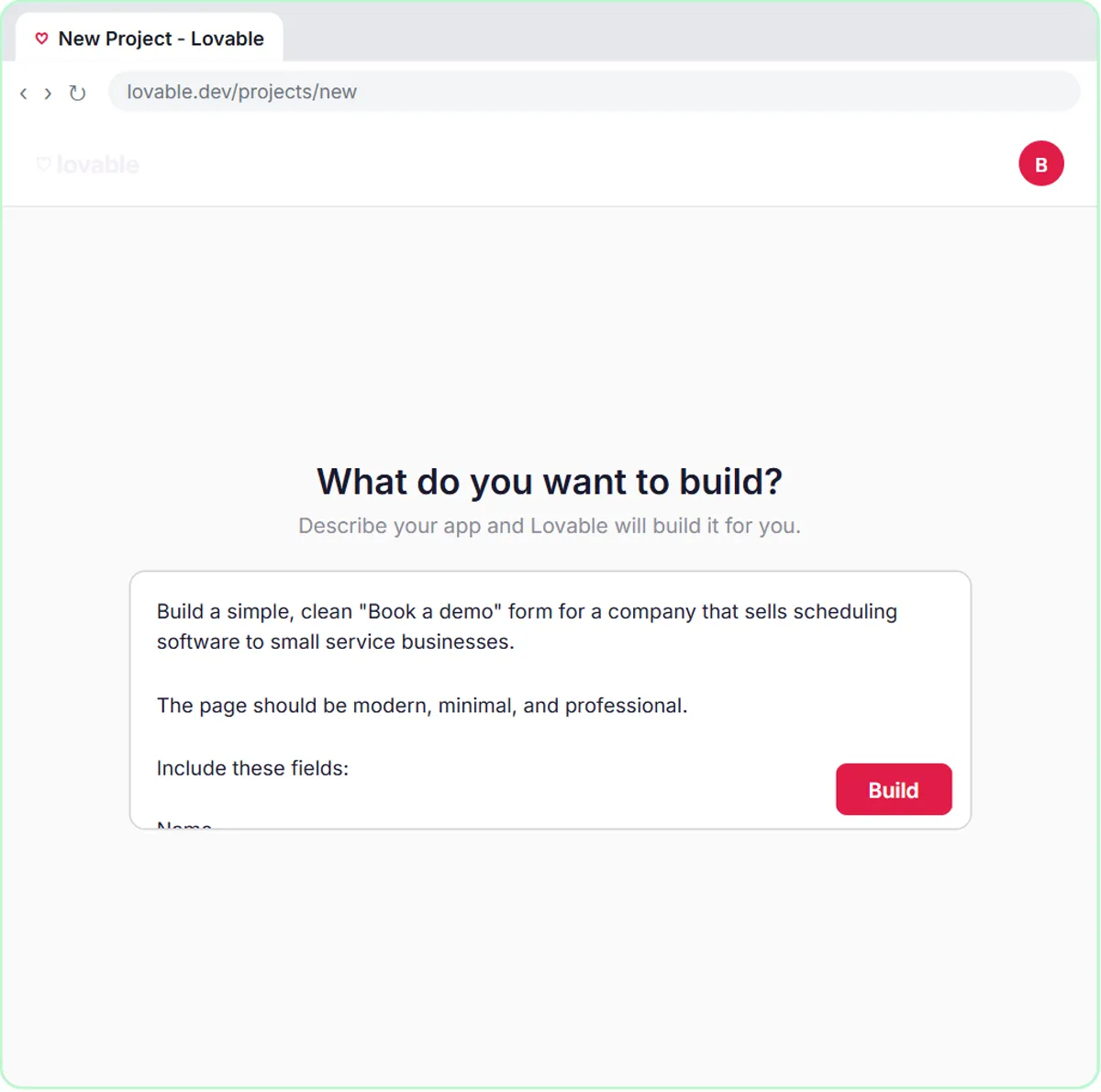
In the lead qualification lesson, the Lovable form has four fields: Name, Email, What do you need help with? and Team size. It posts them to an n8n webhook. The agent's system message says Hot means 5 or more staff and a switch within a month, Warm means a clear need but no timeline, and Nurture means just looking. A Hot lead is offered two demo times this week, a Warm lead gets a link to book, and a Nurture lead gets a helpful guide with no pressure.
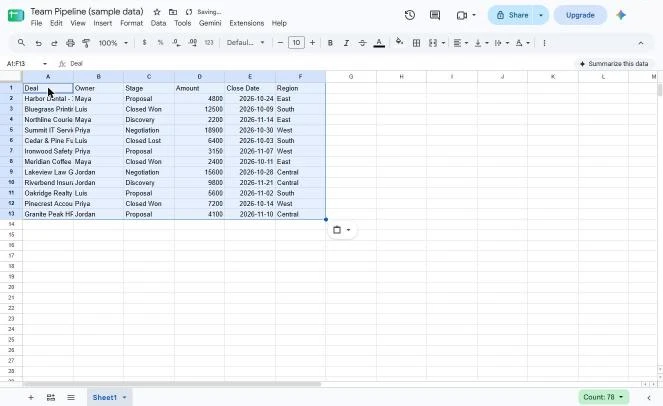
The agent adds each lead to a Leads Google Sheet with Name, Email, Need and Team Size, then sends the reply through Gmail. AI Lead Qualification from a Demo Request Form walks through the rules in detail, and How to Sort Requests with AI shows how to write rules like these for any form.
How can AI keep open deals from going cold?
An n8n chat agent can write one short follow-up per open deal, matched to the deal's stage, and save them to a sheet for you to review and send. You give it the deals in a sentence; it gives back drafts.
In the AI Deal Follow-Up Agent lesson, you type three made-up deals: one prospect had a demo today, one has a trial ending Friday, and one has been quiet since pricing. The agent returns Prospect, Company, Stage, Follow-up Message and Next Step for each, keeps every message under 80 words and ends with one clear ask. When you say "save," it appends the rows to a Deal Follow-Ups Google Sheet.
The system message includes a line worth copying into any sales prompt: do not invent prices, discounts or results. Sales Follow-Up by Deal Stage covers what each stage's message should say.
Which free lessons should a sales team take, and in what order?
Take them in this order, so each one builds on the last. All are free and run in practice copies, so nothing is sent or billed.
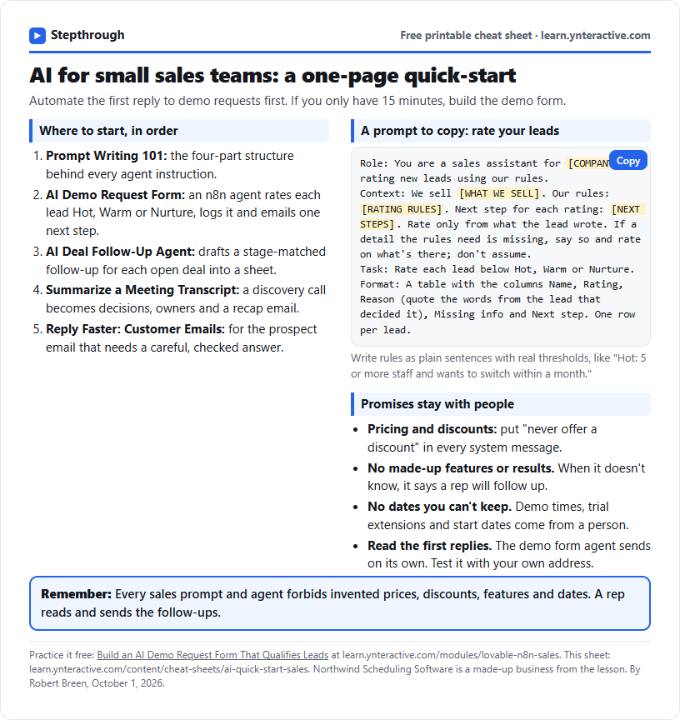
- Prompt Writing 101, 8 minutes. The four-part prompt structure behind every agent instruction you'll write.
- AI Demo Request Form, 15 minutes. Your first live automation: rate, log and answer every demo request.
- AI Deal Follow-Up Agent, 12 minutes. A chat agent with memory that drafts stage-matched follow-ups into a sheet.
- Summarize a Meeting Transcript, 9 minutes. Turn a recorded discovery call into decisions, owners and a recap email. See Turn a Meeting Transcript into Action Items.
- Reply Faster: Customer Emails, 9 minutes. For the prospect email that needs a careful, checked answer.
That's about 53 minutes for the full set. If you only have 15 minutes, do step 2. The AI for Sales Teams learning path lists each sales AI module in order, with the outbound lessons added.
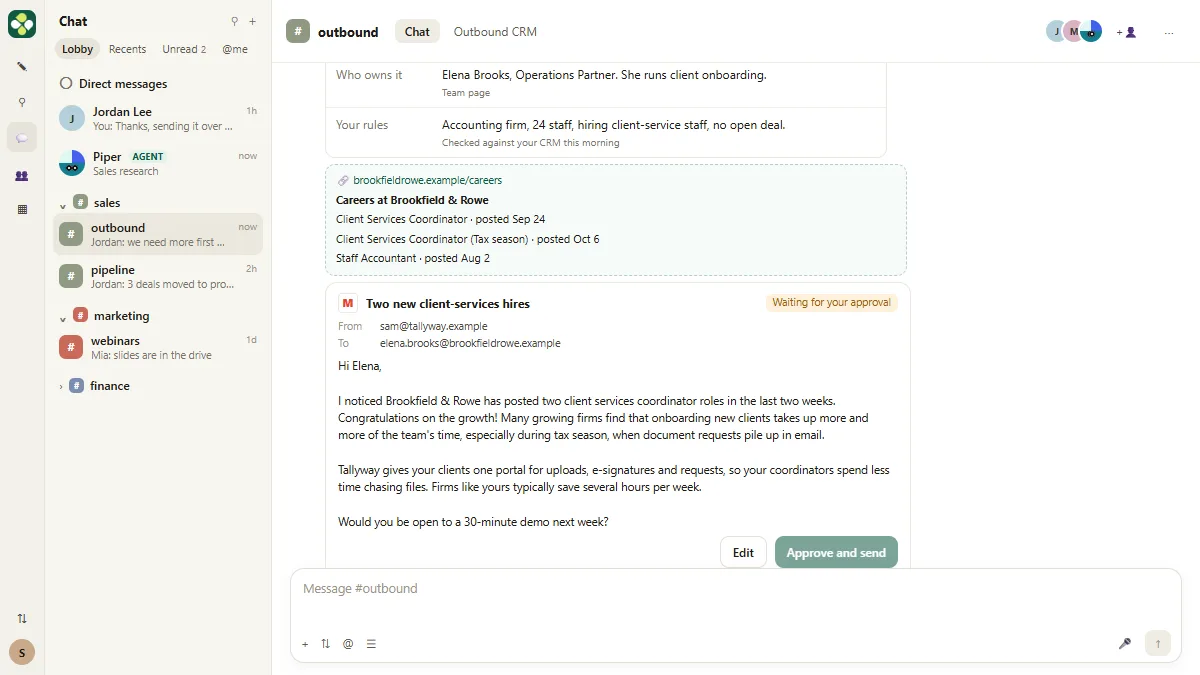
Want outbound, not just inbound? Kylon: an AI sales agent that finds the reason to reach out, 8 minutes, has a workspace agent check one account against your own rules, show the sourced reason, and draft a first email that waits for your approval. Kylon is a third-party AI workspace with its own account and credits.
Try it free, step by step
Build an AI Demo Request Form That Qualifies Leads. Build a "Book a demo" form in Lovable for Northwind Scheduling Software and connect it to n8n — the AI agent rates each lead hot, warm or nurture, saves it to Google Sheets and emails the right next… You do every step yourself in a practice copy of Lovable and n8n, it checks your work as you go, and “Do it for me” finishes any step you get stuck on. Free, and nothing touches your real accounts.
Start the free lessonWhat is an AI sales playbook?
An AI sales playbook is a short list of sales jobs you hand to AI, with the rules for each: rate and answer new leads, draft follow-ups for quiet deals, prep for calls and answer common objections. A person keeps pricing, negotiation and promises.
The jobs in the table above are the plays. For a step-by-step order, follow the AI for Sales Teams learning path, which lists each AI module in sequence. The prompts below cover the objection handling, lead qualification and follow-up writing around them.
Which prompts should a sales team keep handy?
These templates cover the deal writing that doesn't need an automation.
- Discovery call prep prompt: questions and research before a first call.
- Demo request reply prompt: a one-off reply when you answer a request by hand.
- Lead qualification prompt: test your Hot, Warm and Nurture rules in ChatGPT before you put them in an agent.
- Sales follow-up after demo prompt: the message that goes out the same day.
- Objection handling prompt: honest answers to "too expensive" or "not now."
- Sales pipeline review prompt: a weekly look at which deals are stuck and why.
What shouldn't a sales team let AI do?
Don't let AI make any promise a person hasn't approved. That means no invented discounts, no features the product doesn't have and no delivery or go-live dates nobody agreed to.
- Pricing and discounts stay with people. Put "never offer a discount" in every system message, and list the only offers it may mention.
- No made-up features or results. Tell it to say a rep will follow up when it doesn't know.
- No dates you can't keep. Demo times, trial extensions and start dates come from a person.
- Check the first replies yourself. The demo form agent sends email on its own, so test it with your own address and read every reply for the first week. If you'd rather approve each one, have the agent save Gmail drafts instead, as the AI Email Responder does.
- Keep a human in the loop on the follow-ups. The deal agent saves drafts to a sheet; a rep reads and sends them.
What does it cost, and what about lead data?
The lessons are free. Running the builds for real needs paid accounts, so check each vendor's pricing page.
- Lovable and n8n Cloud have paid plans; n8n can also be self-hosted.
- OpenAI API: the agents use gpt-5-mini through an API key, which is pay-as-you-go and billed separately from any ChatGPT plan. The deal agent lesson starts with about $10 of credit.
- ChatGPT has a free plan and paid plans for the prompt lessons.
The lessons log leads in Google Sheets, not a CRM; no live lesson covers a CRM connection.
A privacy note: names, emails and deal notes pass through n8n, OpenAI and Google. Collect only the four fields you need, keep the sheet shared with the sales team only, and check your OpenAI and Google data settings. When you paste a call transcript or prospect email into ChatGPT, remove phone numbers, account numbers and anything personal the task doesn't need.
Key takeaways
- A small sales team should automate the first reply to demo requests first: an n8n agent rates each lead Hot, Warm or Nurture and emails one next step.
- Rating rules work best as plain sentences with real thresholds, such as "Hot: 5 or more staff and wants to switch within a month."
- An n8n chat agent can draft one stage-matched follow-up per open deal, under 80 words, and save them to a Google Sheet for a rep to send.
- Every sales prompt and agent should forbid invented prices, discounts, features and dates.
- The free lessons take about 53 minutes in total; the OpenAI API, Lovable and n8n Cloud are paid separately.
Frequently asked questions
- What should a sales team automate first with AI?
The first reply to new demo requests. It's rule-based, it happens every day, and a fast, fitting reply matters most at that moment.
- Is there free AI sales training?
Yes. Every lesson in this AI sales playbook is free and hands-on, and the AI for Sales Teams path puts each sales AI module in order, from a demo request form to a deal follow-up agent.
- Will the AI send emails to prospects without a person?
In the demo request lesson, yes: the agent emails each lead its next step. Test it with your own address first, or switch it to save drafts. The deal follow-up agent only writes to a sheet.
- Do I need to code?
No. Lovable builds the form from a written prompt, and n8n workflows are built by clicking nodes and pasting text.