AI lead qualification from a demo request form works like this: a "Book a demo" form built in Lovable sends each request to an n8n AI agent, which rates the lead Hot, Warm or Nurture using rules you write in plain sentences, saves it to Google Sheets and emails one next step that fits the rating. It's for small sales teams and founders who answer demo requests themselves, and the free AI Demo Request Form lesson builds it in a practice copy.
A demo request that arrives Friday afternoon often waits until Monday. Or every request gets the same canned reply, whether it's a 12-person team ready to switch or a student doing research.
What is the example company in these lessons?
Both sales lessons use a made-up company, Northwind Scheduling Software, which sells scheduling software to small service businesses like cleaning companies, salons, lawn care crews and repair shops. Swap in your own product and rules when you build it for real.
How does the demo request form work?
The demo request form collects four fields in Lovable and sends them to an n8n webhook, where an AI agent rates, saves and replies. The webhook, Respond to Webhook setting and Production URL secret work exactly as in Connect a Lovable Form to n8n with a Webhook, so this post focuses on the sales logic.
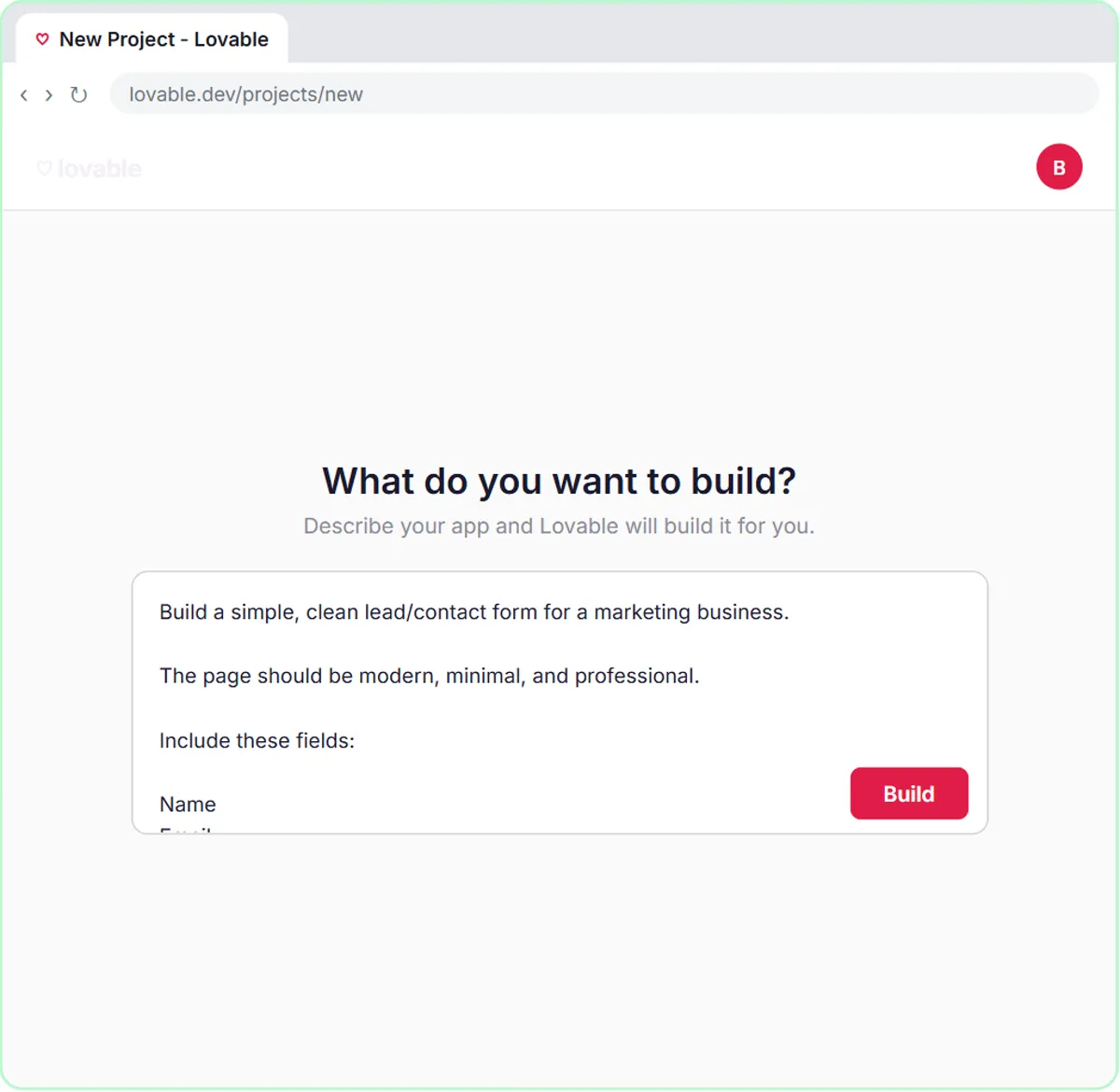
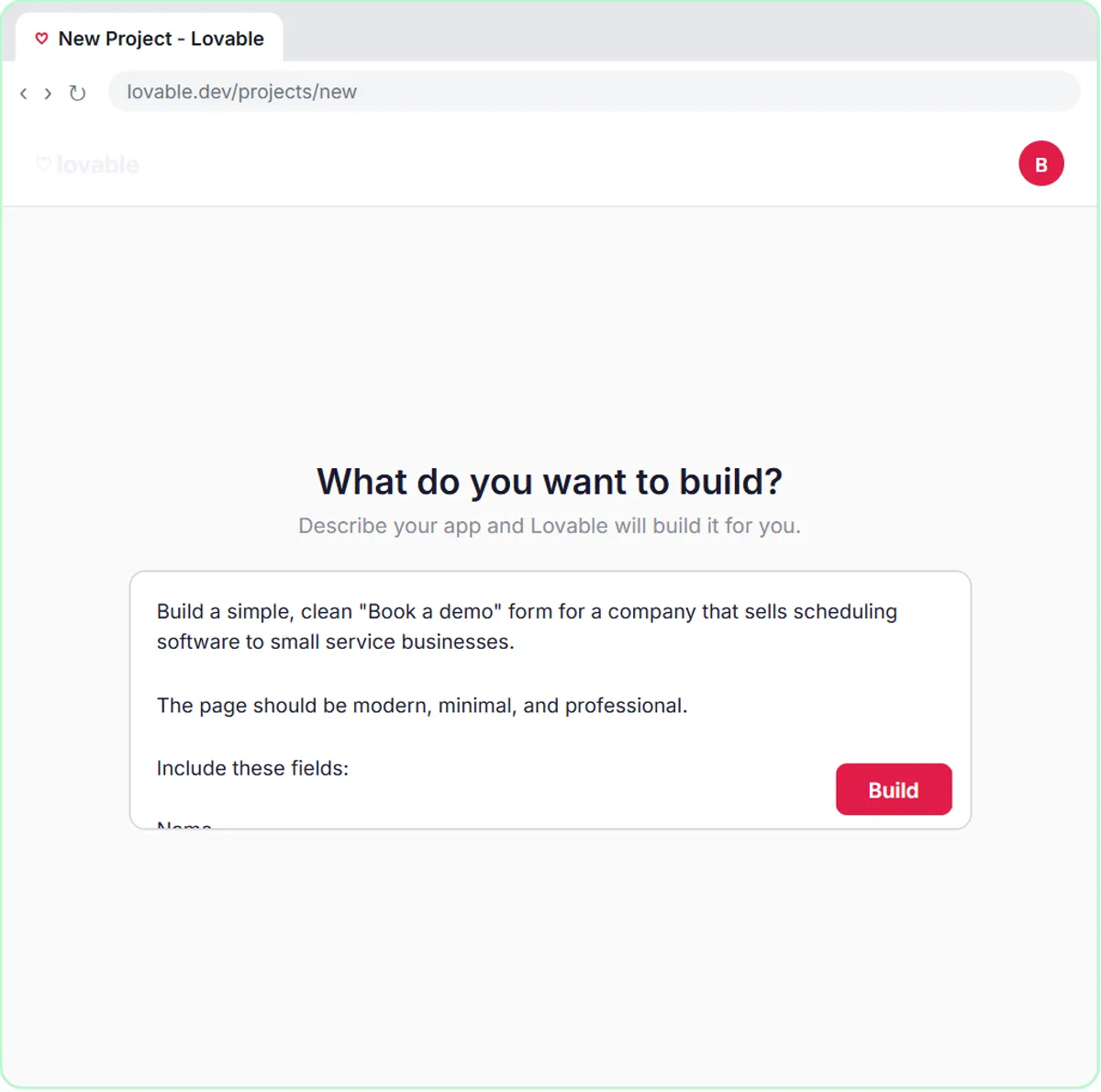
The Lovable prompt asks for a "Book a Demo" page with four required fields: Name, Email, What do you need help with? and Team size. The form sends JSON with the keys name, email, need and teamSize. After a successful submission, the prospect sees "Request received! Check your email for your next step." The webhook URL lives in a Lovable secret named N8N_WEBHOOK_URL, not in the page code.
Why does the form ask only four questions?
Four questions are enough to rate a lead, and every extra field costs submissions. Name and email let you reply, "What do you need help with?" names the problem, and team size shows whether the prospect is a fit.
How does the AI agent rate each lead?
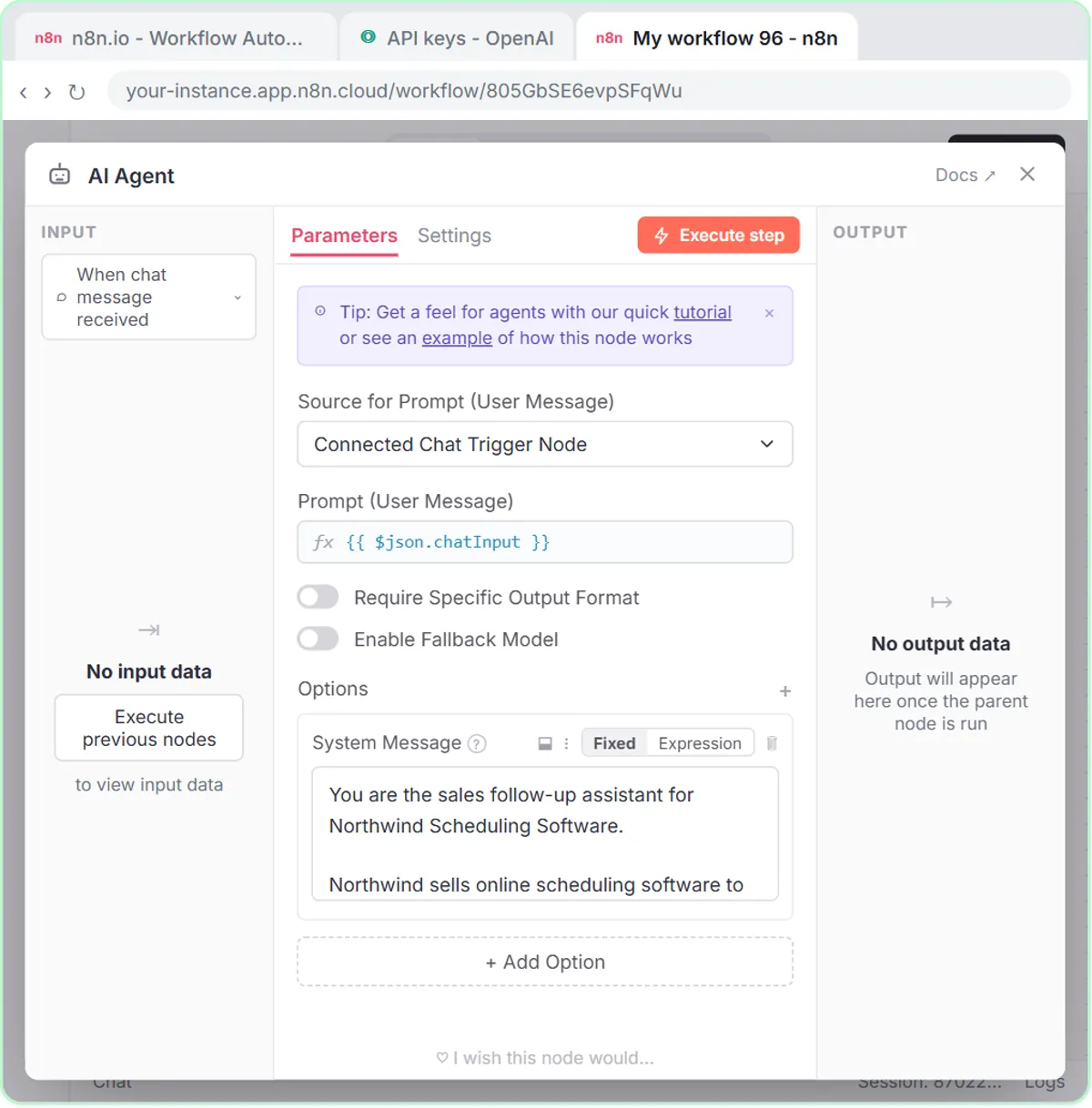
The AI agent rates each lead with three plain-sentence rules in its system message. In n8n, a prompt template feeds the agent the four fields (Name, Email, Need, Team size), and the system message says:
Rate each lead Hot, Warm, or Nurture. Hot: 5 or more staff and wants to switch within a month. Warm: a clear need but no timeline. Nurture: just looking.
Each rating has its own next step in the reply email:
| Rating | What it means | Next step in the email |
|---|---|---|
| Hot | 5 or more staff, wants to switch within a month | Two demo times this week |
| Warm | A clear need, but no timeline | A link to book a demo |
| Nurture | Just looking | A helpful guide, no pressure |
What does the agent do after rating a lead?
After rating a lead, the agent adds a row to a Google Sheet called Leads and emails the prospect through Gmail. The steps the workflow runs:
- The Google Sheets tool adds the lead to Leads, with columns Name, Email, Need and Team Size.
- The Gmail tool sends the prospect a short reply with one next step.
- The Respond to Webhook node tells the form it worked, and the model behind the agent is gpt-5-mini.
In the lesson's test, the sample prospect runs a cleaning company that schedules 12 cleaners on a spreadsheet that keeps breaking and wants to switch this month. The agent rates that lead hot, saves the row and emails two demo times. In the lesson, the Leads sheet stores the four form fields and the rating decides which reply goes out; add a fifth column if you want to sort leads by rating.
Try it free, step by step
Build an AI Demo Request Form That Qualifies Leads. Build a "Book a demo" form in Lovable for Northwind Scheduling Software and connect it to n8n — the AI agent rates each lead hot, warm or nurture, saves it to Google Sheets and emails the right next… You do every step yourself in a practice copy of Lovable and n8n, it checks your work as you go, and “Do it for me” finishes any step you get stuck on. Free, and nothing touches your real accounts.
Start the free lessonHow do I change the qualification rules?
Edit the sentences in the system message. "5 or more staff and wants to switch within a month" is a rule a new sales rep could follow on day one, and so can an AI agent. If your team qualifies on budget or current tool, rename a form field and rewrite the rule.
Read the emails the agent sends for the first few days. If a warm lead gets a hot-lead reply, tighten the wording until the ratings match how your team would call it.
How does the deal follow-up agent work?
The deal follow-up agent writes one follow-up per open deal and saves each one to a Google Sheet for review, without emailing anyone. The free deal follow-up agent lesson builds it with a chat trigger, an AI Agent, gpt-5-mini, Simple Memory and a Google Sheets tool.
The Northwind system prompt sets the rules:
- Write for owners and office managers talking to Northwind's sales team.
- Sound like a helpful rep, not a pushy salesperson: friendly, plain, specific and brief.
- Match the message to the deal's stage, keep it under 80 words and end with one clear ask.
- Don't invent prices, discounts or results.
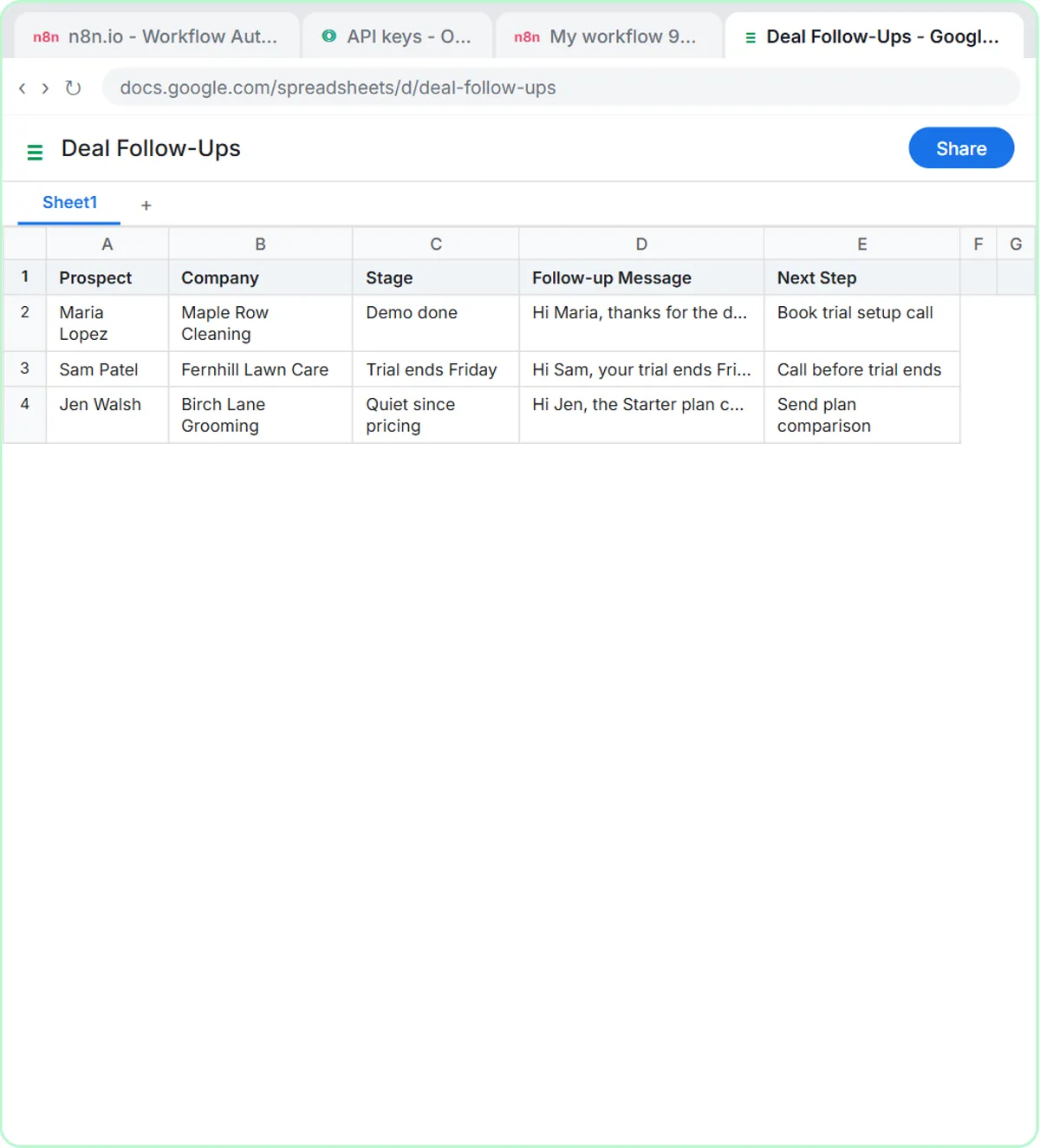
For each deal, the agent returns five fields that match five columns in a sheet called Deal Follow-Ups: Prospect, Company, Stage, Follow-up Message and Next Step. In the lesson you paste three made-up deals:
Write follow-ups for my open deals: Maria Lopez, Maple Row Cleaning, had a demo today. Sam Patel, Fernhill Lawn Care, trial ends Friday. Jen Walsh, Birch Lane Grooming, quiet since pricing.
Maria gets a recap of her demo and an offer to set up a trial. Sam gets a short check-in before his trial ends. Jen gets a no-pressure note about a smaller plan. Typing "Yes, save those follow-ups to the sheet" writes one row per deal, and Simple Memory is what lets the agent know which follow-ups "those" means.
Why should a person review pipeline follow-ups?
A person should review pipeline follow-ups because those prospects have already talked to a real rep, and a wrong detail is costly. The deal follow-up agent only writes to the Deal Follow-Ups sheet, where a rep or manager checks each message and sends it themselves. The sheet doubles as a follow-up log you can sort by stage.
Which sales agent should I build first?
Build the one that fixes your bigger problem. If demo requests sit unanswered, build the form agent, which replies right away with short, rule-based emails. If deals go quiet because nobody had time to write the follow-up, build the pipeline agent, which drafts for human approval. Both are in the AI for sales lessons.
What does it cost, and what about privacy?
The lessons are free practice copies, so no accounts are touched and nothing is sent. Building for real needs a Lovable account (free and paid plans), an n8n account (n8n Cloud has a free trial and then paid plans, or self-host n8n), an OpenAI API key with credit (pay per request, billed separately from ChatGPT) and a Google account. Prospect details are personal data, so send only the fields the agent needs and follow your company's policy on AI tools.
Key takeaways
- The Northwind demo form agent rates each lead Hot (5 or more staff, switching within a month), Warm (clear need, no timeline) or Nurture (just looking).
- Hot leads get two demo times this week, Warm leads get a booking link, and Nurture leads get a helpful guide with no pressure.
- Lead qualification rules written as plain sentences in an n8n system message can be changed in seconds.
- The deal follow-up agent saves follow-ups under 80 words to a Deal Follow-Ups sheet, and a person reviews each one before anything is sent.
Frequently asked questions
- What is AI lead qualification?
AI lead qualification means an AI agent sorts incoming leads by fit using rules you write. In the lesson, the agent rates each demo request Hot, Warm or Nurture and emails a matching next step.
- Can I change what counts as a hot lead?
Yes. The rules are plain sentences in the n8n system message, so you can edit them to match your own team size, timeline or budget criteria.
- Does the lead rating get saved in the spreadsheet?
In the lesson, the Leads sheet stores the four form fields, and the rating decides which email goes out. You can add a rating column in your own build.
- Does the deal follow-up agent email my prospects?
No. The deal follow-up agent writes follow-ups and saves them to Google Sheets, so a person reviews each one before anything is sent.
- Do I need to know how to code?
No. Lovable builds the form from a written prompt, and both n8n workflows are built by clicking and pasting.