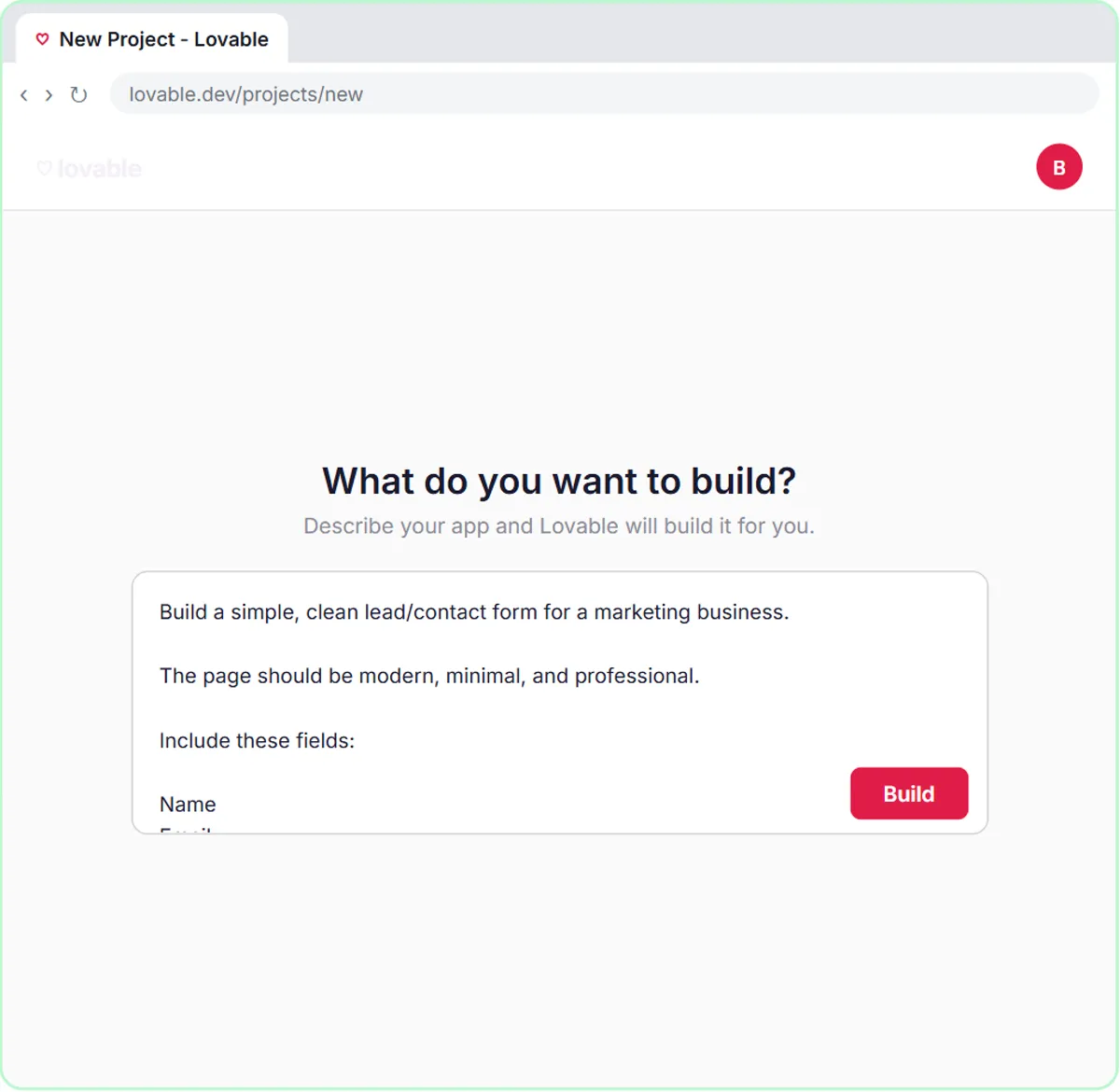
This guide explains the term, what "a real response" means, and how the build works.
What does speed to lead mean?
It's a measure of how long a new lead waits for you. The glossary entry on speed to lead defines it as the time until "a real response," which is the important part. An automatic "we got your message" email starts the clock but doesn't stop it. A reply that answers the person's need and offers a next step does.
Speed to lead belongs with lead qualification, deciding how good a fit each lead is. Fast replies help most when they're also the right reply for that lead.
Why does speed to lead matter for small teams?
Because inquiries arrive when you're busy. A demo request that lands during a meeting, after hours or on a Saturday can sit until someone notices it. Meanwhile, the person who filled in the form is still thinking about the problem, and may be filling in a competitor's form too.
Small teams can't staff the inbox all day. An automation can reply in the time it takes the workflow to run, then hand the conversation to a person.
How does the AI Demo Request Form work?
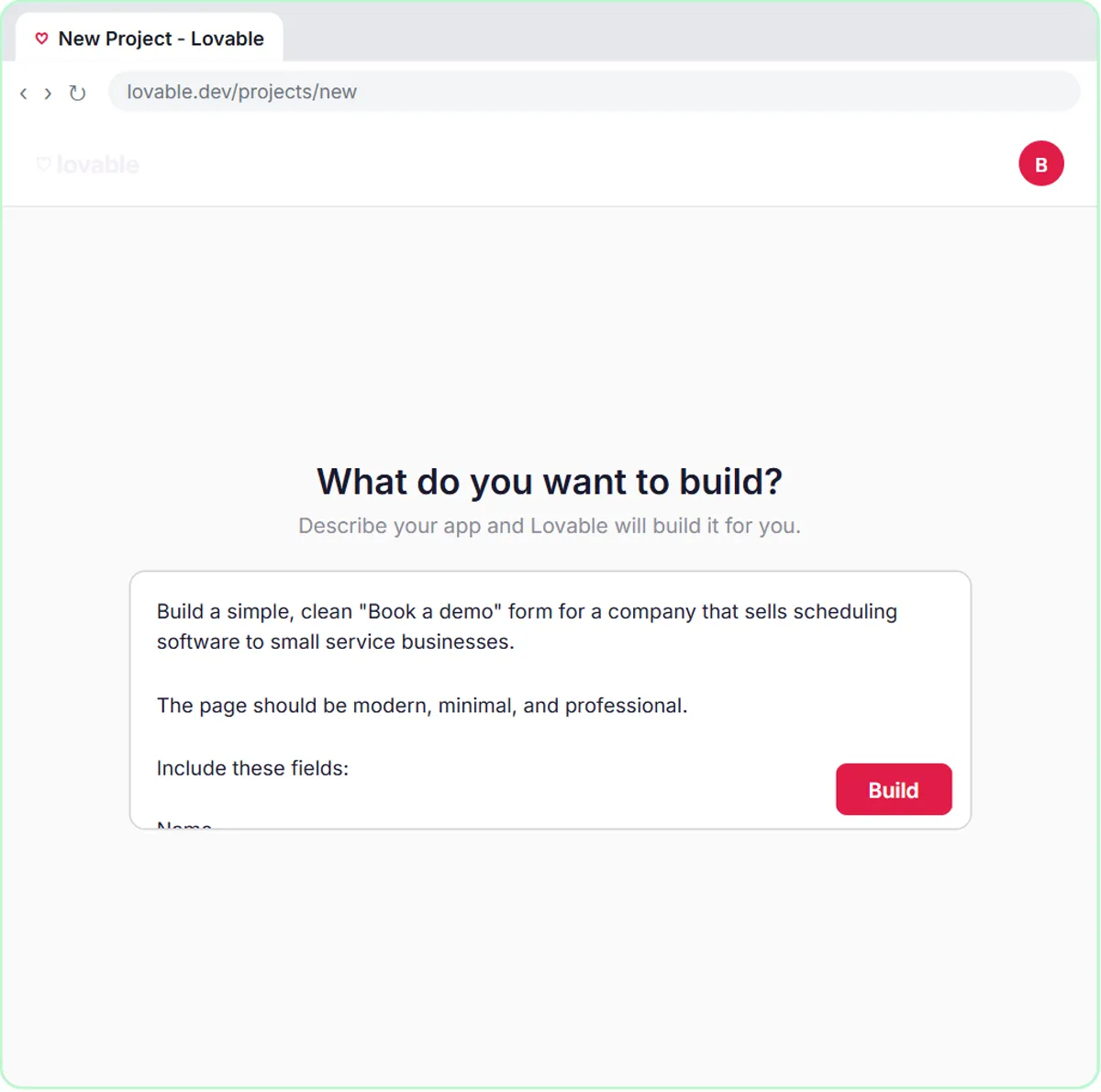
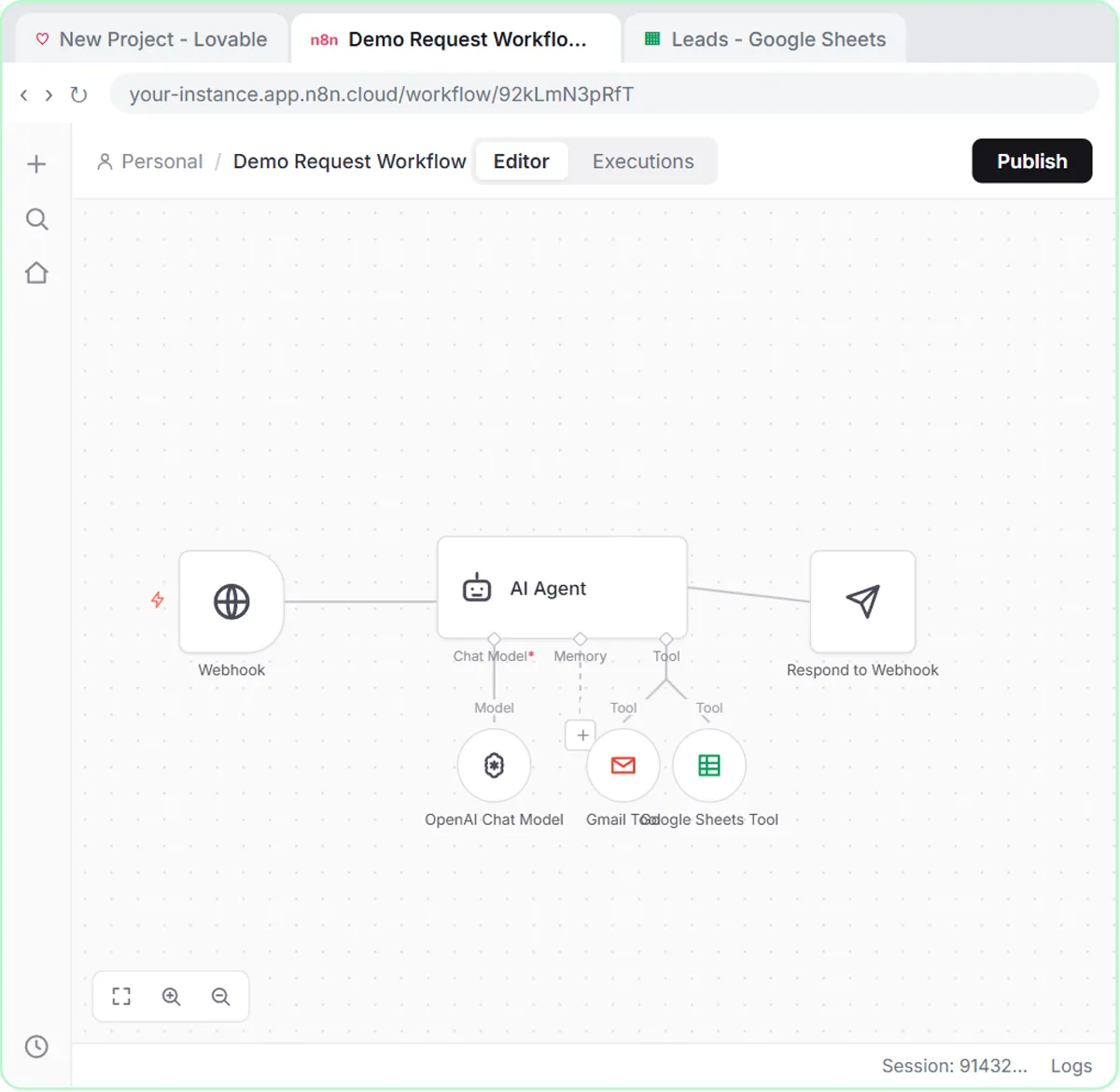
A Lovable form sends each request to n8n, where an AI agent rates the lead, saves it and emails a next step. In the AI Demo Request Form lesson, for Northwind Scheduling Software:
- The Book a Demo form asks for Name, Email, What do you need help with? and Team size. All four are required.
- On submit, the form sends the answers to an n8n workflow that starts On webhook call. Webhooks are instant, so nothing waits for a timer.
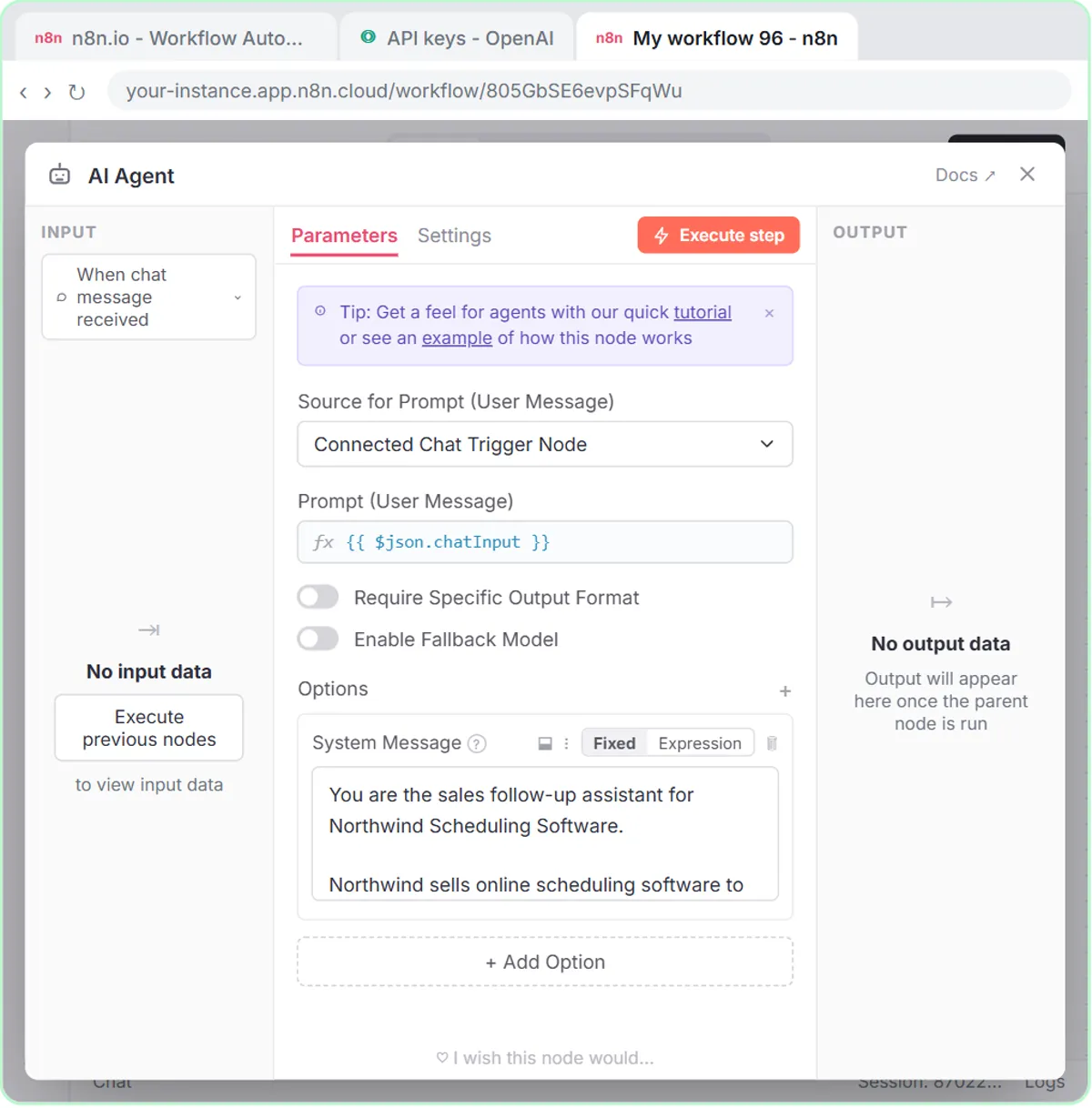
- An AI Agent reads the request and follows its system message.
- A Google Sheets Tool logs the lead.
- A Gmail Tool emails the prospect.
- A Respond to Webhook node tells the form it worked, and the visitor sees "Request received! Check your email for your next step."
Try it free, step by step
Build an AI Demo Request Form That Qualifies Leads. Build a "Book a demo" form in Lovable for Northwind Scheduling Software and connect it to n8n — the AI agent rates each lead hot, warm or nurture, saves it to Google Sheets and emails the right next… You do every step yourself in a practice copy of Lovable and n8n, it checks your work as you go, and “Do it for me” finishes any step you get stuck on. Free, and nothing touches your real accounts.
Start the free lessonHow does the AI decide what to say to each lead?
It follows rating rules and a reply rule for each rating, both written in plain words in the system message. From the lesson:
Rate each lead Hot, Warm, or Nurture. Hot: 5 or more staff and wants to switch within a month. Warm: a clear need but no timeline. Nurture: just looking.

Use the gmail tool to email the prospect a short reply with one next step. Hot: offer two demo times this week. Warm: send a link to book a demo. Nurture: send a helpful guide, no pressure.
That's speed to lead done well: fast, and matched to the lead. A Hot lead gets a meeting offer, a Warm lead gets an easy way to book, and someone just looking gets something useful without a hard sell. The ratings use facts from the form (team size, timeline), not a guess about tone. Write your own rules the same way, using the questions your form actually asks. AI Lead Qualification from a Demo Request Form goes deeper on the rating rules.
What should I check before letting AI reply automatically?
Make sure every detail the AI could put in an email is real. Three things to check in your own version:
- Demo times. An AI agent without access to your calendar can't know when you're free, so "offer two demo times this week" works only if you give it real slots, such as a short list of open times in the system message that you keep up to date, or switch Hot leads to a booking link too.
- Links. Put the exact booking link and guide link in the system message so it never makes one up.
- Promises. Add a rule like "Do not mention prices, discounts or features not listed here."
Then read the Google Sheet and the sent replies daily for the first week. If a rating looks wrong, the fix is usually a clearer rule.
What happens after the first reply?
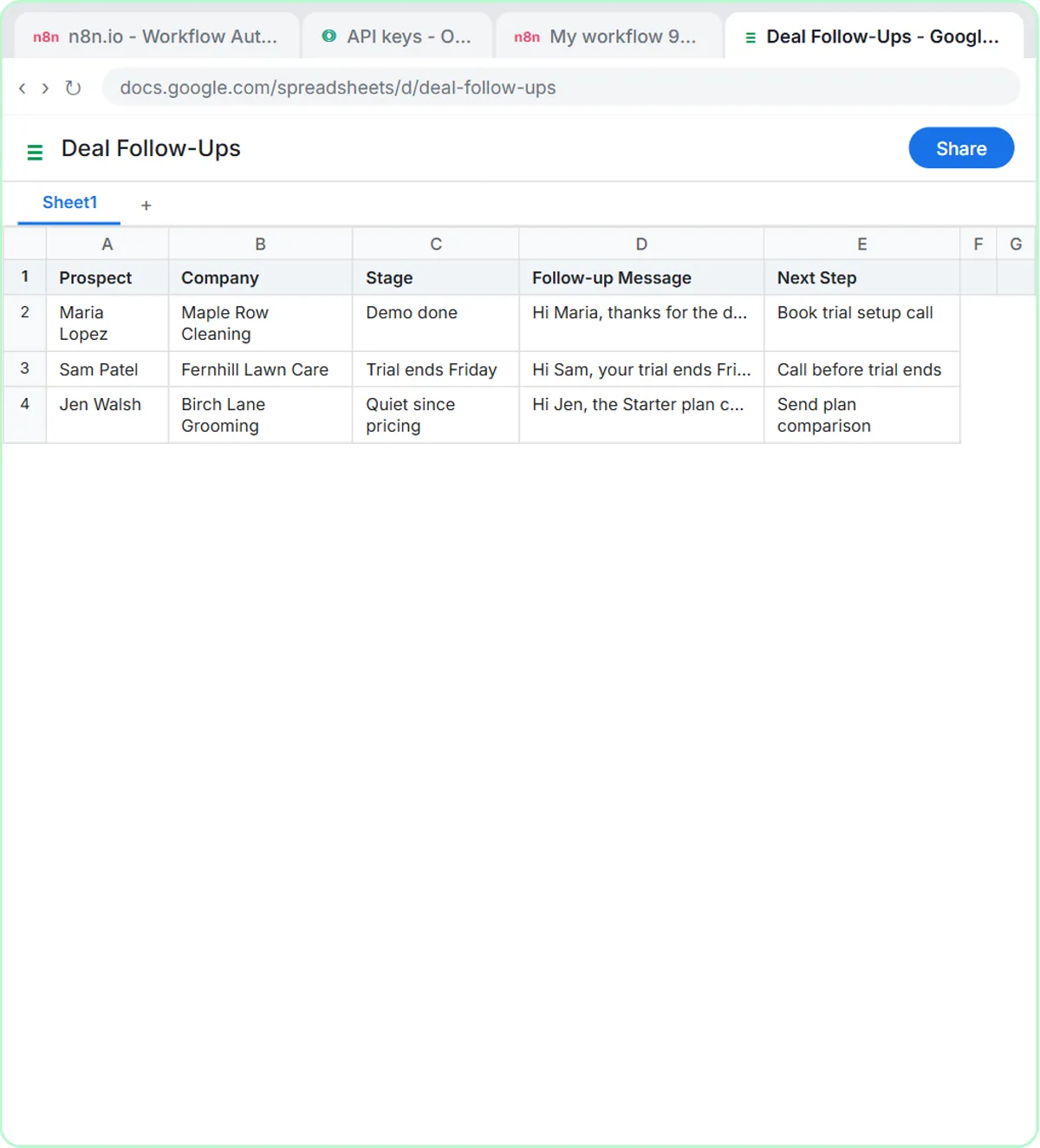
A person takes over, and AI can help with that too. The AI Deal Follow-Up Agent lesson builds an n8n agent that writes one follow-up message per open deal, matched to its stage, and saves them to a sheet for the team to review. Its system message asks for messages under 80 words that end with one clear ask, in the voice of "a helpful rep, not a pushy salesperson," and says "Do not invent prices, discounts or results."
The lesson's test prompt gives three deals: one had a demo today, one's trial ends Friday, and one has been quiet since pricing. Each gets a different message. Sales Follow-Up by Deal Stage covers the follow-up side in detail.
How do I measure my speed to lead?
Compare when each inquiry arrived with when the first real reply went out. If your form saves leads to a Google Sheet, you can add a submitted-time column and a replied-time column and look at the gap. You don't need a precise number to improve; you need to know whether leads are waiting minutes or days.
On cost: the lessons are free practice copies. A real build uses Lovable and n8n Cloud, which both have paid plans, plus OpenAI API credit, which is pay-as-you-go and separate from ChatGPT plans. The sales industry page lists every sales lesson.
Key takeaways
- Speed to lead is the time between a new inquiry arriving and your business giving a real response, not just an automatic receipt.
- The AI Demo Request Form lesson sends each form submission to n8n by webhook, so the workflow starts instantly.
- Its AI agent rates leads Hot, Warm or Nurture from team size and timeline, and emails one next step that fits the rating.
- Give the AI real demo times and exact links in the system message, and a rule against mentioning prices or features you didn't list.
- After the first reply, a person takes over; the AI Deal Follow-Up Agent lesson drafts stage-matched follow-ups for review.
Frequently asked questions
- What is a good speed to lead?
As fast as you can give a useful reply. An automated, well-matched first reply plus a quick human follow-up beats a perfect reply days later.
- Is an autoresponder enough for speed to lead?
Not really. A "we got your message" email confirms receipt but doesn't answer the person's need. The lesson's reply offers a specific next step based on the lead.
- Can AI qualify leads accurately?
It can apply clear rules, like "5 or more staff and wants to switch within a month," using what the form asks. Vague rules produce vague ratings, so check the sheet in the first weeks.
- Do I need a CRM for this?
No. The lesson logs leads to a Google Sheet. You can move to a CRM later; the rating and reply rules stay the same.