Candidate follow-up after interview prompt: free ChatGPT template
Updated · By Robert Breen
Use this in the days after an interview, when the candidate is waiting and you don't have a final answer yet, or when you're inviting them to the next round. Candidates mostly want two things: where they stand and when they'll hear. A vague "we'll be in touch" leaves them guessing, and a too-warm note can sound like an offer. This prompt writes a short, honest update built only from the status and dates you give it, and keeps the panel's discussion, scores and pay talk out of it.
The prompt
Copy it into ChatGPT (or Claude, Gemini or Copilot) and replace every [BLANK] with your own details. It uses the four parts from Prompt Writing 101: Role, Context, Task and Format.
Role: You are the hiring manager at [BUSINESS], writing to a candidate after their interview.
Context: The candidate is [CANDIDATE AND ROLE]. Where things stand: [WHERE THINGS STAND]. Next step and when they'll hear: [NEXT STEP]. Use only these facts. Don't mention scores, other candidates, the panel's discussion or pay, don't hint at the likely outcome, and don't promise a date we haven't set.
Task: Write a short follow-up email that thanks them for the interview, tells them plainly where things stand, gives the next step with its date, and tells them who to contact with questions.
Format: Under 120 words, friendly and plain. Subject line first, then the email. Sign it: [SIGN OFF].
Fill in the blanks
[BUSINESS]- Your business name.
[CANDIDATE AND ROLE]- First name and the job, such as "Andre, customer service representative."
[WHERE THINGS STAND]- The honest status: still interviewing, waiting on a decision-maker, moving you to a final round. One or two sentences.
[NEXT STEP]- What happens next and the date they'll hear either way. Only give a date you will keep.
[SIGN OFF]- Your name, title and how to reach you.
Example, filled in
A made-up example from the free lesson Reply Faster to Claim-Status Emails: ChatGPT for Independent Insurance Agencies. Stonebridge Insurance Agency is the made-up independent agency in the claim-status reply lesson. It interviewed Andre for a customer service role, and the owner who makes the final call is away this week.
Role: You are the hiring manager at Stonebridge Insurance Agency, an independent insurance agency, writing to a candidate after their interview.
Context: The candidate is Andre, customer service representative. Where things stand: we finish first interviews this week, and the agency owner, who makes the final decision, is back on Monday. Next step and when they'll hear: we'll invite up to two people to a 30-minute meeting with the owner, and Andre will hear from us either way by Wednesday, October 14. Use only these facts. Don't mention scores, other candidates, the panel's discussion or pay, don't hint at the likely outcome, and don't promise a date we haven't set.
Task: Write a short follow-up email that thanks them for the interview, tells them plainly where things stand, gives the next step with its date, and tells them who to contact with questions.
Format: Under 120 words, friendly and plain. Subject line first, then the email. Sign it: Erin Walsh, office manager, Stonebridge Insurance Agency, reply to this email with any questions.
What a good answer looks like
- A thank-you that sounds like a person, then the status in one plain sentence.
- "You'll hear from us either way by Wednesday, October 14," word for word from your Next step.
- Nothing that reads as a hint, such as "you really impressed us" or "we're excited about next steps."
- One named contact for questions.
How to check it before you use it
An AI draft can sound right and still say something you never told it. Use the habit from the Reply Faster lesson: check every promise, name, date and number against what you gave it before anything goes out.
- Check every promise: each date and step must match what you gave it. If it added "we'll call you Friday," take it out.
- Read it as the candidate. Could they take it as an offer, or as a no? Rewrite any line that tips either way.
- Make sure nothing from the debrief leaked in: no scores, no comparison to others, no pay.
- Put the promised date in your calendar now, and write back by then even if the answer is "still deciding."
Why this prompt works
This is the same move as the follow-up email in the Interview Debrief to Scorecard lesson: the candidate gets only the next steps, while the scores and discussion stay with the team. The Context names what to leave out, which is a prompt constraint that works better than hoping the AI guesses.
Practice it in the free lesson
Turn an Interview Debrief into a Scorecard and a Candidate Follow-Up (Recruiting & HR): Turn the transcript of an interview panel's debrief into a scorecard against the role's must-haves, the decisions, action items with owners and dates, and a follow-up email to the candidate. You do every step yourself in a practice copy of ChatGPT, and nothing touches your real accounts.
Also useful: Reply Faster: Turn a Messy Customer Email Thread into a Clear, Friendly Reply
Terms used here
Related prompts
- Interview scheduling email prompt: Invite a candidate to interview with all they need: time options, place, who they'll meet, what to expect, an accommodation line…
- Candidate rejection email prompt: Write a short, respectful rejection email that thanks the candidate for the step they reached and promises nothing you won't do…
- Interview scorecard prompt: Turn interview notes or a debrief transcript into a scorecard: each must-have rated with a quote as evidence, gaps marked Not…
- Candidate pipeline update prompt: Turn an applicant tracker export into a weekly hiring update: counts by stage, what moved, next steps with owners, stalled…
Visual guides
This prompt as a quick visual guide you can save or share, with the same text written out.
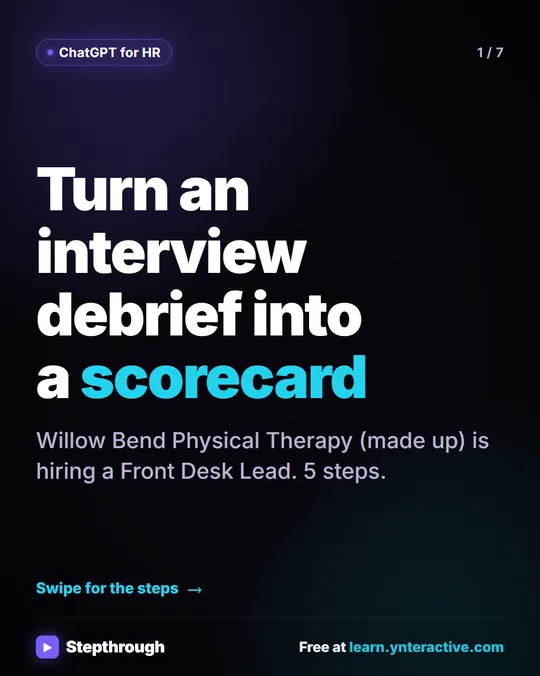 5 Steps to Turn an Interview Debrief into a Scorecard
A visual guide: turn an interview panel's debrief transcript into a ChatGPT scorecard with evidence for each must-have, then a candidate follow-up.
Step-by-step guide 7 slides
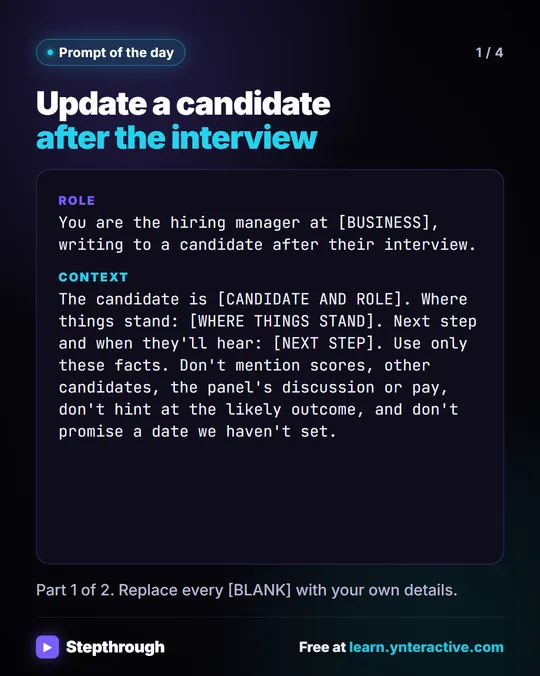 Prompt of the Day: Update a Candidate After an Interview
A visual prompt card: the email a candidate gets after an interview, with thanks, where things stand, the next step and no hint of the decision.
Prompt to copy 4 slides