This is a first draft tool. If your bylaws, your state or your client require a certain format, follow that first.
What goes in meeting minutes?
Minutes record who met, what was decided and who does what, not every word said. They are shorter than a transcript and more formal than a recap. The meeting minutes glossary entry and Meeting Minutes vs Meeting Summary explain the difference.
What is the meeting minutes template?
Copy this and keep it in a document:
MEETING MINUTES
Meeting: [NAME OF MEETING]
Date, time and place: [DATE, TIME, PLACE]
Called to order by: [NAME] at [TIME]
Present: [NAMES]
Absent: [NAMES]

1. Items discussed
   - [Item]: short neutral summary

2. Decisions and motions
   - Motion: [WHAT]. Moved by [NAME], seconded by [NAME]. Result: [PASSED / FAILED / TABLED]

3. Action items
   | Task | Owner | Due date |

4. Next meeting: [DATE AND TIME]
Minutes prepared by: [NAME]. Approved on: [DATE]
What prompt fills the template with AI?
Paste the template, then the transcript, under this request:
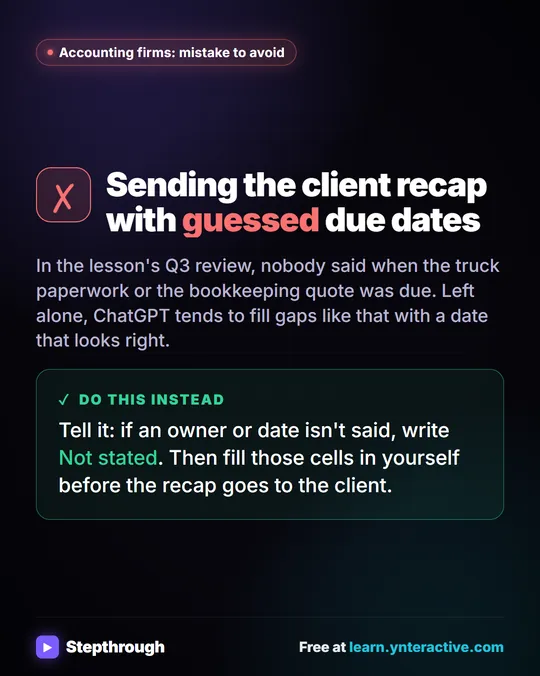
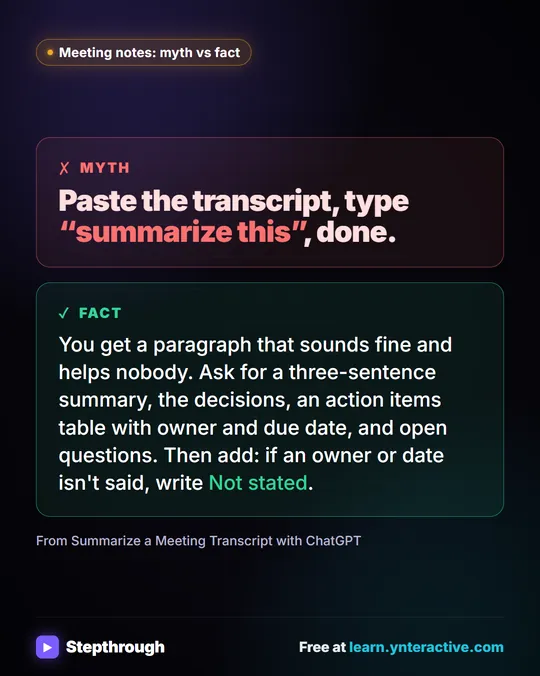
Fill in the meeting minutes template above using only the transcript below. Keep it neutral: record what was decided and who is responsible, not who argued for what. Do not invent attendees, motions, vote counts, amounts or dates. If something is not said, write "Not stated". End with a list called Items to confirm.
For a board, there is a full version with a Role, Context, Task and Format layout on the board meeting minutes prompt page. In the nonprofit lesson, a board's transcript includes a vote to replace a cooler, a mailing held until a set date and a volunteer count due on a set date. Those are the kinds of lines that belong under decisions and action items.
What does a filled-in example look like?
Using the board transcript from the nonprofit lesson, a filled template would read like this. The details are the made-up Riverbend Food Pantry's, and the lines marked "Not stated" are the ones you complete yourself:
Motion: Replace the walk-in cooler for up to $18,500 once more quotes are in.
Moved by: Ana Whitcomb. Seconded by: Not stated. Result: Passed.
Action: Send two more cooler quotes. Owner: Luis Ortega. Due: Not stated.
Action: Hold the appeal mailing until November 9. Owner: Mei Tran.
Next meeting: Not stated. Volunteer coordinator: add to the December agenda.
Notice what the AI could not know: who seconded, when the quotes are due and when the next meeting is. That is the point of the rule. A blank you can see is better than a date you did not agree to.
What should I leave out of AI-drafted minutes?
Leave out anything the group would not want in the permanent record: side conversations, jokes, personal remarks and confidential details such as donor names or pay. Do not paste material your organization has said stays out of AI tools. Minutes also should not assign blame or motives, so keep the "neutral" line in the prompt and delete any sentence that guesses why someone voted a certain way.
How do I check the minutes before they go to the group?
Check the parts that become the record. Compare each motion, vote and amount with the transcript or your notes. Fill every "Not stated" from the secretary's own record. Confirm who was present, since a transcript may not list quiet attendees. Remove side comments and anything confidential. Then send the draft to the group for approval, the way your meetings normally do.
Which AI tool should I use for minutes?
Any assistant your company approves. For tool-specific steps, see Claude: Summarize a Meeting Transcript and Microsoft Copilot in Teams: Meeting Recap. For the ChatGPT route, see Turn a Meeting Transcript into Action Items.
Which free lessons practice meeting minutes and recaps?
- Turn a Board Meeting into Minutes and Next Steps
- Summarize a Meeting Transcript
- Summarize a Client Meeting
- Run a Weekly Ops Review Where Every Task Has an Owner
For a fast recap instead of formal minutes, the meeting recap email prompt is shorter.
Key takeaways
- Minutes are a short, neutral record of attendees, items, decisions, motions and action items.
- Give the AI a fixed template and tell it to use only the transcript.
- "Not stated" and an Items to confirm list show you where to fill gaps yourself.
- Check every motion, vote count, amount and date, because minutes become the record.
- Follow your bylaws or client rules for required wording and approval.
Frequently asked questions
- Can AI write meeting minutes?
It can draft them from a transcript or notes using a template. A person must check them against what happened before they are approved.
- What is the difference between minutes and a recap?
Minutes are a formal record, often approved by the group. A recap is a short message with decisions and action items for the people who must act.
- Should minutes include who said what?
Usually not. They record decisions and responsibilities. The transcript keeps who said what.
- Where should I keep the template?
In a shared document or your prompt library, so everyone uses the same sections every time.