Updated . Built against the tool’s current screens and checked step by step. How we check this lesson
More people now ask ChatGPT which accountant, dentist or lawyer to call instead of scrolling through search results. ChatGPT answers by searching the web, and it names the businesses whose pages answer the question clearly and that other sites mention. In this free lesson you play a small CPA firm that ChatGPT does not name yet, find out why, and use ChatGPT itself to fix the gaps with your own facts.
At a glance
| Question | Answer |
|---|---|
| What you build | Ask ChatGPT who it recommends in your town, see which pages it trusts, then use it to write an FAQ page and Business Profile copy that answer real customer questions. |
| Tools | ChatGPT |
| Time | About 10 minutes, 19 steps in 5 parts |
| Level | Intermediate, no coding needed |
| Cost | Free |
| Ways to learn it | Practice it step by step, watch the video, read the guide with screenshots |
The 5 parts, in short
- Ask like a customer: Ask like a customer, Send it, Check a citation, Open Sources, and 1 more step.
- Find the questions: Ask why, and what customers ask, Send it.
- Write the answers: Give it your facts, Send it, Copy it.
- Business Profile: Your Business Profile, Send it, Copy it, Ask for FAQ markup, and 2 more steps.
- Check it: Read it like an AI would, Send it, Check again later.
Start here first: Build an n8n AI Agent That Plans Your Content Calendar (module 1 of AI Automation for Marketing)
How to get Your Business Recommended by ChatGPT: step-by-step guide with screenshots
About the screenshots. They come from Stepthrough’s simulated practice environment (a practice copy of ChatGPT), not the live tool, so no real account appears. The buttons and labels match the real screens the lesson was built against. Practice it yourself free at learn.ynteractive.com.
- Tools: ChatGPT
- Time: about 10 minutes, 19 steps in 5 parts
- Level: beginner, no coding needed
Part 1: Ask like a customer
Step 1: Ask like a customer
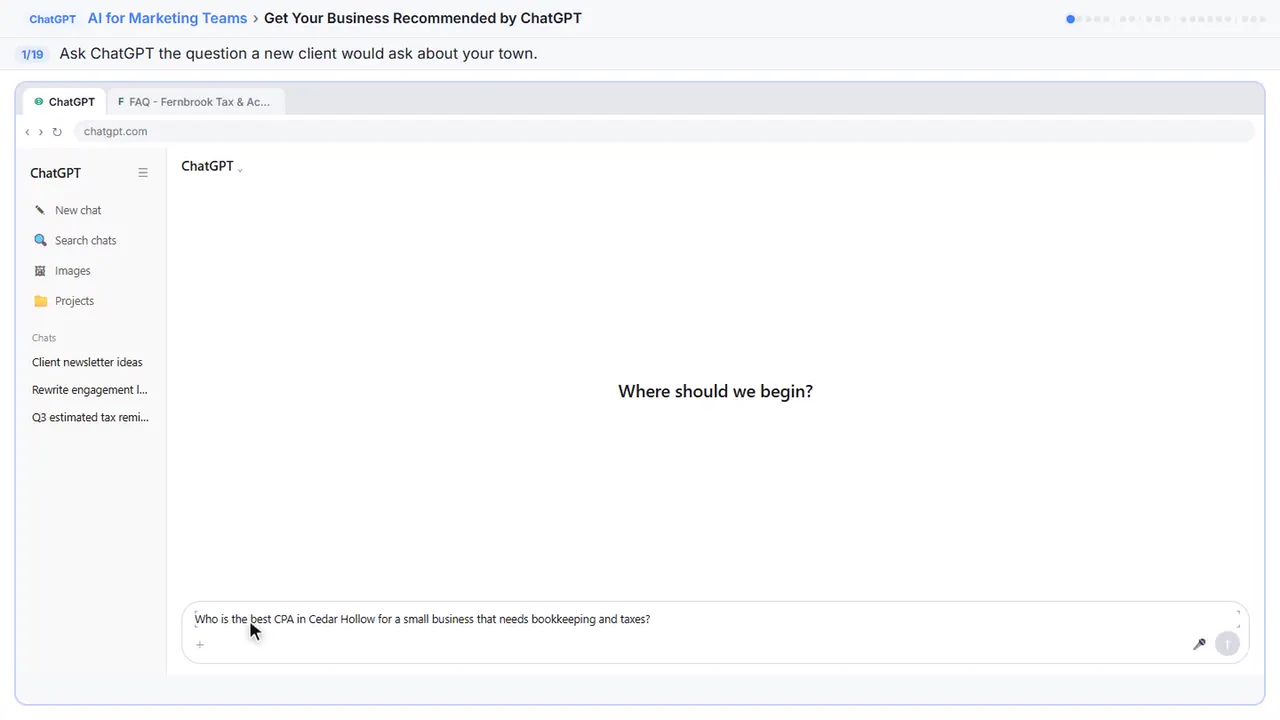
You're Dana at Fernbrook Tax and Accounting in Cedar Hollow. More and more new clients ask ChatGPT which accountant to call, so start where they do. Ask the question a small-business owner would ask.
Step 2: Send it
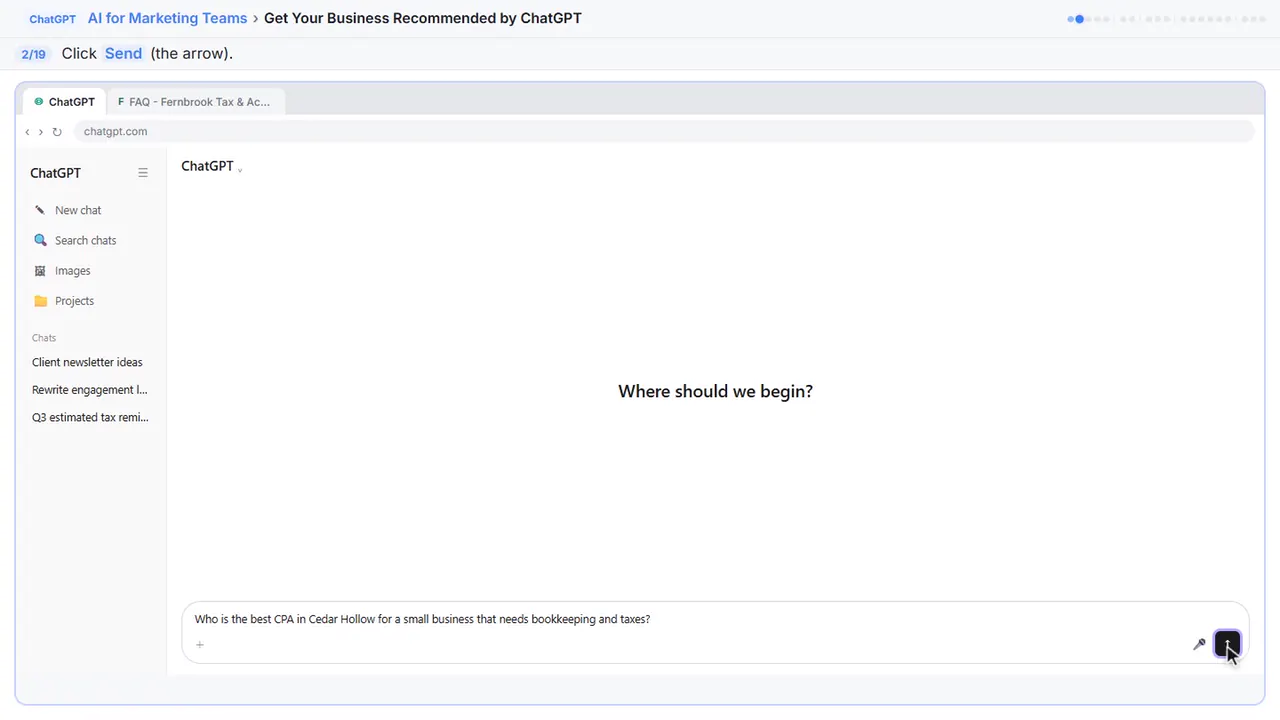
Send it. If it asks for your location, no thanks is fine.
Step 3: Check a citation
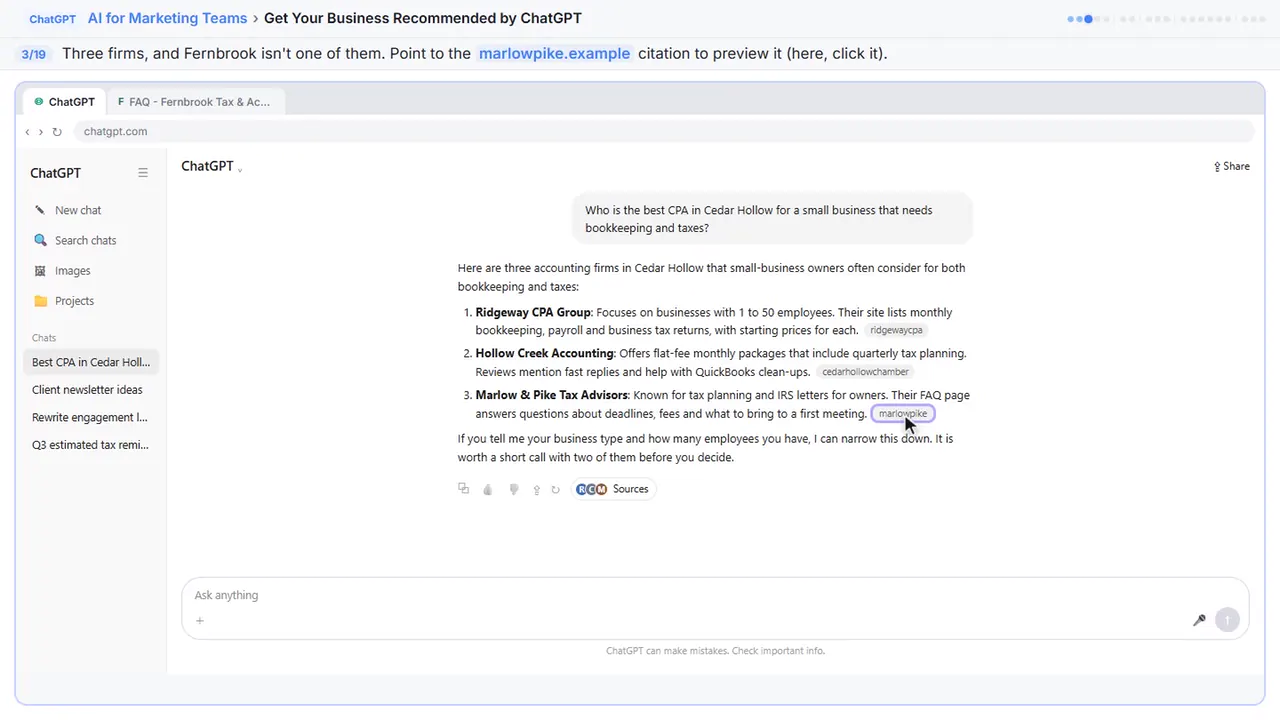
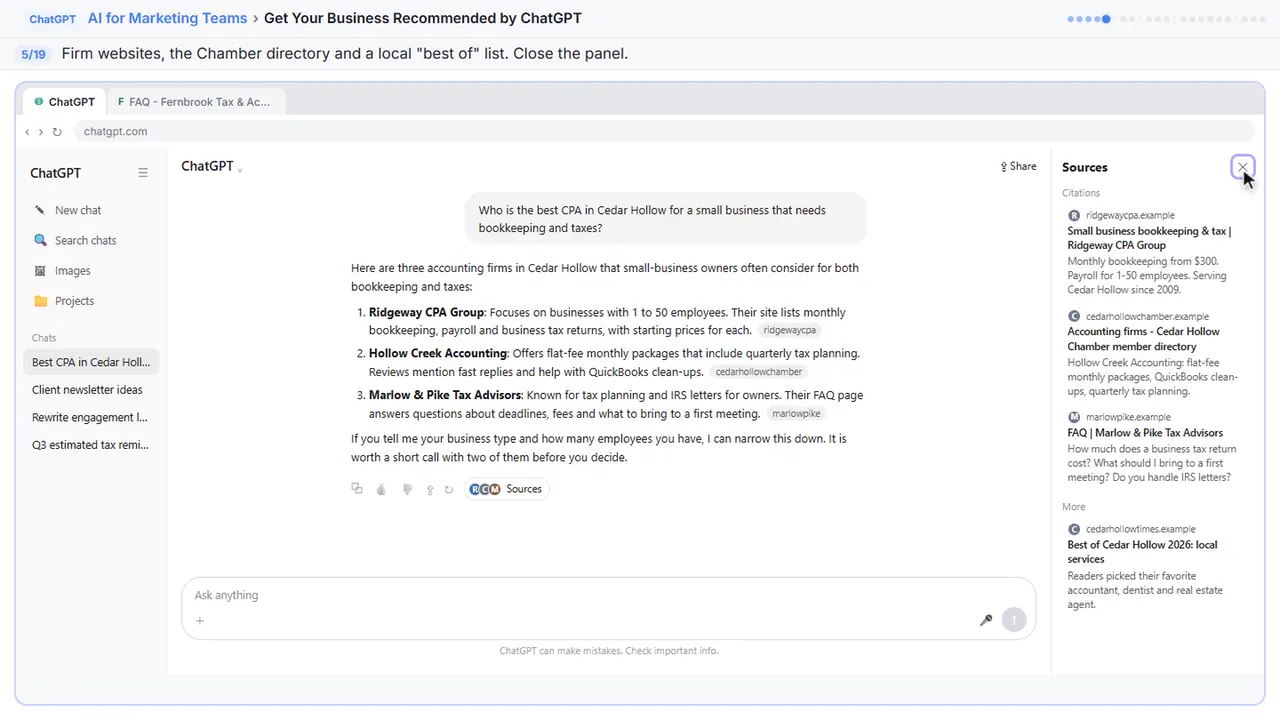
It searched the web and named three firms. Fernbrook isn't one of them. The small grey tags are citations, the pages it used. In the real app you'll often see a map too, with ratings and review counts. That's why reviews matter. Point to the Marlow and Pike citation to see it.
Step 4: Open Sources
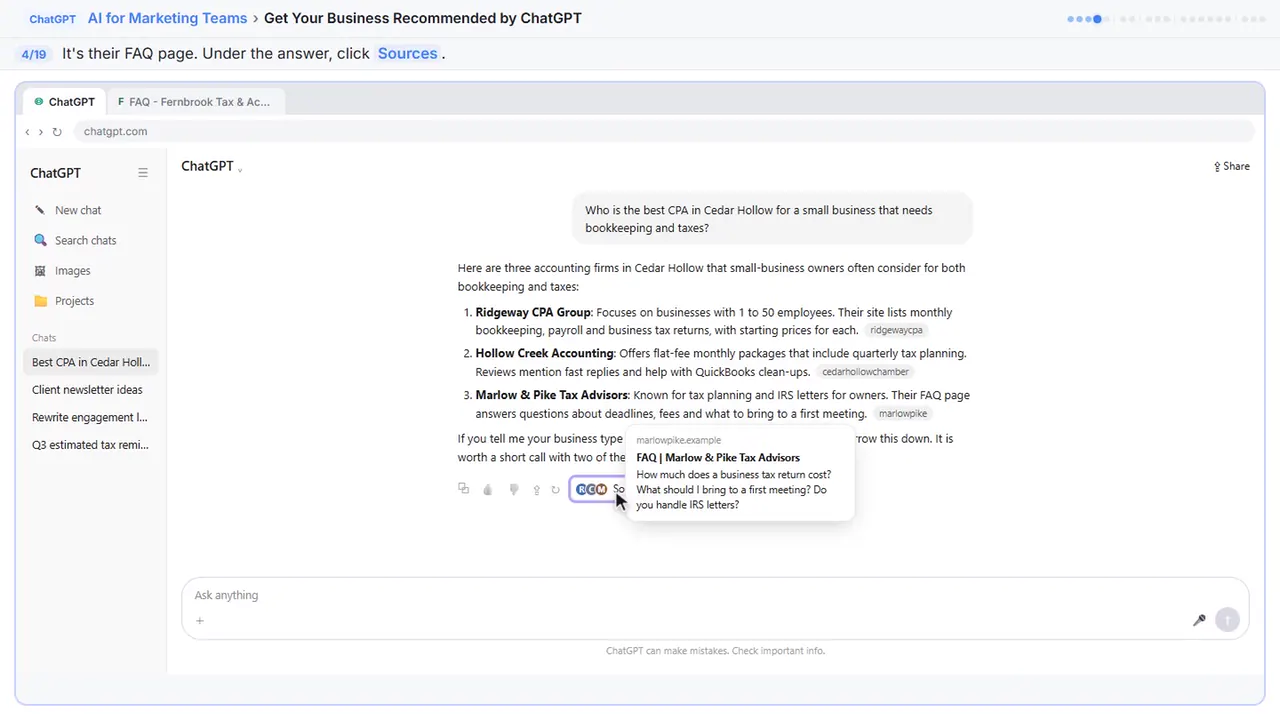
It's their FAQ page.
Step 5: Close Sources
Firm websites, the Chamber directory and a local best-of list. Pages that answer the question clearly, and other sites that mention the firm. Close the panel.
Part 2: Find the questions
Step 6: Ask why, and what customers ask
Now ask why. What did those firms make easy to find? And what do owners ask before they choose an accountant?
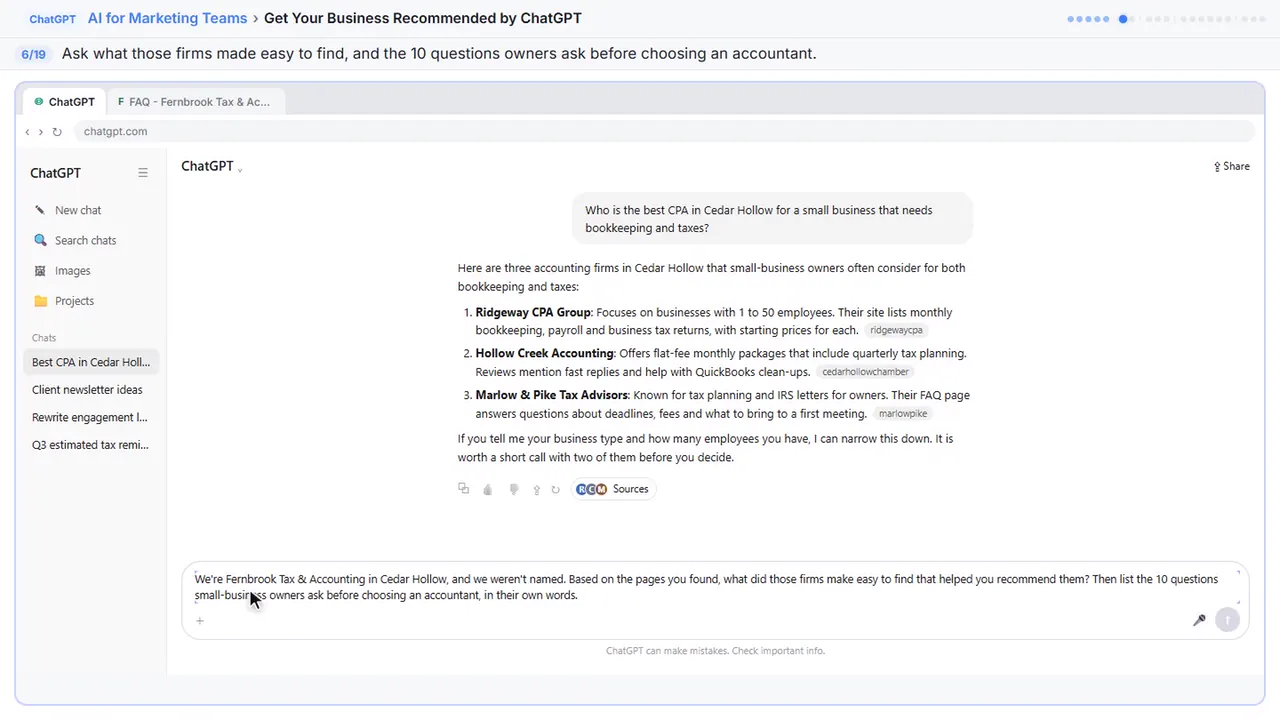
We're Fernbrook Tax & Accounting in Cedar Hollow, and we weren't named. Based on the pages you found, what did those firms make easy to find that helped you recommend them? Then list the 10 questions small-business owners ask before choosing an accountant, in their own words.
Step 7: Send it
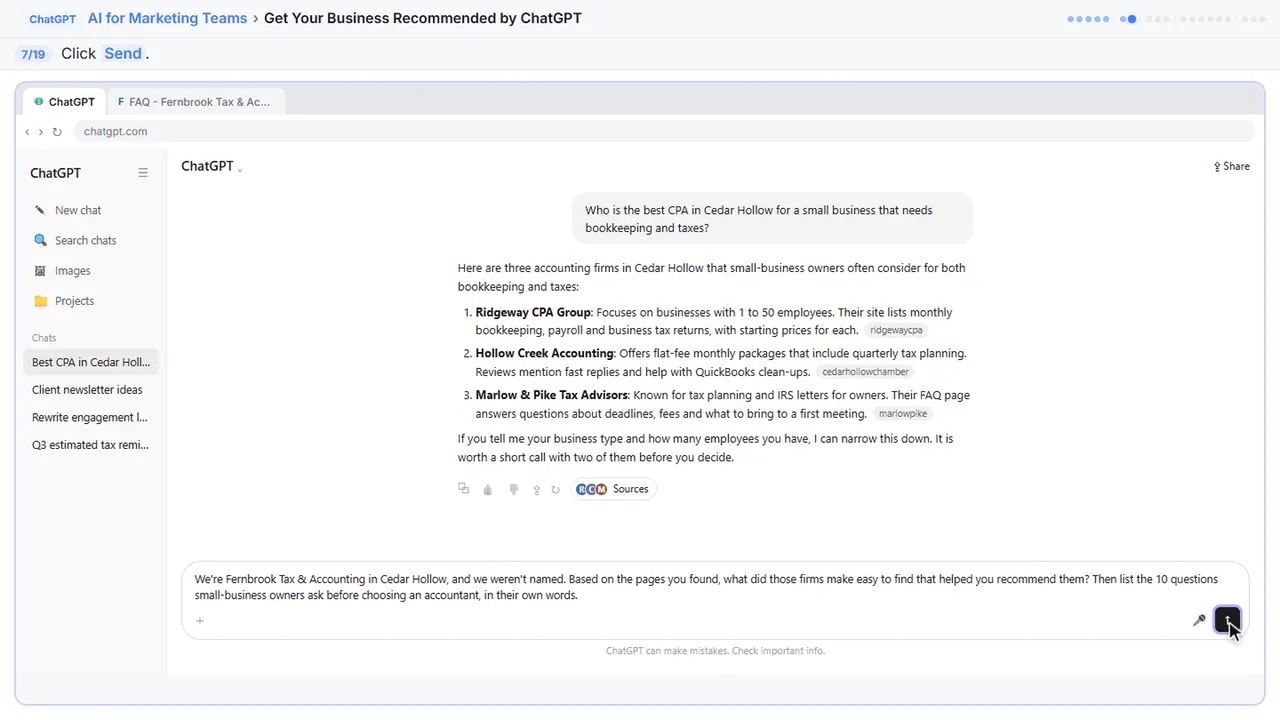
Send.
Part 3: Write the answers
Step 8: Give it your facts
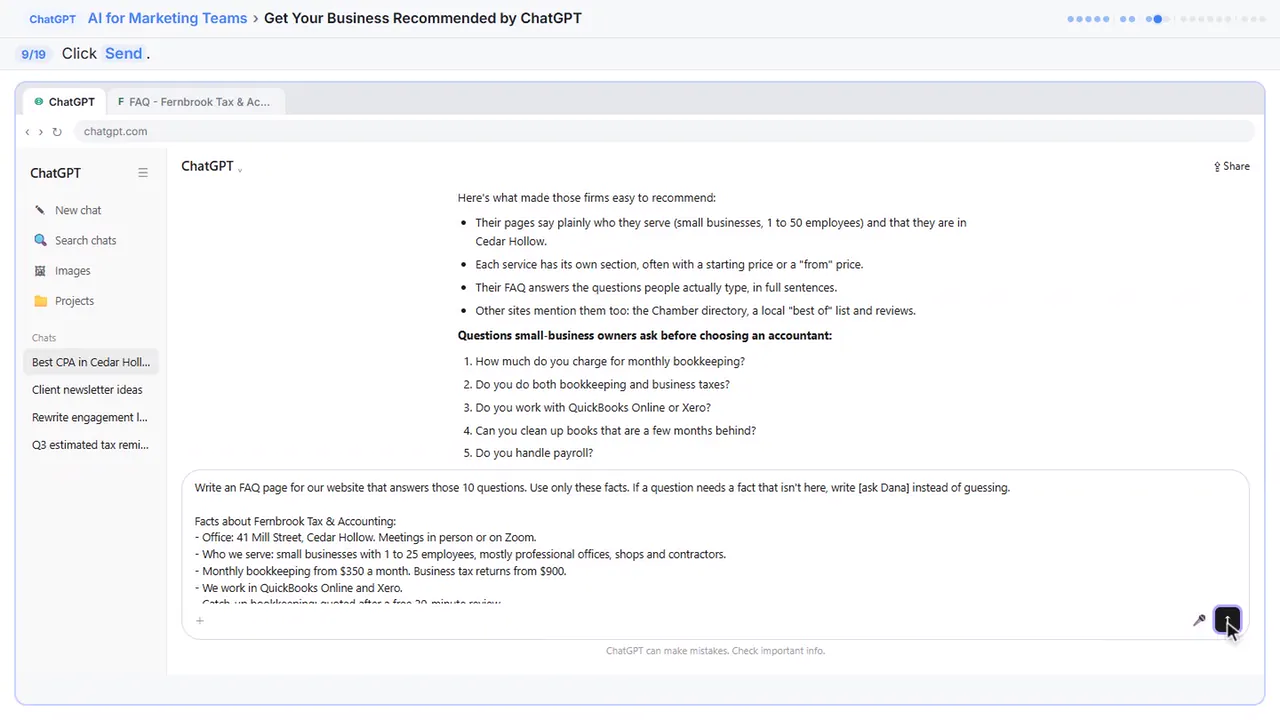
Those ten questions are your FAQ page. It gives ChatGPT the firm's real facts, and one important rule: if a fact is missing, write ask Dana instead of guessing.
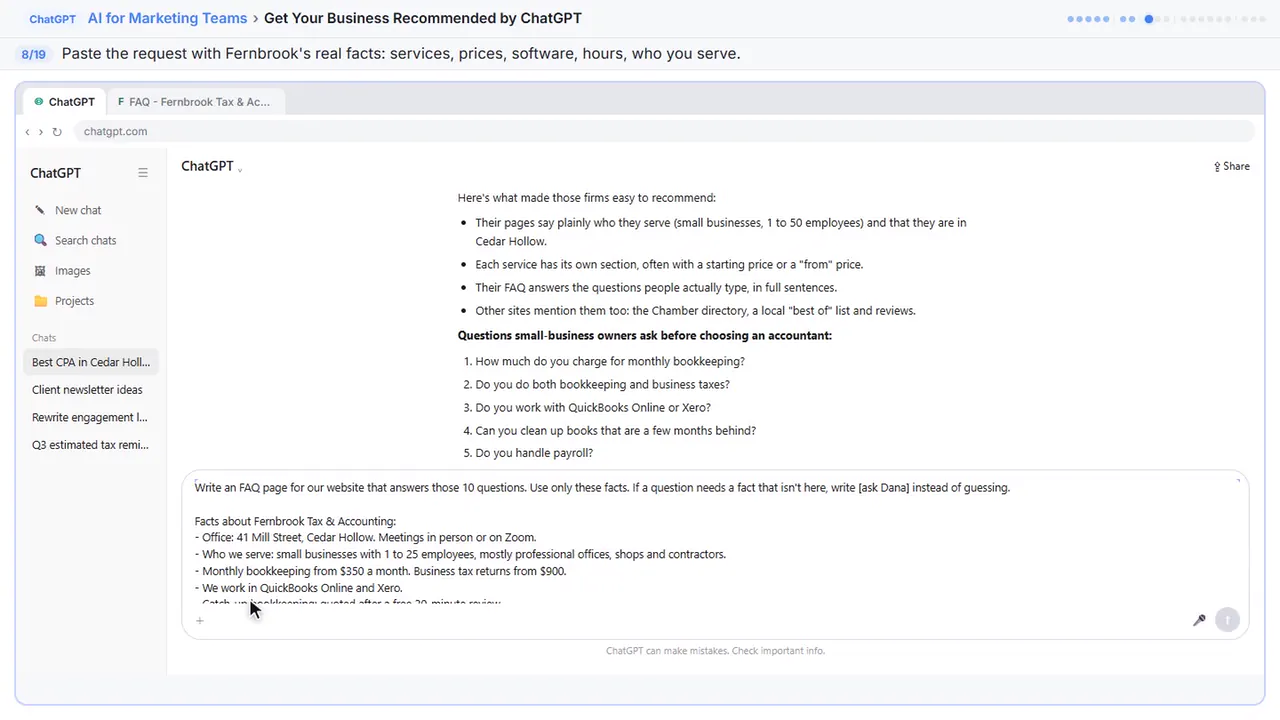
Write an FAQ page for our website that answers those 10 questions. Use only these facts. If a question needs a fact that isn't here, write [ask Dana] instead of guessing.

Facts about Fernbrook Tax & Accounting:
- Office: 41 Mill Street, Cedar Hollow. Meetings in person or on Zoom.
- Who we serve: small businesses with 1 to 25 employees, mostly professional offices, shops and contractors.
- Monthly bookkeeping from $350 a month. Business tax returns from $900.
- We work in QuickBooks Online and Xero.
- Catch-up bookkeeping: quoted after a free 20-minute review.
- Payroll through Gusto, set up and run by us.
- We reply to every email within one business day.
- Two CPAs: Dana Price, CPA, and Luis Ortega, CPA. Founded 2014.

Write it in plain words, one short paragraph per answer, and mention Cedar Hollow where it fits naturally.
Step 9: Send it
Send.
Step 10: Copy it
Plain answers, built only from your facts, with Cedar Hollow where it fits. The IRS question says ask Dana, because you didn't give it that fact. Fill it in yourself before it goes live.
![ChatGPT in Stepthrough’s practice copy, step 10 of 19 (Copy it): the cursor is on “[ask Dana]”, highlighted.](/content/guide/chatgpt-ai-search/step-10.webp)
Part 4: Business Profile
Step 11: Your Business Profile
Your Google Business Profile is the other place these answers come from. Ask for a new description, which Google caps at seven hundred fifty characters, and a services list.
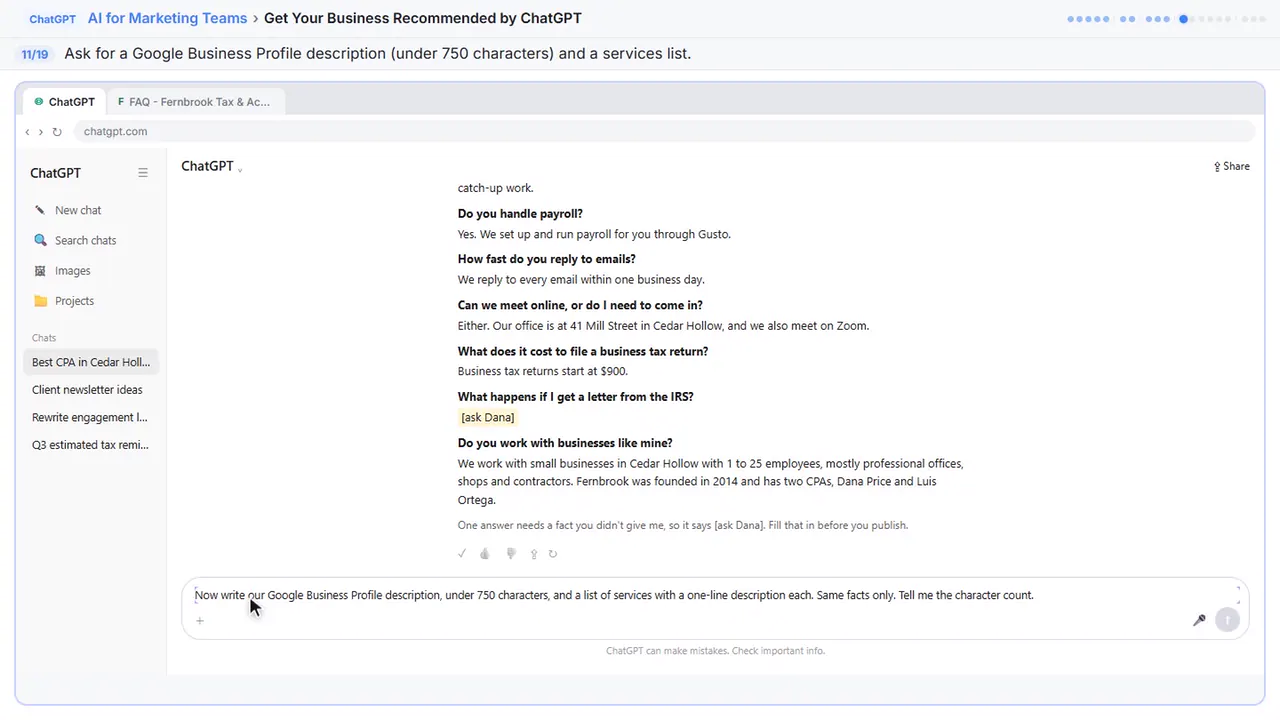
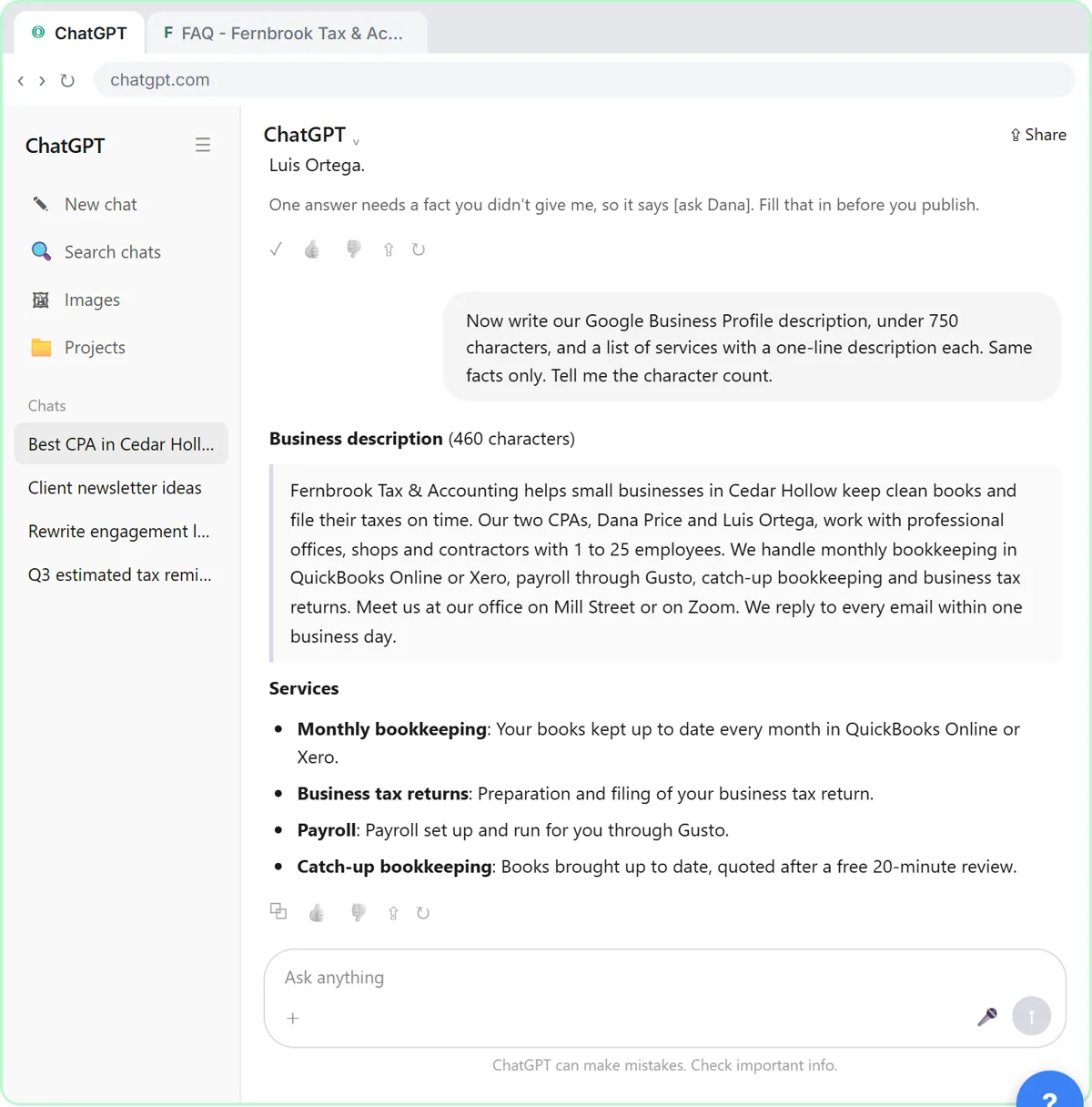
Now write our Google Business Profile description, under 750 characters, and a list of services with a one-line description each. Same facts only. Tell me the character count.
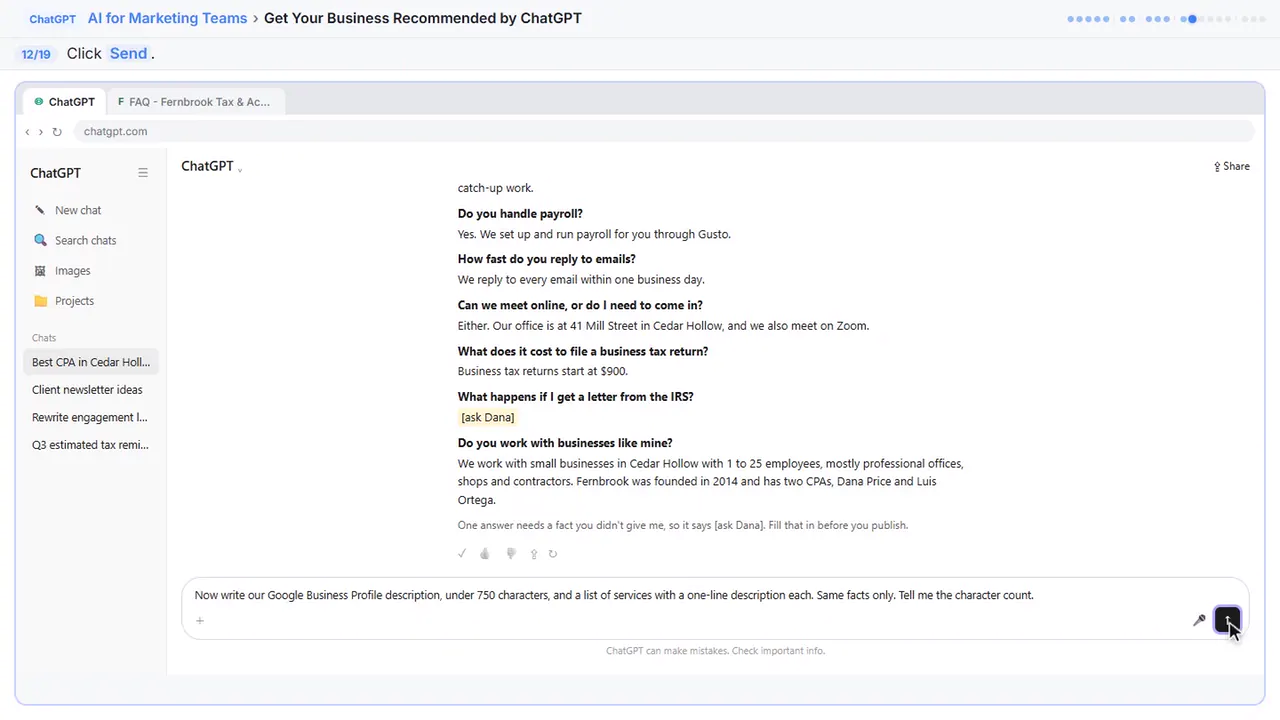
Step 12: Send it
Send.
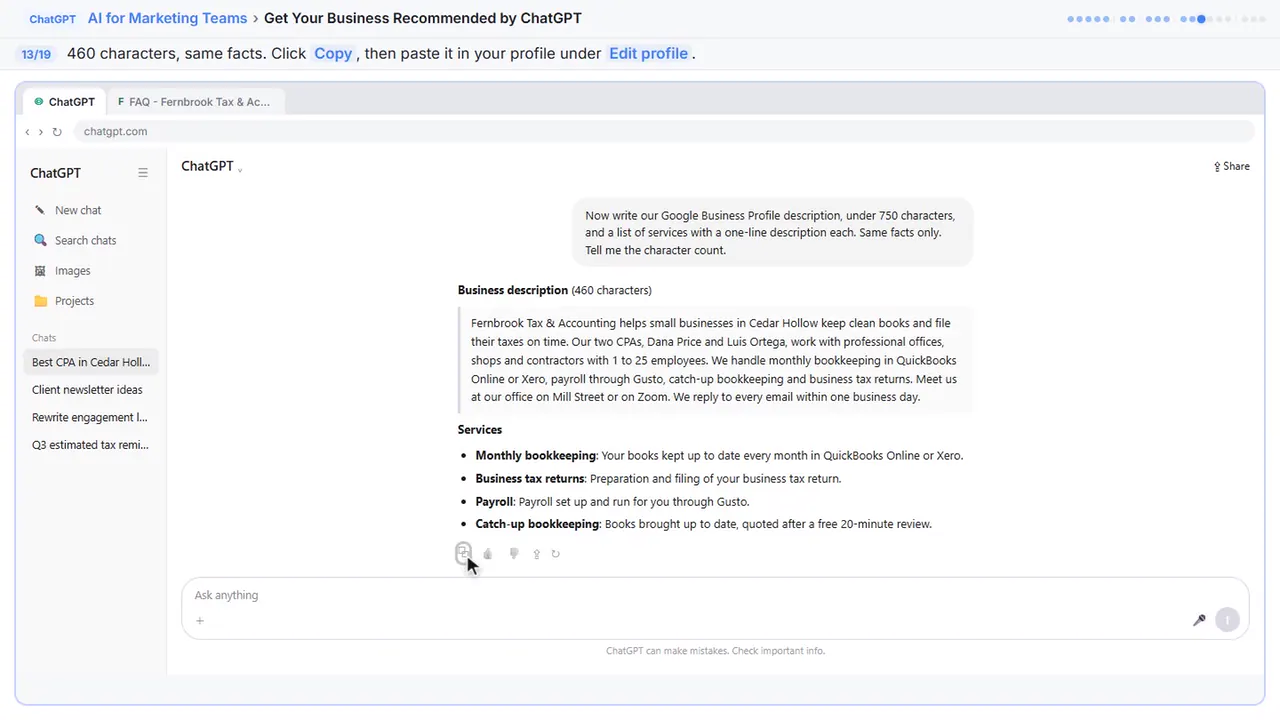
Step 13: Copy it
Four hundred sixty characters, the same facts, and no keyword stuffing. Copy it. In your Business Profile, choose Edit profile, paste the description, and add the services.
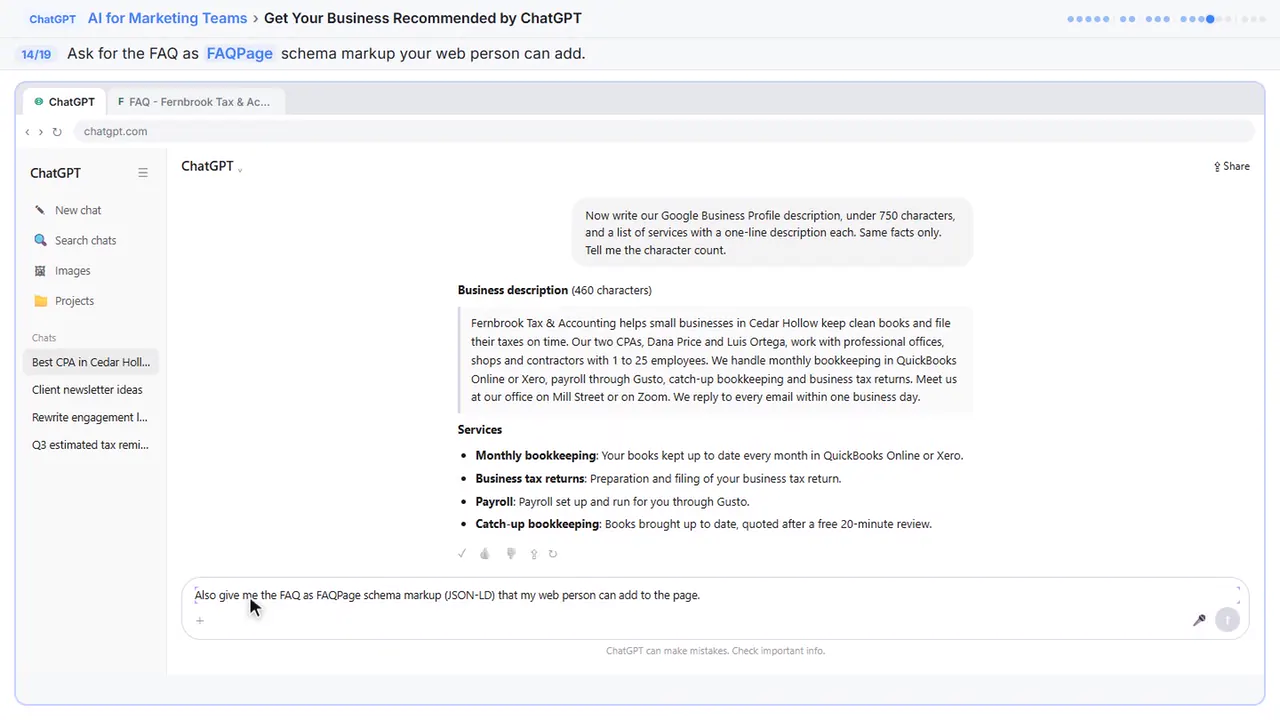
Step 14: Ask for FAQ markup
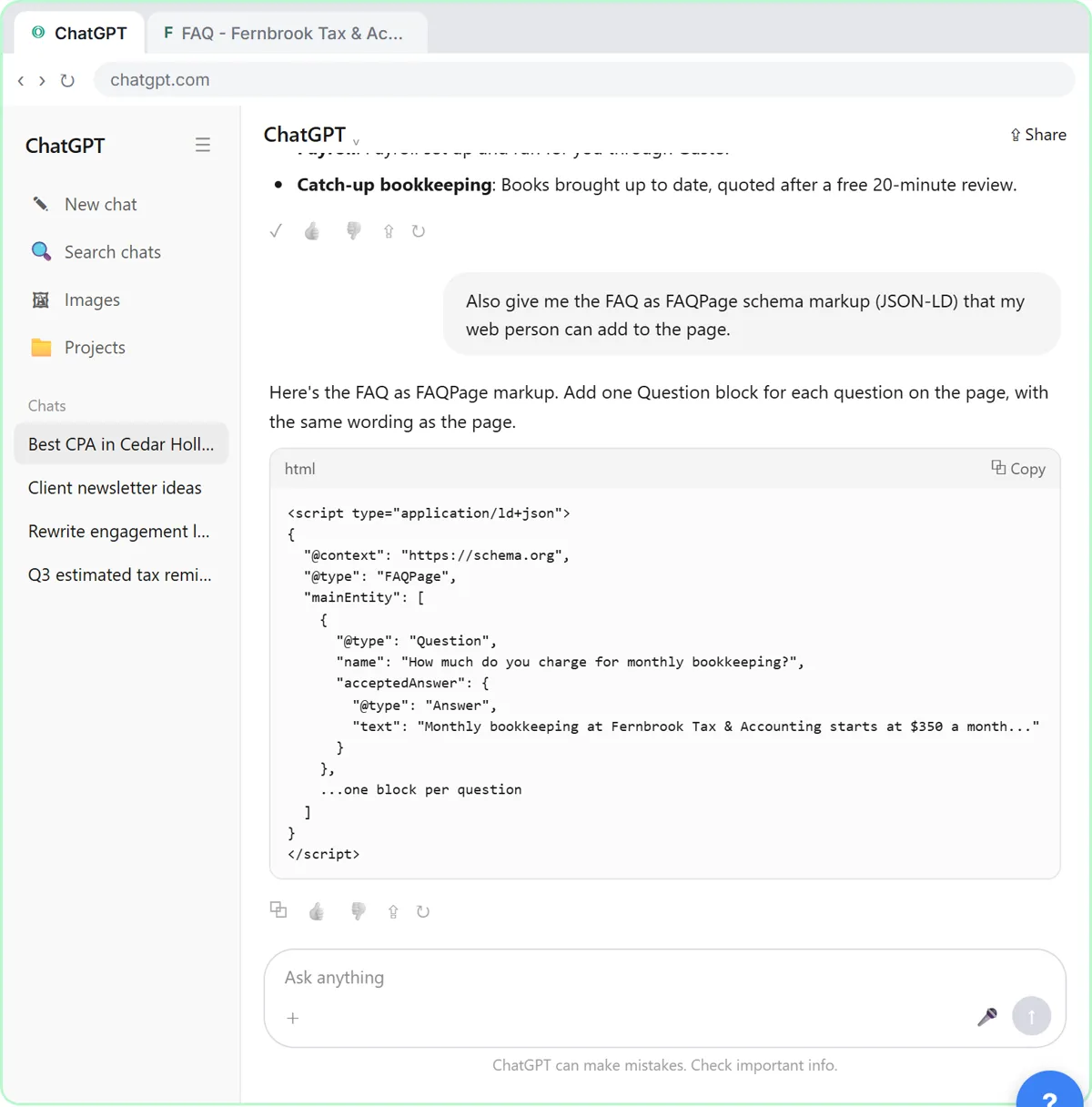
One more for your web person. Ask for the FAQ as schema markup.
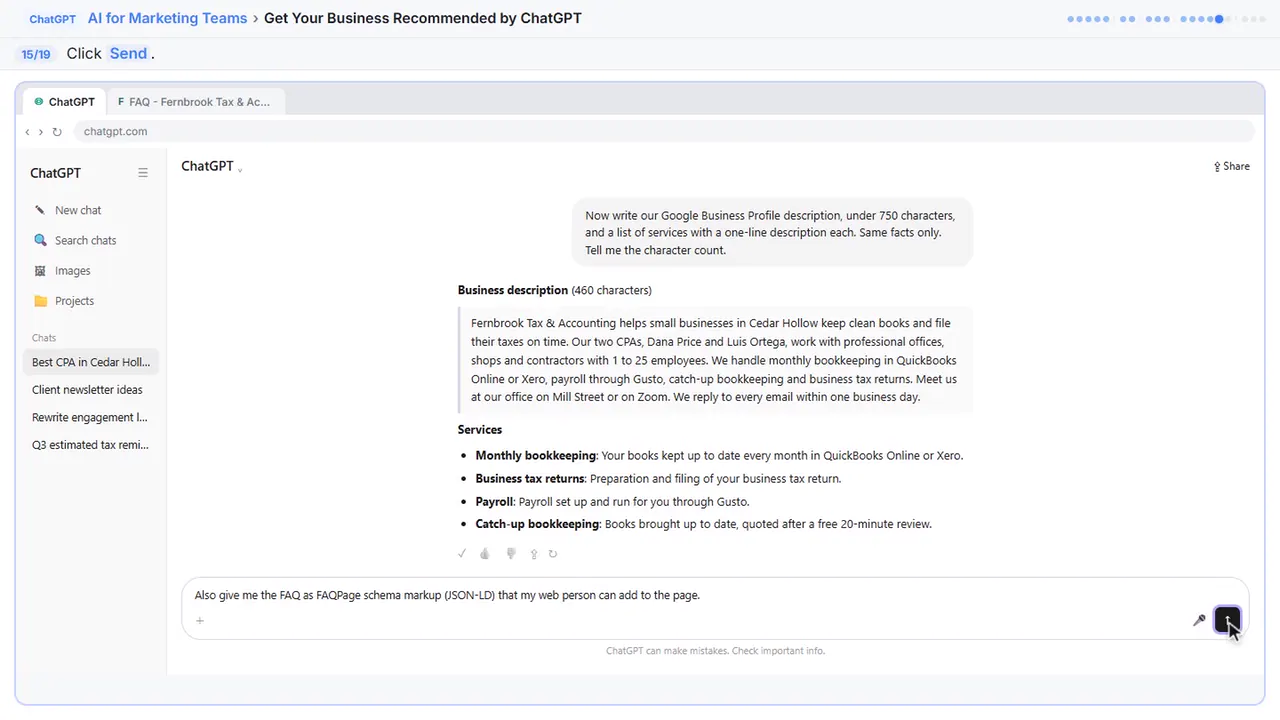
Step 15: Send it
Send.
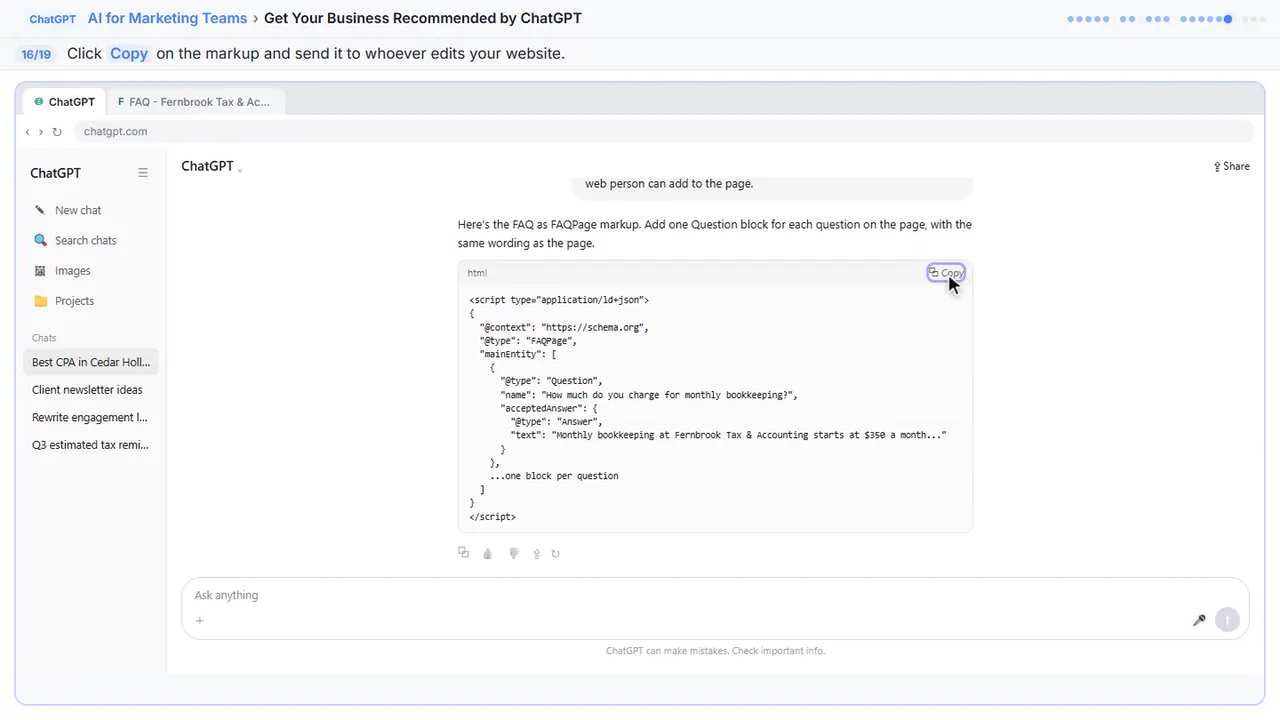
Step 16: Copy it
This labels each question and answer in a way search tools read easily. It won't win you a special spot, but it makes the page clear. Copy it and send it to whoever edits your website.
Part 5: Check it
Step 17: Read it like an AI would
Once the page is live, check it the way an AI will read it.
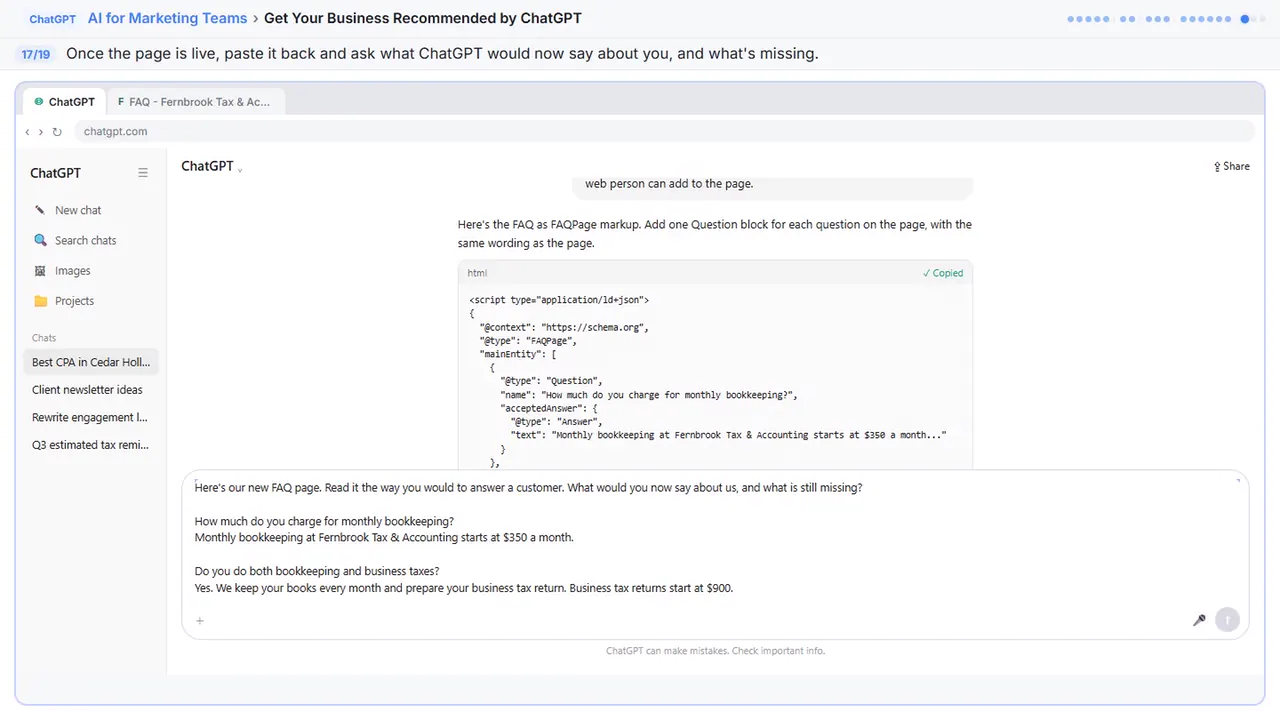
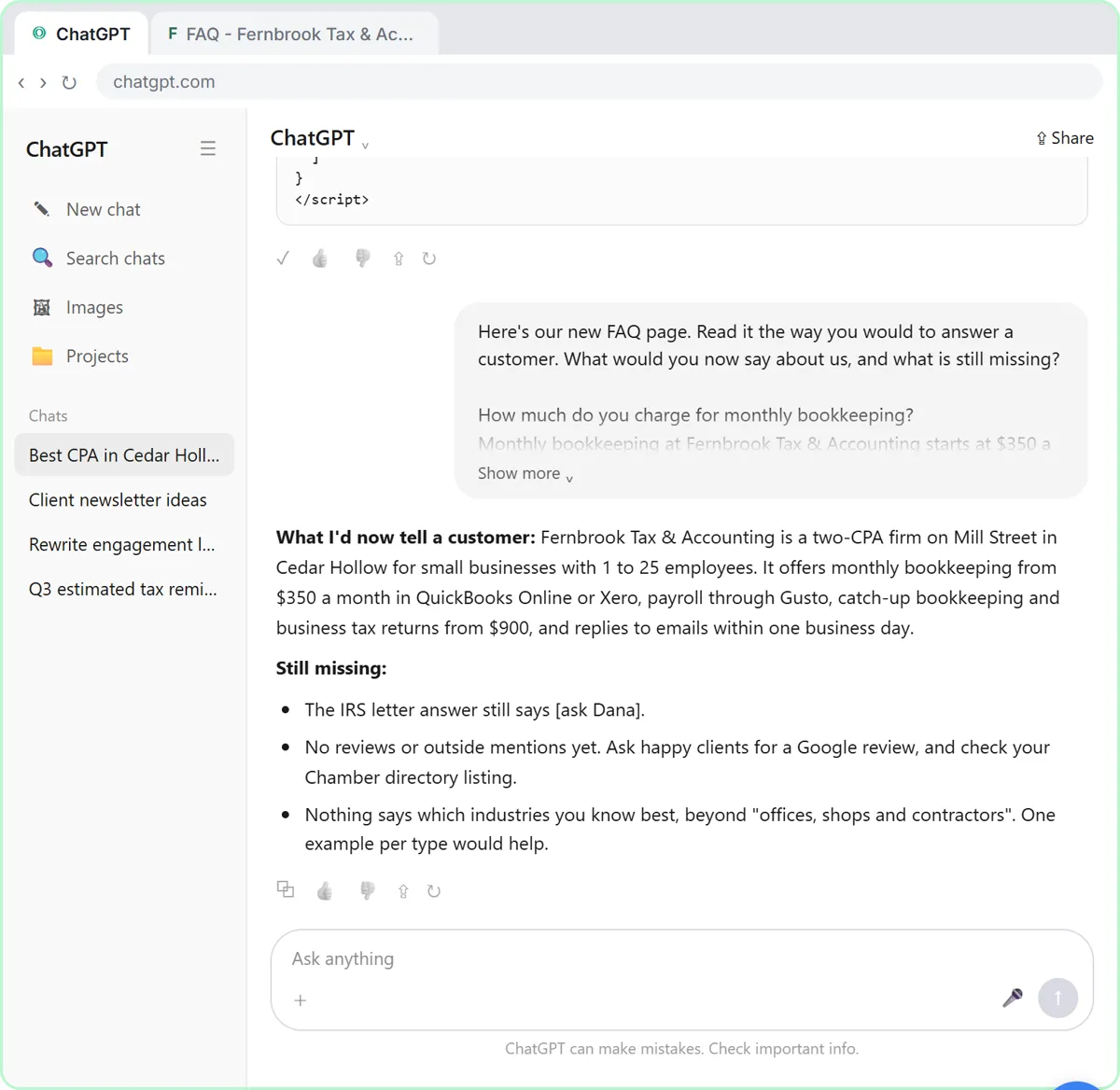
Here's our new FAQ page. Read it the way you would to answer a customer. What would you now say about us, and what is still missing?

How much do you charge for monthly bookkeeping?
Monthly bookkeeping at Fernbrook Tax & Accounting starts at $350 a month.

Do you do both bookkeeping and business taxes?
Yes. We keep your books every month and prepare your business tax return. Business tax returns start at $900.

Do you work with QuickBooks Online or Xero?
We work in both QuickBooks Online and Xero.

Can you clean up books that are a few months behind?
Yes. We start with a free 20-minute review of where things stand, then give you a quote for the catch-up work.

Do you handle payroll?
Yes. We set up and run payroll for you through Gusto.

How fast do you reply to emails?
We reply to every email within one business day.

Can we meet online, or do I need to come in?
Either. Our office is at 41 Mill Street in Cedar Hollow, and we also meet on Zoom.

What does it cost to file a business tax return?
Business tax returns start at $900.

What happens if I get a letter from the IRS?
[ask Dana]

Do you work with businesses like mine?
We work with small businesses in Cedar Hollow with 1 to 25 employees, mostly professional offices, shops and contractors. Fernbrook was founded in 2014 and has two CPAs, Dana Price and Luis Ortega.
Step 18: Send it
Send.
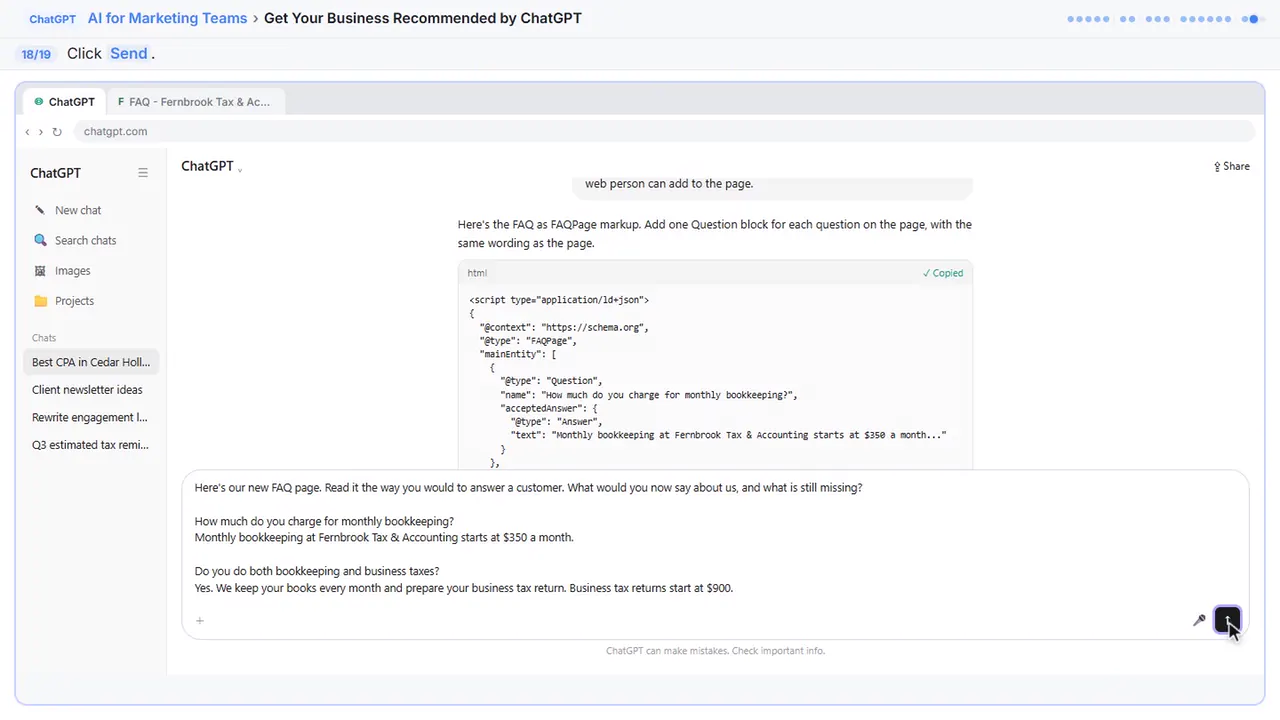
Step 19: Check again later
Two gaps: the IRS answer, and no reviews or outside mentions yet. Ask happy clients for a Google review, and check your Chamber listing. Then, in a few weeks, start a new chat and ask the first question again. Try Perplexity and Google's AI Mode too. Nobody can promise a spot, but clear answers give you a real chance.
![ChatGPT in Stepthrough’s practice copy, step 19 of 19 (Check again later): the cursor is on “[ask Dana]”, highlighted.](/content/guide/chatgpt-ai-search/step-19.webp)
Now do it yourself, free
Reading the steps is a start. Doing them is how it sticks. The interactive lesson puts you in a practice copy of ChatGPT: you do every step yourself, it checks your work, and “Do it for me” finishes any step you get stuck on. Nothing touches your real accounts.
Practice “Get Your Business Recommended by ChatGPT” step by stepGet Your Business Recommended by ChatGPT: video walkthrough
The whole lesson in 2:14, narrated step by step.
Simulated practice environment. Recorded in Stepthrough’s simulated practice environment, not the live tool. Practice it yourself free at learn.ynteractive.com.
Chapters
Click a chapter to jump the video there.
Now do it yourself, free
Watching is the warm-up. The interactive lesson puts you in a practice copy of ChatGPT: you do every step yourself, it checks your work, and “Do it for me” finishes any step you get stuck on. Nothing touches your real accounts.
Practice “Get Your Business Recommended by ChatGPT” step by stepFull transcript
Ask like a customer
0:00 You're Dana at Fernbrook Tax and Accounting in Cedar Hollow. More and more new clients ask ChatGPT which accountant to call, so start where they do. Ask the question a small-business owner would ask.
0:11 Send it.
0:12 It searched the web and named three firms. Fernbrook isn't one of them. The small grey tags are citations, the pages it used. Point to the Marlow and Pike one to see it.
0:22 It's their FAQ page. Now click Sources under the answer to see everything it read.
0:26 Firm websites, the Chamber directory and a local best-of list. Pages that answer the question clearly, and other sites that mention the firm. Close the panel.
Write the answers
0:35 Now ask why. What did those firms make easy to find? And what do owners ask before they choose an accountant?
0:42 Send.
0:43 Those ten questions are your FAQ page. Paste this. It gives ChatGPT the firm's real facts, and one important rule: if a fact is missing, write ask Dana instead of guessing.
0:53 Send.
0:53 Plain answers, built only from your facts, with Cedar Hollow where it fits. The IRS question says ask Dana, because you didn't give it that fact. Fill it in yourself before it goes live. Click Copy.
Business Profile
1:05 Your Google Business Profile is the other place these answers come from. Ask for a new description, which Google caps at seven hundred fifty characters, and a services list.
1:14 Send.
1:15 Four hundred sixty characters, the same facts, and no keyword stuffing. Copy it. In your Business Profile, choose Edit profile, paste the description, and add the services.
1:24 One more for your web person. Ask for the FAQ as schema markup.
1:28 Send.
1:29 This labels each question and answer in a way search tools read easily. It won't win you a special spot, but it makes the page clear. Copy it and send it to whoever edits your website.
Check it
1:39 Once the page is live, check it the way an AI will read it. Paste the page and ask what it would now say about you, and what is still missing.
1:46 Send.
1:47 Two gaps: the IRS answer, and no reviews or outside mentions yet. Ask happy clients for a Google review, and check your Chamber listing. Then, in a few weeks, start a new chat and ask the first question again. Try Perplexity and Google's AI Mode too. Nobody can promise a spot, but clear answers give you a real chance. Click New chat.
2:07 Simple as that. We show you and you do it. Sign up below to learn AI automation for free.

What you will do in this lesson
You are Dana at Fernbrook Tax & Accounting, a made-up two-CPA firm in the made-up town of Cedar Hollow. You ask ChatGPT the question a new client would ask: who is the best CPA in Cedar Hollow for a small business that needs bookkeeping and taxes? It searches the web and names three other firms, each with a citation.
You point to a citation to preview the page behind it, then open Sources to see everything ChatGPT read: the firms' own websites, the local Chamber of Commerce directory and a 'best of' list in the local paper. Then you ask why those firms were easy to recommend and what owners ask before choosing an accountant, and you get ten questions in customers' own words.
From there you turn Fernbrook's real facts into three things: an FAQ page that answers those questions, a Google Business Profile description (Google's limit is 750 characters) with a services list, and FAQPage schema markup for whoever edits your website. Finally you paste the finished page back into ChatGPT and ask what it would now say about the firm and what is still missing.
Why some businesses get named and others don't
None of this is a trick. It is the same thing that helps a person decide: clear, specific answers in more than one place. That is why the lesson spends its time on your answers, not on keywords.
- Their pages say plainly who they serve and where they are.
- Each service has its own section, often with a starting price.
- An FAQ answers the questions people actually type, in full sentences.
- Other sites mention them: a Chamber directory, a local list, reviews.
The one rule that keeps it honest: only your facts
The request you paste lists Fernbrook's facts (office address, who they serve, starting prices for bookkeeping and tax returns, QuickBooks Online and Xero, payroll through Gusto, the one-business-day reply promise, the two CPAs and the year they started) and tells ChatGPT to write [ask Dana] wherever a fact is missing. In the lesson, the answer about IRS letters comes back as [ask Dana], because the facts never covered it. That is exactly what you want: a gap you can see and fill, instead of a confident sentence someone invented.
What you need for the real thing
- ChatGPT. Web search works on the free plan and every paid plan, and even without signing in.
- Access to your website (or the person who edits it) and to your Google Business Profile.
- A site that doesn't block OpenAI's crawler, OAI-SearchBot, in robots.txt. OpenAI says sites must allow it to be eligible for ChatGPT search results.
What this can and can't do
No one can promise you a place in ChatGPT's answers, Google's AI Overviews or Perplexity, and anyone who does is guessing. OpenAI says placement is not guaranteed. What you can control is whether your own answers are clear, true and easy to find, and whether other local sites mention you. FAQPage markup won't win a special spot on its own either; it labels each question and answer so tools read the page cleanly.
Check every answer before it goes live, keep prices and promises current, and ask happy clients for reviews. Then re-ask the same question every month in ChatGPT, Perplexity and Google's AI Mode, and note who is named and which sources are cited.
Who this is for
Owners and marketers at small local firms, such as accountants, law offices, dental and medical practices, insurance agencies and consultants, who want to be the name ChatGPT gives when someone asks for a recommendation. No technical skill needed: everything happens in a ChatGPT chat.
Try it yourself, free
Reading the steps is a start. Doing them is how it sticks. The interactive module walks you through every click in a practice copy of ChatGPT, checks each step, and never touches your real accounts.
Start “Get Your Business Recommended by ChatGPT”Screenshots
![An FAQ page ChatGPT wrote only from the firm's facts, with the IRS-letter answer marked [ask Dana] because that fact was missing](/content/img/chatgpt-ai-search/02-faq-from-your-facts.webp)
Frequently asked questions
- How does the interactive lesson work?
- Each step is shown to you first on the left (Watch). Then you do it yourself in a practice copy on the right (Your turn), and every click is checked. If you get stuck, press Do it for me. It is a practice copy, so no real accounts are touched.
- Is this free?
- Stepthrough is completely free. ChatGPT's web search works on the free plan, so you can do the real thing at no cost. Changing your website may need your web person.
- Will this get my business recommended by ChatGPT?
- It gives you a real chance, but no one can guarantee it. ChatGPT names businesses whose pages answer the question clearly and that other sites mention. This lesson fixes the first part with your own facts and shows you how to work on the second.
- What if ChatGPT makes something up on my FAQ page?
- The request tells it to use only the facts you give and to write [ask Dana] (or your own name) wherever a fact is missing. Read every answer before you publish it.
- Do I need the FAQ markup?
- It is optional. It labels each question and answer for search tools. It won't win a special result by itself, but it is quick for a web person to add.
More in AI Automation for Marketing
 Build an n8n AI Agent That Plans Your Content Calendar
Build an AI agent for Harbor & Pine Coffee Roasters that turns one campaign theme into a two-week email and content calendar in Google Sheets — chat trigger, AI Agent…
Free · Live ~12 min
 VisualGPT: Product Photos, Listing Images and Ads from One Phone Photo
Turn one phone photo into a lifestyle product shot, a five-image Amazon listing set and three launch ads in VisualGPT's Commercial Studio, checking the plan and every…
Free · Live ~8 min
All 5 modules in AI Automation for Marketing
More ChatGPT tutorials
 Prompt Writing 101: Role, Context, Task, Format
Ask ChatGPT for the same customer email twice, once vaguely and once with a four-part prompt, and see exactly why structure gets a better answer.
Free · Live ~8 min
 Summarize a Meeting Transcript with ChatGPT
Paste a long meeting transcript into ChatGPT and get the decisions, an action items table with owners and due dates, and a follow-up email ready to send.
Free · Live ~9 min
 Reply Faster: Turn a Messy Customer Email Thread into a Clear, Friendly Reply
Turn a messy customer email thread into a clear, friendly reply: give ChatGPT the thread and your facts, check every promise, fix the tone, and send it from Gmail.
Free · Live ~9 min
 ChatGPT Projects: Keep Your Brand Voice, Files and Instructions in One Place
Set up a ChatGPT Project with your brand voice instructions, your price list and your style guide, so every new chat already knows your business.
Free · Live ~9 min
 Analyze a Spreadsheet with ChatGPT: Upload a CSV, Get a Chart and Three Takeaways
Upload a CSV of sales to ChatGPT, have it check the data first, ask your questions, get a chart you can download, and finish with the three takeaways that matter.
Free · Live ~10 min
 ChatGPT Work: Have ChatGPT Do a Multi-Step Task
Switch ChatGPT to Work, hand it a real job (compare three suppliers into a spreadsheet), approve the sites it opens, skip a login, answer its question, check the file…
Free · Live ~8 min
Terms in this lesson
Plain-English definitions, each with an example from a free lesson.