This guide explains the term in plain words, how it relates to SEO, and the steps that are actually in your control.
What does generative engine optimization mean?
It means optimizing for the AI that writes the answer, not only for the list of links. A "generative engine" is any tool that reads several sources and writes a direct answer, often with citations. The AI search glossary entry describes the shift: when someone asks an AI tool "who does this in my town and what does it cost?", the answer may summarize a few businesses before anyone clicks a link.
If your site doesn't plainly say what you do, where and roughly for how much, you may be left out of that summary or described wrongly. GEO is the work of making sure you're in it, described accurately.
How is GEO different from SEO?
GEO builds on SEO rather than replacing it. Search engine optimization is about ranking pages in search results. AI answers often draw on and cite pages that already rank, so SEO still matters. GEO adds a layer where the answer is written for the searcher, which makes clear, quotable facts more important than ever.
| SEO | GEO | |
|---|---|---|
| Goal | Rank a page in the results list | Get named and described correctly in an AI answer |
| What the reader sees | A list of links | A written answer with a few citations |
| What helps most | Relevant pages, links, good technical setup | The same, plus direct answers to real questions and consistent facts across sites |
One more difference: an AI's built-in knowledge can be out of date (the glossary calls this a knowledge cutoff). AI search tools fetch current pages, which is why up-to-date site content matters.
What do AI answer tools look for?
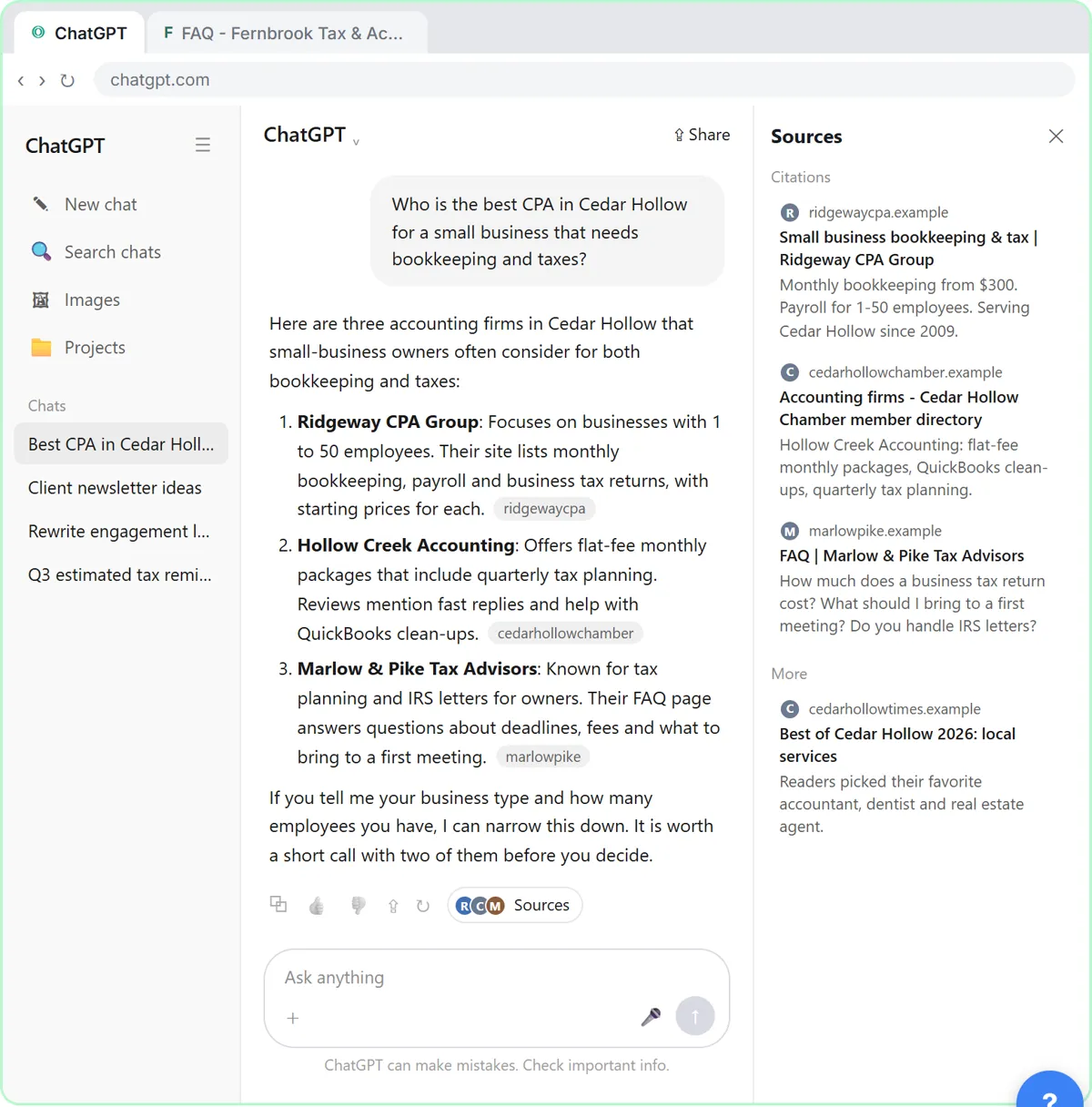
Clear answers in more than one place. In the lesson, a made-up two-CPA firm, Fernbrook Tax & Accounting, asks ChatGPT for the best CPA in its made-up town of Cedar Hollow and isn't named. When it asks ChatGPT what the named firms made easy to find, the answer lists four things:
- Their pages say plainly who they serve and where they are.
- Each service has its own section, often with a starting price.
- An FAQ answers the questions people actually type, in full sentences.
- Other sites mention them: a Chamber directory, a local "best of" list and reviews.
None of this is a trick. It's the same information that helps a person decide, which is why the lesson spends its time on your answers, not on keywords.
How do I start with GEO for a small business?
Start inside ChatGPT, with the question your customers would ask. The lesson's routine has five steps:
- Ask like a customer. Put your town and your service in the question, then click Sources under the answer to see which pages ChatGPT read.
- Find the questions. Ask why the named businesses were easy to recommend and for the 10 questions customers ask before choosing.
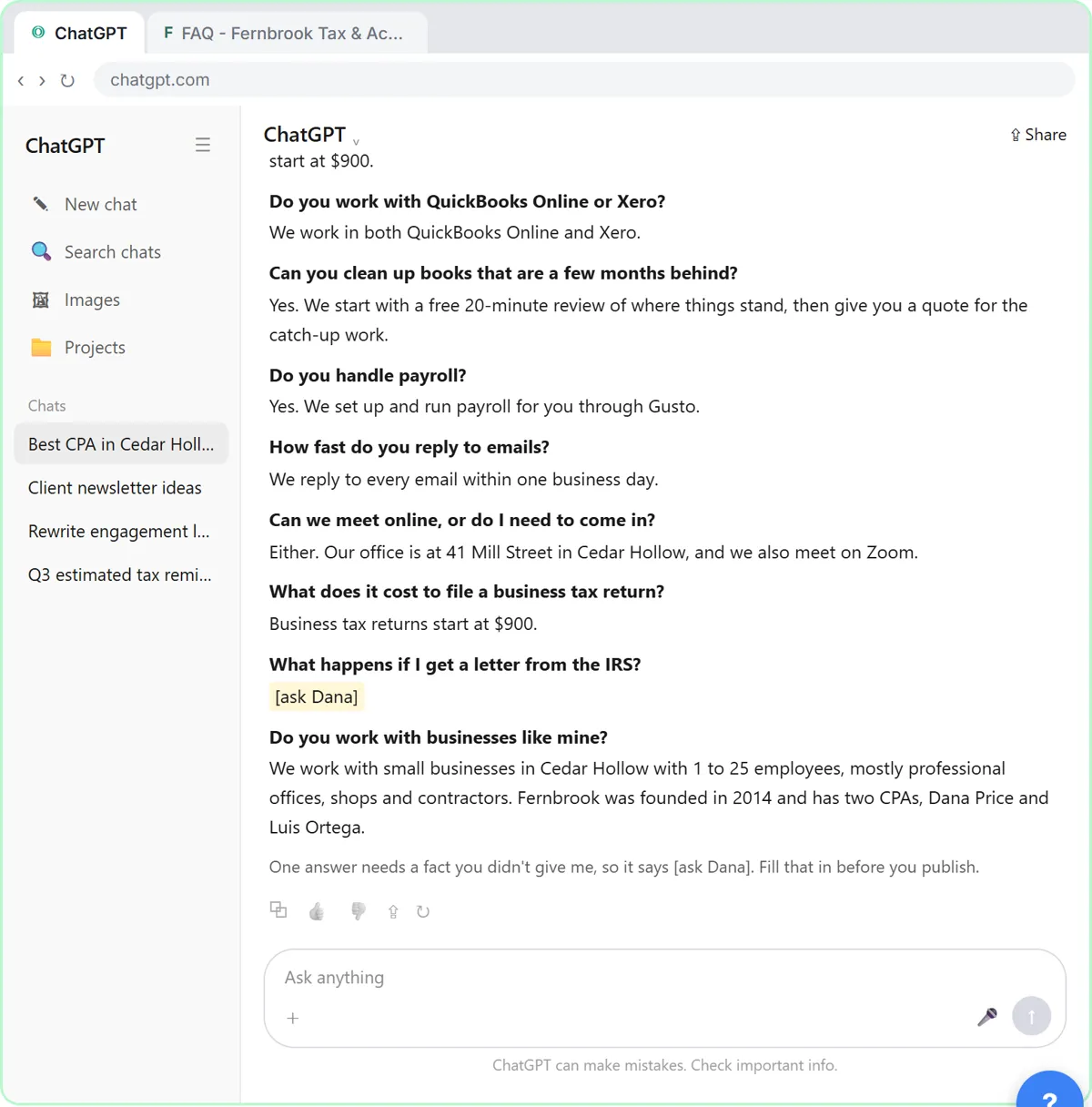
- Write answers from your facts. Paste your real facts and ask for an FAQ page, with a placeholder such as [ask Dana] wherever a fact is missing.
- Update your Business Profile. Ask for a description under 750 characters, Google's limit, and a services list.
- Check it. Paste the finished page back and ask what ChatGPT would now say about you and what's missing.
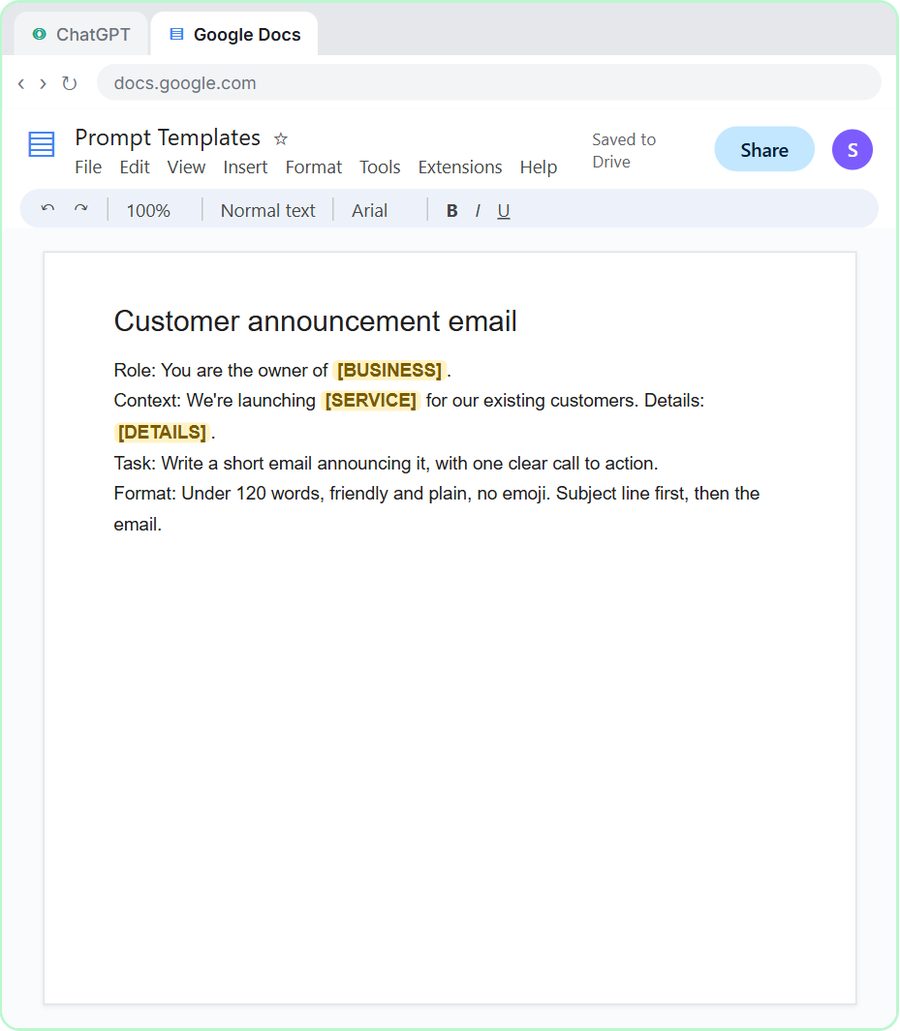
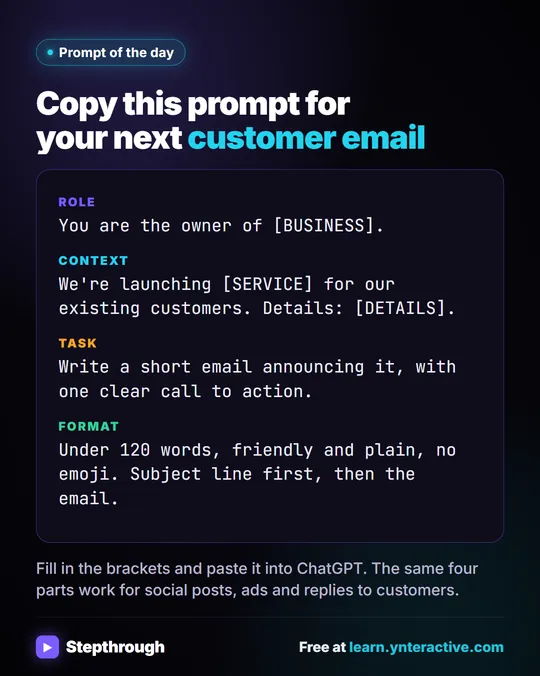
The prompts in those steps use the same four parts taught in Prompt Writing 101: Role, Context, Task and Format. Google Business Profile Description: Write It with ChatGPT covers step 4 in detail.
Try it free, step by step
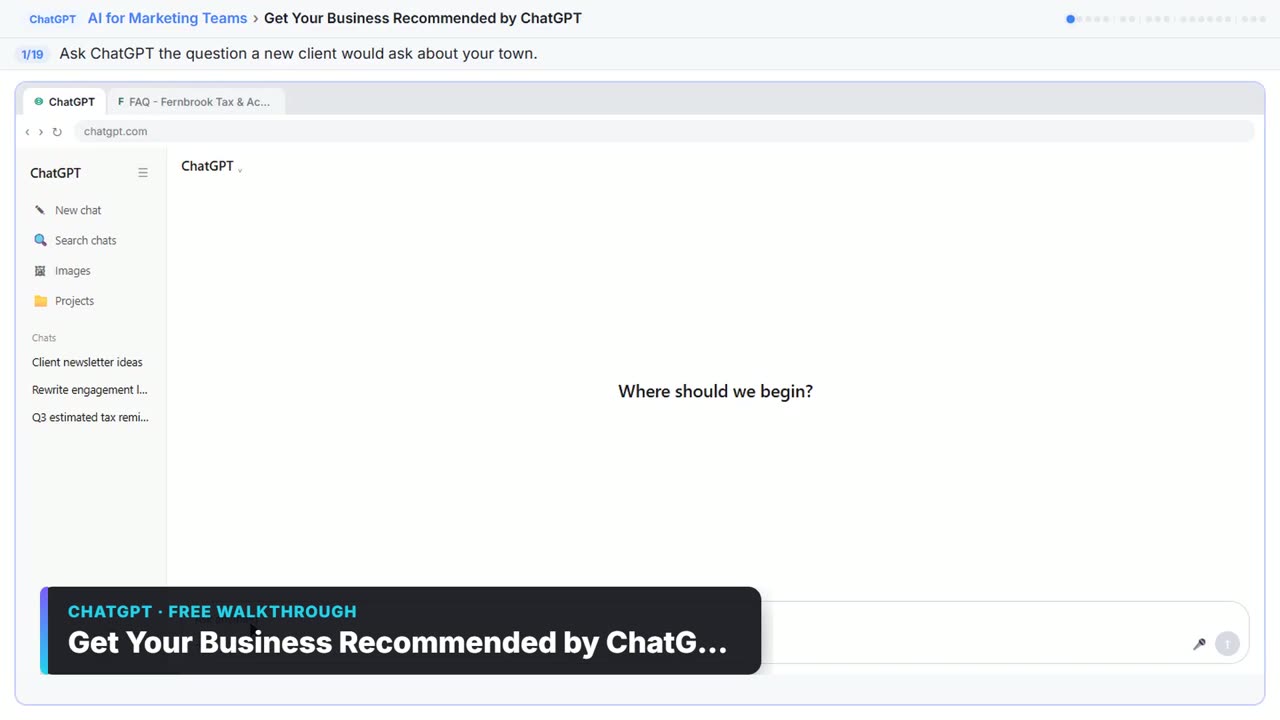
Get Your Business Recommended by ChatGPT. Ask ChatGPT who it recommends in your town, see which pages it trusts, then use it to write an FAQ page and Business Profile copy that answer real customer questions. You do every step yourself in a practice copy of ChatGPT, it checks your work as you go, and “Do it for me” finishes any step you get stuck on. Free, and nothing touches your real accounts.
Start the free lessonDoes FAQ schema markup help with GEO?
It helps tools read your page, but it won't win you a special spot by itself. In the lesson you ask ChatGPT for the FAQ as FAQPage schema markup (JSON-LD) to send to your web person. It labels each question and answer so search tools can read the page cleanly. The content of the answers, and other sites mentioning you, matter more.
There's one technical check worth making too: OpenAI says sites must allow its crawler, OAI-SearchBot, in robots.txt to be eligible for ChatGPT search results. Ask whoever runs your website to confirm it isn't blocked.
Can I pay to appear in AI answers?
Not in the AI-written answer itself. Some platforms show ads near or inside AI answers, but the answer isn't something you can buy into, according to the glossary entry. OpenAI says placement in ChatGPT search results isn't guaranteed. Be wary of anyone who promises a guaranteed spot in ChatGPT, Google's AI Overviews or Perplexity; they're guessing.
What you can control is whether your answers are clear, true and easy to find, and whether your facts match everywhere: your website, your Google Business Profile and directories. Why ChatGPT Recommends Your Competitors shows how to find out where you stand today. The same facts belong in your social posts too; AI Social Media Post Ideas shows an agent that drafts them in your brand voice.
How do I measure whether GEO is working?
Re-ask the same questions on a schedule and write down what changes. Once a month, start a new chat in ChatGPT, Perplexity and Google's AI Mode, ask your customer question, and note who is named and which sources are cited. That simple log tells you more than any score, because it's the same answer your customers see.
Glossary terms used in this post: AI search and AI citations.
Key takeaways
- GEO, generative engine optimization, means making your business easy for AI answer tools such as ChatGPT search, Google's AI Overviews and Perplexity to find, quote and recommend.
- GEO builds on SEO: AI answers often cite pages that already rank, but they reward direct, quotable answers to real customer questions.
- AI tools tend to name businesses whose pages say who they serve and where, list each service, answer common questions in an FAQ, and are mentioned on other sites.
- Write every answer from your own facts, with a visible placeholder for anything missing, so nothing on your site is invented.
- No one can guarantee placement in AI answers; re-ask the same customer question monthly and log who is named.
Frequently asked questions
- Is GEO the same as AI SEO?
They're used for the same idea: helping AI search tools find and quote your content. "Generative engine optimization" is the more specific name. Either way, the work is clear pages, real answers and consistent facts.
- Does GEO replace SEO?
No. Traditional results and AI answers now appear side by side in many tools, and customers use both. Good SEO habits still help, because AI answers often draw on pages that already rank.
- Do I need technical skills for GEO?
Not for most of it. Finding customer questions and writing answers from your facts happens in a ChatGPT chat. You may need your web person to publish the page, add FAQ markup and check that robots.txt allows AI crawlers.
- How long does it take to see results?
There's no fixed timeline, and no one can promise a result. Publish clear answers, ask happy clients for reviews, then check again in a few weeks with a new chat.