Find and use n8n templates: import one, connect your accounts, make it yours
A free one-page cheat sheet for n8n templates: find one in the gallery, import it, connect your own accounts, fix the warnings, test and publish.
Find and use n8n templates: import one, connect your accounts, make it yours
A template is someone else's workflow. It can't know your accounts or your data, so your job is the part it leaves to you.
Find and import
- In your n8n workspace, click Templates in the left sidebar. The gallery opens on n8n.io.
- Pick a category (the lesson uses Sales), type form in the search box and press Enter.
- Open Log booking requests to Google Sheets and send a Gmail confirmation, then click Use for free.
- Click Import template to your workspace. A Set up template window lists every account it needs.
Connect your own accounts
- Credentials are never shared with a template. Under 1. Google Sheets, click Create new Google Sheets credential, then Sign in with Google.
- Pick the business account, tick Select all, Continue. Close the window when it says Account connected.
- Repeat under 2. Gmail, then click Continue.
- Self-hosted n8n may need your own Google OAuth app first.
Make it yours
- Open each node with a warning. In Append row in sheet, pick your Document and Sheet.
- Your sheet needs the template's headers in its first row.
- In Send a message, write your own email.
{{ $json.Name }}and{{ $json["Pet name"] }}pull in the form answers. - Click Execute workflow, fill in the test form, Submit. Every step green? Click Publish.
Other ways in
- Copy template to clipboard (JSON)
- Paste it onto an empty canvas with Ctrl+V or Cmd+V.
- Import from File
- In the ··· workflow menu, for a .json file on your computer.
- Import from URL
- Same menu, for a link to the JSON.
Remember: Never publish a template as it arrived. Connect your own accounts, fix every warning, run one test, then publish.
Practice it free: Find and Use n8n Templates at learn.ynteractive.com/modules/n8n-templates. This sheet: learn.ynteractive.com/content/cheat-sheets/n8n-templates. Hillside Pet Grooming is a made-up business from the lesson. By Robert Breen, October 1, 2026.
Practice it in the free lesson
Find and Use n8n Templates. Skip the blank canvas. Find a ready-made workflow in the n8n template gallery, import it into your workspace, connect Google Sheets and Gmail, test it with a real form entry and publish it. You do every step yourself in a practice copy of n8n, it checks your work as you go, and “Do it for me” finishes any step you get stuck on. Free, and nothing touches your real accounts.
Start the free lessonRelated terms
Plain-English definitions, each with an example from a free lesson.
Related prompts
- Automation candidates prompt: Rank your repetitive tasks by which to automate first, using only your own counts and minutes, with a first workflow sketched…
- Customer intake form questions prompt: Design the questions for a booking or intake form: only what you need to do the job, each with a field type, help text and a…
- Appointment reschedule reply prompt: A ChatGPT prompt for replying to a reschedule request with only your real open slots, the right weekday for every date and no…
- Missed appointment follow-up prompt: Reach out after a customer misses an appointment: no blame, your real fee policy stated once, two open times to rebook, and an…
More cheat sheets
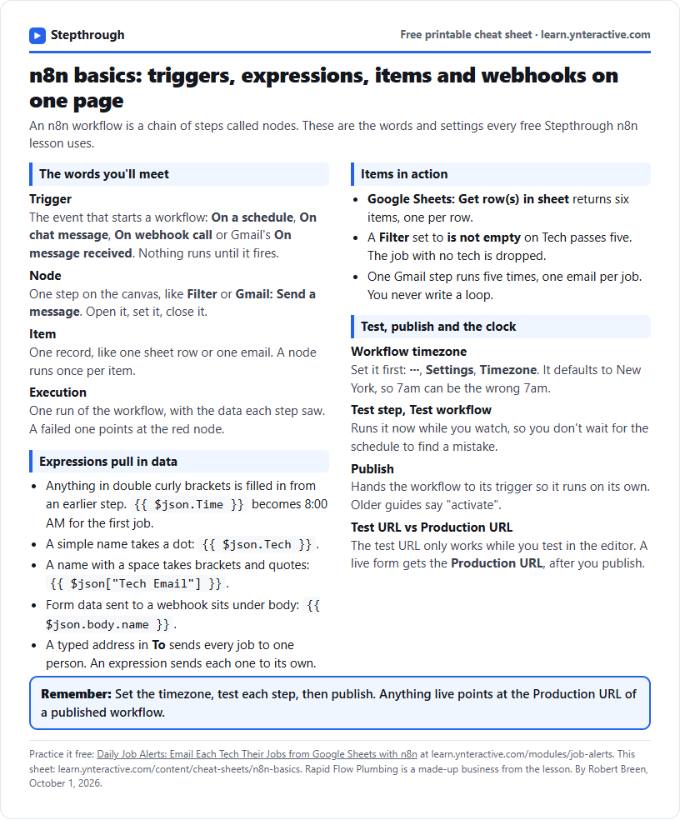 n8n Basics Cheat Sheet: Triggers, Items, Webhooks
A free one-page cheat sheet of n8n basics: triggers, expressions, items, executions, the workflow timezone and webhook test vs production URLs.
Tool cheat sheet Free PDF
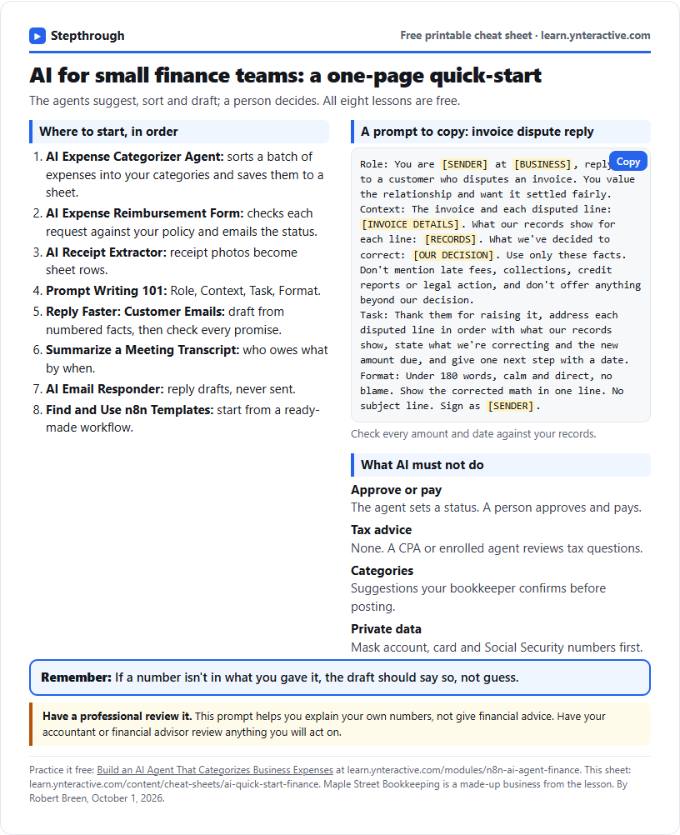 AI Quick-Start for Finance Teams: Cheat Sheet
A free one-page cheat sheet for finance teams: the free AI lessons in order, an invoice dispute prompt and what AI must never approve.
Industry quick-start Free PDF
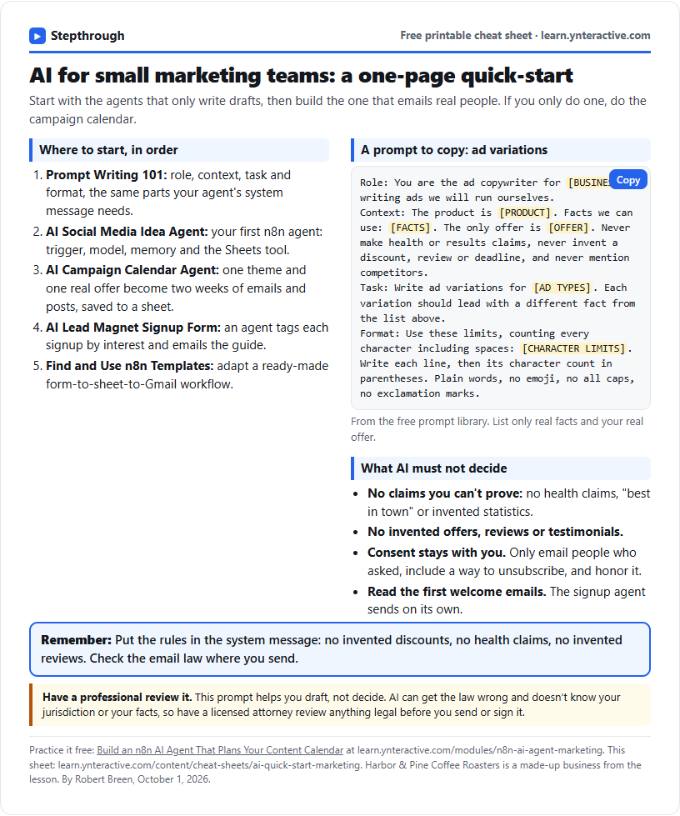 AI Quick-Start for Marketing Teams: Cheat Sheet
A free one-page cheat sheet for marketing teams: the free AI lessons in order, an ad copy prompt and the claims AI must never make.
Industry quick-start Free PDF