Updated . Built against the tool’s current screens and checked step by step. How we check this lesson
If you work alone, nobody else is watching your invoices. Run Solo Studio's Solo Operator Stack is a Notion workspace plus six import-ready n8n workflows, and its W2 workflow, the invoice overdue reminder, checks your Finance database every morning and emails you a list of overdue invoices. In this free business-case lesson you put a price on chasing invoices by hand for a made-up solo consultant, then import W2 into n8n, fill in its CONFIG node, connect Notion and your email, set it to run on weekdays at 9 in your own time zone, run a test and read the digest it sends. Then you match each late invoice to the right follow-up step. The node names and fields are the real ones, and the test run used made-up invoices on a real n8n workspace. This is my own lesson, not an official Run Solo Studio course.
Stepthrough partner. Run Solo Studio links to our lessons from its resources page. We were not paid for these pages; its partner code may earn us a commission.
At a glance
| Question | Answer |
|---|---|
| What you build | A business case for solo consultants who chase late invoices by hand: price the weekly check, then import Run Solo Studio's W2 workflow into n8n, point it at your Notion Finance database, set a weekday schedule, test it and get one morning email listing every overdue invoice. |
| Tools | Run Solo Studio |
| Time | About 10 minutes, 27 steps in 8 parts |
| Level | Intermediate |
| Cost | Free |
| Ways to learn it | Practice it step by step, read the guide with screenshots |
The 8 parts, in short
- Hours spent chasing invoices: Look at what is owed, Put a price on chasing, Meet the Solo Operator Stack.
- Import W2 into n8n: Open the workflow menu, Point to Import, Import from file.
- Fill in CONFIG: Open CONFIG, Set your inbox, Paste the database ID, then close.
- Connect Notion and email: Open the Notion node, Set up the credential, Paste the integration secret, Open the email node, and 2 more steps.
- Set the schedule: Open the schedule, Weekdays at 9, Close the trigger, Open the workflow menu, and 2 more steps.
- Test run: Run a test, See the digest, Read the reminder.
- Pick the tone: Match the tone to the days late.
- What it saves, and how to get it: What this saves you, Do it for real.
Part of: AI for Consulting & Agencies (step 24 of 34)
Part of: AI for Finance Teams (step 17 of 23)
Part of: Business Automations with n8n (step 16 of 22)
Part of: n8n Jump Start (step 16 of 23)
Part of: AI Apps Worth Knowing (step 47 of 132)
Run Solo Studio: Automate Unpaid-Invoice Reminders with the Solo Operator Stack: step-by-step guide with screenshots
About the screenshots. They come from Stepthrough’s simulated practice environment (a practice copy of Run Solo Studio), not the live tool, so no real account appears. The buttons and labels match the real screens the lesson was built against. Practice it yourself free at learn.ynteractive.com.
- Tools: Run Solo Studio
- Time: about 10 minutes, 27 steps in 8 parts
- Level: intermediate
Part 1: Hours spent chasing invoices
Step 1: Look at what is owed
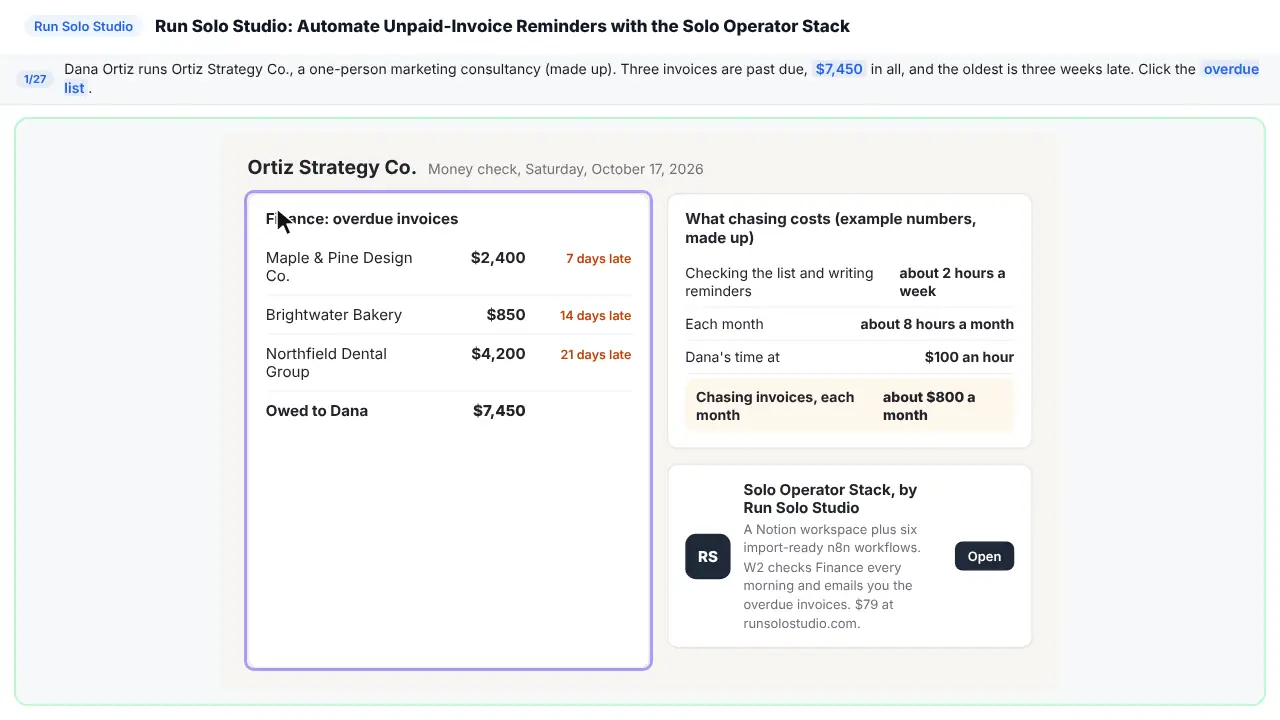
Meet Dana. She runs a one-person consultancy. Three clients are late paying. Seven thousand, four hundred and fifty dollars in all. The oldest is three weeks late.
Step 2: Put a price on chasing
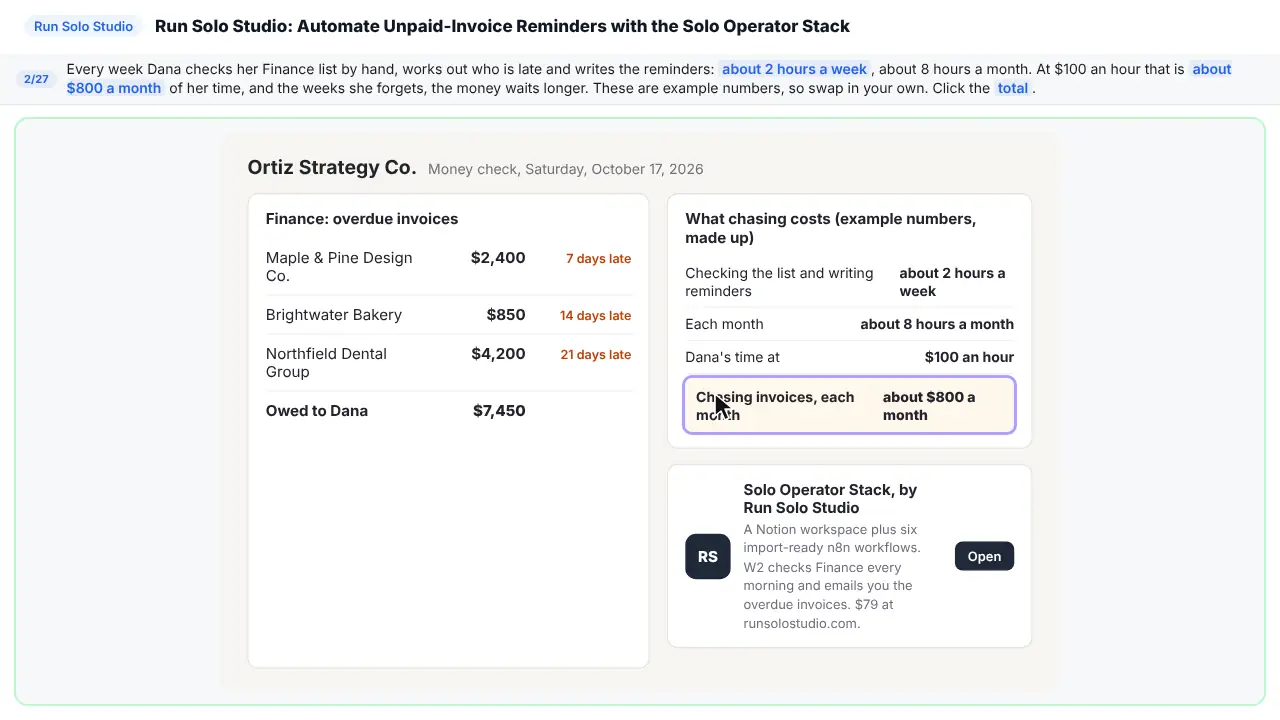
Every week, Dana checks the list by hand. Who's late? By how much? What should she say? About two hours a week. At a hundred dollars an hour, that's about eight hundred dollars a month. These are example numbers.
Step 3: Meet the Solo Operator Stack
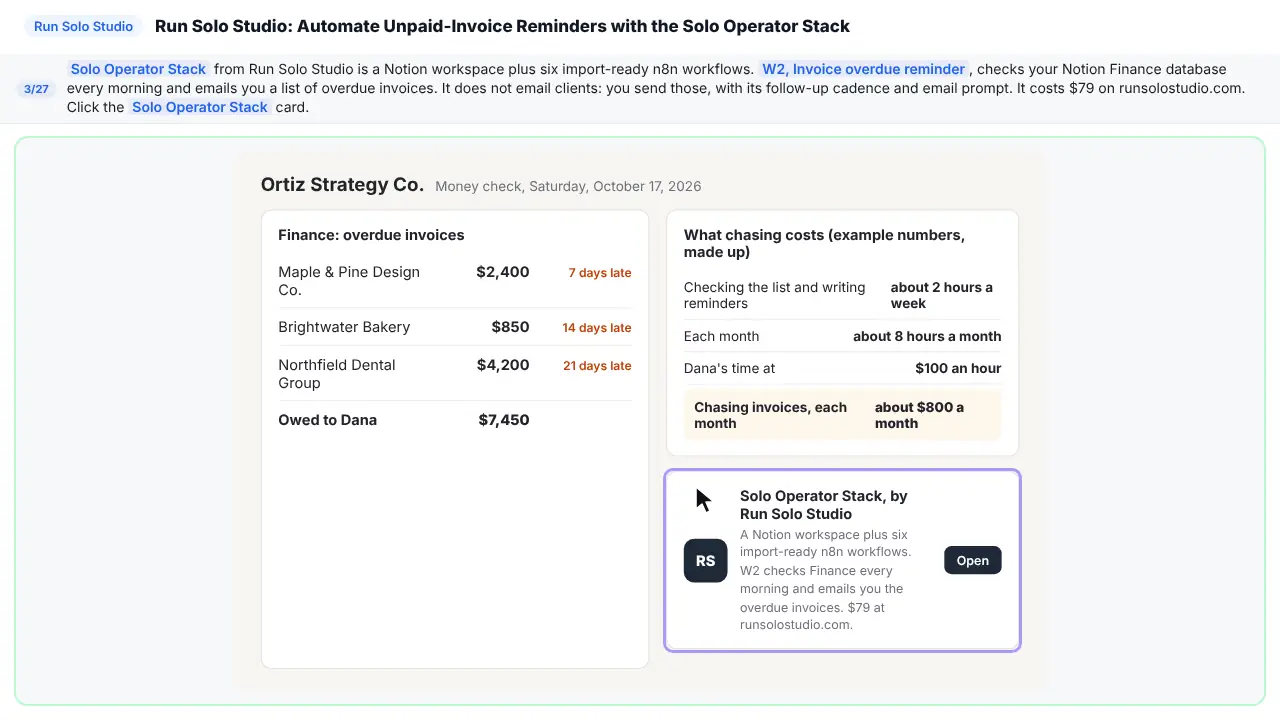
Run Solo Studio sells a kit called the Solo Operator Stack. It's a Notion workspace, plus six n8n workflows you can import. Workflow two checks your invoices every morning, and emails you the late ones. It doesn't email your clients. You still send those yourself.
Part 2: Import W2 into n8n
Step 4: Open the workflow menu
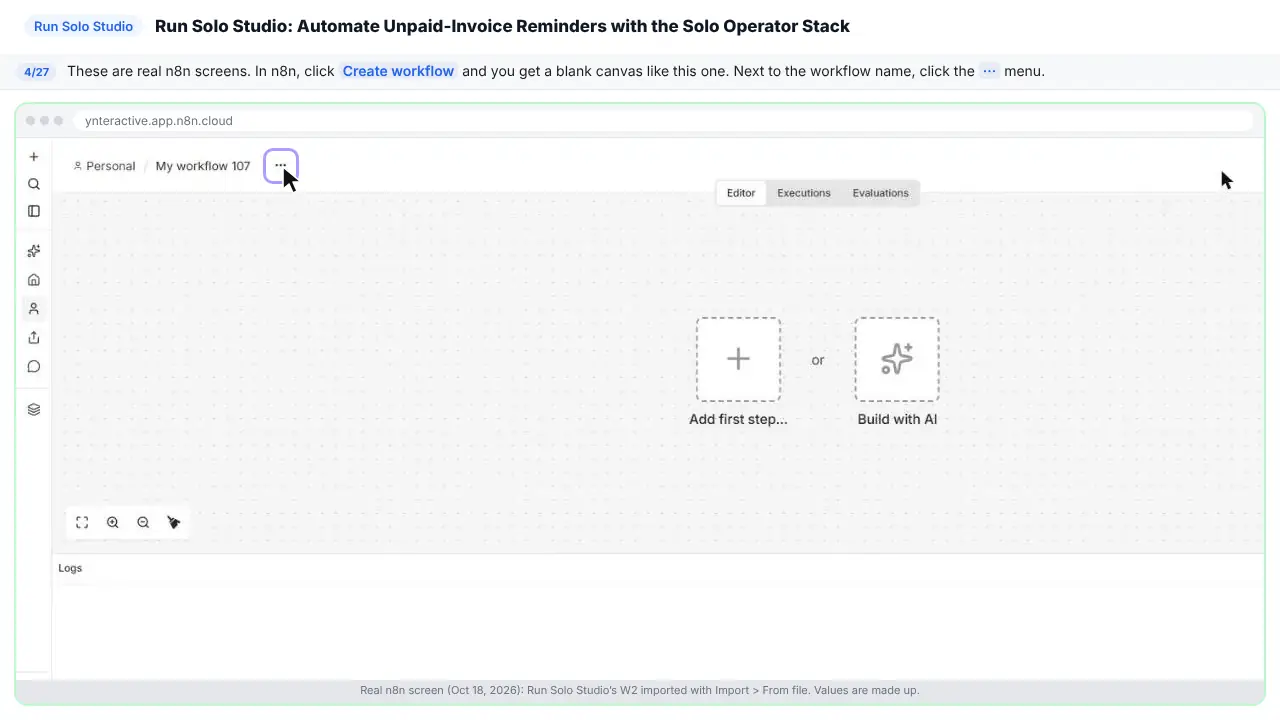
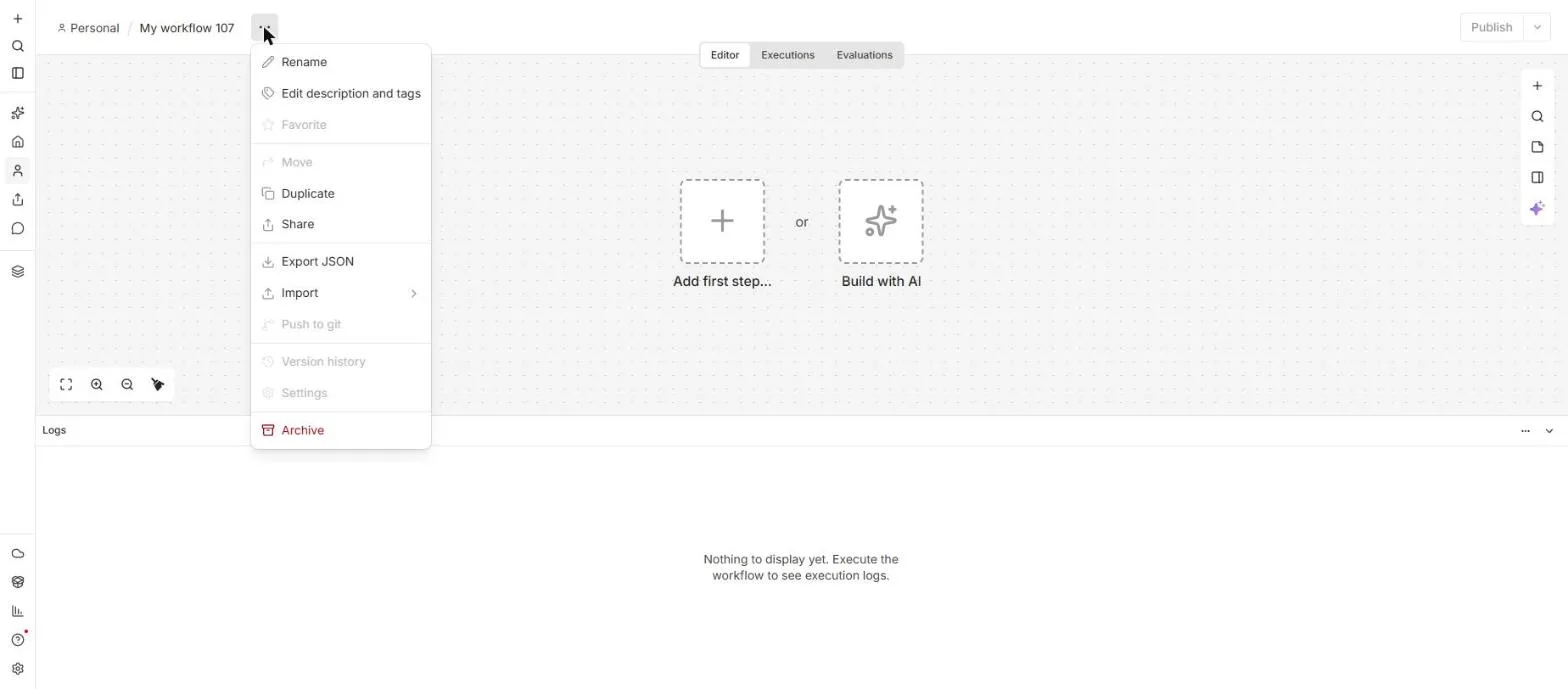
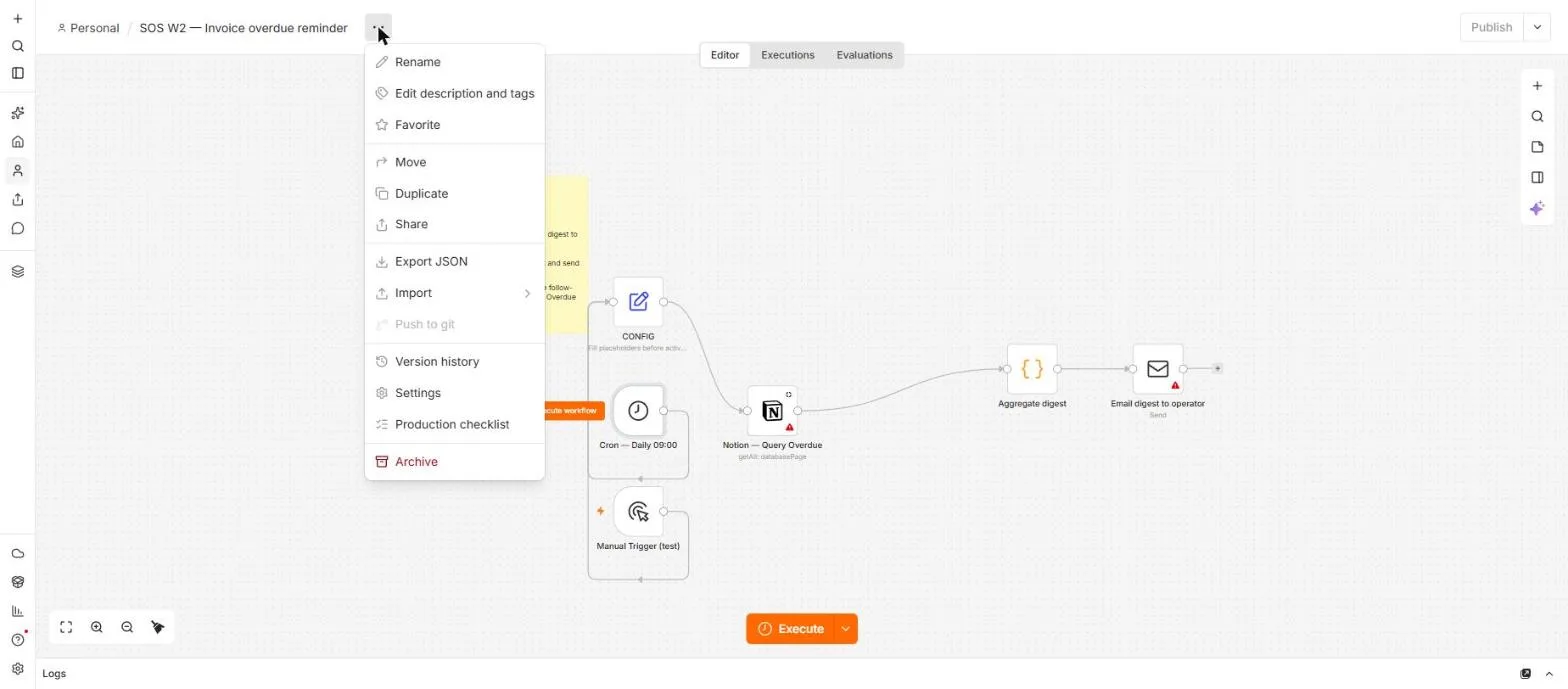
From here on, these are real n8n screens. Create a new workflow, and you get a blank canvas. Next to the name, click the three dots.
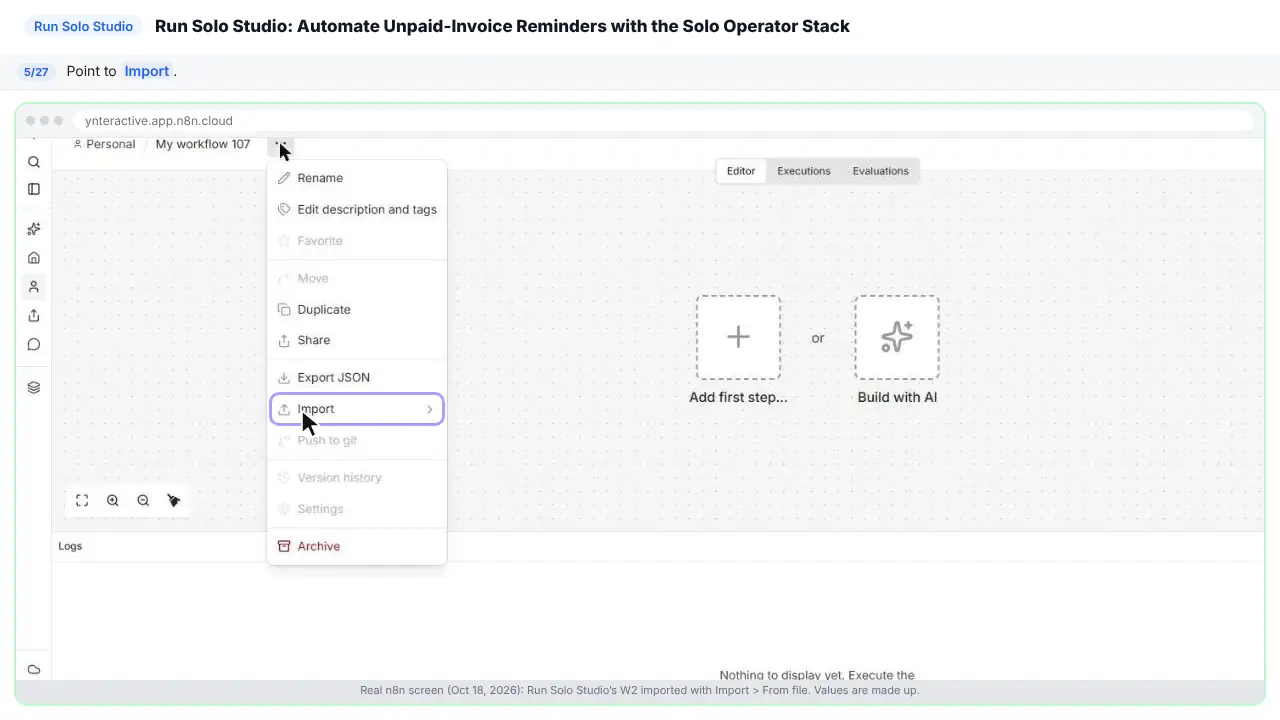
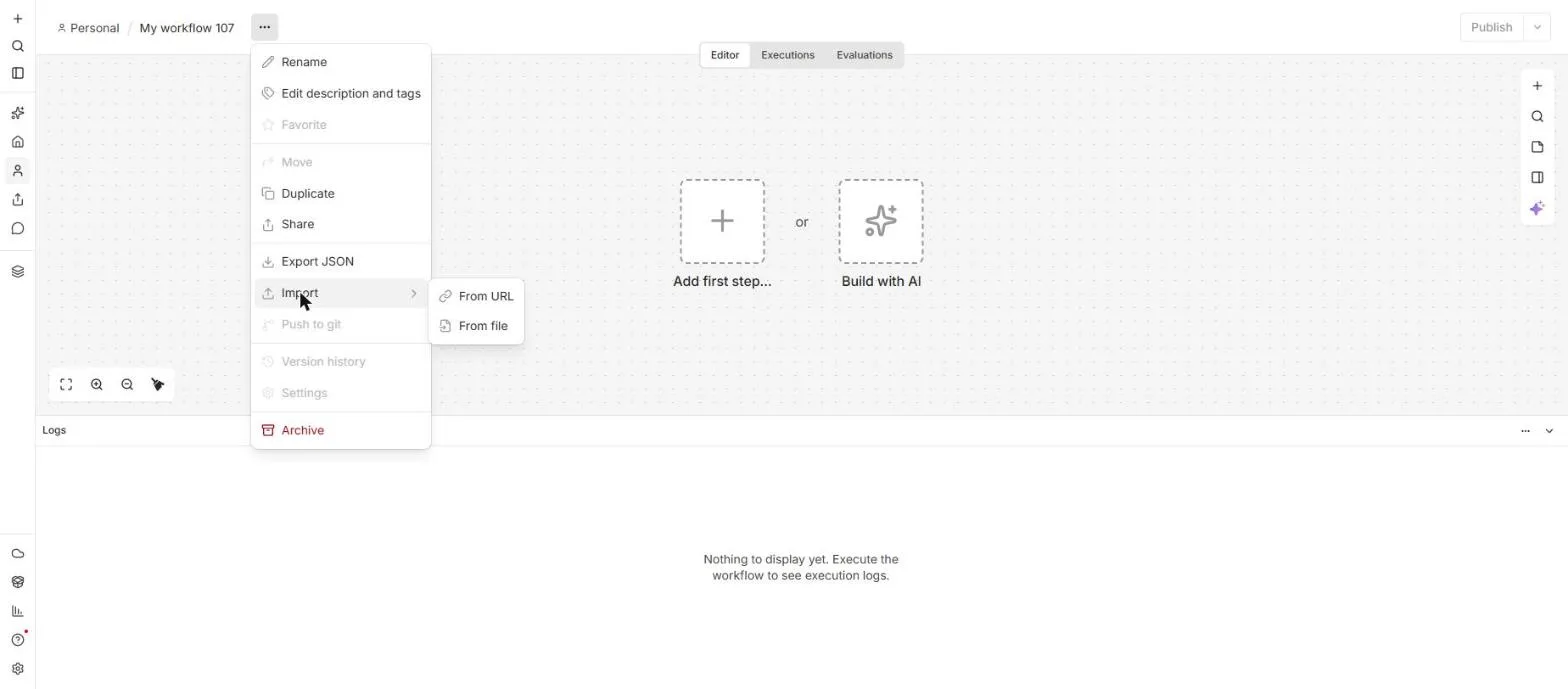
Step 5: Point to Import
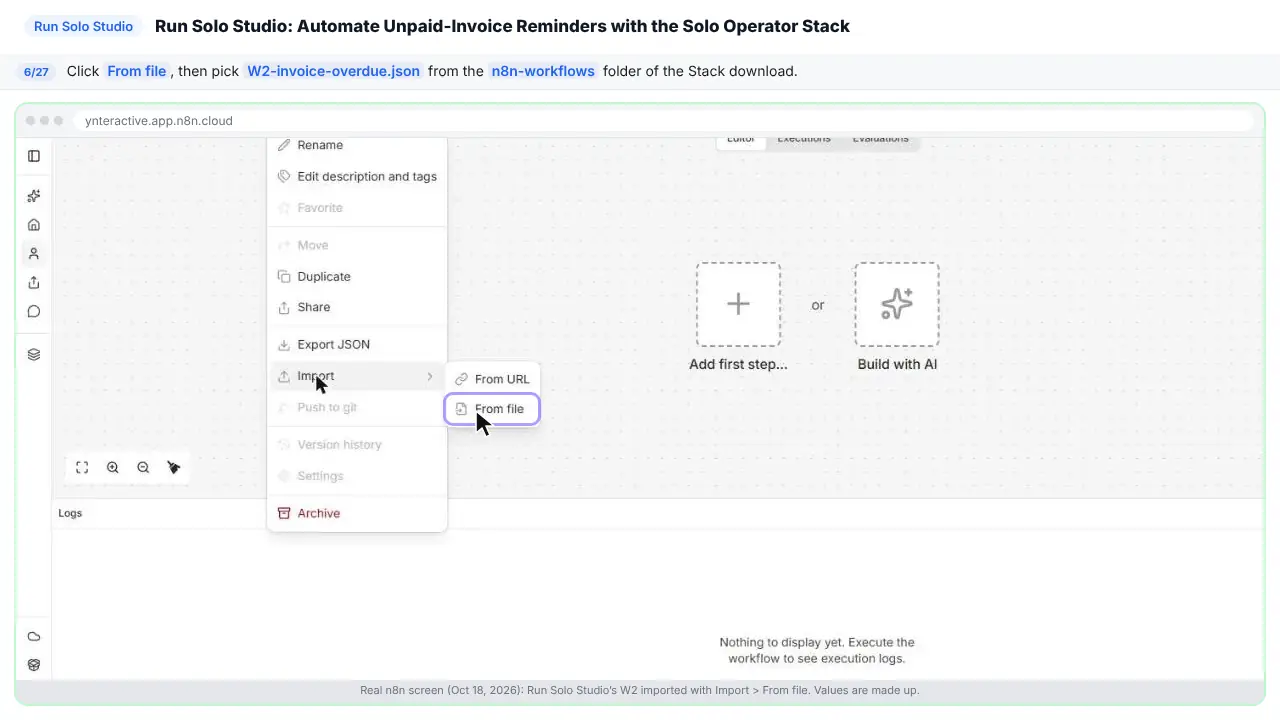
Step 6: Import from file
Then pick the W2 file from the n8n workflows folder in your download.
Part 3: Fill in CONFIG
Step 7: Open CONFIG
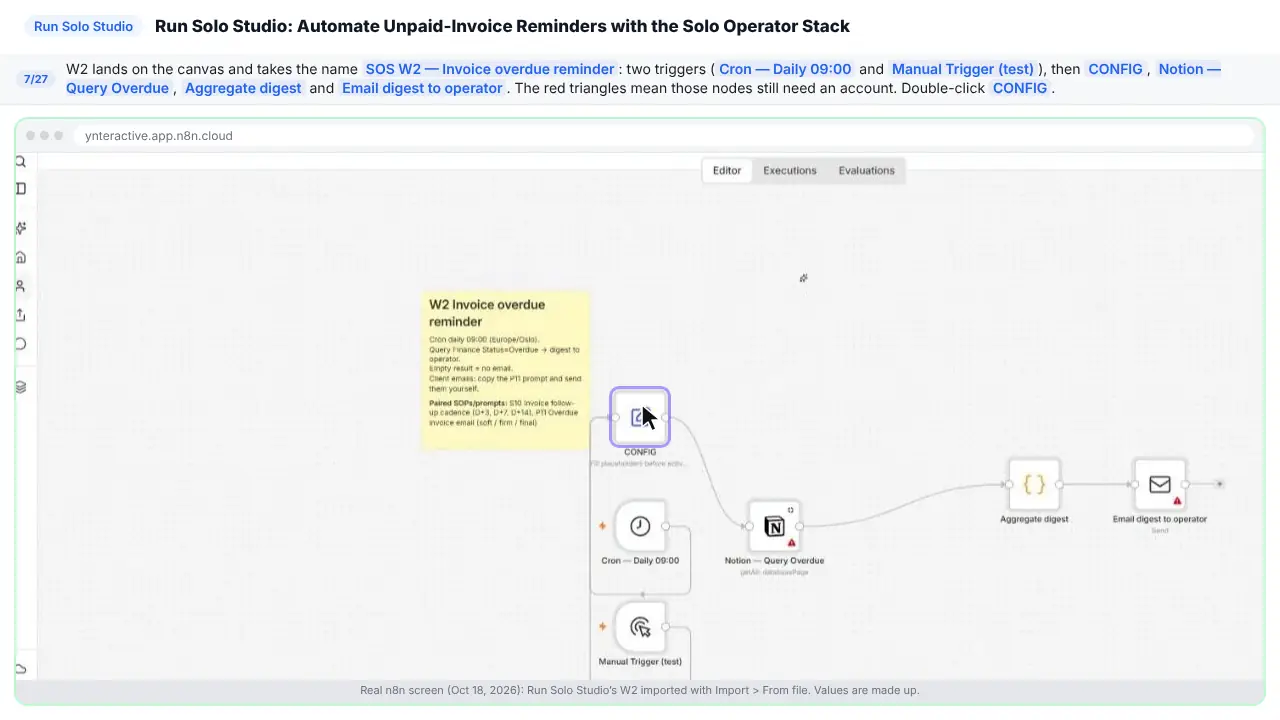
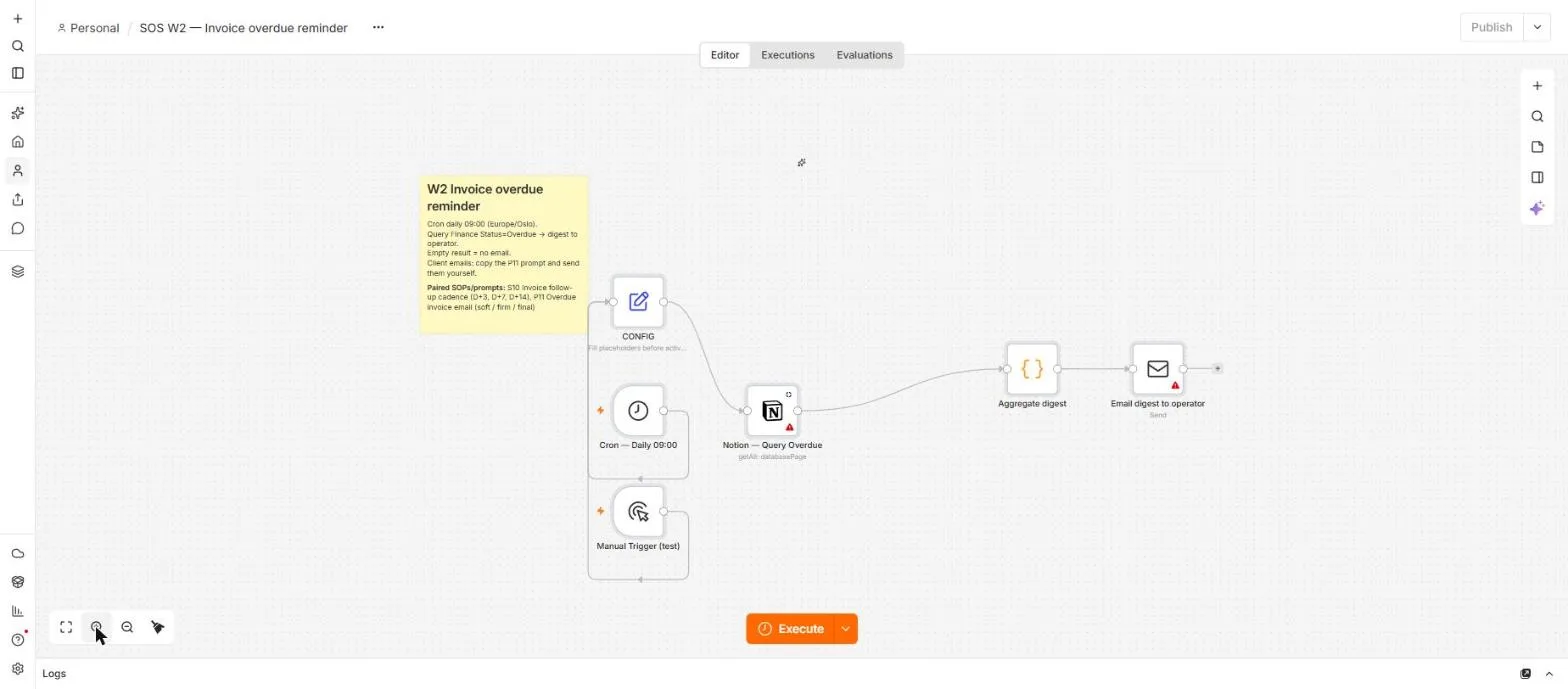
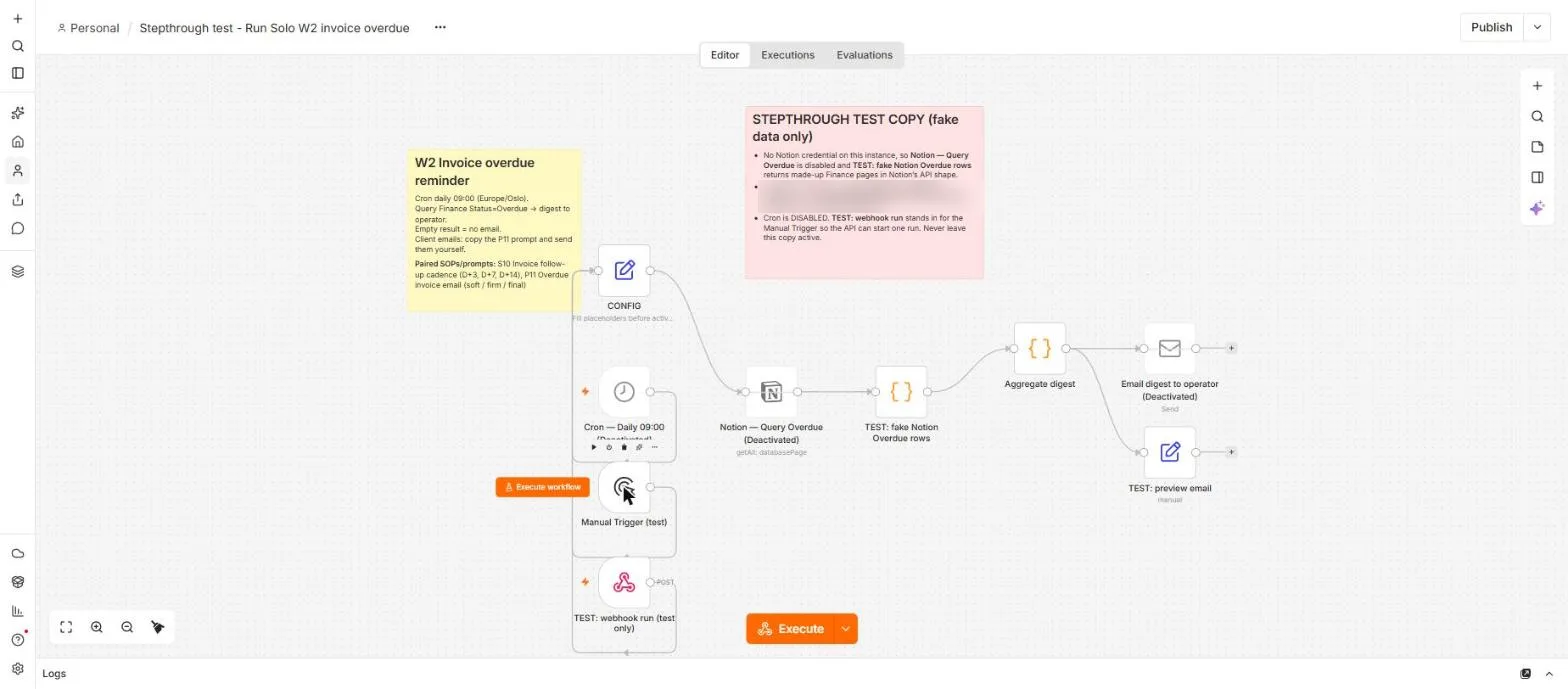
W2 is on the canvas. Two triggers. Then a CONFIG node, a Notion search, a digest, and an email. The red warnings mean they still need your accounts.
Step 8: Set your inbox
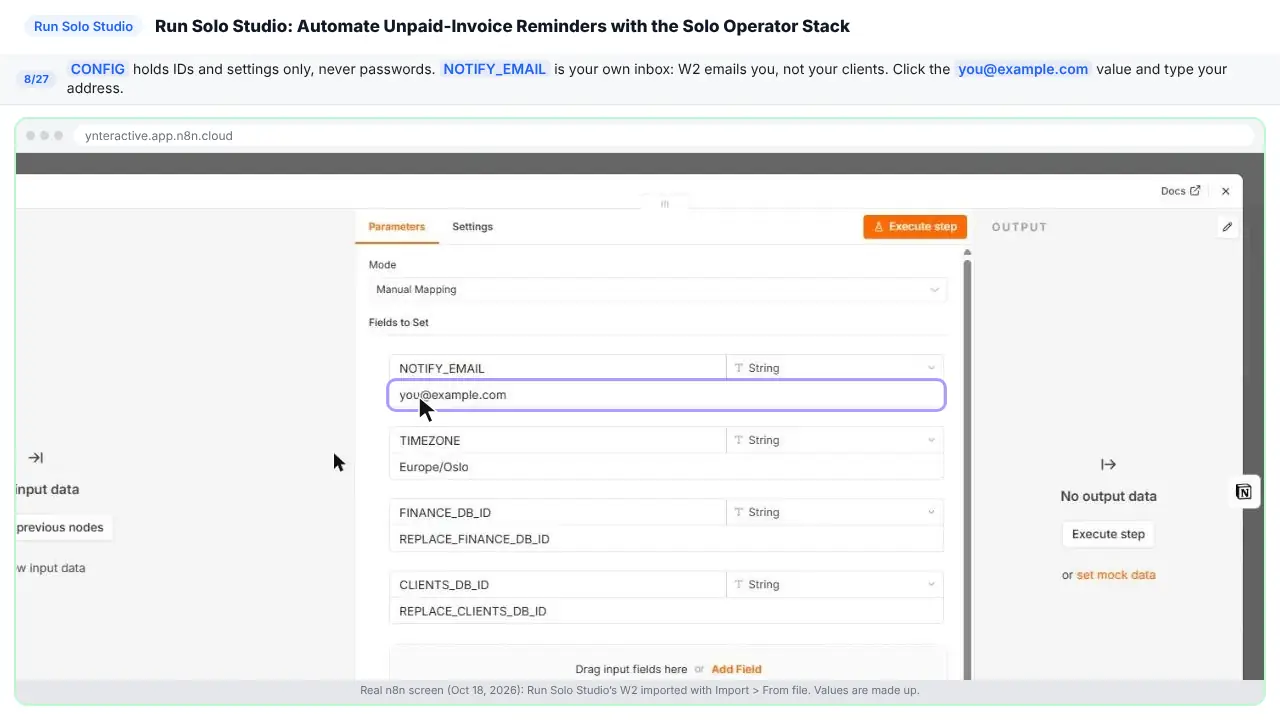
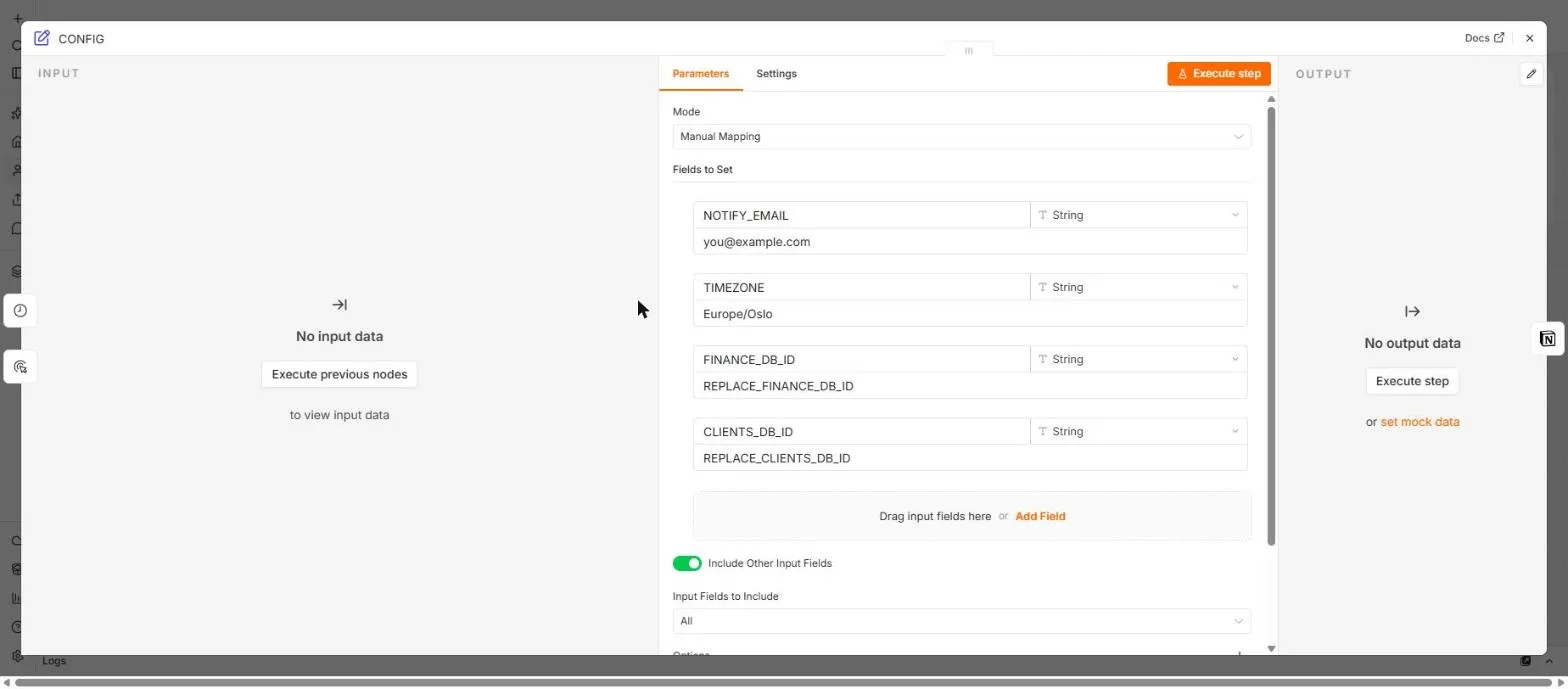
CONFIG holds your IDs and settings. Never passwords. NOTIFY EMAIL is your own inbox. The reminder comes to you, not your clients.
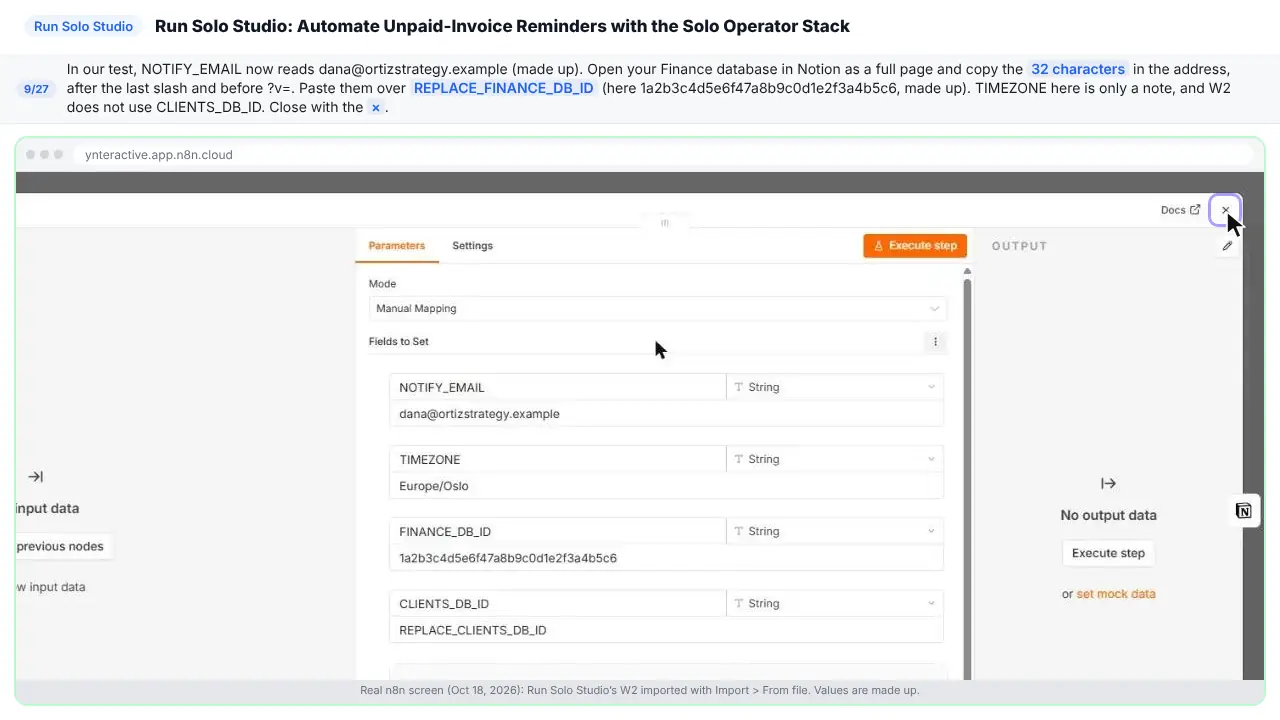
Step 9: Paste the database ID, then close
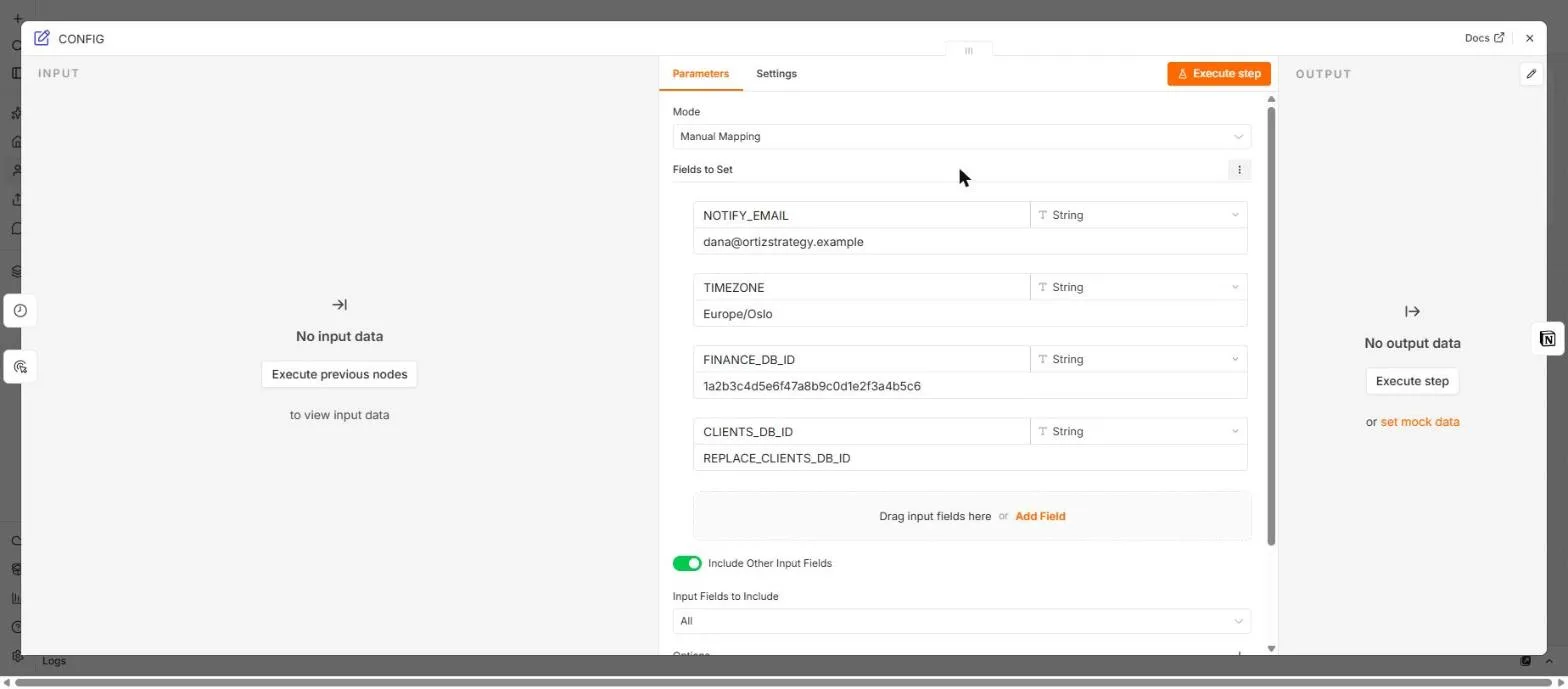
Next, the Finance database ID. Then close the node.
Part 4: Connect Notion and email
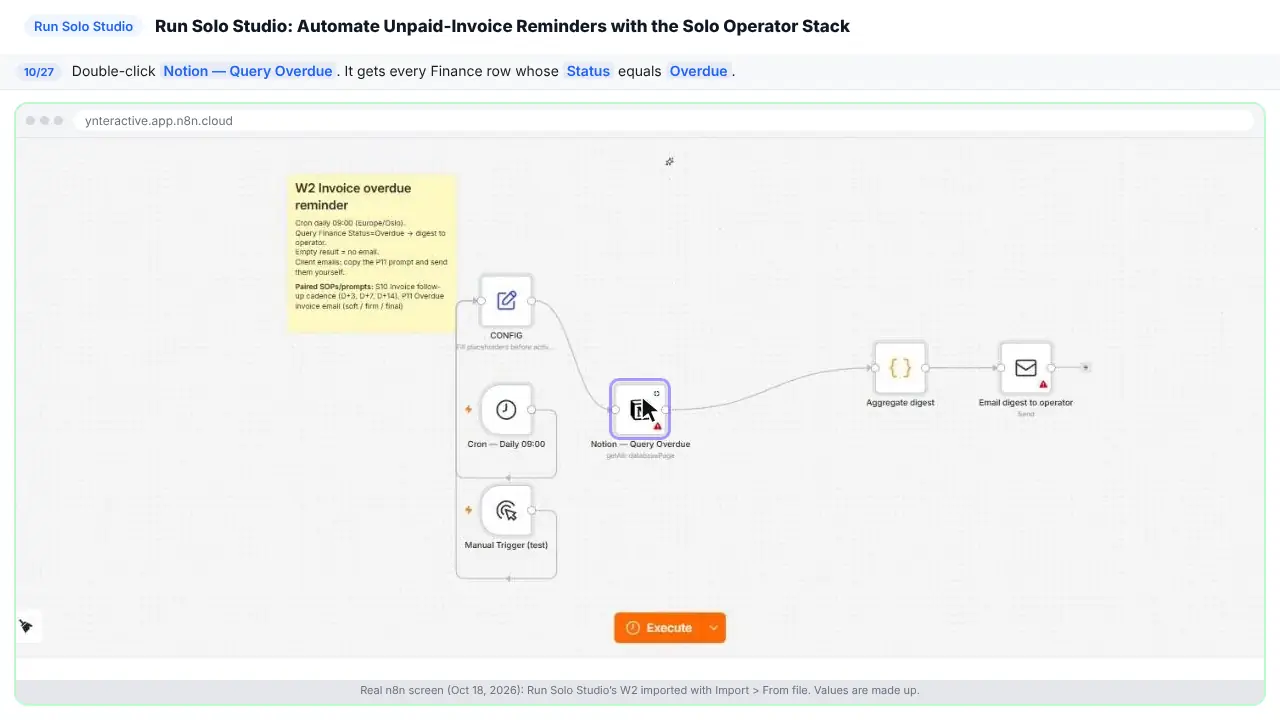
Step 10: Open the Notion node
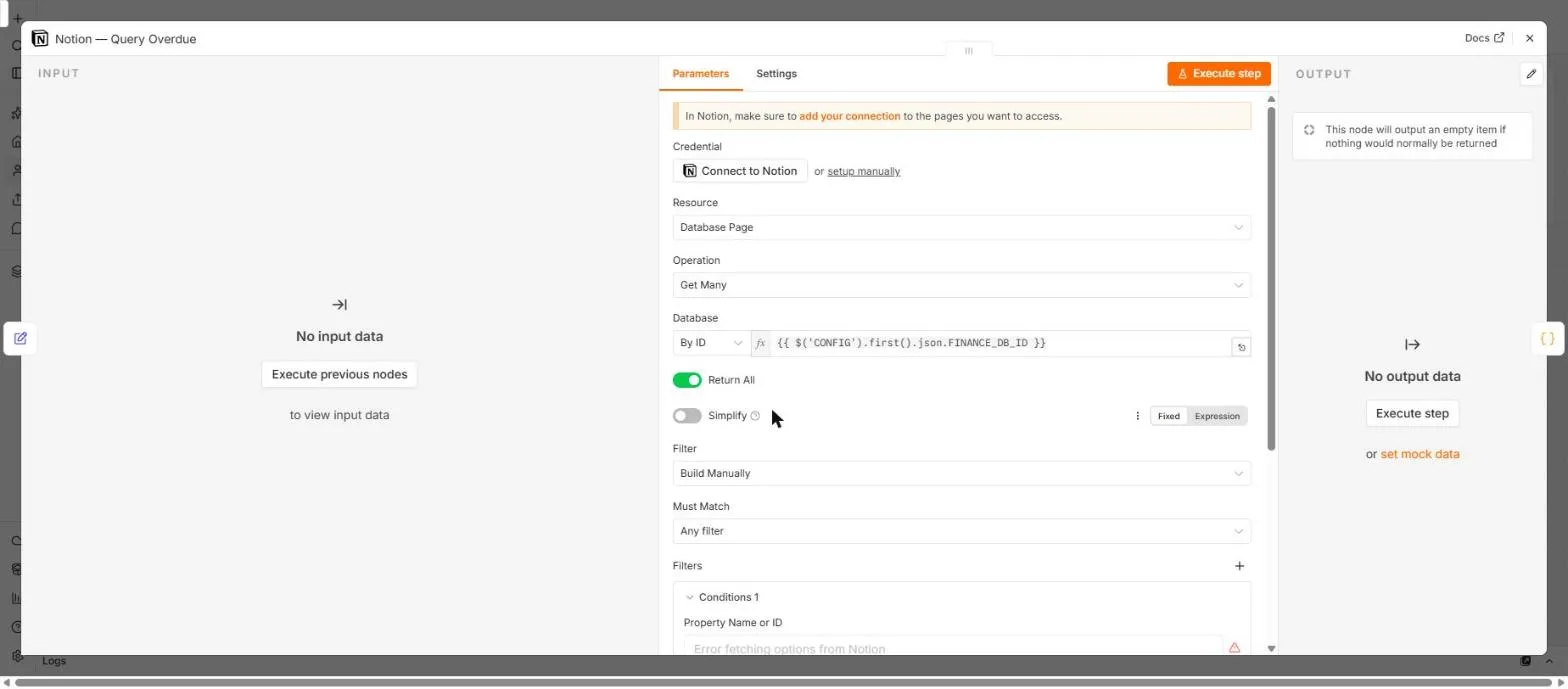
It finds every Finance row where the status is Overdue.
Step 11: Set up the credential
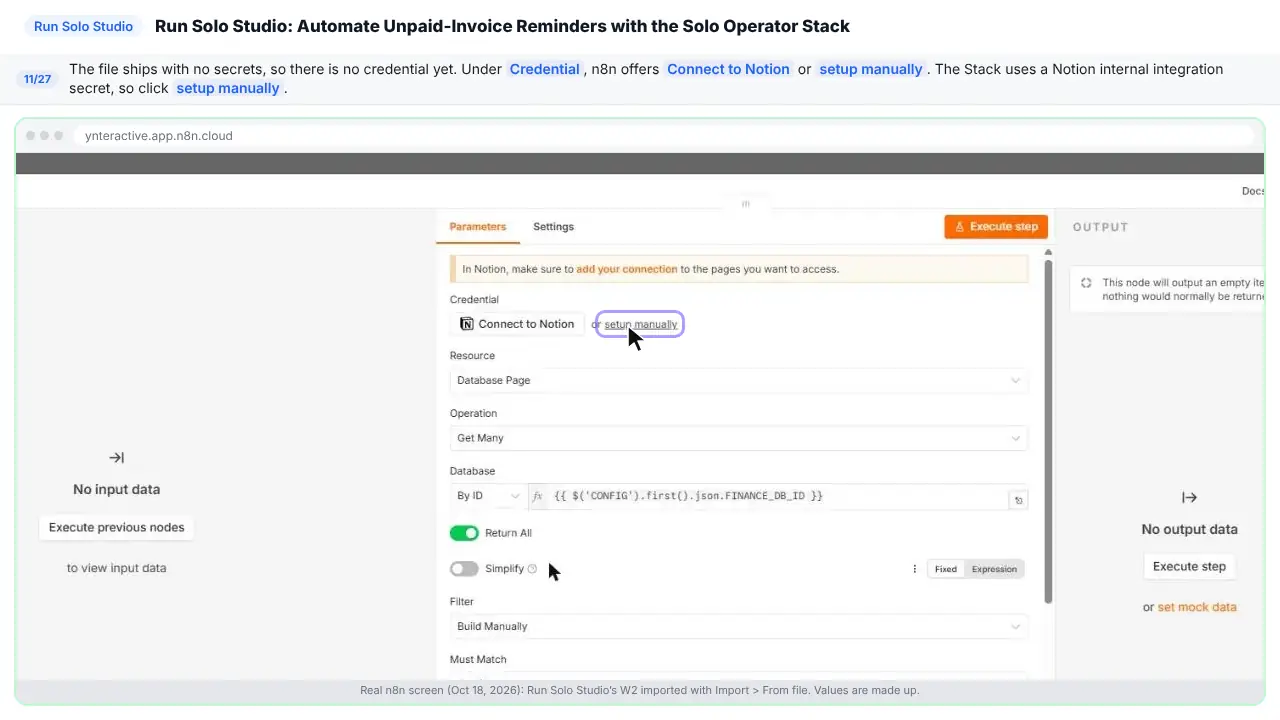
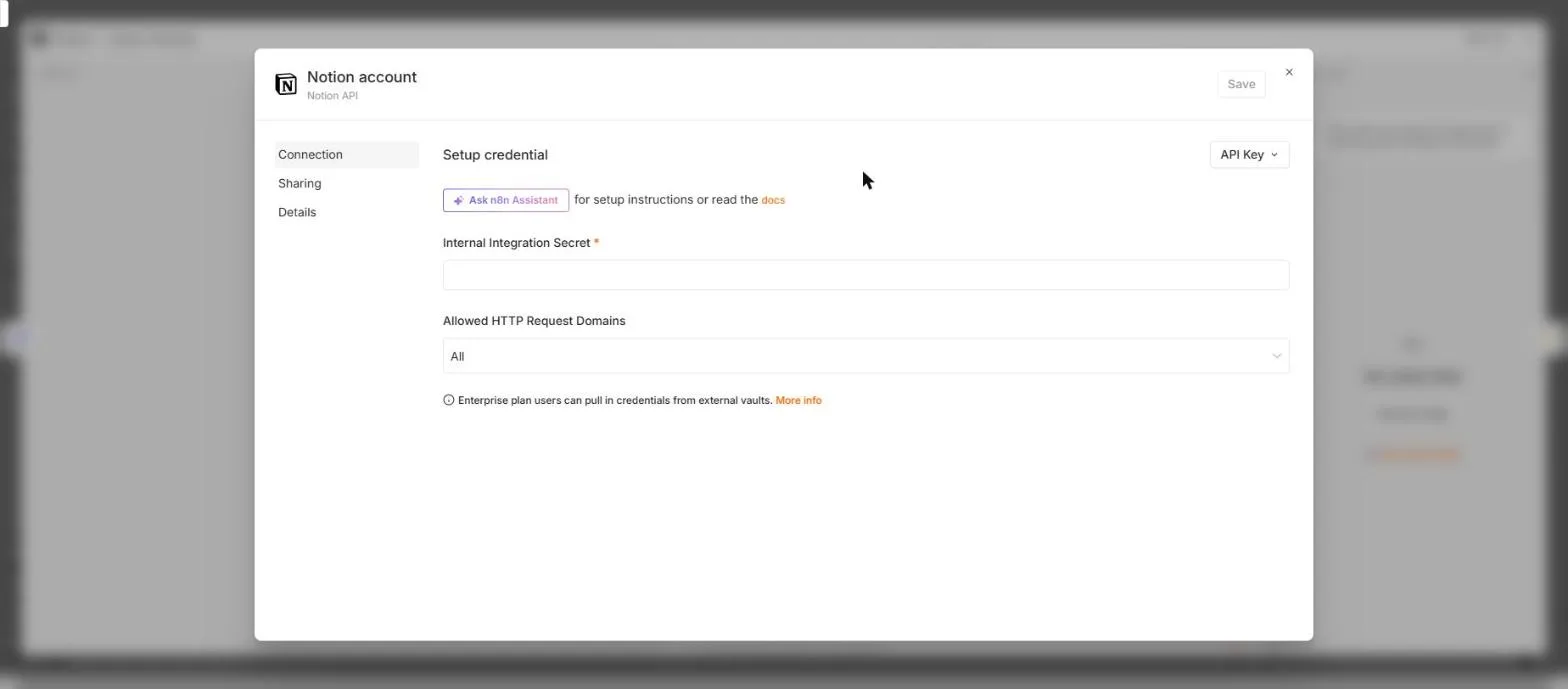
The file comes with no passwords in it. So there's no Notion credential yet. The Stack uses a secret key.
Step 12: Paste the integration secret
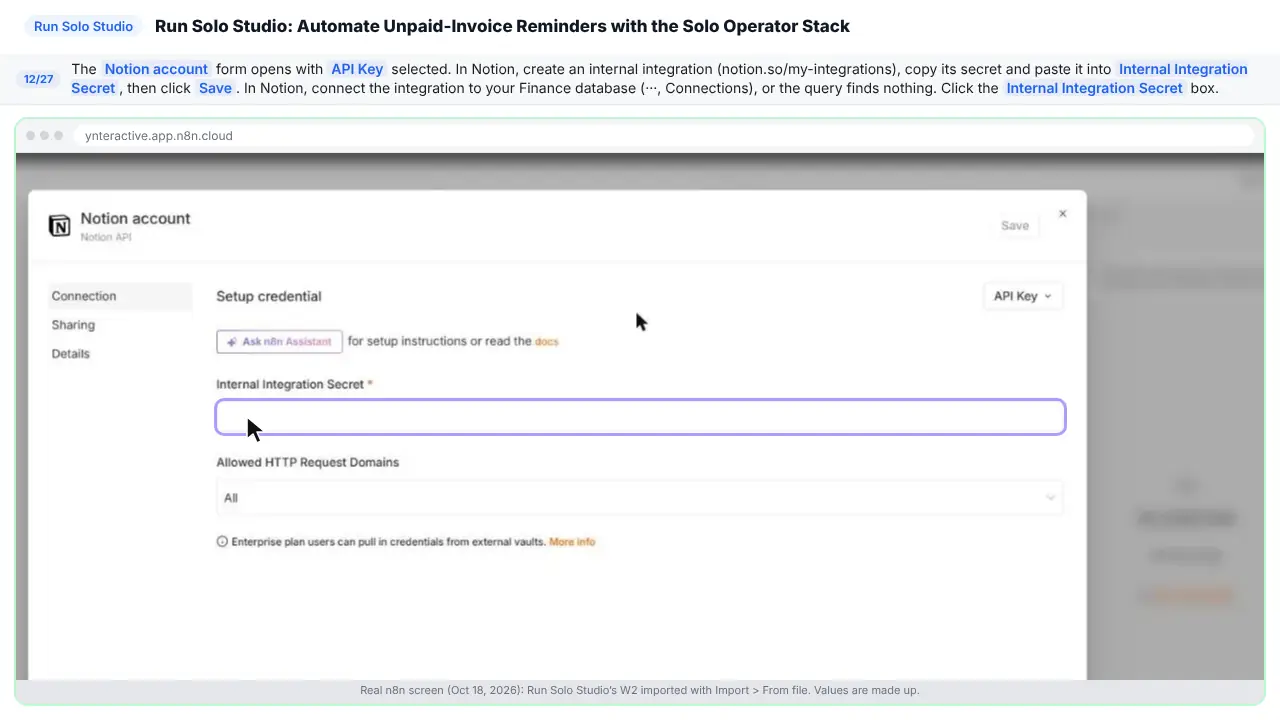
In Notion, make an internal integration, and copy its secret. Then, in Notion, connect your Finance database to it.
Step 13: Open the email node
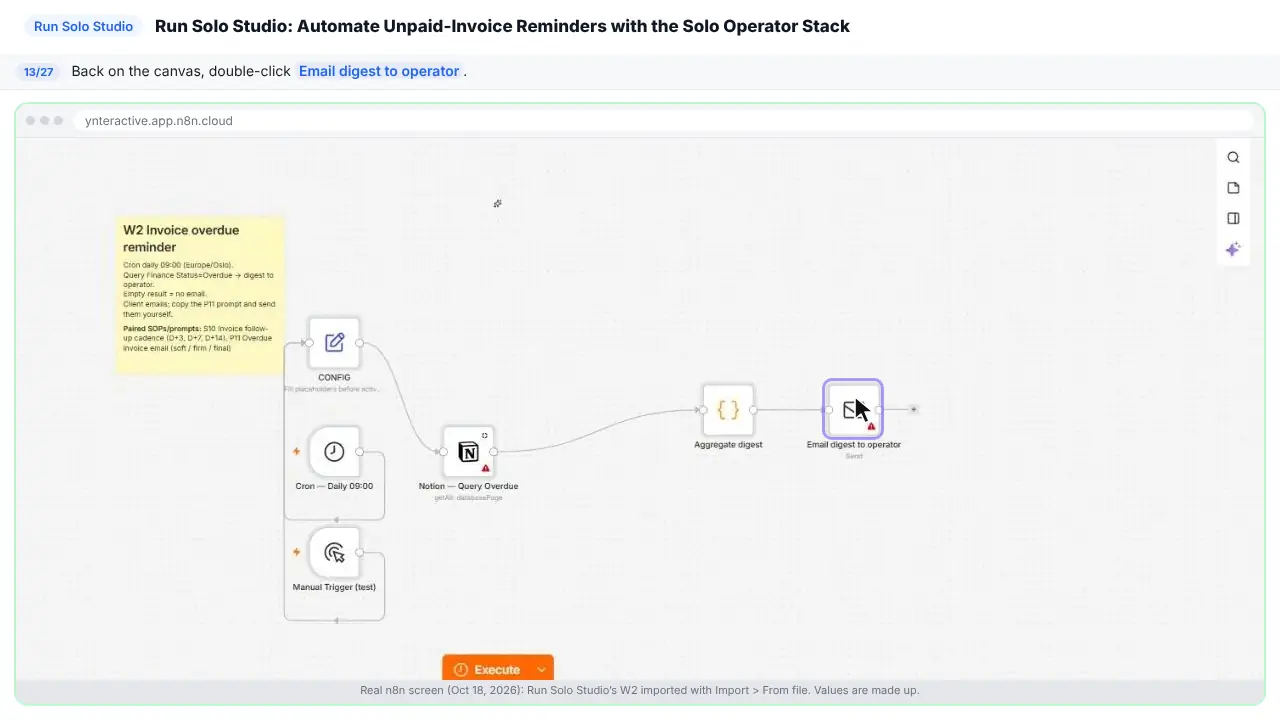
Step 14: Connect your email
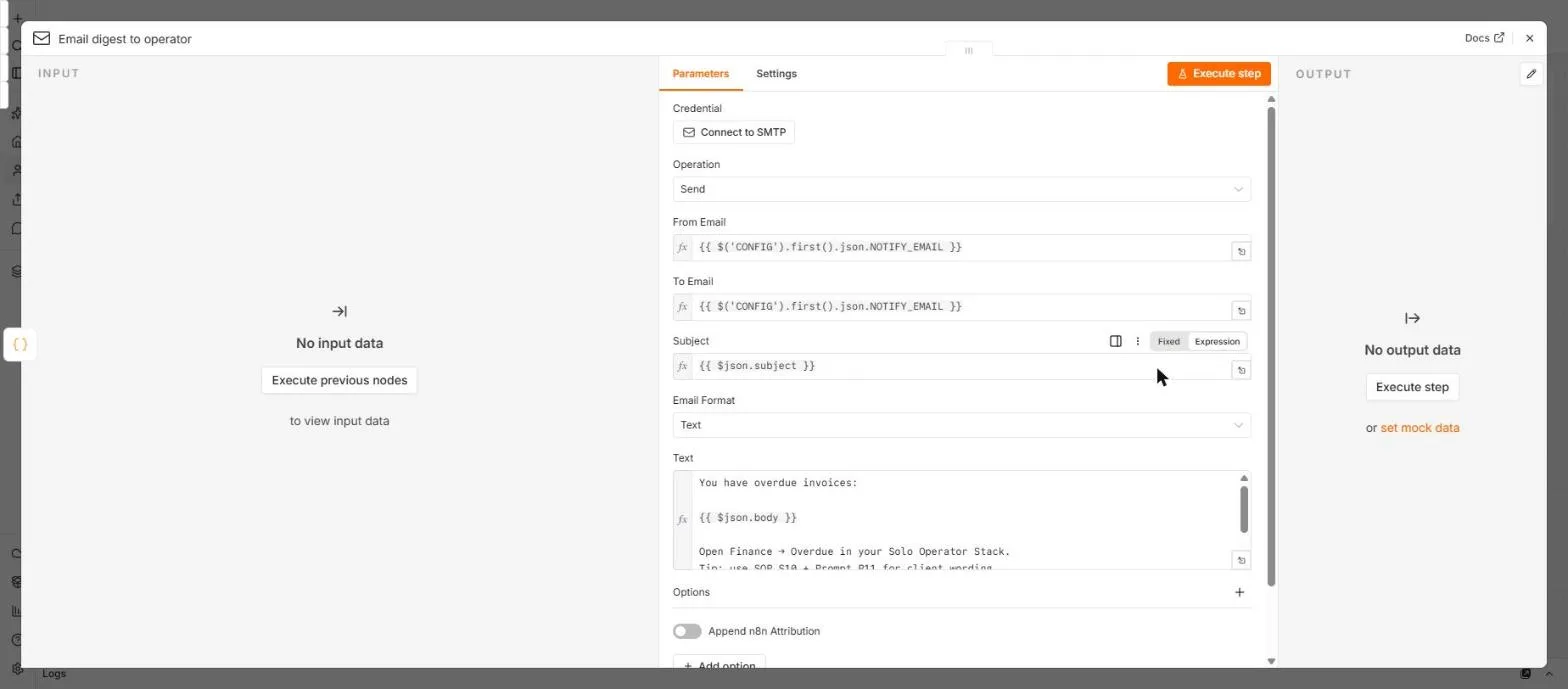
It sends from your address, to your address. Under Credential, click Connect to SMTP.
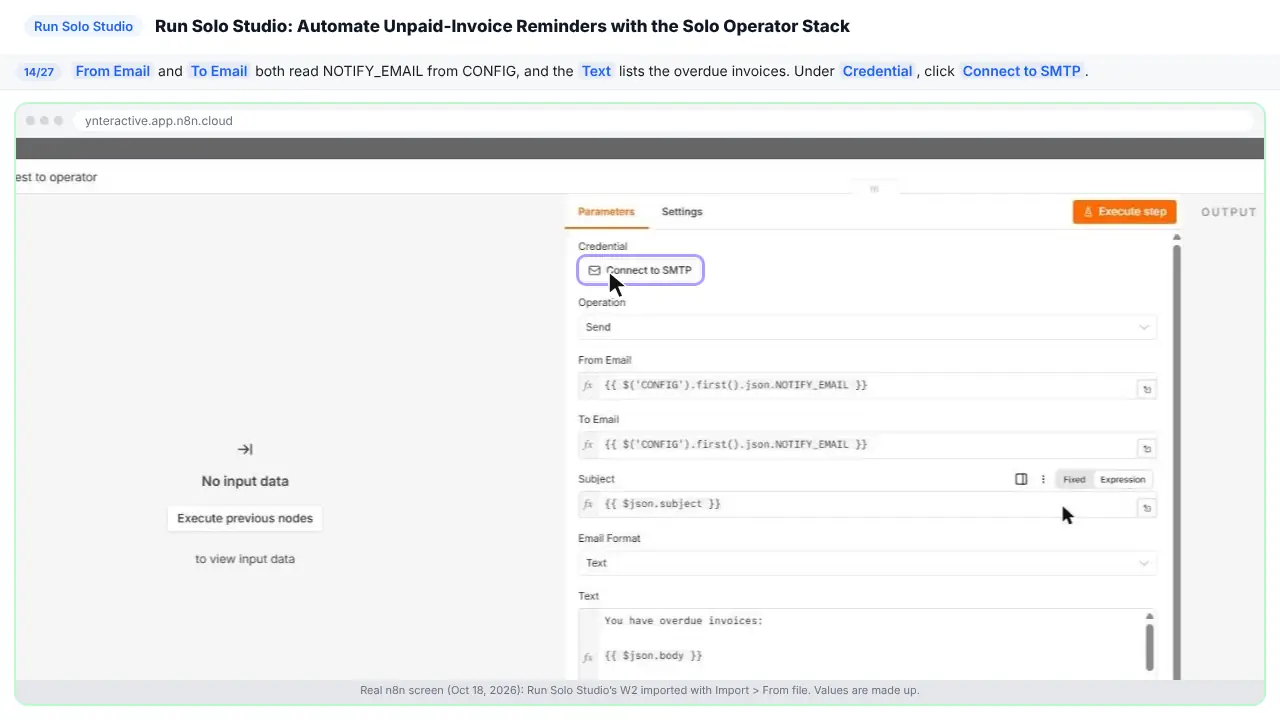
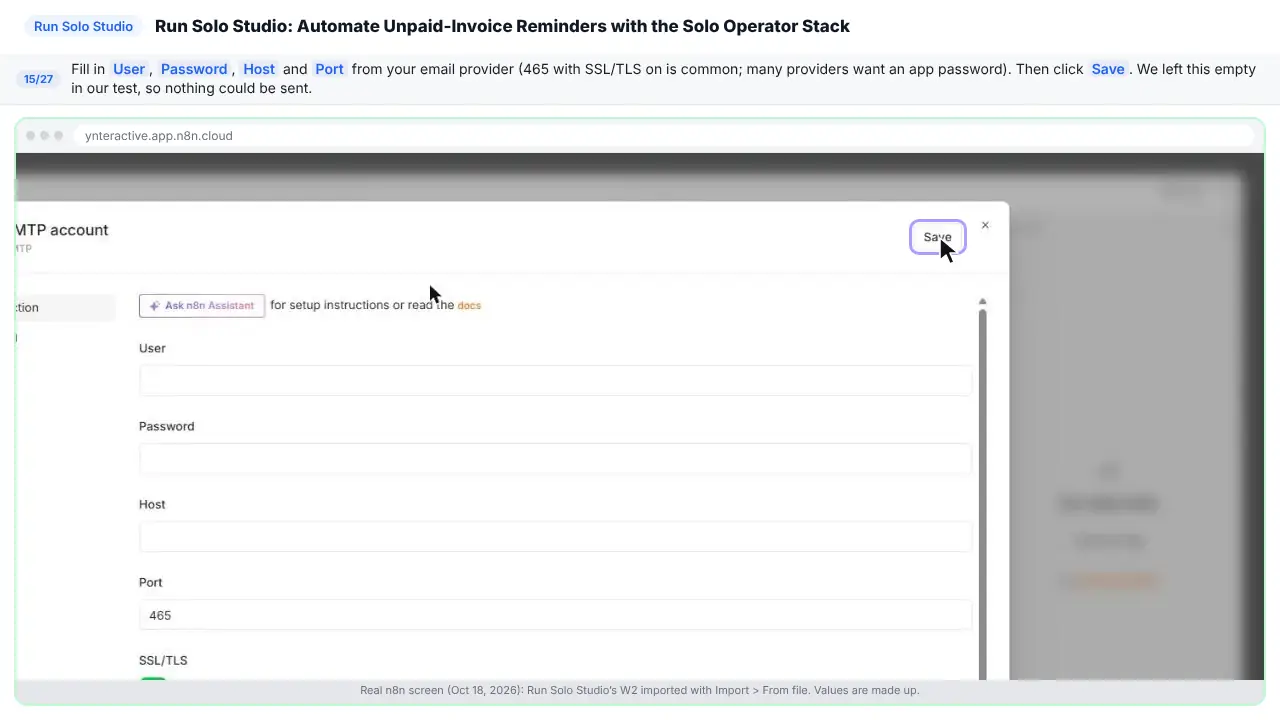
Step 15: Fill in SMTP and save
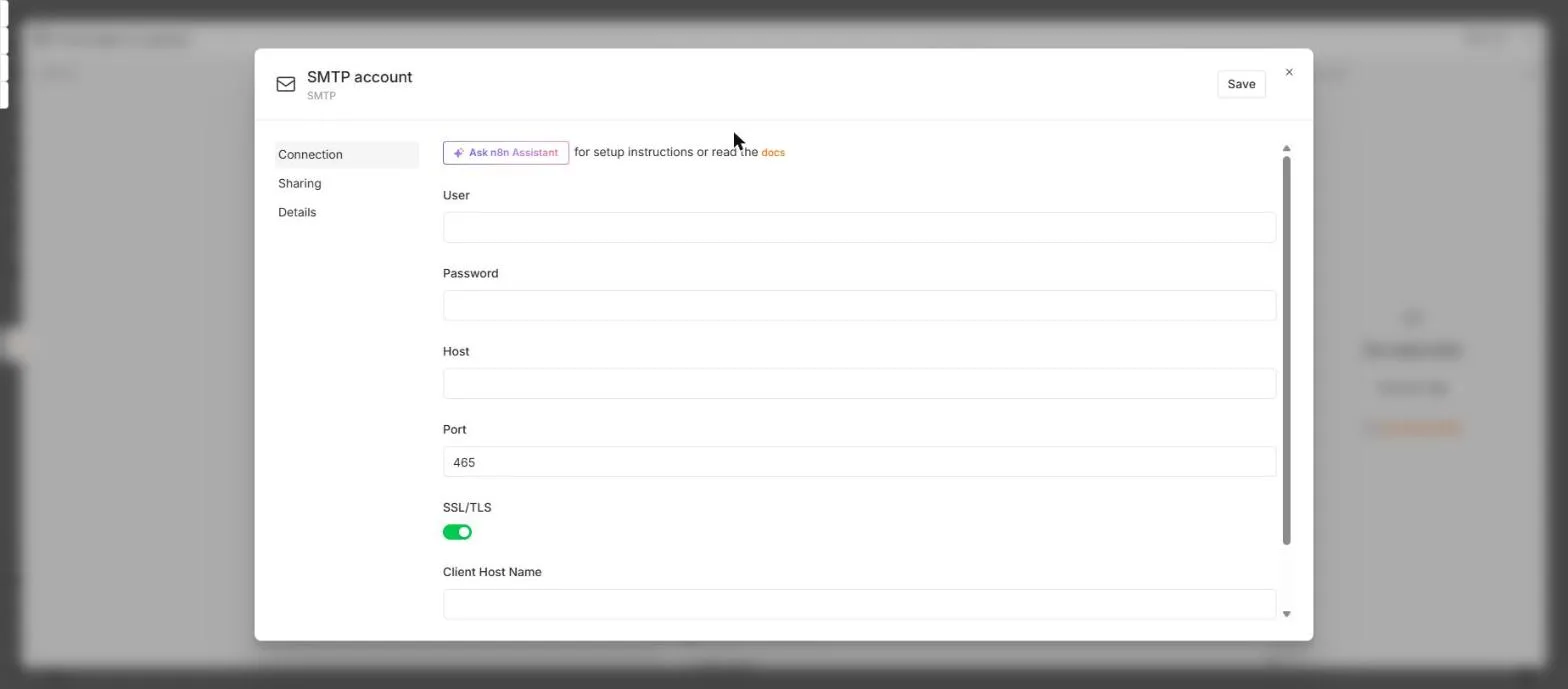
Fill in your email provider's settings. User, password, host, and port. Then save.
Part 5: Set the schedule
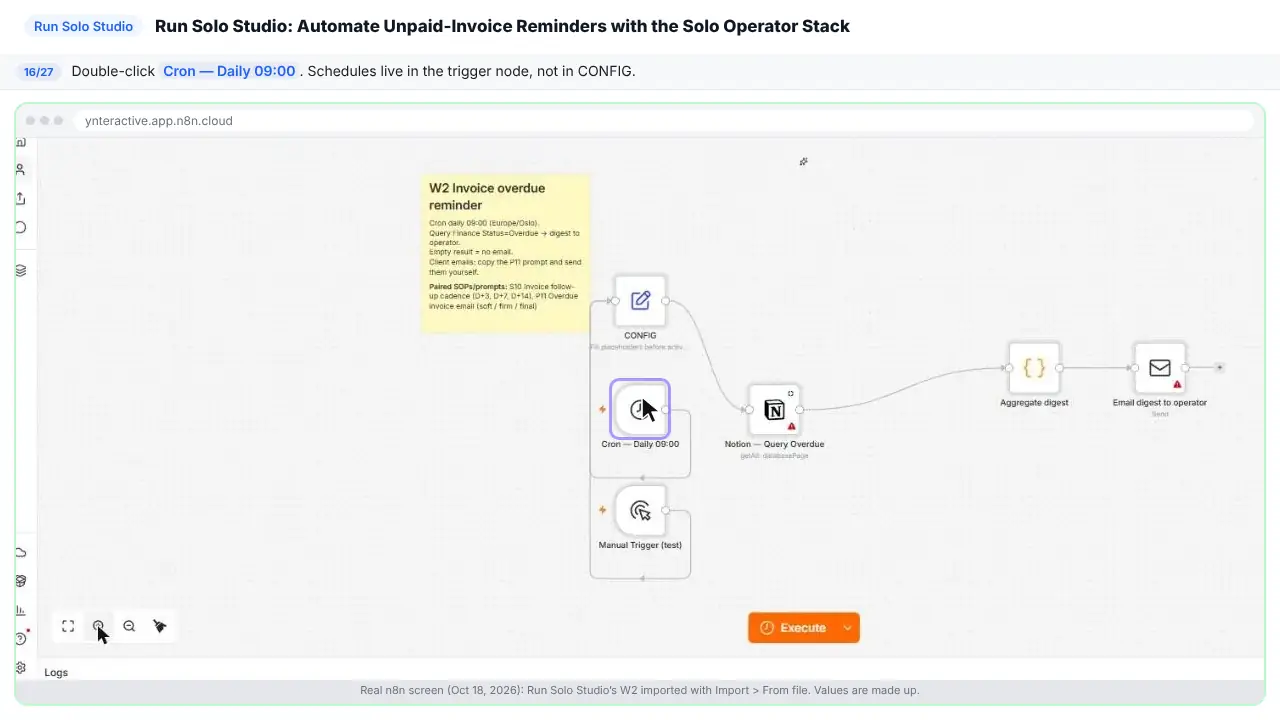
Step 16: Open the schedule
Now the schedule.
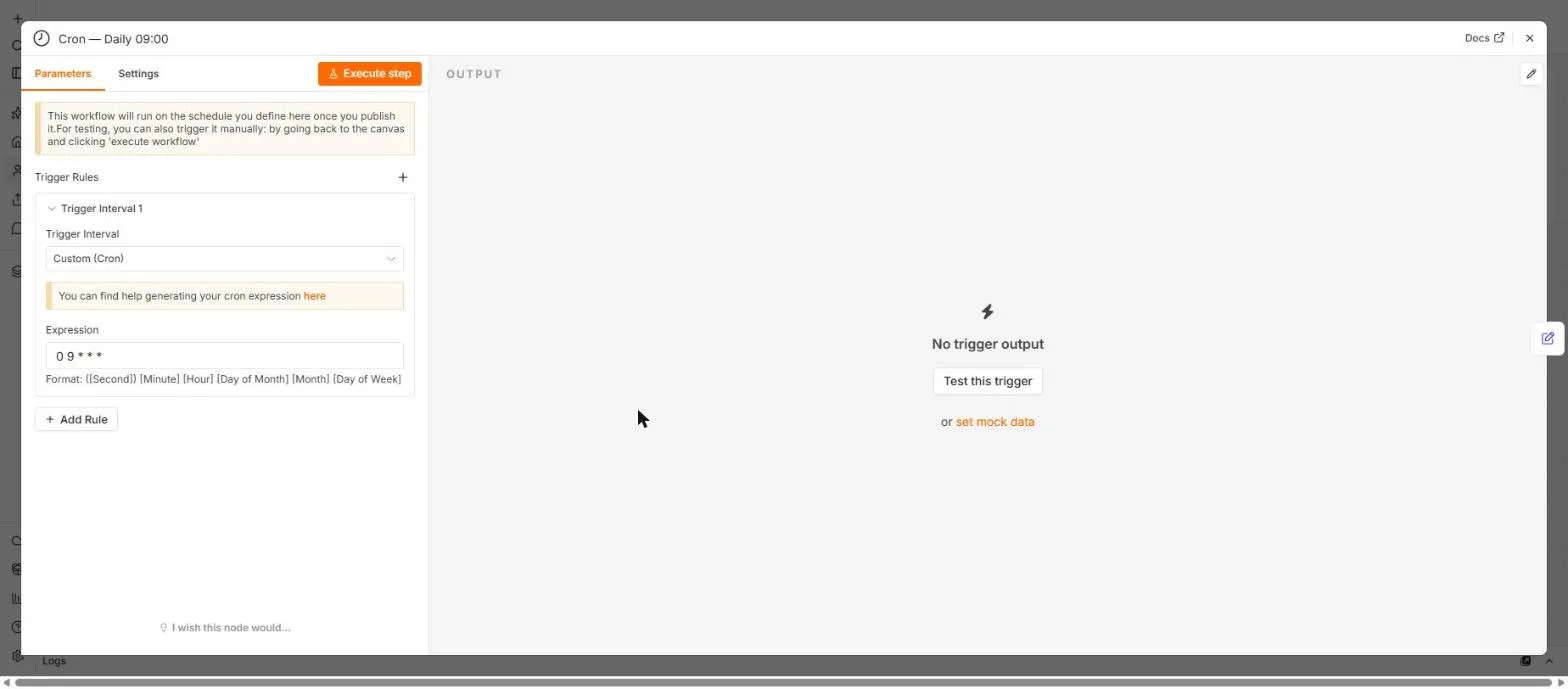
Step 17: Weekdays at 9
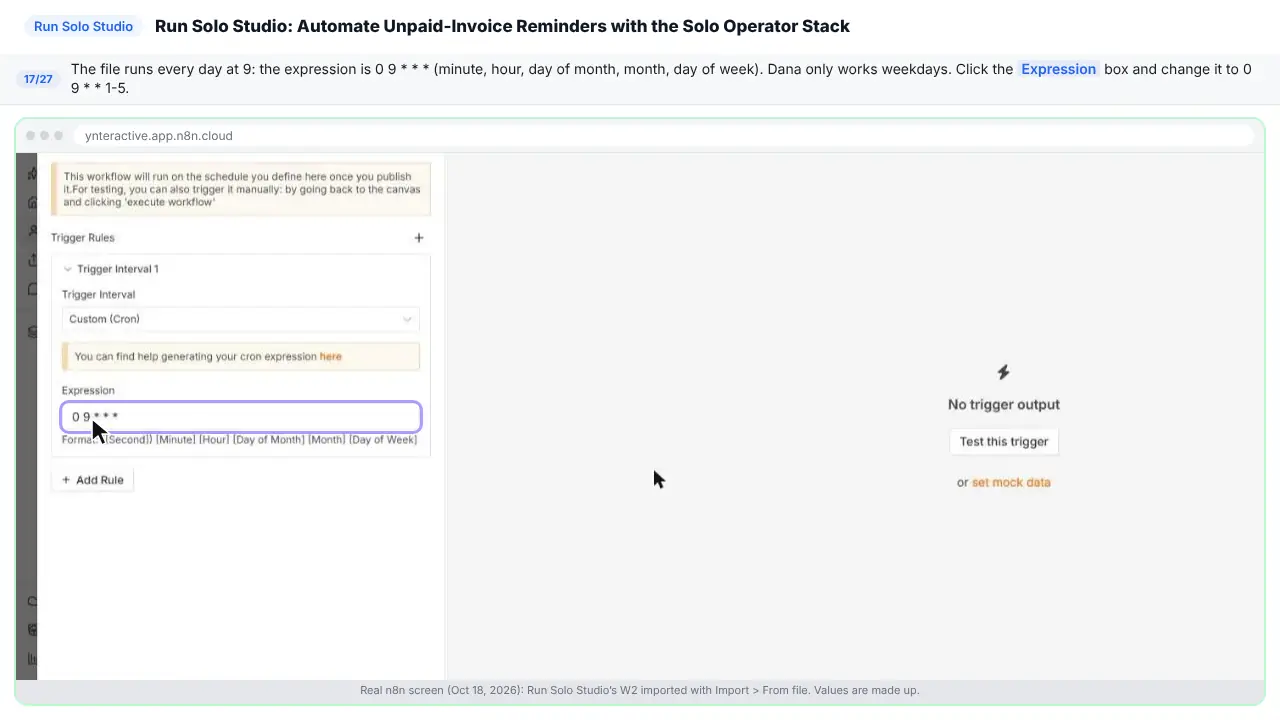
It runs every day at nine. Dana only works weekdays.
Step 18: Close the trigger
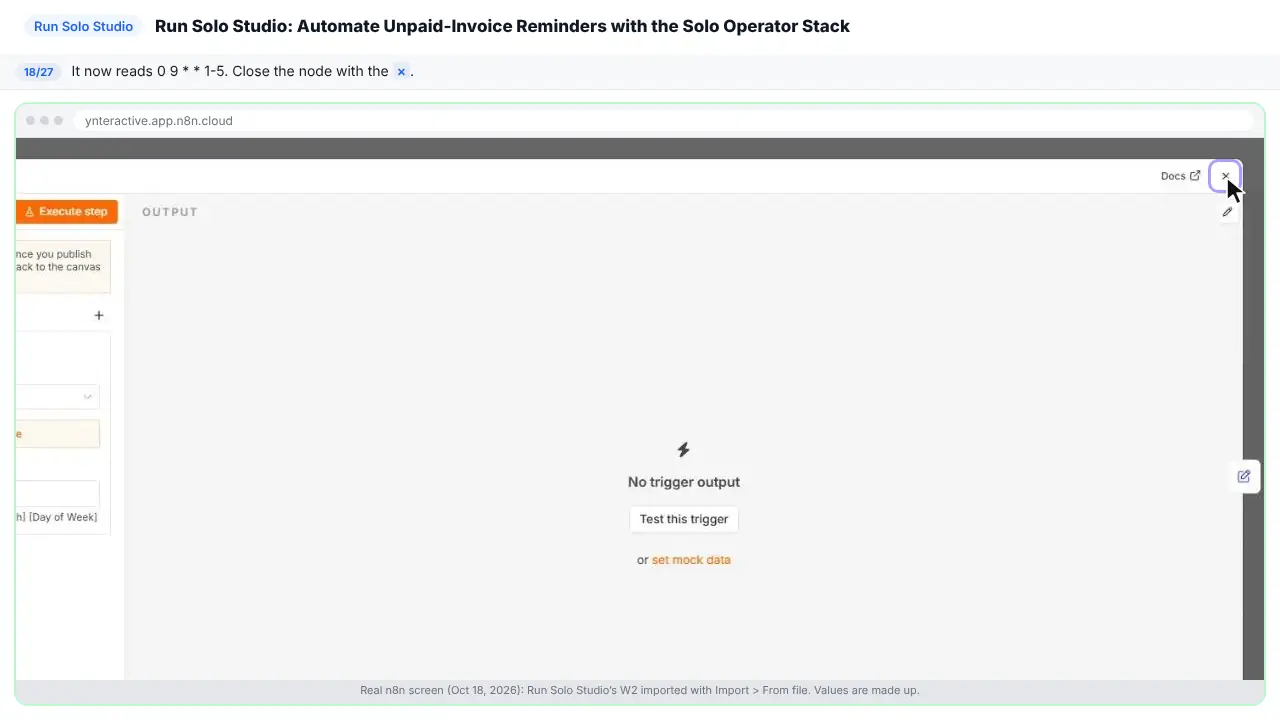
Done. Close it.
Step 19: Open the workflow menu
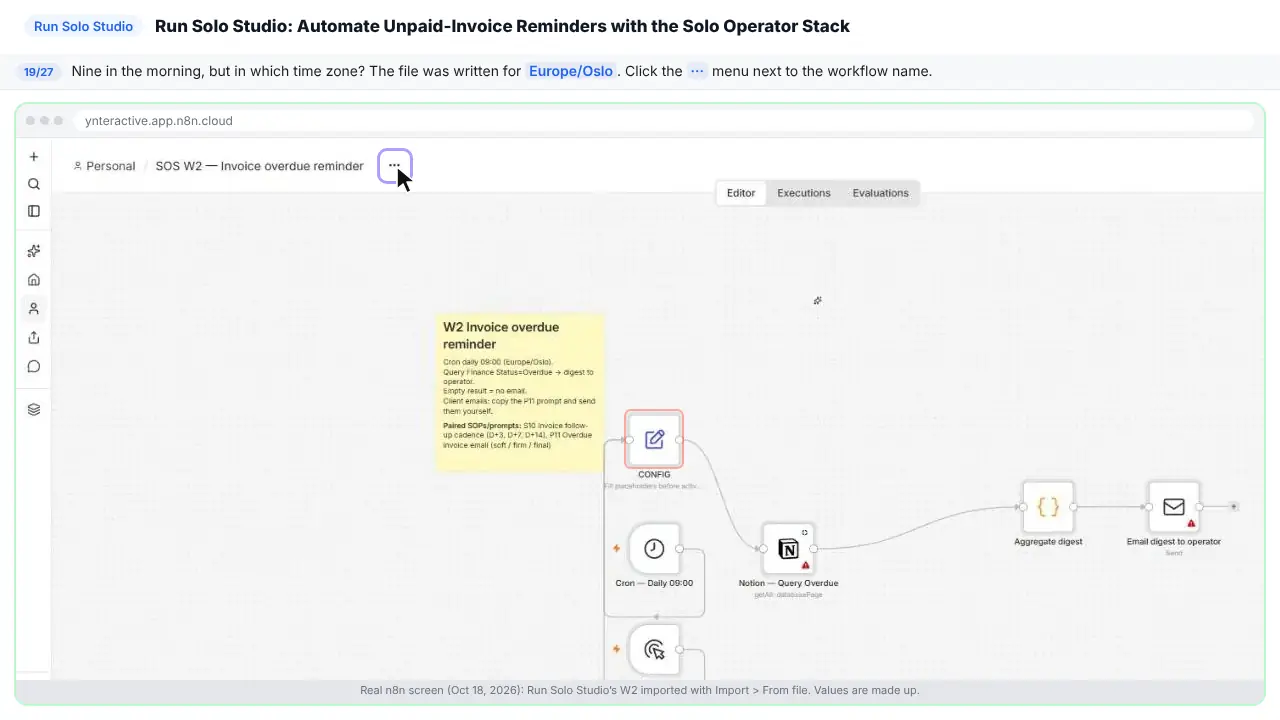
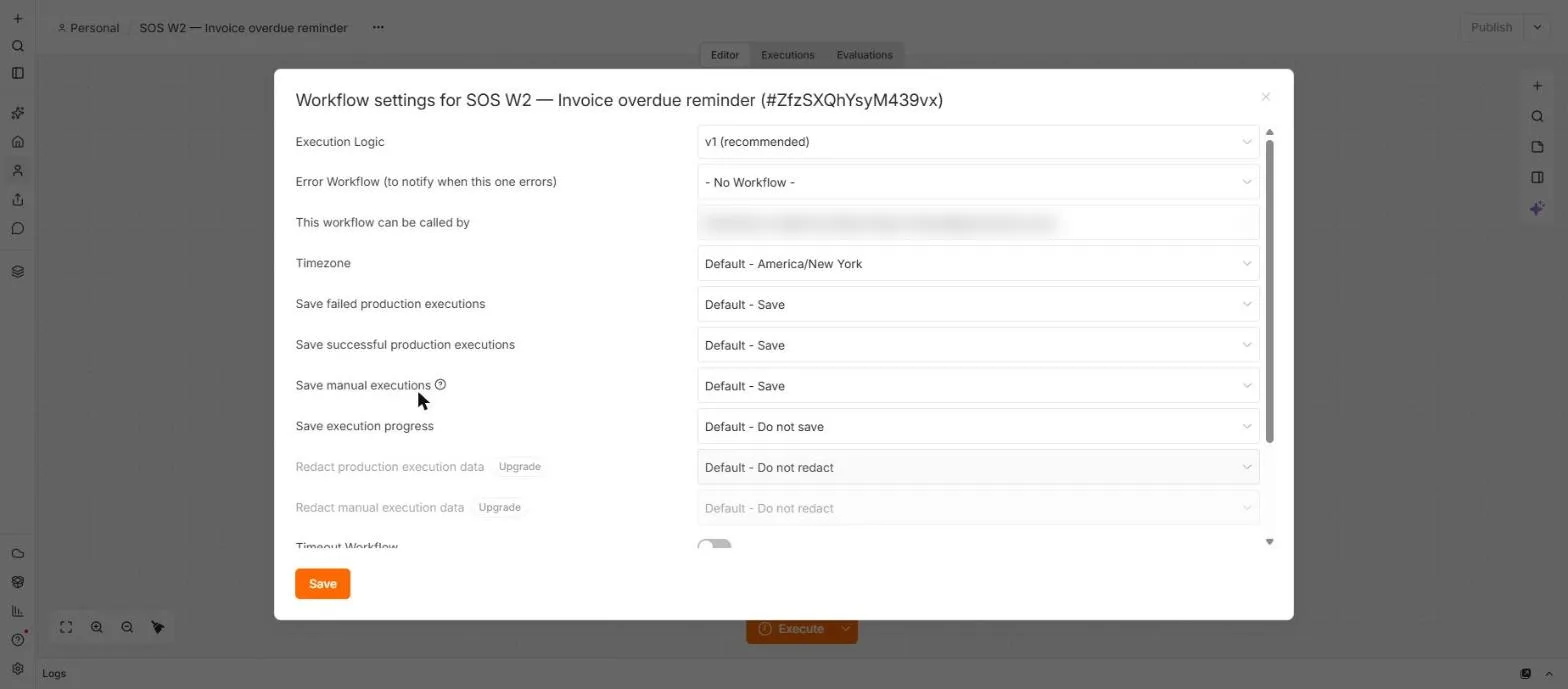
Nine in the morning. But where? The file was written for Oslo.
Step 20: Open Settings
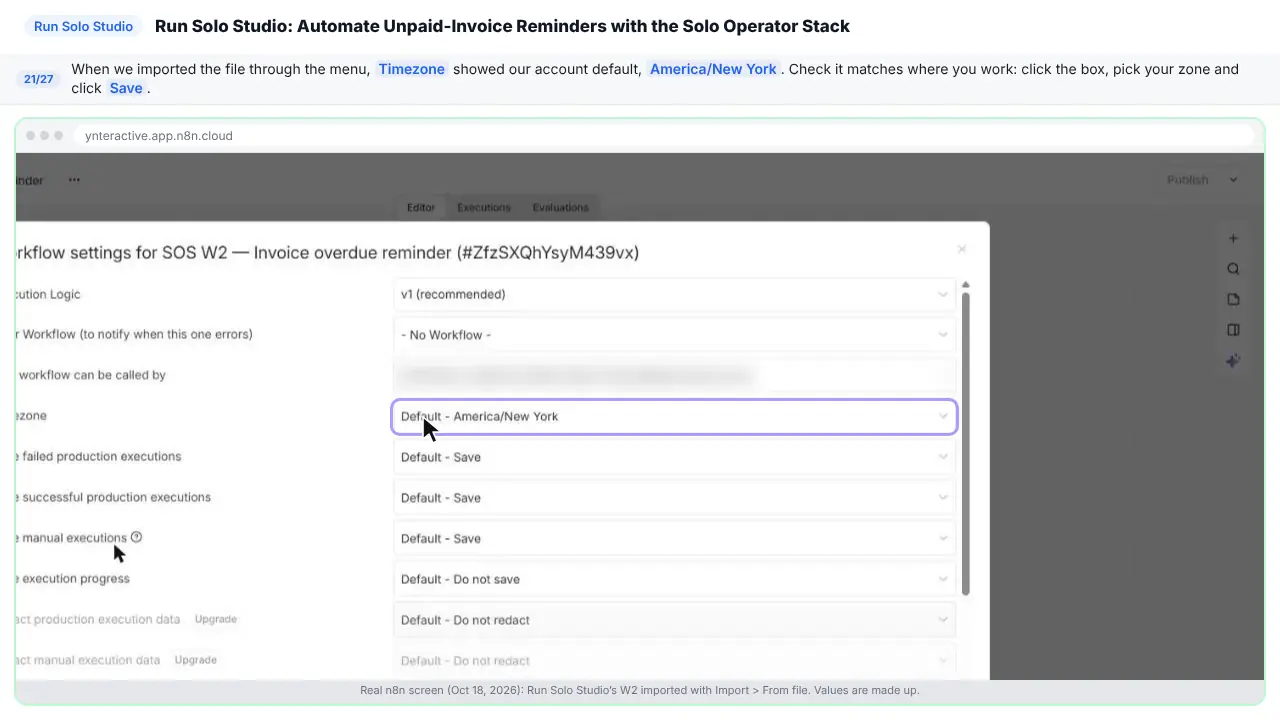
Step 21: Check the time zone
Check the time zone. Ours showed New York, our account default. Pick yours, and save.
Part 6: Test run
Step 22: Run a test
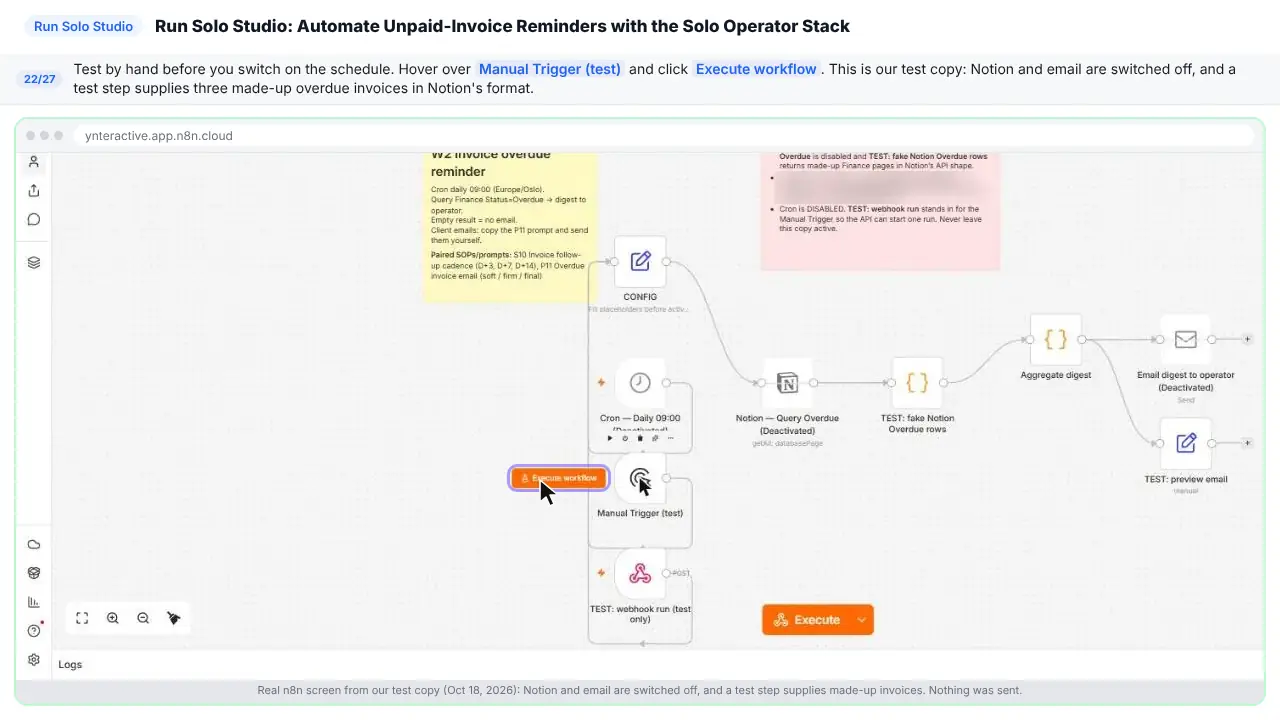
Always test before you switch on the schedule. Hover over the manual trigger, and click Execute workflow. This is our test copy, with made-up invoices.
Step 23: See the digest
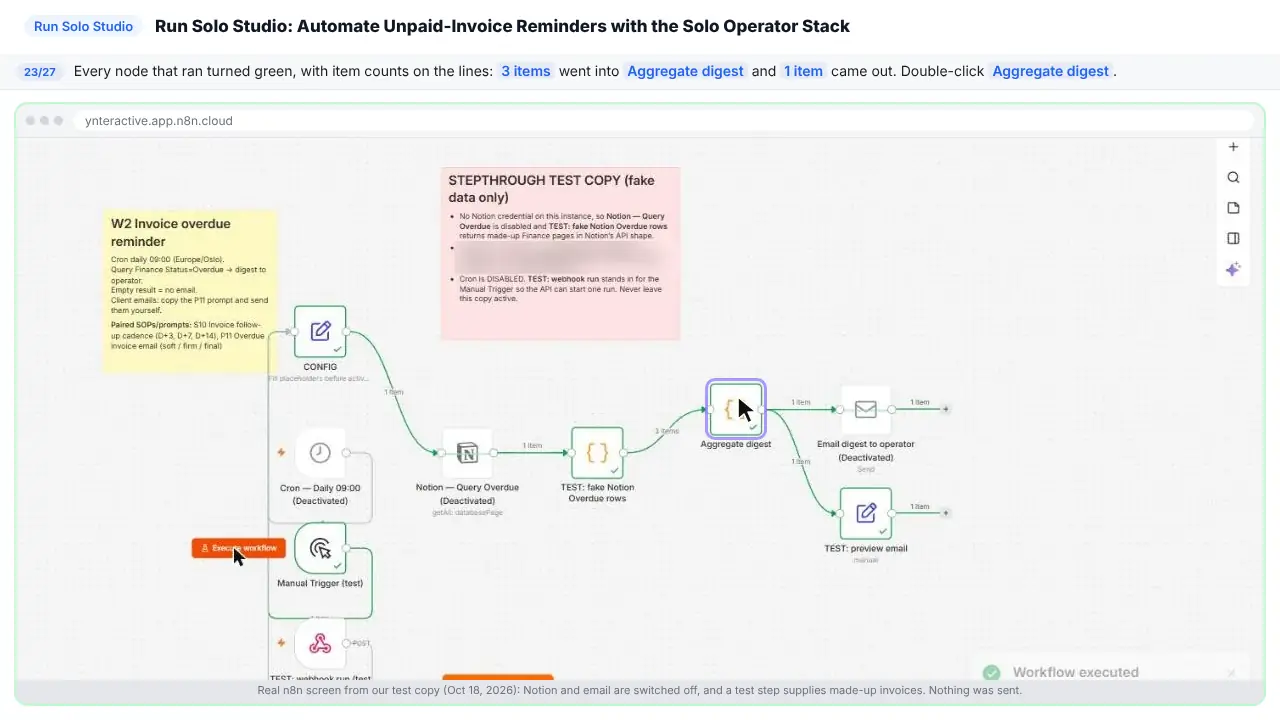
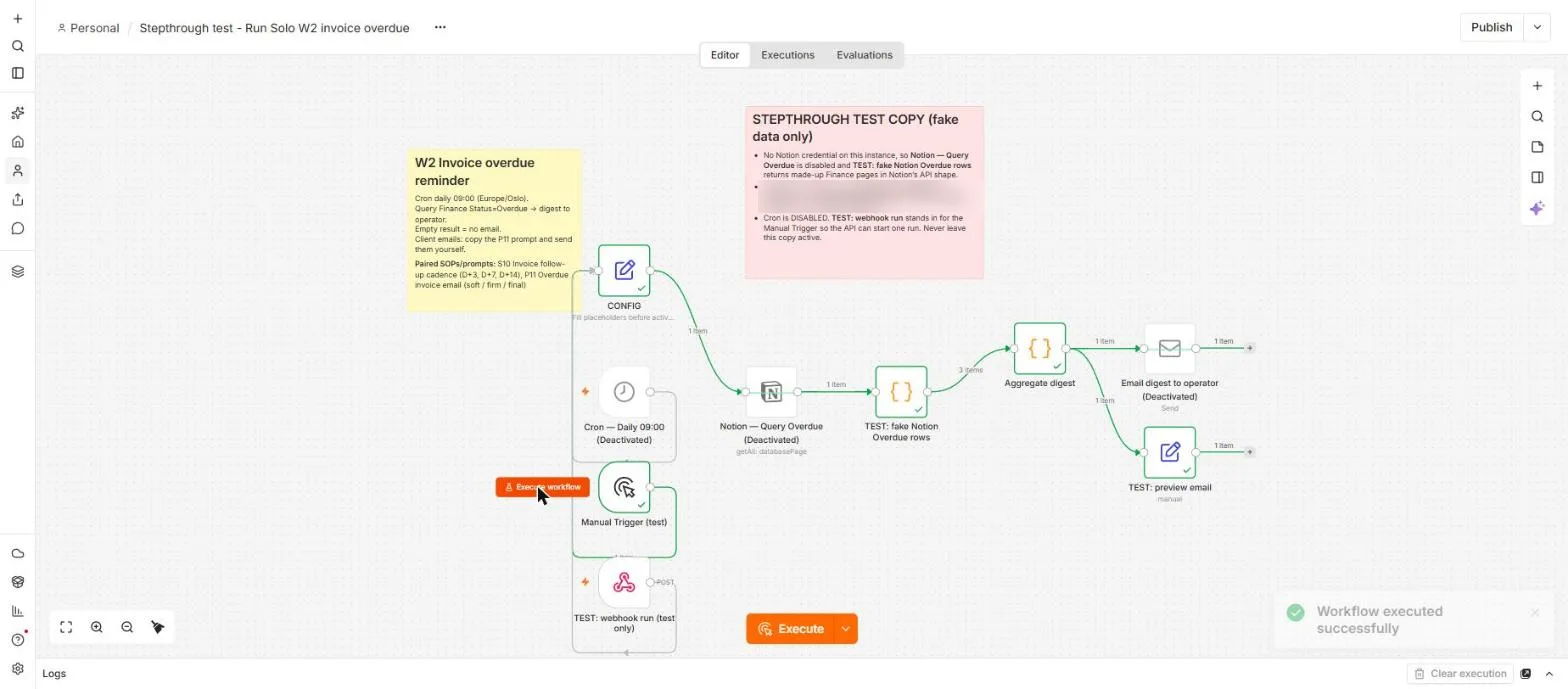
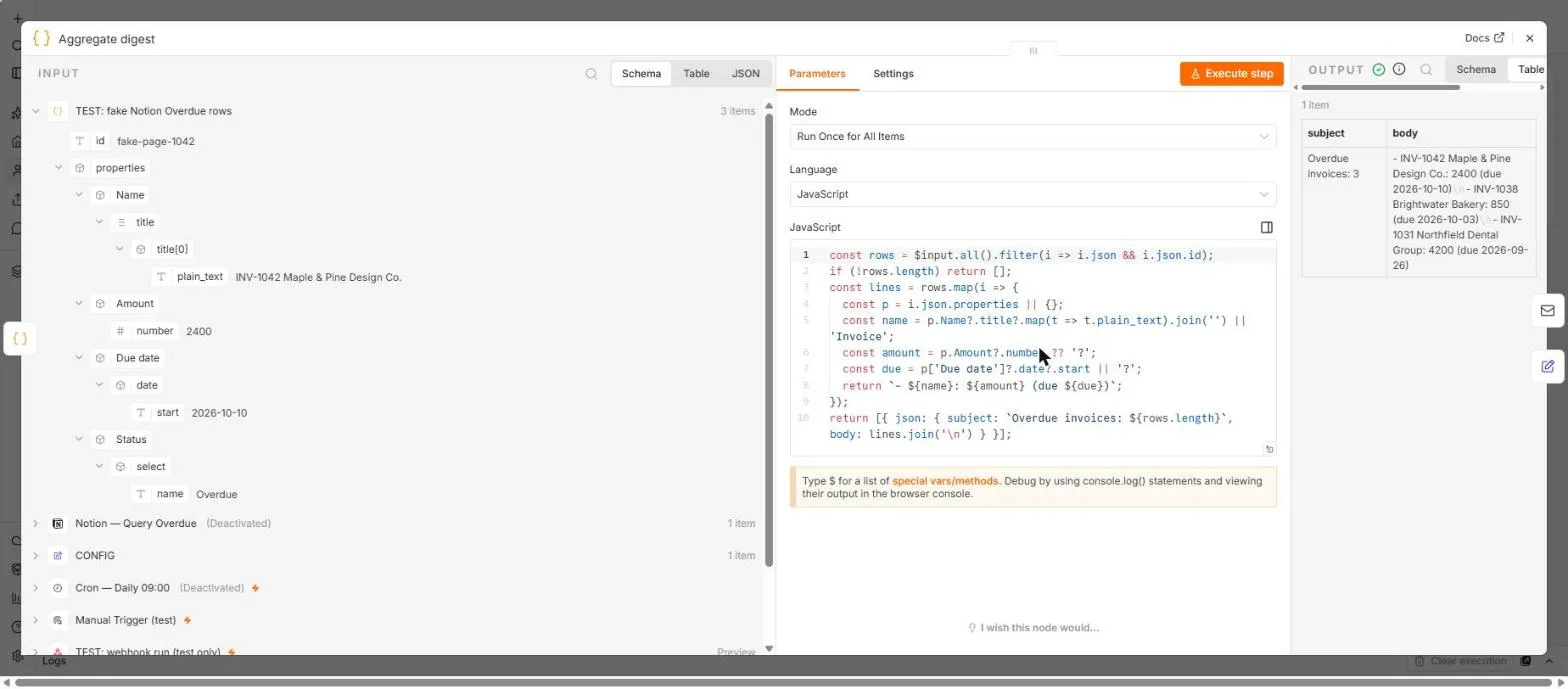
Everything turned green. Three invoices went in. One digest came out.
Step 24: Read the reminder
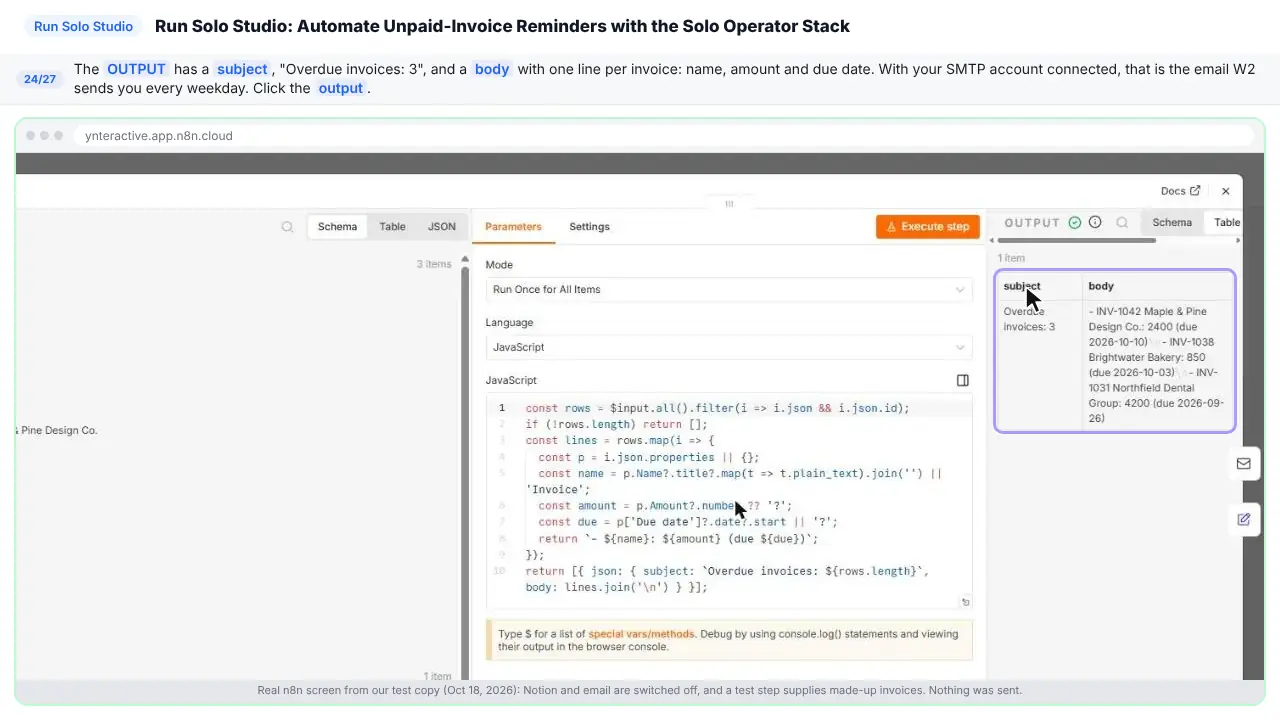
The output has a subject, and one line for each late invoice. That's the email you'd get every weekday.
Part 7: Pick the tone
Step 25: Match the tone to the days late
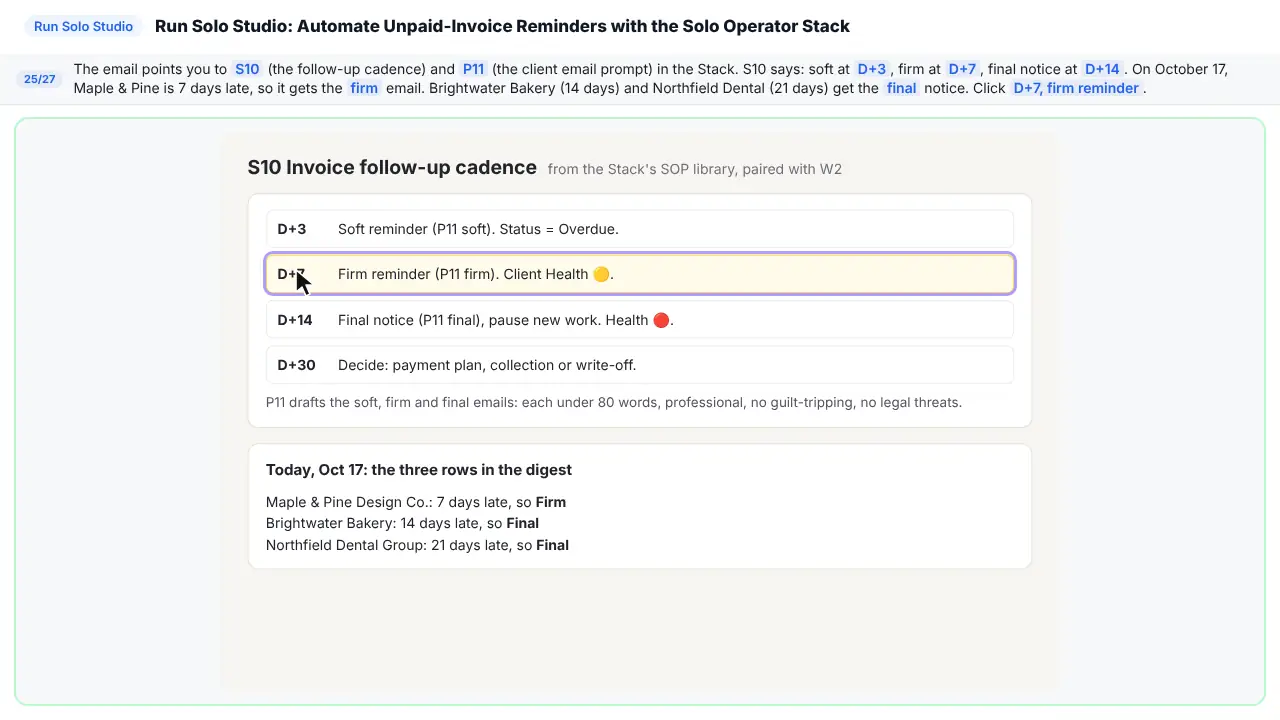
The email points you to two guides in the Stack. Soft after three days. Firm after seven. Final after fourteen. Maple and Pine is seven days late, so it gets the firm one.
Part 8: What it saves, and how to get it
Step 26: What this saves you
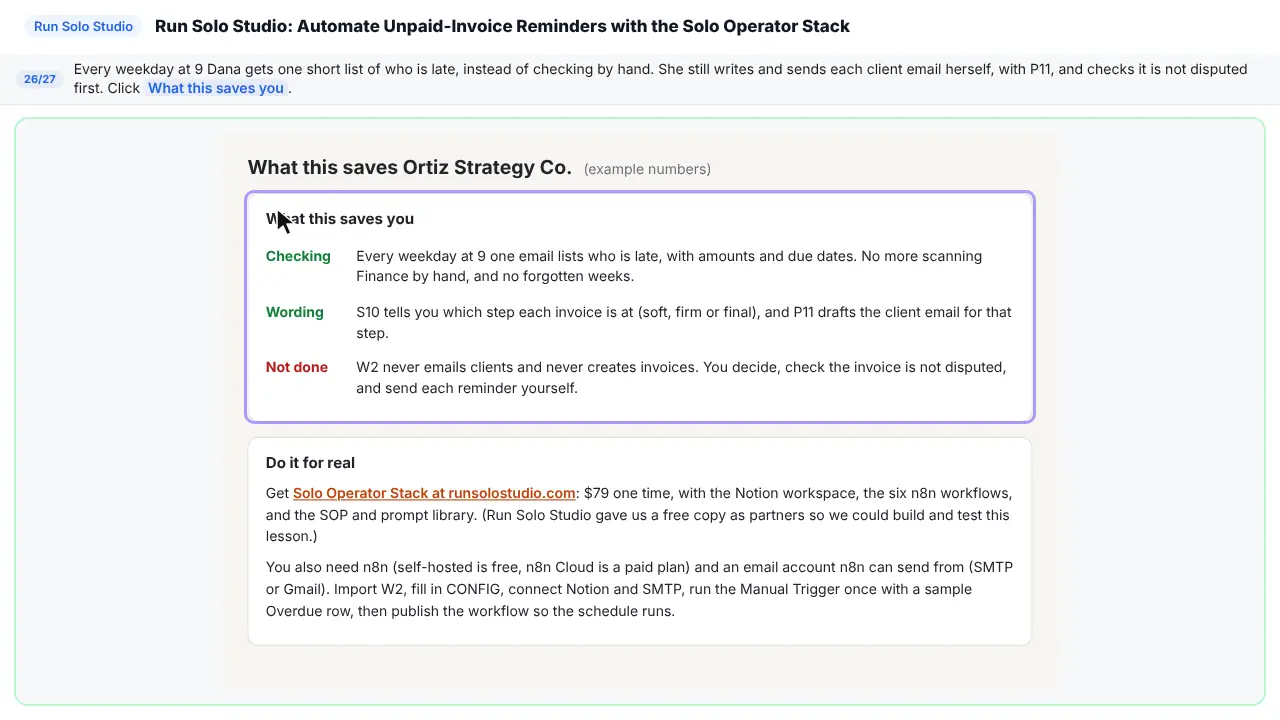
Every weekday at nine, Dana gets one short list. No more checking by hand. She still writes and sends each client email herself.
Step 27: Do it for real
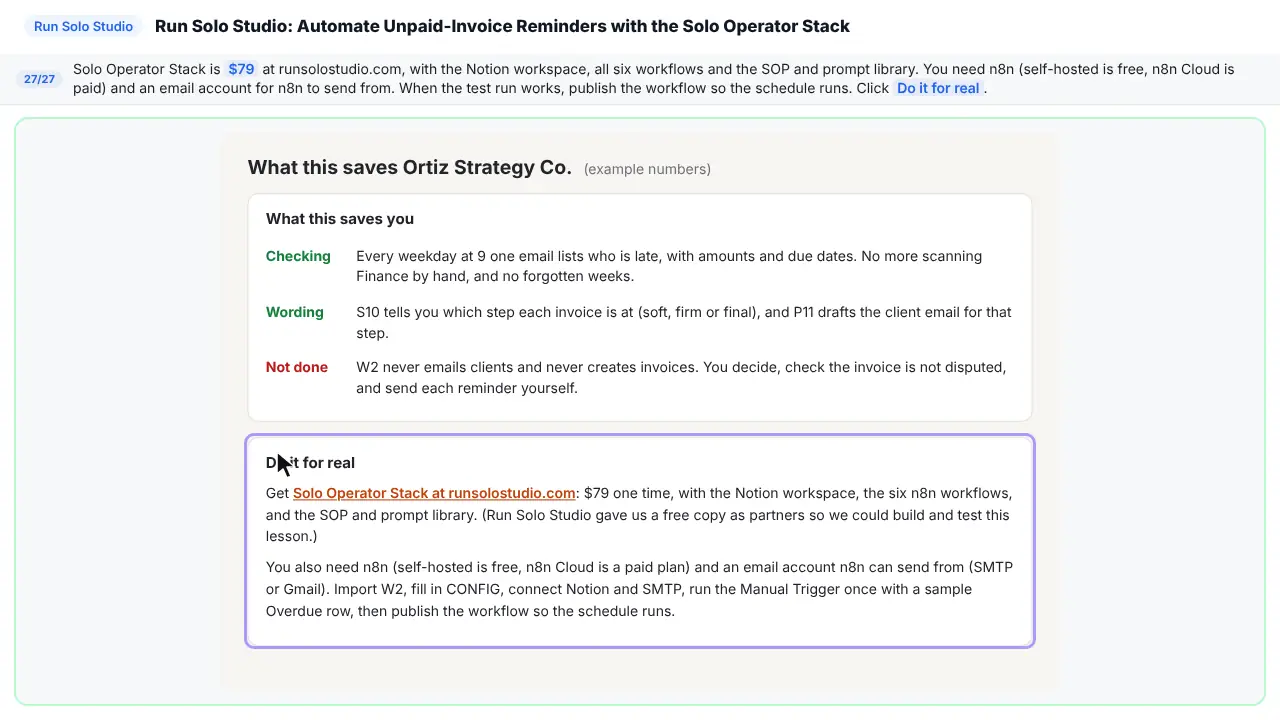
The Solo Operator Stack is seventy nine dollars, from Run Solo Studio. You'll also need n8n, and an email account. When your test works, publish the workflow.
Part of these free courses: n8n Jump Start, AI Apps Worth Knowing, AI for Consulting & Agencies, AI for Finance Teams
Now do it yourself, free
Reading the steps is a start. Doing them is how it sticks. The interactive lesson puts you in a practice copy of Run Solo Studio: you do every step yourself, it checks your work, and “Do it for me” finishes any step you get stuck on. Nothing touches your real accounts.
Practice “Run Solo Studio: Automate Unpaid-Invoice Reminders with the Solo Operator Stack” step by step
The business case: a weekly hunt for who owes you
Picture Dana Ortiz, a made-up solo marketing consultant. Three clients owe her $7,450: one invoice is 7 days late, one 14 and one 21. Every week she opens her invoice list, works out who is late, and decides what to say to each client.
Here is the arithmetic, using example numbers you should replace with your own. Say that check and the reminders take about 2 hours a week, or about 8 hours a month. At $100 an hour that is about $800 a month of her time, and in the weeks she forgets, the money simply waits longer.
What W2 does, and what it does not do
W2, Invoice overdue reminder, runs on a schedule (the file ships with every day at 09:00) or by hand. It reads your CONFIG node, asks Notion for every Finance row whose Status equals Overdue, turns them into one digest (a subject like Overdue invoices: 3 and one line per invoice with the amount and due date) and emails it to your own address. If nothing is overdue, it sends nothing.
It never emails your clients and never creates invoices. The digest points you to two items in the Stack's library: S10, a follow-up cadence (soft reminder at 3 days past due, firm at 7, final notice at 14, then decide at 30), and P11, a prompt that drafts the soft, firm and final emails. You check each invoice is not disputed and send the reminder yourself.
Who this is for, and what you need
Freelancers, solo consultants and anyone who sends their own invoices. To follow the lesson you need nothing: it is a practice copy with made-up data.
To do it for real you need Solo Operator Stack from runsolostudio.com ($79 one time), its Notion workspace (Notion Free or Plus works, per Run Solo Studio), n8n (self-hosted is free, n8n Cloud is a paid plan), a Notion internal integration, and an email account n8n can send from through SMTP or Gmail.
Step 1: import W2 into n8n
In n8n, click Create workflow, open the ··· menu next to the workflow name, point to Import and choose From file. Pick W2-invoice-overdue.json from the n8n-workflows folder of the download.
The canvas shows two triggers, Cron — Daily 09:00 and Manual Trigger (test), then CONFIG, Notion — Query Overdue, Aggregate digest and Email digest to operator. The Notion and email nodes show warnings until you attach credentials, which is expected: the file ships with no secrets.
Step 2: fill in CONFIG
Open your Finance database in Notion as a full page and copy the 32-character ID from the address, after the last slash and before ?v=.
Open the CONFIG node. Set NOTIFY_EMAIL to your own inbox and replace REPLACE_FINANCE_DB_ID in FINANCE_DB_ID with the ID. TIMEZONE in CONFIG is for reference only, and W2 does not use CLIENTS_DB_ID.
Step 3: connect Notion and your email
Open Notion — Query Overdue, under Credential click setup manually (not Connect to Notion), keep the API Key connection type and paste your integration's Internal Integration Secret. In Notion, share the Finance database with the integration (···, Connections). Leave the filter as it is: Status equals Overdue. If your Status option is spelled differently, the query finds nothing.
Open Email digest to operator and pick your SMTP credential, or create one with your mail provider's host, user and app password. From and To both read NOTIFY_EMAIL from CONFIG.
Step 4: set the schedule and time zone
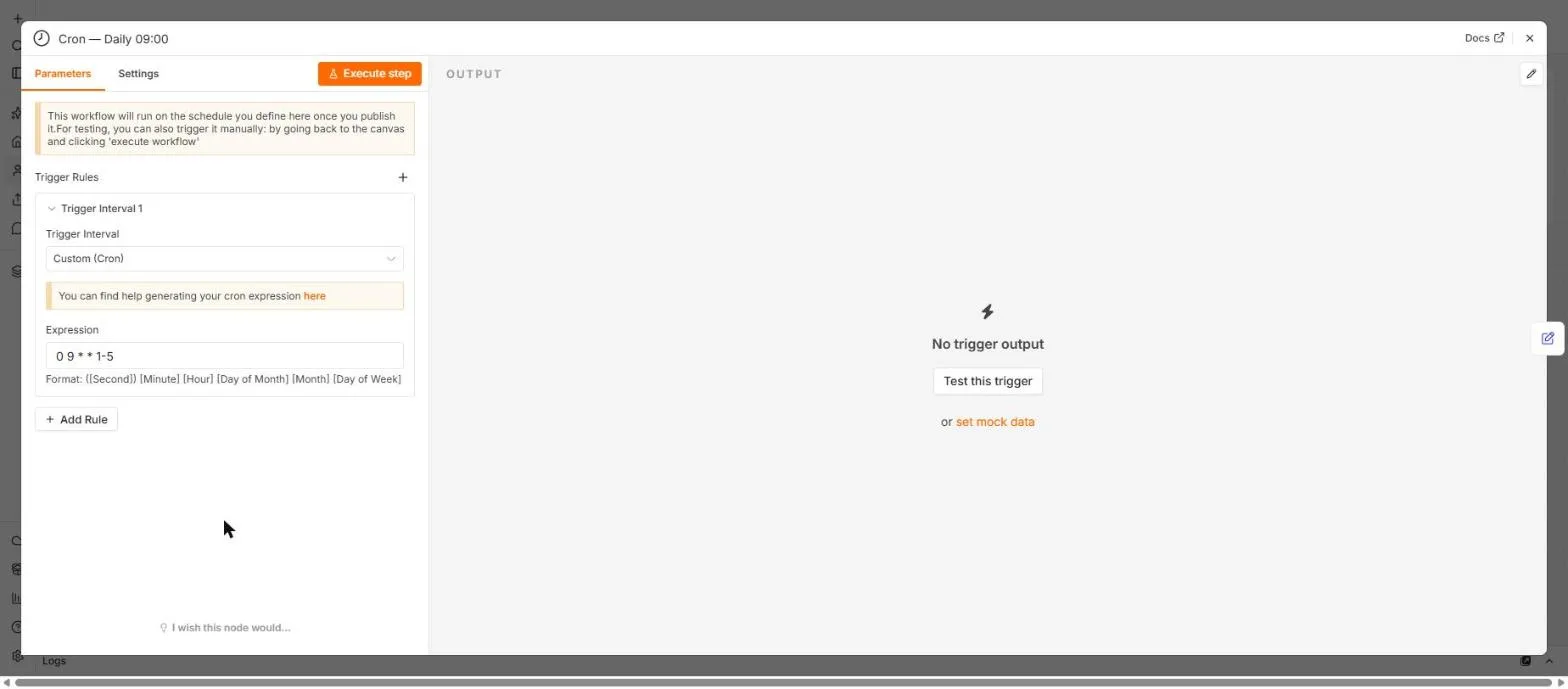
Open Cron — Daily 09:00. The expression 0 9 * * * means minute 0, hour 9, every day. For weekdays only, use 0 9 * * 1-5.
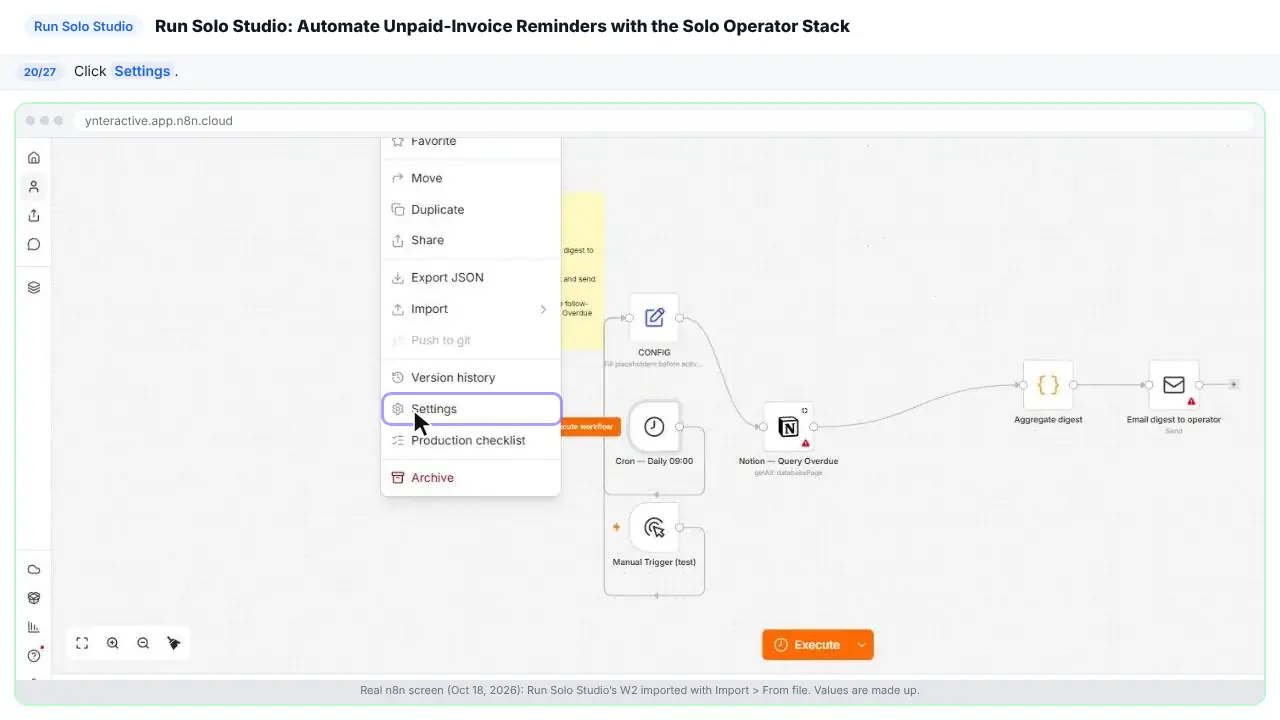
The workflow's time zone ships as Europe/Oslo. Open the ··· menu, choose Settings and set Timezone to your own, such as America/New York, then save. Otherwise 9 in the morning means 9 in Oslo.
Step 5: test it, then pick the tone
Click Execute workflow next to Manual Trigger (test). In our test run the Notion step returned 3 items, Aggregate digest produced one item with the subject Overdue invoices: 3 and one line per invoice, and the email node sent that text to the NOTIFY_EMAIL address.
Open S10 in the Stack's SOPs & Prompts and match each invoice to its step. On October 17, Maple & Pine (due October 10) is 7 days late, so it gets the firm reminder. Brightwater Bakery (14 days) and Northfield Dental (21 days) get the final notice. Draft each with P11, read it, and send it yourself. When the test works, publish the workflow.
Mistakes to avoid
- Leaving the time zone on Europe/Oslo, so the morning email arrives at the wrong hour.
- Forgetting to share the Finance database with the Notion integration, so the query returns nothing.
- Renaming the Status options or properties in Notion. The workflow matches Status = Overdue and reads Name, Amount and Due date exactly.
- Switching the workflow on before a manual test with a sample Overdue row.
- Sending a firm or final notice before checking the invoice is not disputed.
Links
- Solo Operator Stack (Run Solo Studio): the kit this lesson teaches: a Notion workspace, six n8n workflows and an SOP and prompt library. $79 one time, as listed on its site in October 2026. Run Solo Studio gave us a free copy as partners.
- n8n: the automation tool the workflows run on, self-hosted (free) or n8n Cloud (paid).
- Notion integrations: where you create the internal integration whose secret n8n uses to read your Finance database.
Try it yourself, free
Reading the steps is a start. Doing them is how it sticks. The interactive module walks you through every click in a practice copy of Run Solo Studio, checks each step, and never touches your real accounts.
Start “Run Solo Studio: Automate Unpaid-Invoice Reminders with the Solo Operator Stack”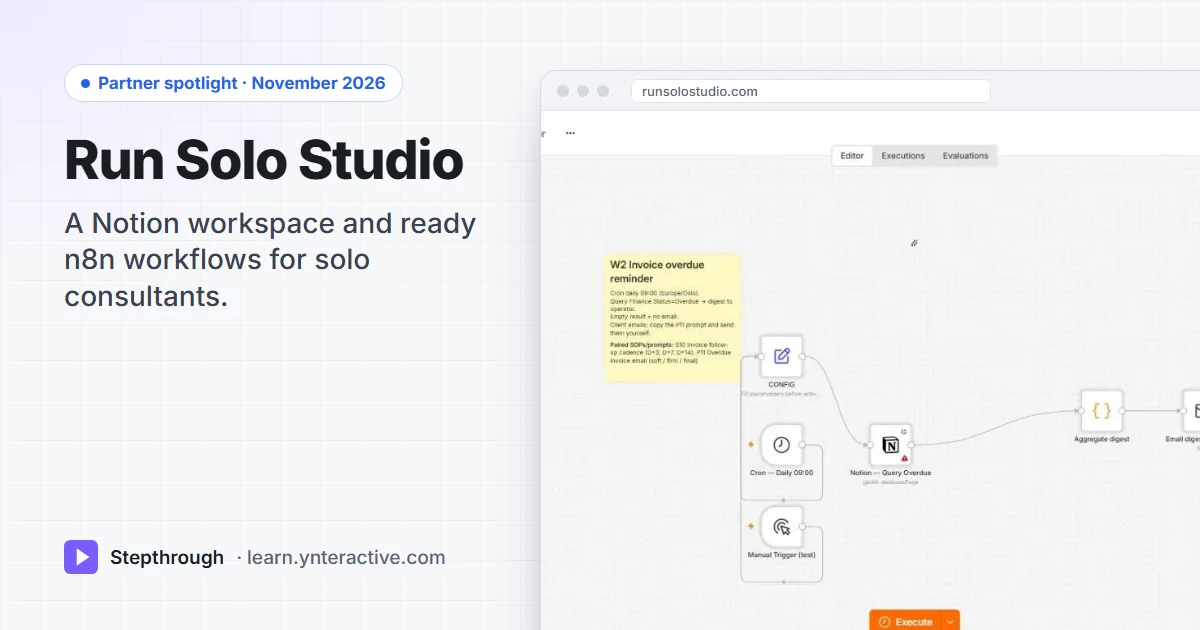
November 2026 spotlight
Run Solo Studio
A Notion workspace for freelancers and solo consultants plus ready-to-import n8n workflows, such as a daily overdue-invoice reminder.
Screenshots
Frequently asked questions
- Is this an official Run Solo Studio course?
- No. This is my own lesson, made with Run Solo Studio's agreement. Run Solo Studio gave us a free copy of Solo Operator Stack as partners so we could build and test it.
- Does W2 email my clients?
- No. It emails you a list of overdue invoices. You write and send each client reminder yourself, using the S10 cadence and the P11 prompt that come with the Stack.
- How much does Solo Operator Stack cost?
- $79 one time, with a 14-day money-back guarantee, as listed on runsolostudio.com in October 2026. n8n Cloud, if you use it instead of self-hosting, is billed separately by n8n.
- Can I use Google Sheets instead of Notion?
- Not as shipped. W2 reads the Finance database of the Stack's Notion workspace. You could rebuild the query step for another source, but the lesson follows the file as Run Solo Studio ships it.
- Did you run it for real?
- Yes, on a real n8n Cloud workspace on October 17, 2026, with made-up invoices only. Notion and SMTP were not connected there, so a test-only step returned the same rows in Notion's format and the email node was turned off. The digest text in the lesson is the real output of that run.
Terms in this lesson
Plain-English definitions, each with an example from a free lesson.