Updated . Built against the tool’s current screens and checked step by step. How we check this lesson
The problem: each refund email takes a preparer 15 to 20 minutes, and one rushed promise becomes the next angry email. Every tax season the same email lands: "When do we get our refund?" Often the return isn't filed yet because documents are missing, and nobody can promise a refund date anyway. In this free, interactive lesson you give ChatGPT the thread and your firm's facts, let it draft, have it check every promise against those facts, fix what it got wrong, and send the reply from Gmail.
At a glance
| Question | Answer |
|---|---|
| What you build | A client wants a refund date while two tax forms are still missing. Give ChatGPT the thread and your firm's facts, catch the date it shouldn't promise, and send a calm, clear reply from Gmail. |
| Tools | ChatGPT |
| Time | About 10 minutes, 20 steps in 6 parts |
| Level | Beginner, no coding needed |
| Cost | Free |
| Ways to learn it | Practice it step by step, watch the video, read the guide with screenshots |
The 6 parts, in short
- Copy the thread: Open the thread, Expand all messages, Copy the thread, Switch to ChatGPT.
- Give ChatGPT the context: Click the message box, Paste the thread, Add the facts, Say what a good reply looks like.
- Get the first draft: Send it.
- Check every promise: Read the draft, then click the message box, Ask ChatGPT to check its promises, Send the check.
- Fix it and warm it up: Read the table, then click the message box, Ask for specific changes, Send the fix.
- Send it from Gmail: Copy the reply, Go back to Gmail, Click Reply, Paste the reply, and 1 more step.
Start here first: Reply Faster: Turn a Messy Customer Email Thread into a Clear, Friendly Reply. This Accounting & Bookkeeping Firms version follows the same build with its own example business.
Part of: AI for Accounting & Bookkeeping Firms (step 5 of 41). Next up: Answer Client Emails in Half the Time using Lindy
How to answer Refund-Date Emails Without Overpromising using ChatGPT: step-by-step guide with screenshots
About the screenshots. They come from Stepthrough’s simulated practice environment (a practice copy of ChatGPT), not the live tool, so no real account appears. The buttons and labels match the real screens the lesson was built against. Practice it yourself free at learn.ynteractive.com.
- Tools: ChatGPT
- Time: about 10 minutes, 20 steps in 6 parts
- Level: beginner, no coding needed
Part 1: Copy the thread
Step 1: Open the thread
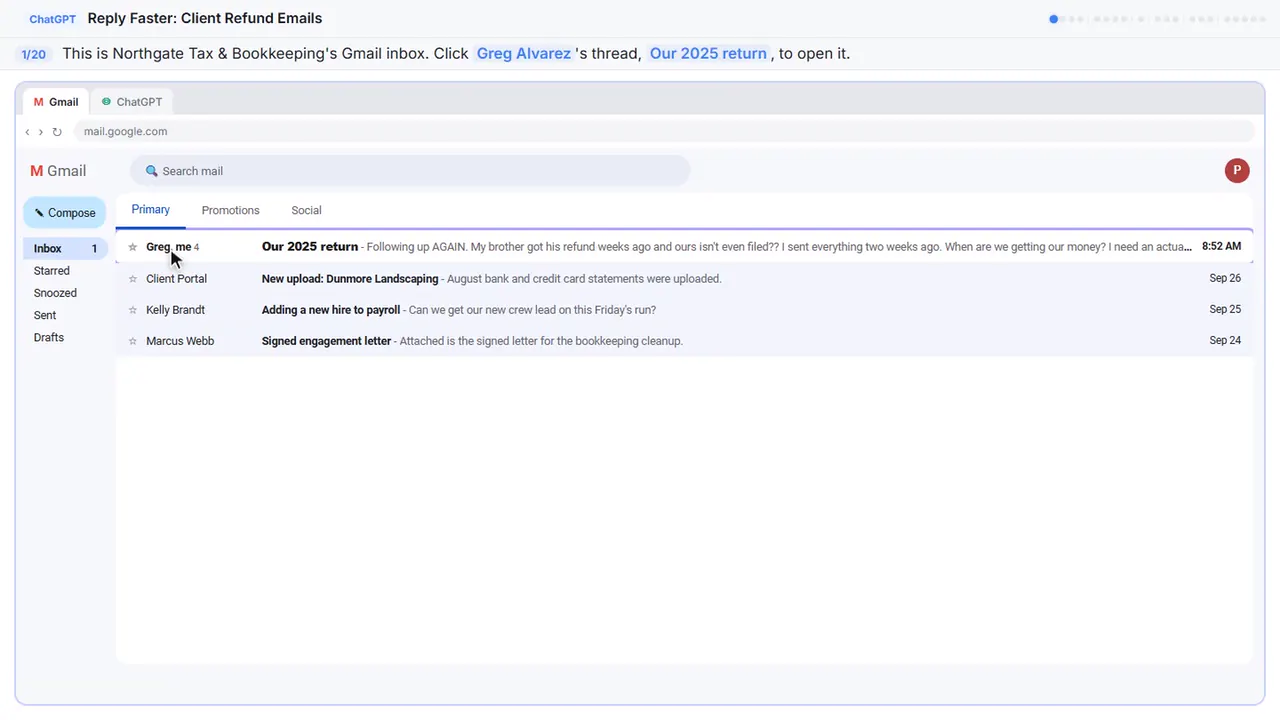
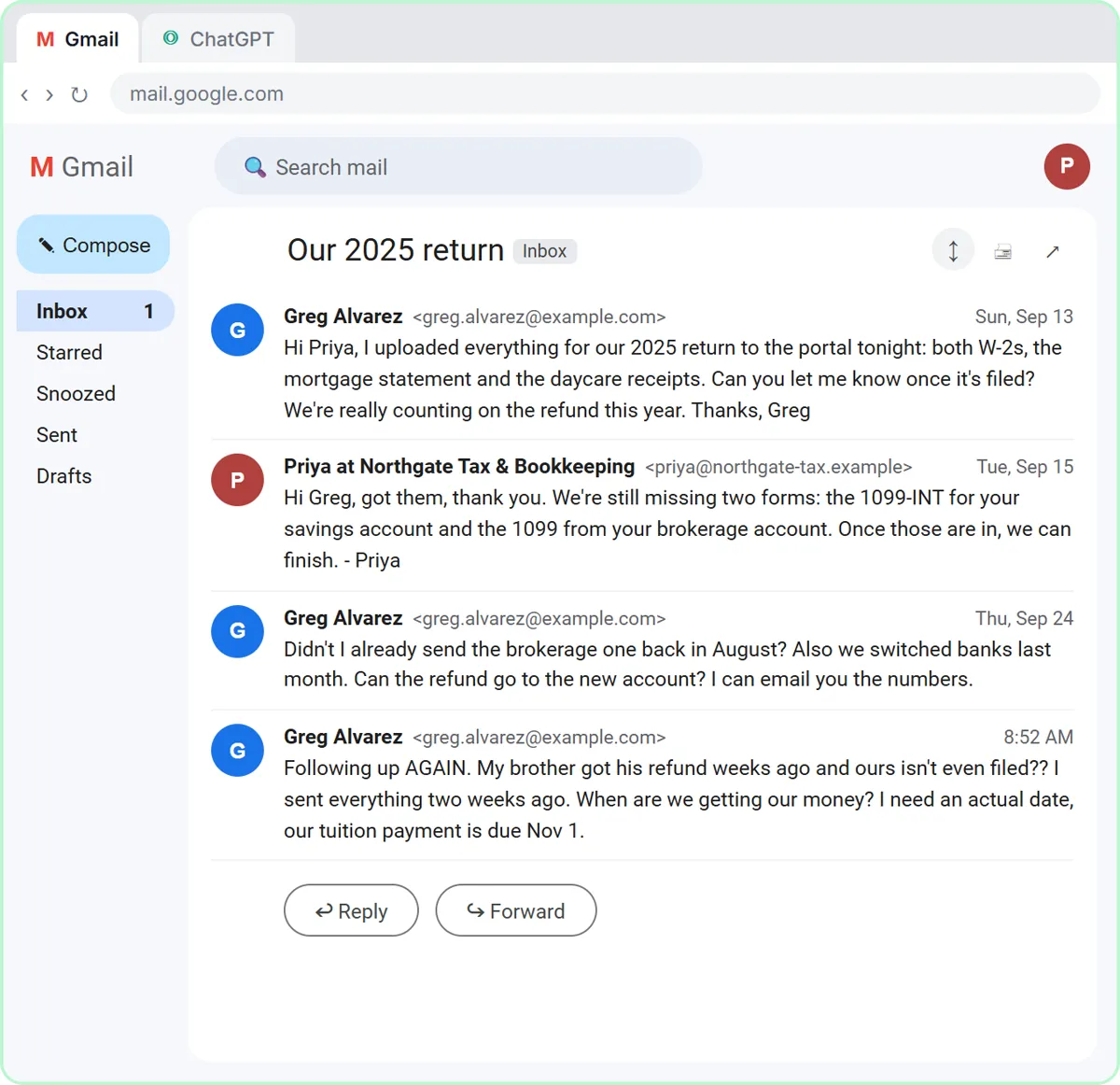
Here's the inbox for Northgate Tax and Bookkeeping, a small local firm. Greg's thread has four messages, a refund he's anxious about, and two tax forms that still haven't come in.
Step 2: Expand all messages
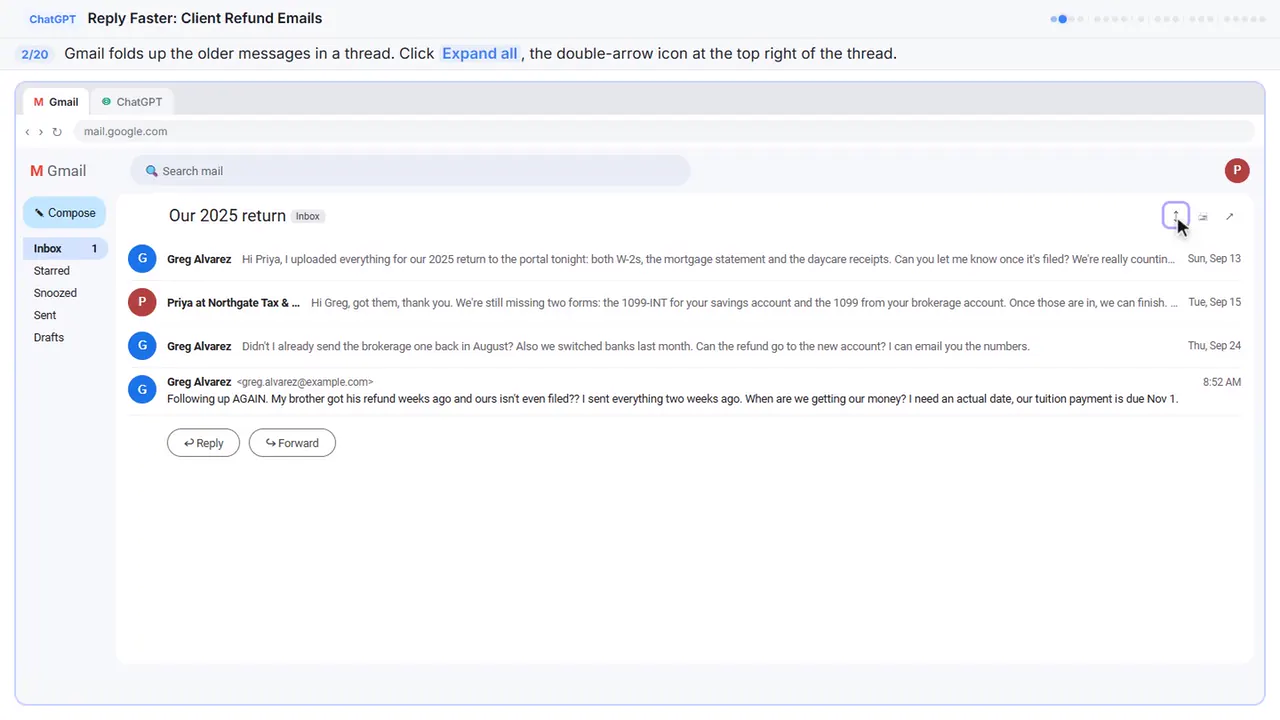
Gmail folds up the older messages, so only the newest one is open. You want the whole story, so click Expand all, the double-arrow icon at the top right.
Step 3: Copy the thread
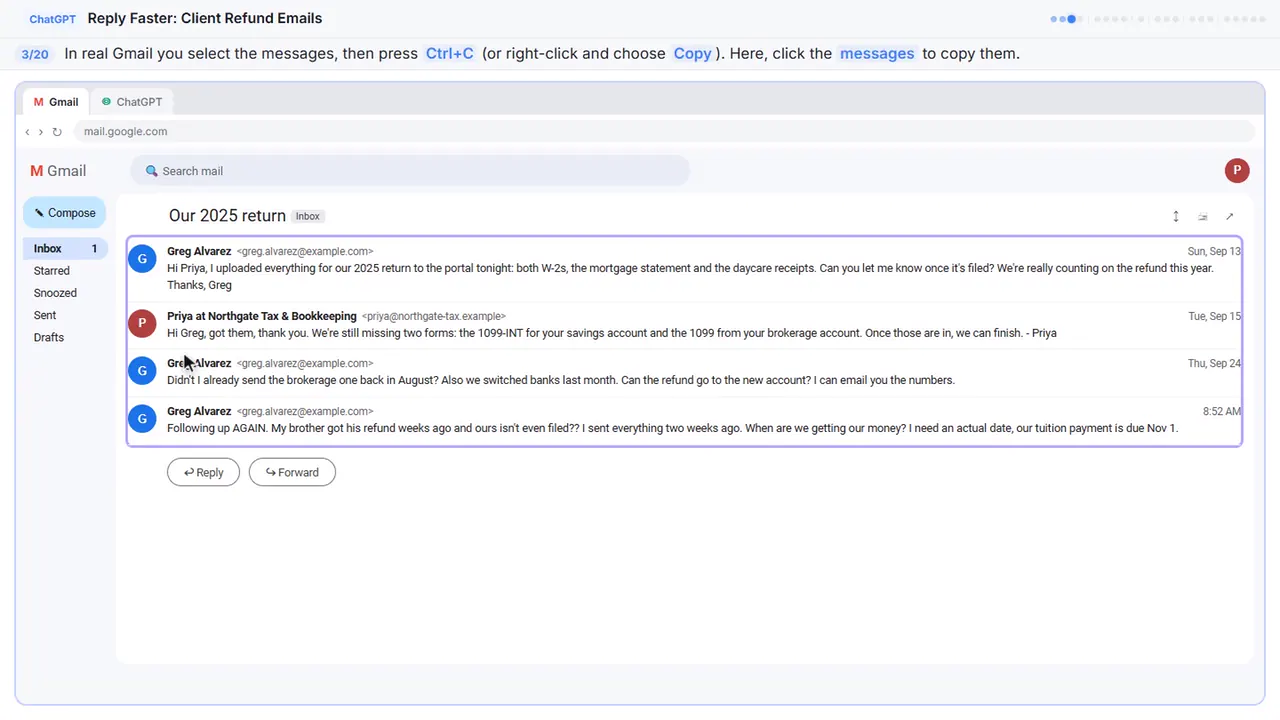
Read it through once. Greg wants a refund date, thinks he already sent one of the forms, and wants to email you his new bank account numbers. If there's anything private in there, like a Social Security or account number, leave it out. Here, just click the messages.
Step 4: Switch to ChatGPT
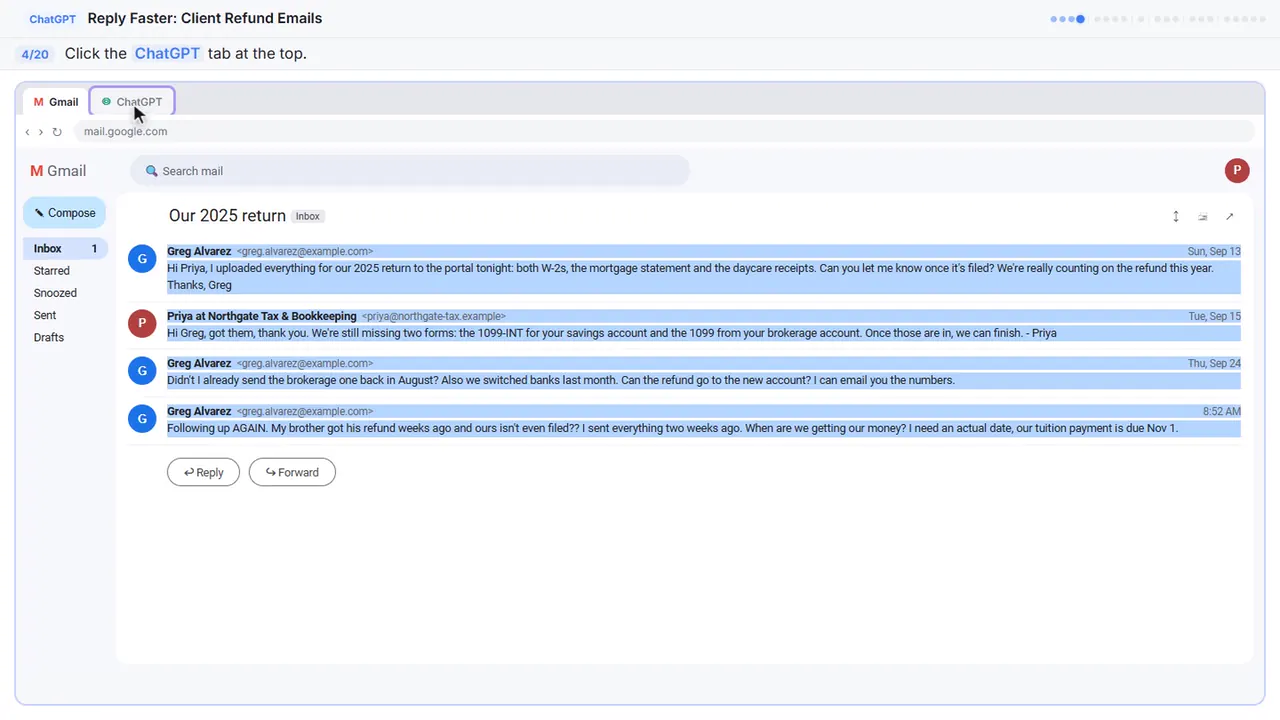
Now switch over to ChatGPT.
Part 2: Give ChatGPT the context
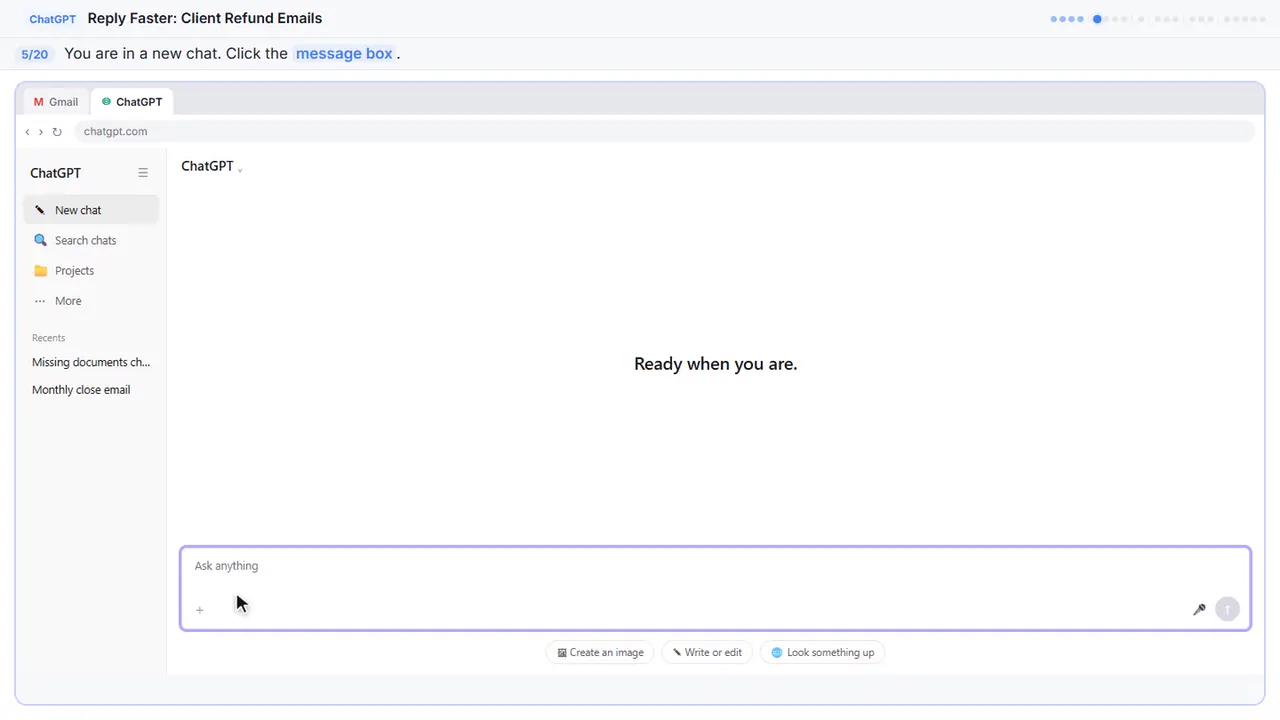
Step 5: Click the message box
You're in a fresh chat. You'll give ChatGPT three things in one message: the thread, the facts, and what a good reply looks like.
Step 6: Paste the thread
First, the thread. One line tells ChatGPT what it's looking at, then the emails, oldest first.
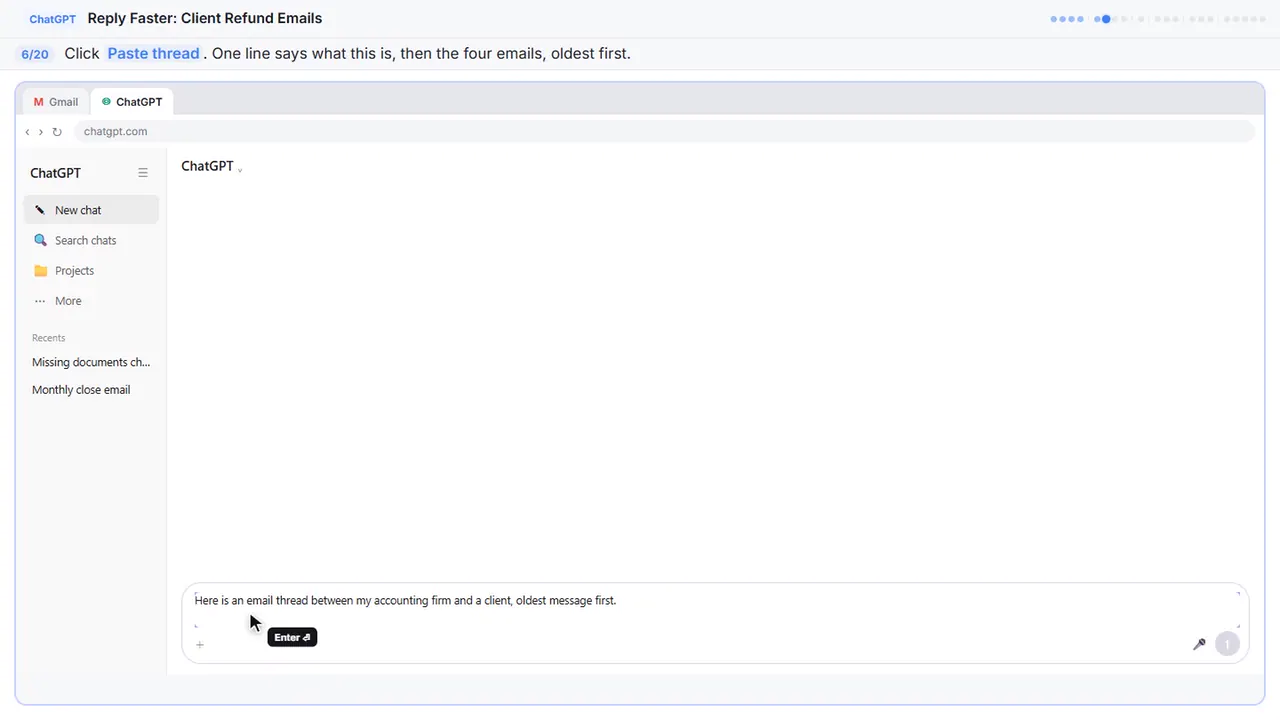
Here is an email thread between my accounting firm and a client, oldest message first.

Greg Alvarez (Sun, Sep 13): Hi Priya, I uploaded everything for our 2025 return to the portal tonight: both W-2s, the mortgage statement and the daycare receipts. Can you let me know once it's filed? We're really counting on the refund this year. Thanks, Greg

Priya at Northgate Tax & Bookkeeping (Tue, Sep 15): Hi Greg, got them, thank you. We're still missing two forms: the 1099-INT for your savings account and the 1099 from your brokerage account. Once those are in, we can finish. - Priya

Greg Alvarez (Thu, Sep 24): Didn't I already send the brokerage one back in August? Also we switched banks last month. Can the refund go to the new account? I can email you the numbers.

Greg Alvarez (8:52 AM): Following up AGAIN. My brother got his refund weeks ago and ours isn't even filed?? I sent everything two weeks ago. When are we getting our money? I need an actual date, our tuition payment is due Nov 1.
Step 7: Add the facts
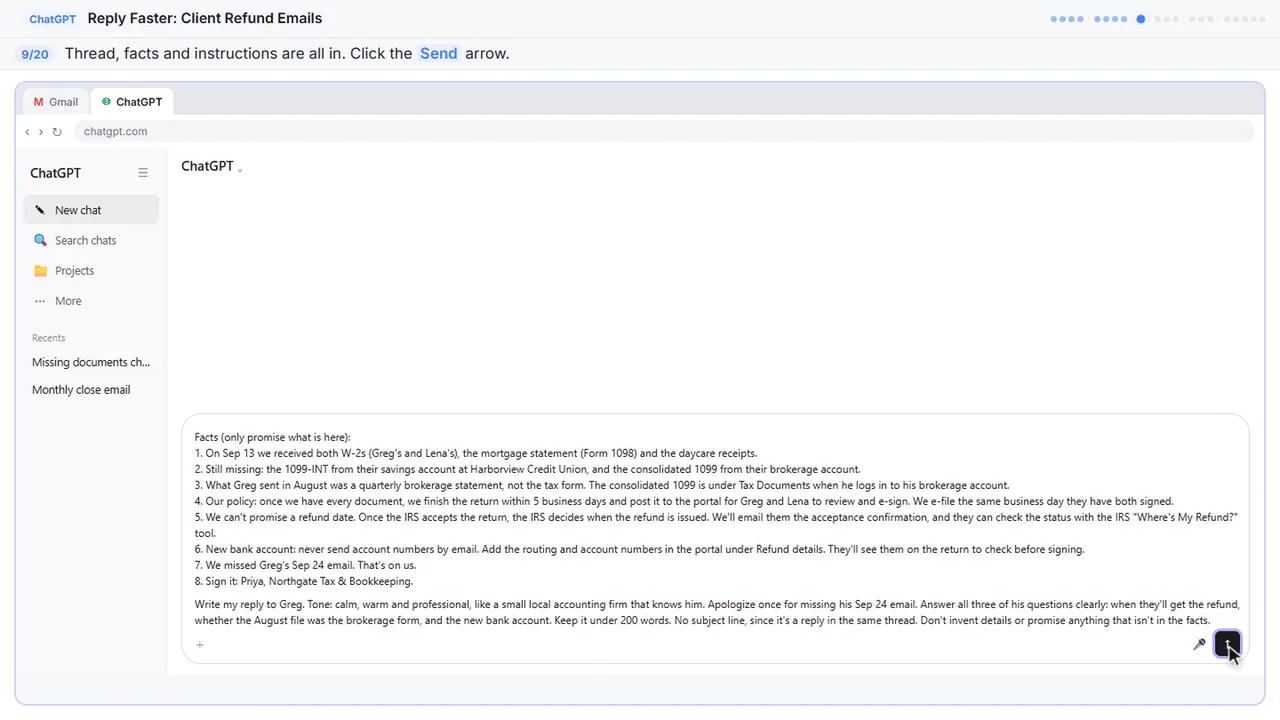
Next, the facts. ChatGPT can't see your client portal, your firm's turnaround, or what you can honestly say about a refund, so spell them out. Number them, so you can check them later.
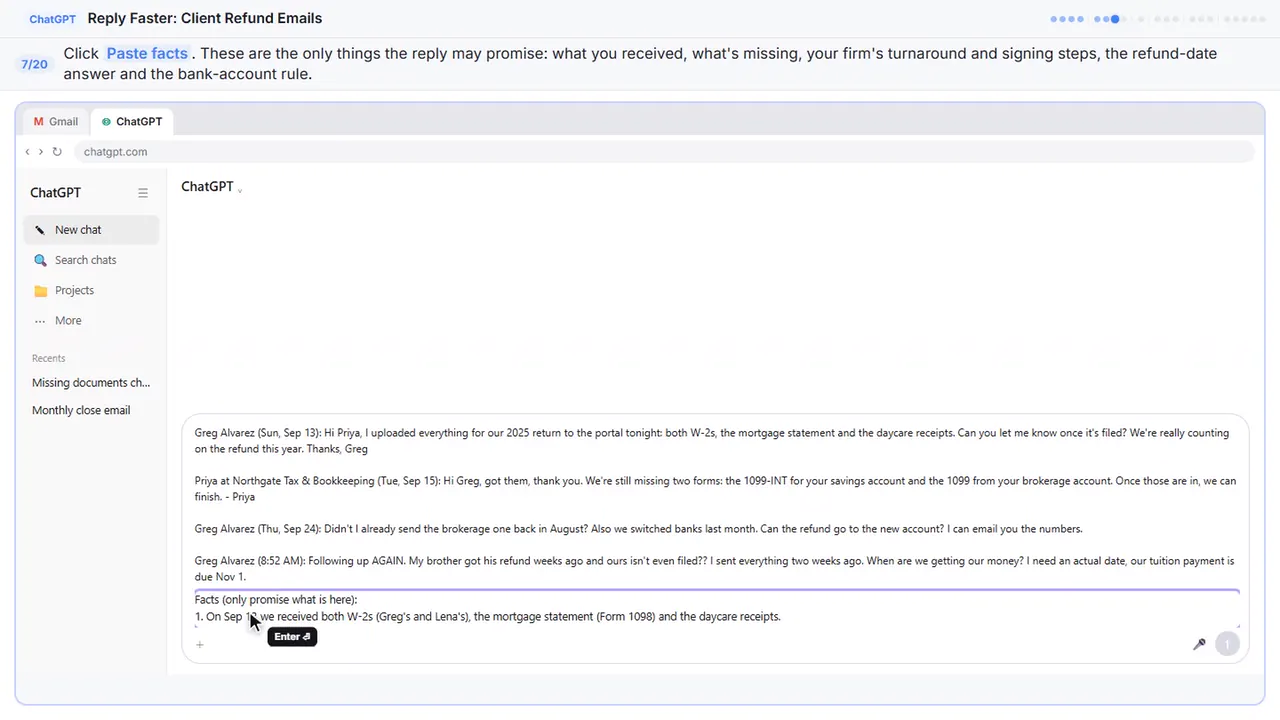
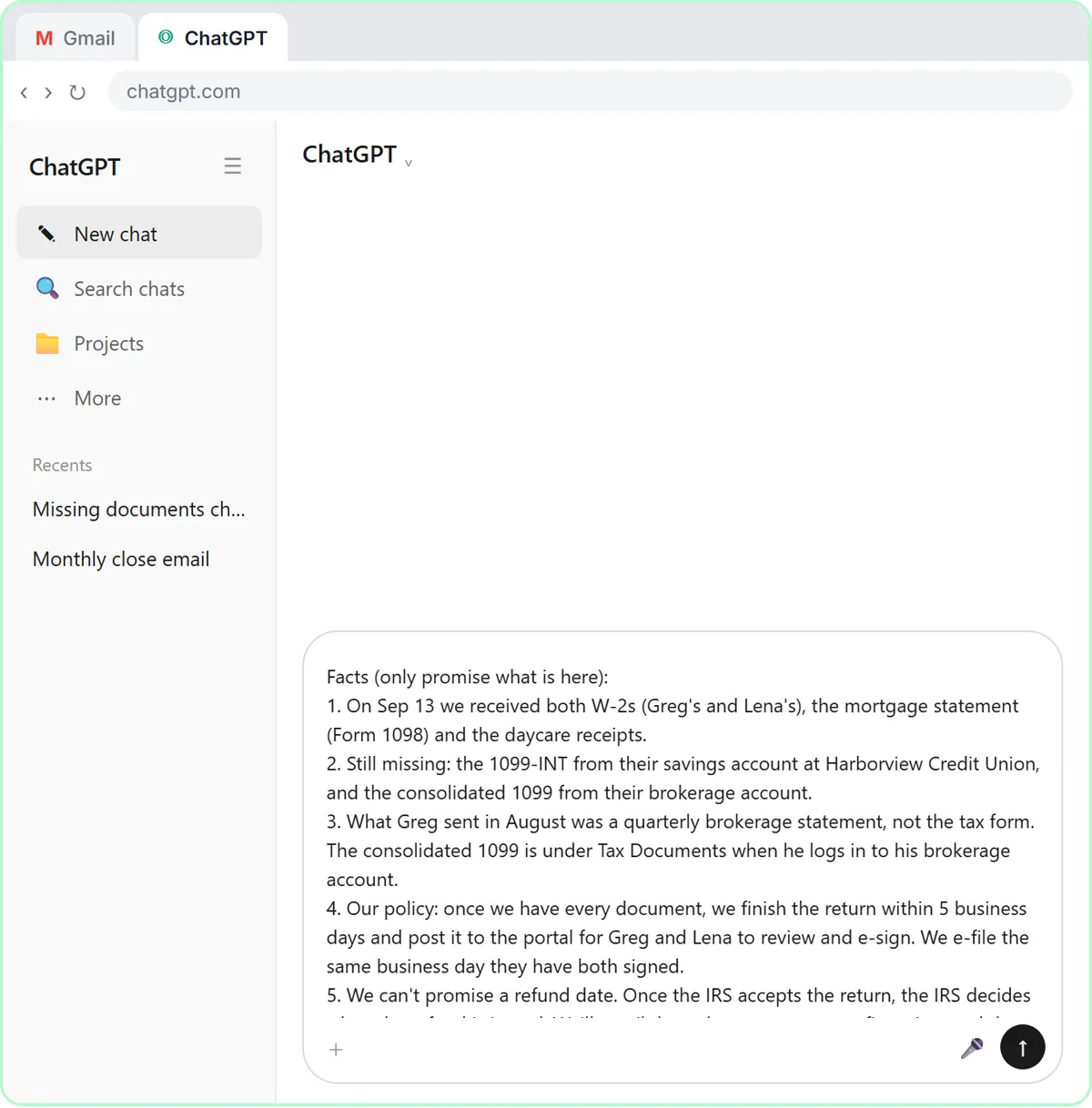
Facts (only promise what is here):
1. On Sep 13 we received both W-2s (Greg's and Lena's), the mortgage statement (Form 1098) and the daycare receipts.
2. Still missing: the 1099-INT from their savings account at Harborview Credit Union, and the consolidated 1099 from their brokerage account.
3. What Greg sent in August was a quarterly brokerage statement, not the tax form. The consolidated 1099 is under Tax Documents when he logs in to his brokerage account.
4. Our policy: once we have every document, we finish the return within 5 business days and post it to the portal for Greg and Lena to review and e-sign. We e-file the same business day they have both signed.
5. We can't promise a refund date. Once the IRS accepts the return, the IRS decides when the refund is issued. We'll email them the acceptance confirmation, and they can check the status with the IRS "Where's My Refund?" tool.
6. New bank account: never send account numbers by email. Add the routing and account numbers in the portal under Refund details. They'll see them on the return to check before signing.
7. We missed Greg's Sep 24 email. That's on us.
8. Sign it: Priya, Northgate Tax & Bookkeeping.
Step 8: Say what a good reply looks like
Last, tell it what a good reply looks like: the tone, the three questions to answer, and a word limit. And one rule that matters most: don't invent details or promise anything that isn't in the facts.
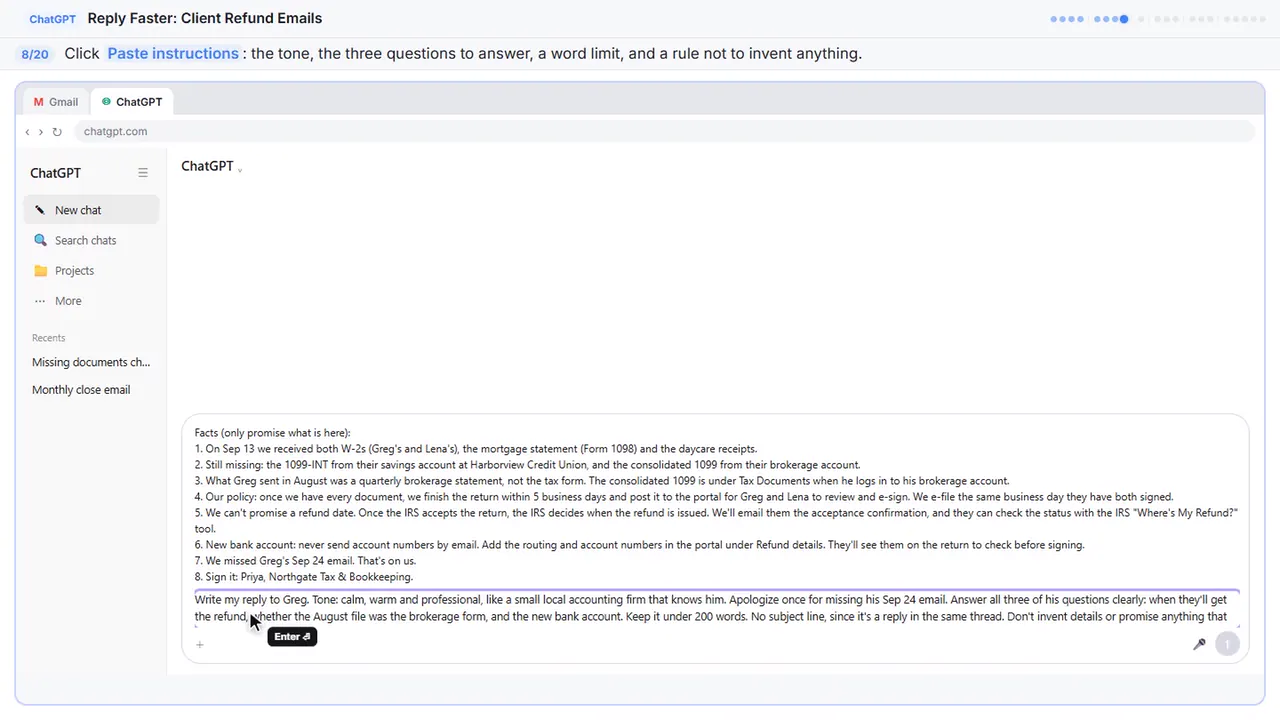
Write my reply to Greg. Tone: calm, warm and professional, like a small local accounting firm that knows him. Apologize once for missing his Sep 24 email. Answer all three of his questions clearly: when they'll get the refund, whether the August file was the brokerage form, and the new bank account. Keep it under 200 words. No subject line, since it's a reply in the same thread. Don't invent details or promise anything that isn't in the facts.
Part 3: Get the first draft
Step 9: Send it
Thread, facts, and instructions, all in one message.
Part 4: Check every promise
Step 10: Read the draft, then click the message box
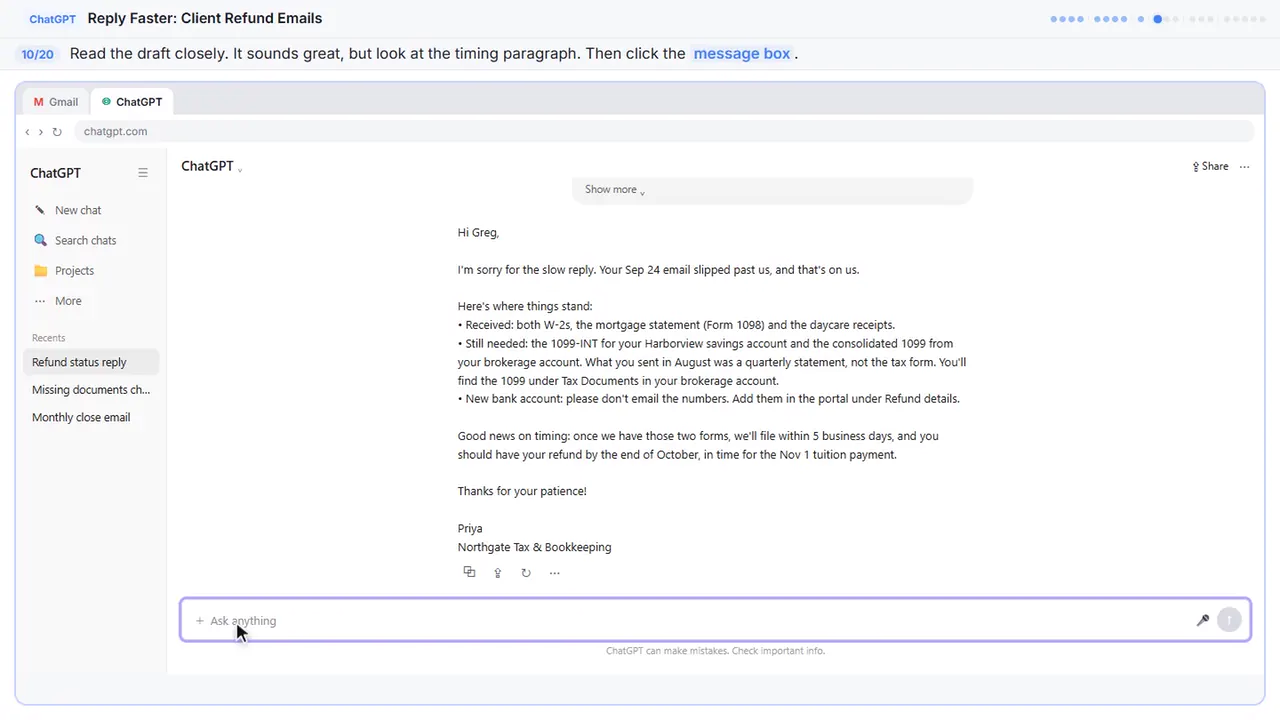
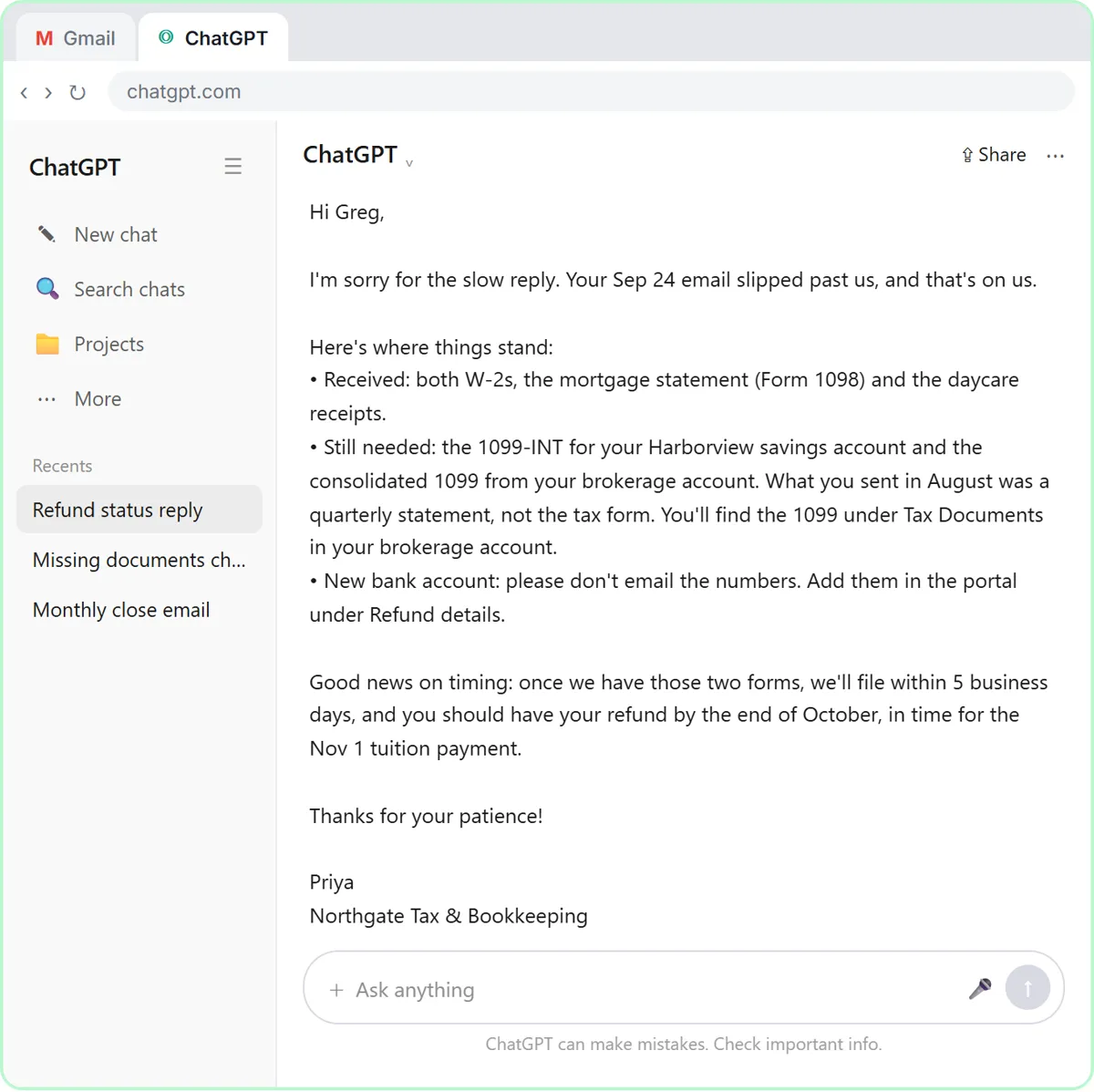
That's a solid first draft. It apologizes once, lists what's in and what's missing, and keeps the bank numbers out of email. Your real draft will be a little different each time, and it may come out right. In this practice draft, read the timing paragraph: a refund by the end of October. None of the facts you gave it say that. A draft can sound helpful and still promise too much, so check every time.
Step 11: Ask ChatGPT to check its promises
Ask ChatGPT to check its own work: every promise in the reply, next to the fact that backs it up.
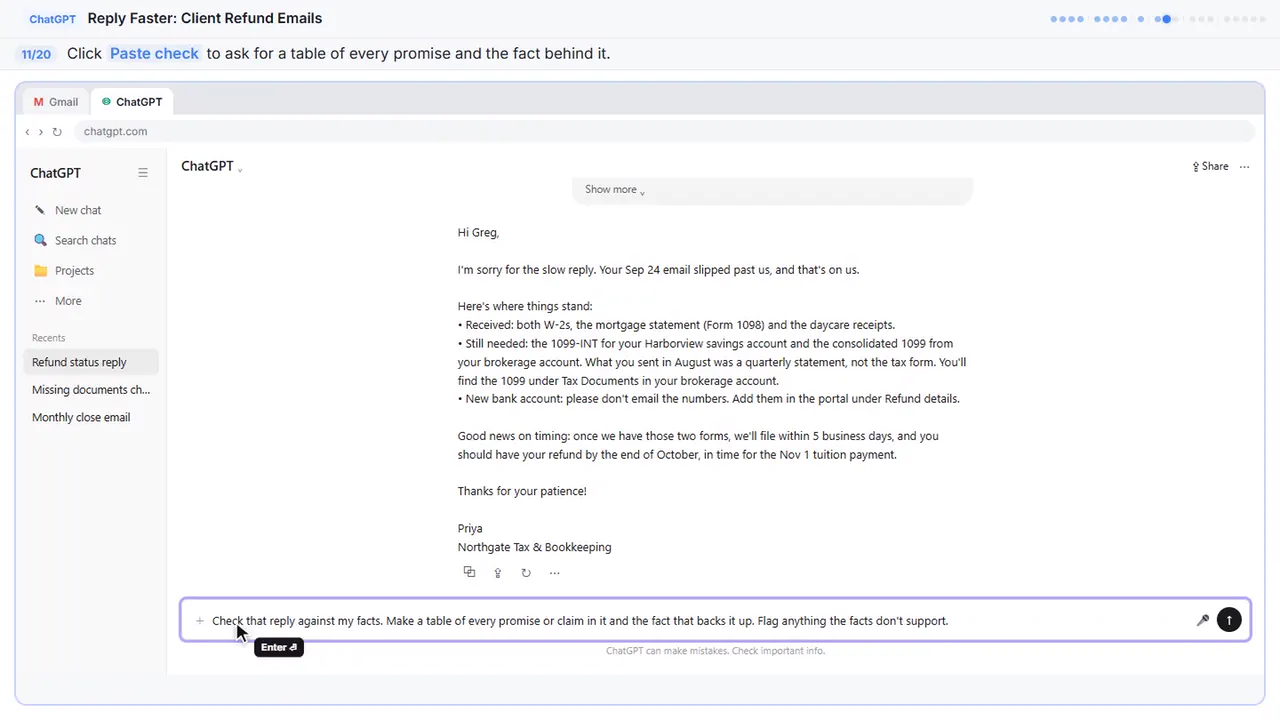
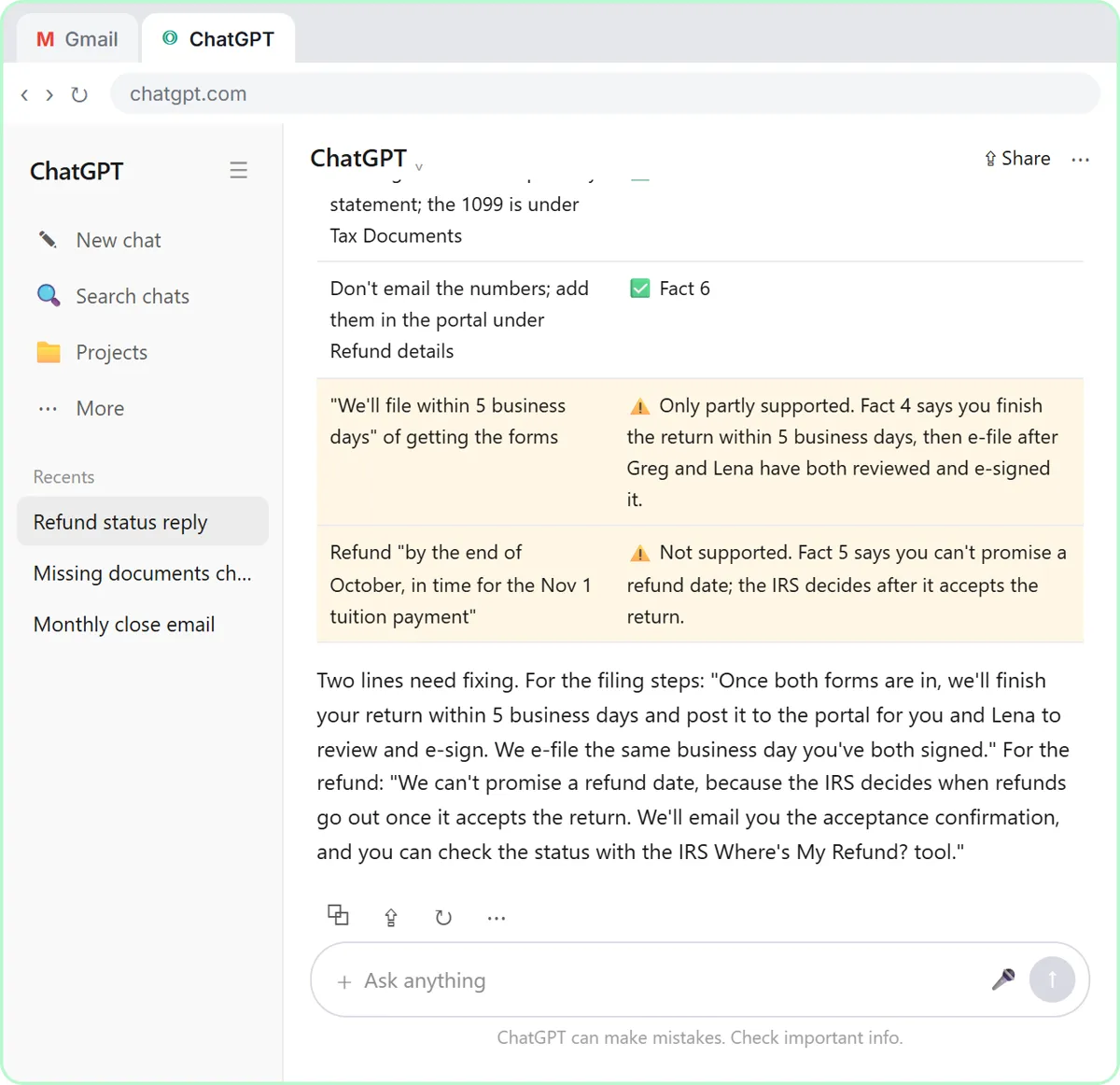
Check that reply against my facts. Make a table of every promise or claim in it and the fact that backs it up. Flag anything the facts don't support.
Step 12: Send the check
Part 5: Fix it and warm it up
Step 13: Read the table, then click the message box
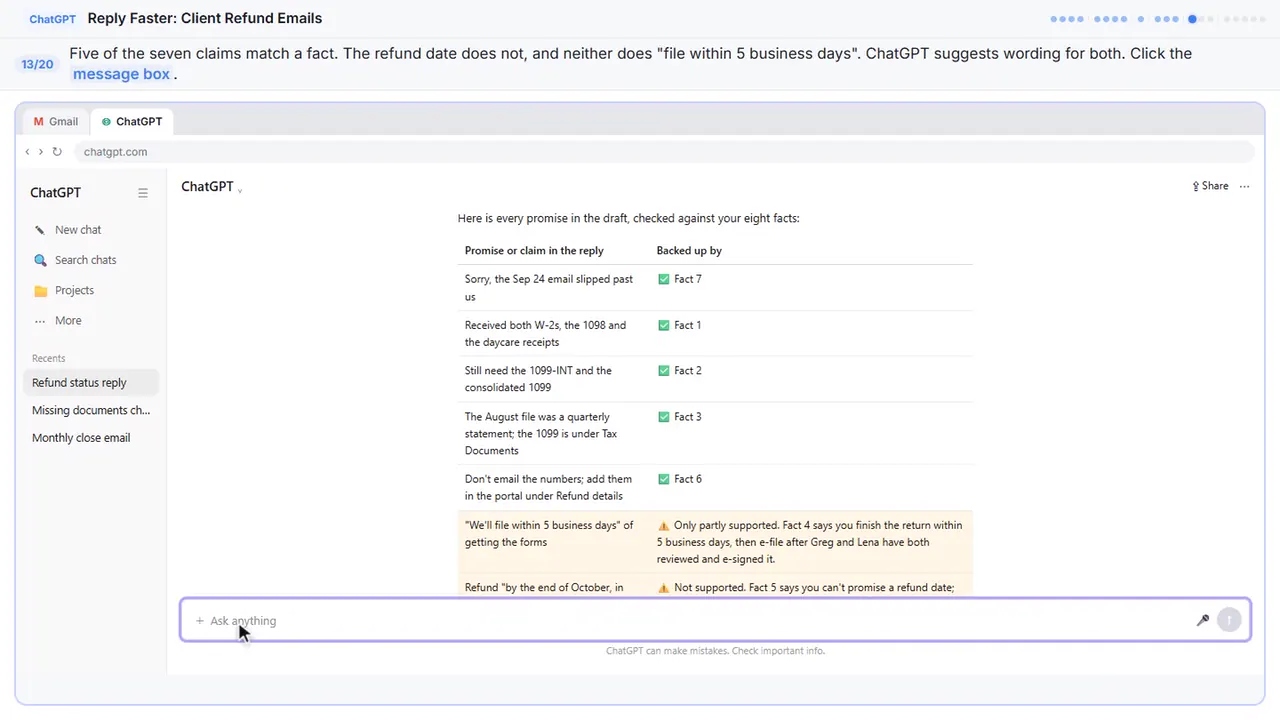
Five of the seven claims match a fact. The refund date doesn't, and ChatGPT caught one you might have missed: you finish the return in five business days, but you can't file until Greg and Lena sign. In your own chat, the table may say everything is supported, and that's a good result too. Still compare the table with your own facts, since you know the firm.
Step 14: Ask for specific changes
Now ask for specific changes, not just make it better. Use both suggested wordings, make it a little warmer and easier to scan, and keep every other fact exactly the same.
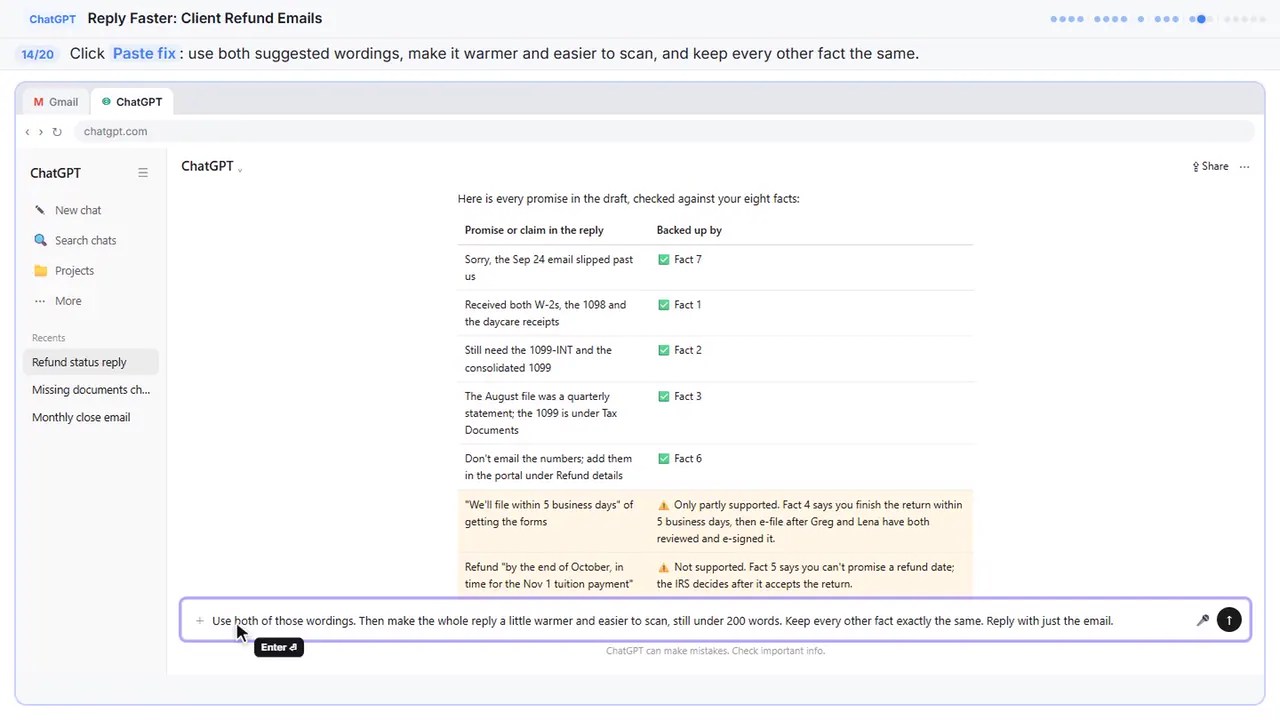
Use both of those wordings. Then make the whole reply a little warmer and easier to scan, still under 200 words. Keep every other fact exactly the same. Reply with just the email.
Step 15: Send the fix
Part 6: Send it from Gmail
Step 16: Copy the reply
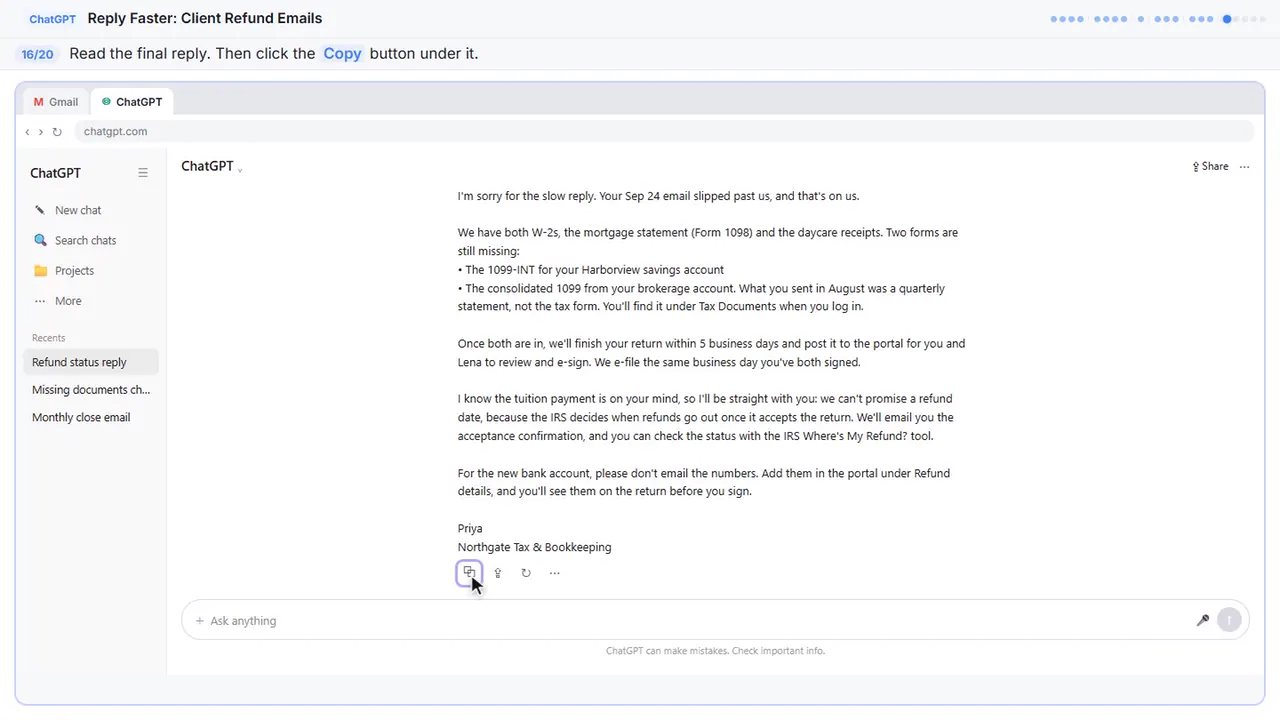
Read it once more. The missing forms are clear, the signing step is there, and there's no refund date you can't keep. It even acknowledges the tuition bill without promising anything.
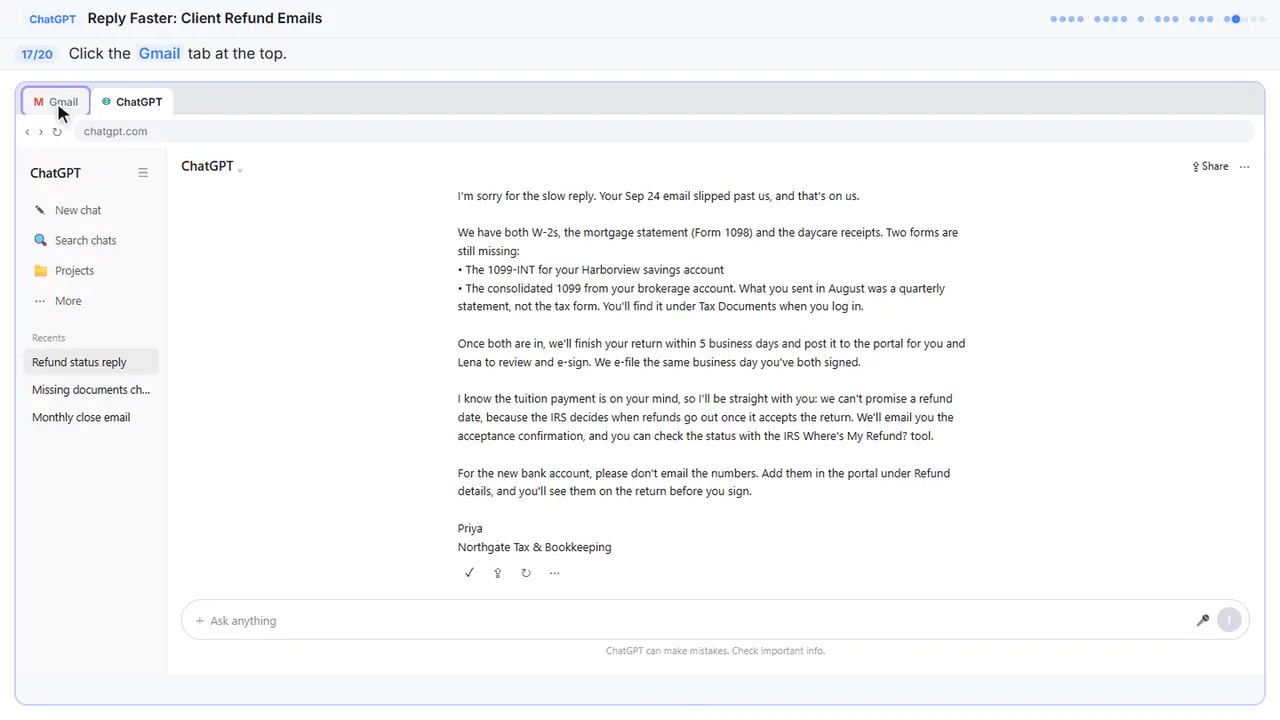
Step 17: Go back to Gmail
Back to Gmail.
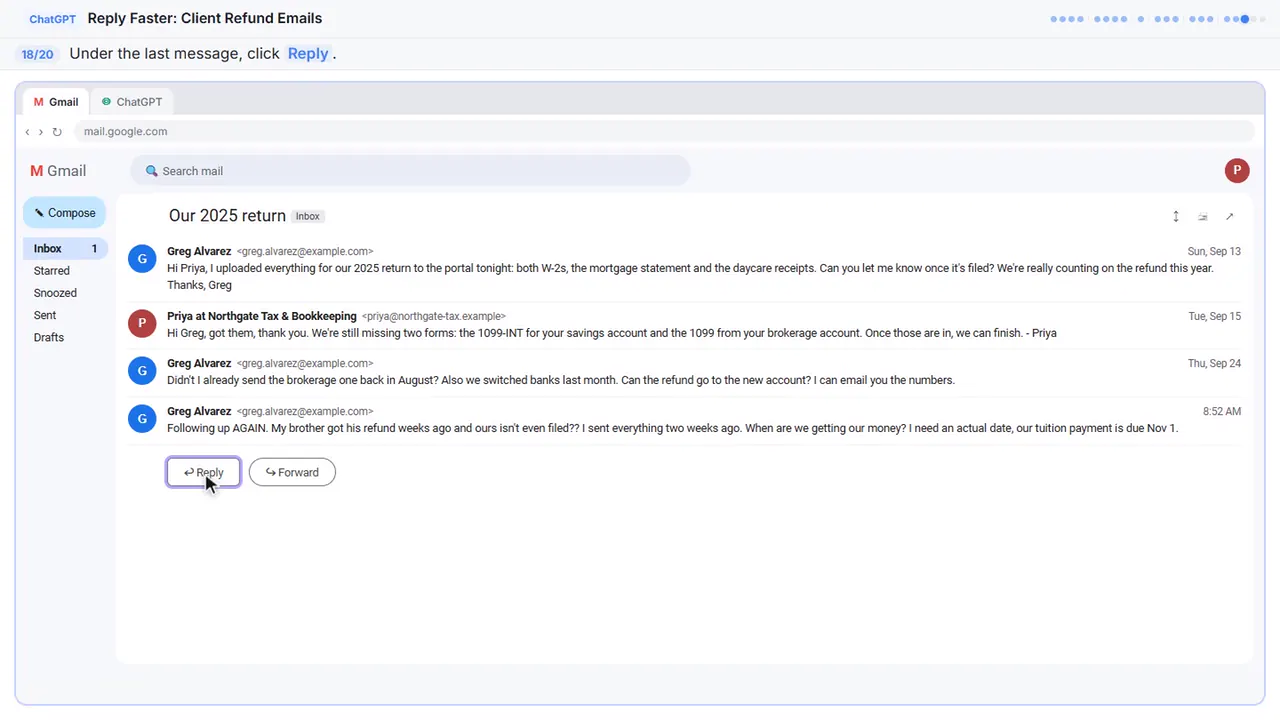
Step 18: Click Reply
Under Greg's last message, click Reply. Your answer stays in the same thread, which is why you told ChatGPT to skip the subject line.
Step 19: Paste the reply
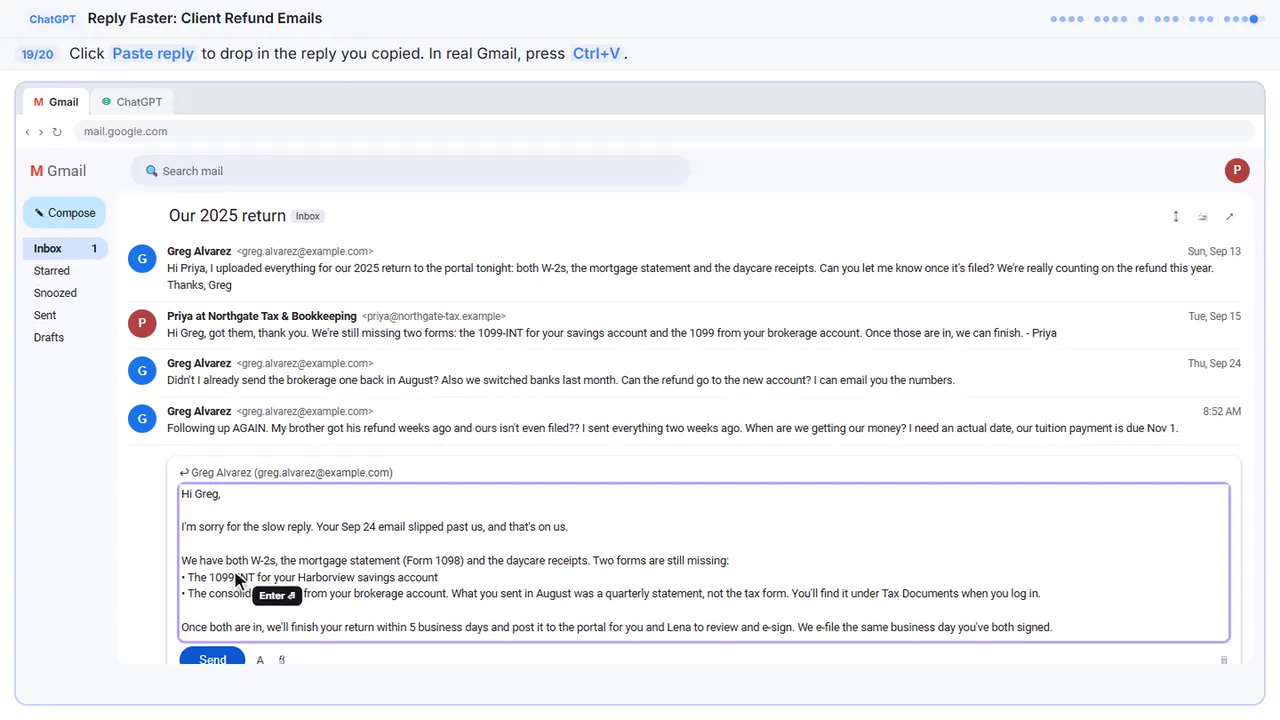
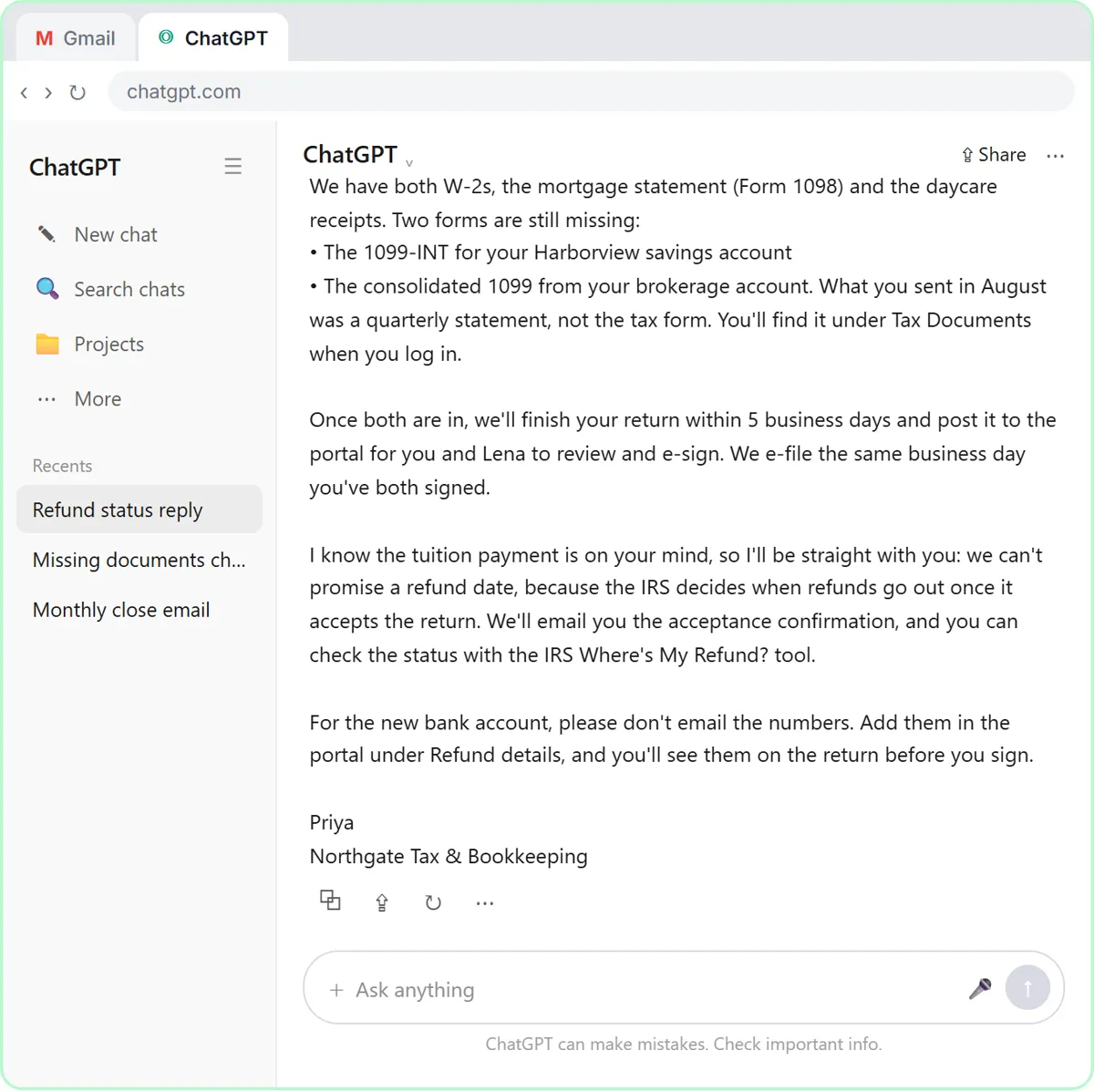
Hi Greg,

I'm sorry for the slow reply. Your Sep 24 email slipped past us, and that's on us.

We have both W-2s, the mortgage statement (Form 1098) and the daycare receipts. Two forms are still missing:
• The 1099-INT for your Harborview savings account
• The consolidated 1099 from your brokerage account. What you sent in August was a quarterly statement, not the tax form. You'll find it under Tax Documents when you log in.

Once both are in, we'll finish your return within 5 business days and post it to the portal for you and Lena to review and e-sign. We e-file the same business day you've both signed.

I know the tuition payment is on your mind, so I'll be straight with you: we can't promise a refund date, because the IRS decides when refunds go out once it accepts the return. We'll email you the acceptance confirmation, and you can check the status with the IRS Where's My Refund? tool.

For the new bank account, please don't email the numbers. Add them in the portal under Refund details, and you'll see them on the return before you sign.

Priya
Northgate Tax & Bookkeeping
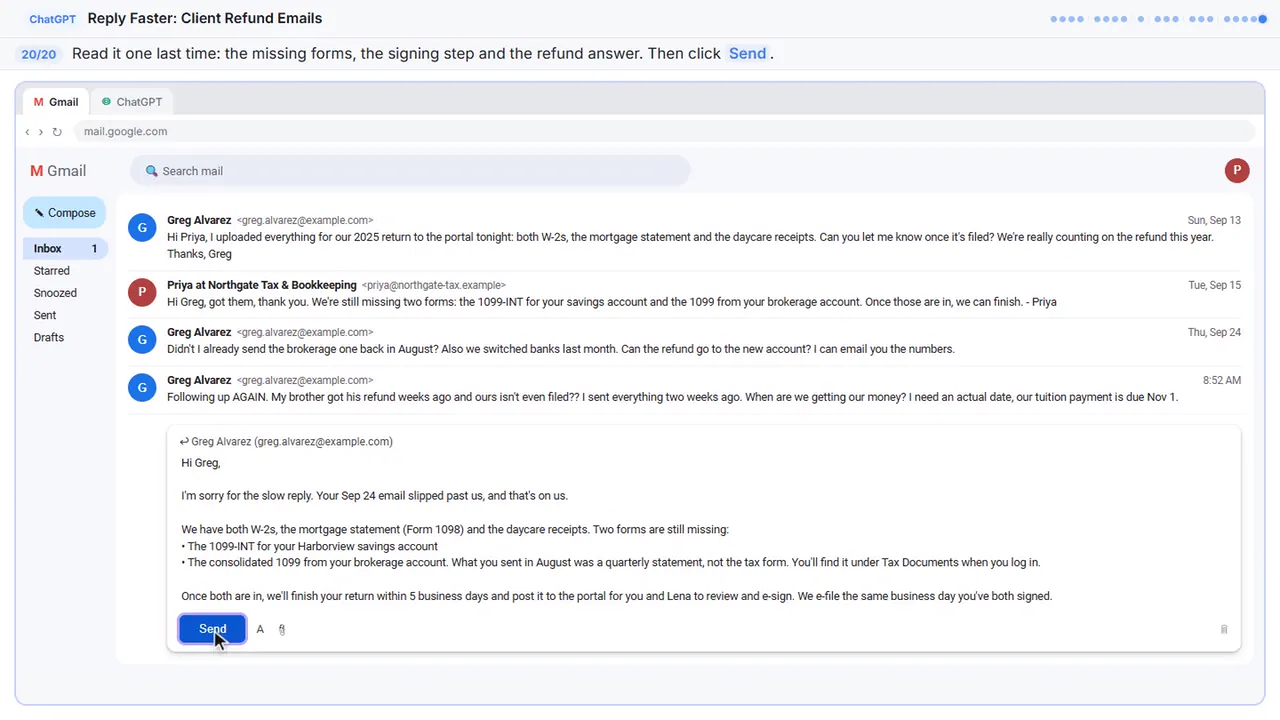
Step 20: Read it, then send
One last read before it goes out. ChatGPT wrote the draft, but your name is on it, so check the missing forms, the signing step, and the refund answer. Everything's right.
Part of these free courses: AI for Accounting & Bookkeeping Firms
Now do it yourself, free
Reading the steps is a start. Doing them is how it sticks. The interactive lesson puts you in a practice copy of ChatGPT: you do every step yourself, it checks your work, and “Do it for me” finishes any step you get stuck on. Nothing touches your real accounts.
Practice “Answer Refund-Date Emails Without Overpromising using ChatGPT” step by stepAnswer Refund-Date Emails Without Overpromising using ChatGPT: video walkthrough
The whole lesson in 3:07, narrated step by step.
Simulated practice environment. Recorded in Stepthrough’s simulated practice environment, not the live tool. Practice it yourself free at learn.ynteractive.com.
Chapters
Click a chapter to jump the video there.
- 0:00 Intro: what you'll build
- 0:13 Copy the thread
- 0:53 Give ChatGPT the context
- 1:30 Check every promise
- 1:58 Fix it and warm it up
- 2:27 Send it from Gmail
Now do it yourself, free
Watching is the warm-up. The interactive lesson puts you in a practice copy of ChatGPT: you do every step yourself, it checks your work, and “Do it for me” finishes any step you get stuck on. Nothing touches your real accounts.
Practice “Answer Refund-Date Emails Without Overpromising using ChatGPT” step by stepFull transcript
Intro: what you'll build
0:00 It can't reply to a client chasing a refund. A tax client's email thread at Northgate, tax and bookkeeping. You'll give ChatGPT the thread and your firm's facts. Check every promise and fix the refund data made up. Let's build it.
Copy the thread
0:13 Here's the inbox for Northgate Tax and Bookkeeping, a small local firm. Greg's thread has four messages, a refund he's anxious about, and two tax forms that still haven't come in. Click the thread to open it.
0:24 Gmail folds up the older messages, so only the newest one is open. You want the whole story, so click Expand all, the double-arrow icon at the top right.
0:33 Read it through once. Greg wants a refund date, thinks he already sent one of the forms, and wants to email you his new bank account numbers. Now select all four messages and copy them. If there's anything private in there, like a Social Security or account number, leave it out. Here, just click the messages.
0:49 Now switch over to ChatGPT. Click the ChatGPT tab at the top.
Give ChatGPT the context
0:53 You're in a fresh chat. You'll give ChatGPT three things in one message: the thread, the facts, and what a good reply looks like. Click the message box.
1:01 First, the thread. One line tells ChatGPT what it's looking at, then the emails, oldest first. Click Paste thread.
1:07 Next, the facts. ChatGPT can't see your client portal, your firm's turnaround, or what you can honestly say about a refund, so spell them out. Number them, so you can check them later. Click Paste facts.
1:17 Last, tell it what a good reply looks like: the tone, the three questions to answer, and a word limit. And one rule that matters most: don't invent details or promise anything that isn't in the facts. Click Paste instructions.
Check every promise
1:29 Thread, facts, and instructions, all in one message. Click the send arrow.
1:33 That's a solid first draft. It apologizes once, lists what's in and what's missing, and keeps the bank numbers out of email. But read the timing paragraph: a refund by the end of October. None of the facts you gave it say that. A draft can sound helpful and still promise too much. Click the message box.
1:50 Ask ChatGPT to check its own work: every promise in the reply, next to the fact that backs it up. Click Paste check.
1:56 Click the send arrow.
Fix it and warm it up
1:58 Five of the seven claims match a fact. The refund date doesn't, and ChatGPT caught one you might have missed: you finish the return in five business days, but you can't file until Greg and Lena sign. Still compare the table with your own facts, since you know the firm. Click the message box.
2:14 Now ask for specific changes, not just make it better. Use both suggested wordings, make it a little warmer and easier to scan, and keep every other fact exactly the same. Click Paste fix.
2:25 Click the send arrow.
Send it from Gmail
2:27 Read it once more. The missing forms are clear, the signing step is there, and there's no refund date you can't keep. It even acknowledges the tuition bill without promising anything. Click the copy button under the reply.
2:39 Back to Gmail. Click the Gmail tab.
2:41 Under Greg's last message, click Reply. Your answer stays in the same thread, which is why you told ChatGPT to skip the subject line.
2:48 Paste in the reply you copied. Click Paste reply.
2:51 One last read before it goes out. ChatGPT wrote the draft, but your name is on it, so check the missing forms, the signing step, and the refund answer. Everything's right. Click Send.
3:01 Simple as that. We show you and you do it. Sign up below to learn AI automation for free.
Watch the 30-second version
2 short videos from this lesson. Watch, then do it yourself in the free practice copy.
 0:41
Why ChatGPT makes things up
Why ChatGPT makes things up. Does ChatGPT ever make things up? Usually it's guessing what it can't see. So give it the facts, right in the chat: paste the email you need to answer, then your facts under one heading…
Transcript
Why ChatGPT makes things up. Does ChatGPT ever make things up? Usually it's guessing what it can't see. So give it the facts, right in the chat: paste the email you need to answer, then your facts under one heading, "Facts. Only promise what is here." End your ask with one rule: don't promise anything that isn't in the facts.
 0:42
Reply Faster: Client Refund Emails: the key steps in under a minute
A client wants a refund date while two tax forms are still missing. Give ChatGPT the thread and your firm's facts, catch the date it shouldn't promise, and send a calm, clear reply from Gmail. The key steps from the…
Transcript
You're in a fresh chat. You'll give ChatGPT three things in one message: the thread, the facts, and what a good reply looks like. Click the message box. First, the thread. One line tells ChatGPT what it's looking at, then the emails, oldest first. Click Paste thread. Next, the facts. ChatGPT can't see your client portal, your firm's turnaround, or what you can honestly say about a refund, so spell them out. Number them, so you can check them later. Click Paste facts. Last, tell it what a good reply looks like: the tone, the three questions to answer, and a word limit. And one rule that matters most: don't invent details or promise anything that isn't in the facts. Click Paste instructions.
The example: a refund question with two forms still missing
The lesson uses a made-up firm, Northgate Tax & Bookkeeping, and a made-up client, Greg. Two weeks ago Greg uploaded his and his wife Lena's W-2s, the mortgage interest statement (Form 1098) and daycare receipts to the client portal. The firm replied that the 1099-INT for their savings account and the consolidated 1099 from their brokerage were still missing. Greg answered that he'd sent the brokerage one in August, and asked if the refund could go to their new bank account, offering to email the numbers. Nobody answered. Now he's writing again: his brother already has his refund, tuition is due November 1, and he wants a date.
It is urgent to the client, it mixes three questions, and the easiest answer ("you'll have it by the end of October!") is the one you can't give.
What you need before you start
- A ChatGPT account. A free account at chatgpt.com works for practice; for real client mail, a business plan that doesn't train on your chats is best.
- The client's email thread. Gmail or any email app works, because you copy and paste it.
- A short numbered list of your firm's facts: what you received, what's missing, your turnaround and signing steps, and what you can and can't promise.
- Nothing at all for the practice copy in this lesson: it needs no account.
Who this is for
Owners, preparers, client coordinators and admins at small accounting, tax and bookkeeping firms who answer client email. No AI experience needed.
Why a refund date is the promise to watch
AI drafts lean toward reassurance: given a worried client and a tuition bill, ChatGPT will fill the gap with a date that sounds reasonable. But a firm doesn't control when a refund arrives. Once the IRS accepts an e-filed return, the IRS decides when the refund is issued. It publishes general guidance on typical timing, but it can't tell you when a specific refund will land, and neither can you. The honest reply says what the firm does control (finish the return, post it for review, e-file the day it's signed, send the acceptance confirmation) and points the client to the IRS "Where's My Refund?" tool for the rest.
The second catch matters just as much in a practice. "We'll file within 5 business days" skips the step the client has to take: reviewing the return and signing the e-file authorization (for most individual returns, IRS Form 8879). If the client thinks filing is automatic, the return can sit unsigned in the portal while they wait for a refund that hasn't been requested yet. Spelling out the steps in the reply prevents the next angry email.
In this lesson the turnaround times are the example firm's own policy, not a rule. Use your firm's real policy in your facts list.
Client data: what to paste and what to leave out
Before you paste a thread into any AI tool, remove Social Security numbers, bank routing and account numbers, dates of birth and anything else the reply doesn't need. Follow your firm's written data-security plan; the IRS's Publication 4557, Safeguarding Taxpayer Data, is a good reference if you are writing one.
Check how your ChatGPT plan handles data too. On ChatGPT Business and Enterprise, OpenAI says it does not train on your chats by default. On personal plans you can turn off "Improve the model for everyone" in Settings under Data controls.
How to use this at your firm
Keep a short, numbered facts list for the emails you answer most: missing-document follow-ups, "where's my refund," extension and fee questions. Keep the parts that never change (turnaround, how signing works, secure uploads, what you can't promise) and add the client-specific lines each time. Numbering the facts is what makes the check fast: every row in ChatGPT's table points to a fact number you can glance at.
Always read the final reply yourself before it goes out. Check forms, dates, dollar amounts and anything that sounds like advice. ChatGPT drafts the email; your name is on it.
How the interactive lesson works
Each step plays first in the Watch panel with a short voice-over, then you do it yourself in Your turn on a practice copy of Gmail and ChatGPT. Nothing touches a real account and no email is sent.
Try it yourself, free
Reading the steps is a start. Doing them is how it sticks. The interactive module walks you through every click in a practice copy of ChatGPT, checks each step, and never touches your real accounts.
Start “Answer Refund-Date Emails Without Overpromising using ChatGPT”More videos from this lesson
Reply Faster: Client Refund Emails in 67 seconds
A client wants a refund date while two tax forms are still missing. Give ChatGPT the thread and your firm's facts, catch the date it shouldn't promise, and send a calm, clear reply from Gmail.
Transcript
Now switch over to ChatGPT. Click the ChatGPT tab at the top. You're in a fresh chat. You'll give ChatGPT three things in one message: the thread, the facts, and what a good reply looks like. Click the message box. First, the thread. One line tells ChatGPT what it's looking at, then the emails, oldest first. Click Paste thread. Next, the facts. ChatGPT can't see your client portal, your firm's turnaround, or what you can honestly say about a refund, so spell them out. Number them, so you can check them later. Click Paste facts. Last, tell it what a good reply looks like: the tone, the three questions to answer, and a word limit. And one rule that matters most: don't invent details or promise anything that isn't in the facts. Click Paste instructions. Thread, facts, and instructions, all in one message. Click the send arrow. That's a solid first draft. It apologizes once, lists what's in and what's missing, and keeps the bank numbers out of email. But read the timing paragraph: a refund by the end of October. None of the facts you gave it say that. A draft can sound helpful and still promise too much. Click the message box.
Screenshots
Frequently asked questions
- Can ChatGPT answer "where's my refund?" emails for my firm?
- It can draft them quickly. Paste the thread and a numbered list of your firm's facts, ask for the reply, then have ChatGPT check every claim against those facts before you send it. Treat every reply as a draft you are responsible for.
- How do I stop ChatGPT from promising a refund date?
- Put it in your facts: you can't promise a refund date because the IRS decides once it accepts the return. Tell ChatGPT not to promise anything that isn't in the facts, then ask for a claim-by-claim table and fix anything it flags.
- Is it safe to paste client emails into ChatGPT?
- Only after you remove Social Security numbers, bank details and anything the reply doesn't need, and only in line with your firm's data-security plan. Business and Enterprise plans don't train on your chats by default; on personal plans you can turn that off under Data controls.
- Does this lesson give tax advice?
- No. It teaches an email routine. The firm, the client and the turnaround times are made up, and the timelines are the example firm's own policy.
- Is it free?
- Yes. Stepthrough is completely free and the practice copy needs no accounts. To do it for real you need your own ChatGPT and email accounts.
More in AI Automation for Accounting & Bookkeeping Firms
 A Claude Project for Your Accounting Firm: Fee Schedule, Engagement Terms and Tone
Create a Claude project for your accounting firm, give it your tone and client policies, add your fee schedule and engagement letter terms as project knowledge, and get…
Free · Live ~9 min Beginner
◷Month-End Bank Reconciliation with ChatGPT: 20 Minutes, Not 3 HoursUpload the bank statement and the books, let ChatGPT match every row and list the exceptions, then check the answer and paste a reconciliation summary into the…
Free · Live ~12 min Beginner
 PaperOffice AI: Read Every Supplier Invoice and Spot the Ones That Need Approval for Accounting & Bookkeeping Firms
A small firm gets supplier invoices as PDFs, and anything over $2,000 needs a partner’s OK. Upload one to PaperOffice AI, watch it name, sort and read the invoice…
Free · Live ~5 min Beginner
 GoSwift: Build a Client Onboarding Tracker by Describing It for Accounting & Bookkeeping Firms
New clients get onboarded from a spreadsheet and an inbox, and nobody can see which documents are still missing. Describe the tracker to GoSwift’s AI builder, review…
Free · Live ~10 min Beginner
 MonstarX: Turn New-Client Emails into an Intake Form and Tracker for Accounting & Bookkeeping Firms
New clients send their details by email and phone, and someone retypes them into a spreadsheet. Describe an intake app to MonstarX, answer its seven planning questions…
Free · Live ~8 min Beginner
◷Collect Overdue Invoices Faster using ChatGPTUpload your aging report, have ChatGPT build this week’s chase list (oldest and biggest first, disputes held back), check it against the file, then draft a friendly…
Free · Live ~12 min Beginner
All 15 modules in AI Automation for Accounting & Bookkeeping Firms
More ChatGPT tutorials
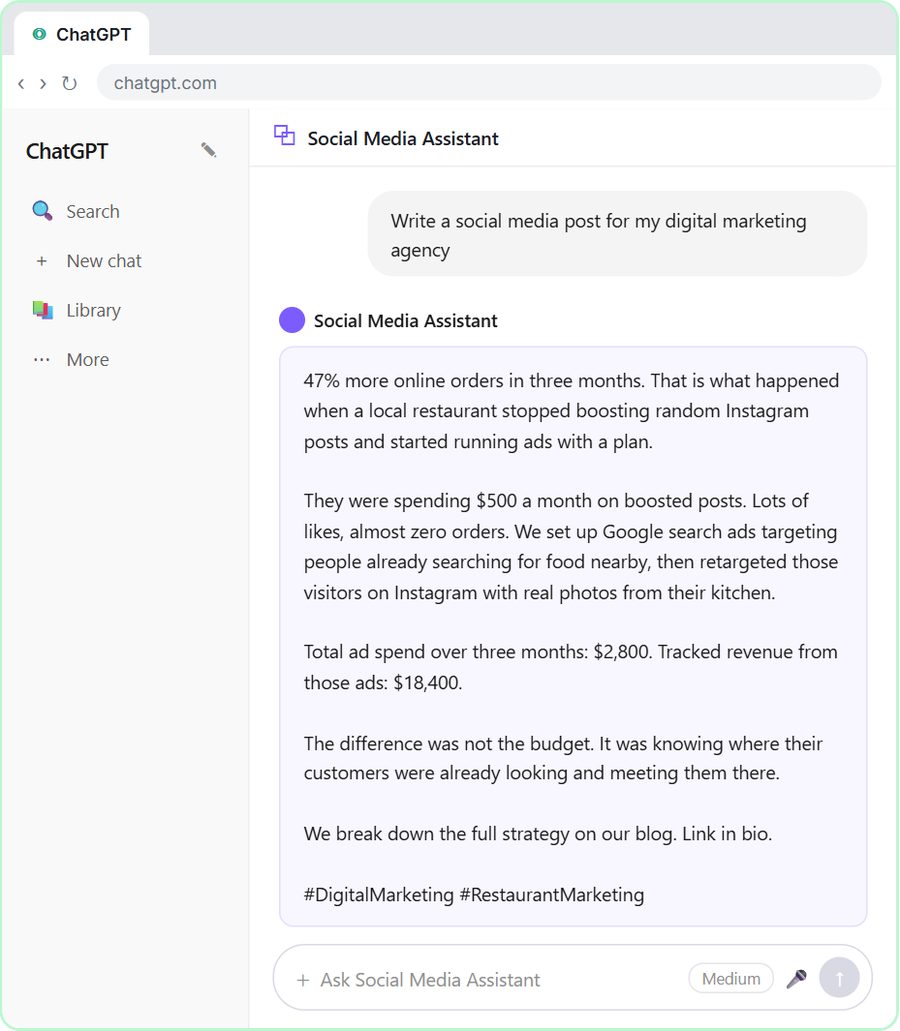 Get On-Brand Social Posts Every Time using a ChatGPT Custom GPT
See why generic prompts give generic results, then build a Custom GPT loaded with your brand voice and watch the output transform.
Free · Live ~8 min Beginner
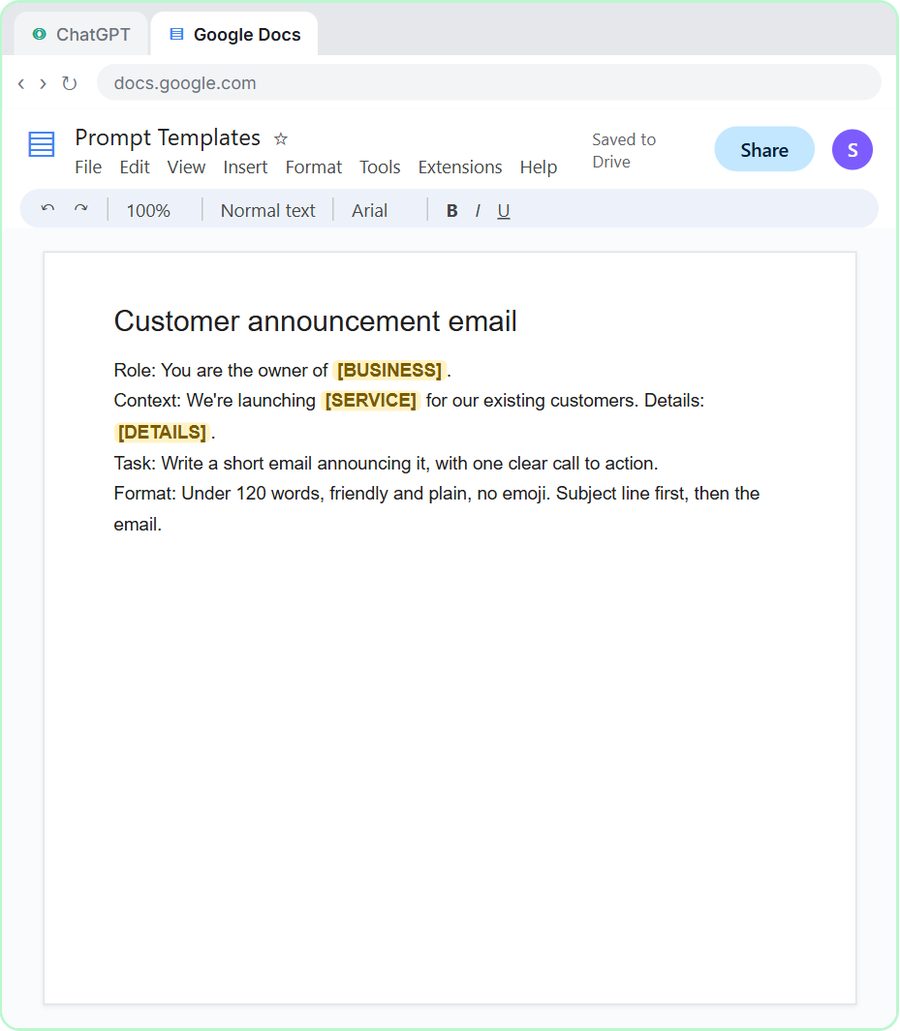 Prompt Writing 101: Role, Context, Task, Format
Ask ChatGPT for the same customer email twice, once vaguely and once with a four-part prompt, and see exactly why structure gets a better answer.
Free · Live ~8 min Beginner
◷Send a Same-Day Follow-up After Every Discovery Call using ChatGPTTurn a discovery call transcript into the decisions, the next steps with owners and dates, deal notes for your CRM, and a follow-up email the prospect gets the same…
Free · Live ~7 min Beginner
◷Hold Your Price When a Prospect Asks for a Discount using ChatGPTA prospect wants 30% off and a free month to sign this week. Give ChatGPT the thread and your pricing rules, catch the discount you can't approve, and send a reply that…
Free · Live ~9 min Beginner
 Get Your Business Recommended by ChatGPT
Ask ChatGPT who it recommends in your town, see which pages it trusts, then use it to write an FAQ page and Business Profile copy that answer real customer questions.
Free · Live ~10 min Intermediate
◷Run a Weekly Ops Review Where Every Task Has an Owner using ChatGPTTurn a weekly operations and vendor review into the decisions, the next steps with owners and dates, the risks to watch and a team recap, without turning a vendor's…
Free · Live ~7 min Beginner
From the blog
Reply to "When Will I Get My Refund?" Without GuessingHow tax and bookkeeping firms answer clients who want a refund date: say what you control, who decides the rest, and use ChatGPT without promising a date.
Nov 2, 2026 6 min read
 How to Summarize a Long Email Thread with ChatGPT
Copy the whole thread, label it oldest first, and ask for what was asked, promised and still open. A ChatGPT prompt for long email threads, step by step.
Oct 22, 2026 5 min read
How to Ask for Remittance Advice (and How to Send One)How to ask a customer for remittance advice, what to include when you pay a vendor, who keeps the copy, plus an email template and a ChatGPT prompt.
Oct 21, 2026 4 min read
Visual guides
This lesson’s key ideas as quick visual guides: swipe through the slides, or read the same guide as text.
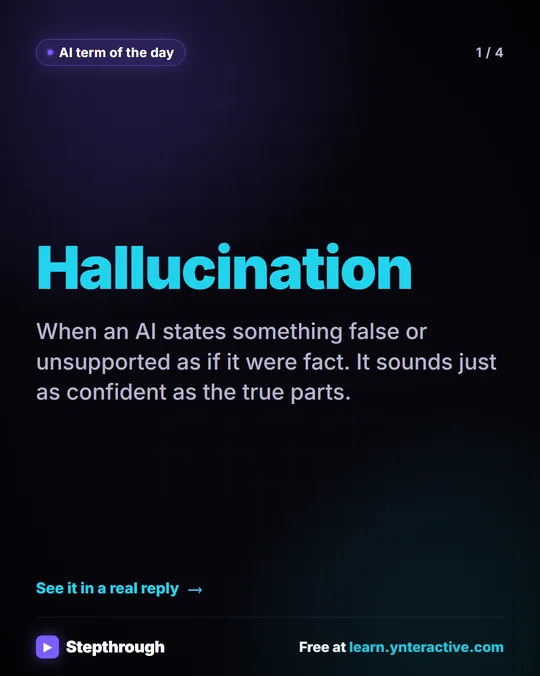 What is an AI hallucination?
AI term of the day: hallucination.
AI term explained 4 slides
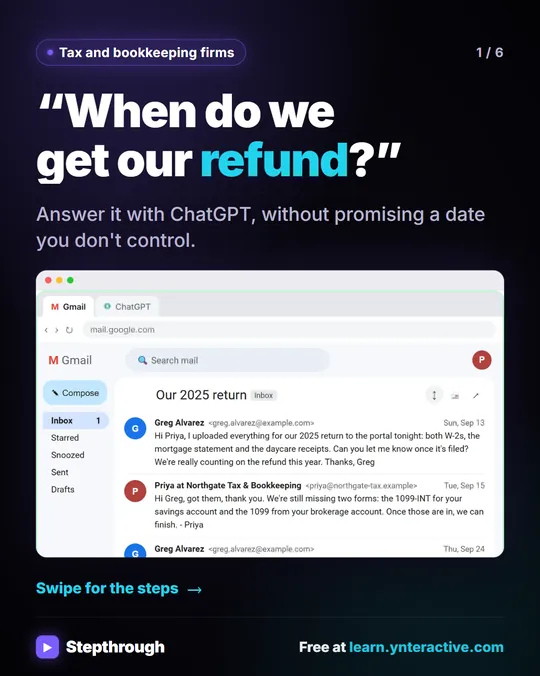 Answer "where's my refund?" emails with ChatGPT
Every tax season the same email lands: "When do we get our refund?" In this lesson the client's return isn't even filed yet.
Step-by-step guide 6 slides
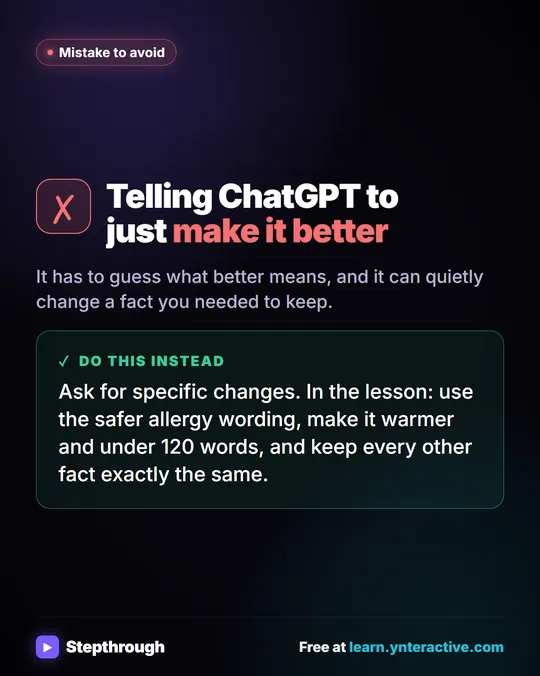 Don't tell ChatGPT to make it better. Say this instead.
A customer's cake order went sideways. Wrong pickup day, a flavor change, and a nut allergy question nobody answered.
Mistake to avoid One graphic
Free cheat sheets
Print it or save the PDF: the key steps and checks from this lesson on one page, free.
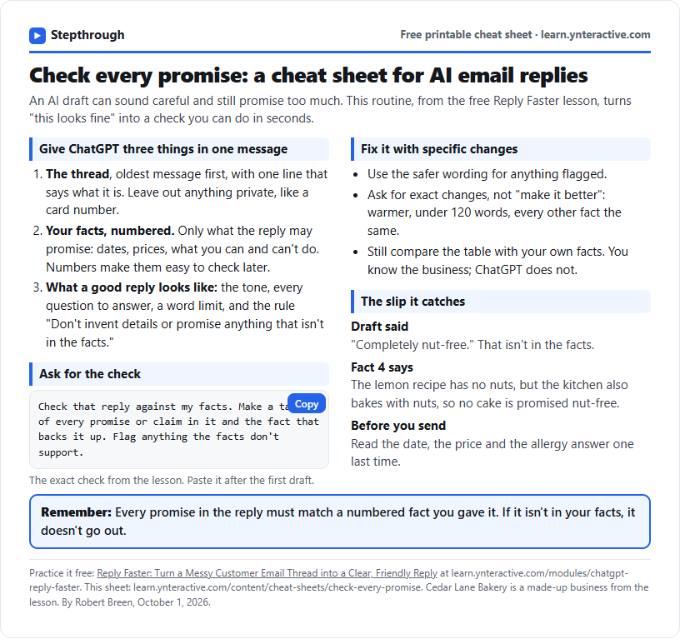 Check Every Promise in an AI Reply: Cheat Sheet
A free one-page cheat sheet: give ChatGPT the thread and your numbered facts, ask for a promise-by-promise table, fix what it flags, then send.
Topic cheat sheet Free PDF
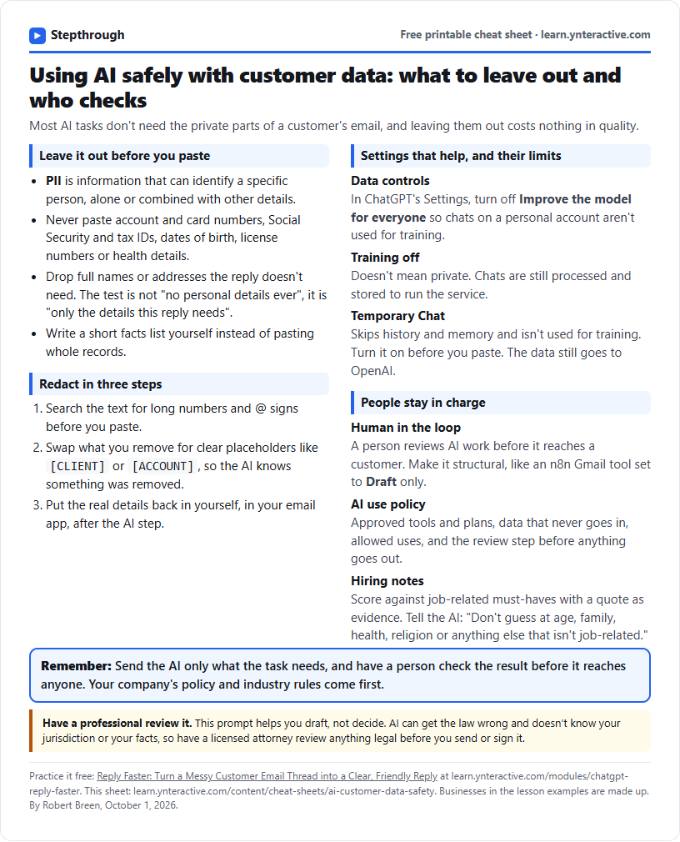 Using AI Safely with Customer Data: Cheat Sheet
A free one-page cheat sheet on AI and customer data: what never to paste, how to redact, data controls, Temporary Chat and human review.
Topic cheat sheet Free PDF
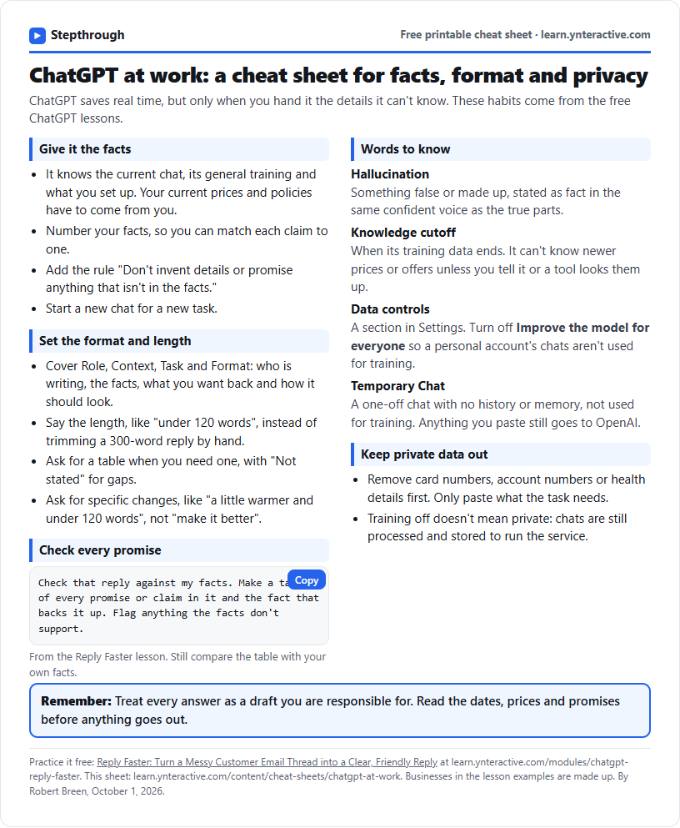 ChatGPT at Work Cheat Sheet: Facts, Format, Privacy
A free one-page cheat sheet for ChatGPT at work: give it facts, set the format and length, check every promise and keep private data out.
Tool cheat sheet Free PDF
All free printable cheat sheets
Terms in this lesson
Plain-English definitions, each with an example from a free lesson.
Related prompts
- Auditor document request reply prompt: Reply to an auditor's list of document requests: what is attached, what is coming and when, and what you can't provide, without…
- Check reply promises prompt: A ChatGPT prompt that checks a draft before you send it: a table of every promise, the fact behind each, and safer wording for…
- Email newsletter prompt: A ChatGPT prompt for a short customer newsletter built from your numbered updates: one section each, one main call to action, no…
- Email shortener prompt: Cut a long email down to what the reader needs without changing a fact, date, price or promise, plus a list of what was removed…
More terms on this topic
More prompts on this topic
- Consultation booking confirmation prompt: Confirm a booked consultation in one clear email: date, time and how to join, what to bring, what it costs, and how to…
- Engagement letter draft prompt: Draft an engagement letter from your own approved terms: scope, exclusions, fees and client duties. Gaps get flagged for review…
- Estimated tax payment reminder prompt: Remind a client about an upcoming estimated tax payment using your firm's numbers: amount, due date, how they pay, and who to…
- Exit interview questions prompt: Build a short, neutral exit interview: an honest opening script, open questions about the job and support, and what to do if a…
- Missing documents request prompt: Ask an accounting client for the documents you still need: what arrived, what's missing, where to find each item, a safe way to…
- Tax season client checklist prompt: Turn last year's documents into a personal tax-season checklist email for each client: what to send, where to find it, how to…