This works for sales exports, budgets, building or equipment logs, ticket reports and most other data a business keeps in rows and columns. This guide explains each option, which one fits, and the checks that keep the answers trustworthy.
What are the ways to let AI answer questions about my data?
| Option | How it works | Best for |
|---|---|---|
| Upload a file | Export a CSV or Excel file and upload it to a chat | One-off questions about a report |
| Keep documents in a Project | Add files to a ChatGPT or Claude Project | Reference data many chats need, such as a price list or policy |
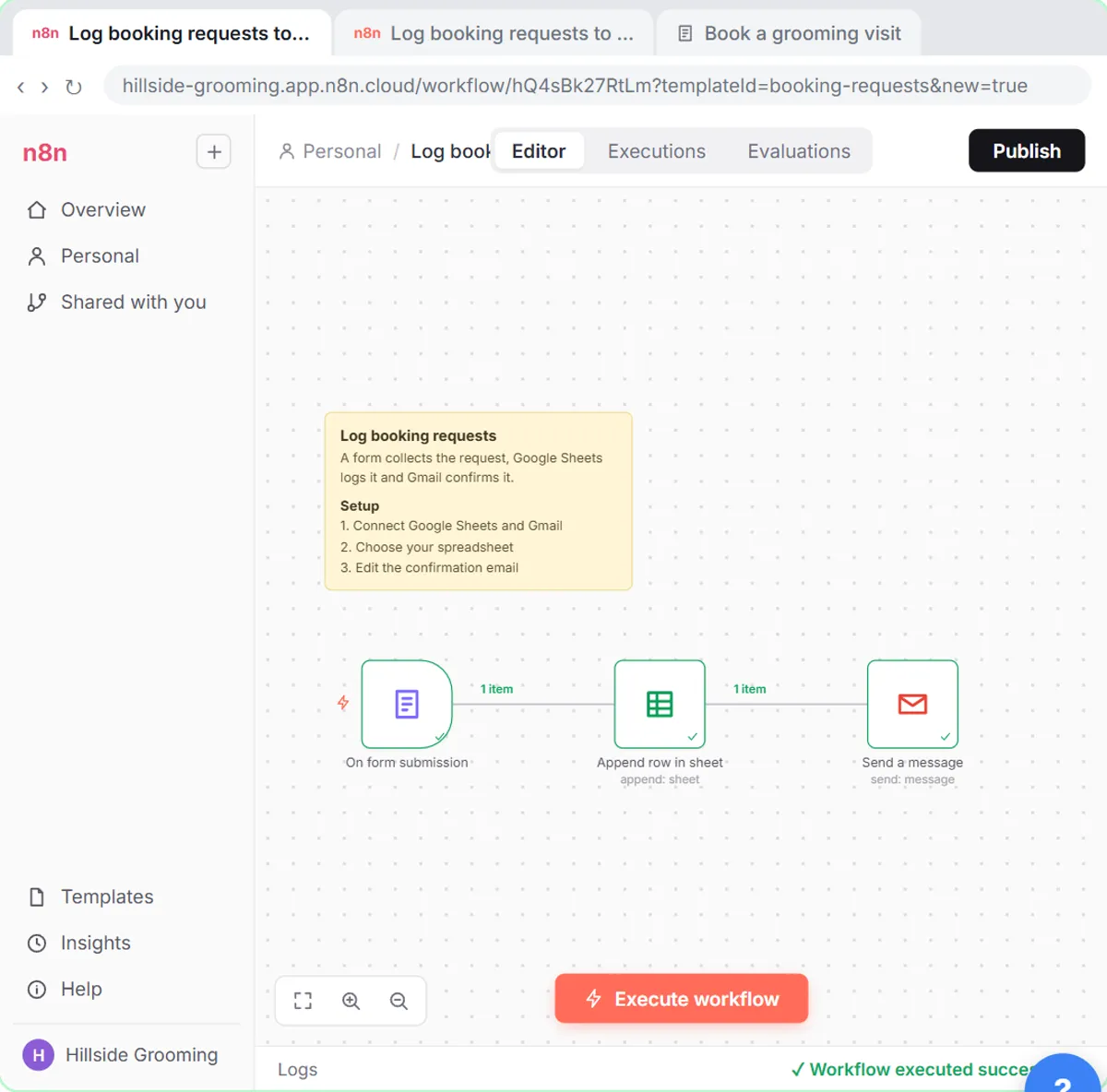
| Connect a live sheet | An n8n agent reads a Google Sheet when asked | Data that changes daily, asked about by several people |
Some business software also has its own built-in AI assistant. If yours does, it may be the simplest option, because the data never leaves the system.
How do I ask ChatGPT about a spreadsheet?
Export the data as a CSV, upload it and start with a check, not a question. In the free spreadsheet analysis lesson, you upload a sales CSV, have ChatGPT check the data first, and only then ask for monthly totals, the category that grew the most, a chart you can download and three takeaways, each backed by a number. A good first message:
Before analyzing anything, check this file: list the columns, the number of rows, the date range, and any blank, duplicate or odd-looking values. Don't calculate anything yet.
Then ask your questions one at a time, and ask it to show how it got each number.
Try it free, step by step
Analyze a Spreadsheet with ChatGPT: Upload a CSV, Get a Chart and Three Takeaways. Upload a CSV of sales to ChatGPT, have it check the data first, ask your questions, get a chart you can download, and finish with the three takeaways that matter. You do every step yourself in a practice copy of ChatGPT, it checks your work as you go, and “Do it for me” finishes any step you get stuck on. Free, and nothing touches your real accounts.
Start the free lessonHow do I let people ask a live spreadsheet questions?
Use an AI agent that reads the sheet each time someone asks. The free n8n talk to Google Sheets lesson sets up n8n's popular chat template from zero: you connect your Google account, make a copy of the sample sheet, open the chat and ask questions in plain English, including a follow-up that uses memory, and then check an answer. Because the agent reads the sheet when asked, the answer reflects today's data, not last week's export.
How accurate are AI answers about data?
Often right, sometimes confidently wrong. The usual problems are a misread column, rows counted twice, a filter applied silently or simple arithmetic slips. Three habits catch most of them:
- Make it check the data first, as above.
- Ask it to show its work: which rows, which formula, which filter.
- Spot-check one number yourself in the original file before you use an answer in a decision or a report.
The AI math errors entry explains why language models can add wrong.
What data should I not upload?
Anything your company's policy forbids, and personal details the question doesn't need. For most analysis, names, account numbers and contact details can be removed or replaced with IDs before you upload. Use a work account your company has approved.
Key takeaways
- AI can answer questions about your own data by uploading a file, keeping documents in a Project, or connecting a live sheet.
- Upload exports for one-off questions; use an n8n agent for data that changes often.
- Always have AI check the file before it calculates anything.
- Ask it to show its work and spot-check one number yourself.
- Remove personal details the question doesn't need, and use an approved work account.
Frequently asked questions
- Can ChatGPT read Excel files?
Yes. You can upload Excel and CSV files to ChatGPT and ask questions about them. Very large or complex workbooks are easier to analyze if you export just the sheet you need.
- Does the AI remember my data for next time?
Not from a single upload in a normal chat. To reuse data across chats, keep the file in a Project, or connect the live source with an automation.
- What is the difference between this and RAG?
RAG, retrieval-augmented generation, is the general technique of finding the relevant parts of your documents and giving them to the AI with the question. Projects and many agents use a form of it behind the scenes.
- Can AI build charts from my data?
Yes. In the spreadsheet lesson ChatGPT makes a line chart with one line per category, which you download as a picture. Check the numbers behind any chart before you share it.
Where can I go next?
Read Google Sheets as a Database and How to Build an Internal AI Assistant for Your Team.