Both routes end the same way: a new row in Google Sheets and an email back to the person who filled in the form. They differ in how much you build, how the form looks and whether AI is involved.
What are the two ways to send a form to Google Sheets?
Route one is an n8n template: the form, the Google Sheets step and the Gmail step come prebuilt, and n8n hosts the form. Route two is a Lovable page connected to an n8n webhook: you design the form, and an AI Agent in n8n handles each submission.
| n8n template with its own form | Lovable page + n8n webhook + AI agent | |
|---|---|---|
| Lesson length | 9 minutes, 36 steps | 15 minutes, 87 steps |
| Where the form lives | An n8n form page | Your own Lovable web app |
| Design control | Basic | Full: heading, fields, messages, layout |
| AI involved | No, a fixed workflow | Yes, an AI Agent with Sheets and Gmail tools |
| Reply email | Fixed text with the person's details filled in | Written by the AI for each submission |
| Accounts needed | n8n, Google | n8n, Google, Lovable, OpenAI API |
How does the n8n template route work?
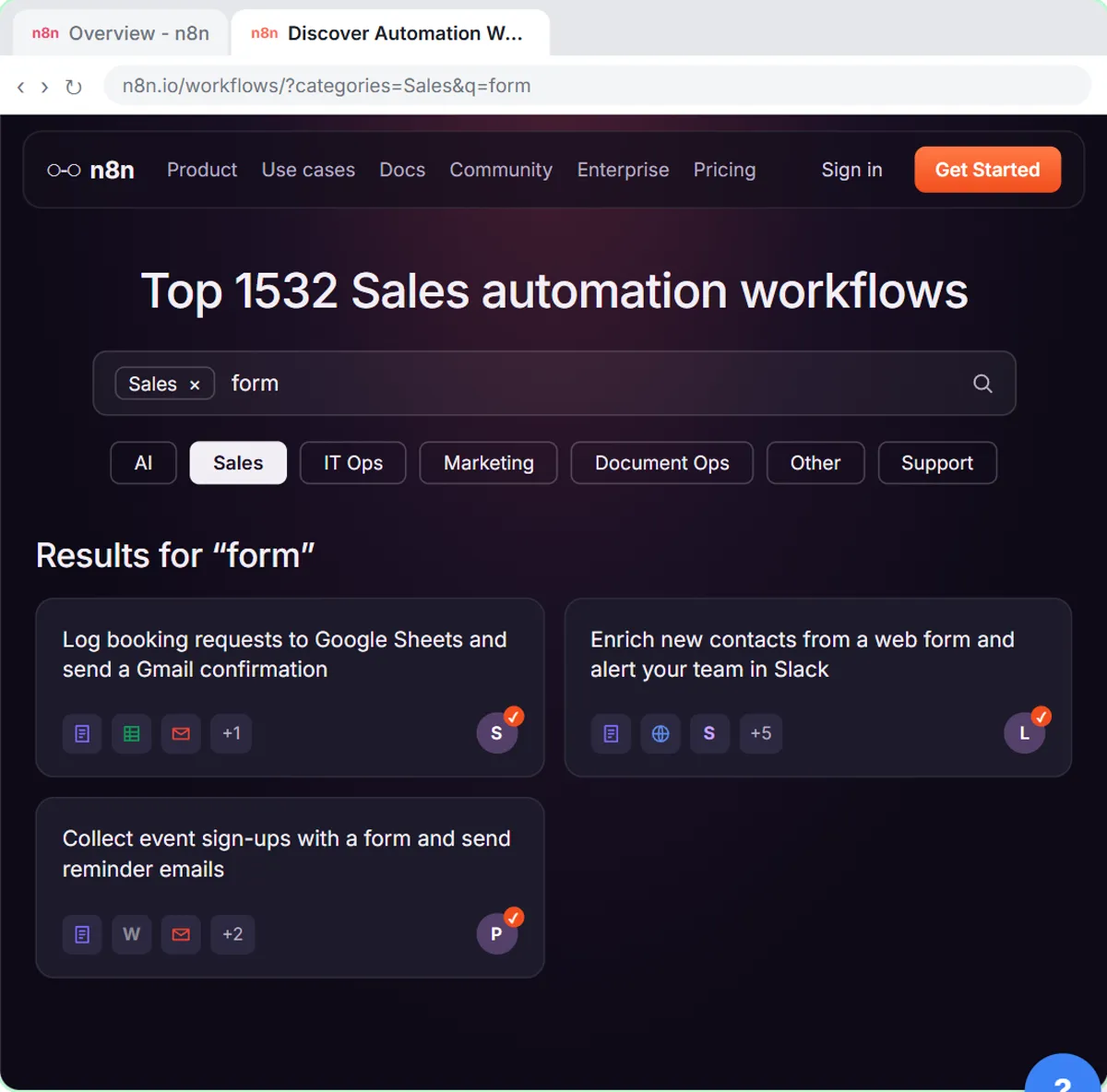
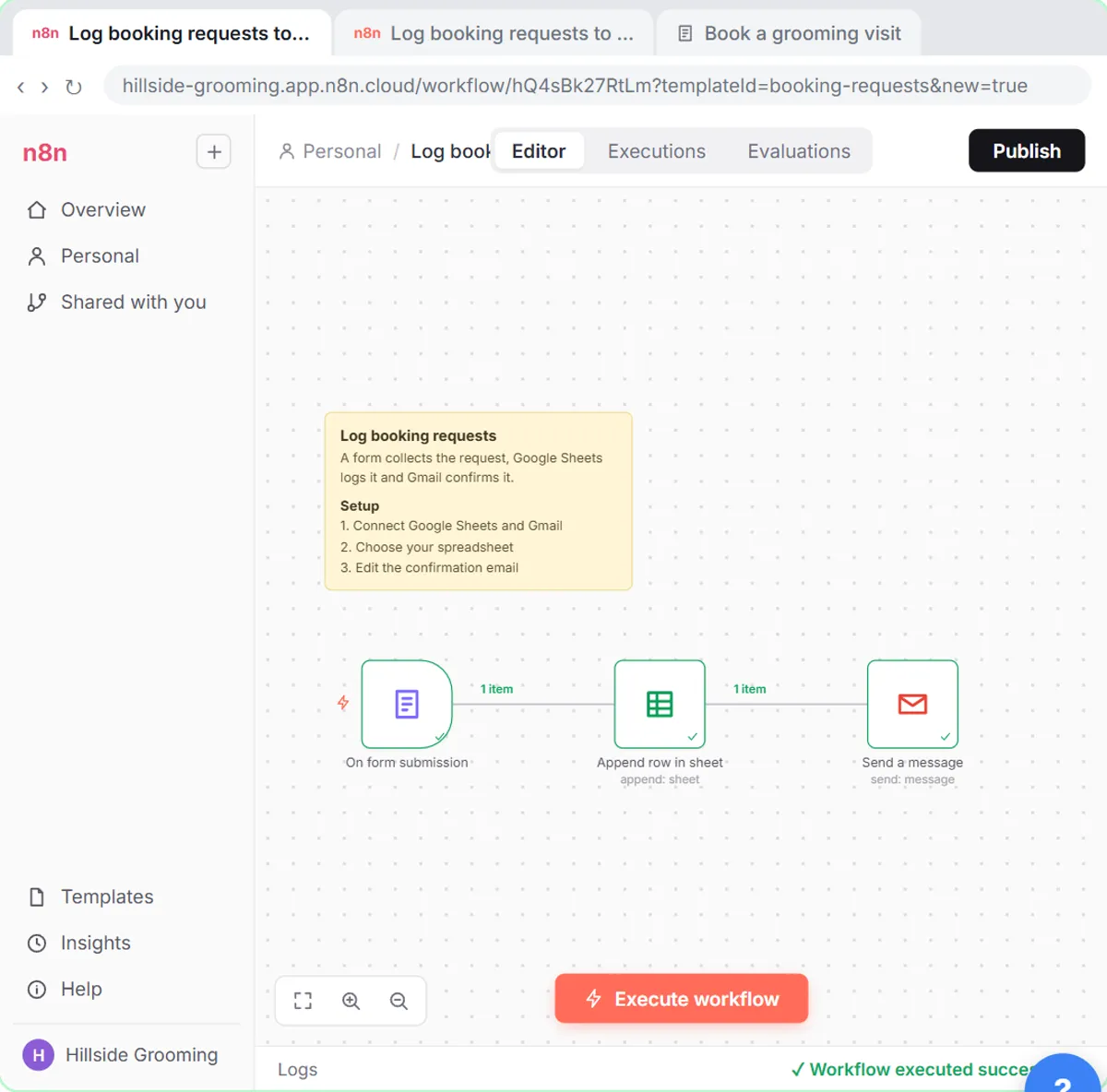
You find a template in the n8n gallery, import it, connect Google Sheets and Gmail, point it at your sheet and publish. The lesson uses a template called Log booking requests to Google Sheets and send a Gmail confirmation for Hillside Pet Grooming, a made-up business.
The imported workflow has three steps: a form, an Append row in sheet step and a Send a message step. Setting it up takes a few clicks:
- In the Set up template window, create a Google Sheets credential and a Gmail credential with Sign in with Google.
- Open Append row in sheet, pick your spreadsheet under Document (Hillside Booking Requests) and the tab under Sheet (Sheet1).
- Open Send a message and replace the template's message with your own.
- Click Execute workflow, fill in the test form and check every step gets a green check.
- Click Publish.
No website builder is involved: n8n opens the form on its own page, and you can link to it from your site. How to Use n8n Templates covers the gallery and import options in detail.
How does the Lovable and webhook route work?
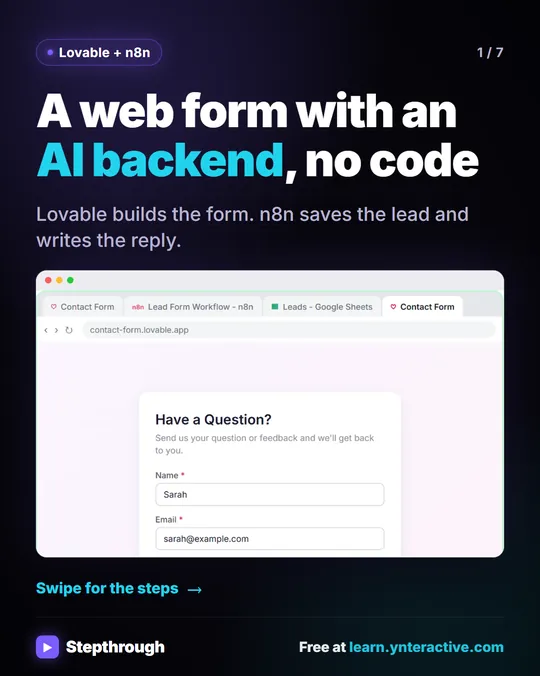
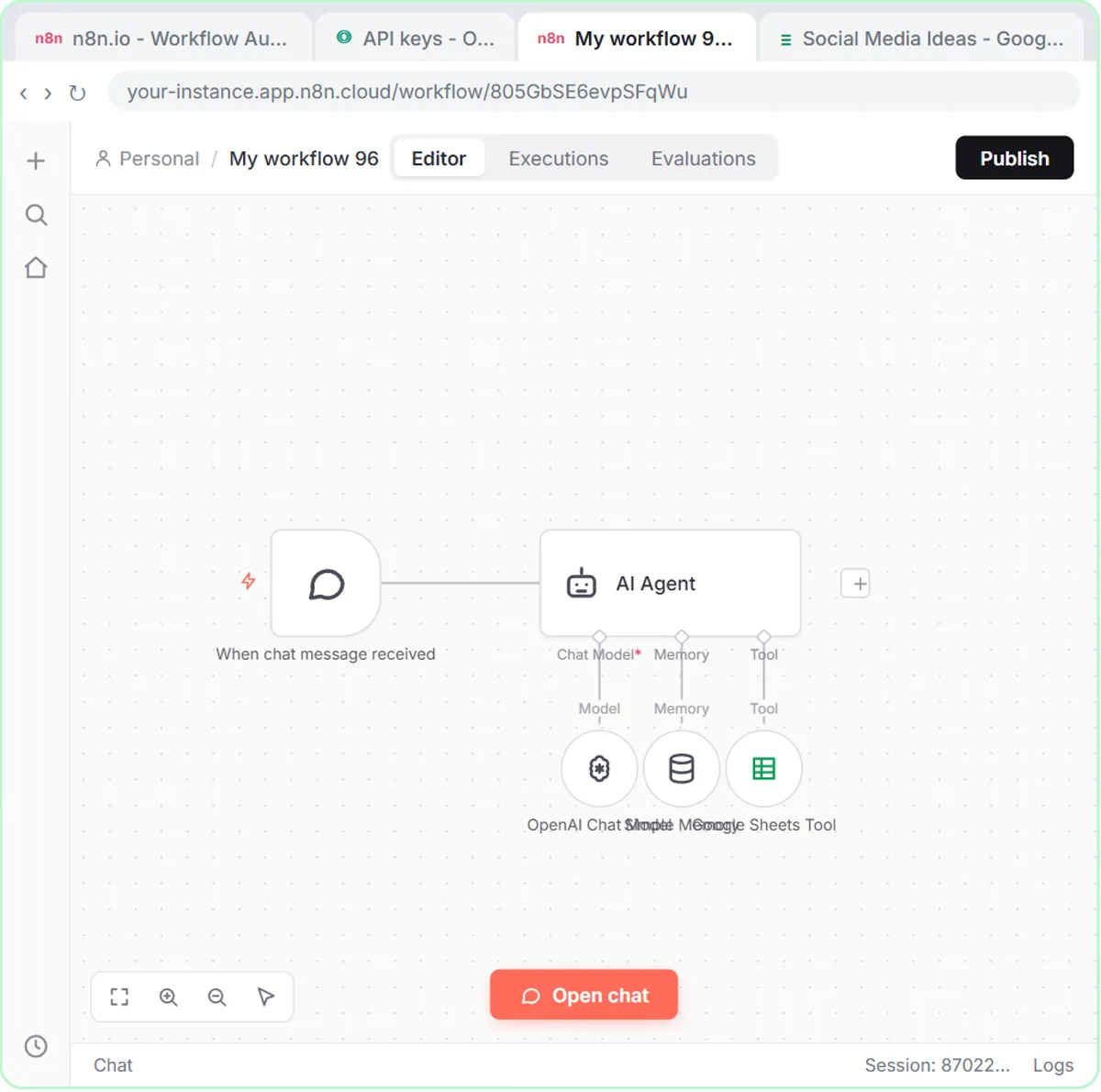
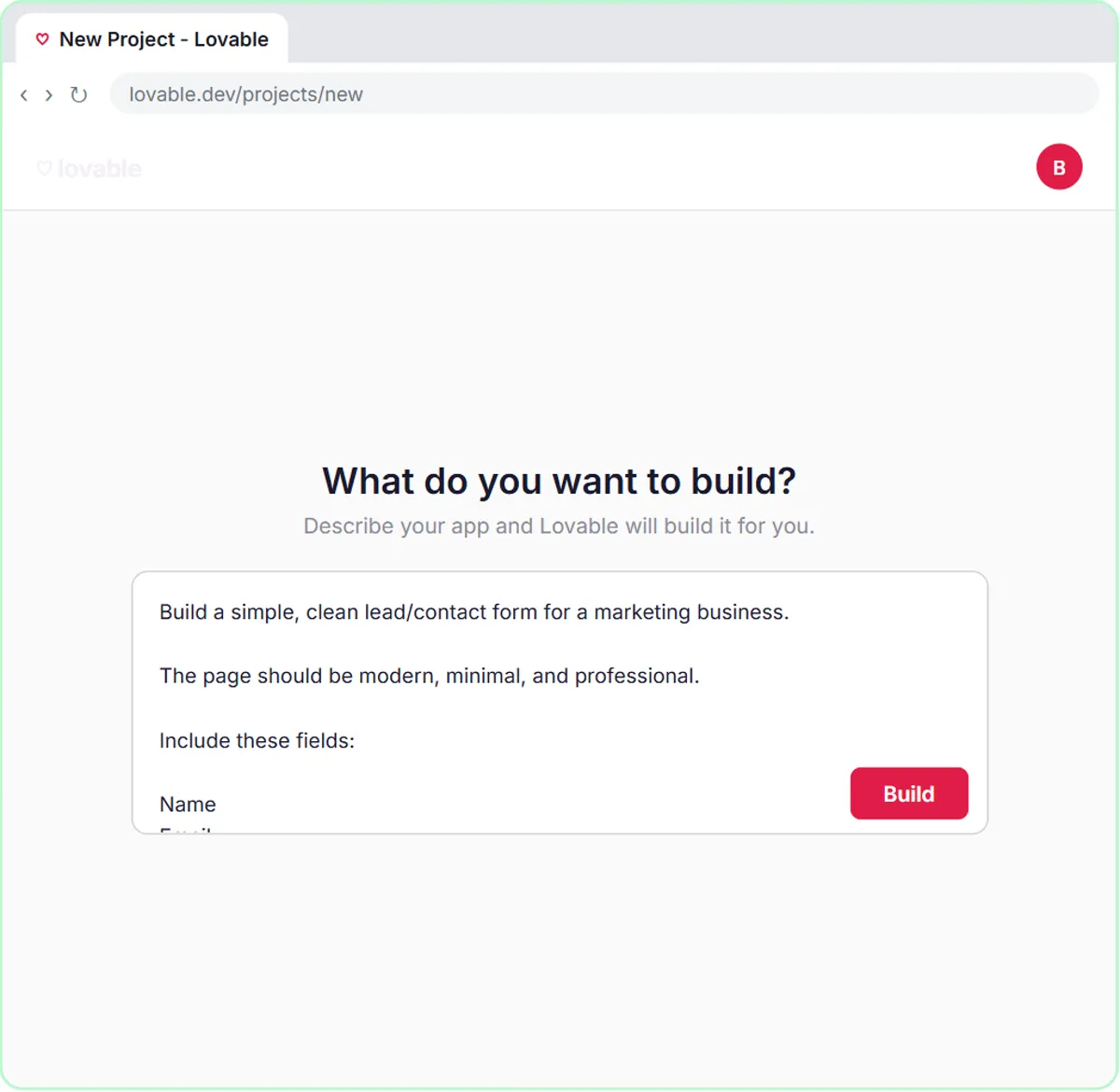
You describe the form in a Lovable prompt, and Lovable builds the page. The page sends each submission to an n8n On webhook call trigger, and an AI Agent saves the lead with a Google Sheets Tool and replies with a Gmail Tool. A Respond to Webhook node tells the form it worked.
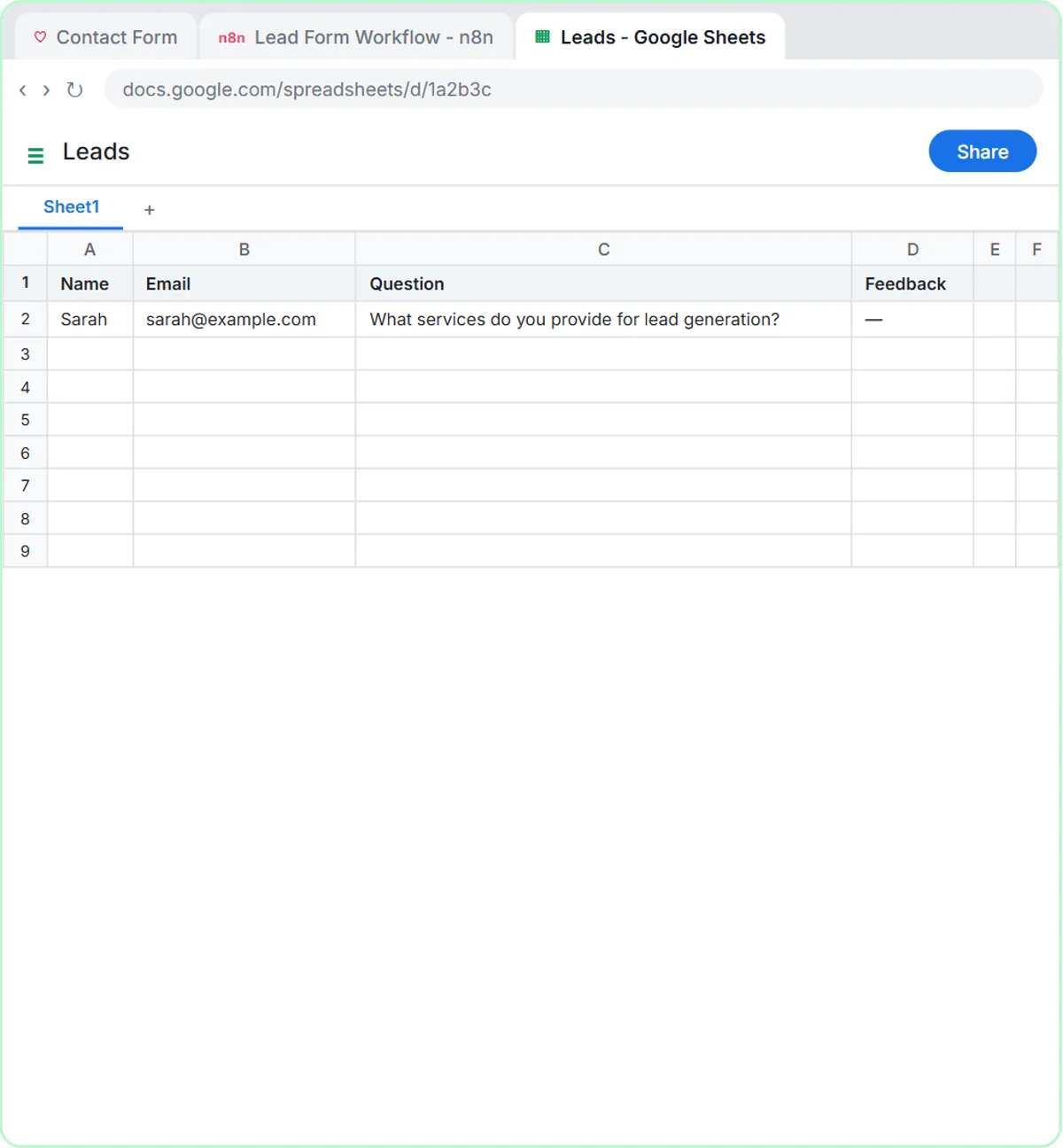
The lesson's form is a "Have a Question?" contact form for a marketing business, with Name, Email, Question and an optional Feedback field. The Lovable prompt tells it to send JSON with the keys name, email, question and feedback, and to read the webhook address from a secret called N8N_WEBHOOK_URL instead of hard-coding it. The agent's system message is three lines: be helpful, add the lead to the sheet, reply to the person who sent the form.
Connect a Lovable Form to n8n with a Webhook walks through the wiring, including the Production URL.
Try it free, step by step
Find and Use n8n Templates. Skip the blank canvas. Find a ready-made workflow in the n8n template gallery, import it into your workspace, connect Google Sheets and Gmail, test it with a real form entry and publish it. You do every step yourself in a practice copy of n8n, it checks your work as you go, and “Do it for me” finishes any step you get stuck on. Free, and nothing touches your real accounts.
Start the free lessonWhy must the sheet's headers match?
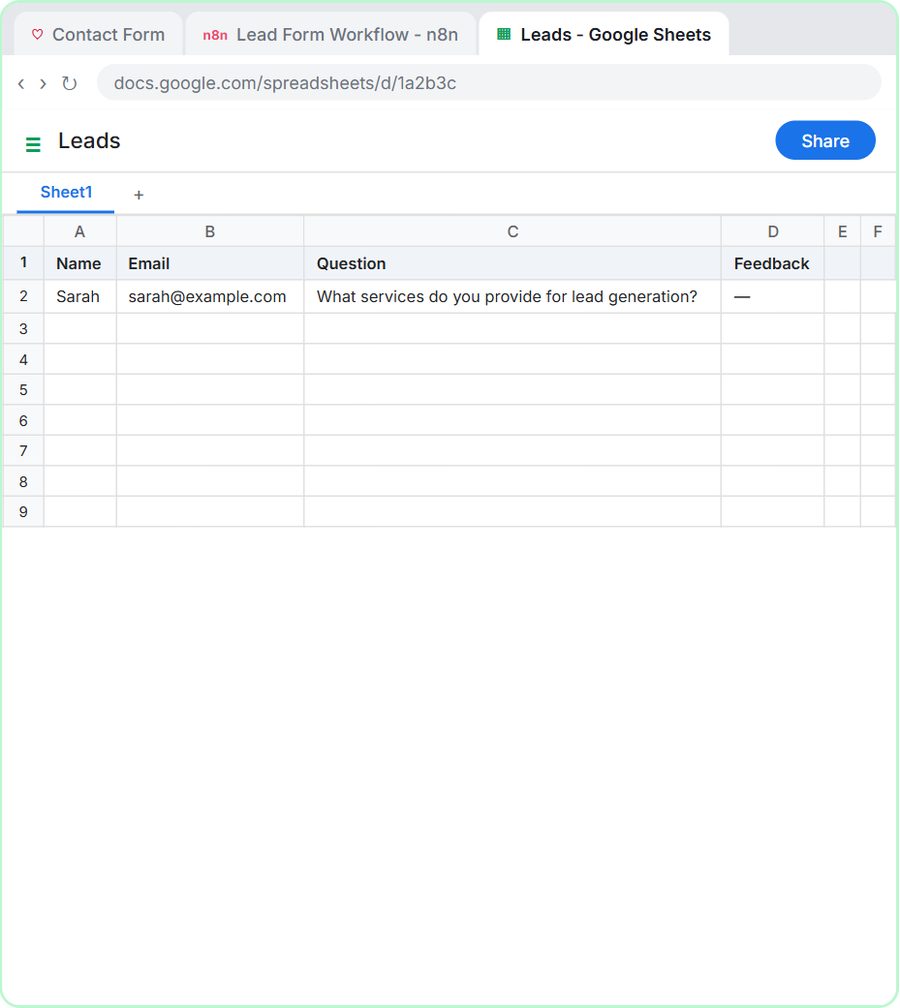
n8n uses the first row of your sheet as column names, so the headers have to match what the workflow writes. A mismatched header means an empty column or a failed step.
- Template route: the template already maps the columns. In the lesson's words, your sheet just needs those headers in its first row: Name, Email, Pet name and Submitted.
- Lovable route: you create a Leads sheet with Name, Email, Question and Feedback in row 1, matching the form's fields. In the Google Sheets Tool, the ✦ button next to each column lets the agent fill it in.
Spell the headers exactly as the workflow expects, including capitals and spaces, and keep them in row 1.
What does each route send back to the person?
Both routes send an email, but one is fixed and one is written fresh by AI. The template sends the same message every time with details filled in by expressions:
Hi {{ $json.Name }},

Thanks for reaching out to Hillside Pet Grooming! We got your request for {{ $json["Pet name"] }} and will call you within one business day to pick a time.
The Lovable route's agent writes each reply itself, based on what the person asked. That's more personal, and it also means you should read the first replies and give the agent clear rules in its system message. More on writing confirmations in Automatic Confirmation Emails for Form Submissions.
Which form-to-sheet route should you pick?
Pick the template if you want a working form today and a fixed confirmation is enough. Pick Lovable and a webhook if the form needs to match your site, or each submission needs judgment.
- Booking or callback requests with a set reply: the template.
- Contact forms where people ask real questions: Lovable plus the AI agent.
- Requests that need sorting, like emergencies or lead ratings: the Lovable route, where the agent's system message holds the rules.
- Not sure yet: start with the template. You'll learn credentials, sheets and publishing, and the same skills carry over.
What does a form-to-sheet setup cost?
Both lessons are free and run in practice copies, so nothing is published, sent or billed. Building it for real:
- Template route: n8n (n8n Cloud is paid after a free trial, or self-host it) and a Google account.
- Lovable route: the same, plus Lovable (free and paid plans) and an OpenAI API key, which is pay-as-you-go and billed separately from ChatGPT plans; the lessons suggest about $10 of credit.
Test either route with your own email address before real visitors use it. More builds are on the n8n tool page and the Lovable tool page.
Key takeaways
- An n8n template with its own form can send each submission to Google Sheets and a Gmail confirmation with no website builder and no AI.
- A Lovable page can send form data to an n8n webhook, where an AI agent saves the row and writes a reply for each person.
- In both routes, the sheet's row 1 headers must match what the workflow writes, such as Name, Email, Pet name and Submitted.
- The template route sends a fixed confirmation with details filled in; the Lovable route's AI writes each reply, so read the first ones.
- The template route needs n8n and Google; the Lovable route also needs Lovable and an OpenAI API key.
Frequently asked questions
- Can I send a website form to Google Sheets without AI?
Yes. The n8n template in the lesson logs each form entry to Google Sheets and sends a fixed Gmail confirmation with no AI involved.
- Do I need a website to use the n8n template's form?
No. n8n hosts the form on its own page. You can link to it from your website, social profiles or emails.
- Why is my Google Sheets column empty after a submission?
The header in row 1 probably doesn't match the name the workflow uses. Check spelling, capitals and spaces.
- Can I use Google Forms instead?
Google Forms can save responses to a sheet on its own. These lessons use n8n so the same workflow can also send emails and, with an agent, make decisions.
- Is Hillside Pet Grooming a real business?
No. Hillside Pet Grooming and the marketing business in the Lovable lesson are made-up examples.