What is no-code (and low-code)?
Updated · By Robert Breen
No-code tools let you build apps and automations by clicking, dragging and describing what you want instead of writing programming code. Low-code tools work the same way but let you drop in small pieces of code, like a formula or an expression, where clicking isn't enough.
Why it matters for a small business
No-code changes who can build things. The person who knows the process (the office manager, the owner, the dispatcher) can set up the form, the spreadsheet and the follow-up email without waiting on a developer or paying for a custom project. Fixes are faster too: if the email wording is wrong, you open that step and change it.
No-code isn't no-thinking. You still design the steps, name fields consistently and test with real data. Most no-code tools also turn into low-code at the edges. The moment you need a customer's name inside an email, you're writing a short reference to a field. That isn't programming, but it rewards being exact about spelling and capitals.
In a real lesson: Lovable + n8n: Build a Web App with an AI Backend
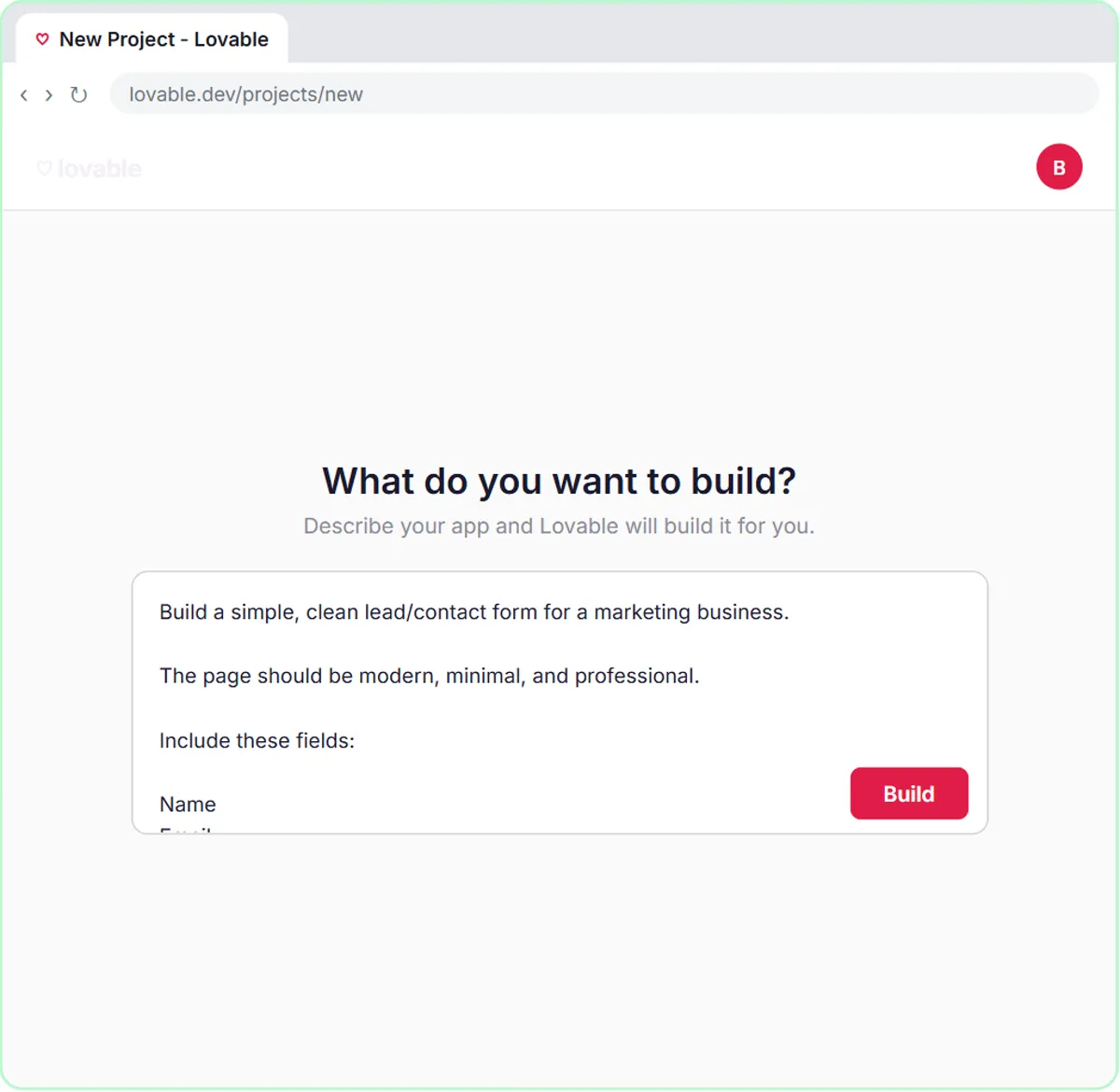
The Lovable + n8n lesson uses both kinds. In Lovable you click Start with a prompt, then Paste prompt: a plain-English description of a contact form with Name, Email, Question and Feedback fields, a "Sending..." button state, a friendly error message, and a rule never to hard-code the webhook URL. You click Build and Lovable writes the app's code. You never open a code file.
In n8n the backend is built by picking nodes: On webhook call, AI Agent, OpenAI Chat Model, Google Sheets Tool, Gmail Tool and Respond to Webhook. The low-code moment is the prompt template you paste into the agent, four lines like Name: {{ $json.body.name }}. Those expressions are the only code-like text in the build, and the lesson hands them to you.
One habit from real software development survives anyway: the webhook address goes into Lovable as a secret named N8N_WEBHOOK_URL, not into the page. No-code tools still expect you to keep secrets out of public code.
Try this lesson free or read the step-by-step guide.
Common confusions
No-code vs low-code
The difference is how much code is allowed, not how easy a tool is. n8n is often called low-code because you can add expressions and even a Code node, yet every Stepthrough n8n lesson is built without writing a program.
No-code vs vibe coding
Vibe coding means describing an app to an AI that writes real code for you, which is how Lovable works. You still don't type code, but the result is an ordinary codebase a developer could open and edit later.
Tips
- Keep field names identical in the form, the workflow and the sheet. Most no-code bugs are one name that differs by a letter or a capital.
- Learn to read
{{ $json.field }}. That one pattern covers most of the "code" a beginner meets in n8n. - Ask a no-code AI builder to say where it put secrets and settings, so you can change them later.
Related terms
Where you use it: free lessons
- Lovable + n8n: Build a Web App with an AI Backend (Lovable and n8n, 15 min)
- Daily Job Alerts: Email Each Tech Their Jobs from Google Sheets with n8n (n8n, 10 min)
- Find and Use n8n Templates (n8n, 9 min)
Frequently asked questions
- Can no-code automations handle real business work?
- Yes. Saving leads to a sheet and emailing a reply, as in the lessons, is the same kind of workflow businesses run every day. What matters is testing and watching for failures, not whether anyone wrote code.
- Is n8n no-code or low-code?
- Both, depending on how you use it. You can build complete workflows by clicking and pasting, and add expressions or code steps when you need more control.