The best way for a beginner to learn n8n is six small projects in order: start from a template, build one automation without AI, then build AI agents that chat, read images and draft email, and finish with a web form that has an n8n backend. The six free Stepthrough lessons take about 70 minutes of practice in total, starting with Find and Use n8n Templates. Each lesson runs in a practice copy of n8n, so no account is needed to learn.
n8n connects the apps you already use, like Gmail and Google Sheets, and can run AI agents that read, write and file things for you. It's also easy to get lost in: a blank canvas with hundreds of nodes and no plan sends most people away. One working project at a time fixes that.
What order should I learn n8n in?
Learn n8n in this order: templates, a first automation without AI, a first AI agent, an agent that reads images, an agent that drafts email, and a web form with an AI backend.
| # | Lesson | What you build | Time |
|---|---|---|---|
| 1 | Find and Use n8n Templates | A booking form workflow from a template | 9 min |
| 2 | Daily Job Alerts | A 7am email to each tech, no AI | 10 min |
| 3 | AI Social Media Idea Agent | Your first AI agent | 12 min |
| 4 | AI Receipt Extractor | An agent that reads a receipt photo | 12 min |
| 5 | AI Email Responder | An agent that drafts Gmail replies | 12 min |
| 6 | Build a Web App with an AI Backend | A web form with an n8n agent behind it | 15 min |
You don't need to do them in one sitting.
Why start with n8n templates?
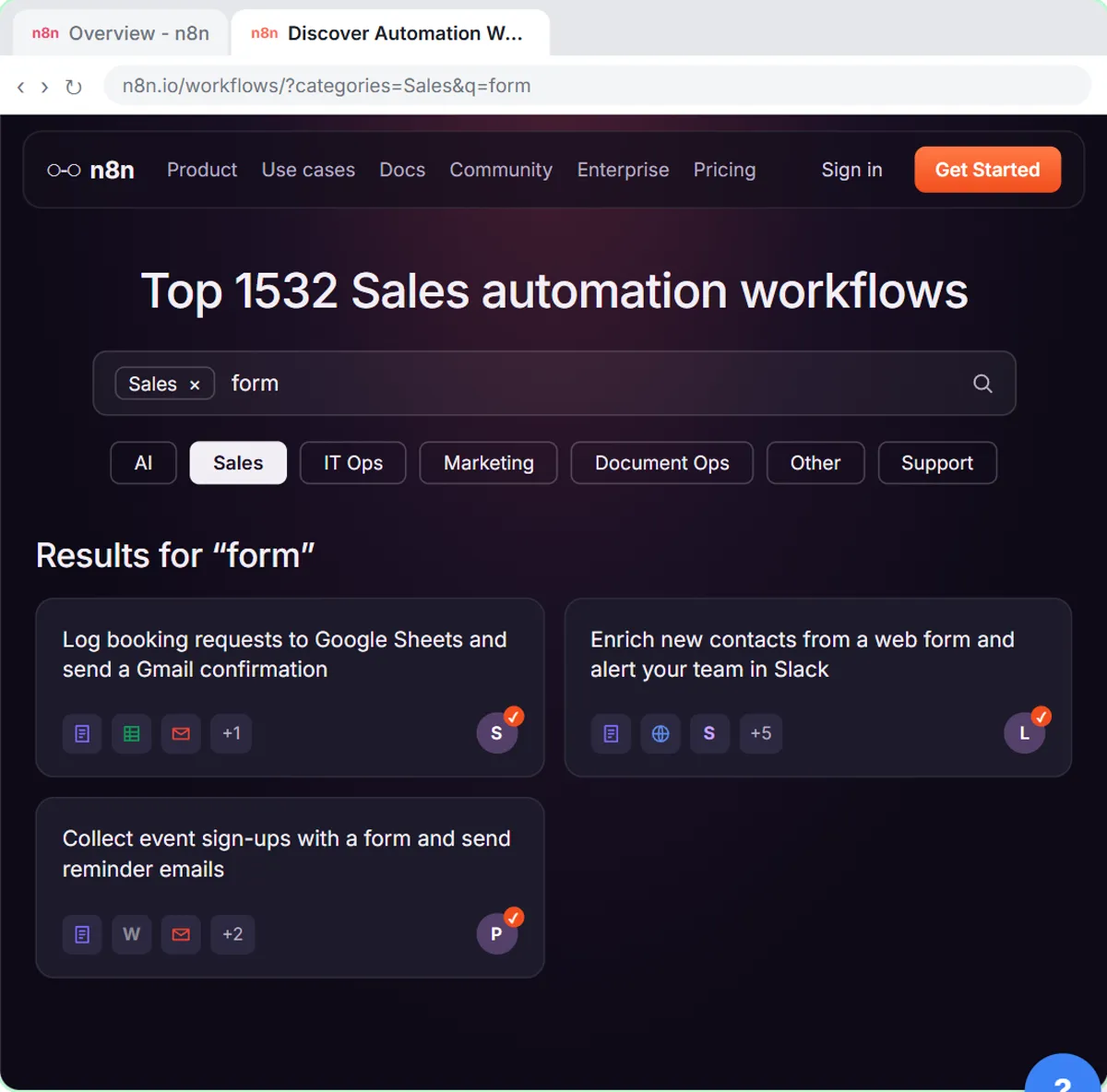
Starting with an n8n template gets you a working workflow fastest and teaches the moves you repeat in every later lesson: connecting accounts, picking a spreadsheet, testing and publishing.
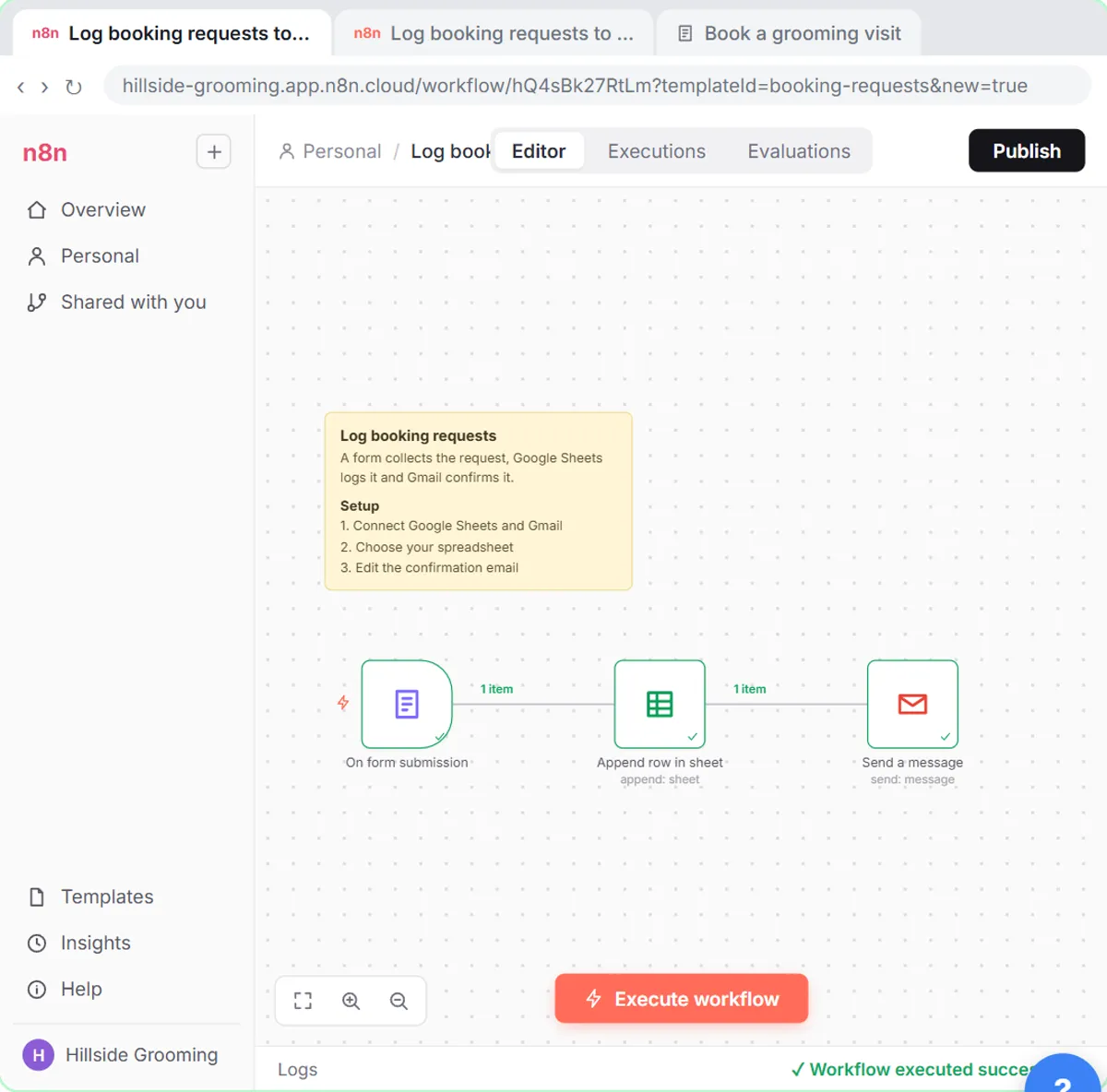
In Find and Use n8n Templates (9 minutes), you help Hillside Pet Grooming, a made-up shop, import a gallery template that logs booking requests to Google Sheets and sends a Gmail confirmation. You click Use for free, connect Google Sheets and Gmail in the Set up template window, choose your own spreadsheet, rewrite the email, run Execute workflow and click Publish. The full walkthrough is in How to Use n8n Templates.
What should my first n8n automation be?
A good first n8n automation is a scheduled workflow with no AI, like the Daily Job Alerts lesson, which emails each tech their jobs from a Google Sheet at 7am.
In Daily Job Alerts (10 minutes), you're the office at Rapid Flow Plumbing, a made-up company. n8n reads today's jobs, a Filter skips the job with no tech, and Gmail sends each job to its tech. The lesson teaches the two ideas behind almost every automation:
- Expressions, like
{{ $json.Tech }}, pull data from earlier steps into later ones. - One step, many items. Six rows go in, five pass the Filter, and one Gmail step sends five emails without a loop.
It also covers a common trap: n8n schedules default to New York time, so you set the workflow timezone first. See Email Each Tech Their Jobs Every Morning with n8n and n8n Expressions for Beginners.
How do I build my first AI agent in n8n?
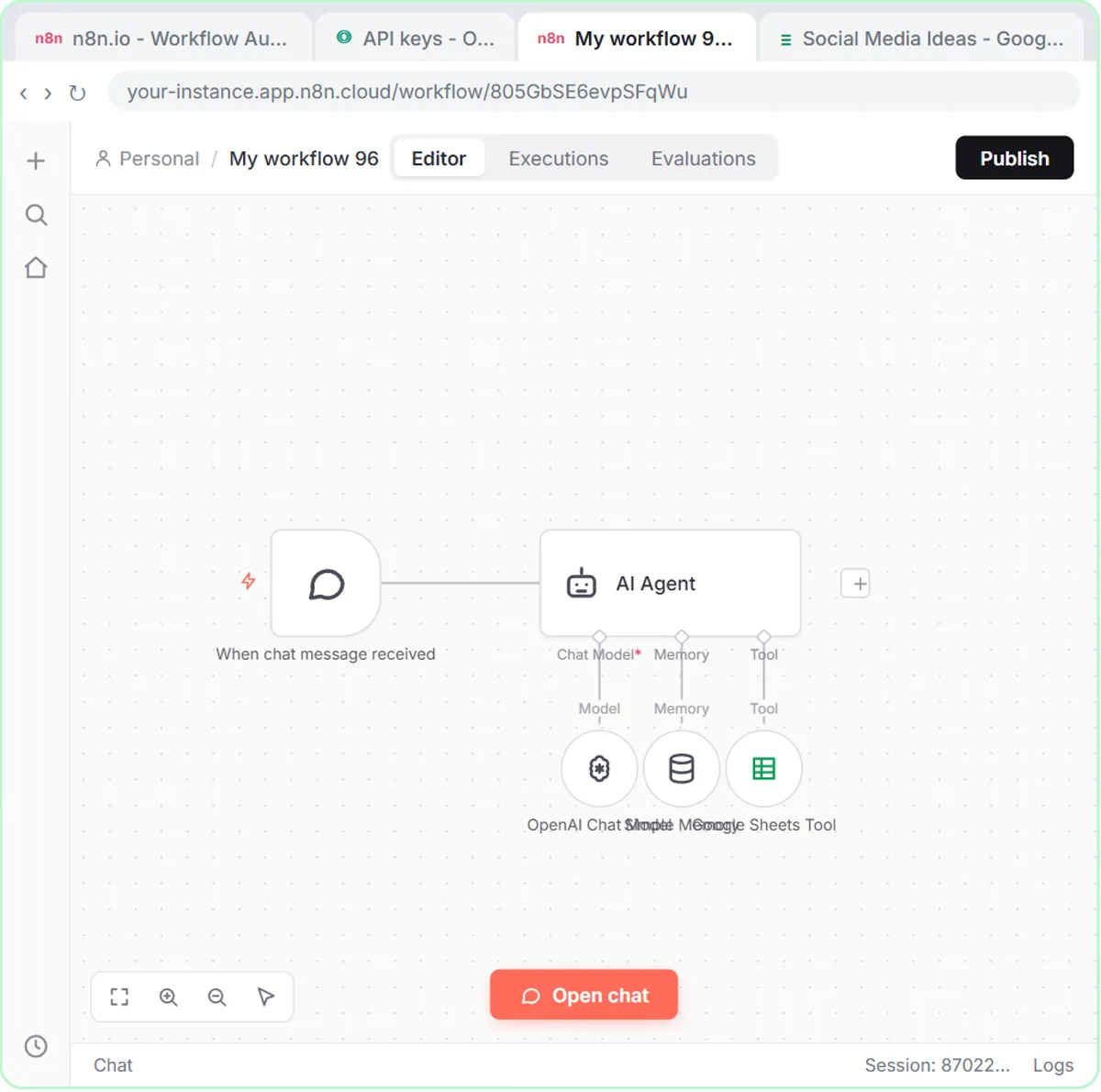
Build a chat-triggered agent with an AI Agent node, a System Message, an OpenAI Chat Model, Simple Memory and one tool, as in the AI Social Media Idea Agent lesson.
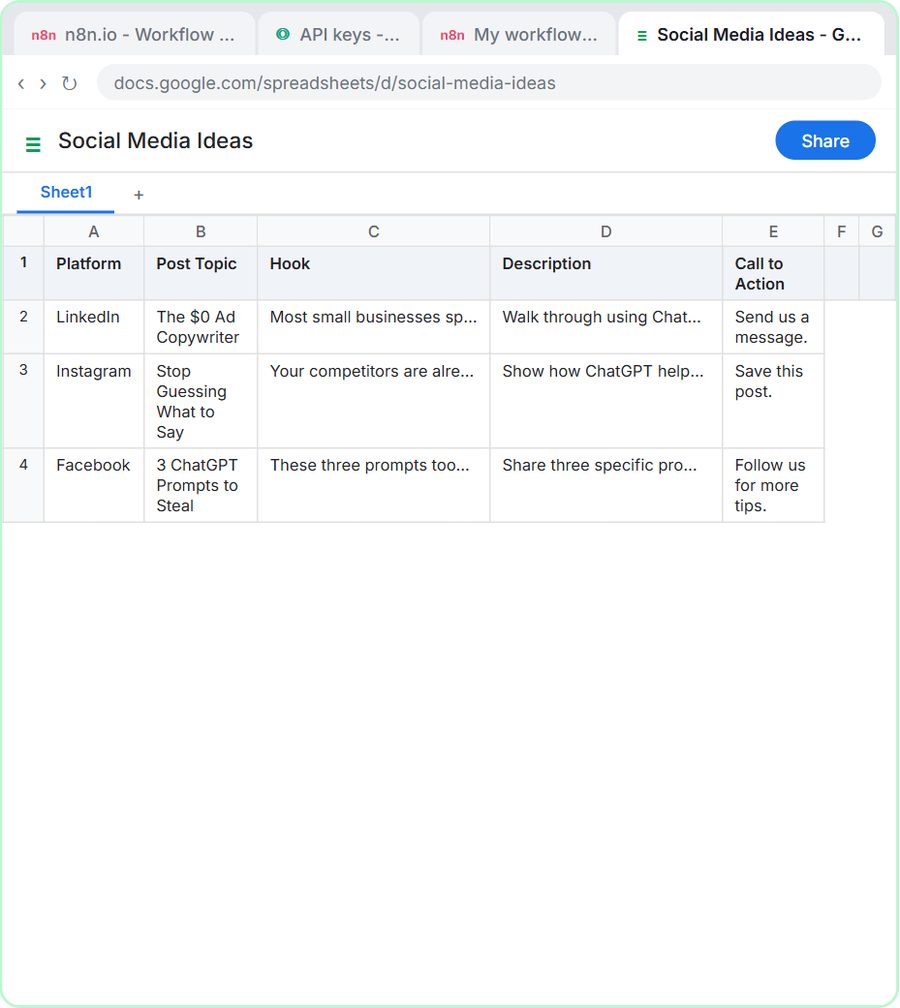
In the AI Social Media Idea Agent (12 minutes), you build an agent for BrightPath Marketing, a made-up agency, that suggests social media post ideas and saves them to a Google Sheet. Every n8n agent has the same parts:
- A trigger: On chat message, so you can talk to the agent.
- The AI Agent node with a System Message saying who it works for.
- A Chat Model (OpenAI) to think with.
- Simple Memory, so the agent remembers the last messages.
- A Tool, here the Google Sheets Tool, so the agent can act.
This lesson is also where you create the n8n account and OpenAI API key you reuse later.
Try it free, step by step
n8n AI Agent Tutorial: Save Social Media Ideas to Google Sheets. Build an AI agent for BrightPath Marketing that generates social media post ideas and saves them to Google Sheets — chat trigger, AI Agent, system prompt, model, memory, and the Sheets tool. You do every step yourself in a practice copy of n8n, it checks your work as you go, and “Do it for me” finishes any step you get stuck on. Free, and nothing touches your real accounts.
Start the free lessonCan an n8n agent read images like receipts?
Yes. In the AI Receipt Extractor lesson, you drop a receipt photo into the n8n chat and the agent reads the date, vendor and total, picks a category and adds a row to an Invoices sheet.
The AI Receipt Extractor (12 minutes) uses the same agent parts as lesson 3, so you can focus on what's new: giving the agent a file instead of typed text, and reusing your existing OpenAI credential instead of making a new key.
How do I build an n8n agent that drafts email replies?
Use a Gmail Trigger instead of a chat, an AI Agent with your business facts in its System Message, and a Gmail Tool set to Draft so it never sends.
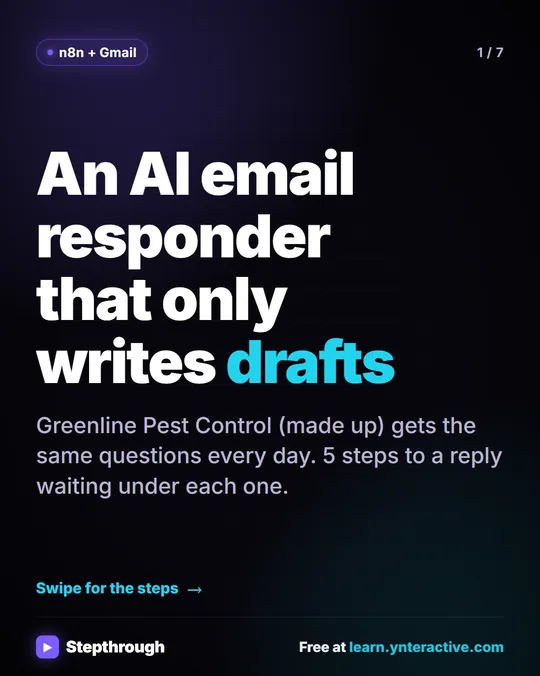
In the AI Email Responder (12 minutes), you're the office at Greenline Pest Control, a made-up company. The Gmail Trigger checks the inbox every minute, and the agent writes each reply as a draft in the same thread using the company's service areas and prices. You also hit a real error, "No session ID found," and fix it properly; that fix has its own post, Fix "No session ID found" in n8n Simple Memory.
How do I connect a web form to n8n?
Send the form to an n8n Webhook trigger: in the Build a Web App with an AI Backend lesson, a Lovable contact form posts to the webhook's Production URL, and an AI Agent handles the lead.
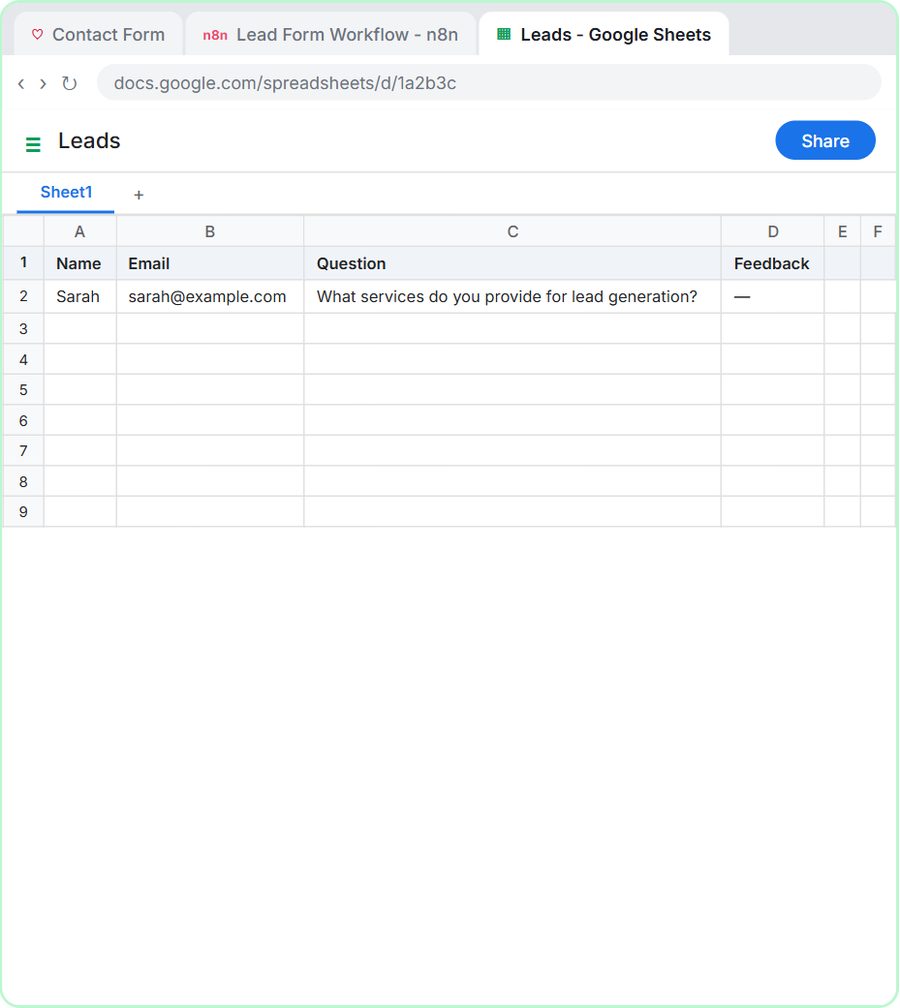
In Build a Web App with an AI Backend (15 minutes), you build a contact form in Lovable without code. The n8n workflow is a Webhook trigger, an AI Agent that saves the lead to Google Sheets and replies by Gmail, and a Respond to Webhook node. You publish the workflow, copy the webhook's Production URL and save it in Lovable as a secret named N8N_WEBHOOK_URL. Then you submit the form and see the row in the sheet.
What do I need to use n8n for real?
To use n8n for real you need an n8n account, an OpenAI API key with credit for the AI lessons, a Google account, and Lovable for the web form lesson.
- n8n: n8n Cloud is a paid service after a free trial. You can also self-host n8n on your own server.
- OpenAI API: the OpenAI API is pay-as-you-go and billed separately from ChatGPT plans. Add credit at platform.openai.com before creating a key; the AI Social Media Idea Agent lesson suggests $10 to start. Treat the key like a password.
- Google account: for Google Sheets and Gmail.
- Lovable: for lesson 6 only. Lovable has its own free and paid plans.
An n8n workflow only runs on its own after you click Publish. For the full list of lessons, see the n8n tutorials page, the n8n Automation Toolkit section or the n8n Jump Start path.
Key takeaways
- Beginners learn n8n fastest with six small projects in order, from templates to AI agents to a web form.
- The six free Stepthrough n8n lessons take about 70 minutes of practice and need no account.
- Every n8n AI agent has a trigger, an AI Agent node with a System Message, a Chat Model, memory and at least one tool.
- n8n Cloud is a paid service after a free trial, n8n can be self-hosted, and the OpenAI API is pay-as-you-go and billed separately from ChatGPT.
- An n8n workflow only runs on its own after you click Publish.
Frequently asked questions
- Can a beginner learn n8n without coding?
Yes. Every lesson in this learning order is built by clicking and pasting. The only code-like part is simple expressions in double curly brackets, and the lessons show exactly what to paste.
- How long does it take to learn n8n?
The six lessons in this learning order take about 70 minutes of practice in total. After that, most people learn the rest by building their own first real workflow.
- Is n8n free?
n8n Cloud is a paid service after a free trial, and n8n can also be self-hosted. The Stepthrough n8n lessons are free, and the practice copy needs no account.
- Do I need an OpenAI account to learn n8n?
Not for the first two lessons, which use no AI. The AI agent lessons use the OpenAI API, which is pay-as-you-go and billed separately from ChatGPT plans.
- Should I start with n8n templates or build from scratch?
Do both, in that order. Templates show you a finished workflow quickly, and building one from scratch teaches you what each step does.