The n8n error "No session ID found" means Simple Memory is looking for a chat session ID, and your trigger, such as a Gmail trigger, isn't a chat, so there isn't one. To fix it, open the Simple Memory node, set Session ID to Define below and use a key that is unique per conversation; for email, that's {{ $json.threadId }}. You can practice the fix free in the AI Email Responder lesson.
You build an AI agent, add Simple Memory, click Execute workflow and get a red node. It looks alarming, but it's one of the most common n8n errors, and the right fix takes about a minute.
When does the "No session ID found" error happen?
The "No session ID found" error happens when an AI Agent with Simple Memory is started by something other than n8n's chat trigger.
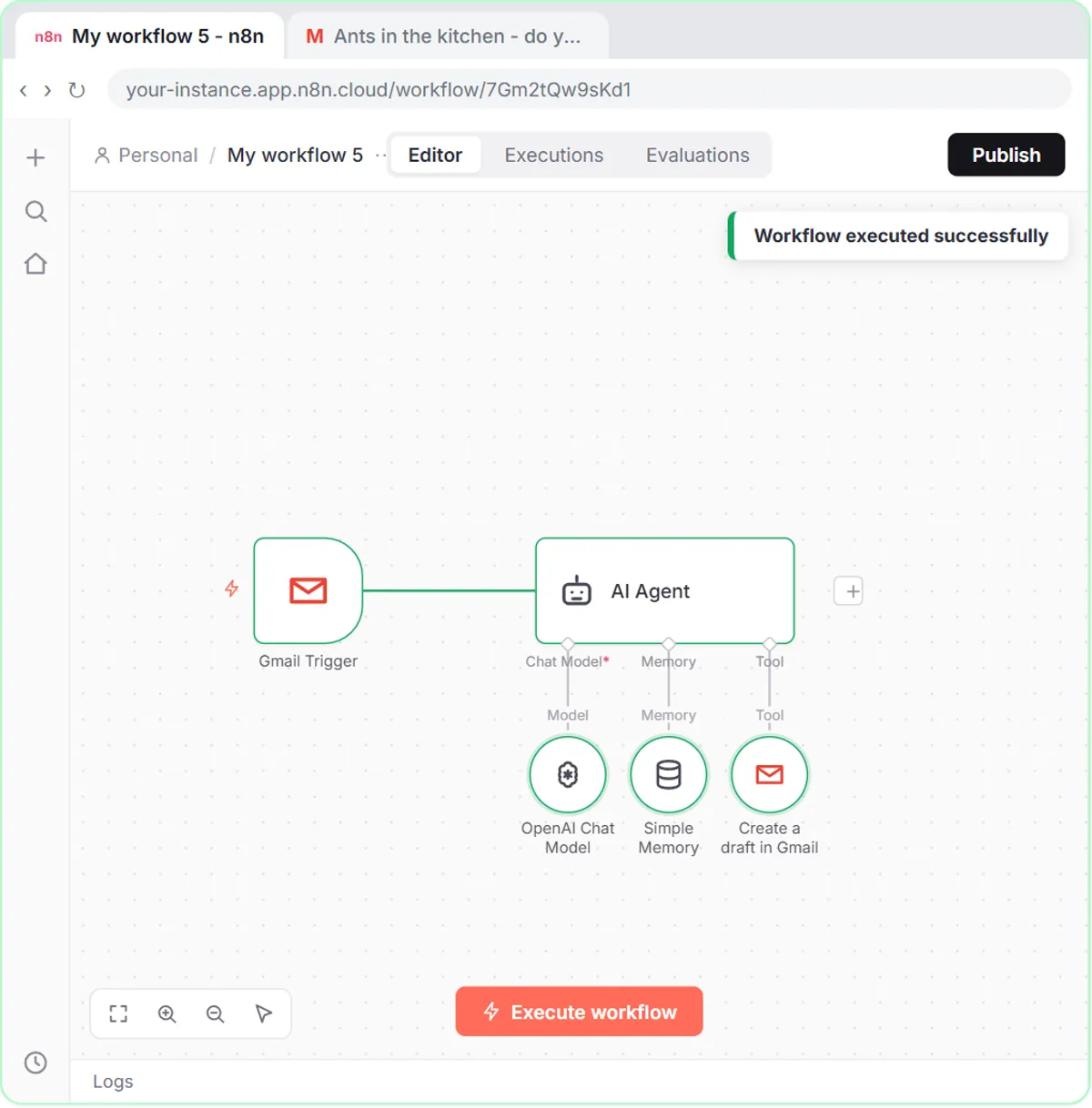
In the AI Email Responder lesson, the workflow for Greenline Pest Control (a made-up company) is:
- A Gmail Trigger (On message received) that checks the inbox every minute.
- An AI Agent with Source for Prompt set to Define below, pulling in the email's From, Subject and message.
- An OpenAI Chat Model.
- A Gmail Tool set to create drafts, never send.
- Simple Memory, left on its defaults.
The first time you click Execute workflow, the run fails on the memory node with an error in the Simple Memory sub-node: "No session ID found." In the lesson that happens on purpose, so you learn to read the error instead of guessing.
Why does Simple Memory need a session ID?
Simple Memory needs a session ID to know which conversation a message belongs to, so it can keep separate conversations apart.
By default, Simple Memory looks for a chat session ID. Every chat started with n8n's chat trigger has one. An email is not a chat, so when the Gmail Trigger starts the workflow, the chat session ID comes back undefined and Simple Memory stops. Nothing is wrong with the agent itself. Simple Memory just doesn't know how to group the messages yet.
Why don't I get this error with the chat trigger?
The On chat message trigger supplies a chat session ID, and Simple Memory uses it by default, so chat-based agents work without changing the memory settings.
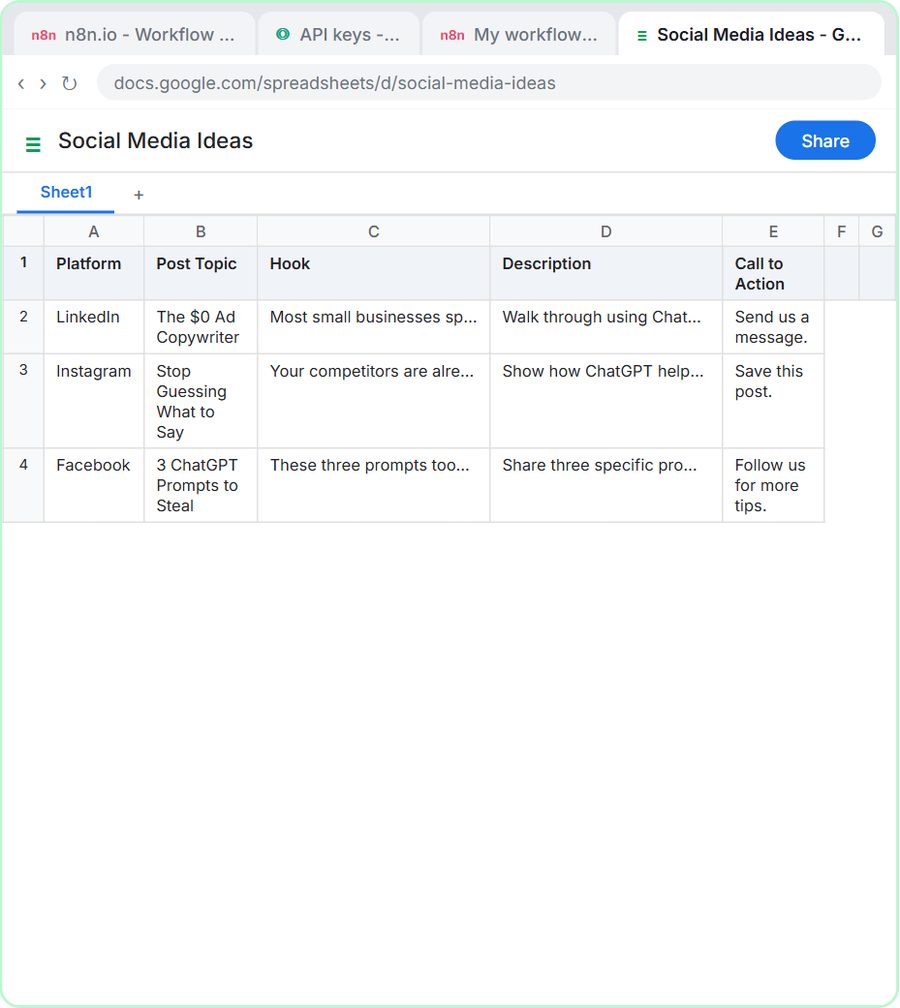
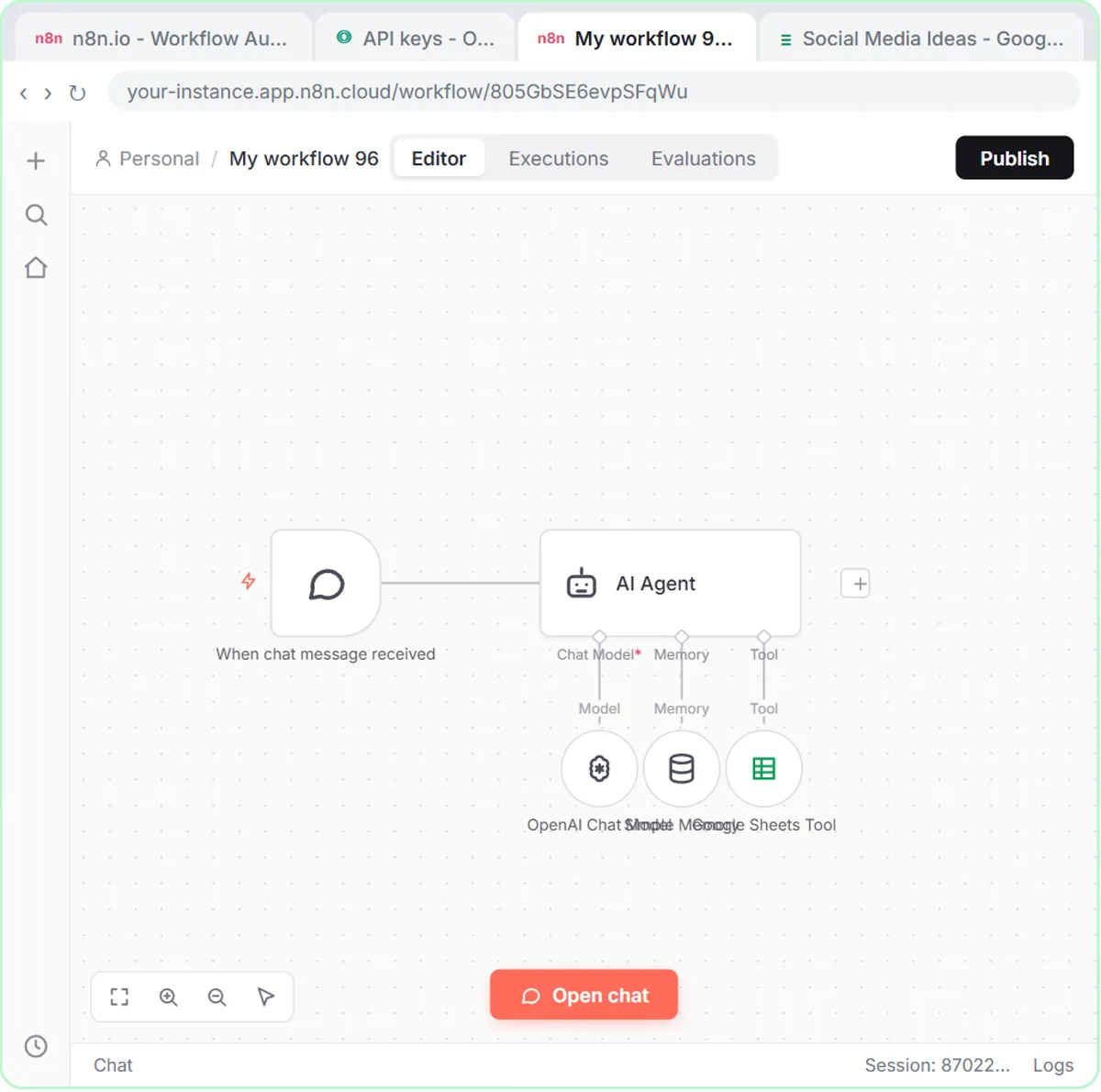
In the AI Social Media Idea Agent lesson, the workflow is a chat trigger, an AI Agent, an OpenAI Chat Model, Simple Memory and a Google Sheets tool. You add Simple Memory, close it and move on. That memory is what lets you send "Yes, save those ideas to the sheet" as a second message and have the agent know which ideas you mean. The AI Receipt Extractor works the same way: Simple Memory is keyed to the chat session and remembers the last five messages.
Should I just delete the Simple Memory node?
No. Deleting the Simple Memory node makes the error go away, but the agent then forgets everything between messages.
Deleting memory is the quick fix many people use. In the email case, the point of memory is that if a customer writes back, the agent remembers what it already told them. Without Simple Memory, every email in the same conversation starts from nothing.
How do I fix "No session ID found" in n8n?
Give Simple Memory its own session key: set Session ID to Define below and paste an expression that is unique per conversation. For email, use the Gmail thread ID.
- Double-click the red Simple Memory node.
- Open Session ID.
- Choose Define below.
- In the key field, paste
{{ $json.threadId }}. - Close the node and click Execute workflow again.
This time every node turns green. The threadId comes from the Gmail Trigger: you can see it in the trigger's output next to From, Subject and snippet after you click Fetch Test Event. Every email conversation has its own Gmail thread, so Simple Memory now keeps one conversation per customer exchange. That's better than deleting memory, not just a workaround.
The lesson uses the same threadId expression in the Gmail Tool's Thread ID option, so the draft lands under the customer's email as a reply. The full build is in AI Email Replies Without Auto-Sending.
Try it free, step by step
AI Email Responder: Draft Gmail Replies Automatically with n8n. Build an n8n agent that watches your Gmail, reads each new customer email, and writes a reply as a draft in the same thread, ready for you to check and send. You do every step yourself in a practice copy of n8n, it checks your work as you go, and “Do it for me” finishes any step you get stuck on. Free, and nothing touches your real accounts.
Start the free lessonWhat session key should I use for other triggers?
Use a field from the trigger's output that stays the same within one conversation and changes between conversations.
- Email: the Gmail thread ID, as in the lesson.
- Other triggers: look at the trigger's output and find a field that's unique to one conversation.
Avoid a key that is the same for everyone, like a fixed piece of text. With a shared key, every conversation would share one memory, and the agent could mix up what it told different people. If expressions like {{ $json.threadId }} are new to you, n8n Expressions for Beginners explains them.
How should I read n8n errors in general?
Open the red node before you change anything, because the n8n error message names the sub-node that failed and what it was missing.
In the lesson, the error names Simple Memory and a missing session ID, which leads straight to the Session ID setting. A few other reminders while debugging an agent:
- Execute workflow runs an n8n workflow on demand while you test.
- An n8n workflow only runs on its own after you click Publish.
- The OpenAI API is pay-as-you-go and billed separately from ChatGPT plans, so add credit at platform.openai.com before the agent's Chat Model can work.
For more agent builds, see the n8n tutorials or the Email on Autopilot path.
Key takeaways
- The n8n error "No session ID found" means Simple Memory expected a chat session ID that a non-chat trigger, like Gmail, doesn't provide.
- Deleting the Simple Memory node hides the error but makes the agent forget earlier messages in the conversation.
- The right fix is to set Simple Memory's Session ID to Define below and use a key unique per conversation.
- For an email agent, the Gmail thread ID expression {{ $json.threadId }} keeps one memory per email conversation.
- Agents started by the On chat message trigger usually don't need this fix, because the chat trigger supplies the session ID.
Frequently asked questions
- What does "No session ID found" mean in n8n?
Simple Memory needs a session ID to tell conversations apart. By default it looks for a chat session ID, and a trigger that isn't a chat, like Gmail, doesn't provide one.
- How do I fix "No session ID found" in Simple Memory?
Open the Simple Memory node, set Session ID to Define below, and use an expression that is unique per conversation. For email, the AI Email Responder lesson uses the Gmail thread ID, {{ $json.threadId }}.
- Should I delete the Simple Memory node to fix the error?
Deleting Simple Memory makes the error go away, but the agent then forgets everything between messages. Setting your own session key keeps memory working.
- Why does my chat agent work with Simple Memory but my email agent doesn't?
The On chat message trigger supplies a chat session ID that Simple Memory uses by default. A Gmail trigger doesn't, so you have to define the session key yourself.
- Does the practice lesson connect to my Gmail?
No. The AI Email Responder lesson uses practice copies of n8n and Gmail. No account is connected and no email is read or sent.