Most office spreadsheets are built for people, with merged title rows and totals at the bottom. A few habits make the same sheet work for automations too.
Can Google Sheets really work as a database?
For small, simple automations, yes. A sheet has what a basic database needs: named columns, one record per row, and a way for other apps to read and add rows. n8n's Google Sheets node can do both.
Every n8n lesson on Stepthrough uses a Google Sheet as its data store:
| Lesson | Sheet | Headers in row 1 | What n8n does |
|---|---|---|---|
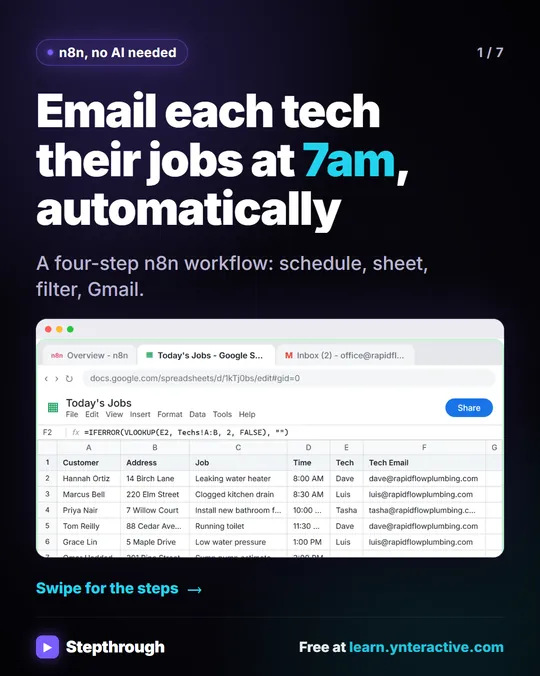
| Daily Job Alerts | Today's Jobs | Customer, Address, Job, Time, Tech, Tech Email | Reads rows |
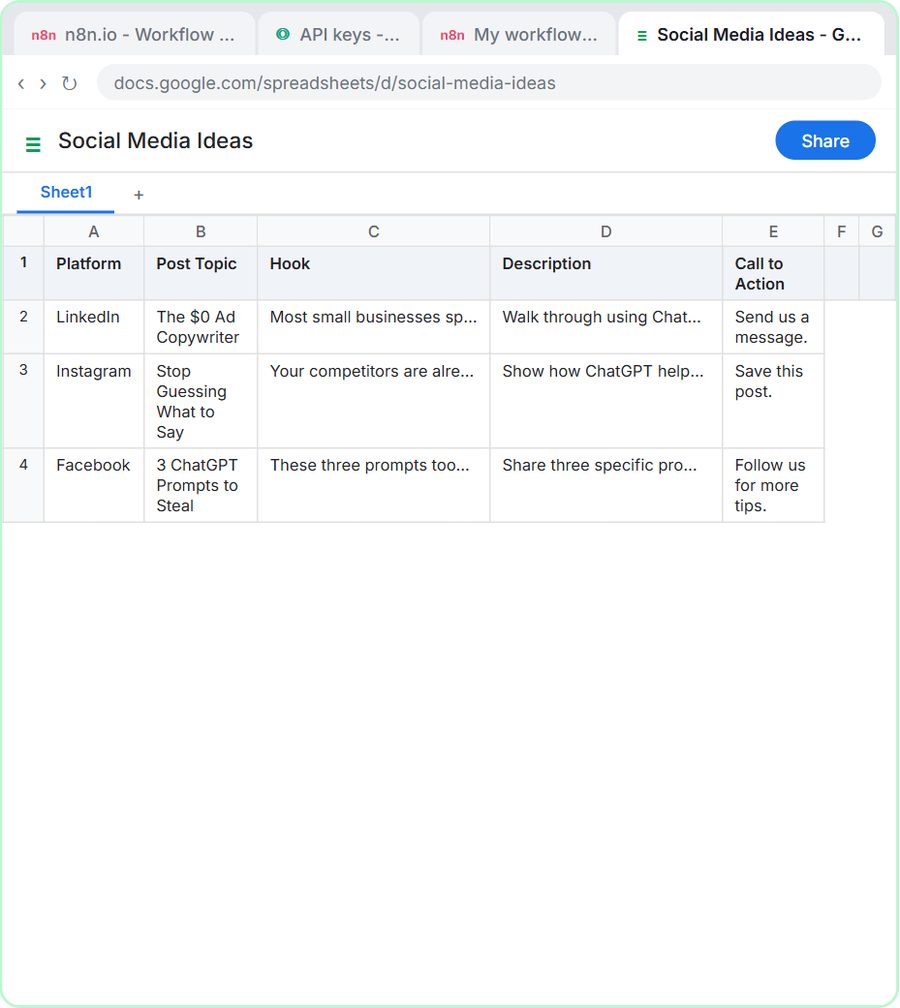
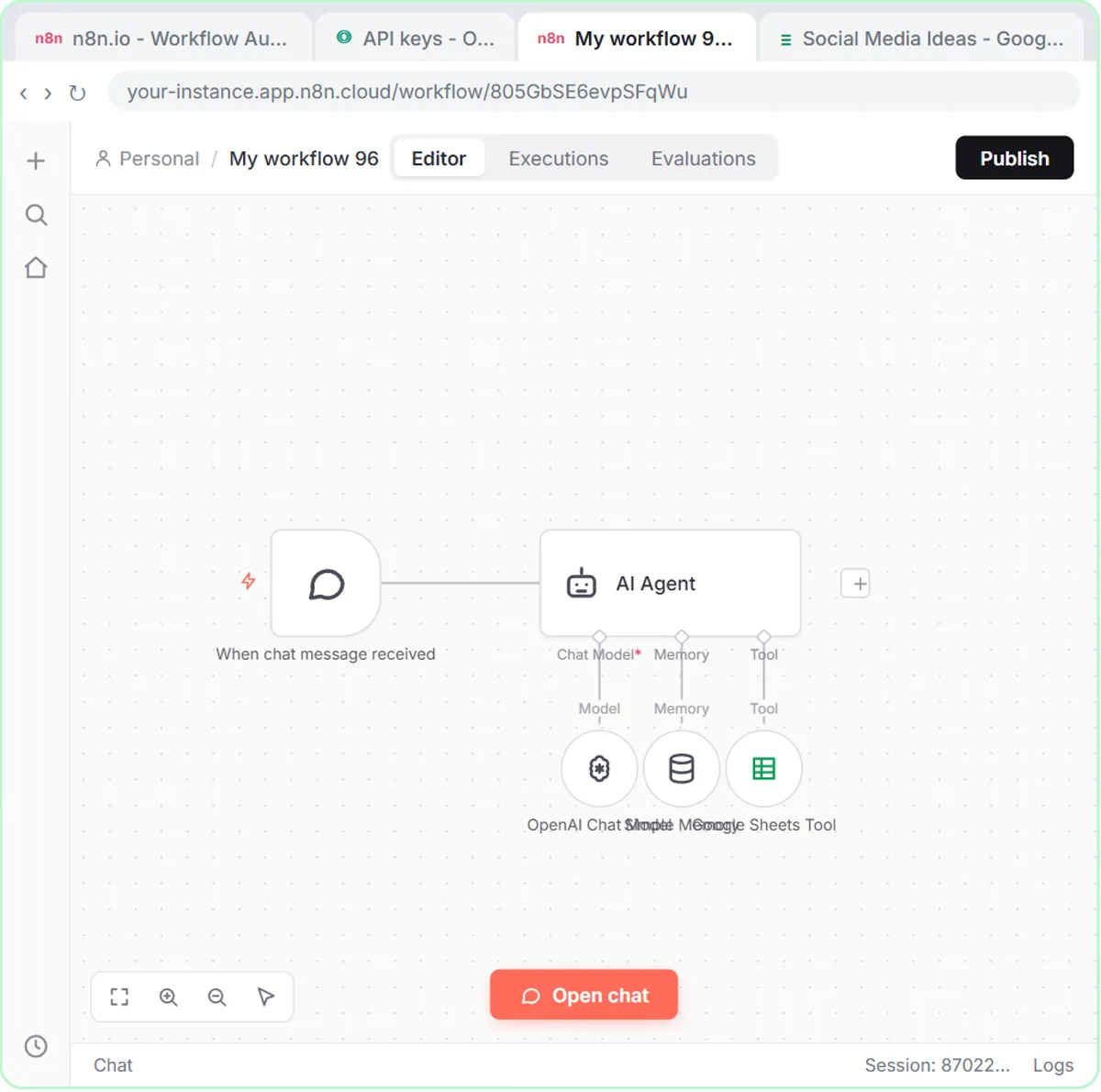
| n8n AI Agent | Social Media Ideas | Platform, Post Topic, Hook, Description, Call to Action | Appends rows |
| AI Receipt Extractor | Invoices | Date, Category, Vendor, Amount | Appends rows |
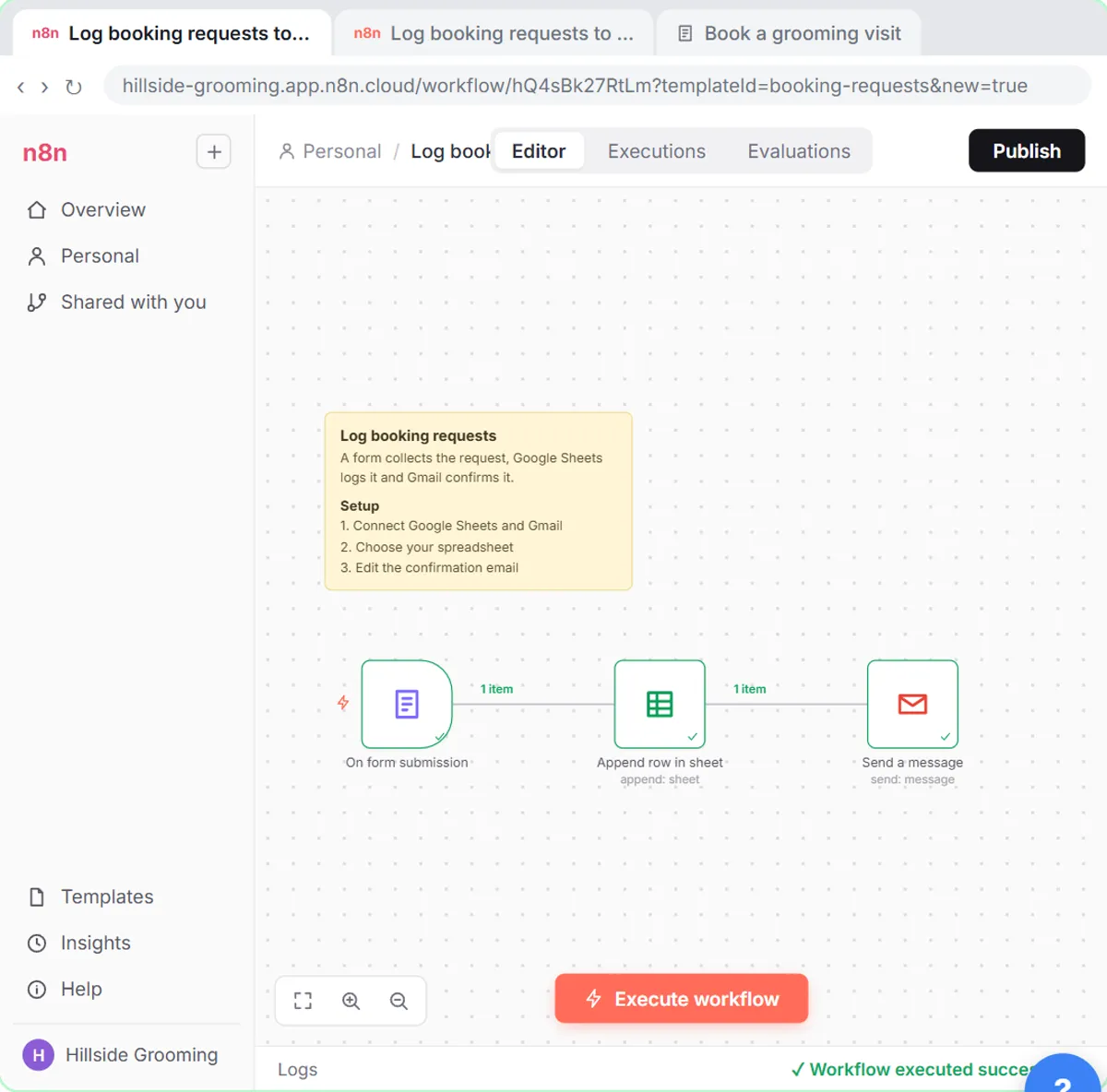
| n8n template | Hillside Booking Requests | Name, Email, Pet name, Submitted | Appends rows |
The businesses behind them, Rapid Flow Plumbing, BrightPath Marketing and Hillside Pet Grooming, are made up.
Why do column headers matter so much?
n8n uses the row 1 headers as the names of your data, so an expression or an AI tool finds each value by its header. If the header changes, the workflow looks for a column that no longer exists.
In the job email lesson, the Gmail step sends to {{ $json["Tech Email"] }} and the subject uses {{ $json.Time }} job: {{ $json.Customer }}. Each name in those expressions is a header from the sheet. Rename Tech Email to Email and the workflow breaks.
AI tools depend on headers too. In the AI Receipt Extractor lesson, the Google Sheets Tool's columns are all set to be filled by the model, and the lesson explains: "The agent fills the sheet column by column, so these names tell it what goes where." The system message never says where each value goes; the headers do that. In the n8n AI Agent lesson, the headers must match "what the system prompt tells the agent to return."
Rules for headers:
- Put them in row 1. No title row above them.
- Make them short and plain. Date, Vendor, Amount.
- Match them exactly to what the workflow or prompt uses, including spaces and capitals.
- Don't rename them once a workflow is published, unless you update the workflow too.
What does "one row per item" mean?
Each row should be one complete record: one job, one receipt, one lead. No merged cells, no subtotal rows, no blank spacer rows between groups.
n8n treats every row it reads as one item and runs the next step once per item. In the job email lesson, Get row(s) in sheet returns six items for six jobs, and the Gmail step sends one email per job that passes the filter. A subtotal row would become a seventh "job." A blank row in the middle could become an empty item.
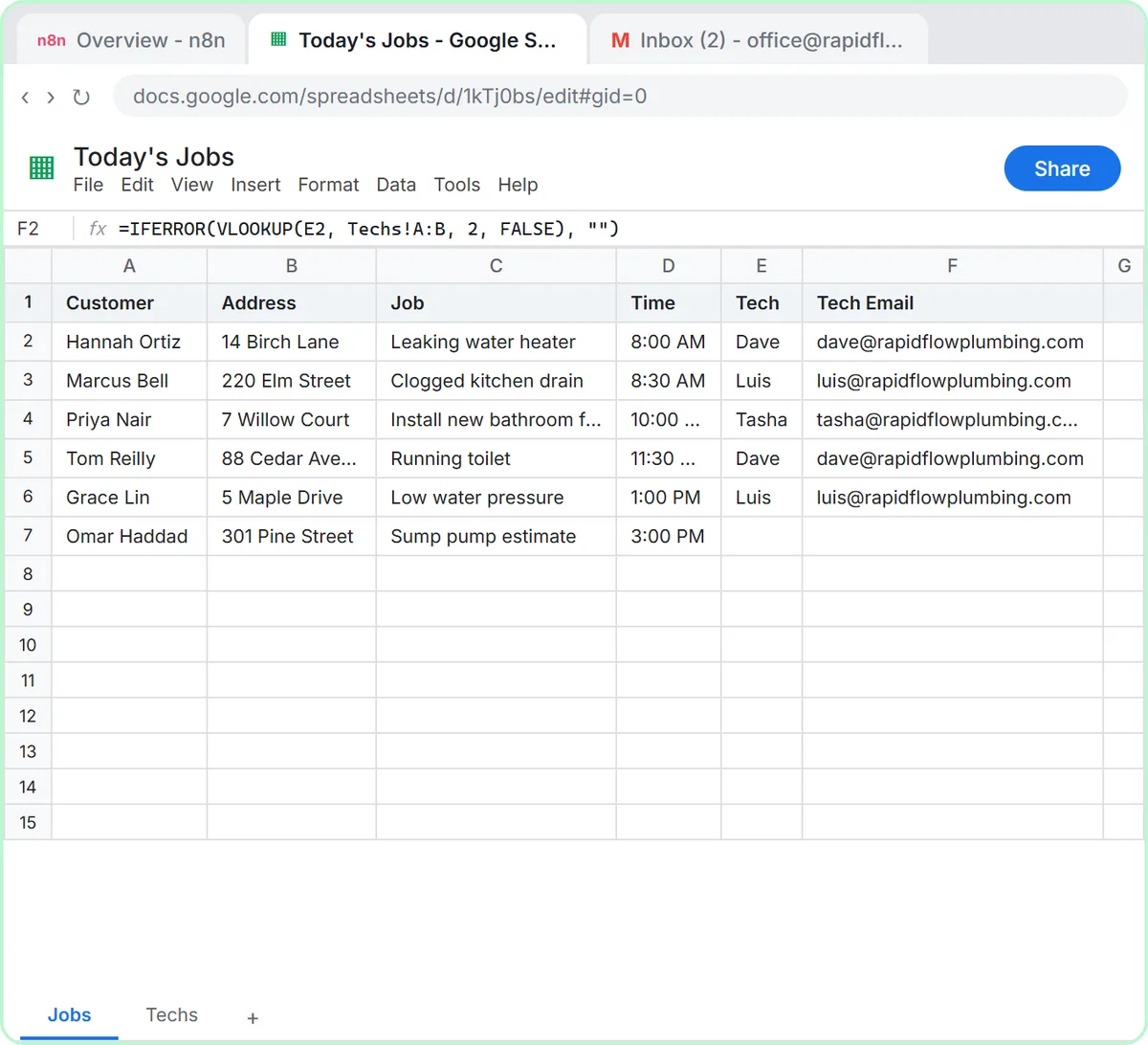
Blank cells are fine when they mean something. The sump pump estimate in the lesson has no tech yet, and the workflow's Filter drops it with a "Tech is not empty" check.
How does a lookup tab help?
A lookup tab holds reference data, like each tech's email address, so staff type only a short value on the main tab. It keeps typing errors out of the data your automation depends on.
The Today's Jobs sheet has a Techs tab with four techs and their emails. On the Jobs tab, the office types only the tech's first name; the Tech Email column looks the address up from the Techs tab. As the lesson says, "the office only types a first name." The workflow reads the Jobs tab, so it gets both the name and the email on every row.
To reassign a job, someone changes one name. The lesson notes that tomorrow's email then goes to the new tech. The same idea works for price lists, service areas or customer types.
Try it free, step by step
Daily Job Alerts: Email Each Tech Their Jobs from Google Sheets with n8n. Every morning at 7, n8n reads a plumbing company's jobs sheet, skips anything not assigned yet, and emails each job to the tech it's assigned to — customer, address, time and what's wrong. No AI… You do every step yourself in a practice copy of n8n, it checks your work as you go, and “Do it for me” finishes any step you get stuck on. Free, and nothing touches your real accounts.
Start the free lessonWhen should n8n read rows, and when should it append them?
Use Get row(s) in sheet when the sheet is the input and the workflow acts on what's there. Use Append Row when the workflow creates new records. The lessons point this out because the Sheets tool doesn't always start where you need it.
- In the job email lesson, the step is Google Sheets: Get row(s) in sheet: "That reads rows. Append would add rows, which is not what we want here."
- In the receipt lesson, the Google Sheets Tool opens set to Get row(s), and you change the Operation to Append Row, so "every receipt becomes a new row at the bottom."
When a Sheets step isn't doing what you expect, check the operation first.
How do you add a review step to a sheet?
Add a column where a person marks what's been checked, and have the workflow write new rows without filling it. The sheet then doubles as a review queue.
Several lessons build review into the sheet itself. The follow-up agents write a Next Step column the office works through. The expense categorizer's Expense Log is reviewed by a bookkeeper "before it is posted." Adding a Status column with values like "New," "Checked" and "Sent" makes it obvious what's done; sort or filter by it each morning.
Why keep "today's" sheet to today?
A sheet a workflow reads every day should contain only what it should act on today. The job email workflow sends every assigned row, every day. In the lesson's words, "it sends every assigned row, every day, so the office keeps that sheet to today's jobs."
If old rows pile up, yesterday's jobs go out again tomorrow. Either clear the tab each day, move finished rows to an archive tab, or add a date column and filter on it.
Where should the sheet live?
Put it in a Google Drive folder the right people can see, under the Google account you connect to n8n. In the receipt lesson, the Invoices sheet is created in a Bookkeeping folder shared with an accountant, so they see every receipt as it lands. Because that folder is shared, Google asks before creating the file; you click Create and share.
Name the sheet before you connect it, since n8n lists sheets by name in the Document dropdown. Email Each Tech Their Jobs Every Morning with n8n and Get Receipts into Google Sheets with AI and n8n show the full builds.
When should you move off Google Sheets?
Move to a real database or a dedicated app when several people edit the same rows at once all day, when you need strict rules about what can be entered, or when the sheet gets large enough to feel slow. For most small automations, like daily job lists, receipts, leads and follow-ups, a well-structured sheet is plenty, and everyone on the team already knows how to use it.
The lessons are free and run in practice copies. A real build needs a Google account and n8n (n8n Cloud is paid after a free trial, or self-host it); AI agents also need an OpenAI API key, which is pay-as-you-go and billed separately from ChatGPT plans. n8n Expressions for Beginners explains how expressions read each column, and more lessons are on the n8n tool page.
Key takeaways
- Google Sheets can act as a database for small automations if headers are in row 1 and each row is one complete record.
- n8n expressions and AI tools find data by header name, such as
{{ $json["Tech Email"] }}, so headers must match exactly. - A lookup tab, like the Techs tab in the job email lesson, lets staff type a first name while the sheet fills in the email.
- Use Get row(s) in sheet when the workflow acts on existing rows, and Append Row when it adds new ones.
- A status or Next Step column turns the sheet into a review queue, and a daily sheet should hold only today's items.
Frequently asked questions
- Can n8n read and write the same Google Sheet?
Yes. A workflow can read rows with Get row(s) in sheet and add rows with Append Row. Keep the headers the same so both steps agree.
- What happens if I rename a column?
Any expression or tool that uses the old header stops finding it. Update the workflow whenever you rename a header.
- Is Google Sheets secure enough for customer data?
That depends on your company's policy and sharing settings. Share sheets only with people who need them and keep sensitive details, like card numbers, out.