What is an AR aging report?
Updated · By Robert Breen
An AR aging report lists every unpaid customer invoice and groups the balances by how long they have been outstanding, usually into buckets such as current, 1 to 30 days late, 31 to 60, 61 to 90 and over 90. It shows at a glance who owes you and how stale the debt is.
Why it matters for a small business
Overdue invoices rarely fix themselves, and the odds of being paid drop as the days pile up. An aging report turns a vague worry about cash into a short list: these three customers are over sixty days, call them first. It is the starting point for almost every collections routine, including dunning reminders.
The report also warns you early. If the over-sixty-day bucket grows month after month, something upstream is off, such as unclear terms, slow invoicing or one large customer drifting. Lenders may also ask for the report, since it shows how reliable your receivables are.
In a real lesson: AI Receipt Extractor: Receipts to Google Sheets with n8n
No Stepthrough lesson builds an aging report, but the AI Receipt Extractor lesson shows the raw material one needs. You create a Google Sheet named Invoices with four headers: Date, Category, Vendor and Amount. An n8n agent reads a photo of a receipt and appends a row.
Be careful about the name. In the lesson, the sheet holds receipts, which are money you spent, so it sits on the payables side of the books. An aging report is about money customers owe you, and it needs different columns: customer, invoice date, due date and amount.
The useful lesson is structural. An aging report is only as good as the dated rows behind it. A sheet where each invoice lands with a date and an amount can be sorted by age. If you want to build one, start by getting that clean list, then ask your bookkeeper how to bucket it.
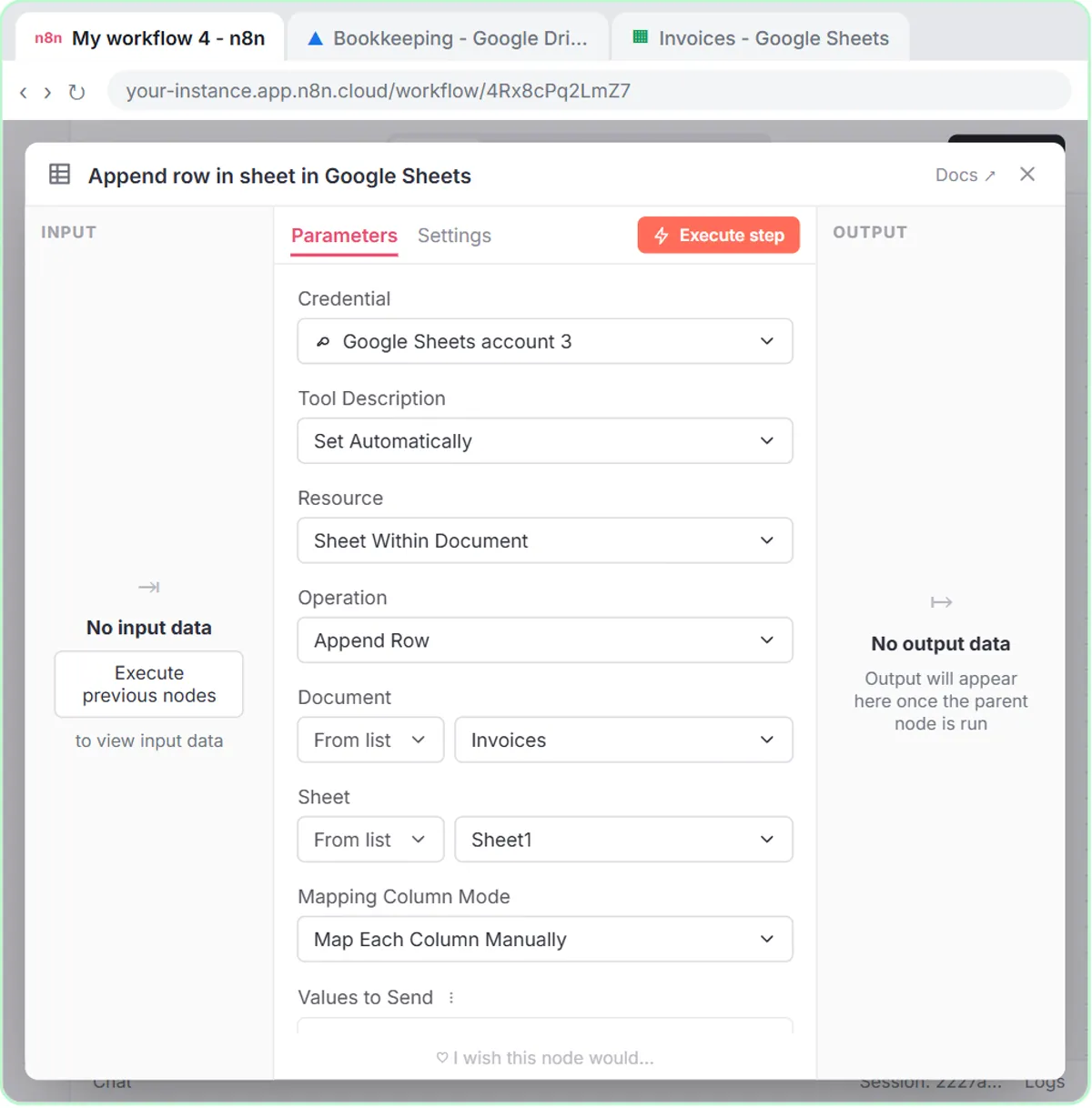
Try this lesson free or read the step-by-step guide.
Common confusions
AR aging vs accounts receivable
Accounts receivable is the total owed to you. The aging report breaks that total down by customer and by age. It is the same money, sliced to show risk.
Aging by invoice date vs due date
Some reports count days from the invoice date, others from the due date. A thirty-day-old invoice on Net 30 terms is on time under one and late under the other. Check which one your software uses.
Tips
- Review the report on a set day each week, and write down who you will contact.
- Look at the customer's whole history before sending a firm note. A first late payment is not the same as a pattern.
- Use AI to draft the reminder, but check every date and amount against the report before it goes out.
Related terms
Where you use it: free lessons
- AI Receipt Extractor: Receipts to Google Sheets with n8n (n8n, 12 min)
- Build an AI Agent That Categorizes Business Expenses (n8n, 12 min)
Frequently asked questions
- How often should I run an aging report?
- Weekly works for most small businesses, and always before you close the books each month. The point is to catch late payers while a friendly note still works.
- What counts as a bad debt?
- That is an accounting and sometimes tax decision, so ask your accountant. The aging report only supplies the evidence.