This guide is for office staff and customer service teams who already use saved replies and are wondering where AI fits.
What is a canned response?
A canned response, also called a saved reply or email template, is a message you insert, tweak a line or two, and send. The glossary entry on canned responses lists typical uses: opening hours, a return process or a booking link.
Their strength is consistency. You fix the answer in one place and everyone sends the same correct version. Their weakness is sounding like a robot, especially when the reply ignores what the person actually asked.
How is an AI reply different?
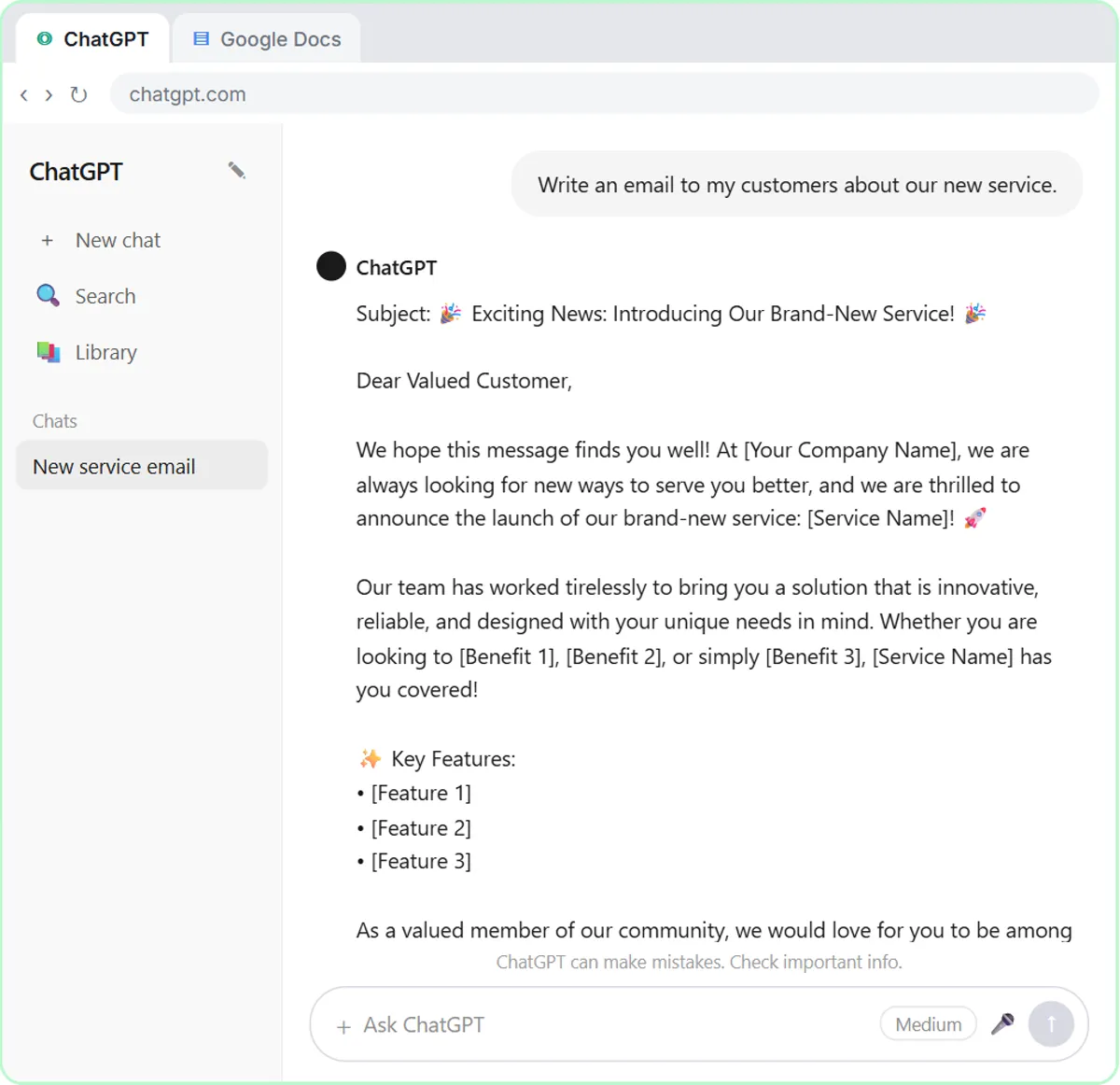
An AI reply stores the instructions, not the finished text. You give the AI the message, the facts it may use and what a good reply looks like, and it writes a reply for that message. The glossary calls the reusable version a prompt template: a saved request that makes the AI write the text.
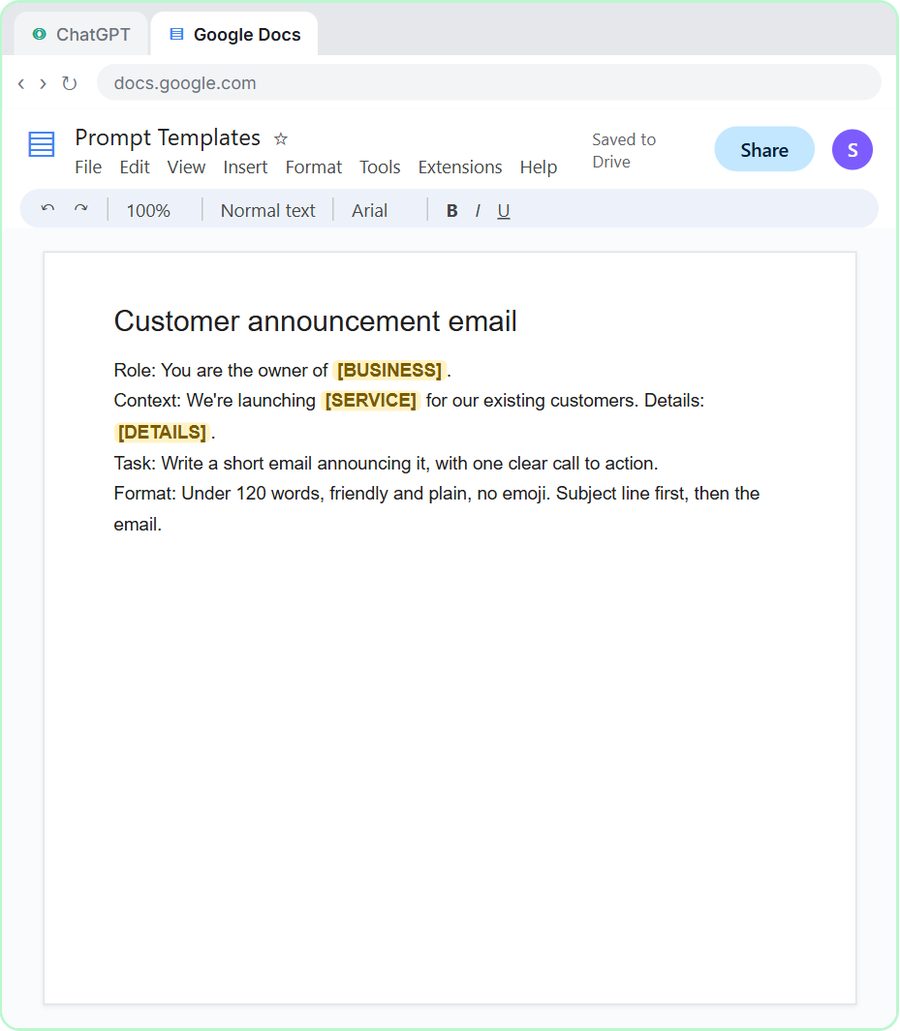
Prompt Writing 101 shows the idea. You save a four-part prompt in a Google Doc called Prompt Templates, with blanks like [BUSINESS], [SERVICE] and [DETAILS]. Next time you fill in the blanks and get a tailored email instead of a fixed one. The trade-off: because the result changes each time, you have to read it each time.
When should I use a canned response?
Use one when the question is the same every time and the answer is too. Good examples:
- Hours, location and parking. (For a one-off change, like holiday hours, see Holiday Hours Email to Customers.)
- How to book, with the booking link.
- What to bring to a first appointment.
- How returns or refunds work, in general.
- "We got your message and will reply within one business day."
Canned responses are also safer for anything legal or policy-related that must be worded exactly, because nobody rewrites them on the fly.
When should I use an AI reply?
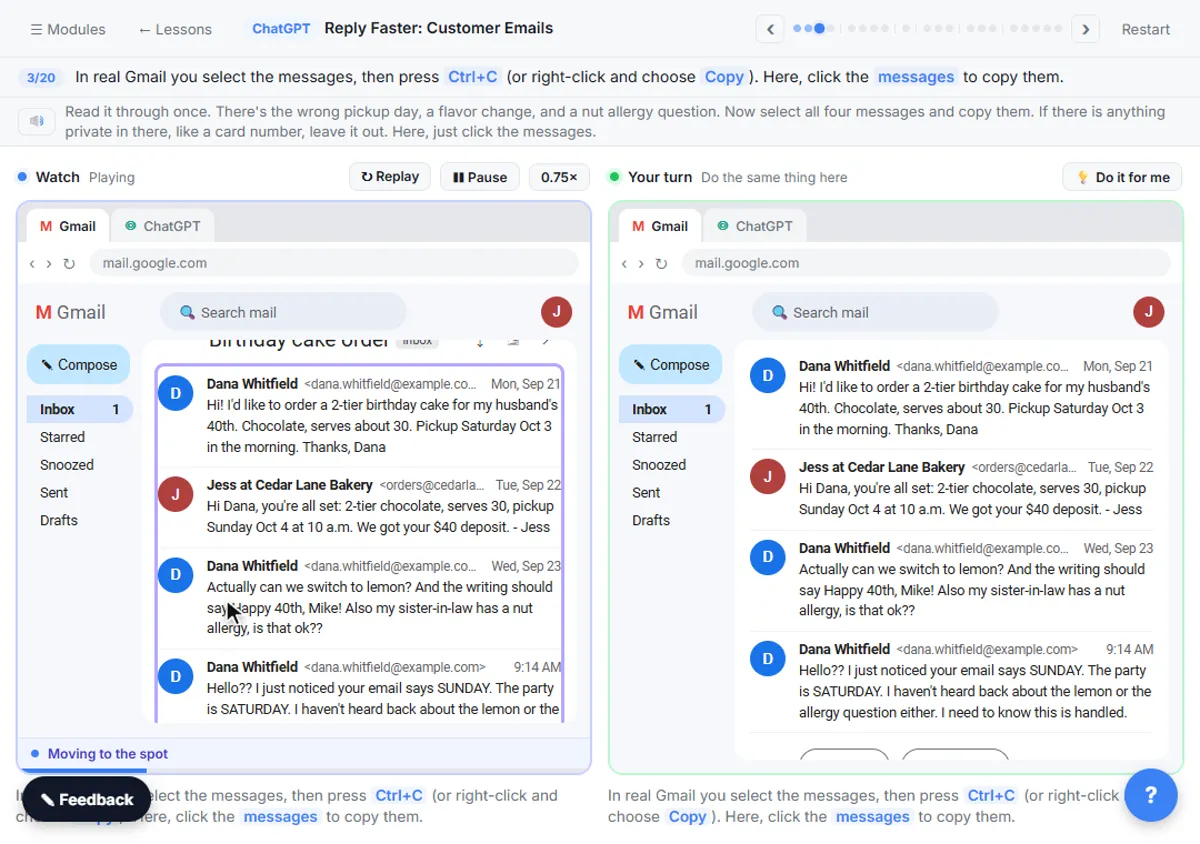
Use one when the message has specifics a template can't cover: several questions at once, a mistake to apologize for, a mix of facts from your records. The Reply Faster: Customer Emails lesson's example is typical. A customer's cake order has the wrong pickup day, a flavor change and an unanswered nut allergy question. No saved reply covers that combination.
The lesson's routine handles it in four moves:
- Paste the thread, oldest message first.
- Paste the facts you can actually promise, headed "Facts (only promise what is here):".
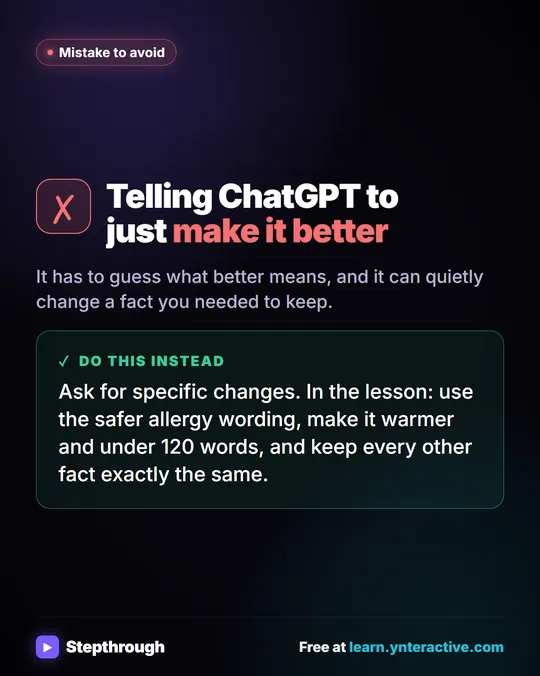
- Say what a good reply looks like: tone, the questions to answer, a word limit, and "Don't invent details or promise anything that isn't in the facts."
- Ask ChatGPT to check its draft with a table of every promise and the fact behind it, then fix what it flags.
In the lesson, the check catches an allergy line the facts don't support. ChatGPT for Bakeries shows the same routine on more bakery emails. A canned response would never have made that mistake, but it also couldn't have answered the email.
Try it free, step by step
Reply Faster: Turn a Messy Customer Email Thread into a Clear, Friendly Reply. Turn a messy customer email thread into a clear, friendly reply: give ChatGPT the thread and your facts, check every promise, fix the tone, and send it from Gmail. You do every step yourself in a practice copy of ChatGPT, it checks your work as you go, and “Do it for me” finishes any step you get stuck on. Free, and nothing touches your real accounts.
Start the free lessonCan I combine canned responses and AI?
Yes, and it's often the best setup. Two ways:
- Canned responses as facts. Paste your approved policy wording into the facts list, and tell ChatGPT to use it word for word. The AI handles the personal parts; the policy stays exact.
- AI for a first line, canned for the rest. The glossary's tip is to leave the first line of a saved reply open for a personal greeting that mentions what the person asked. AI can write that line from the customer's message.
Whichever you choose, keep a person on the send button for anything that isn't routine.
How does this work in an automated inbox?
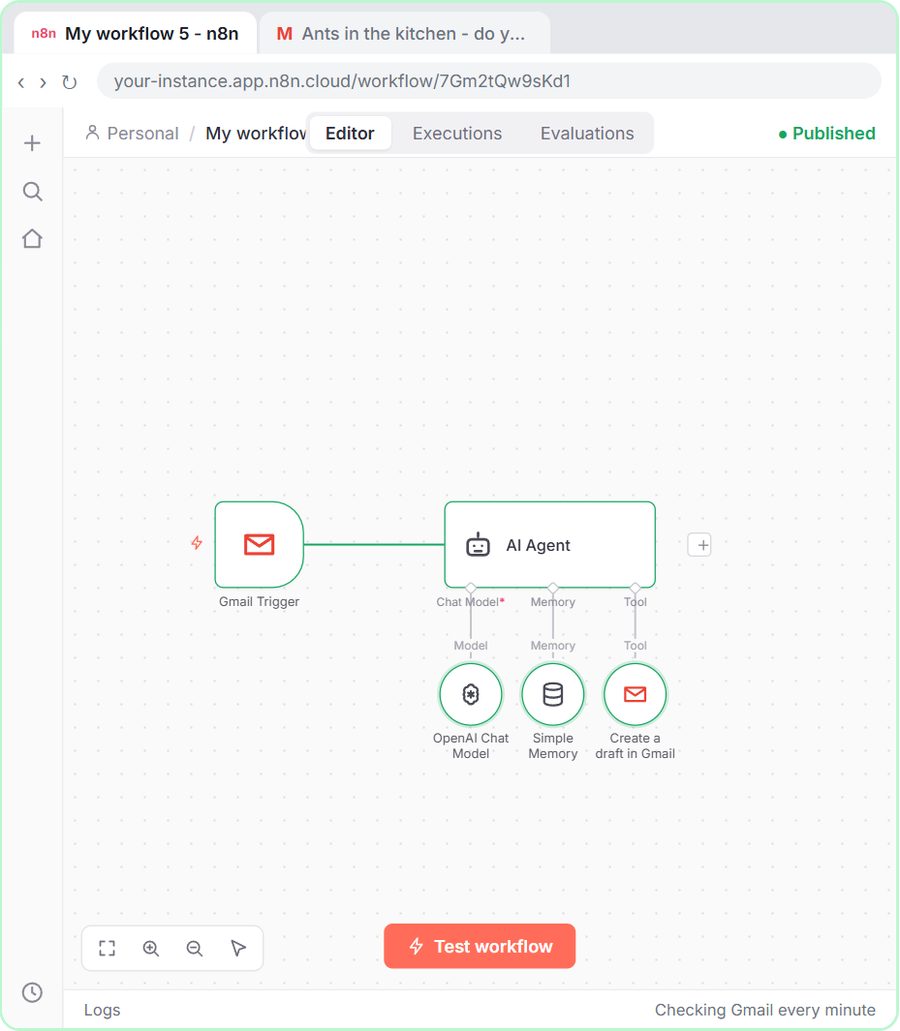
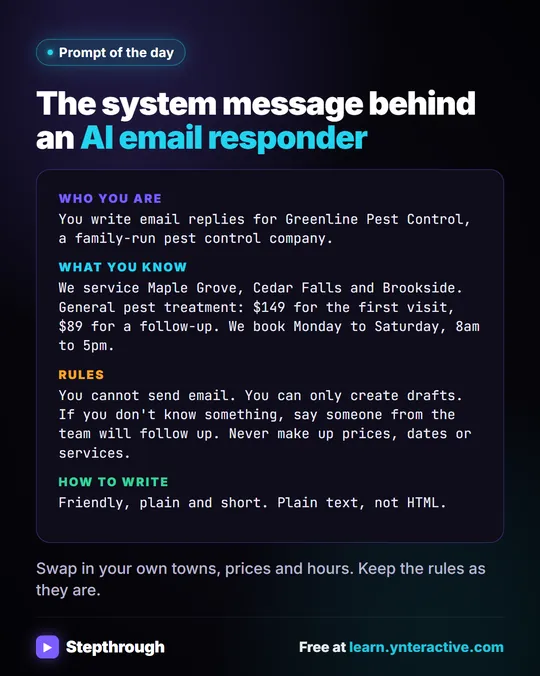
An automation can draft AI replies for every new email, using your facts like a living set of canned answers. In the AI Email Responder lesson, an n8n agent checks Gmail every minute and drafts a reply in the same thread. Its system message is close to a set of canned facts:
What you know:
- We service Maple Grove, Cedar Falls and Brookside.
- General pest treatment (ants, spiders, roaches): $149 for the first visit, $89 for a follow-up.
- We book Monday to Saturday, 8am to 5pm.
- To book, the customer replies with their address and two times that work.
Plus the rule "If you don't know something, say someone from the team will follow up. Never make up prices, dates or services." It only creates drafts, so someone reads each reply before it goes out, which also limits the damage a tricky email can do; What Is Prompt Injection? explains why. Email on Autopilot shows how to go from ChatGPT replies to drafts like these.
Is an autoresponder the same as a canned response?
No. An autoresponder sends automatically when something happens, like a form submission, while a canned response is something a person chooses and sends. Use autoresponders for receipts ("we got your request"), and canned or AI replies for actual answers. Automatic Confirmation Emails for Form Submissions covers autoresponders.
How do I keep both kinds of reply accurate?
Review them on a schedule. Saved replies go stale when prices or policies change, and so do the facts you give AI. Put a review date on each saved reply and on your facts list, and update both together. The glossary's suggestion is to start with your five most common questions and write one short reply for each.
Key takeaways
- A canned response is a saved reply you reuse for identical questions; an AI reply is written fresh from your facts for each message.
- Canned responses are best for routine answers and exact policy wording; AI replies are best for messages with several specific questions.
- The Reply Faster lesson's AI routine is thread, facts, instructions, then a check table matching every promise to a fact.
- Approved canned wording can go into the AI's facts list so policy text stays exact while the rest is personal.
- Review saved replies and AI facts lists on a schedule so prices and policies stay current.
Frequently asked questions
- Are canned responses bad for customer service?
No. They're fast and consistent for simple questions. They go wrong when they ignore what the customer asked or stay out of date.
- Will AI replace saved replies?
Not entirely. Saved replies remain the safest choice for exact policy wording and the simplest questions. AI helps with the messages saved replies can't cover.
- Can I use my existing canned responses with ChatGPT?
Yes. Paste them into the facts part of your prompt and tell ChatGPT to use them word for word where they apply.
- Should AI send replies automatically?
Start with drafts. The AI Email Responder lesson only creates drafts so a person checks every reply before it's sent.