In 2026, Thanksgiving is Thursday, November 26, Christmas is Friday, December 25, and New Year's Day is Friday, January 1, 2027. Each holiday lands next to a weekend, so plenty of businesses will close an extra day or run short hours. Customers just need to know which days, in one email they can find again.
What should a holiday hours email include?
A holiday hours email needs the dates, what's closed or different, what to do if something urgent comes up, and one action to take. Everything else is optional.
- Exact dates with weekdays. "Closed Thursday, Nov 26 and Friday, Nov 27" beats "closed for Thanksgiving weekend."
- What changes. Closed, short hours, no deliveries, no appointments, or the office is closed but the crew is working.
- An after-hours line, only if you have one. An emergency number, an online booking page or "reply and we'll answer on Monday."
- One call to action. Book before the break, order by a date, or save the hours.
- A short, plain format. No emoji, no long holiday greeting before the facts.
How do you write the holiday hours email with ChatGPT?
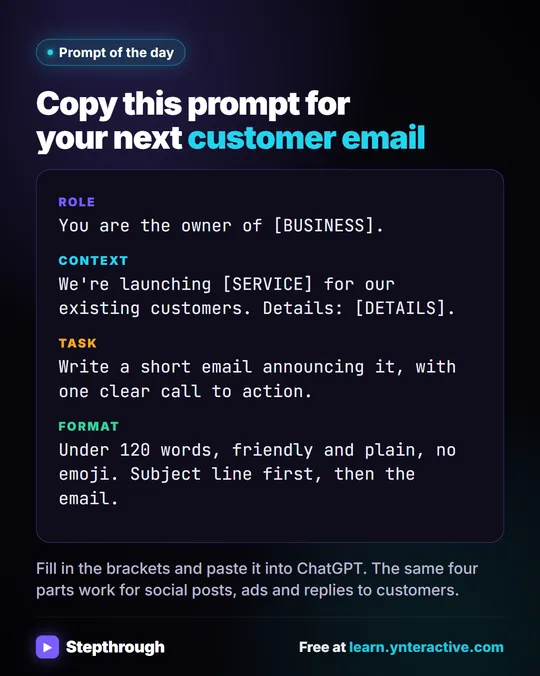
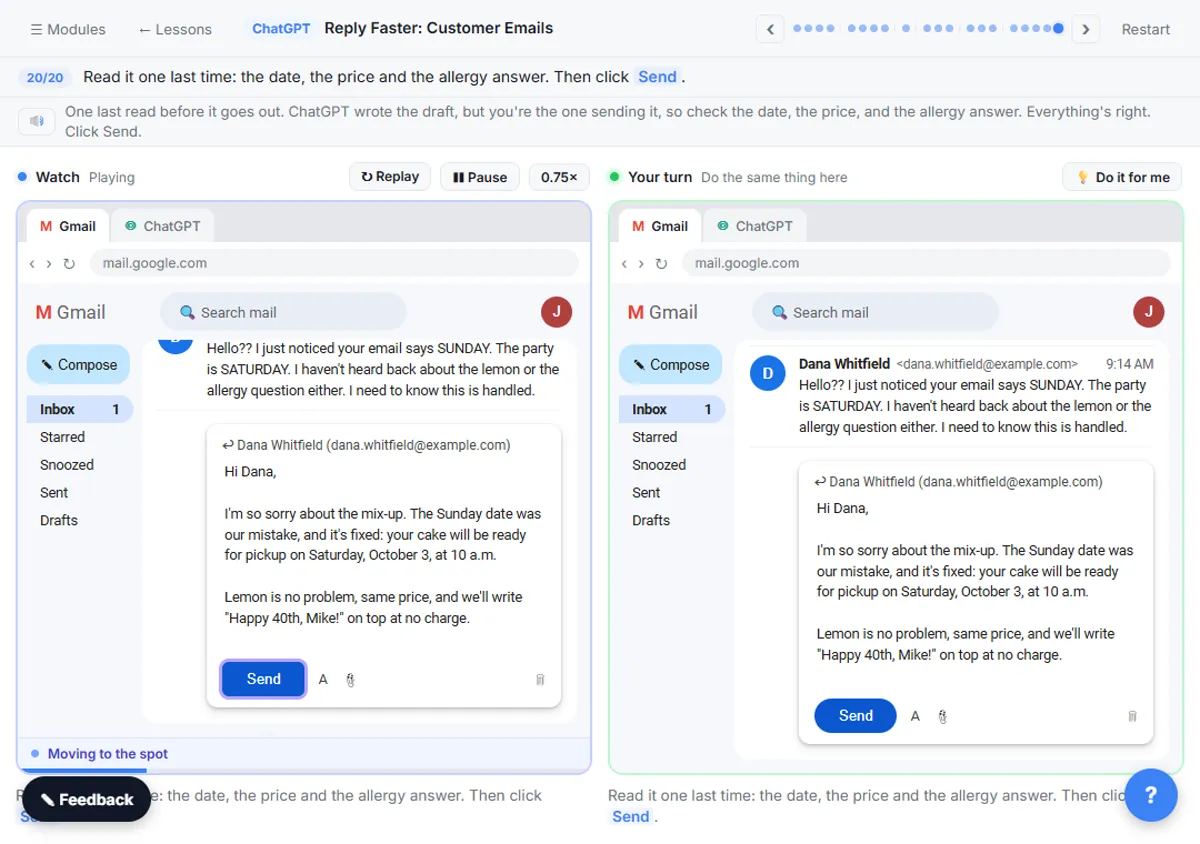
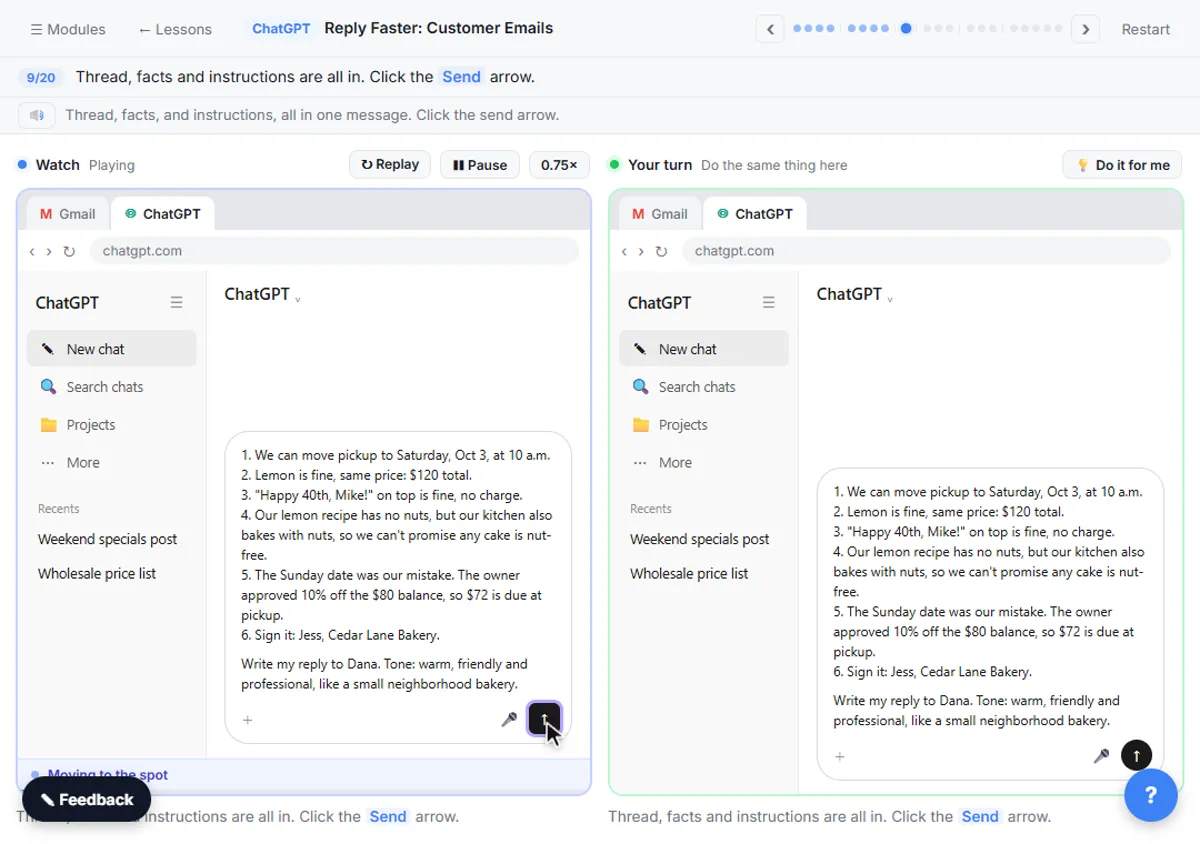
Use the four-part prompt: who's writing (Role), the facts ChatGPT can't guess (Context), what you want back (Task) and how it should look (Format). The lesson shows why: a one-line request like "Write an email to my customers about our new service" came back with "Dear Valued Customer," emoji in the subject line and blanks like [Your Company Name].
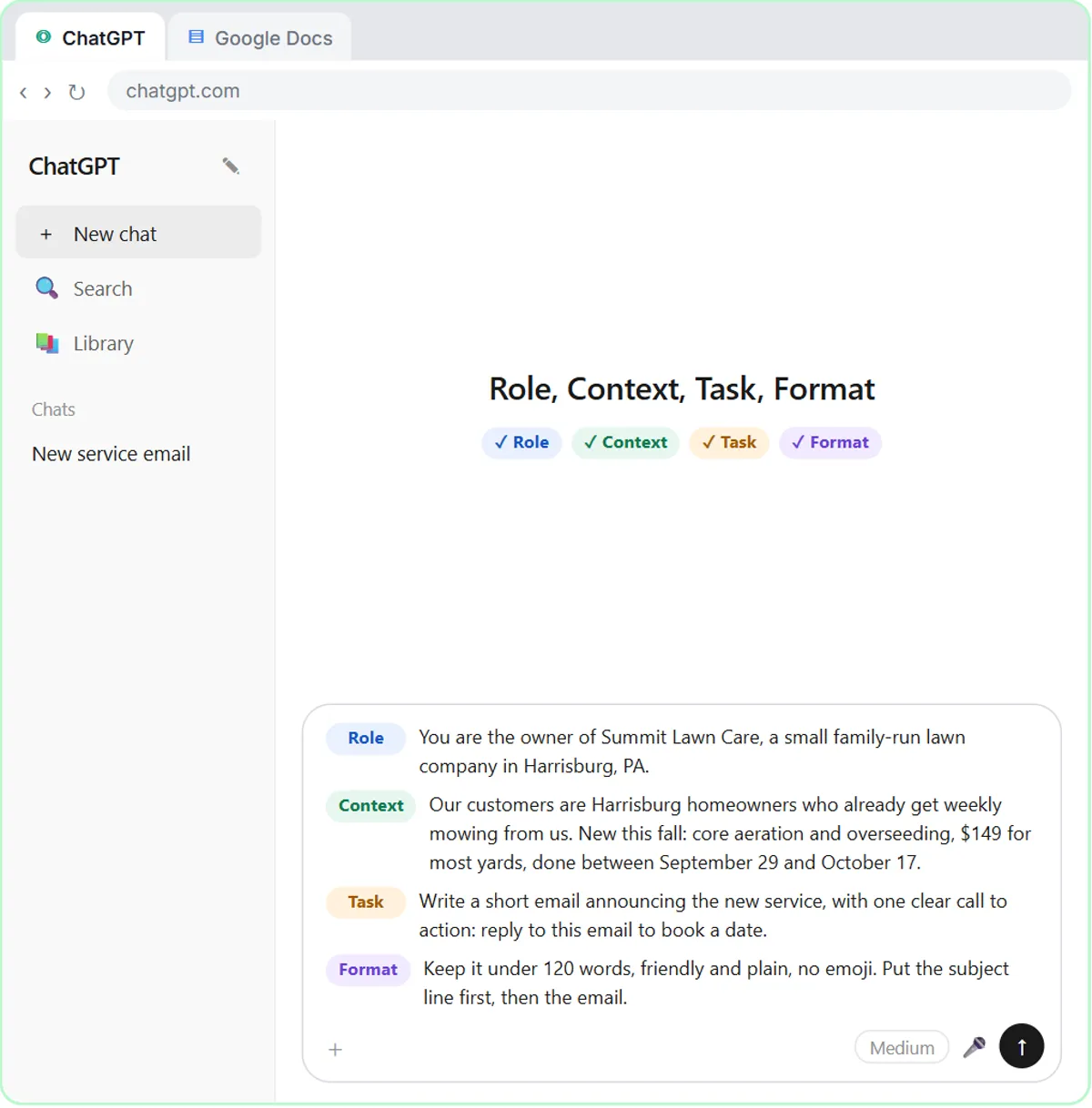
Here's a holiday version for a made-up business, a small pest control office. Swap in your own facts:
Role: You are the office manager at Greenline Pest Control, a small family-run pest control company.

Context: Our customers are homeowners in Maple Grove, Cedar Falls and Brookside. Holiday schedule: closed Thursday, Nov 26 and Friday, Nov 27 for Thanksgiving. Closed Thursday, Dec 24 through Friday, Jan 1. Open our normal hours, Monday to Saturday 8am to 5pm, every other day. Emails sent while we're closed are answered the next day we're open.

Task: Write a short email letting customers know our holiday hours, with one clear call to action: if you want a visit before the holidays, reply this week with your address and two times that work.

Format: Under 120 words, friendly and plain, no emoji. Put the subject line first, then the email. List the closed dates on their own lines.
Read the result against your calendar before it goes out. Check every date and every weekday. ChatGPT writes from what you give it, so a typo in the Context becomes a typo in 500 inboxes.
How do you get the tone right?
Set the tone in the Format line and keep the facts in the Context. "Friendly and plain, no emoji" handles most of it. If the first draft is too stiff, ask for one specific change, such as "make it a little warmer and shorter, and keep every date exactly the same." How to Write Better ChatGPT Prompts covers the four parts in more depth.
A few things to leave out unless they're true and approved: discounts, "we'll get back to you within the hour," and promises about delivery dates that depend on carriers or suppliers.
How do you save the email as a reusable template?
Save the prompt in a Google Doc with blanks for the parts that change, so next year you only fill in the dates. The lesson keeps its prompt in a doc called Prompt Templates under a heading, with [BUSINESS], [SERVICE] and [DETAILS] as blanks. A holiday version:
Role: You are the owner of [BUSINESS].
Context: Our holiday schedule: [CLOSED DATES WITH WEEKDAYS]. Normal hours: [HOURS]. [AFTER-HOURS OR EMERGENCY LINE, IF ANY].
Task: Write a short email letting customers know our holiday hours, with one clear call to action: [ACTION].
Format: Under 120 words, friendly and plain, no emoji. Subject line first, then the email.
The same template works for a weather closure, an inventory day or a summer schedule. Unlike a canned response, which stores the finished email, it stores the instructions, so each year's version can change with the details.
Try it free, step by step
Prompt Writing 101: Role, Context, Task, Format. Ask ChatGPT for the same customer email twice, once vaguely and once with a four-part prompt, and see exactly why structure gets a better answer. You do every step yourself in a practice copy of ChatGPT, it checks your work as you go, and “Do it for me” finishes any step you get stuck on. Free, and nothing touches your real accounts.
Start the free lessonWhat if an AI agent answers your customer emails?
Update the agent's facts before the holidays, or it will keep offering your normal hours. An AI email agent only knows what its instructions say.
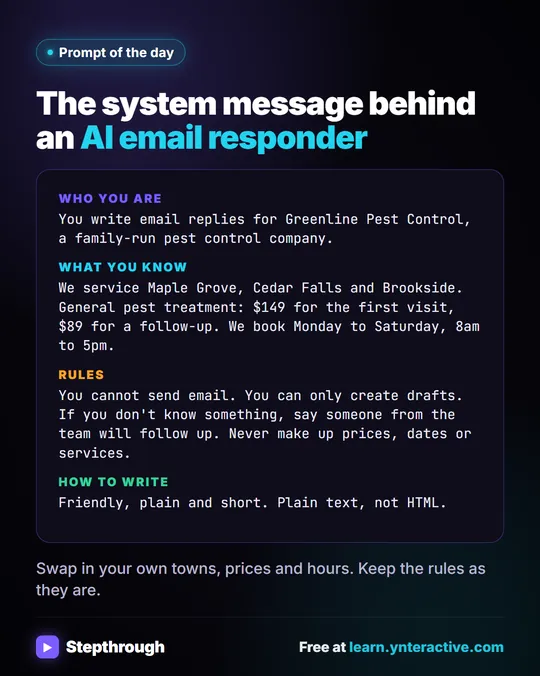
In the AI Email Responder lesson, an n8n agent writes a Gmail draft reply to every new customer email for Greenline Pest Control. Its system message has a What you know section that includes "We book Monday to Saturday, 8am to 5pm." Left alone, a draft written on December 23 could happily offer an appointment on December 24.
To fix it:
- Open the workflow and double-click AI Agent.
- In the System Message, add your holiday dates under What you know, for example: "- Holiday closures: Thursday, Nov 26 and Friday, Nov 27; Thursday, Dec 24 through Friday, Jan 1. Don't offer appointments on those days."
- Keep the existing rule: "If you don't know something, say someone from the team will follow up. Never make up prices, dates or services."
- Click Execute workflow on a test email that asks for an appointment during a closed week, and read the draft.
- Click Publish again so the live workflow uses the new text.
- Put a reminder on your calendar to remove the line in January.
Because the agent only creates drafts, a person still reads every reply before it goes out. That's your second check on the dates. AI Email Replies Without Auto-Sending explains the full setup.
Where else should the new hours go?
Put the same dates everywhere a customer might look, and make them match. Common spots: your website, your Google Business Profile, your phone greeting, an email auto-reply, a sign on the door and any booking page. Updating each one is a manual job, but writing the wording once with ChatGPT means every version says the same thing.
What does this cost?
Writing the email with ChatGPT works on any plan, including the free plan, within its limits. The Stepthrough lessons are free and run in practice copies, so nothing is sent. Running the email agent for real needs n8n (n8n Cloud is paid after a free trial, or self-host it) and an OpenAI API key, which is pay-as-you-go and billed separately from ChatGPT plans; the lessons suggest about $10 of credit.
Key takeaways
- A holiday hours email needs exact dates with weekdays, what changes, an after-hours line if you have one, and one call to action.
- In 2026, Thanksgiving is Thursday, Nov 26, Christmas is Friday, Dec 25, and New Year's Day is Friday, Jan 1, 2027.
- A four-part ChatGPT prompt (Role, Context, Task, Format) produces a specific, plain email instead of a generic one with blanks.
- Save the prompt with blanks for the dates in a Google Doc so next year takes one minute.
- If an AI agent drafts your customer replies, add the holiday closures to its system message and publish again, or it will offer your normal hours.
Frequently asked questions
- When should I send a holiday hours email?
Send it early enough that customers can act on it before you close, and consider a short reminder a few days before. Your own customers' habits are the best guide.
- How long should a holiday hours email be?
Short. The lesson's format line asks for under 120 words, with the subject line first and no emoji.
- Can ChatGPT get the dates wrong?
Yes, if your prompt has a mistake or leaves something out. Put every date and weekday in the Context yourself and check the email against your calendar before sending.
- Is Greenline Pest Control a real company?
No. Greenline Pest Control and its hours are made-up examples used in the AI Email Responder lesson.