To get the right tone from ChatGPT in a business email, describe it in one line with a few plain adjectives, add a "sound like" comparison to a real person, and set limits like a word count and no emoji. This guide is for owners and office staff whose ChatGPT emails come out stiff, salesy or generic, and every tone line in it comes from a free lesson, starting with Prompt Writing 101.
Why do ChatGPT emails sound generic?
ChatGPT emails sound generic when the prompt doesn't say who's writing or how they talk, so ChatGPT falls back on a one-size-fits-all business voice. In Prompt Writing 101, the vague prompt "Write an email to my customers about our new service." gets "Dear Valued Customer", emoji in the subject line, and blanks like [Your Company Name].
The fix isn't a longer list of adjectives. It's telling ChatGPT who is writing, to whom, and what to leave out. Most of that fits in two lines of your prompt: the Role and the Format.
Where does tone go in a ChatGPT prompt?
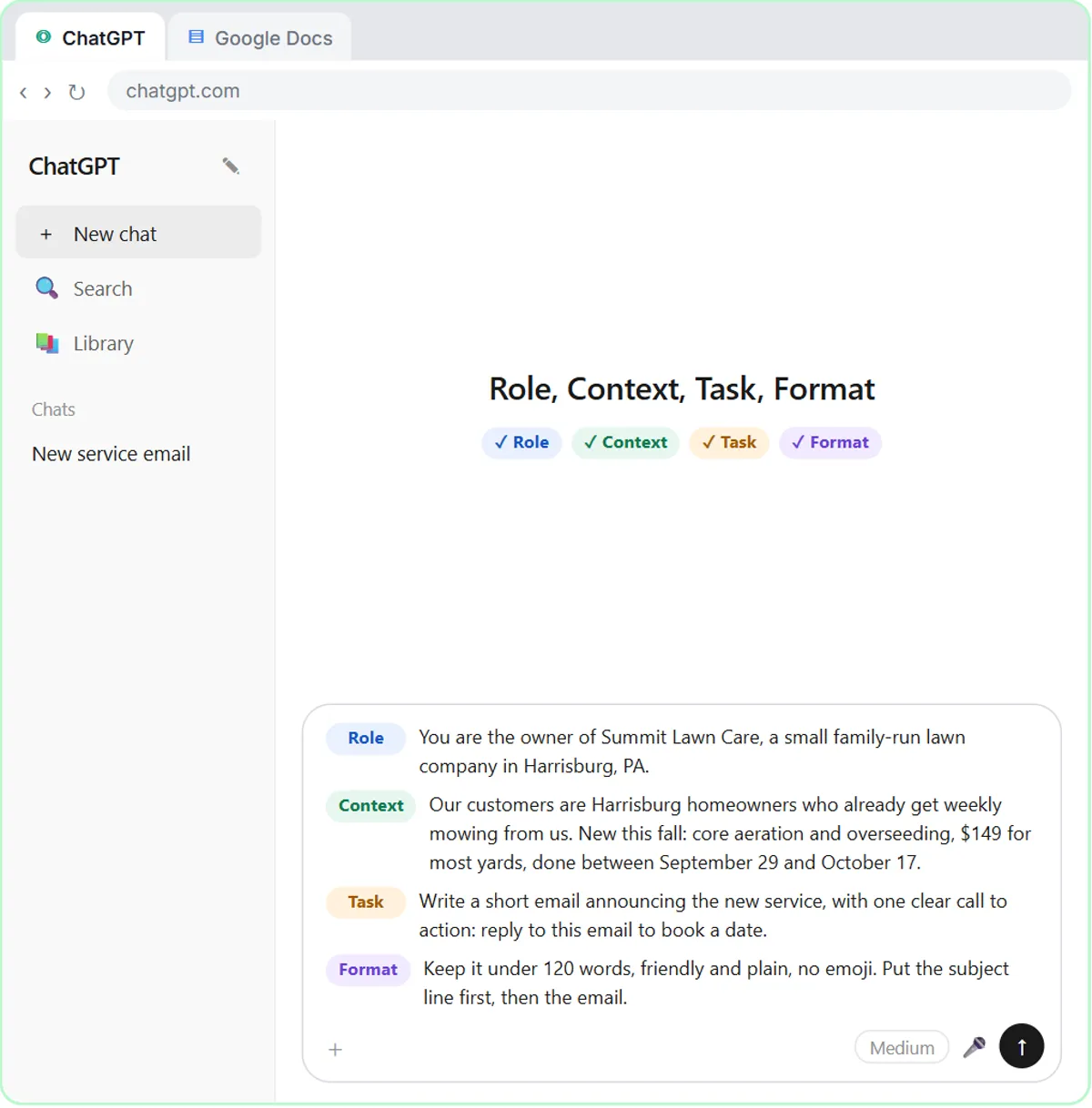
Put tone in the Format part of your prompt, next to length and layout, and let the Role set the voice. Prompt Writing 101's four-part prompt for Summit Lawn Care, a made-up lawn company, does both:
- Role: "You are the owner of Summit Lawn Care, a small family-run lawn company in Harrisburg, PA."
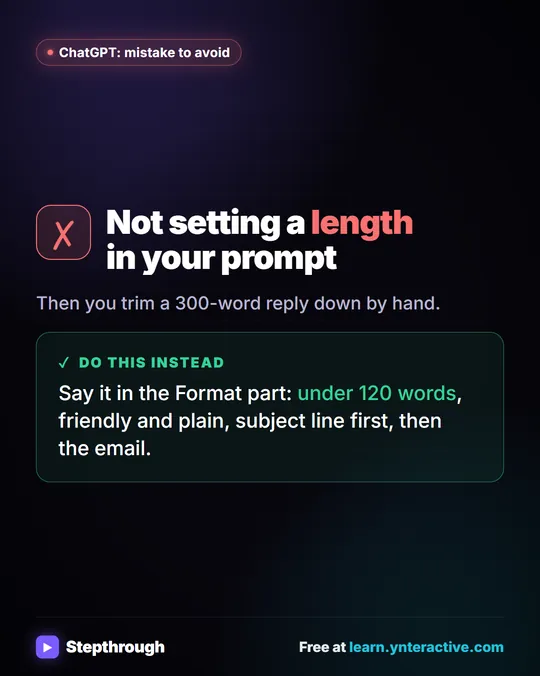
- Format: "Keep it under 120 words, friendly and plain, no emoji. Put the subject line first, then the email."
The Role tells ChatGPT whose voice to use: an owner of a small family business, not a marketing department. The Format line does the rest in three parts: a length, two tone words, and one thing to avoid. The answer comes back specific, short and ready to send.
What tone lines work for business emails?
The tone lines that work combine two or three plain adjectives with a comparison to a real person in your business. These come from the lessons, each for a made-up company:
| Tone line | Where it's used |
|---|---|
| "friendly and plain, no emoji" | A customer announcement email |
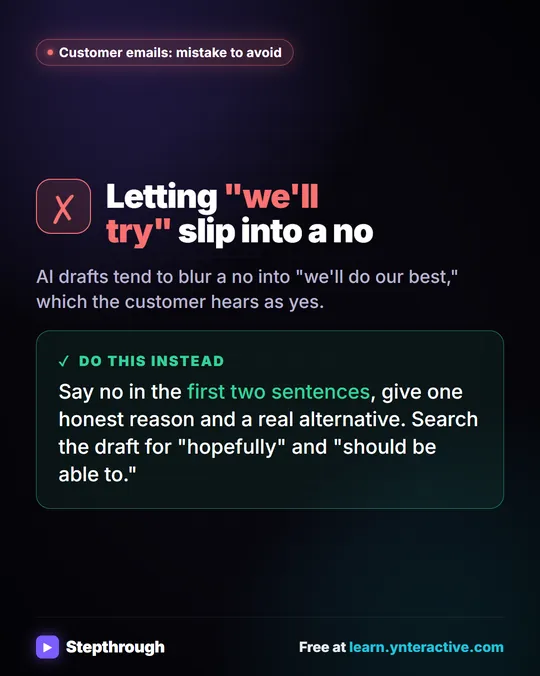
| "warm, friendly and professional, like a small neighborhood bakery" | A reply to a customer whose order went wrong |
| "Sound like the office manager, not a salesperson." | HVAC follow-ups after a service call |
| "Write like the plumber who did the job." | Plumbing follow-ups |
| "Never pushy." | A coffee brand's campaign emails |
| "Sound like an operations manager who values the relationship but needs an answer." | Follow-ups to vendors about late orders |
The "sound like" line does the most work. "The office manager, not a salesperson" tells ChatGPT who to be and who not to be, which rules out a whole style of upbeat sales copy in one short line. Pick a real role from your business: the owner, the tech who did the work, the person who answers the phone.
How do you handle apologies in a ChatGPT email?
Tell ChatGPT how many times to apologize and what for. In the Reply Faster: Customer Emails lesson, the instructions say "Apologize once for the date mix-up."
Without that line, ChatGPT can apologize in the opening, again in the middle and again at the end, which reads as nervous rather than sincere. One clear apology for a named mistake, then straight to the answers, sounds like a business that has fixed it. The lesson's final reply opens: "I'm so sorry about the mix-up. The Sunday date was our mistake, and it's fixed."
Try it free, step by step
Reply Faster: Turn a Messy Customer Email Thread into a Clear, Friendly Reply. Turn a messy customer email thread into a clear, friendly reply: give ChatGPT the thread and your facts, check every promise, fix the tone, and send it from Gmail. You do every step yourself in a practice copy of ChatGPT, it checks your work as you go, and “Do it for me” finishes any step you get stuck on. Free, and nothing touches your real accounts.
Start the free lessonHow do you change the tone without changing the facts?
Ask for one specific change and tell ChatGPT to keep every fact the same. The Reply Faster lesson uses this fix prompt:
Use that allergy wording. Then make the whole reply a little warmer and shorter, under 120 words. Keep every other fact exactly the same. Reply with just the email.
Three parts make it work. "A little warmer and shorter" is a small, clear adjustment instead of "make it better". "Under 120 words" gives a target. "Keep every other fact exactly the same" protects the date, the price and the allergy answer while the wording changes. "Reply with just the email" stops ChatGPT from adding commentary you'd have to delete.
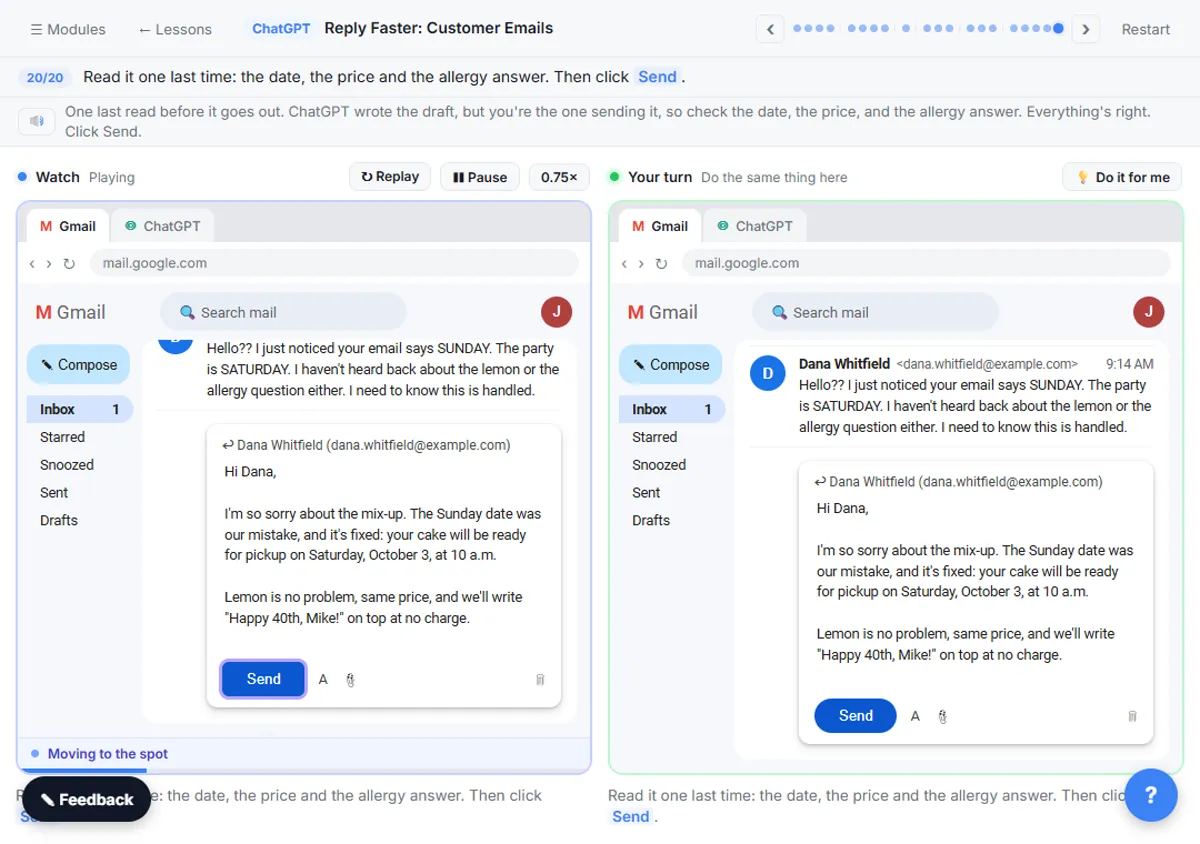
Tone edits can still shift meaning, so read the result against your facts before sending. Check AI Email Drafts for Promises shows how.
How do you set the tone once for an AI agent?
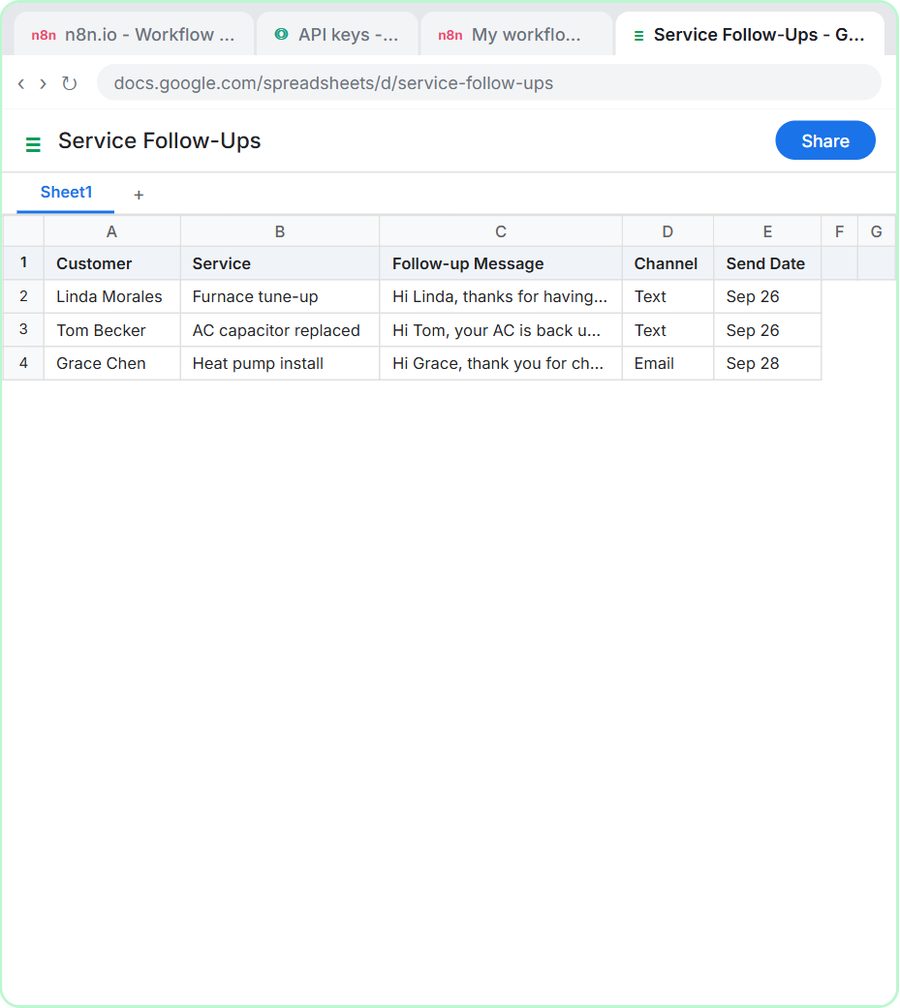
Put the tone line in the agent's system message, the standing instruction it reads before every request, so every message comes out in the same voice. In the AI Service Follow-Up Agent lesson, built in n8n for Cedar Ridge Heating & Air, a made-up company, the system message says:
The tone should be friendly, plain, professional and brief. Sound like the office manager, not a salesperson.
The same system message adds rules that keep the tone honest: mention the maintenance plan "only after a repair, and only once," keep texts under 300 characters, and "Do not invent prices, discounts or warranty terms." A sales mention that appears once, only where it fits, reads like a helpful office; one in every message reads like a pitch.
What words should you tell ChatGPT to avoid?
Name the specific things you don't want, because "don't be generic" is too vague to follow. The lessons rule out emoji in nearly every Format line. You can add your own:
- "Don't open with 'Dear Valued Customer' or 'I hope this email finds you well.'"
- "No exclamation points in the subject line."
- "Don't use words like 'exciting' or 'thrilled'."
Keep the list short. Two or three bans are easy to follow; a page of them crowds out the facts.
How do you keep the same tone every time?
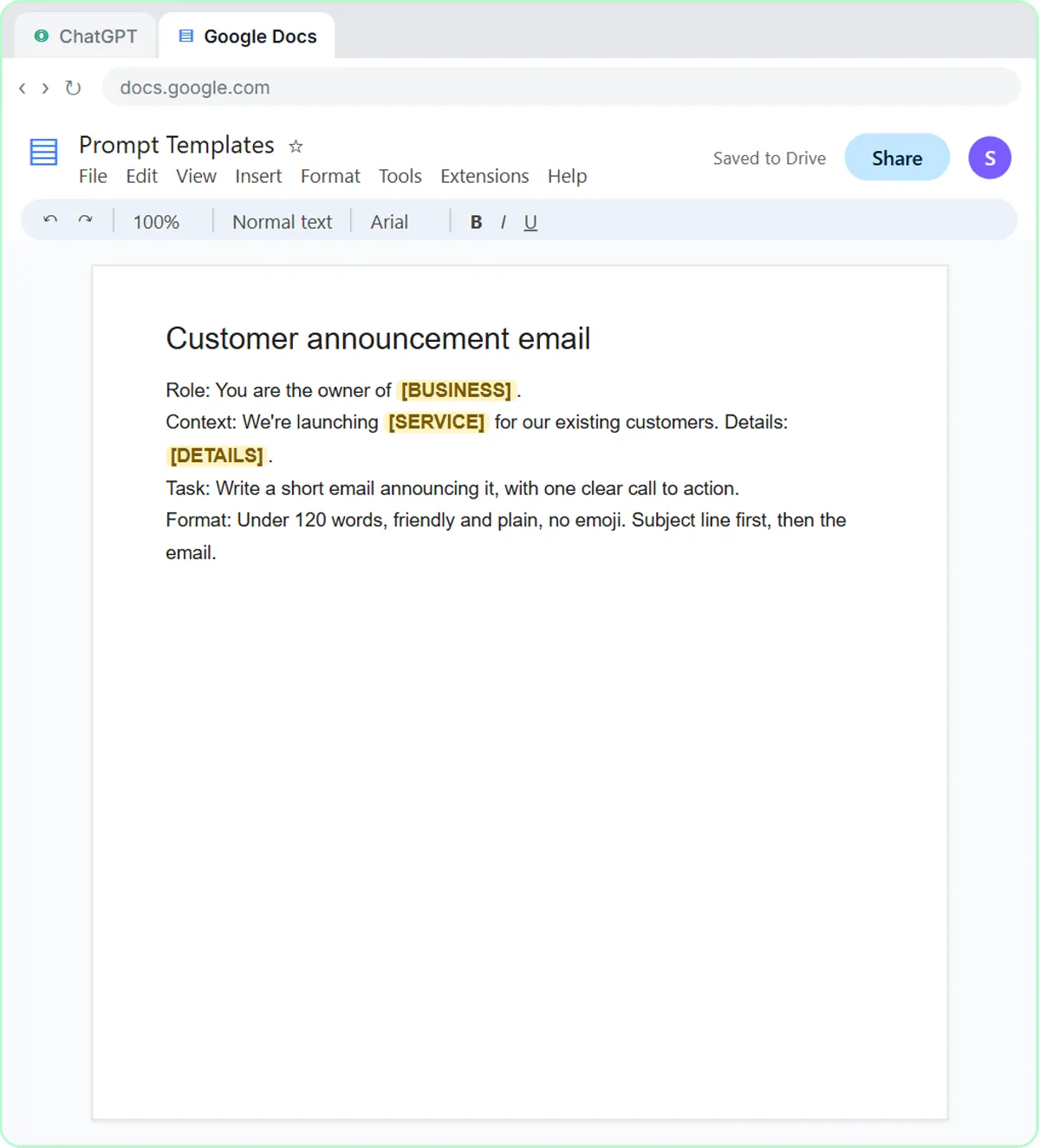
Save your best tone line with your prompt template, so you don't rewrite it each time. Prompt Writing 101 ends by saving the four-part prompt in a Google Doc called Prompt Templates, with blanks for the details that change:
Format: Under 120 words, friendly and plain, no emoji. Subject line first, then the email.
If your team shares one doc, everyone's emails start from the same voice. How to Write Better ChatGPT Prompts covers the other three parts of the template.
Key takeaways
- ChatGPT emails sound generic when the prompt doesn't say who is writing or how they talk.
- A Format line like "under 120 words, friendly and plain, no emoji" sets length, tone and one thing to avoid in a single sentence.
- A "sound like" comparison, such as "Sound like the office manager, not a salesperson," shapes ChatGPT's tone more than extra adjectives.
- To adjust tone safely, ask for one specific change, such as "a little warmer and shorter," and add "Keep every other fact exactly the same."
- For an n8n AI agent, put the tone line in the system message so every message uses the same voice.
Frequently asked questions
- How do I tell ChatGPT what tone to use?
Add one line to your prompt with two or three tone words, a "sound like" comparison and any limits. For example: "Friendly and plain, like the owner of a small family business. Under 120 words, no emoji."
- How do I make a ChatGPT email less formal?
Ask for it directly and keep the facts locked: "Make it a little warmer and less formal. Keep every other fact exactly the same." Naming the writer, like the owner or the office manager, helps too.
- Why does ChatGPT keep apologizing?
A polite default can mean repeated apologies. Tell it "Apologize once" and say what the apology is for.
- Can I give ChatGPT my company's tone of voice permanently?
For one-off emails, save your tone line in a prompt template doc and paste it in each time. For an n8n AI agent, put it in the system message, and it applies to every message the agent writes.