Harbor & Pine sells whole-bean and ground coffee, gift boxes and a monthly subscription. The same patterns fit any small shop: candles, soap, prints, pet treats.
Where does AI help a small online store most?
AI helps most with the writing and sorting that grows with every order and signup, while you keep the decisions about offers, refunds and what you promise. Four lessons map to four jobs:
| Job | Lesson | Tool |
|---|---|---|
| Welcome each new subscriber with a tip that fits them | AI Lead Magnet Signup Form | Lovable + n8n |
| Plan two weeks of emails and posts for a launch | AI Campaign Calendar Agent | n8n |
| Reply to a messy order email without overpromising | Reply Faster: Customer Emails | ChatGPT |
| Turn receipt photos into spreadsheet rows | AI Receipt Extractor | n8n |
If you've never used AI for work, start with the ChatGPT reply lesson. It needs nothing but ChatGPT and pays off on the next difficult email.
How can AI welcome new email subscribers?
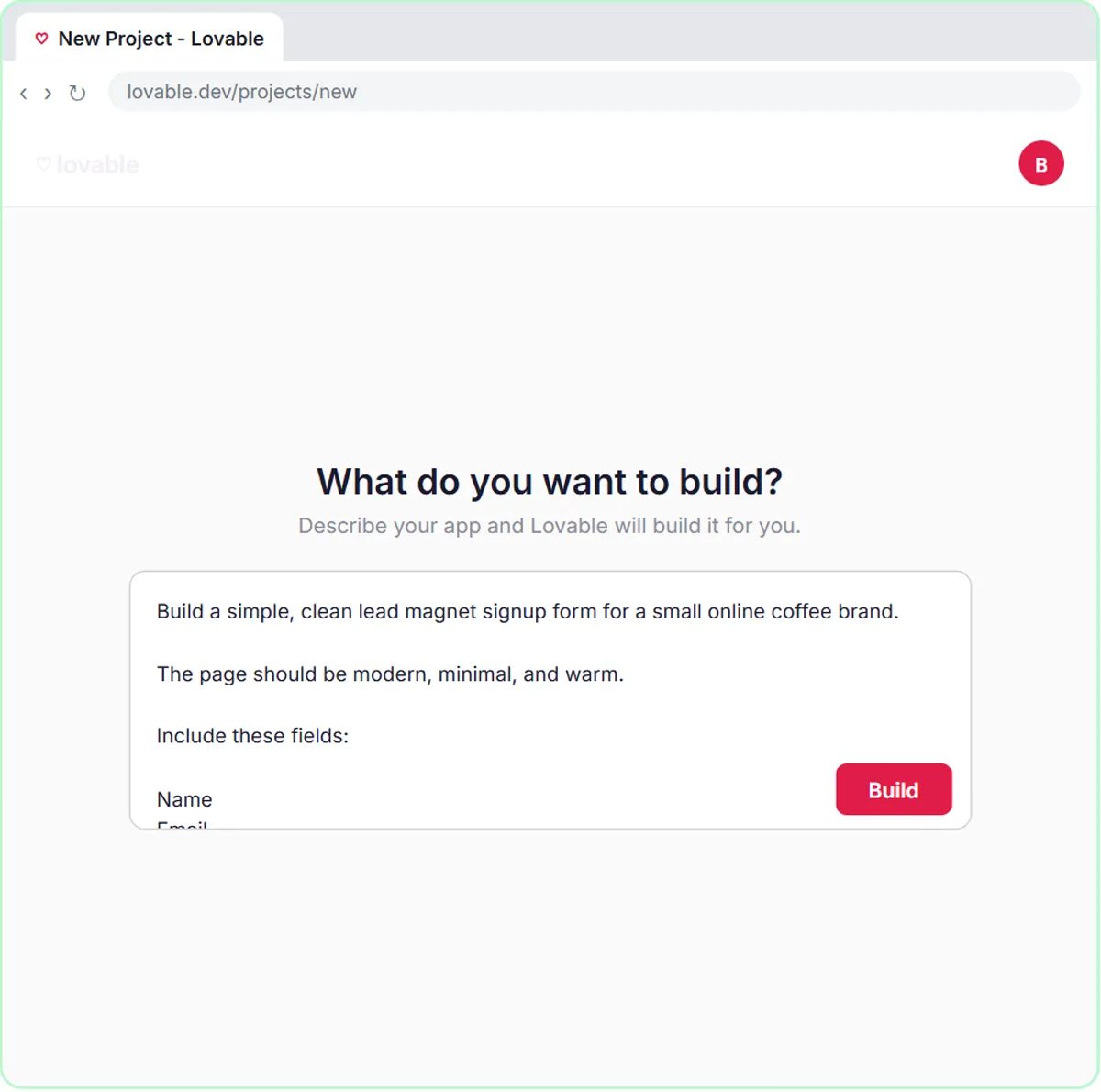
A signup form can send each new subscriber to an n8n AI agent that tags their interest, saves them to a sheet and emails a short welcome with a tip that fits. In the lesson, a Lovable page titled "Get the Free Guide" offers The Better Cup at Home, a brewing guide, and asks four questions: Name, Email, What do you want to improve? and an optional How do you brew now?
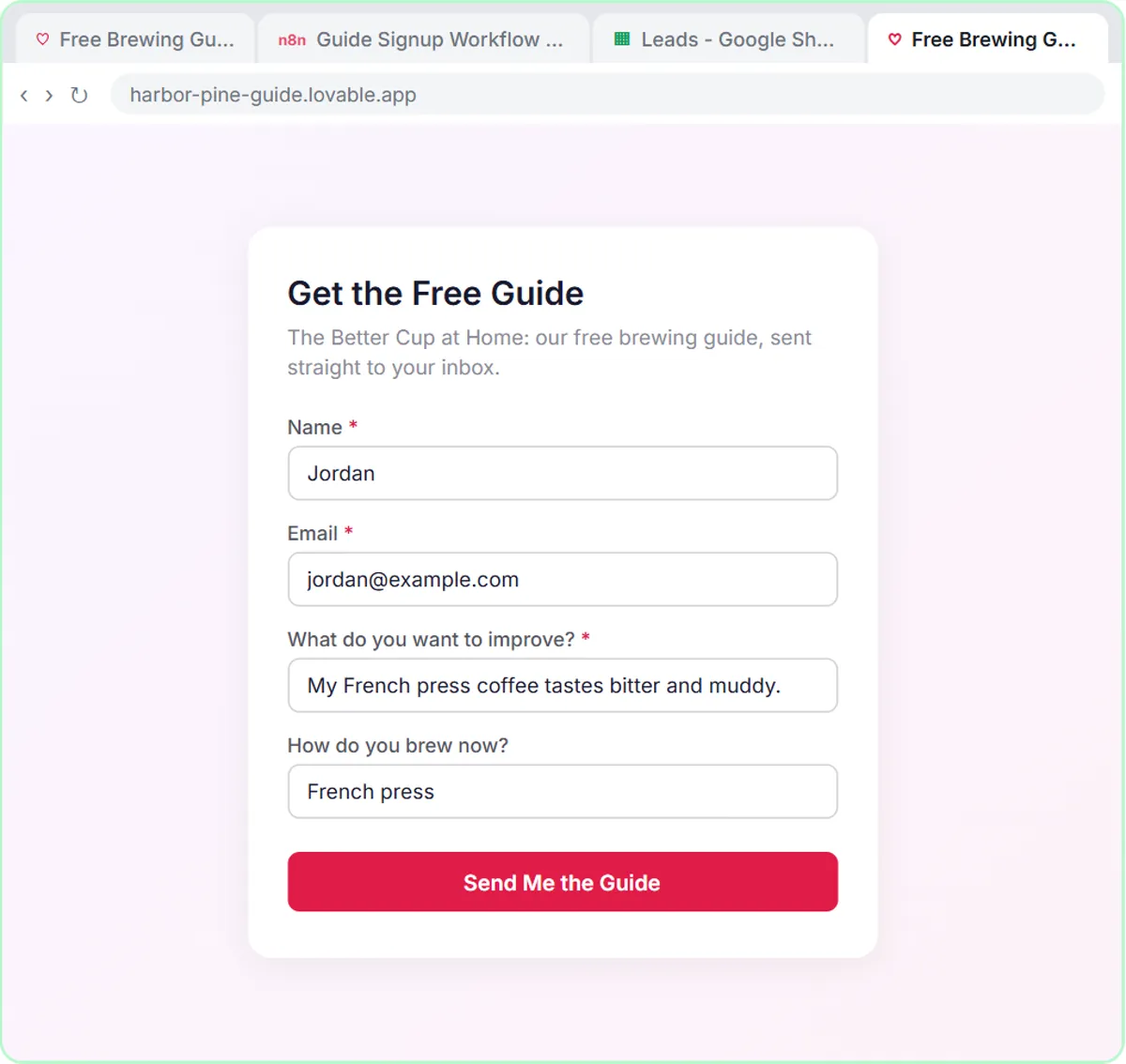
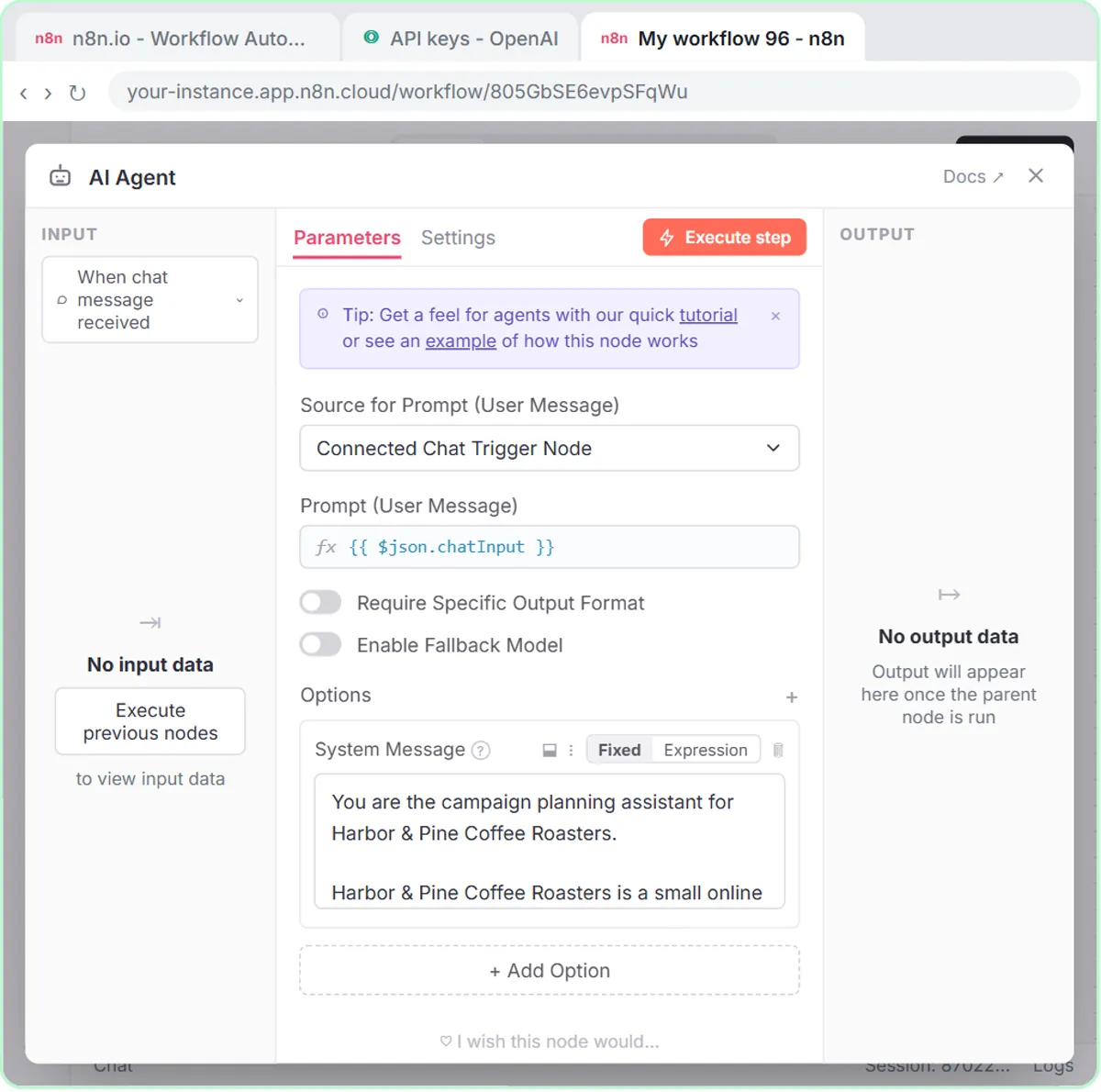
The agent's system message tags each lead with one of four segments: New to Brewing, French Press & Pour-Over, Espresso at Home or Gift Buyer. It saves the lead to a Leads sheet (Name, Email, Interest, Brew Method) and uses Gmail to send "a short, warm welcome with a link to The Better Cup at Home guide, plus one tip that fits their segment. No discounts and no health claims." In the lesson's test, a subscriber whose French press coffee tastes bitter is tagged French Press & Pour-Over and gets a French press tip.
The welcome email goes out on its own, so read your first few test emails closely. If you plan to send marketing to these subscribers later, make sure your form and emails meet the consent and unsubscribe rules that apply to you; this post isn't legal advice.
How can AI plan a holiday or January campaign?
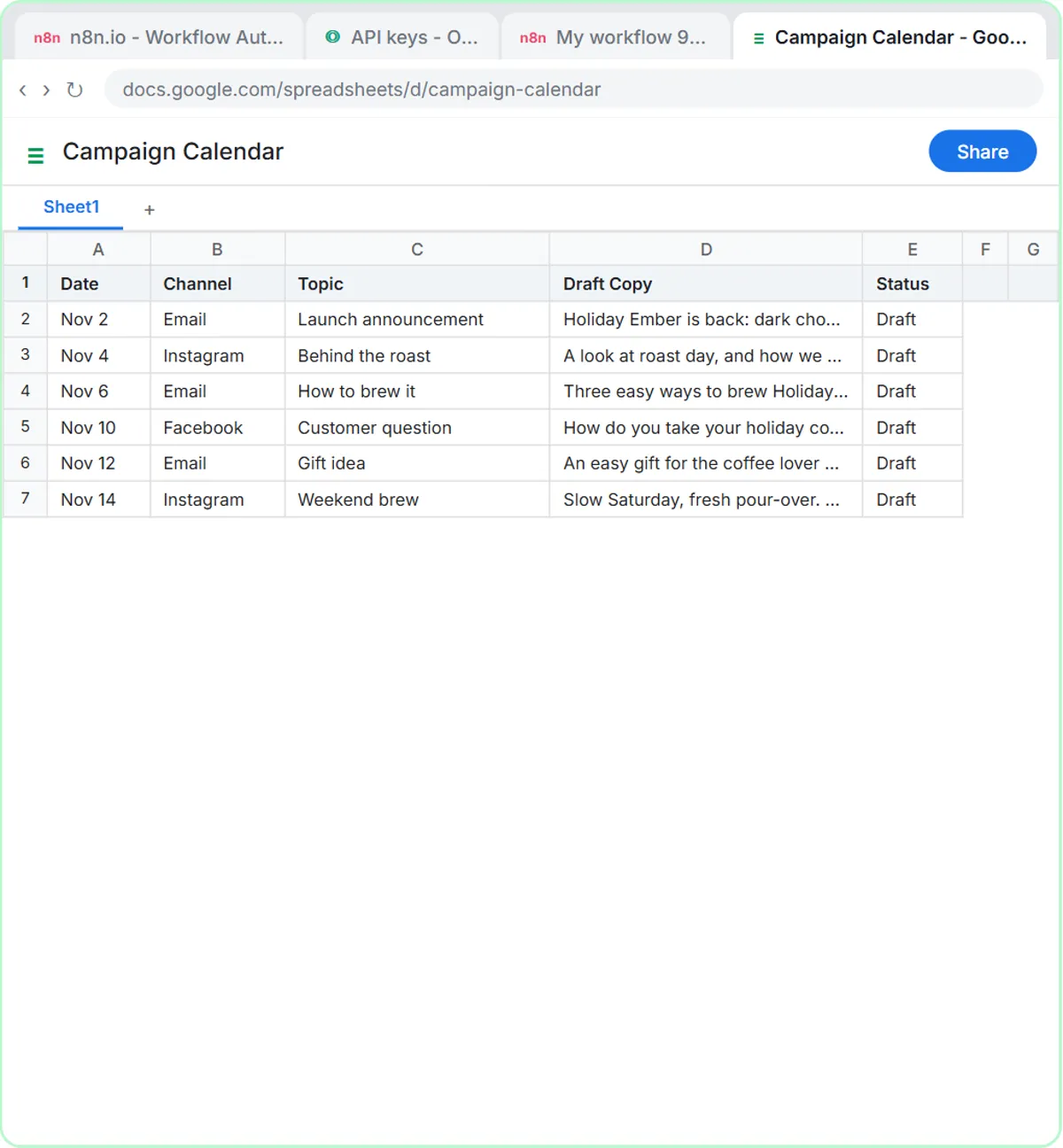
An n8n agent can turn one campaign theme into a two-week calendar of emails and social posts, saved to a Google Sheet as drafts for you to edit. In the campaign calendar lesson, the prompt is:
Plan a two-week email and social calendar for our Holiday Ember Blend launch, starting Monday Nov 2. Our offer is free shipping over $35.
The agent returns six items over two weeks, three emails and three posts, and "Yes, save the calendar to the sheet" writes them to a Campaign Calendar sheet with Date, Channel, Topic, Draft Copy and Status ("Draft").
The system prompt's rules are what make it safe for a small brand: mix email with Instagram and Facebook posts, send no more than 2 emails a week, give every item a different angle, and "Only mention offers the user gives you. Never invent a discount." It also says no health claims and no invented reviews. Plan a Campaign Calendar with an n8n AI Agent covers the build.
The same agent works for the slower weeks after the holidays. Give it a January theme, such as a new subscription option or a brewing-tips series, and only the offers you've actually decided on.
Try it free, step by step
Build a Lead Magnet Signup Form with an AI Welcome Email. Build a "Get the free guide" signup form in Lovable for Harbor & Pine Coffee Roasters and connect it to n8n — the AI agent tags each lead by interest, saves it to Google Sheets and emails a personal… You do every step yourself in a practice copy of Lovable and n8n, it checks your work as you go, and “Do it for me” finishes any step you get stuck on. Free, and nothing touches your real accounts.
Start the free lessonHow should you answer order-problem emails with AI?
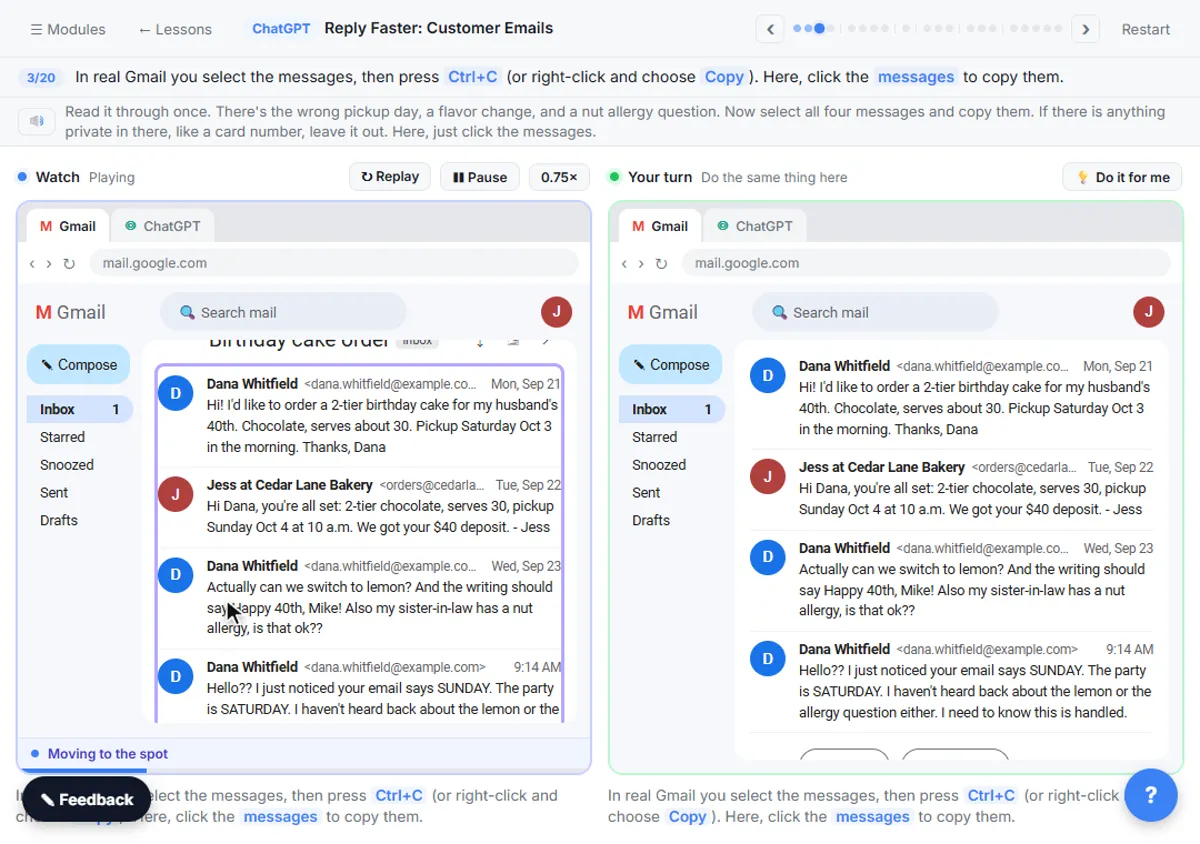
Paste the whole email thread into ChatGPT with a numbered list of facts you can actually promise, ask for a reply, then have ChatGPT check every promise against those facts. The lesson uses a made-up bakery's cake order with a wrong pickup date, but the routine is the same for a late package or a wrong item.
- Copy the whole thread, oldest first. In Gmail, click Expand all first so no message is hidden.
- Add your facts, numbered: what you can ship and when, the refund or replacement you'll offer, any discount the owner approved. The lesson's heading is "Facts (only promise what is here)".
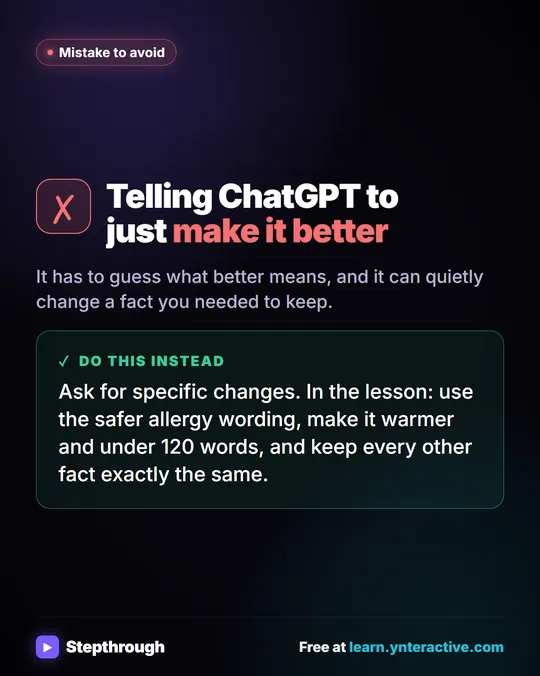
- Say what a good reply looks like: the tone, the questions to answer, a word limit, and "Don't invent details or promise anything that isn't in the facts."
- Check it. Ask for "a table of every promise or claim in it and the fact that backs it up." In the lesson, one line in the draft overpromises and the check flags it.
- Fix it and send it yourself from your own inbox.
For a shop, the risky lines are delivery dates and refunds. If the carrier hasn't confirmed a date, it doesn't go in the facts, so it shouldn't go in the reply. Check AI Email Drafts for Promises Before You Send covers the check in detail. Leave card numbers and full addresses out of anything you paste.
Can AI keep track of the shop's receipts?
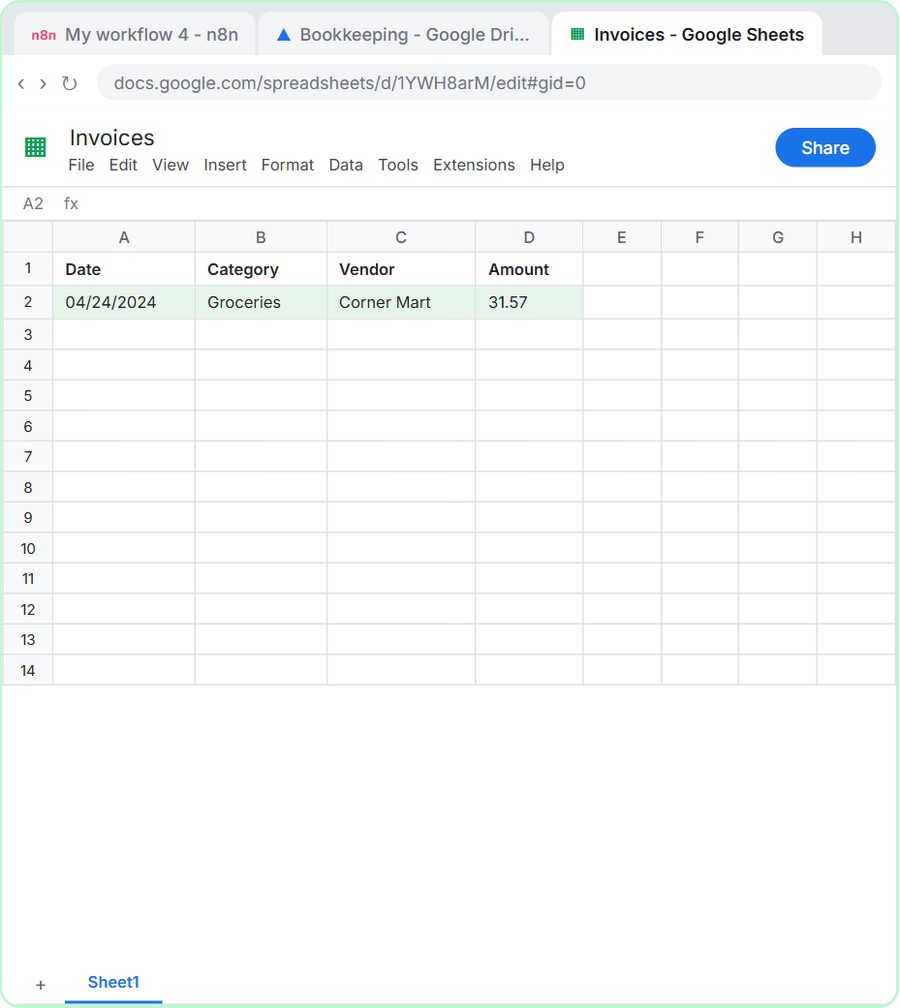
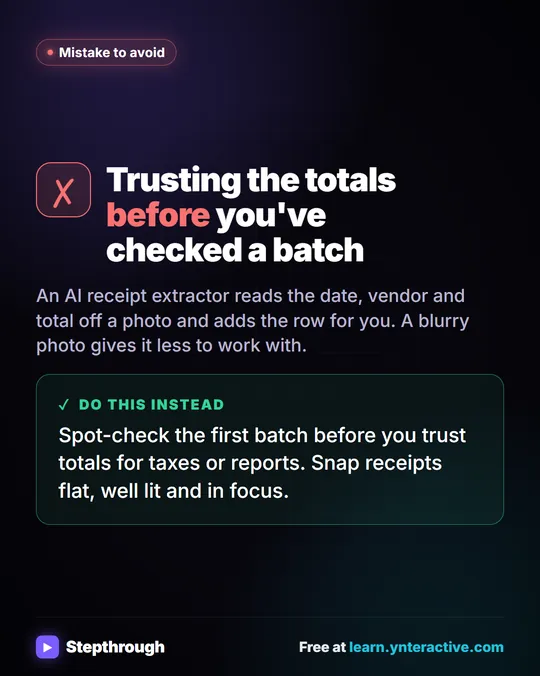
Yes. The AI Receipt Extractor lesson builds an n8n agent that reads a receipt photo dropped into a chat, pulls out the date, vendor and amount, picks a category and adds a row to an Invoices sheet. It uses gpt-4o because the model has to read an image. In the lesson, a Corner Mart receipt becomes 04/24/2024, Groceries, Corner Mart, 31.57.
For packaging, shipping supplies and ingredients, that's one less pile at tax time. Check each row against the receipt, and treat the category as a first guess for your bookkeeper. Get Receipts into Google Sheets with AI has the full build.
What does AI cost a small online store?
The lessons are free and run in practice copies, so nothing is sent or billed. ChatGPT works on any plan to start, including the free plan within its limits. The n8n builds need n8n (n8n Cloud is a paid service after a free trial, or self-host it), a Google account and an OpenAI API key, which is pay-as-you-go and billed separately from ChatGPT plans; the lessons suggest about $10 of credit. The signup form also uses Lovable, which has free and paid plans.
More lessons for marketers are on the marketing page.
Key takeaways
- A small online store can use AI for subscriber welcome emails, campaign calendars, order-problem replies and receipt tracking.
- The Harbor & Pine signup agent tags each subscriber with one of four segments and emails a welcome with one matching tip, with no discounts or health claims.
- The campaign calendar agent sends no more than 2 emails a week and only mentions offers you give it.
- For order-problem emails, give ChatGPT a numbered list of facts and check every promise in the draft before you send it.
- A receipt agent using gpt-4o can turn a receipt photo into a spreadsheet row, which a person should still check.
Frequently asked questions
- Do I need to code to use AI in my online store?
No. Lovable builds the form from a written prompt, n8n nodes are added by clicking and pasting, and the ChatGPT routine is copy and paste.
- Will the AI invent discounts in my campaign emails?
The campaign agent's system prompt says to mention only offers you give it and never invent a discount. Still read every draft in the sheet before it goes out.
- Does the welcome email send automatically?
Yes. In the signup lesson, the agent emails each new subscriber through Gmail, so test it with your own email address before the form goes live.
- Is Harbor & Pine Coffee Roasters a real brand?
No. Harbor & Pine Coffee Roasters, its guide and its campaign are made-up examples used in the lessons.