An AI content calendar in n8n turns one campaign theme into two weeks of emails and social posts, saved as draft rows in a Google Sheet your team reviews. Small-business marketers can build the agent in the free AI Campaign Calendar Agent lesson, then capture campaign leads with the AI Lead Magnet Signup Form lesson.
Both lessons use a made-up small online coffee brand, Harbor & Pine Coffee Roasters, and run in a practice copy, so no real account is touched.
What does the n8n campaign calendar agent do?
The campaign calendar agent takes one campaign theme in a chat, plans two weeks of emails and Instagram or Facebook posts, and saves every item to a Google Sheet called Campaign Calendar. n8n is a tool that connects apps into automated workflows, and an AI agent in n8n is a language model that can reason about a request and then use tools, here Google Sheets.
For each calendar item, the agent returns five fields: Date, Channel, Topic, Draft Copy (one or two sentences) and Status, which is always "Draft."
What goes in the system prompt for a content calendar?
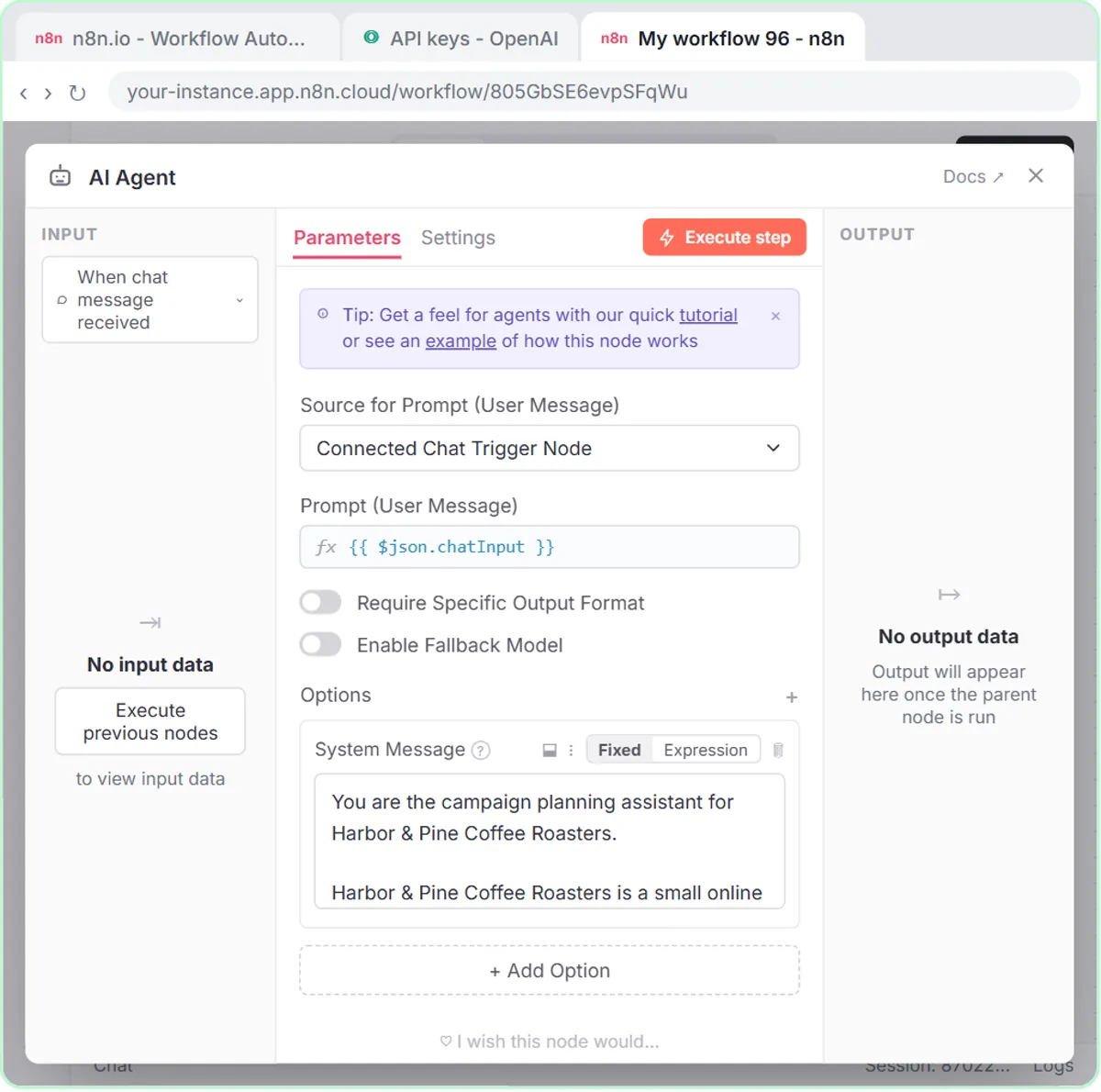
The system prompt describes the brand, the audience, the tone and the planning rules. The Harbor & Pine prompt names the audience (home coffee drinkers and gift buyers) and sets the tone: warm, plain, specific about flavor, never pushy.
The planning rules in the Harbor & Pine system prompt are:
- Mix email with Instagram and Facebook posts.
- Send no more than 2 emails a week.
- Give every item a different angle: launch, how it is made, how to brew it, gifting, customer questions.
- Only mention offers the user gives you. Never invent a discount.
- Do not make health claims or invent reviews.
How do you build the content calendar agent in n8n?
The campaign calendar lesson is 69 short steps and takes about 12 minutes, with no code:
- Sign up at n8n.io and create an OpenAI API key (add credit first, then + Create new secret key).
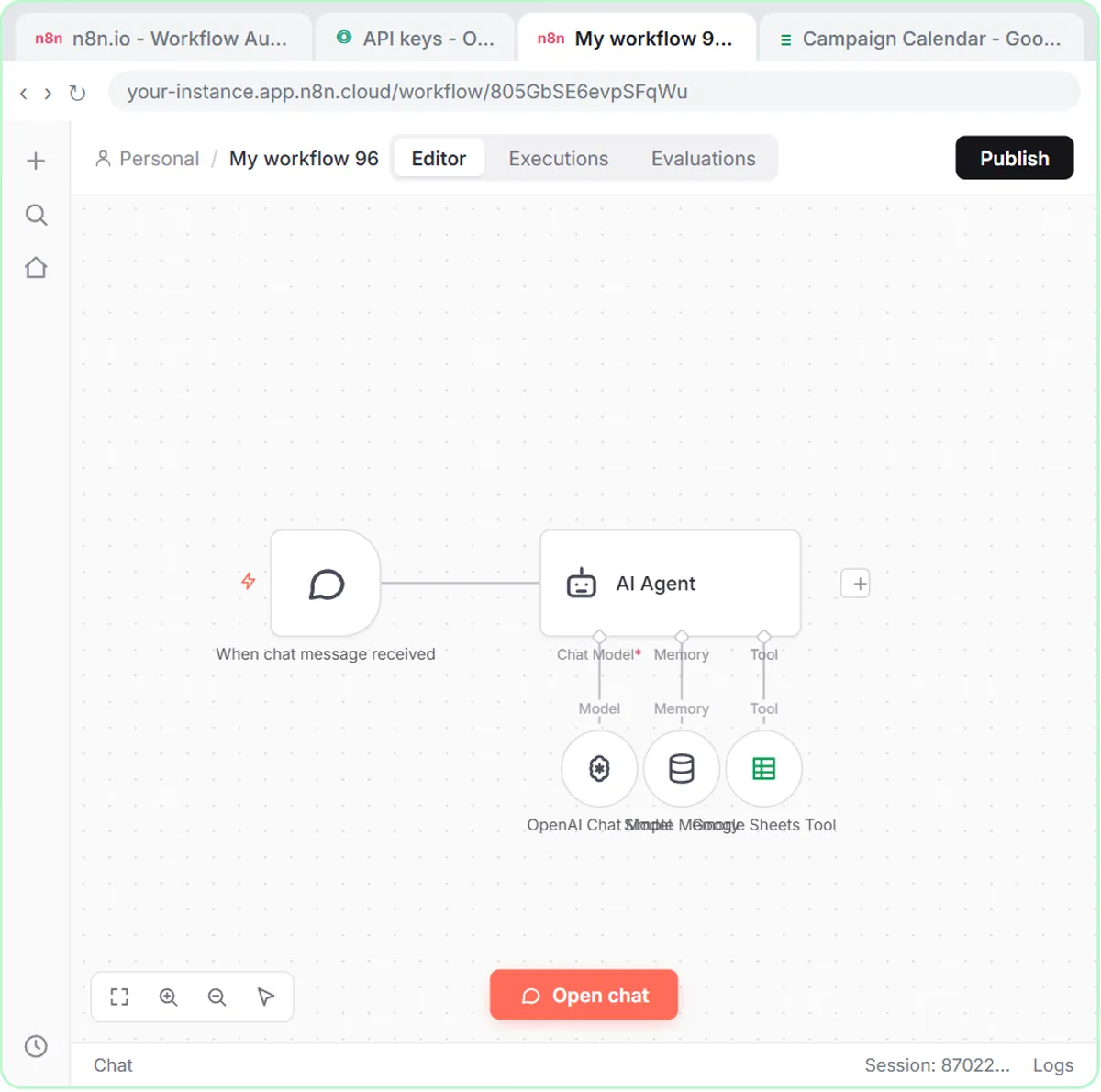
- Click Create workflow and add the On chat message trigger.
- Add the AI Agent node, click + Add Option, choose System Message and paste the prompt.
- Add the OpenAI Chat Model, save your key as a credential and pick gpt-5-mini.
- Add Simple Memory, so the agent remembers the plan when you ask it to save.
- Add the Google Sheets Tool. Create a spreadsheet named Campaign Calendar with the headers Date, Channel, Topic, Draft Copy and Status in A1 to E1.
- Sign in with Google, choose Append Row, pick Campaign Calendar and Sheet1, and click the button next to each column so the model fills it in.
For a closer look at each agent piece, see n8n AI Agent Tutorial: Build Your First Agent.
What does the agent produce from one campaign theme?
From one campaign prompt, the Harbor & Pine agent plans six items over two weeks: three emails and three Instagram or Facebook posts, each with its own angle and a draft line of copy. In the lesson, you click Open chat and send:
Plan a two-week email and social calendar for our Holiday Ember Blend launch, starting Monday Nov 2. Our offer is free shipping over $35.
You read the plan first, then type "Yes, save the calendar to the sheet," and the agent writes six rows into Campaign Calendar, each marked Draft.
The campaign calendar agent does not publish posts or send emails. Your team edits the draft copy in the sheet, changes Status to Approved or Scheduled, and then writes the full emails and posts.
Try it free, step by step
Build an n8n AI Agent That Plans Your Content Calendar. Build an AI agent for Harbor & Pine Coffee Roasters that turns one campaign theme into a two-week email and content calendar in Google Sheets — chat trigger, AI Agent, system prompt, model, memory… You do every step yourself in a practice copy of n8n, it checks your work as you go, and “Do it for me” finishes any step you get stuck on. Free, and nothing touches your real accounts.
Start the free lessonHow do you capture leads from the campaign?
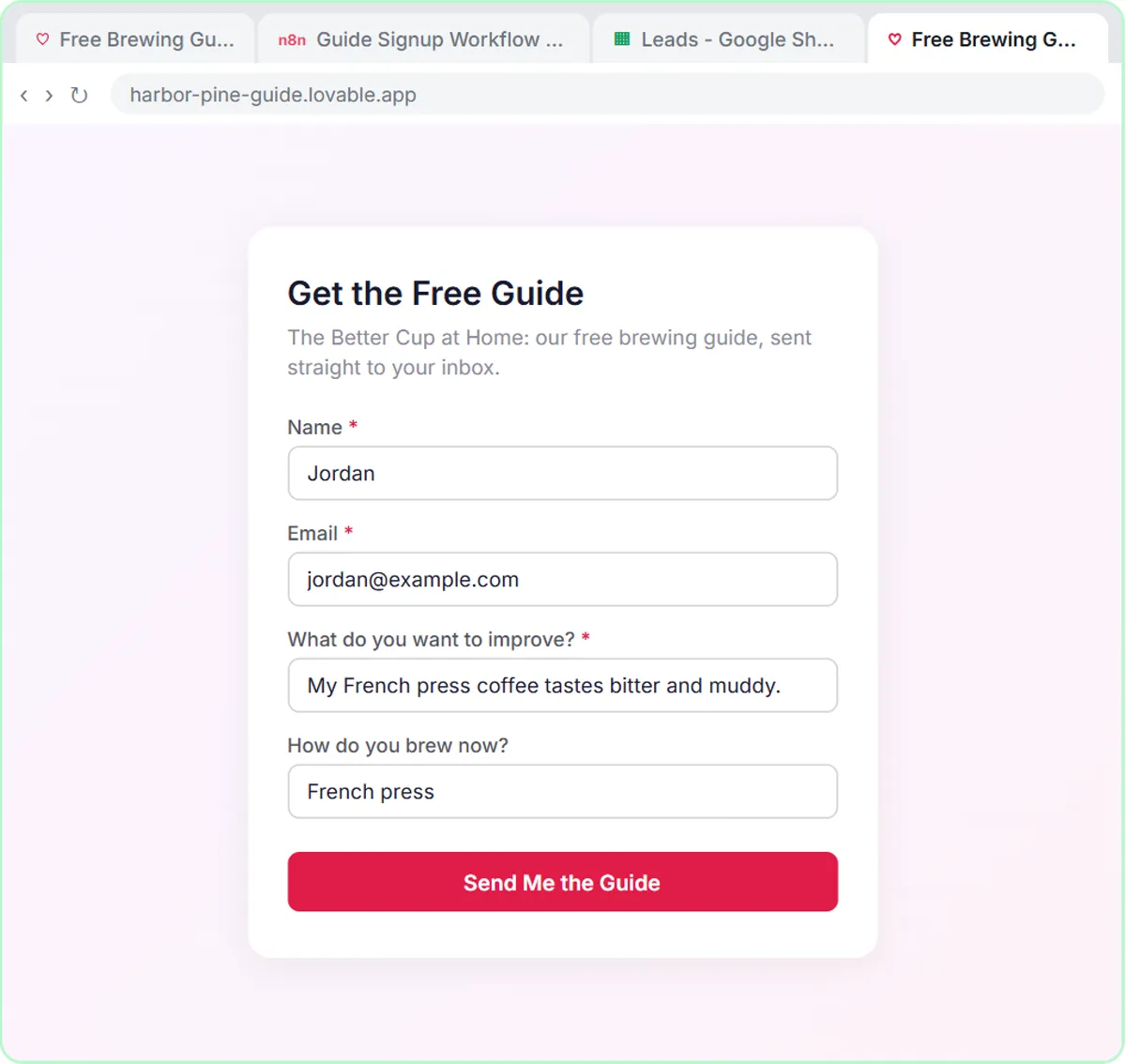
A "Get the Free Guide" form built in Lovable and connected to n8n captures each signup, tags the lead, saves it and emails the guide. The lead magnet in the lesson is Harbor & Pine's free brewing guide, The Better Cup at Home.
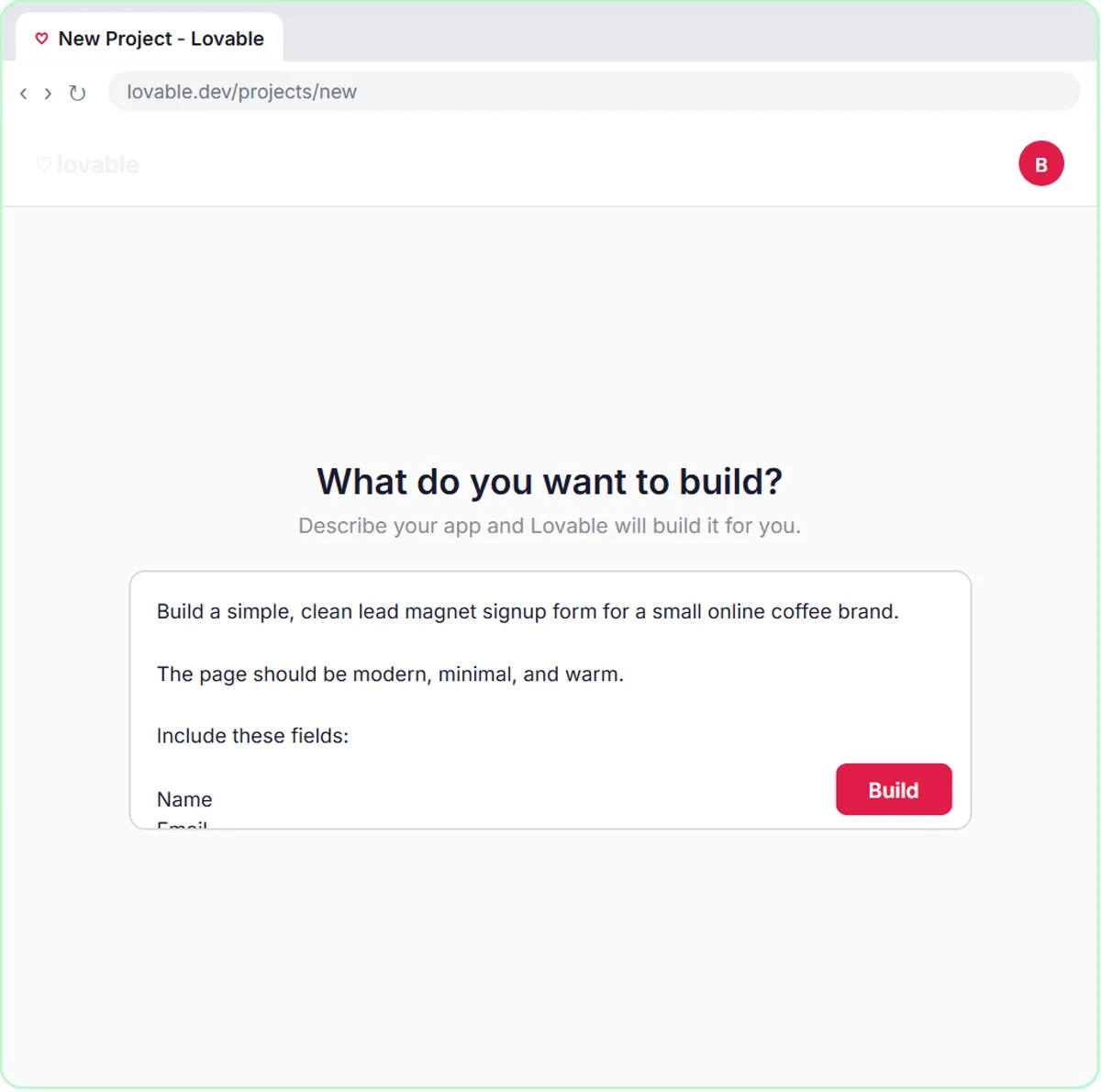
- The form, in Lovable. Lovable builds web apps from a written description. You paste a prompt and click Build. The form asks for Name, Email, What do you want to improve? and, optionally, How do you brew now?
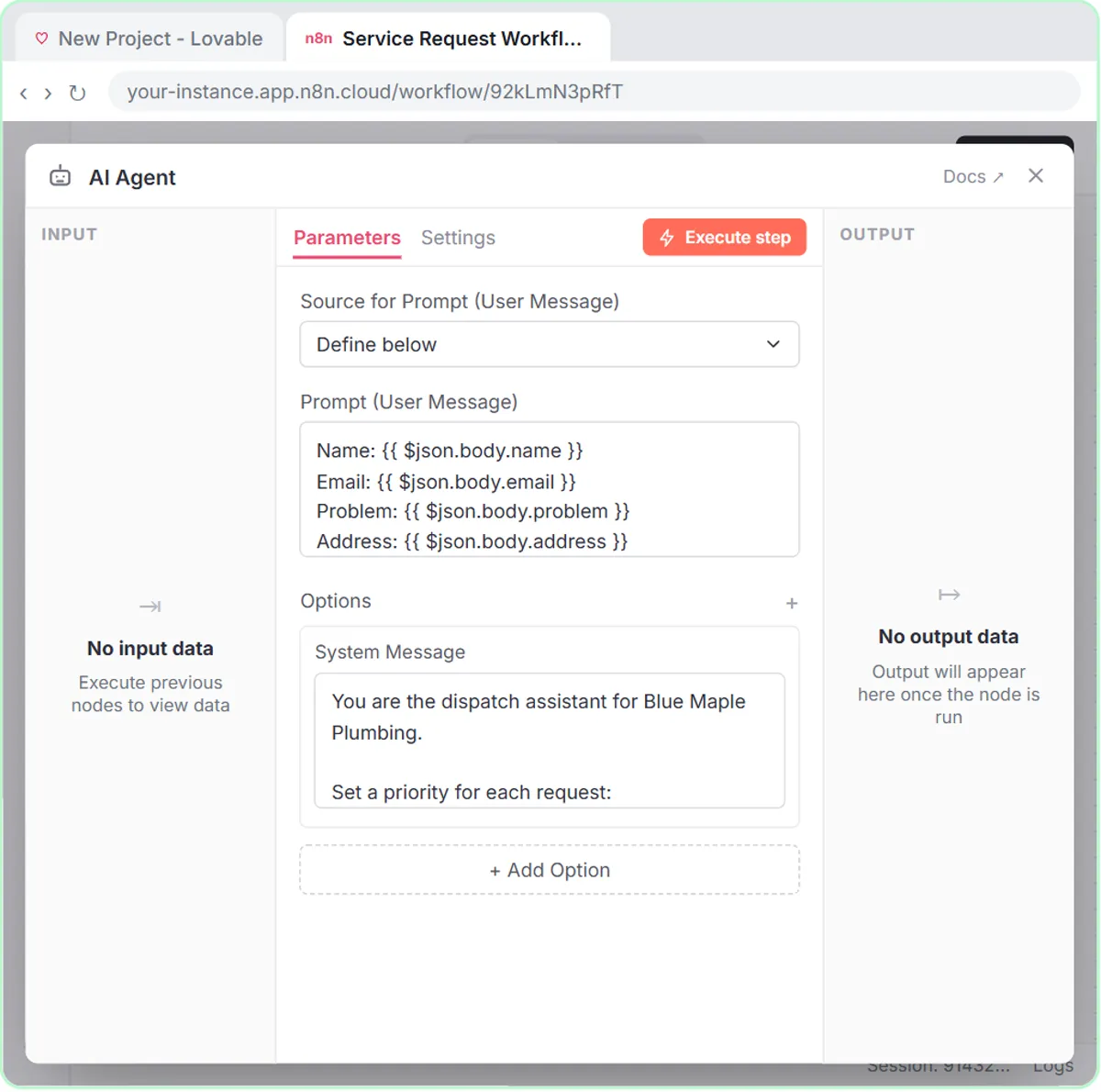
- The workflow, in n8n. An On webhook call trigger receives each signup, and an AI Agent tags the lead with one of four segments: New to Brewing, French Press & Pour-Over, Espresso at Home or Gift Buyer.
- The tools. The Google Sheets Tool adds a row to a sheet called Leads (Name, Email, Interest, Brew Method), and the Gmail Tool sends a short, warm welcome with the guide link and one tip for the segment, with no discounts and no health claims.
- The response. A Respond to Webhook node tells the form it worked, and the visitor sees "Check your inbox! Your free guide is on its way."
In the lesson's test, the entry says their French press coffee tastes bitter and muddy. The agent tags the lead French Press & Pour-Over, saves the row and emails the guide with a French press tip.
What should you check before the signup form goes live?
Check that the webhook URL is a secret, both apps are published, and the welcome email reads well, because the lead magnet workflow sends email by itself.
- **The webhook URL lives in Lovable as the
N8N_WEBHOOK_URLsecret,** not in the page code. Connect a Lovable Form to n8n with a Webhook covers that step in detail. - The n8n workflow only runs on its own after you click Publish, and the Lovable app is only a preview until you publish it.
- The Leads sheet saves what the person typed. The segment goes into the email, so add a Segment column if you want to sort by it.
- Test with your own signups before you share the form.
Is this an AI agent or just a chatbot?
The calendar workflow is an AI agent, because the agent uses a tool to write rows into your sheet instead of only replying in chat. AI Agent vs Chatbot vs Automation explains the difference.
How do you use this for your own campaigns?
Rewrite the system prompt for your brand and run the agent at the start of every campaign. Specifically:
- Describe your brand: what you sell, who buys it, your channels and your real offers.
- Keep the sheet and prompt in sync: keep the five columns, or rename them in both places.
- Give it the theme, start date and offer to get a first-draft calendar to edit.
- Swap in your own lead magnet, and rewrite the form questions and segments to match how you market.
More lessons for marketers are on the marketing hub.
What does an AI content calendar cost?
Both lessons are free on Stepthrough; real builds use tools with their own pricing. n8n Cloud has a free trial and then paid plans, or you can self-host n8n. The OpenAI API is pay-per-use and billed separately from ChatGPT; you add credit at platform.openai.com first, and the lesson adds $10. Lovable has its own free and paid plans, and you need a Google account for Sheets and Gmail.
Key takeaways
- An n8n AI agent can turn one campaign theme into a two-week email and social calendar saved as Draft rows in Google Sheets.
- The system prompt holds the planning rules, such as no more than 2 emails a week, a different angle per item and no invented discounts.
- The campaign calendar agent never publishes or sends anything, so the team reviews every draft in the sheet.
- A Lovable "Get the Free Guide" form connected to n8n can tag each lead, save it to Google Sheets and email the guide automatically.
- Both lessons are free on Stepthrough; n8n, the OpenAI API and Lovable have their own plans for real use.
Frequently asked questions
- Can n8n build a content calendar in Google Sheets?
Yes. In the lesson, an n8n AI Agent with the Google Sheets Tool appends one row per calendar item: date, channel, topic, draft copy and status.
- Will the calendar agent publish posts or send campaign emails?
No. The campaign calendar agent only plans and saves drafts, each marked Draft. Sending and posting stay with you or your usual tools.
- Will the agent make up discounts?
The system prompt tells the agent to mention only offers you give it, never invent a discount, and never make health claims or invent reviews.