Each step below points to a free lesson that runs in a practice copy, so you can learn the tool before you connect real accounts. The example companies, BrightPath Marketing and Harbor & Pine Coffee Roasters, are made up.
Where should a marketer start with AI?
Start with prompts in ChatGPT, because every later tool runs on the same idea: tell the AI who it is writing as, what it needs to know, what to produce and how it should look. The Prompt Writing 101 lesson takes 8 minutes.
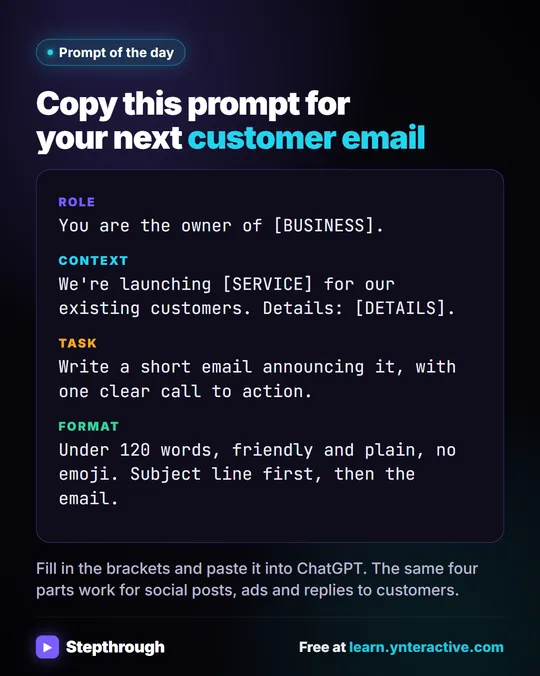
In the lesson, a one-line request ("Write an email to my customers about our new service.") gets a long, generic email with blanks like [Your Company Name] and emoji in the subject line. The four-part version gets a usable announcement:
- Role: You are the owner of Summit Lawn Care, a small family-run lawn company in Harrisburg, PA.
- Context: the customers, the new service, the price ($149 for most yards) and the dates.
- Task: a short email with one clear call to action: reply to book a date.
- Format: under 120 words, friendly and plain, no emoji, subject line first.
The lesson ends by saving the prompt in a Google Doc with [BUSINESS], [SERVICE] and [DETAILS] blanks. For a marketer, that doc becomes a small library: one template for announcements, one for social posts, one for ad copy. How to Write Better ChatGPT Prompts goes deeper.
How can an AI agent help with social media ideas?
An n8n AI agent can generate post ideas in your brand voice and save each one as a row in Google Sheets, so the team reviews them in one place instead of copying from a chat.
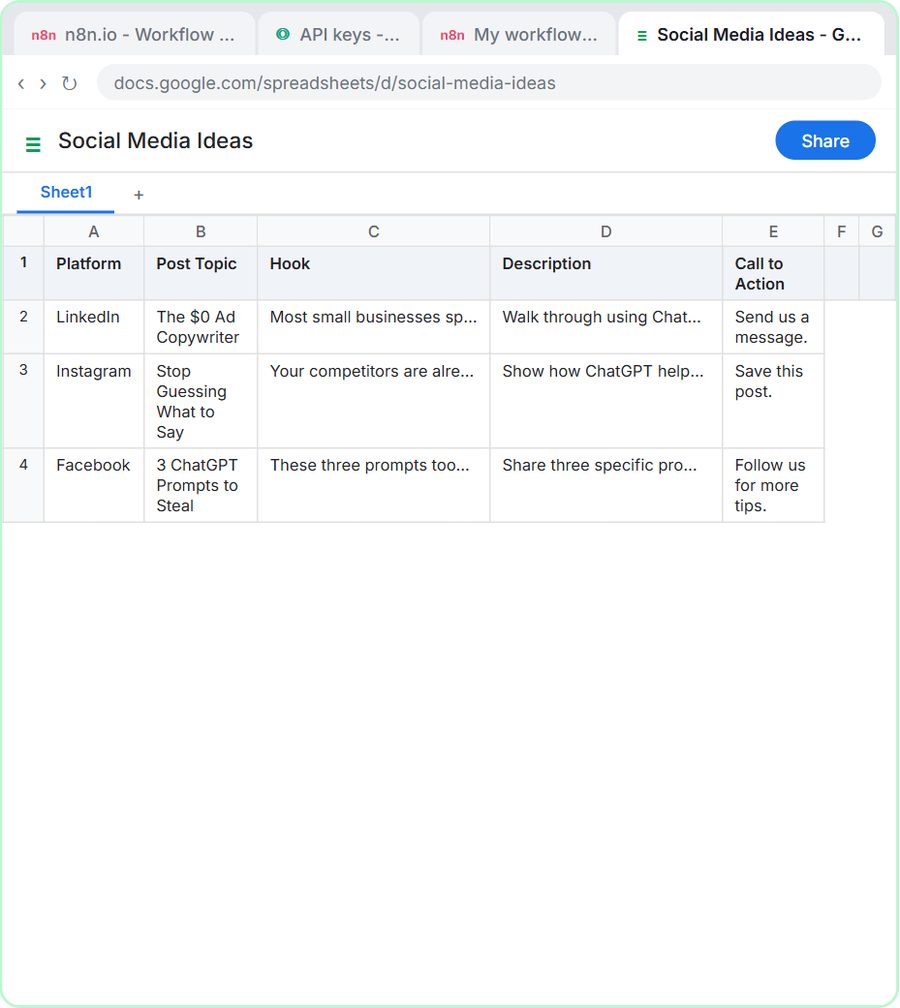
In the AI Social Media Idea Agent lesson, you build the agent for BrightPath Marketing, a made-up digital agency. Its system message describes the agency, the audience (business owners and marketing managers) and the voice ("helpful, practical, professional, and approachable"). It asks for five things per idea, which match the five columns of the Social Media Ideas sheet: Platform, Post Topic, Hook, Description and Call to Action.
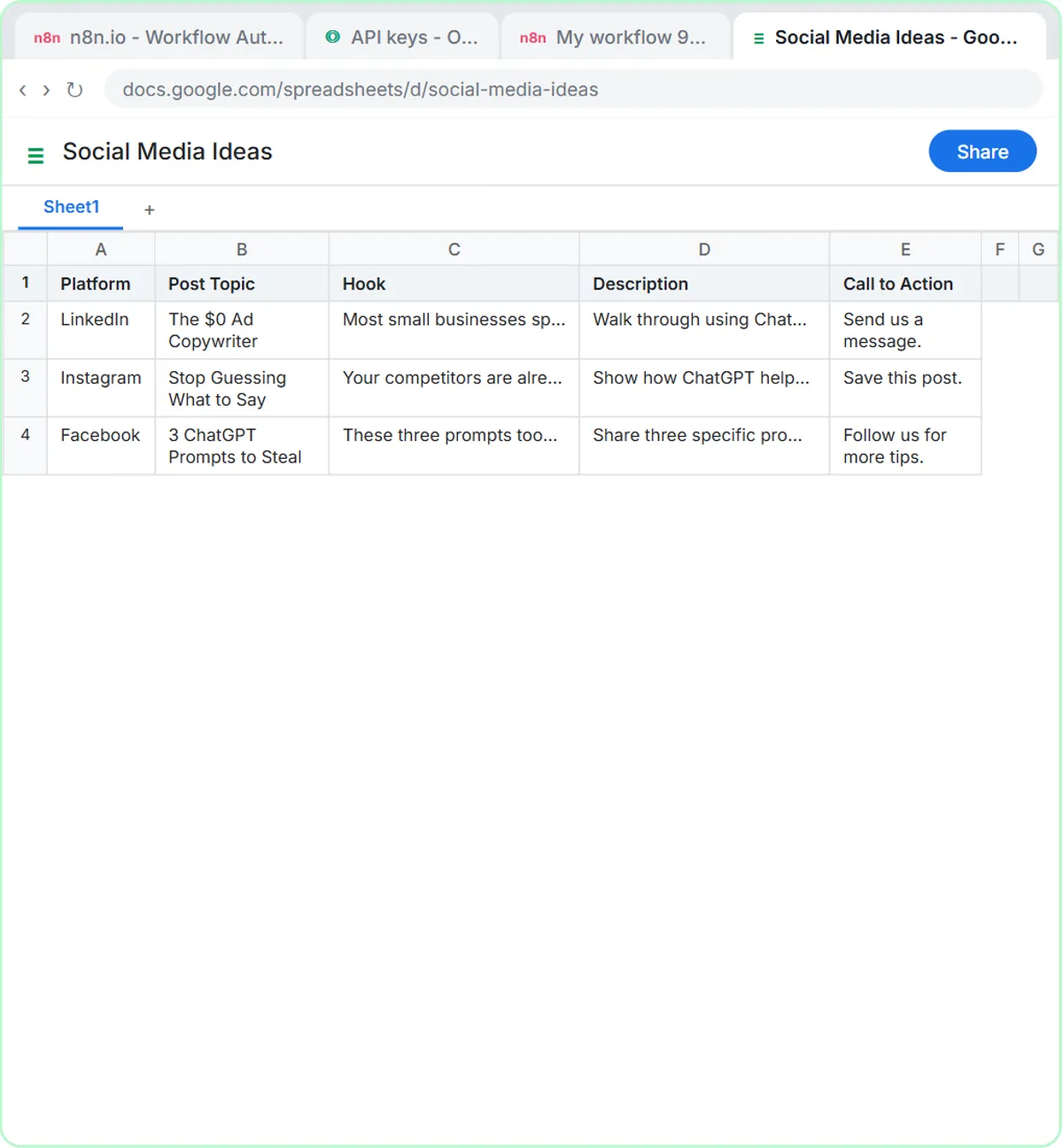
You test it by clicking Open chat and asking for three post ideas about how small businesses can use ChatGPT for advertising. Then "Yes, save those ideas to the sheet" writes three rows. A full walkthrough is in n8n AI Agent Tutorial: Build Your First Agent.
How can AI plan a campaign calendar?
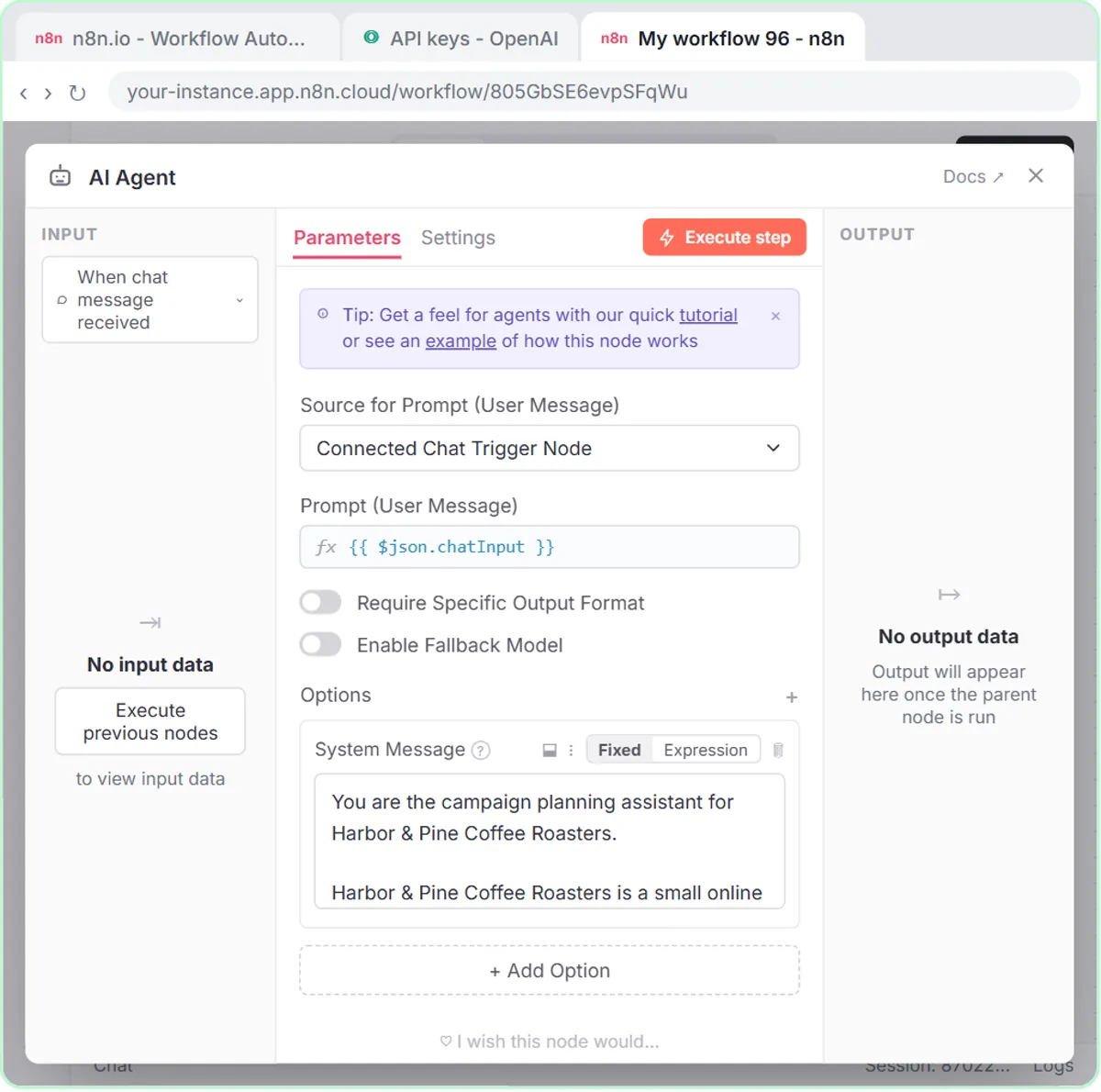
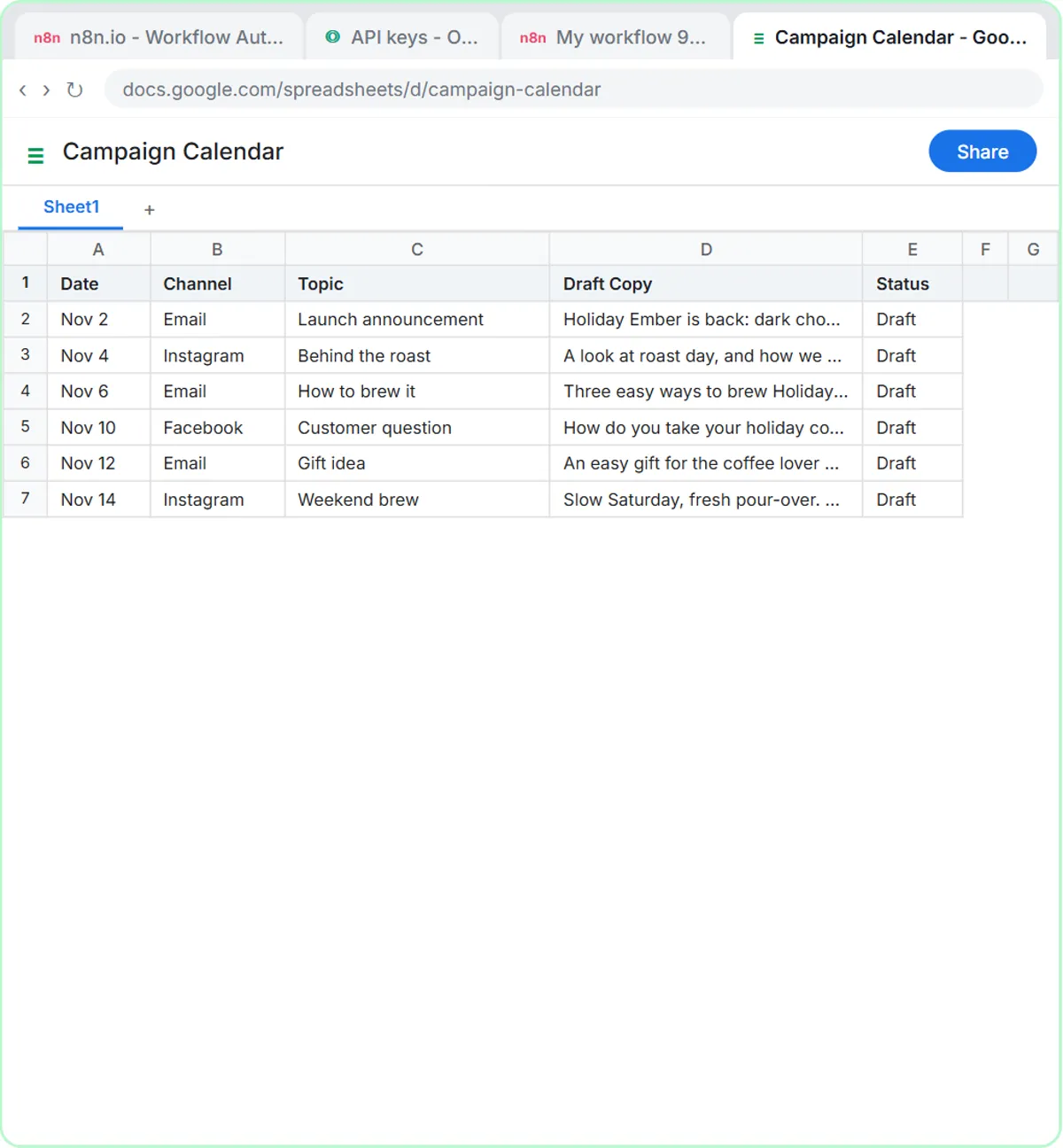
A second n8n agent can turn one campaign theme into a two-week email and social calendar, with a date, channel, topic, draft copy and status for every item. The AI Campaign Calendar Agent lesson builds it for Harbor & Pine Coffee Roasters, a made-up online coffee brand.
The system message carries the planning rules a good marketer would set anyway:
- Mix email with Instagram and Facebook posts.
- Send no more than 2 emails a week.
- Give every item a different angle: launch, how it is made, how to brew it, gifting, customer questions.
- "Only mention offers the user gives you. Never invent a discount."
The test prompt asks for a calendar for a Holiday Ember Blend launch starting Monday, Nov 2, with free shipping over $35 as the only offer. The agent returns six items, three emails and three posts, and saves them to a Campaign Calendar sheet with Status set to "Draft." Plan a Campaign Content Calendar with an n8n AI Agent walks through that build step by step.
Try it free, step by step
n8n AI Agent Tutorial: Save Social Media Ideas to Google Sheets. Build an AI agent for BrightPath Marketing that generates social media post ideas and saves them to Google Sheets — chat trigger, AI Agent, system prompt, model, memory, and the Sheets tool. You do every step yourself in a practice copy of n8n, it checks your work as you go, and “Do it for me” finishes any step you get stuck on. Free, and nothing touches your real accounts.
Start the free lessonHow can AI handle new signups from a lead magnet?
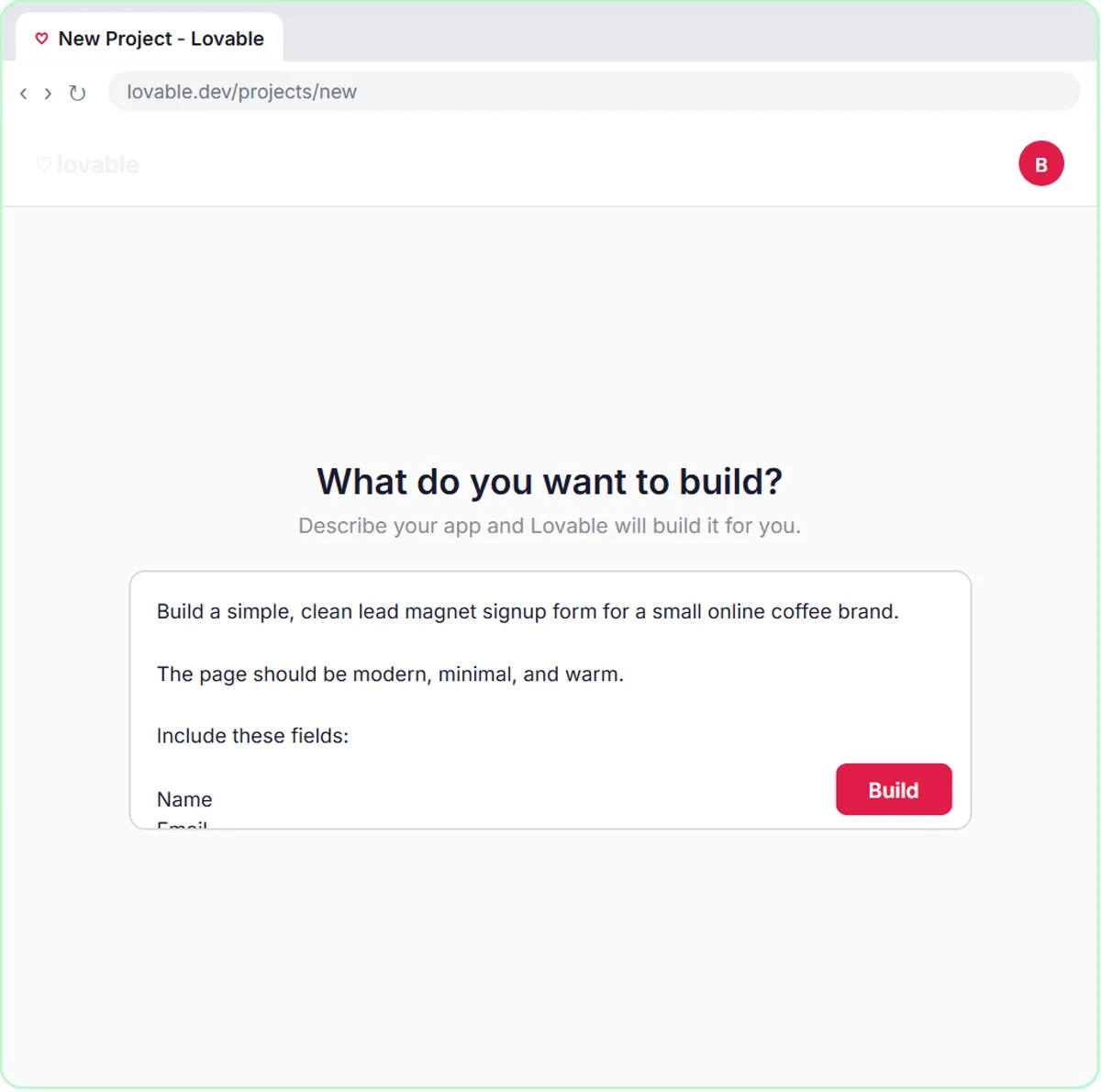
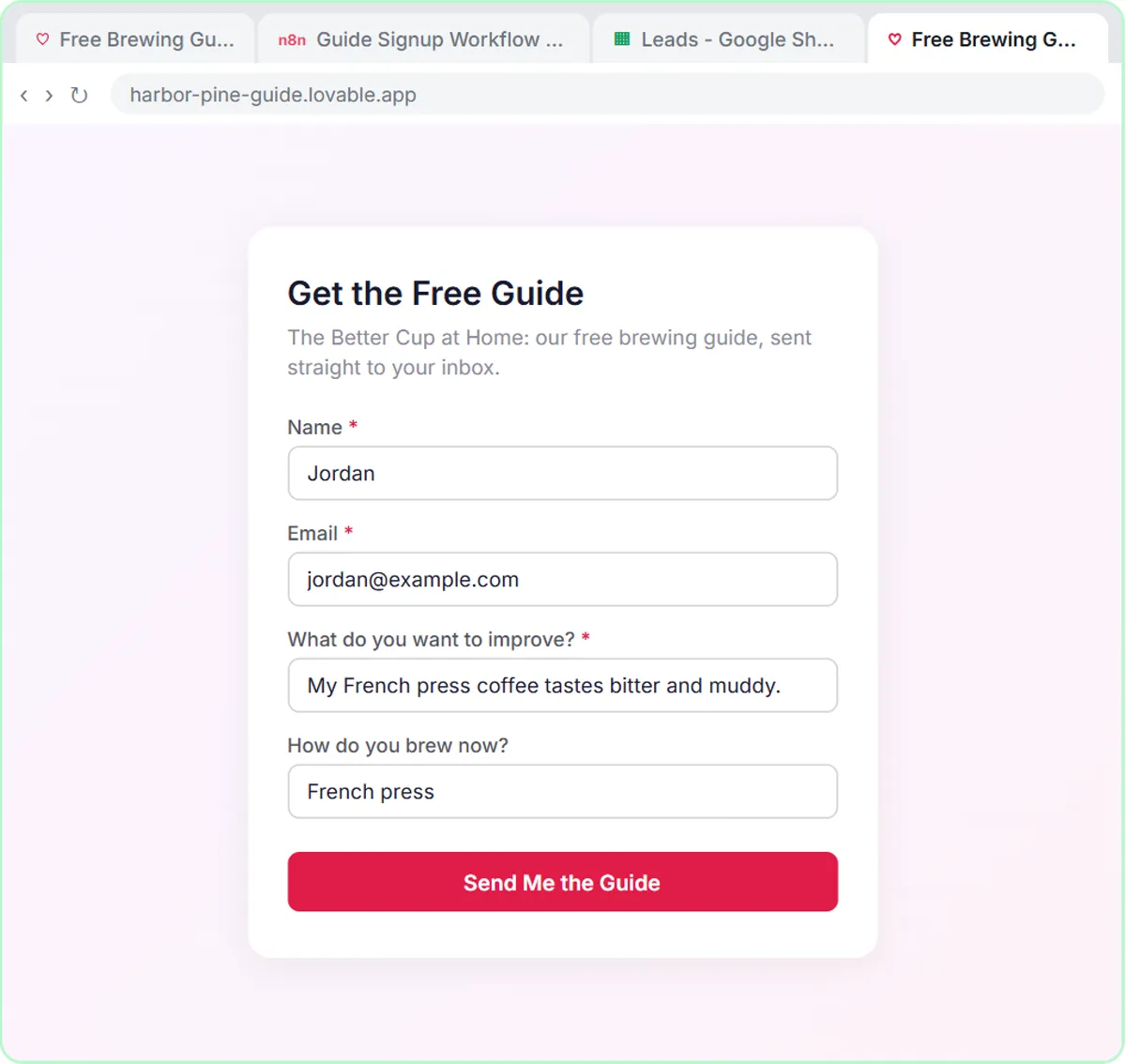
A Lovable signup form connected to n8n can tag each new lead with a segment, save it to a sheet and send a welcome email that fits the segment. The AI Lead Magnet Signup Form lesson builds a "Get the Free Guide" page for Harbor & Pine's guide, The Better Cup at Home.
The form asks four things: Name, Email, "What do you want to improve?" and an optional "How do you brew now?" The n8n agent tags each lead with one of four segments: New to Brewing, French Press & Pour-Over, Espresso at Home, or Gift Buyer. In the lesson's test, a lead who says their French press coffee tastes bitter is tagged French Press & Pour-Over and gets the guide plus a French press tip. The system message ends with "No discounts and no health claims."
For a plain contact form instead of a guide signup, the Build a Web App with an AI Backend lesson builds a "Have a Question?" form for a marketing business that saves each lead and replies by email.
What guardrails should marketers give AI?
Tell the AI, in writing, what it must never invent. Every marketing lesson puts its limits in the system message, so they apply to every idea, post and email:
- BrightPath: "Do not invent statistics or make unsupported claims."
- Harbor & Pine calendar: never invent a discount, and "Do not make health claims or invent reviews."
- Harbor & Pine welcome email: "No discounts and no health claims."
Two habits help on top of the written rules:
- Give the AI your real offers and facts. The calendar agent only knew about free shipping over $35 because the prompt said so.
- Review before anything goes out. The calendar items start as "Draft" and the ideas sit in a sheet. A person approves them. Welcome emails from the signup form do go out automatically, so read the first few carefully and test with your own address.
If your marketing uses customer data or sends to a list, follow your company's policy and the consent rules that apply to you; this post isn't legal advice.
What does AI for marketing cost?
The lessons are free and run in practice copies, so nothing is published, sent or billed. Real builds have separate costs:
- ChatGPT: any plan works to start, including the free one, within its limits; paid and business plans add more.
- n8n: n8n Cloud is a paid service after a free trial, or you can self-host it.
- OpenAI API: the agents need an API key, which is pay-as-you-go and billed separately from ChatGPT plans. The lessons suggest about $10 of credit to start and use gpt-5-mini, which the lesson calls fast and cheap.
- Lovable: free and paid plans.
A sensible order for a busy marketer: prompts this week, the social ideas agent next, then the calendar agent before your next campaign, and the signup form when you have a lead magnet ready. More lessons are on the marketing hub.
Key takeaways
- Marketers can start with AI by writing copy with a four-part ChatGPT prompt: Role, Context, Task and Format.
- An n8n AI agent can generate social post ideas in your brand voice and save each one as a row in Google Sheets for team review.
- The campaign calendar agent turns one theme into a two-week plan with no more than 2 emails a week and only the offers you give it.
- A Lovable signup form with an n8n agent can tag each lead with a segment and send a welcome email with a matching tip.
- Write the "never invent" rules into the system message: no made-up statistics, discounts, reviews or health claims.
Frequently asked questions
- Do I need to code to use these AI marketing tools?
No. ChatGPT takes plain prompts, n8n nodes are added by clicking and pasting, and Lovable builds the form from a written prompt.
- Will the AI make up statistics or discounts?
The lesson agents are told not to: "Do not invent statistics" and "Never invent a discount." Rules reduce the risk, so a person should still review everything before it's published.
- Which lesson should a marketer take first?
Prompt Writing 101 (8 minutes), then the AI Social Media Idea Agent (12 minutes). The calendar agent and signup form build on both.
- Can an agency use this for several clients?
Yes. Each client gets its own system message with its voice, audience and rules, and its own sheet. Keep client data separate.
- Are BrightPath Marketing and Harbor & Pine real companies?
No. BrightPath Marketing, Harbor & Pine Coffee Roasters and Summit Lawn Care are made-up examples used in the lessons.


![An FAQ page ChatGPT wrote only from the firm's facts, with the IRS-letter answer marked [ask Dana] because that fact was missing](/content/img/chatgpt-ai-search/02-faq-from-your-facts.webp)